Install WooCommerce FAQs Plugin to Show Relevant details about your product!
Reduce customer support requests and help shoppers make confident purchase decisions with the WooCommerce FAQ Plugin. Display product-specific FAQs on product pages and let customers ask questions directly from your store.
Customers always have questions before placing an order. Instead of handling the same queries over and over through support channels, the WooCommerce FAQ Plugin lets you address common questions on the product page.
You can display product-related FAQs on individual product pages and create a dedicated FAQ page for general store questions. Customers can also submit new questions through a built-in Ask a Question form, and you can review, approve, and answer them from the admin panel before they go live on the front end.
Show additional information about the products. Try our WooCommerce Additional Information Plugin
Features:
- Display Product FAQs on Product Pages
- Create a Dedicated FAQ Page for General Store Questions
- Built-in Ask a Question Form for Customer Queries
- Answer Questions with the WYSIWYG Editor
- Public and Private Question Options for Customers
- Configure Question Approval Before Publishing
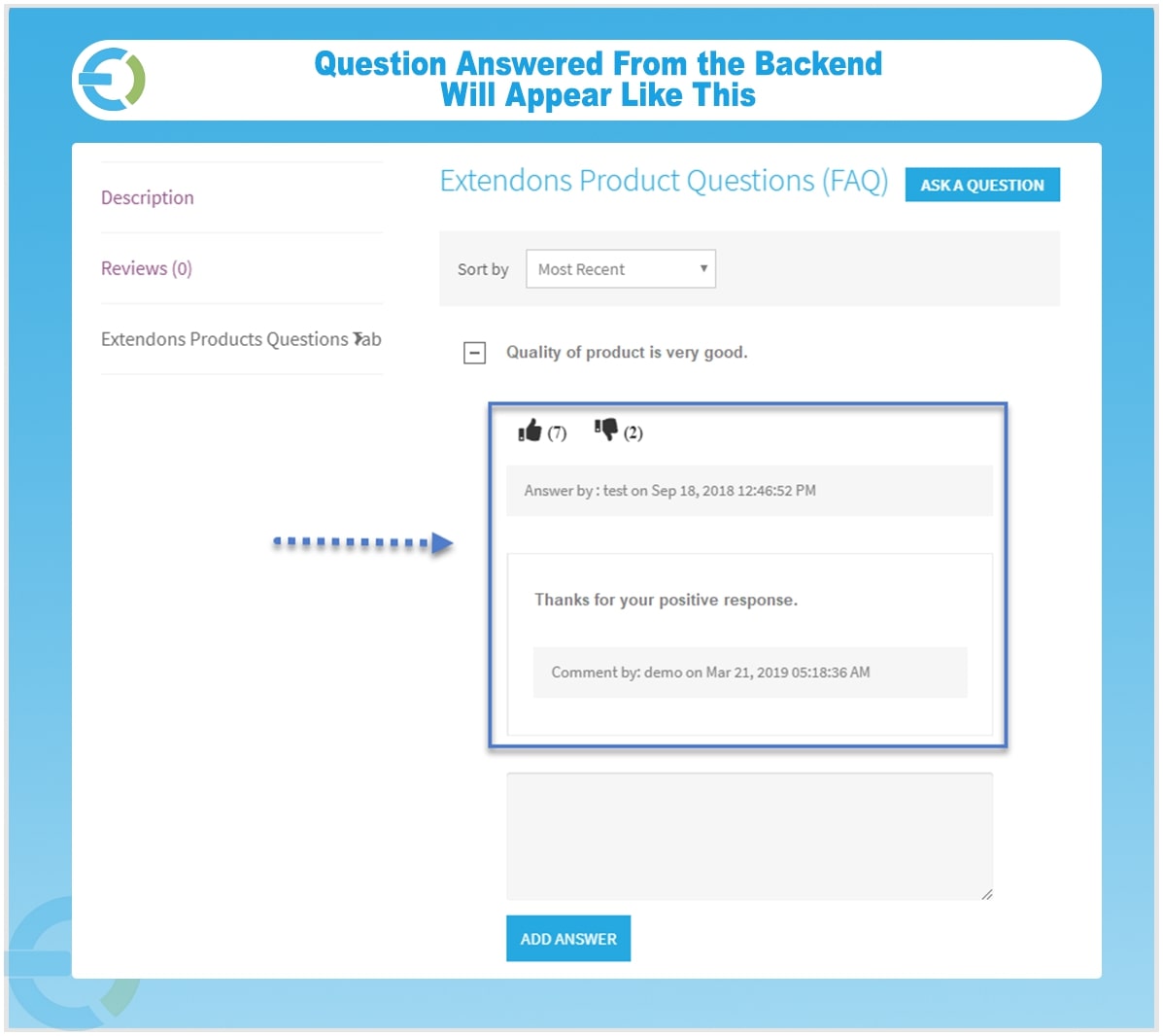
- Allow Likes and Dislikes on Answers
- Google Recaptcha to Prevent Spam
- Email Notifications When Questions are Answered
- Display Questions and Answers in the My Account Section
Creates a Dedicated FAQs Page on Your e-Store
The WooCommerce FAQ plugin gives you two ways to display FAQs. You can add product-specific questions and answers directly on individual product pages so customers get relevant information right where they are shopping. You can also create a separate FAQ WooCommerce page to address general questions about your store, policies, or services. FAQs can be organized into categories based on the nature of the questions.
Built-in Ask a Question Form
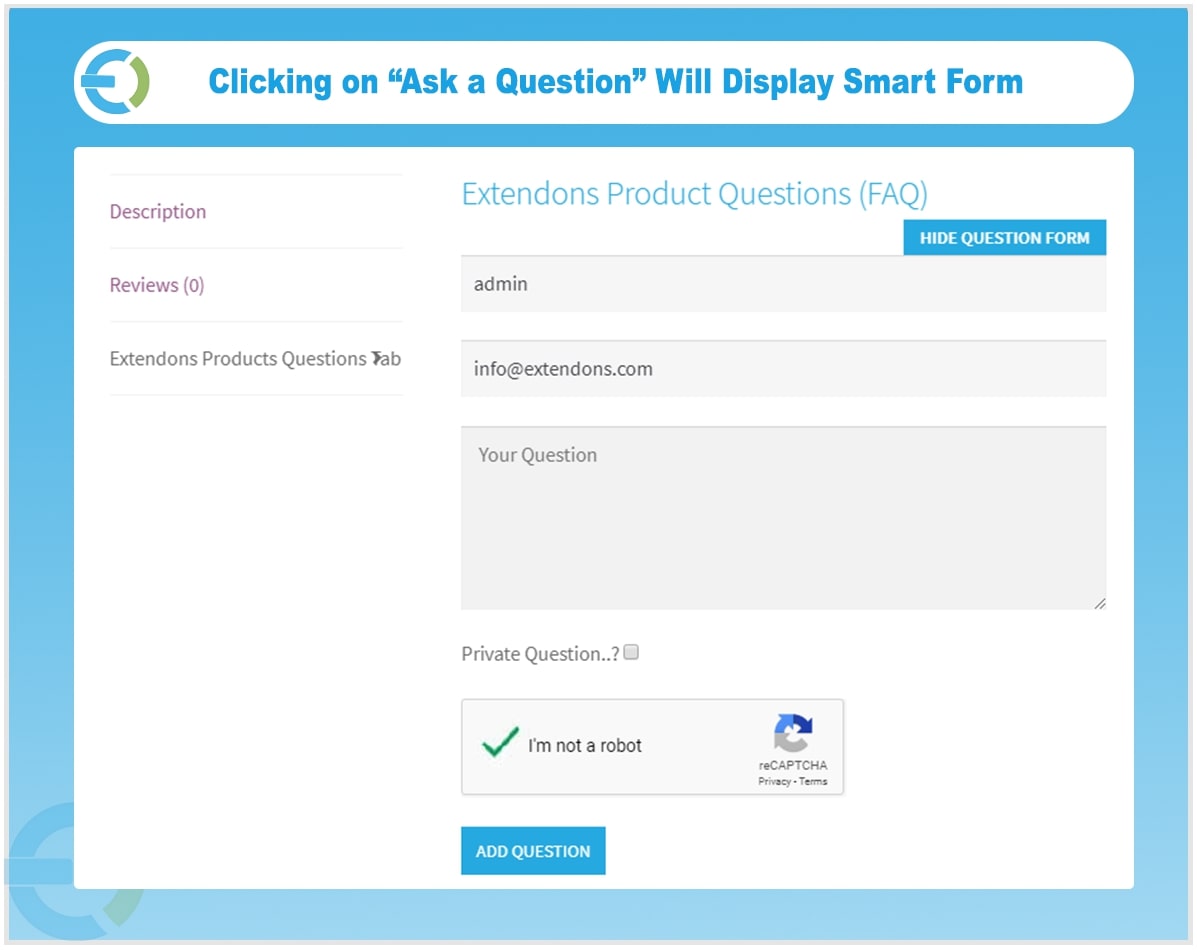
If a customer has a question that is not covered in the existing FAQs, they can submit it directly through the Ask a Question form on the product page. You can enable or disable this form from the backend and configure whether submitted questions go live immediately or stay pending until you review and approve them. Customers can also choose to keep their questions private if they prefer not to have them displayed publicly.
Answer Questions with the WYSIWYG Editor
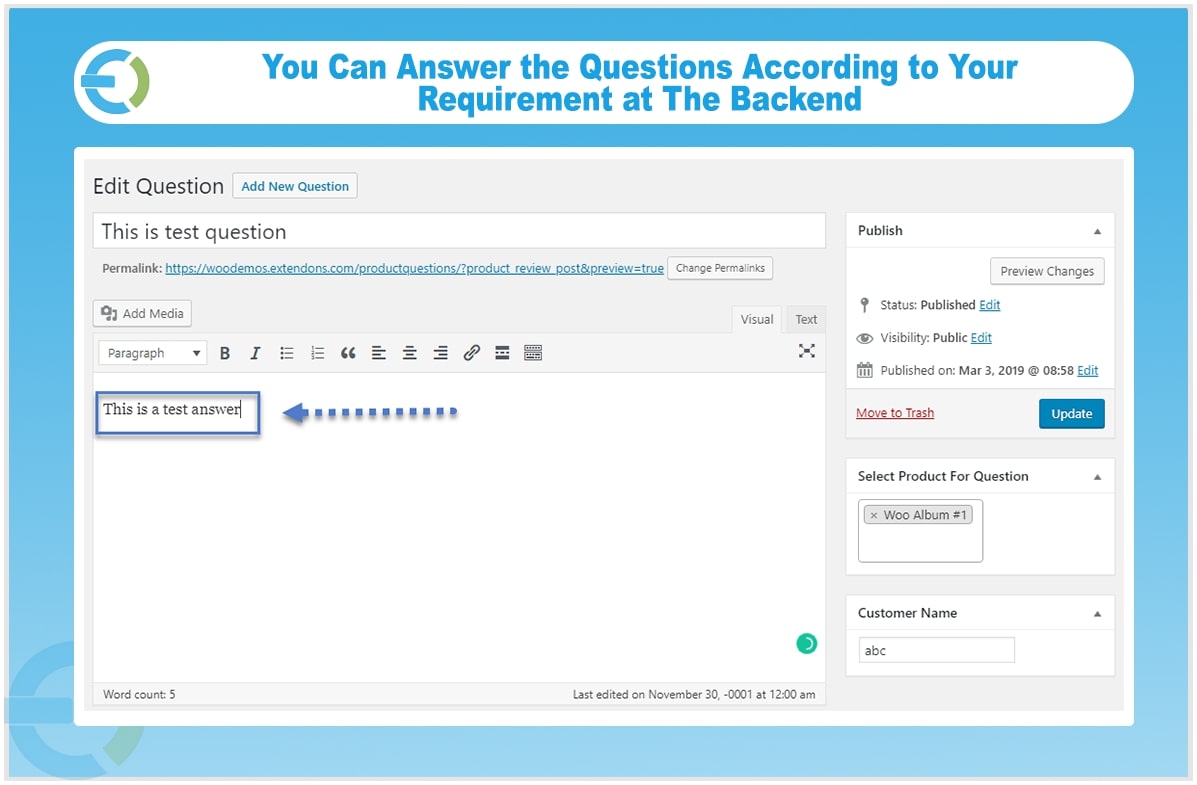
The built-in WYSIWYG editor lets you format your answers properly and add media where needed. Whether you are answering a simple product query or explaining something in detail, you have full control over how the answer is presented to customers.
Manage All Questions from the Admin Panel
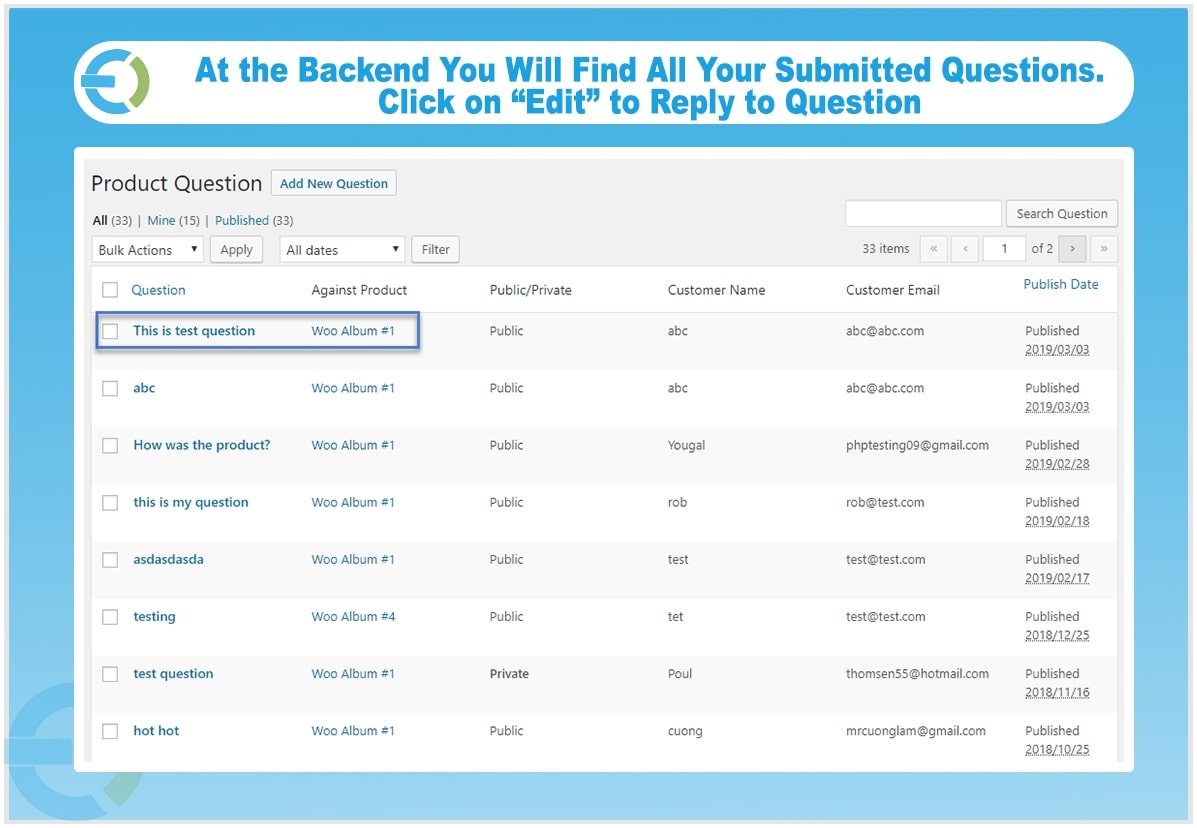
All questions submitted through the WooCommerce FAQ plugin are managed from a single admin panel. You can view, edit, approve, or delete questions individually or in bulk. You can also allow customers to like or dislike answers.
Public/Private Questions
Users are given the choice to keep their questions private or make them public while asking the merchant. It gives them a reason to trust a website.
Configure Question Approval
The questions asked by users go pending by default. You can decide to approve and publish them instantly or keep them pending until you review them.
Google Recaptcha to Prevent Spam
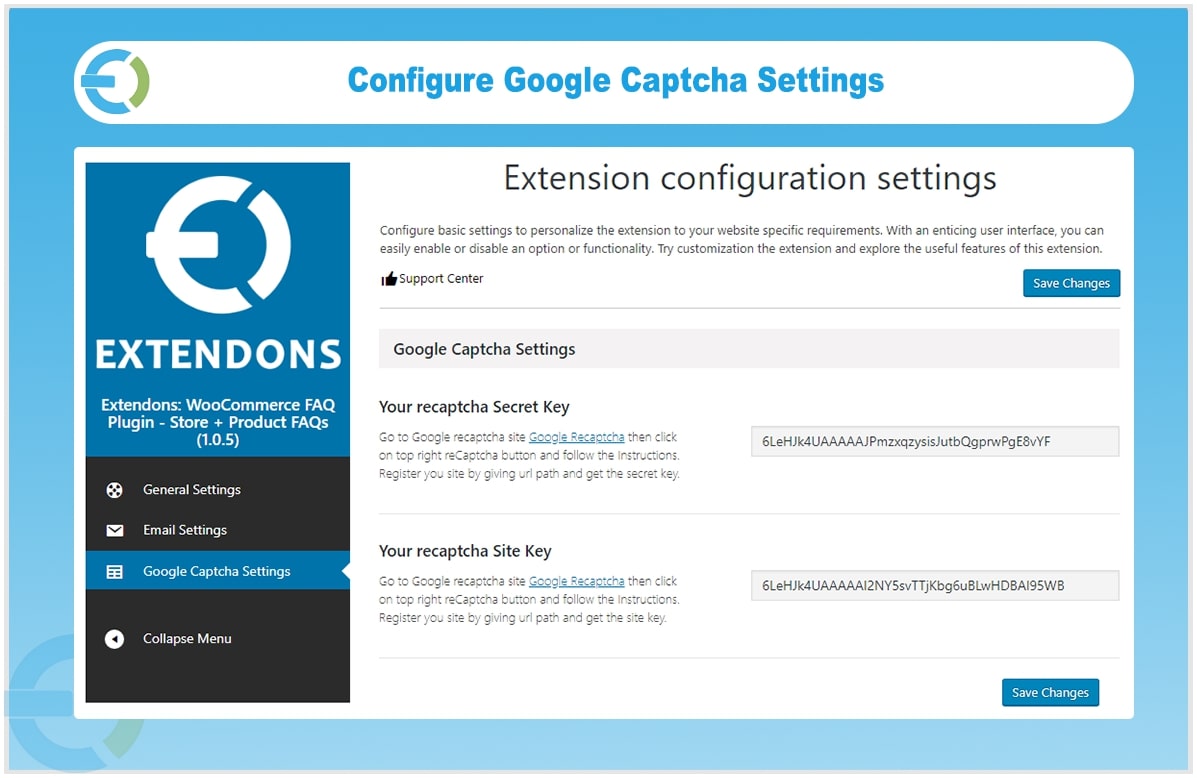
Enable Google Recaptcha on the Ask a Question form by configuring your Recaptcha site and secret keys. This keeps spam submissions out of your question queue and ensures only genuine customer queries come through.
Email Notifications for Question Answers
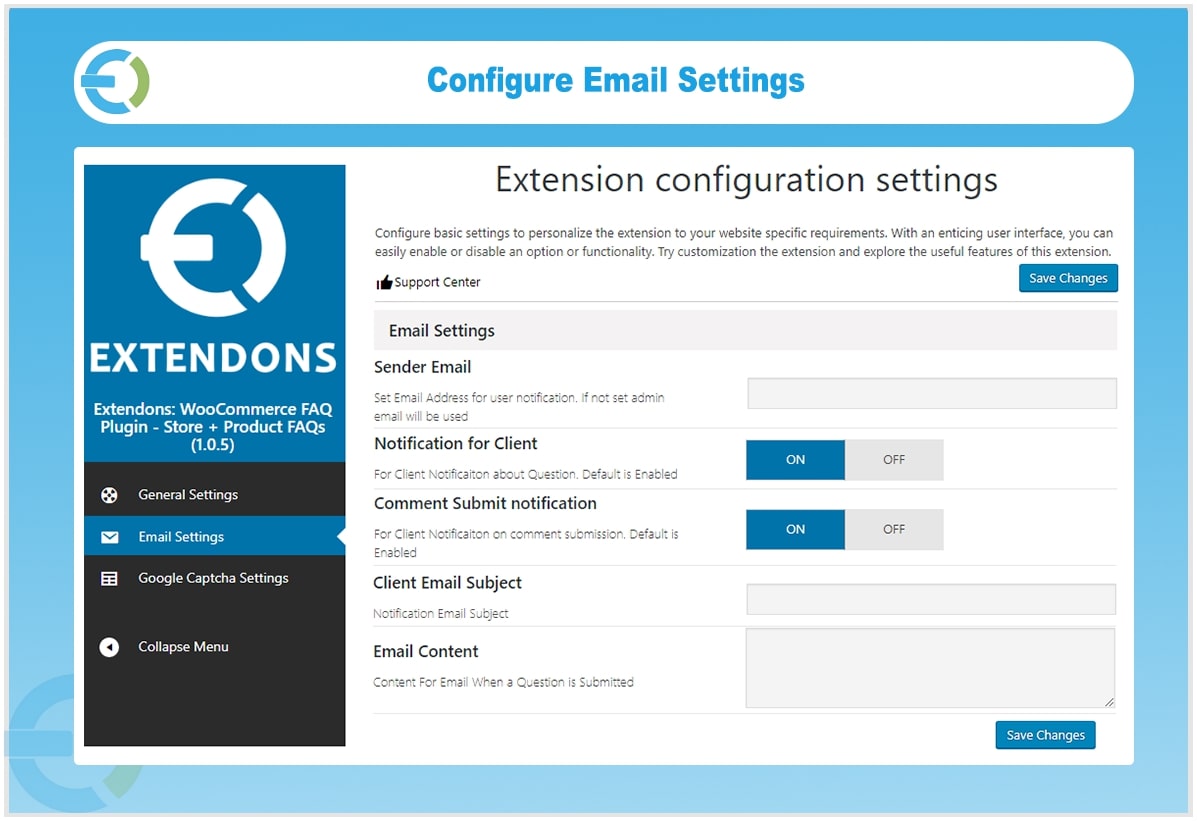
When a customer’s question is answered, the FAQ WooCommerce plugin automatically sends them an email notification to let them know. You can customize the sender email address, write a standard email subject, and compose a reusable email body that goes out to every customer when their question receives a response.
Customize the FAQ Block and Display Settings
You can personalize the WooCommerce product FAQ block title on product pages to make its purpose clear to customers. You can also set the number of questions displayed by default, with ten questions shown as the standard setting. Customers can sort questions alphabetically, by date, or by most recently published to find what they need quickly.
Display Questions and Answers in My Account
Customers can view all the questions they have asked along with their current status and any answers received directly from their My Account section. You can control how many questions and answers are displayed in this section from the WooCommerce FAQ plugin settings.
Additional Features of the WooCommerce FAQ Plugin
- Approve or disapprove comments on FAQs
- Product question pagination for a cleaner page layout
- Ajax-powered sort options for a smooth browsing experience
- Fully responsive layout and design
See What Customers Says About Our Product
FAQs
1. Can guest answer the questions?
Ans.No, only registered users can answer the questions.
2. Is there a limit for each IP/user to like or dislike question?
Ans. Yes, each user can only like or dislike 1 time from single IP
Checkout Our FAQs Extension for Magento 2
Checkout Our FAQs + Product Questions Extension for Magento 2
FAQs
1. How can I add FAQs to my WooCommerce product pages?
Ans. There are two ways to add FAQs to your WooCommerce product pages with the plugin Product-specific FAQs and Store FAQs.
2. Can customers ask questions about my products?
Ans. Yes, WooCommerce faq includes an “Ask a Question” form that allows customers to submit questions about your products. You can then review and answer these questions on the front-end of your store.
3. How can I manage customer questions?
Ans. All customer questions are submitted through the “Ask a Question” form and are managed from a admin panel. You can view, edit, or delete questions.
4. Can I display FAQs in my customers’ accounts with WooCommerce faq?
Ans. Yes, you can display FAQs in your customers’ accounts. This is a great way for customers to easily access the answers to their questions.
5. Can guest answer the questions?
Ans. No, only registered users can answer the questions.
6. How can I encourage customers to leave reviews for my FAQs?
Ans. WooCommerce faq plugin allows you to enable likes/dislikes for FAQs. This can encourage customers to leave feedback on your FAQs and help you identify which ones are the most helpful.
7. Is there a limit for each IP/user to like or dislike question?
Ans. Yes, each user can only like or dislike 1 time from single IP.
Change Log
Version 1.0.9:
Compatible with multisite
Version 1.0.8:
Minor issue resolved
Version 1.0.7:
Pagination issue resolved
Version 1.0.6:
Solved Admin Menu Issue
Version 1.0.5:
New Feature Added:
1) Add store FAQ's page.
Version 1.0.4:
Bug Fixed:
1) Issue fixed with like and dislike.
Version 1.0.3:
Bug Fixed:
1) Update Google API to latest version.
Version 1.0.2 Updated:
Bug Fixed:
1) Update Google API to latest version.
Version 1.0.1 Updated:
Bug Fixed:
1) Update Google API to latest version.

New Features added:
1) Email sent to Question Author when comment on his/her question.
2) Following languages translations has been added.
German, French, Italian, Spanish, Dutch
Version 1.0.0
Initial release of pluign