Manage Extra Product Details with WooCommerce Additional Product Information Plugin to Persuade your Customers
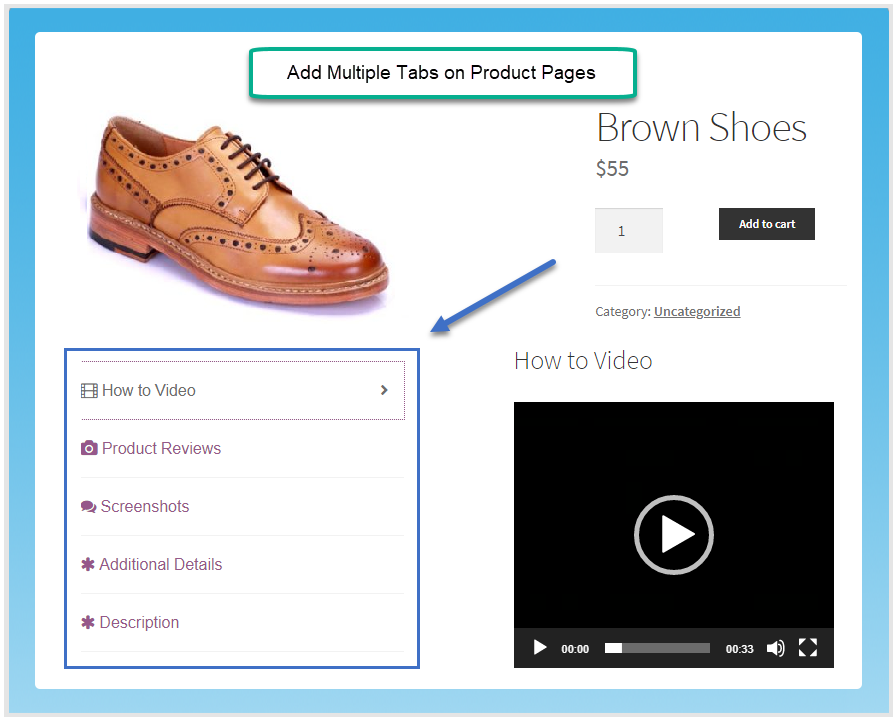
The WooCommerce additional information plugin allows store owners to add multiple tabs on product pages. This plugin helps store owners to manage the extra product information decently. For example, you can display videos, reviews, images, etc, in separate tabs. You can use that additional information to persuade your potential buyers.
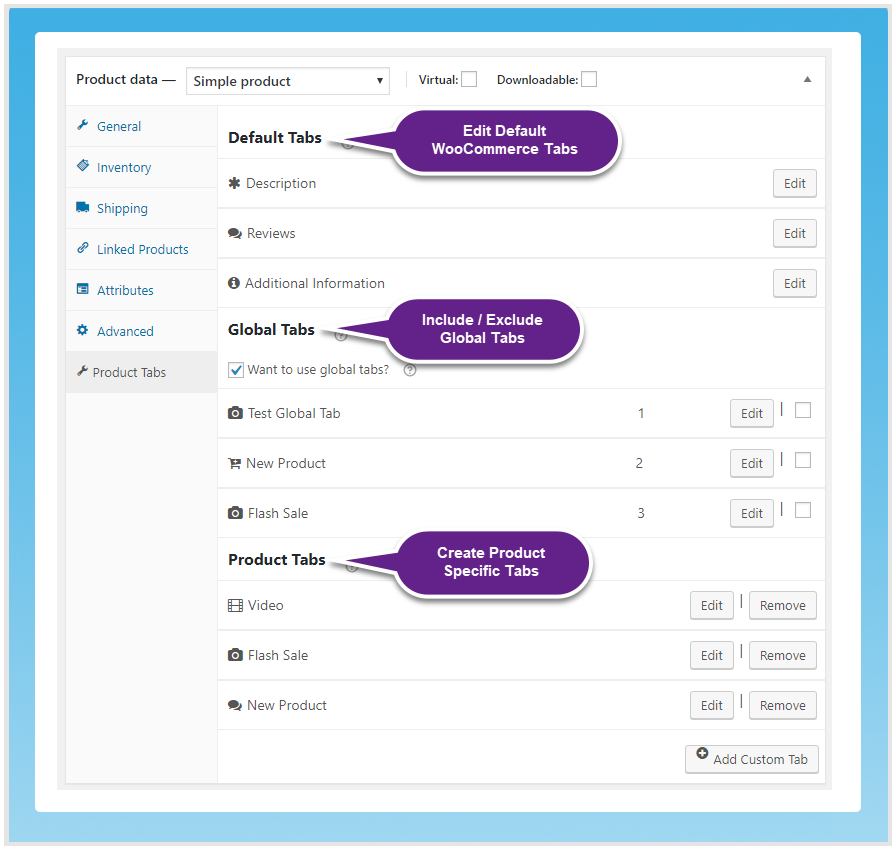
However, you can exclude the global tabs from the individual product. You can add new tabs at the product level as well.
- Add Multiple Tabs to Manage Additional Product Information
- WYSIWYG Editor to Customize Product Tabs
- Add Multiple Tabs at Product Level
- Create Global Tabs to Display on All Products at Once
- Option to Exclude Global Tabs from Specific Products
Add Multiple Tabs to Product Pages
You can add as many tabs as you require to manage the additional product information. For example, you can display descriptions, videos, screenshots, guides, etc, so customers can easily view information by clicking on separate tabs.
WYSIWYG Editor to Customize Product Tabs
The WooCommerce additional information tab plugin enables the WYSIWYG editor to customize the product tabs. This allows you to add content, images, and videos to those tabs as well.
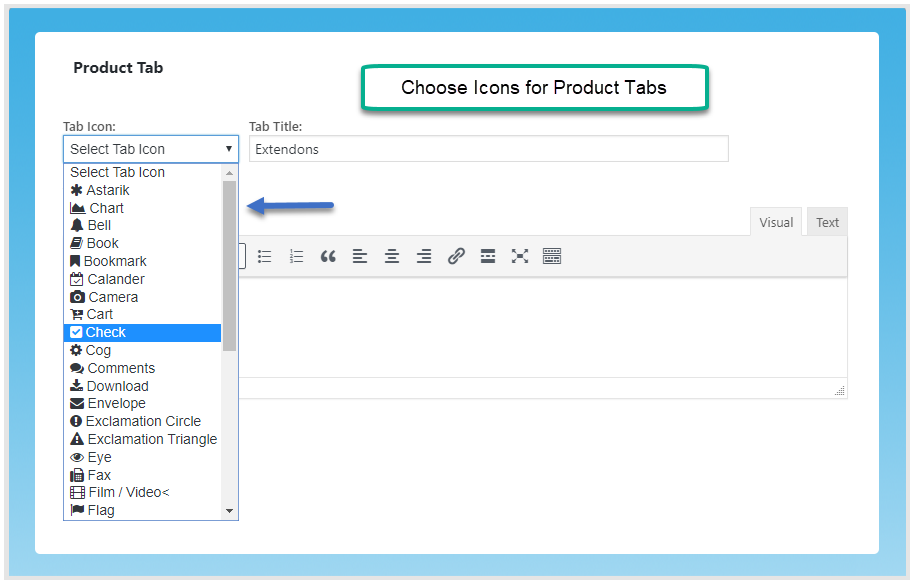
Enables Variety of Icons for Product Tabs
You can use the additional information WooCommerce Plugin to enable different icons that are most suitable for the tabs.
Add Global Tabs to Display on All Products
You can add global tabs to display the new tabs on all the products at once. It helps you save time instead of creating the same tabs separately for all the products.
Add Multiple Tabs at Product Level
The additional information tab WooCommerce also allows you to add product-specific tabs at the product level.
Option to Exclude Global Tabs from Specific Products
If you want to remove global tabs from any product, you can easily exclude them.
Edit Default WooCommerce Product Tabs
With this plugin, you can also edit default WooCommerce tabs. You can change the title and the icon of the default tabs as well.
FAQs
1. How does the plugin help organize product information?
Ans. WooCommerce additional information lets you create and manage product tabs, enabling you to organize additional information, specifications, and details for each product.
2. Can I customize the appearance of the product tabs?
Ans. Yes, the plugin offers customization options for tabs icons, labels and content.
3. How can I customize the product tabs content?
Ans. You can customize the product tabs content with the help of the WYSIWYG editor.
4. Is there a limit to the number of tabs I can create for each product?
Ans. WooCommerce product condition does not impose a strict limit on the number of tabs you can create for each product.
Change Log
version 1.0.4
Made compatible with WordPress multisite
version 1.0.3
Fixed global tab issues
Version 1.0.2
MInor link issues fixed
Version 1.0.1
Minor Issues Resolved