Add WooCommerce Composite Products Plugin to Facilitate your Customers with a Dynamic Experience!
Give your customers the freedom to build products their way with the WooCommerce composite products plugin. Let customer assemble, customize, and configure products using components of their choice, all from a single product page.
It lets you create fully configurable products where customers can select individual components, set quantities, and put together exactly what they need before placing an order.
This plugin is a perfect solution for stores selling computers, bicycles, furniture, and any other product that involves multiple parts or configurations. You can add products, categories, and tags as components and display them in different layouts. Components can be marked as mandatory or optional, and linked to each other for dependency.
Key Features
- Facilitate customers to build products
- Add store items as components to form products
- Set a base price for each part or component
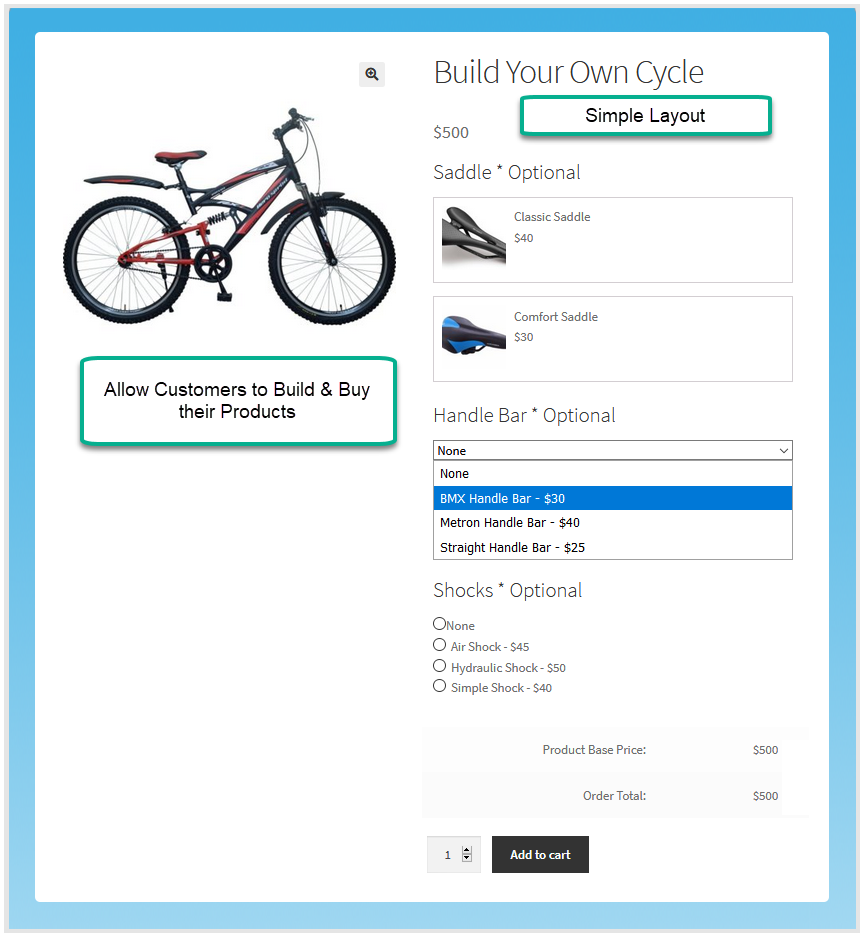
- Display components in 3 different layouts with a variety
- Limit quantity of component a customer can select
- Offer discounts and mark the components mandatory
- Link components, Charge cumulative or per-item shipping fee
Allow Customers to Compose Products on their own
Composite products for WooCommerce give customers the ability to build a product by selecting components that match their specific requirements. For example, a customer assembling a computer can choose each part individually based on the specifications they need, from the processor and RAM to storage.
Configure a Base Price for Each Product Composition
You can set a base price for each component within the composite product. This allows the final product price to be calculated accurately based on the combination of components the customer selects.
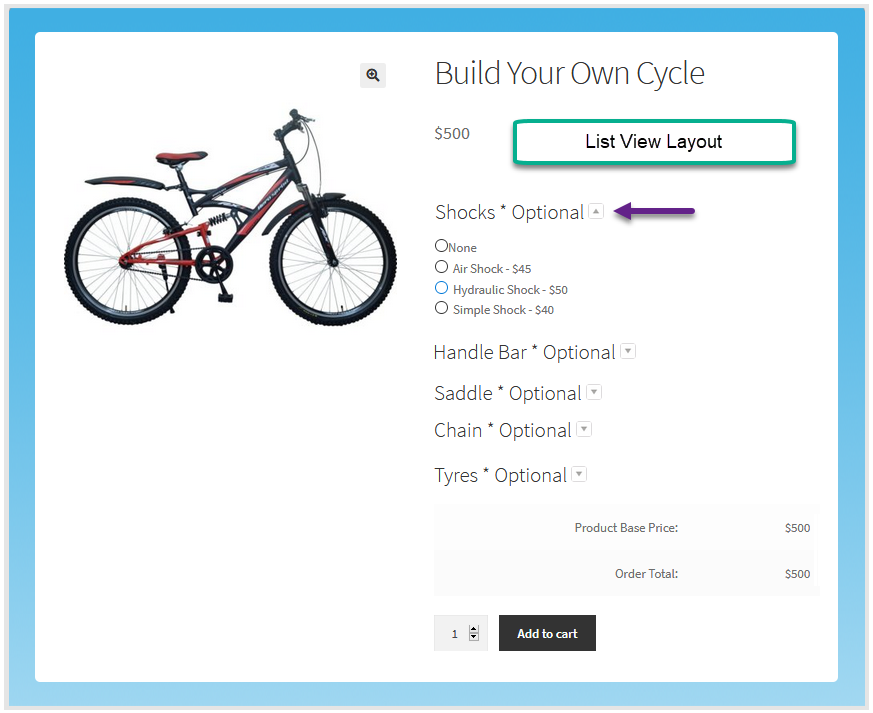
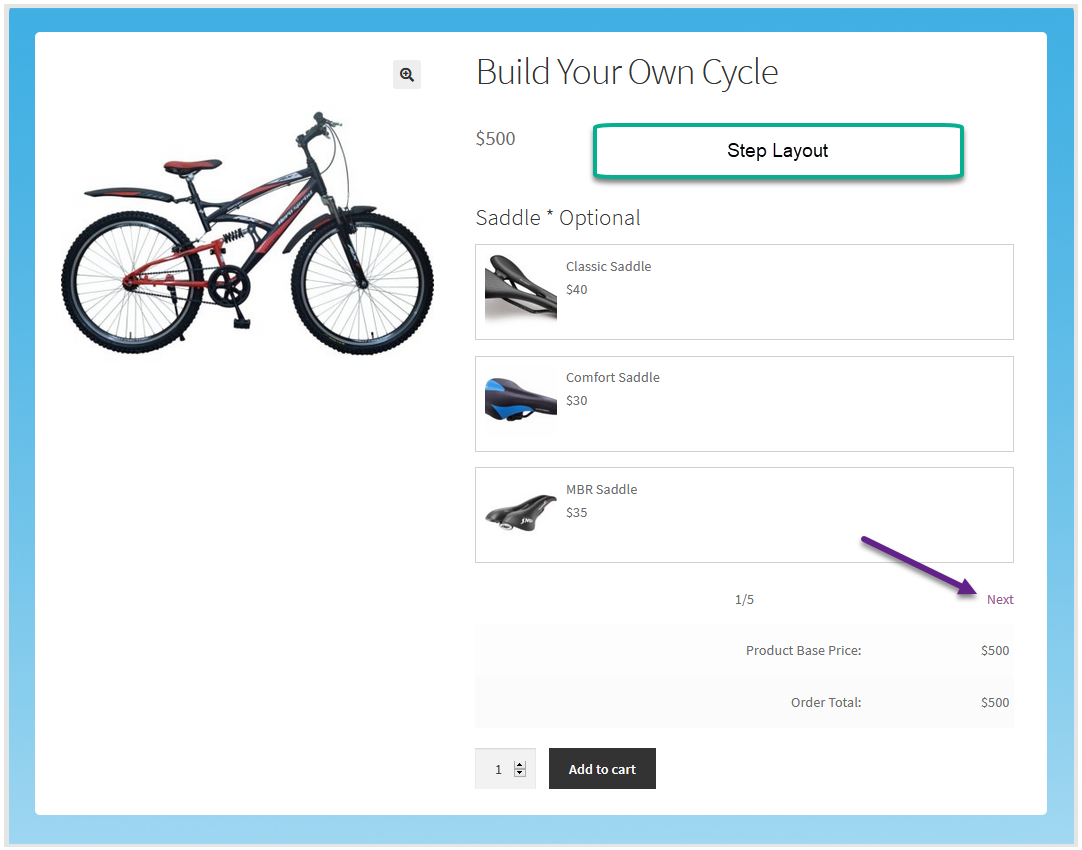
Try 3 Different Layouts to Show Components
WooCommerce composite products give you three layout options to display components in a way that suits your store. You can choose from Simple, Accordion, and Step layouts to present components clearly and make the selection process simple.
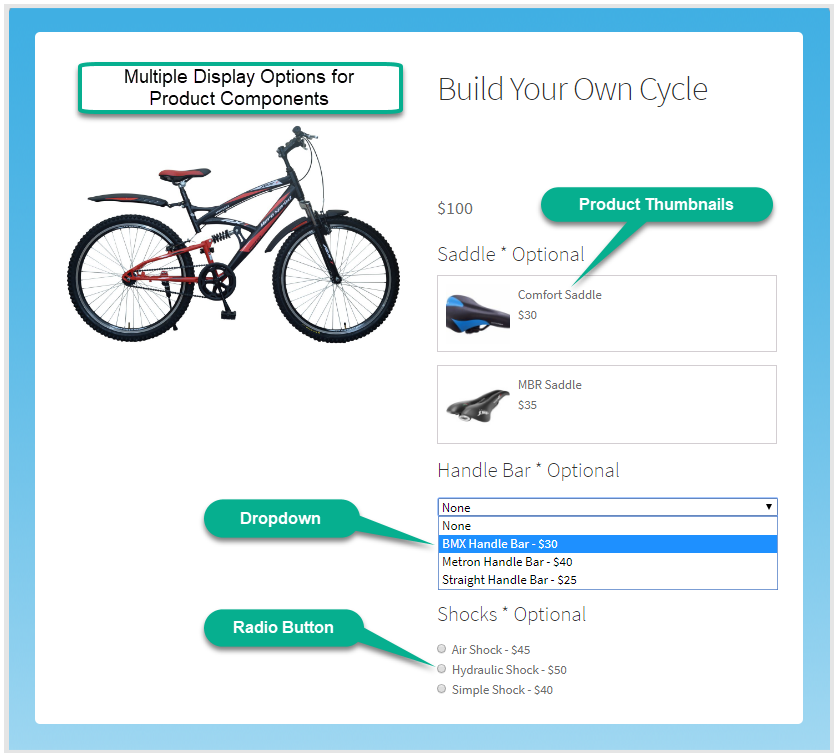
Display Product Variety of Each Component
For each component in the composite product, you can display a range of product options for customers to choose from. For example, if a computer is the main product and storage is a component, customers can browse through different hard drive options based on capacity and brand.
Add Specific Products, Categories & Tags in Composite Product
The plugin lets you define exactly which products are available for each component. You can include an entire product category, limit the selection to specific tags, or hand-pick individual products.
Set a Minimum & Maximum Quantity for Each Component
You can set a minimum and maximum quantity to select from each component to limit it to a specific amount.
Offer Discounts on Product Composition
Reward customers for building their own products by offering discounts on individual components. This encourages a DIY approach, gives customers more reasons to explore their options, and increases the overall order value.
Mark Some Components Mandatory to Purchase
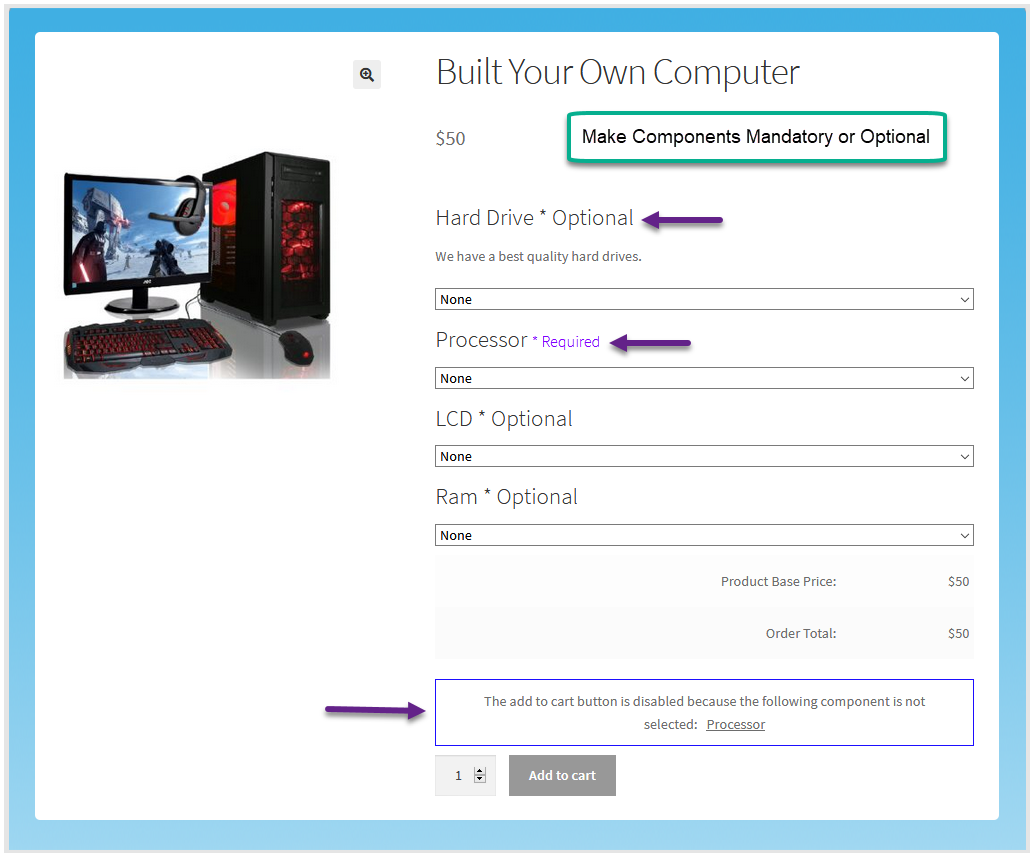
You can make certain components required as part of every composition. For example, when letting customers build a computer, you can make the motherboard, hard drive, and RAM mandatory while keeping speakers, webcams, and other accessories optional.
Link Certain Components with Each Other
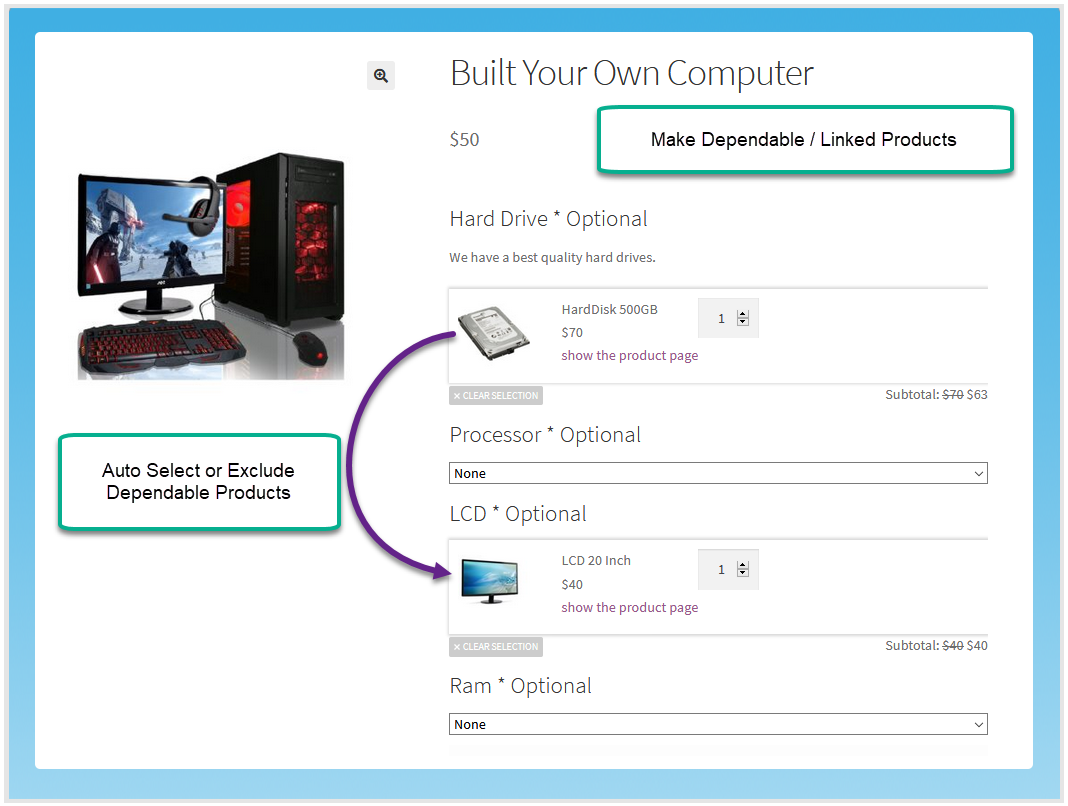
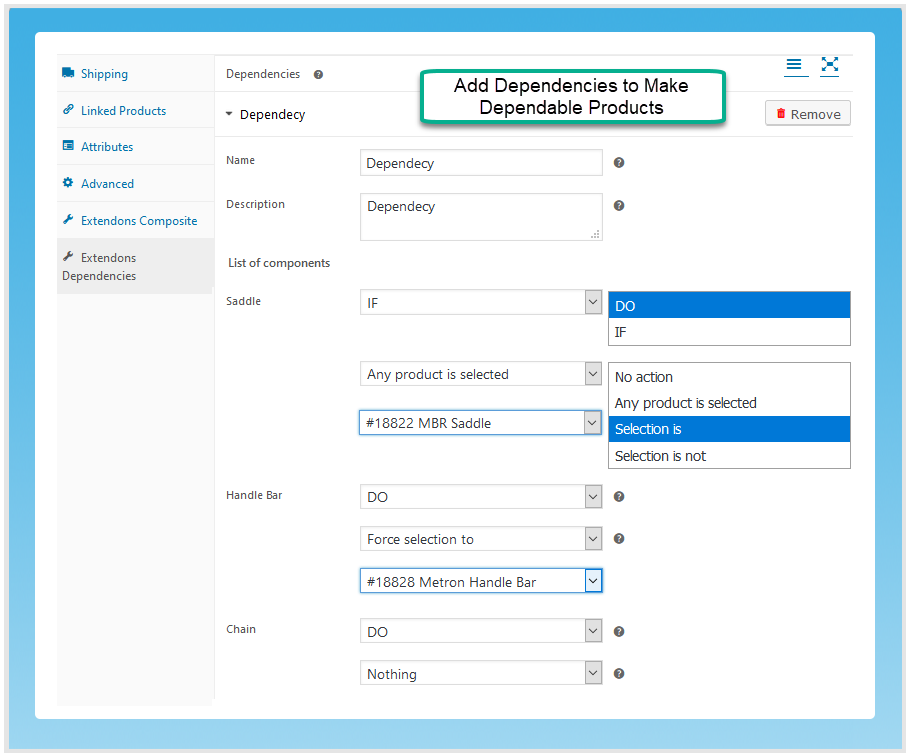
The plugin lets you create dependencies between components so that the selection of one part is linked to another. For example, when a customer selects a specific handlebar for a bicycle, the compatible shock absorbers can be automatically linked to that choice, helping customers build a product where all components work together properly.
Charge Component or Product-based Shipping Fee
You can configure shipping charges based on individual components or apply a single shipping fee to the product as a whole. This gives you the flexibility to align shipping costs and your arrangements with shipping service providers.
How It Can Benefit You?
- Increases store sales by letting customers personalize products before ordering.
- Simplifies the shopping experience by allowing customers to configure exactly what they need in one place.
- Adds value to your store by supporting complex product types like computers, bicycles, and furniture that require multi-part configurations.
- Encourages higher-order values by offering component-level discounts that motivate customers to explore.
FAQs
1. Can I set specific pricing for individual components within a WooCommerce composite products?
Ans. Yes, the composite product allows you to set the price for individual components. You can apply the per-item pricing.
2. Is it possible to limit the number of components customers can choose for a product?
Ans. Absolutely! The WooCommerce composite plugin provides options to set minimum and maximum limits for the number of components customers can add to their woo composite products.
3. Does the composite products plugin support conditional logic for component visibility?
Ans. Yes, you can apply conditional logic on the component and also woo composite products.
4. Can we make component mandatory for the customers?
Ans. WooCommerce composite products allow you to make the component mandatory or optional.
5. It is compatible with variable products?
Ans. Yes, WooCommerce composite plugin allows you to add variable products in the components.
Change Log
Version 1.1.2:
Fixed the js error to update the price of the composite if the setting has the per item pricing set.
Fixed the undefined issues on the cart page
Make it compatible with the block cart
Fixed the minor issues
Version 1.1.1:
Fix CSS issues
Fixed functionality of Steps layout
Fixed the functionality of Replace thumbnail
Fixed the functionality of hide component product/condition for product thumbnail
Added functionality of hide component
Added functionality of detail visibility of product title/description/thumbnail/price
Version 1.1.0:
Made compatible with multi site
Version 1.0.9:
Multi language support
Version 1.0.8:
*Minor issues fixed
Version 1.0.7:
*compatible with variable products
Version 1.0.6:
* Fix add to cart product out of stock validation issue.
Version 1.0.5:
* Fix product price issues in cart
Version 1.0.4:
* Fix Add_to_cart Button validation for Out of Stock Product.
* Show Out Of Stock message on Products that are out of stock(instead of Product Link)
Version 1.0.3:
Bugs Fixed
Version 1.0.2:
Fixed composite type product issues
Fixed product quantity issues
Version 1.0.1:
JS issues fixes
Version 1.0.0:
Initial Release