2797 comments found.

Hi, I installed the licensed copy “WOOF – WooCommerce Products Filter” on Wordpress. Initially, I was able to access Settings and follow the video tutorial. After enabling the Label, Image and Slider extensions, I am no longer able to access Settings. The page hangs. Please help
Hello
100% js error on beckend, try please define its self by http://www.woocommerce-filter.com/how-to-use-firebug-in-firefox-browser/ OR write on support please https://codecanyon.net/item/woof-woocommerce-products-filter/11498469/support with wp-admin access.
Hi, I sent the wp-access on Support. Thanks
Hello! Thank you, support will answer you …
Hi. We have an issue.about Category on widget is disappear when we change the language (WPML) from Eng to Thai.
Step to re-produce issue 1) go to http://www.algohome.asia/demo/shop/product-category/vendorshop/ 2) on left side (category still) http://www.algohome.asia/demo//wp-content/uploads/2016/11/before.jpg 3) change language to Thai on right of menu. Category on widget is disappear http://www.algohome.asia/demo//wp-content/uploads/2016/11/after.jpgIt look like key of product_cat not sending when change the language. Then Array is empty.
Hello
I got your email. You have installed old version of the plugin please install the latest and continue conversation in the same email chain. Then I will investigate it.
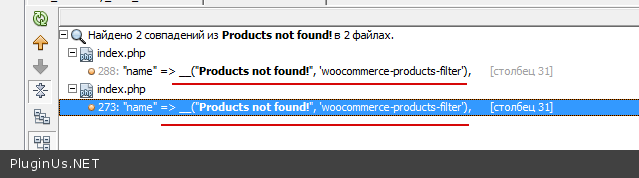
Hi. We have 3 small issues: 1) The “Products not found!” text which is displayed when no products are found using the AJAX search is not translatable – it’s not in the *.po file. When can we expect a fix? 2) The “On Sales” checkbox doesn’t show the number of products matching the filters. 3) Can we limit how many AJAX search results are shown?
Hello
1) Text is wrapped http://c2n.me/3ELjlF6.png so if its is not in language file you can regenerate it here https://www.icanlocalize.com/tools/php_scanner – upload plugin zip and you will get new lang file
2) https://codecanyon.net/item/woof-woocommerce-products-filter/11498469/support – write request on support with details please and wp-admin access
3) Yes, in the plugin settings -> tab Advanced -> tab Options -> “Products per page”
Hi. Regarding 2) – this is a production site, I can’t give any access to it and cloning it isn’t feasible. Please see the widget sidebar: http://imgur.com/a/FPF9g – all taxonomies & categories have the number of products, only the “On sales” marker doesn’t display the numbers (we of course have products that are on sale). Regarding 3) – I meant limiting the number of AJAX search results displayed in the widget sidebar, after typing something and waiting for the “autocomplete”. How can we set this to display for example 3 products?
Hello
2) Sorry I just re-read your first message, I thought that it doesn work at all – you mean dynamic recount which is not presented in Sale box at all and will not because of some technical problems
3) Yes, its possible from v.2.1.6 – http://www.woocommerce-filter.com/hook/woof_text_autocomplete_items/
Pre Sales question
Hi, your plugin looks promising and can see tons of blood and sweat has went for making this plugin 
I intend to buy this plugin, but my requirement is to dynamically populate the next drop down options based on the current input, Is it achievable with your current plugin ?
—-—-—-—-—-
For example, we have 3 drop-down selections one-after-another :
1.[Select car Fuel Type] Diesel/Petrol || 2.[Select Manufacturer Name ] Brand Name || 3.[Select Model Number ] Model Number ||
If Under DIESEL/PETROL, petrol is selected, then BRANDS drop-down selection should be dynamically populated with ONLY petrol branded cars,
And basing on the selection of BRAND NAME drop-down MODEL NUMBERS should populate , Please help me
Hello
Thank you 
I think the plugin has such feature – hierarchical drop-down – http://www.demo.woocommerce-filter.com/working-with-hierarchy-drop-down/ – but to realize it terms of your taxonomy should have such structure: http://clip2net.com/s/3ELgNcO – parent,child, sub-child
If you have different taxonomies – enable dynamic recount and ajax_redraw, example:
[woof by_only='none' tax_only='locations' autosubmit=1 ajax_redraw=1 is_ajax=1]
[woof_products is_ajax=1]
Shortcodes above copied from the demo page http://www.demo.woocommerce-filter.com/working-with-hierarchy-drop-down/
Hi, I am using the7 theme and looking for at plugin that makes it possible to filter by product categories. But I need to be able to choose which categories to be shown in the filter as I need multiple filters only with product categories. Fx:
Choose Brand: xxx – category xxx – category xxx – category
Choose material: xxx – category xxx – category xxx – category
Choose style: xxx – category xxx – category xxx – category
So all the filter options is product categories. Is this possible with your plugin?
Thanks 
Hello
Not sure that understood you right, but looks like you have Brand,Material and style in one taxonomy – product category! In such case, no, filter will be good if Brand,Material and style will be different taxonomies – in such case yes, you can create different seacrh forms by shortcode [woof] and its attributes taxonomies, tax_only, by_only http://www.woocommerce-filter.com/shortcode/woof/
Hi,
Okay, I will try to explain further
all of the clients products are placed under multiple categories and subcategories. The client wants the customer to sort these products by choosing different categories and then the products that matches the chosen brand category, material category and style category shows up in the results. So if a products matches all 3 of the chosen categories then it shows up, if not, then it dont. So the client only wants to sort by different categories. So we would have 3 filters: Brand, Material and Style. But alle of these are categories, not attribudes or something else.
Is that possible? I hope it makes sense – seems to be a great plugin.
Hello
Looks like it more clear now – you mean logic ‘AND’ – So if a products matches all 3 of the chosen categories then it shows up, if not, then it dont – in such case I think this hint will help you: http://www.woocommerce-filter.com/set-logic-taxonomies-search-request/
By the way if you have already link with set of that categories you can drop it here to see for more detail answer ...
Hi, In order to organize better and improve UX I would like add some titles to organize the difference areas like in your demo http://prnt.sc/da55qt
I’m unable to find the way to add those titles that are not linked with woo attribute.
Thank you
Hello
Just enable titles in the additional options popup of attributes you want: http://clip2net.com/s/3EHCjB0
Font you can change with this plugin https://wordpress.org/plugins/easy-google-fonts/ + WordPress customizer …
Hi,
If I change in this way then appear like that http://prnt.sc/dbzfy1, The name of custom label is repeated in the title and the dropdown,
I need that title as is (Medidas Externas) and the dropdown label as “Alto” instead the title of custom label “Medidas Externas”
Thank you
Hello
In such case you should: * change code a little here wp-content\plugins\woocommerce-products-filter\views\html_types\select.php * http://clip2net.com/s/3ESIxHn * to code http://clip2net.com/s/3ESIXkr
switch ($tax_slug)
        {
            case 'alto':
                echo 'Alto';
                break;
            case 'alto2':
                echo 'Alto2';
                break;

            default:
                echo WOOF_HELPER::wpml_translate($taxonomy_info);
                break;
        }
Hi,
Thank you for your answer,.
I’ve added the code following your instructions but doesn’t work I tried with title lablel and also slug http://prnt.sc/dcvi8b
The filter is in this link http://microondasbarato.com/encuentra-tu-microondas-barato/
Thanks
Nacho
Hello Nacho
In such case write please on support with wp-admin access + ftp https://codecanyon.net/item/woof-woocommerce-products-filter/11498469/support and short desctiption what you want to get
+
be sure that you reset cache of the site after changing
Hi,
Now words perfectly
Thank you, Nacho
Hello Nacho
Welcome …
If you have more questions please continue conversation on the same email chain …
Hi,
1. Can I select values of taxonomy to be displayed in a search filter dropdown via shortcode e.g. Product_category only shows 4 values out of 10 in the database? 2. Can the design be edited completely via a different style skin? If yes then how? 3. Can I show the products via different filters in a shortcode e.g. order by Popularity, by price, by newness etc.?
Thanks Amit.
Hello Amit
1) Not sure that understood you, but I think you mean attribute ‘taxonomies’ of shortcode [woof] http://www.woocommerce-filter.com/shortcode/woof/
2) Yes, but only if you know CSS. Create your own woof_style.css file and drop it somewhere on your site, usually it is child theme folder. Then in WOOF settings -> tab Design -> “Custom front css styles file link” drop link to that styles there and Save
3) Yes, you can play with attributes of shortcode [woof_products] http://www.woocommerce-filter.com/shortcode/woof_products/
Thanks a lot, let me try to explain point no. 1
1. Say I use [woof sid=”woof_cakes” autohide=1 autosubmit=0 price_filter=1 taxonomies=product_cat:18 tax_only=’relation’]
Here I am showing products searching only for Product Category 18 but for tax_only:relations, I want the dropdown to show only selected items from the database, how can I achieve that, e.g. if say Relations are Mother, Father, Husband, Wife and I want to show only Mother & Father in the dropdown, how can I achieve that?
Thanks Amit.
Hello Amit
I want to show only Mother & Father in the dropdown – as I understood it is terms of Product Category 18 with sub-childs which you want to display, in such case in shortcode use their term ids: [woof sid=”woof_cakes” autohide=1 autosubmit=0 price_filter=1 taxonomies=product_cat:181,182 tax_only=’relation’]
Thanks but its actually something I need to do for the tax_only=’relation’ so its like the dropdown which is made visible so what I mean is if relations is a custom taxonomy to be displayed in the filter, I want to know how I can select/unselect terms or options or values of the taxonomy to be displayed in the filter?
A.
Hello Amit
I want to know how I can select/unselect terms or options or values of the taxonomy to be displayed in the filter – if you want to hide terms from taxonomy on the filter there is one way only – the plugins settings -> http://clip2net.com/s/3EEUEgr
Well done. He also email me “You are in the black list”.......WOW supprise. What a bad attitude UKraina seller. I even did not email him any after i send refund require in 3-4 days ago.
i send refund require in 3-4 days ago – again not true info – today is 18-11-2016 – refund requested http://clip2net.com/s/3EwcRww ~ 24h – so what should I describe?! 3-4 days? Why you again writing this, even after screenshot?
What a bad attitude UKraina seller. + http://clip2net.com/s/3Ex7nHQ – look, better stop print here insulting speech with national overtones, you cross the line!
NOTHING to say…...... Ukraina…....... oh deleted my comment. I type wrong, i typed to Ukrania—> You delete it, and try to send the picture with my wrong type.. Funny you… Remember after few mins, i can not change, i must send the new comment which i fixed Ukraina. You delete it. You are really bad …... you act as a kid…...
Can the plugin show a product list instead of a Grid?
The plugin doesn manipulate with layout – its wp theme functionality, BUT you can create your own template and WOOF will work with it http://www.woocommerce-filter.com/shortcode/woof_products/ – see attribute ‘custom_tpl’
+
using connectors: http://www.woocommerce-filter.com/extensions/#connectors – you can use another plugins for layouts:Amazing, thank you very much. The first one you shared with me does have the Table layout “Display Product – Multi-Layout for WooCommerce”, so I’m probably purchasing that one with your plugin.
Do you know any other plugin that does Table layouts? Believe me I looked for them! “woocommerce table” “woocommerce product layout”, here in codecanyon, but didn’t find any of those! So, thank you
Regarding your plugin, may I ask, can I place the Filters on top of the page and not in the sidebar? Is it a shortcode? (so that I could place it using Visual Composer where I need it?)
Regards
Hello
Glad you find decision
Do you know any other plugin that does Table layouts – unfortunately not, but if you need table template you can do it self OR order it as custom using any html templates from internet.
For example: (just template demos)- http://cars.wp-filter.com/search-6/
- http://cars.wp-filter.com/search-4/
- http://cars.wp-filter.com/search-5/ – I found this templates in google
Its possible to create some or one template and use it with WOOF
can I place the Filters on top of the page and not in the sidebar? – sure, by shortcode [woof] http://www.woocommerce-filter.com/shortcode/woof/ you can place it where you want
Try please free version of the plugin with features described above: https://wordpress.org/plugins/woocommerce-products-filter/
NO BUY !!! Bad support – Bad code – Plugin is not as description. Given admin for he check due to plugin is not worked as description. Asked for refund, but there is no reply. He did not approve.
Firstly: https://wordpress.org/plugins/woocommerce-products-filter/ – absolutely free version of the plugin with some little restricted features.
Second: this user bought the plugin just to get refund, he is not from USA and he is no Julia Abraham – https://codecanyon.net/user/juliaabraham , his old nickname is http://clip2net.com/s/3Ew9Ak2 and he is from: http://clip2net.com/s/3EwbD0M – so why deceive me?
Third: support – http://clip2net.com/s/3Ewc66i – answered on the same day, total count of emails FOR 2 DAYS: http://clip2net.com/s/3Ewchi4 – 11 LETTERS, is it bad support?! Really for 2 days 1 letter is normal on codecanyon, I am doing my best, but for not-honest persons this means nothing.
Fourth: INTIMIDATION – I got this messages in REFUND TEXT – http://clip2net.com/s/3EwcRww – by simple words – GIVE MY MONEY BACK or I will set you 1 star. Last message on support: http://clip2net.com/s/3Ewfu2V
This user is not first who doing such trick. I want to ask that users who doing such tricks – please do not spend your money and my time, I am very serious about my work!!
I can simply approve this refund – I am not greedy for 30$ – but I want let this message will be as WARNING for cheaters, so I will pay for this text by my rating.
For all users – TRY BEFORE BUY please always, be polite and honest with support, its always possible to get refund.
Important! I’m very nice person, i will never hurt anyone, if they don’t hurt me frist
Here is REAL of this seller and plugin
1) He worked on my admin /FPT -> He saw my complain about plugin did not work ask description sale
2) Email asked for refund with link of another plugin, if he accept, i will purchase another plugin, let he know I”M NOT USE his plugin after refund -> NO reply
3) Ask if he can update plugin to fix problem OR refund -> NO reply
4) After that 1 day. Open refund 3 days—> NO reply
5) Today i started leave RATING and comment -> HE REPLY
6) Who is use all real name here? Do you real name ” realmag777” ?? Important ! you got money from my USA bank and my real name bank. >>>> You can see it, right?
7) I have a tons of email contact when i was young to now, why should i change email to be my real name in USA to match my bank account and Envota name?
He even personal reply today: Asked me change all my email and envota account to be same name?? What is crazy??
9) NO BUY reason
- Free plugin tested, no break well : BUT no see the real function of preminum
- Some function in his documentation is not work
- Beautyfull roll : Just function for dropdown (NO for multi dropdown)
- Dropdown have search—> Multi dropdown is just multi, no search
- Style problem in his own plugin
- No discount search
- Supporter is Russia, which is not nice, no understand refund life is normal in USA.
10) 17 plugin i purchased within 3-4months, why i also not ask refund as you SAID: i just purchase to get your plugin, then apply refund???? (Contact Envota to ask about my country bank account and my real history purchase, if i’m fake buyer), also report them if i’m fake buyer
I spend +- $1,000 on this website and service studio.envota within 3-4months
Ask if he can update plugin to fix problem OR refund – Again false – do you want let me print all emails with you here? Again lie from your side! I am doing one of the fastest support on the market already more than 2.5 year, I doing this. Its just enough quick look on my WOOF dashboard-forum here where everybody got their answers and in short time (except of weekends).
Open refund 3 days – again not true info – today is 17-11-2016 – refund requested http://clip2net.com/s/3EwcRww less than 24h – so what should I describe?! 3 days? Why you again writing this, even after screenshot?
No discount search – such feature doesn exists and not described in docs. Instead of cooperation and resolving troubles together you decided to write untrue info here immediately and as already described you simply wanted your money back – http://clip2net.com/s/3EwcRww – “money back or you will get 1 star!” Great, nice conversation and cooperation! By this action you simply insulted me.
Supporter is Russia, which is not nice – OMG!! I have no questions.
Where have no themes to discuss any more. Good luck!
Hi, I want buy the plug-in but I had many troubles with this plug-in (it sucks) https://codecanyon.net/item/woocommerce-product-filter/8514038
I ask before buy this plug-in if it is compatible with my template https://themeforest.net/item/mr-tailor-responsive-woocommerce-theme/7292110?s_rank=1I hope you answer quickly!
thank you.
Hello
Should work, but not 100% in AJAX mode
Just try it please with free version where ajax unlocked too: https://wordpress.org/plugins/woocommerce-products-filter/
go on filter
http://www.pivert-store.com/categoria-prodotto/martialis-en/?lang=enIt doesn’t seem to be working.
ok last 2 questions:
1- http://www.pivert-store.com/categoria-prodotto/clothing-en/?lang=en I put a category search but doesn’t work, why?2- we are really interested to buy the plug-in but after the last time we are scared for the support. it works? the answers are fast?
thank you.
Hello
http://www.pivert-store.com/categoria-prodotto/clothing-en/?swoof=1&lang=en&onsales=salesonly&stock=instock – as I understood WOOF works fine with your wp theme and filtering is possibleLets make the deal – you will buy the plugin and will send request to support about category (and another questions) with wp-admin access. If support will not be able to help you with filtering (not with CSS customizing or smth, we not do CSS) – I will make refund to you and deal is closed.
Support works – 1 letter-answer per 24h for 1 client
+
If you will need custom PHP programming, any feature you want for example – its possible, just interact with support: https://codecanyon.net/item/woof-woocommerce-products-filter/11498469/support
ok you convinced me!
Thank you!
I want to buy your plugin but first I need to know if this plugin allows to do search without ajax. In other words, if I can place your search form on the home page and once all the desired parameters are set if I can press a search button which will direct to the results page. Thanks
Hello,
A quick pre-sale question.
I am currently using a product from one of your competitors “WooCommerce Product Filter by dzeriho”. However, their support is unresponsive. Considering to purchasing your product.
I am having the following issues with “WooCommerce Product Filter by dzeriho” plugin.
When I use dzeriho’s filter on a page, which is designed to a specific category, items with the same attributes, but different categories, seem to pop-up. How is it possible to make the filter display the products, which are given on that page and are only from that category.
You can go here and see for yourself: fightwear.ee/fight-gloves
1. Go to the webpage. This page is designed to show only the products from “Fight Gloves” category. 2. Click on “Badboy” filter option 3. You will see that the results of the filtering now displays product from different categotries. Yes, both fight gloves and T-shirts have adjacent attributes.
Question: Is it possible to make the filter display products, which are only on that page (category) with your plugin?
Hello
Looks like you should enable dynamic recount, in dzeriho plugin it names as adoptive filtering + hiding empty options …
You can test WOOF: https://wordpress.org/plugins/woocommerce-products-filter/
Docs: http://www.woocommerce-filter.com/
Example of hiding: http://www.demo.woocommerce-filter.com/product-category/clothing/?swoof=1&product_cat=wooman&really_curr_tax=9-product_cat
Thanks for the quick reply!
I have now installed your free plugin just to test and seem to have the same problem as with dzeriho’s plugin.
You can check it again: http://fightwear.ee/fight-gloves/
1. The page is is for Fight Gloves only 2. I chose “Bad Boy” attribute 3. The filter sends me to the ”/shop” page 4. The attributes are not dynamically recounted, they still show the total amount of products with that specific attribute
Here’s a screenshot of my settings: http://www.screencast.com/t/qOhEPbRFQXiZ
Let me know if this can be solves – I am desperate 
Hello
Just looked the site http://fightwear.ee/fight-gloves – there is no WOOF there
But I understood what is wrong – as you using non-woocomerce routing for categories widget will not work automatically – just drop usual text-widget and write there next code: [woof taxonomies=product_cat:9 redirect=’http://fightwear.ee/fight-gloves/'] – in such case dynamic recount will count all right + you will stay on the same page
If you have some such pages – you can use this plugin https://wordpress.org/plugins/widget-logic to show widgets on right cat-pages …
I sure there is no troubles, so if its all difficult for you I can suggest you deal – buy the plugin and let support do options for you, if filtering (in redirect mode – 100%, AJAX not tested on your site – 90%) will not work – I will do refund, all is simple
Hi,
I tried the free version (great woocommerce plugin) and the paid version before buying it would be a question for you.
I wish that each product filter element title (filter categories, product tags, color attribute, etc) have the same as my theme (Venedor) widget title design.
My theme:
http://www.newsmartwave.net/wordpress/venedor/blue-orange/shop/How could am I add custom css attribute title code to product filter elements?
Thanks in advance!
Best regards,
Akos
Hello Akos
By hooks you can change h4 to h3 -> http://www.woocommerce-filter.com/hook/woof_title_tag/
But to add classes you will have to modify code here: wp-content\plugins\woocommerce-products-filter\views\woof.php
OR
using CSS you can override WOOF styles applying already existed code of your site …
Hello, please help me these issue
Note: All of this setting, i follow correct your video guide.
1) Toggle color terms: How to create size color smaller?
2) Toggle color terms: In frontend, When i hover the size color, it did not have a tootlip as your video 1 (tootlip name and number of items in color hover)
3) Search by rating : How to make it as woo range slider style?
4) How to create style of dropdown, ALSO have checkbox (allow to choose multi checkbox)
5) How to bring color (color icon style) and size (size icon style) to dropdown, have checkox (allow to choose multi checkbox)?
6) I use : Use beauty scroll as your video, but no change, the same in my website
7) How to add function search by discount type?
8. How to reload image in admin (colorfull box) and frontend (circle green)?
Thanks
Hello Julia
Write this request on support here please: https://codecanyon.net/item/woof-woocommerce-products-filter/11498469/support – maybe wp-admin access will be necessary …
Ok thanks. Will be writting detail with screenshot for you soon.
Do not forget links too please …
HI
It is possible to add filterf from wp-types.com plugin to filtering?
Is a simple custom fields added to woocommerce product post type.
Thanks
Hello
This plugin doesn work with meta fields and works with post type ‘product’ only
Hi, I have purchased this plugin last week. I need to search the products by alphabet. I need to display alphabets A-Z at the top of the products. As usual, I use sidebar filter for other categories.
Can you please help me to filter by alphabet and will create a,b,c,d as a category? I need to display that particular categories above the products.
Hello
I can suggest you an idea: create attribute ‘Alphabet’ and attach to products letters letter you need. Then you can create links by hands (letters) and drop there href like: http://mysite.com/shop/?swoof=1&pa_alphabet=d
If you not familiar with code – such customization you can order here: https://codecanyon.net/item/woof-woocommerce-products-filter/11498469/support
Hi Thanks for your reply.., Thats fine we can create an attribute and it its good. I need to display the particular attributes(alphabet from A to Z) in the shop page which is above the list of products dsiplay. There will be two filters, alphabet with A to Z at the top others in right side (which is displayed using widgets – this plugin feature.)
Hello
You can alphabet insert where you want by shortcode [woof] http://www.woocommerce-filter.com/shortcode/woof/ and use attribute ‘tax_only’ there with pa_alphabet. Use type label for alphabet terms in the filter …
Shortcode you can drop into: your_theme/woocommerce/archive-product.php
Yeah.. Lot of thanks for your reply.. Its good to hear. I can display the particular attributes at the top and it works awesome. But the same attributes with filter should not display at the right. I need it only on top. Please help me.. If this is okay, my burden will reduce. Other features are works charm !
Hello
https://codecanyon.net/item/woof-woocommerce-products-filter/11498469/support – send request to support please with links and description (+screens) what exactly should be hidden and on which pages …Hi There, I want to buy the premium version of this plugin, before that, I would like to know the following:
1. I have selected the filter, but it shows me the filter option I have selected on top of the products and on top of the filters with a ‘x’, which I don’t want.. is there a way to remove this and how?
2. Is there a way to align the texts on the filter option?
Hello
1) Yes, in the plugin settings -> tab Options -> “Hide woof top panel buttons”
2) By CSS only. This tool will help you: http://www.woocommerce-filter.com/how-to-use-firebug-in-firefox-browser/ .
But for drop-down option its ;possible partially: http://stackoverflow.com/questions/10813528/is-it-possible-to-center-text-in-select-box
I want a filter that filter product by custom attributes not color size . How to do that please tell me
I want conditional attribute filter. like if i select a attribute term then other attribute some term will be shown. not all term. Ex. i have ‘application’ attribute has two term ‘faisal’ and ‘hira’ . and other attiribute is ‘relation’ has two term ‘pachup’ and ‘brkup’ . So if i select faisal attribute term then relation attribute is only shown pachup and if selct hira then only show brkup.. i will use filter in a page .
Hello
that filter product by custom attributes – so create them and use, there is no difference by which product taxonomy filter products http://www.woocommerce-filter.com/video-tutorials/
I want conditional attribute filter. – its possible with hierarchy drop-down http://www.demo.woocommerce-filter.com/working-with-hierarchy-drop-down/
Hi We did not receive any automatic update for v.2.1.6 – 04-11-2016, Only the email notification, what shall we do? Thanks
Hello
What is new here: http://www.woocommerce-filter.com/update-woocommerce-products-filter-v-2-1-6/
You can update the plugin if you really need that new features, OR just stay with v.2.1.5.1 if all is fine with it and your site
If you want to update WOOF do next please: To install the plugin you should unpack downloaded zip file from codecanyon and you will find there woocommerce-products-filter.zip which should be installed. If you have previous version or old one – remove it before please, and do not worry about the data as it is in the data base of the site.
Thank I did it, Wonderful filter, I love it.
Welcome