POS Plugin for WooCommerce
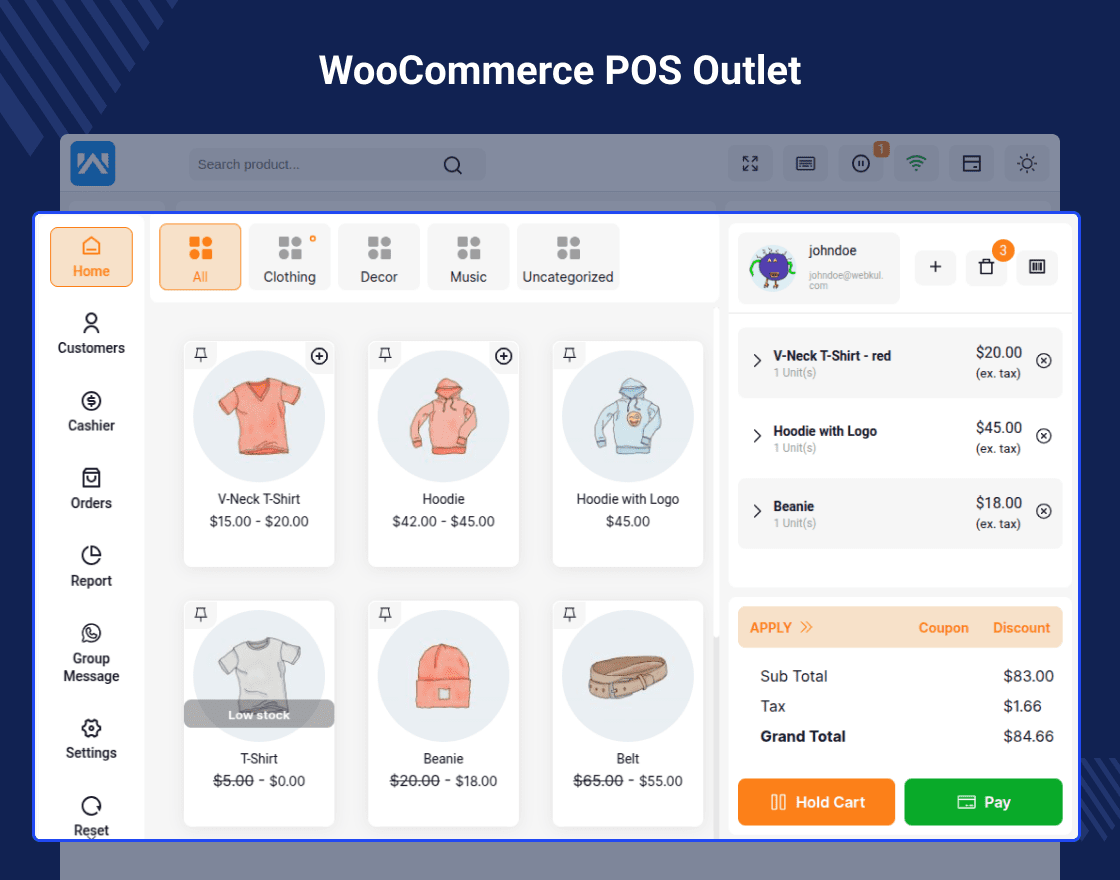
WooCommerce POS Plugin – provides store owners with a feature where they can sell their products online as well as offline(Physical Stores).
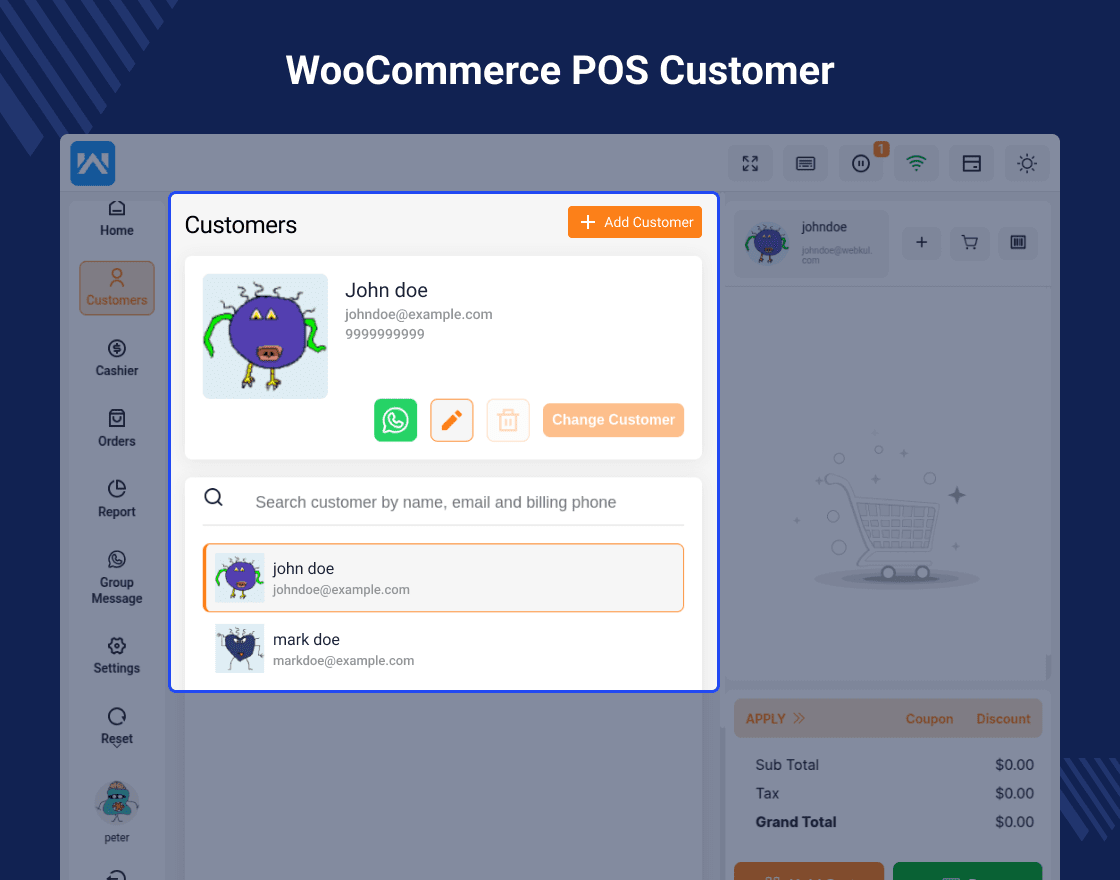
The POS consists of two management systems i.e Front-end and Back-end systems. The backend system helps the admin to assign one or multiple store agents for the store. The store agent will manage their sales records and customers for the assigned stores.
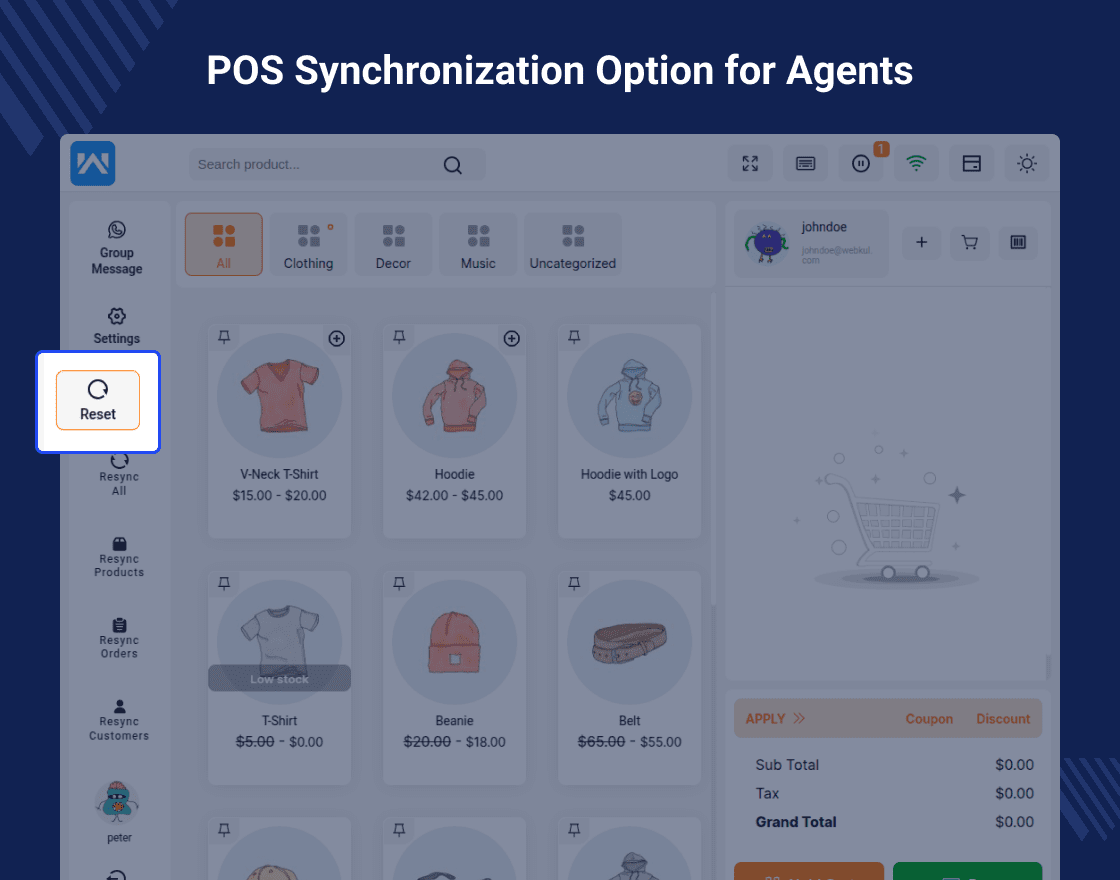
The Point of sale system works both offline and online. The POS system comes with the feature of synchronizing offline data. The sales agent can easily synchronize all the sales and customer details that have been performed on the offline store with the online store. The POS system demand is increasing day by day as it increases the sales of the store owner by using their physical stores along with online stores.
Point of Sale System for WooCommerce is now compatible with WooCommerce’s latest features High-Performance Order Storage (HPOS)
Note – Why we don’t provide support for product backorder?
Answer- Backorders are common in online stores but might not be as effective for in-person sales in physical stores. This is because POS systems are designed for simplicity and speed, and adding backorder functionality could complicate both the store’s operations and customer experience.
Check how to activate your WooCommerce plugin through the purchase code. and How do you get updates on Webkul Modules directly on the Plugins page.
Client Testimonial
- Easy Payment & Checkout –Simplifies the checkout process by allowing quick and secure payment handling, ensuring faster transactions for customers.
- Add via Barcode Scanner –Lets POS agents instantly add products to the cart by scanning their barcodes, reducing manual entry time and errors.
- Apply Cart Coupons –Enables applying discount coupons directly to the cart, helping customers save and boosting sales promotions.
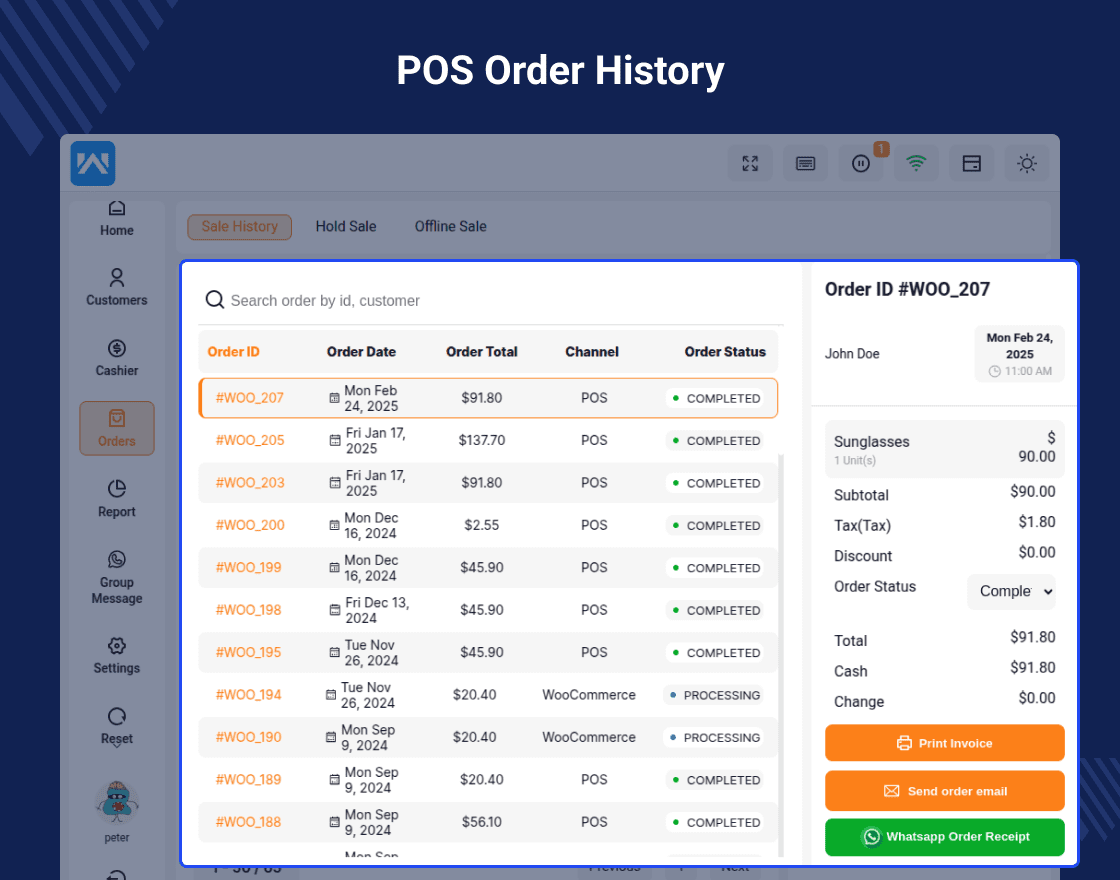
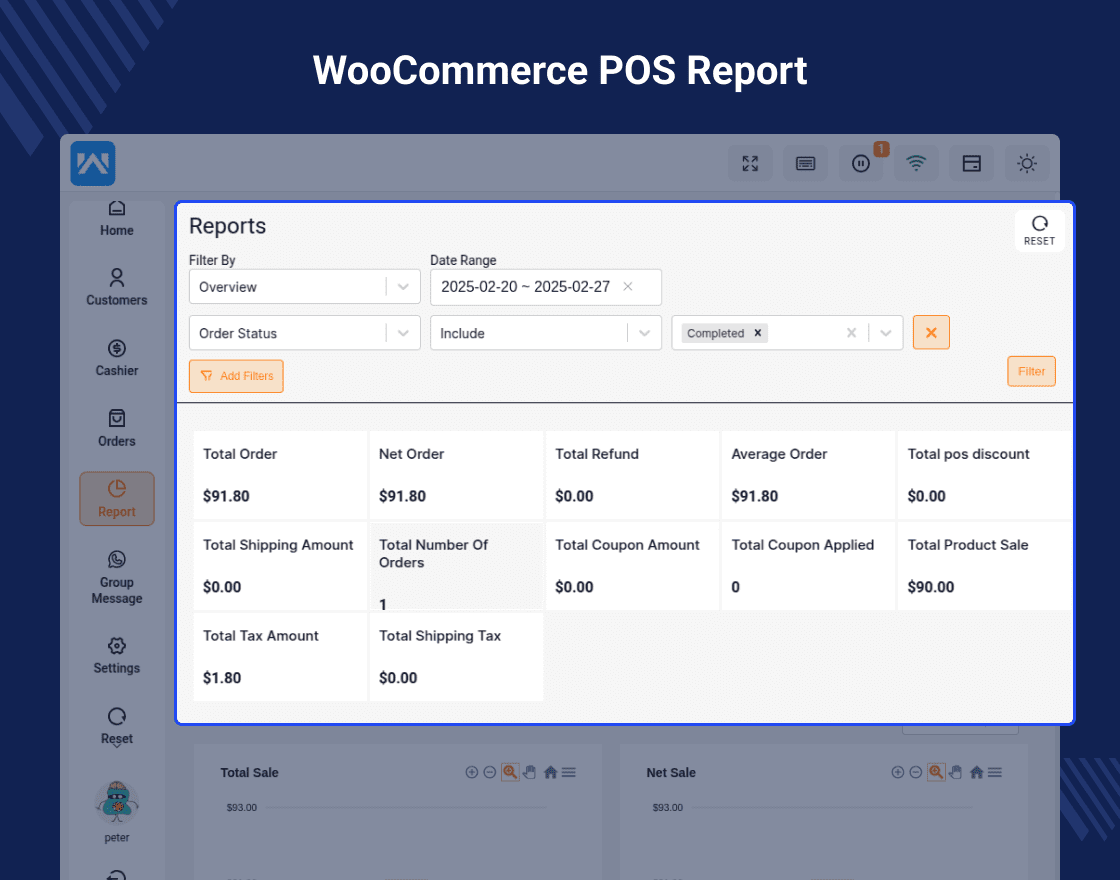
- POS Agent: Check Sales & Offline Sales –Allows agents to view real-time sales reports and access offline sales data for better business tracking.
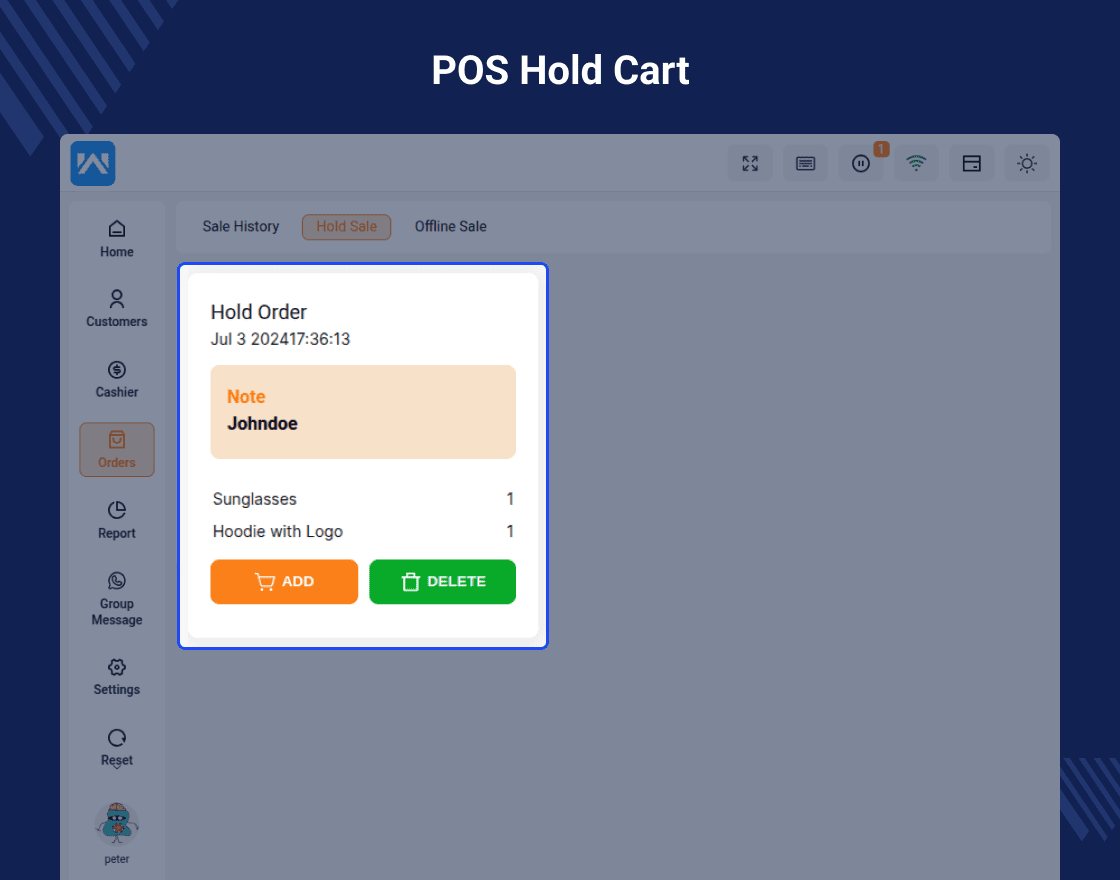
- POS Agent: Hold Cart for Later –Lets agents save a cart temporarily to serve another customer and return to it later without losing data.
- Split Payment –Supports dividing the payment into multiple methods (cash, card, etc.), offering customers flexible payment options.
Sell on Multiple Locations at the Same Time
You cannot be in two locations at the same time, but your eCommerce POS integration can.
- The admin can manage multiple POS systems..
- By using POS, the products are more manageable.
- Based on the category and all items, the products may be associated with the outlet from the source.
- The admin can choose the categories to assign to the outlet from the source.
- Centralized Inventory –Maintain a unified stock record for all sales channels from one place
- Master Stock Management –Admin can manage, update, and control product stock from a single dashboard.
- Admin Sales & Inventory –Track both sales data and inventory levels within the POS system.
- Sync with Online Store – Automatically synchronize inventory and sales between the POS and the online store in real-time.
- Set Store Currency –Configure the POS system to operate in your preferred currency.
- Offline Store Mode –Continue processing sales without internet access, with data syncing automatically when reconnected.
Admin’s Other Functionalities
POS Other functionalities
The Point of Sale System for WooCommerce (POS Plugin) is compatible with multiple Payment Methods.
The Point of Sale System for WooCommerce (POS Plugin) is fully compatible with multiple popular payment modules, ensuring seamless transactions for POS Agents.
Business Use
Expanding your business online, connected with your brick-and-mortar location, may provide your customers with an impressive purchasing experience.
The admin can manage the physical store’s POS. To increase the number of work points, each store/outlet can have multiple cashiers or sales agents.
The POS System can operate in both online and offline modes. The POS agent can also manually synchronize the offline data.
The Point of Sale System module is advantageous for increasing overall revenue by having multiple physical stores in addition to the online store.
Install POS PWA on Desktop
IoT Add-On Functionalities for the WooCommerce Point of Sale System
The user can also extend the features and functionalities of the Point of Sale System for WooCommerce (POS Plugin) using the add-ons. The extensions like barcode, RFID, thermal printers, and kiosk devices scales
Real-time Inventory Visibility Helps you Avoid Overselling
Any business owner or eCommerce manager understands the importance of inventory management.
- You won’t have to worry about overselling items or shortchanging your clients’ orders if you have a direct line of sight to inventories.
- By allowing the product for that specific store/outlet, the admin may simply assign items to different outlets with their stock value.
- The administrator can allocate different quantities to distinct types of variable products.
- A POS product can have an endless amount of inventory assigned to it by the administrator.
Powerful Extensions for the WooCommerce POS Plugin
The user can also extend the features and functionalities of the Point of Sale System for WooCommerce (POS Plugin) using the add-ons. The extensions like:
- WooCommerce POS Complementary Goods This plugin is used to add a complementary item to the POS cart when a certain amount of any product is purchased.
The WooCommerce POS Complimentary Items module is useful in situations when the POS user desires to provide complementary goods to a customer upon the purchase of a specified amount of any commodity.
- POS Booking Reservation Plugin for WooCommerce The WordPress WooCommerce POS (Point Of Sale) Booking & Reservation plugin will transform the store into a dynamic event-driven portal.
It enables the shop owner to sell bookable services as a product, with hourly and daily bookings using the POS outlet.
- WooCommerce POS Customer Cart Screen plugin will assist the consumer in visualizing the checkout screen. As a result, it is possible to assist the consumer in verifying the cart before final checkout. The customer screen is in sync with the POS agent screen.
Dear Customers, if you have a question/query, please raise a ticket at webkul.uvdesk.com. We will do our best to answer as quick as it is possible. Don’t give us a low rate without contacting support on the issue you’ve faced with. We are always happy to help you.
ChangeLog
"Initial release v 1.0.0" "Current release v 6.7.0"
v6.7.1 (22026-02-02)

Fixed: Drawer balance debit issue.
Added: Hooks for modify balance and type.
Added: Hooks at pos frontend.
v6.7.0 (2026-01-16)

Fixed: Table creation issue and managed it on plugin_loaded hook.
Fixed: Get product variation issue with some other languages like irish.
Fixed: Get product ids ( excluded product variation id ) on the pos to load products on the POS end.
Fixed: Managed search while switching the category.
Fixed: Category update in redux store while switching from other category tab to all category tab.
Fixed: Category product display issue after clearing the search.
Fixed: Search box clear issue with clear ( cross icon ) search.
Fixed: Hold cart not visible issue when hold cart id and current cart id is same.
Fixed: Fixed product filter issue using outlet at the admin end.
Enhancement: Get product list api and reduced product load time.
Enhancement: Added border to single cart item while expanding for edit product price and quantity for better visibility.
Enhancement: Updated background of date selection in report section in dark mode for better visibility.
Enhancement: Improved UI of resync data and scroller in dark mode.
Added: Opening and closing drawer feature cashier wise ( user wise ).
Added: Opening drawer note.
Added: Open drawer later from the cashier section.
Added: Managed drawer from the transaction.
Added: Credit/Debit amount from the cash drawer.
v 6.6.0 (2025-10-14)
Added: Multisite Compatibility into POS.
v 6.5.2 (2025-09-15)
Fixed: Variation selection issue when searching variations by SKU or barcode.
Fixed: Currency formatting issue for Euro.
v 6.5.1(2025-08-08)
Fixed: env file creation .
Fixed: Product custom variation selection and slug.
v 6.5.0(2025-07-25)
Fixed: Out-of-stock products are now hidden from the POS interface unless explicitly configured otherwise.
Fixed: Resolved a console error that occurred during POS loading.
Fixed: Discounted prices in the POS cart now accurately reflect in the WooCommerce backend.
Fixed: The default customer is now automatically reselected after order completion.
Fixed: Enhanced currency fallback logic — the system now defaults to the website’s base currency when none is specified.
Fixed: Resolved an issue where variation names were not displaying correctly in the POS interface.
Improvement: Refined the menu structure to ensure POS addon submenus are accurately positioned and well-organized.
Added: Introduced auto-print enable/disable setting for POS users.
Added: POS now updates product stock when order status is updated.