Install WooCommerce Request a Quote Plugin to give Fast Quotes to your Potential Customers!
The WooCommerce Request a Quote plugin lets potential buyers ask for a price estimate right from the product or shop page without composing an email or reaching out through a contact form. Customers can request pricing on multiple products just as easily as adding items to the cart.
You can add and customize the Add to Quote button, configure a success message on form submission, and set up automatic email replies so every inquiry gets an instant acknowledgment. Both registered users and guests can submit quote requests, and you can manage and respond to every quote individually from a centralized admin panel.
Features:
- Enable Add to Quote Button on Product and Catalog Pages
- Replace Add to Cart Button with Add to Quote Option
- Quick and Easy Quote Request Form on Product and Shop Pages
- Allow Both Registered Users and Guests to Submit Quotes
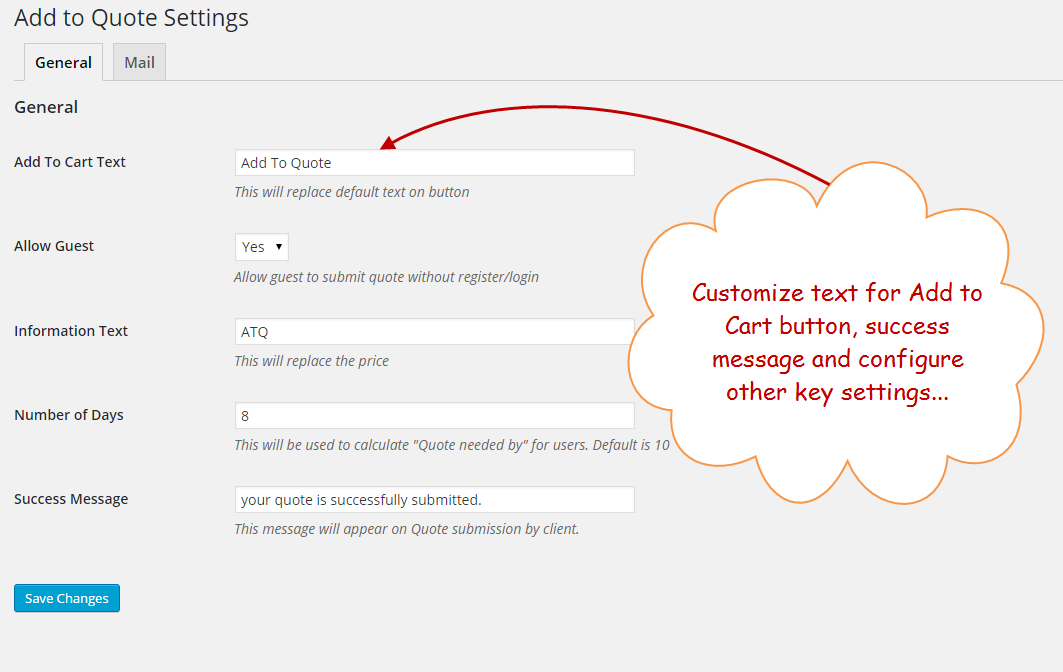
- Customize Add to Quote Button Text and Success Message
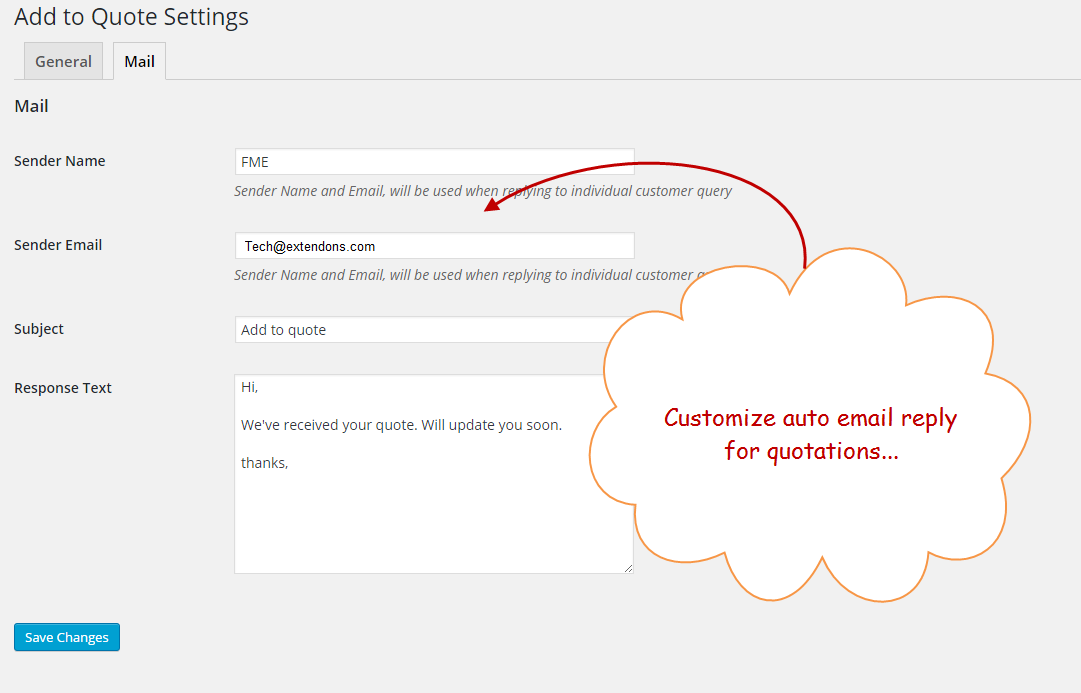
- Configure Auto-Reply Emails for Quote Requests
- Manage All Quote Requests from a Centralized Admin Panel
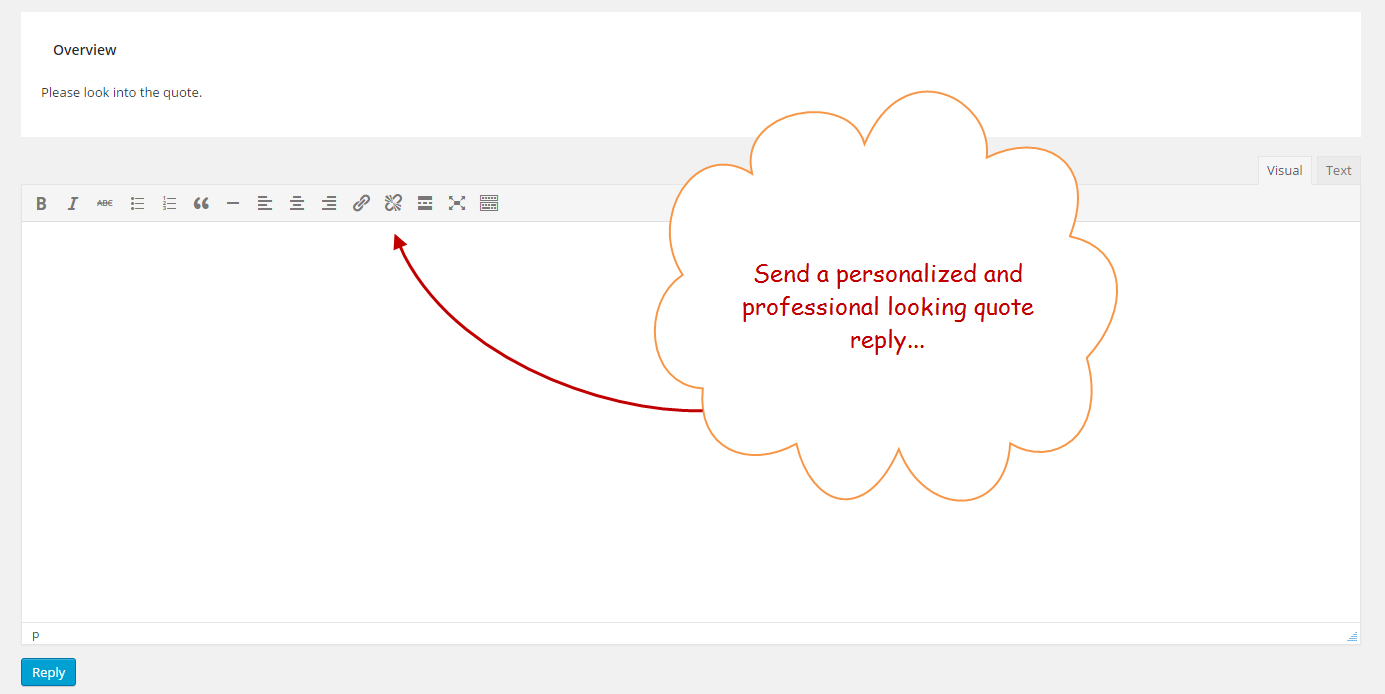
- Reply to Quotes Using the Built-in WYSIWYG Editor
- Customers Can View Submitted Quotes on Shop Page and My Account
Enable the Add to Quote Button on Product and Catalog Pages!
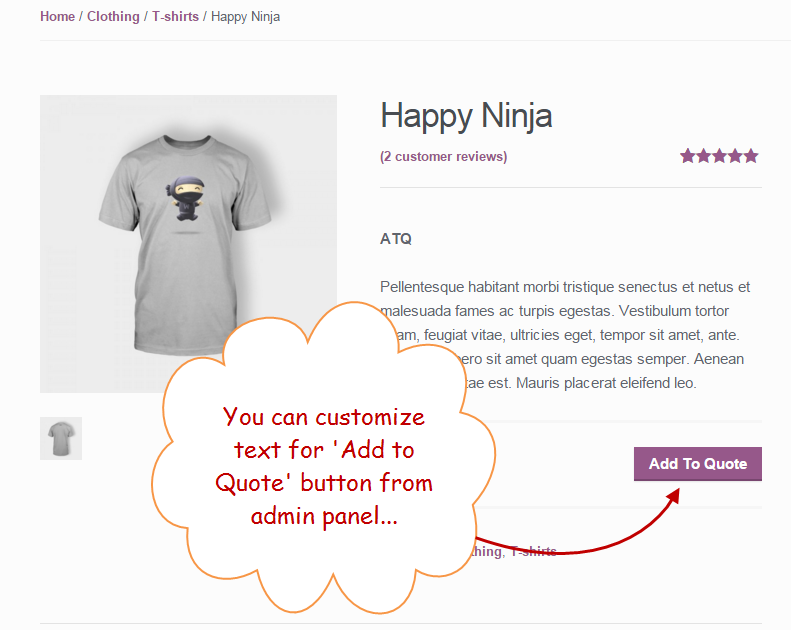
The WooCommerce request a quote plugin lets you place an Add to Quote button directly on product and catalog pages. Potential buyers can request price estimates for single or multiple products without leaving the page. The button can also replace the standard Add to Cart button, giving customers a clear and direct way to inquire about pricing.
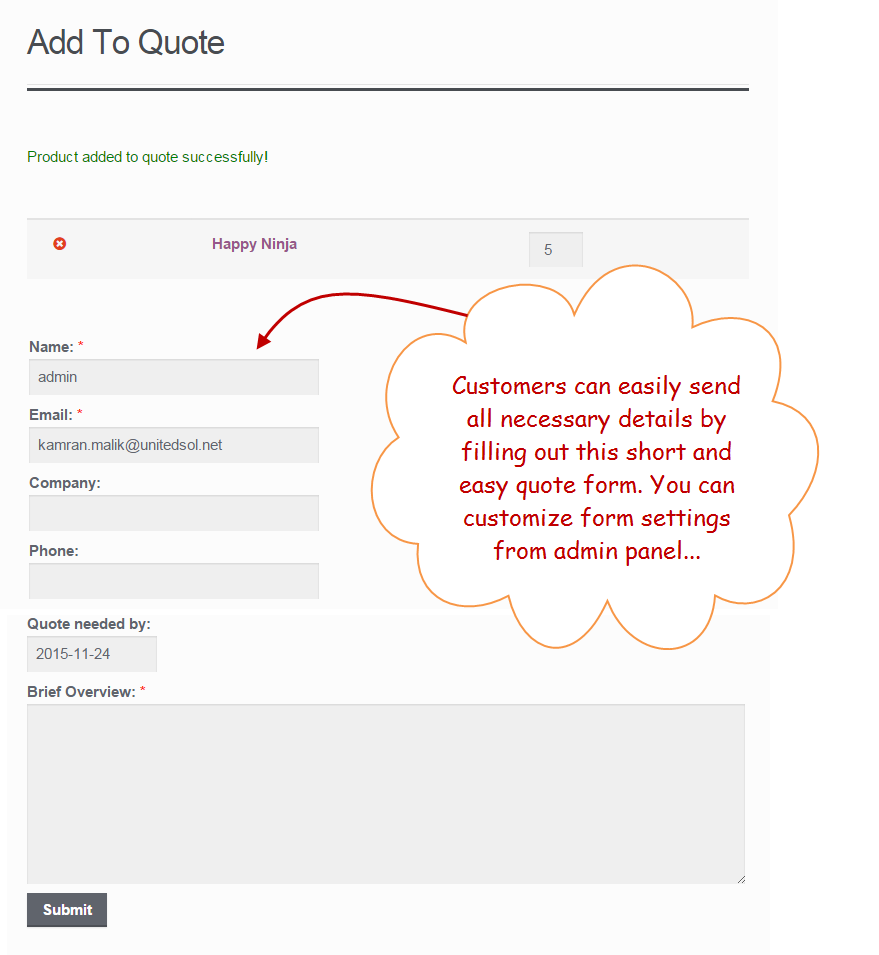
Add to Quote Form
WooCommerce request for quote plugin supports both registered users and guest visitors. Guest users can submit a quote request without creating an account or logging in, lowering the barrier for potential buyers and increasing the chances of receiving more inquiries from first-time visitors.
Allow Guests to Submit a Request for Quote
With the WooCommerce quote plugin, you can allow the registered users & guests to submit a request. The guest users are overwhelmed to ask for a quote without logging into your eCommerce website.
Customize Add to Quote button and Success Message
With the WooCommerce request a quote plugin, you can customize the Add to Quote button text to make its purpose clear to customers. You can also write a personalized success message that appears after a customer submits their request, letting them know their inquiry has been received and will be addressed shortly.
Configure Auto-replies to Quote Requests
The WooCommerce quote plugin lets you send automatic replies to customers as soon as they submit a request for a quote. You can set a sender name, email address, email subject, and message body so every customer gets an instant response confirming their inquiry has been received.
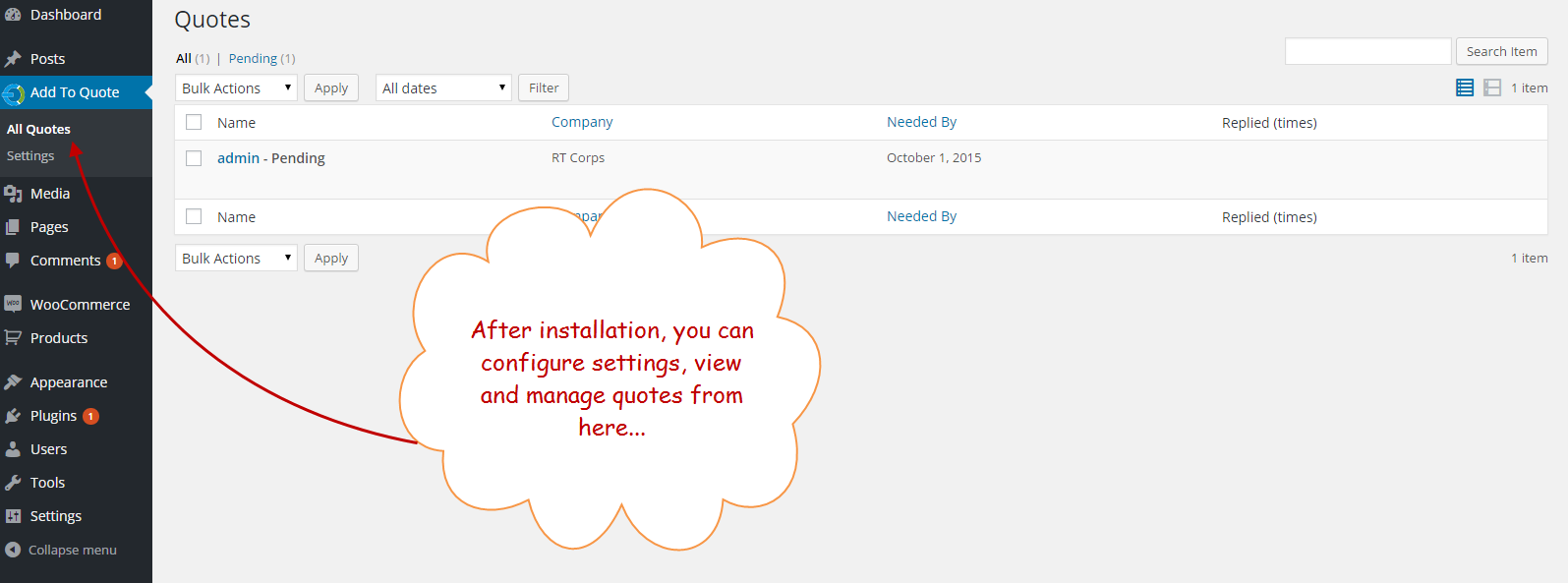
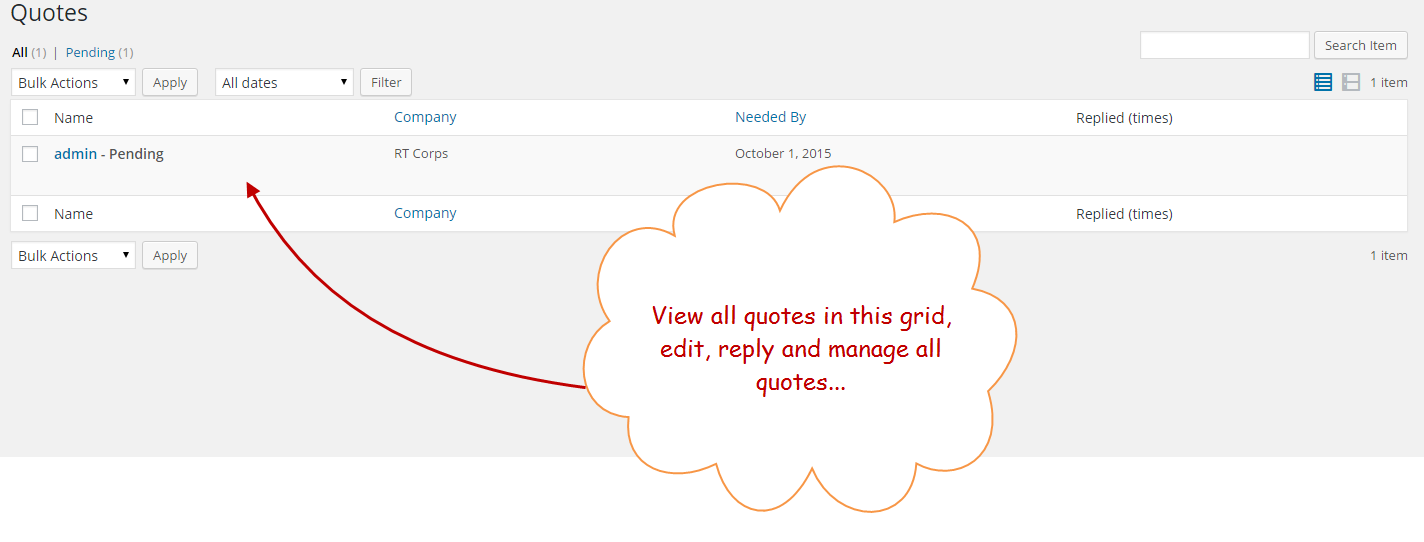
Manage All Quotes from One Panel
The WooCommerce request a quote plugin brings all incoming quote requests into a single management panel. You can review each request individually, compose professional replies using the built-in WYSIWYG editor, and follow up with potential buyers to move them closer to completing a purchase.
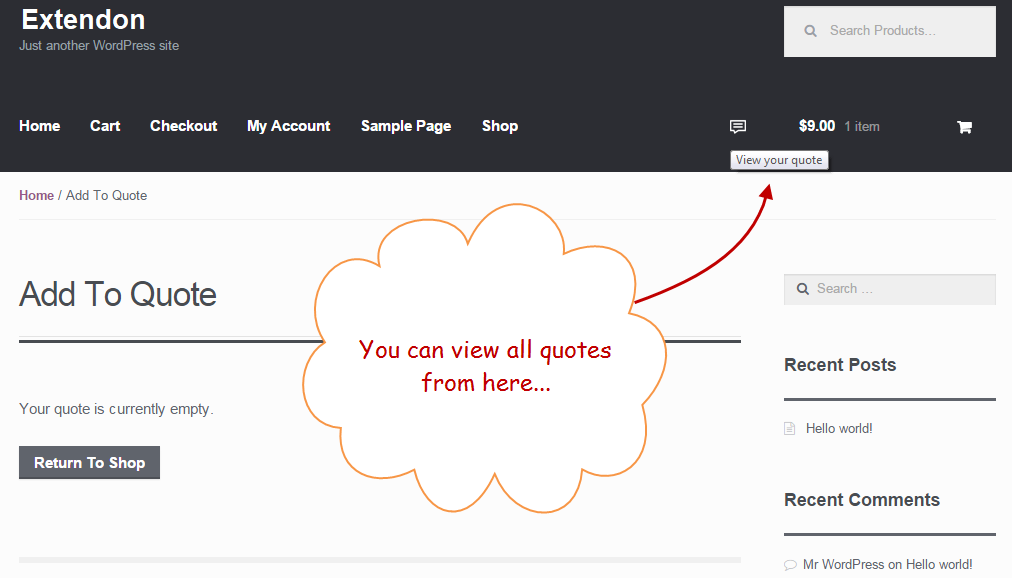
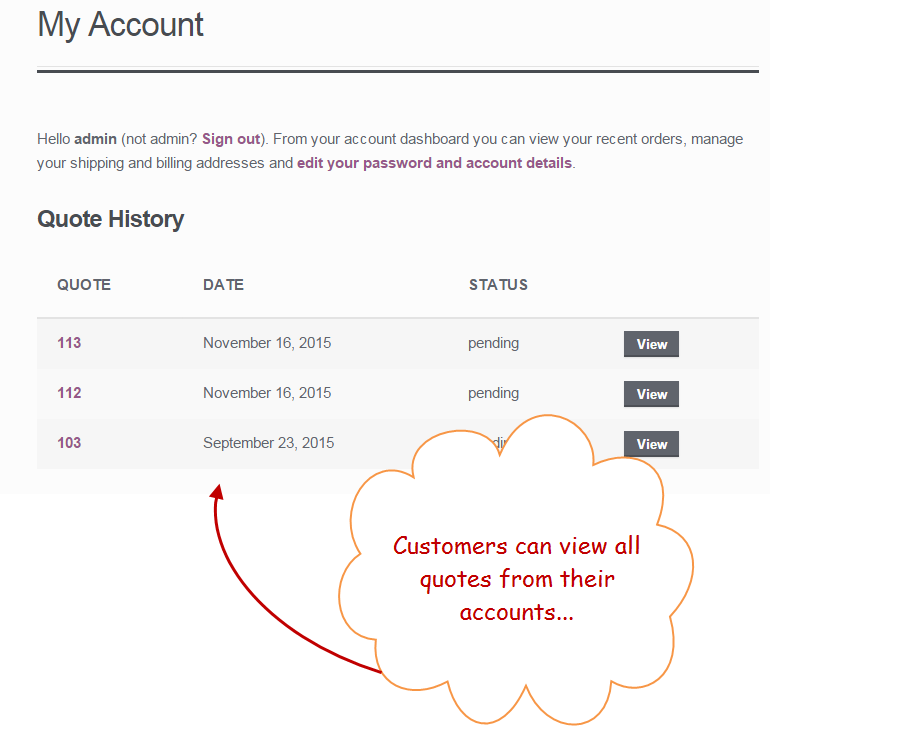
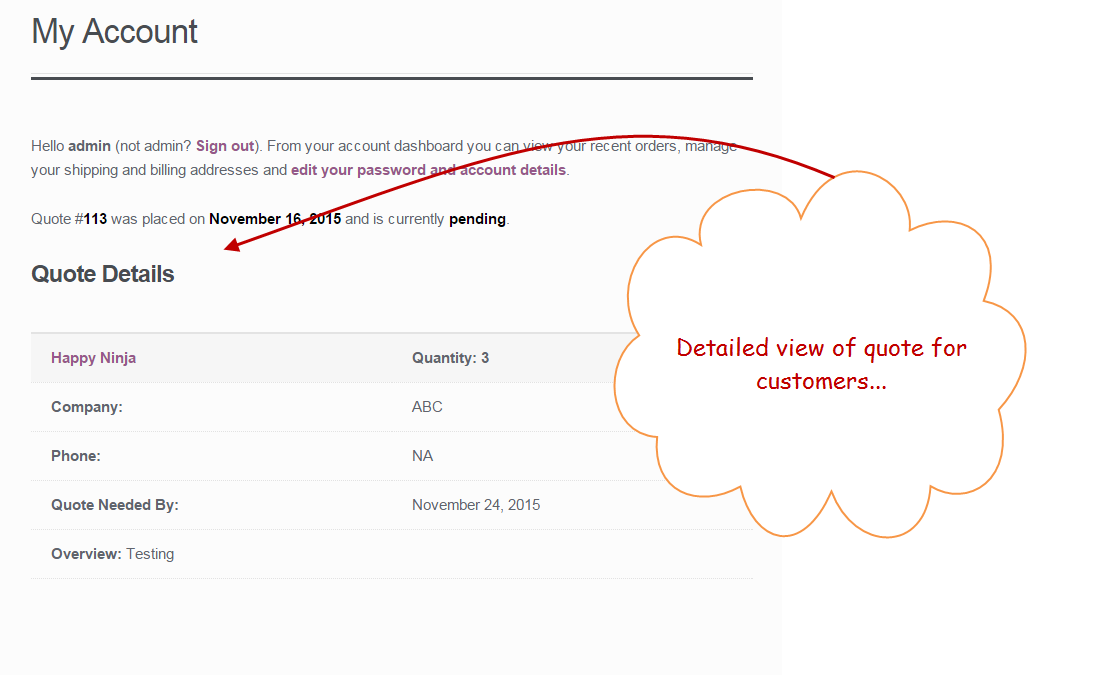
Users can view their quotes on Shop Page and My account section
Customers can access all the quote requests they have submitted through the View Your Quote option on the shop page. Registered users can also view their requests in full detail from the My Account section, giving them a convenient way to track the status of every quote they have submitted.
FAQs
1. Can I customize the appearance of the “Request a Quote” button?
Ans. You cannot customize the whole appearance of the button, only set custom button text with WooCommerce request a quote.
2. What information can customers include in their WooCommerce quote requests?
Ans. Customers can fill out a form with their name, email address, message, and any product options they select. And can also upload image.
3. Where can I see and manage quote requests?
Ans. All quote requests are displayed in a dedicated menu within your WooCommerce dashboard. You can view details, respond, and change their status.
4. How can I notify customers about quote responses?
Ans. WooCommerce request a quote automatically sends email notifications to customers when their quote requests are received and responded to.
Change Log
Version 1.0.3
Added description and instructions in the settings for easy understanding.
styled the Quotation form
fixed bugs
Version 1.0.2
Compatible with HPOS
Compatible with multisite
Version 1.0.1
Bugs Fixes
Version 1.0.0
Initial release