Show a Summary of your Product to Your Customers with WooCommerce Product Quick Overview Plugin!
Install WooCommerce quick view plugin on your store to show a quick summary of your product to your potential buyers. It’ll show a quick popup on your catalog page. This plugin collects all the necessary details about your product like price, image, & short description and displays it for your website visitors in the form of a quick popup.
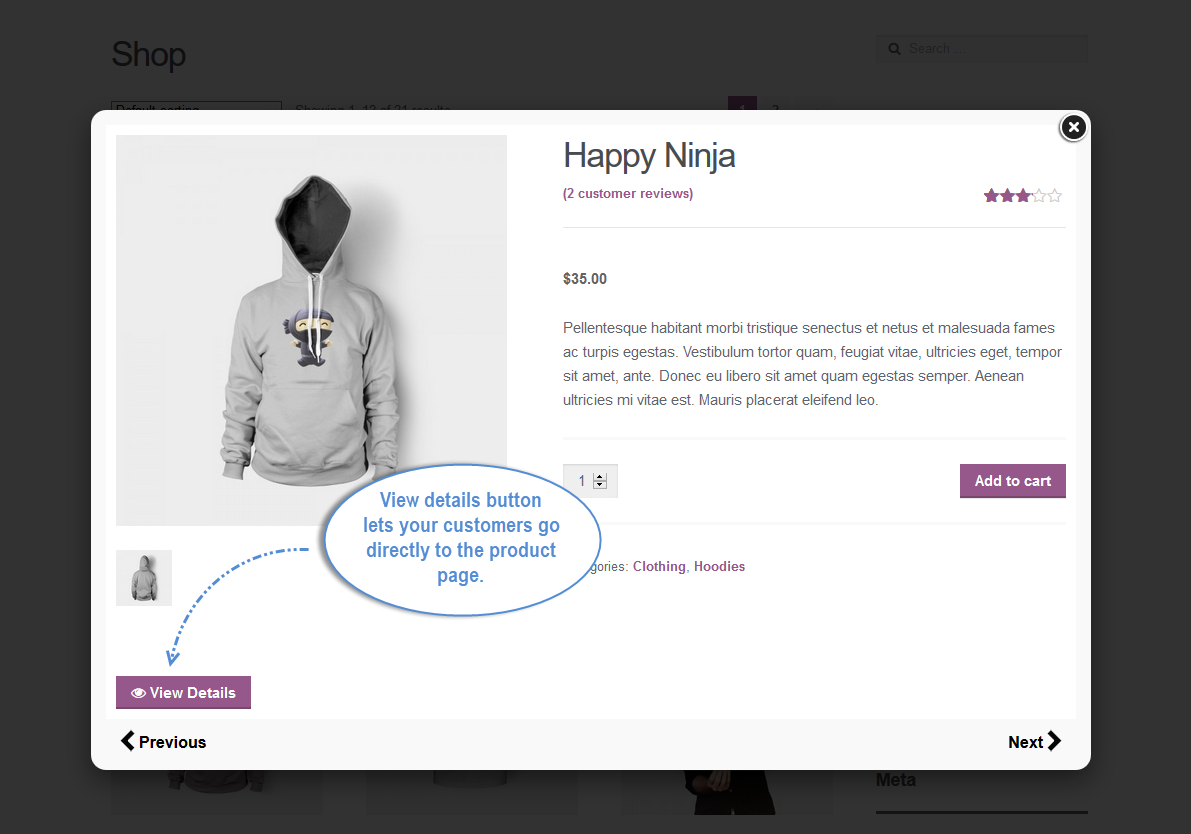
You can add a “view product details” button to take users to the landing page right from the quick view. Your customers can flip through the products with the “Previous” & “Next” button, where they can explore more products that your shop has to offer.
You can also add a CTA button on the quick overview page where your customers can shop directly from the popup.
Show products in zoom to allow customers to have a better view of products. Try our WooCommerce Product Zoom Plugin
Enable Product Quick View on Shop and Catalog Pages
WooCommerce product quick view plugin allows your customers to instantly view a product in a sophisticated popup on the shop or catalog page. It loads a product page quickly so that the users can view the essential details on the popup.
Show Product Details to Quick View Popup
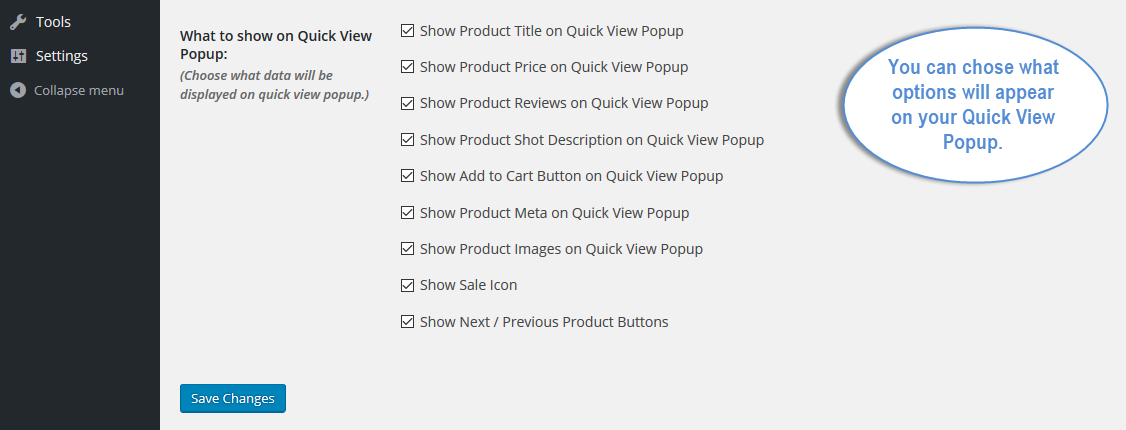
You can add your products information on the popup to deliver most of the information to the user. The more details you add, the more users convert from the quick view.
Configure Position and Display of Quick View Button
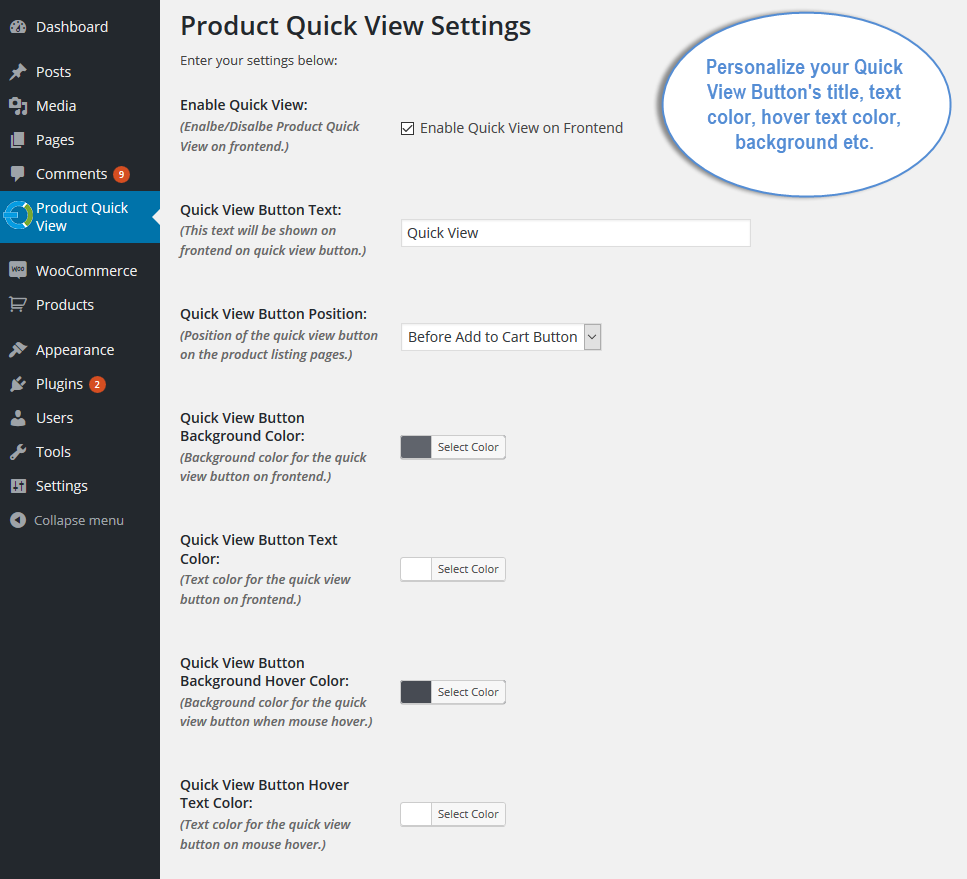
You can configure a position for the quick view button. Display it on the product image or before the Add to Cart option. Choose a prominent place to make sure the users take notice of it. With customization settings, you can personalize the title, color of the text as well as the background of the button.
Previous/Next Buttons for Products on a Quick View Popup
Enable arrow-like buttons to facilitate users in quickly viewing previous and next products without going back to the shop page. Let them stay on the quick view popup and continue browsing more products.
Add a ‘View Product Details’ button
With the WooCommerce view product button, your customers can visit the product landing pages and read their comprehensive description. Facilitate the users moving to the product details page right from the popup.
Allow Adding Products to Cart from Quick View Popup
With WooCommerce product view plugin, you can enable the Add to Cart button to ease users in continuing shopping on the quick view popup. It facilitates them in selecting products in a Quick view mode.
Customize Quick View & View Details Button
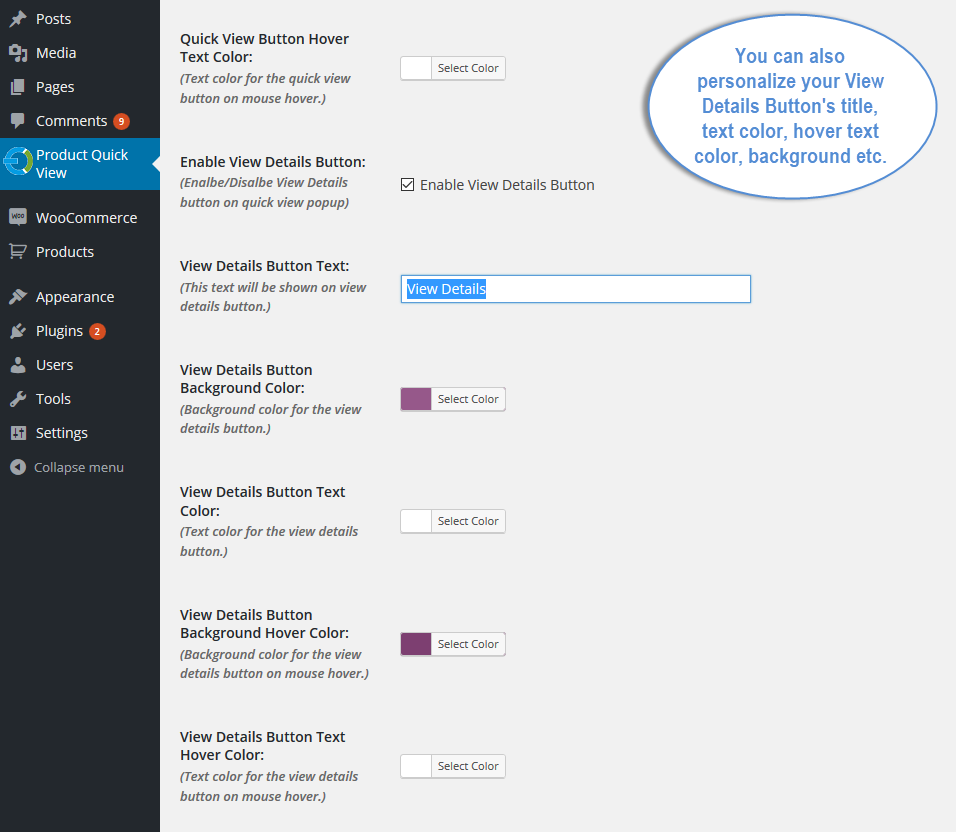
With the WooCommerce quick view plugin, you can personalize quick view and view detail buttons such as their title, text color, hover text color, background, etc.
FAQs
1. How does the quick view functionality work?
Ans. The WooCommerce quick view enables customers to click on the quick view button and view products in popup.
2. Is the plugin mobile-friendly?
Ans. Absolutely! WooCommerce quick view plugin functionality is responsive, ensuring a smooth and intuitive experience for users on mobile devices.
3. Can WooCommerce product quick view plugin allows you to customize the appearance of the quick view to match my store’s theme?
Ans. Yes, you can customize the WooCommerce quick view button text and color to match with your store’s theme.
4. Can I customize what to display in quick view popup?
Ans. Yes, WooCommerce quick view plugin allows you to select what to display in the popup by simply checking the box.
Change Log
Version 1.0.3
Compatible with multisite
Version 1.0.2
Compatible with HPOS
Version 1.0.1
Minor Issues resolved
Version 1.0.0
Initial release of plugin