Install WooCommerce Booking & Reservation Plugin to Let your Customers Reserve Products or Services online!
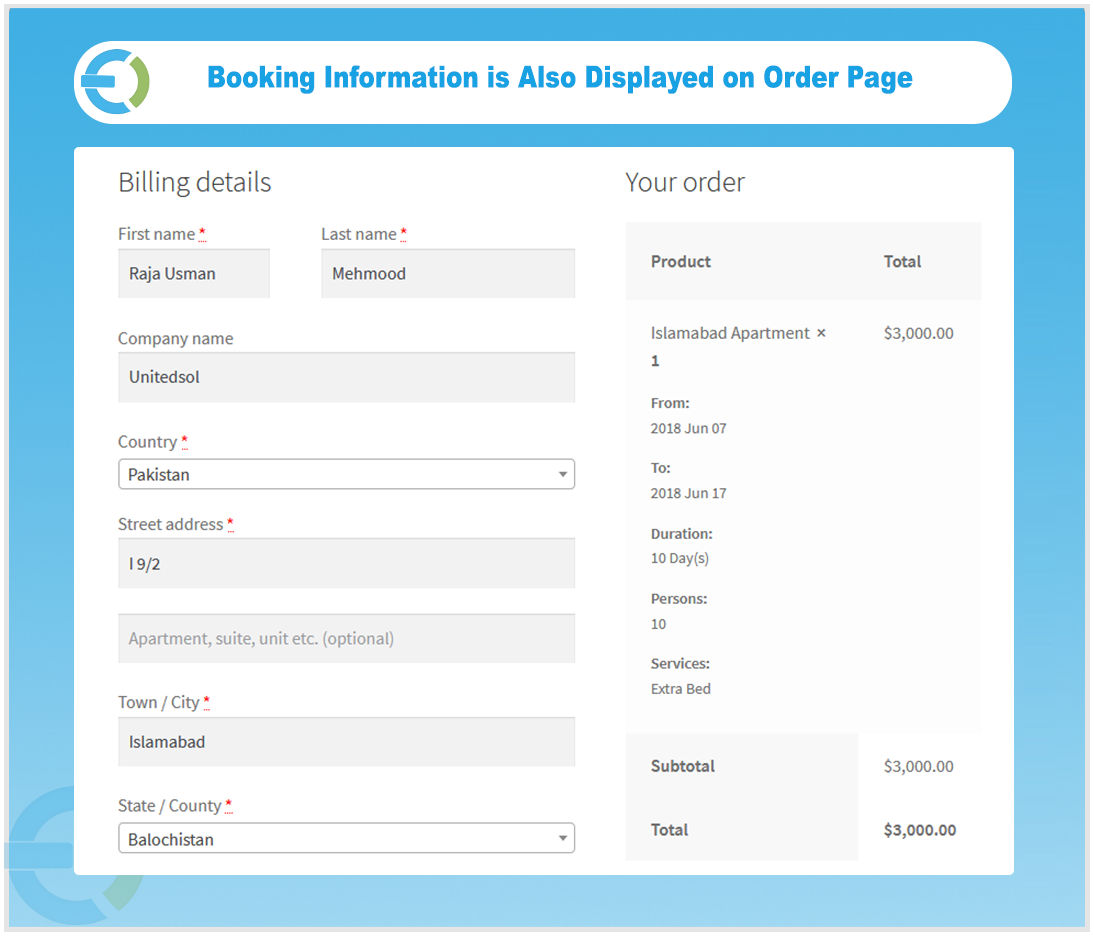
WooCommerce bookings plugin brings the entire reservation process online, letting customers choose their preferred dates, duration, and services directly from your store. Whether you run a hotel, rental service, or any booking-based business, the plugin helps you handle it all from one place.
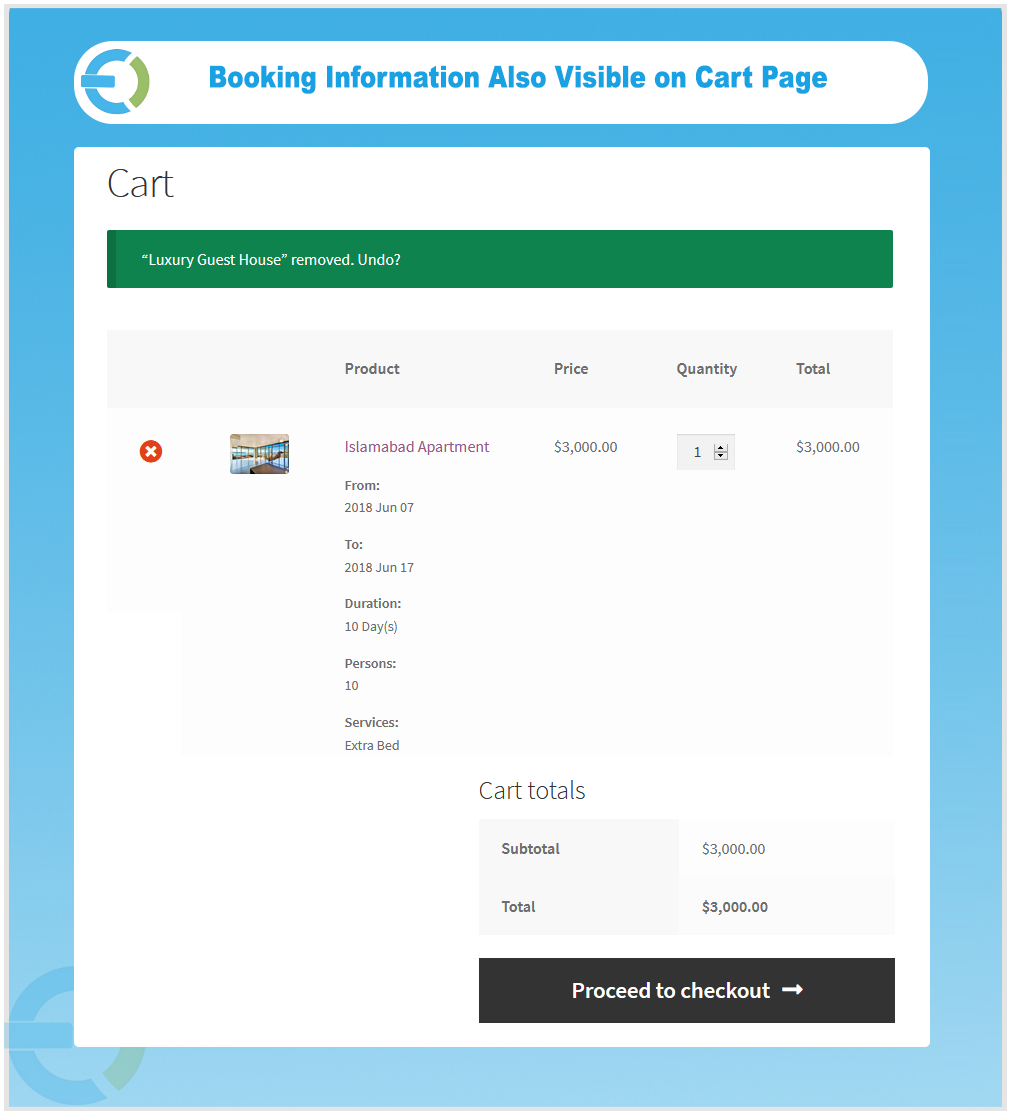
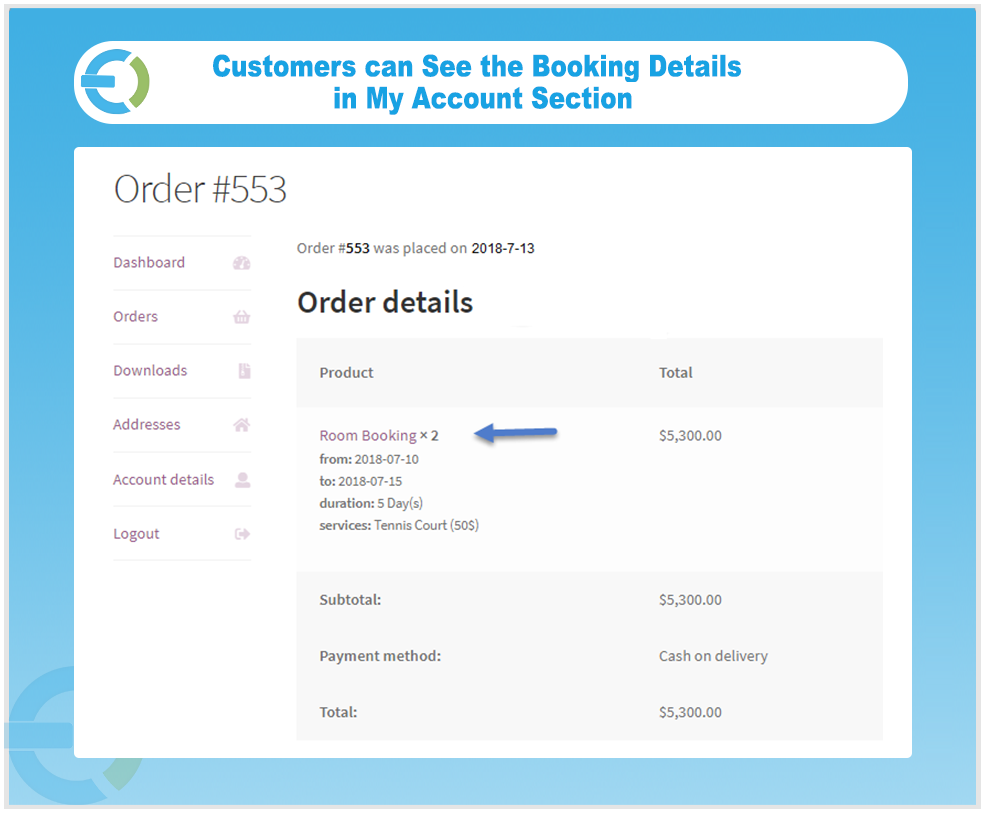
Customers can browse availability through a booking calendar, select their desired duration, add extra services, and complete the reservation without any back and forth. It provides full control over pricing, availability, person types, room limits, and automated email notifications.
- Allow Booking & Reservation for Products & Services
- Set Fixed or Customer Defined Reservation
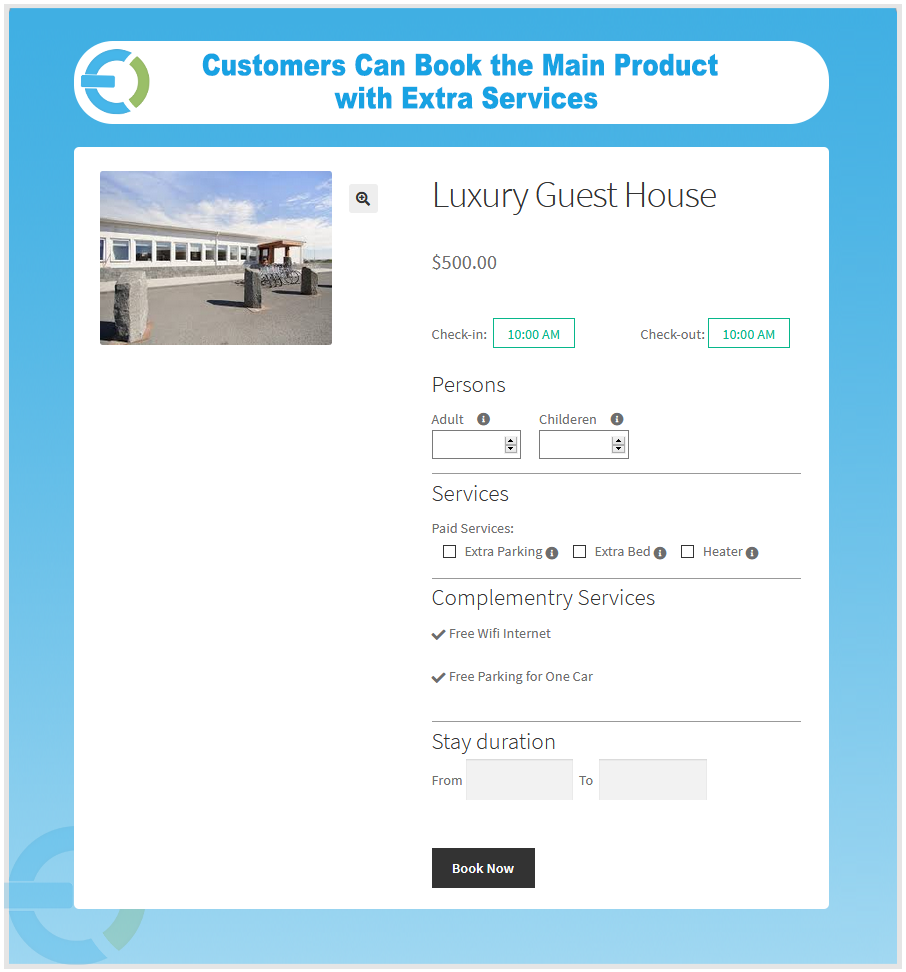
- Show Free and Optional Services Upfront
- Dynamic Pricing for Various Person Types
- Display Location Using Google Map
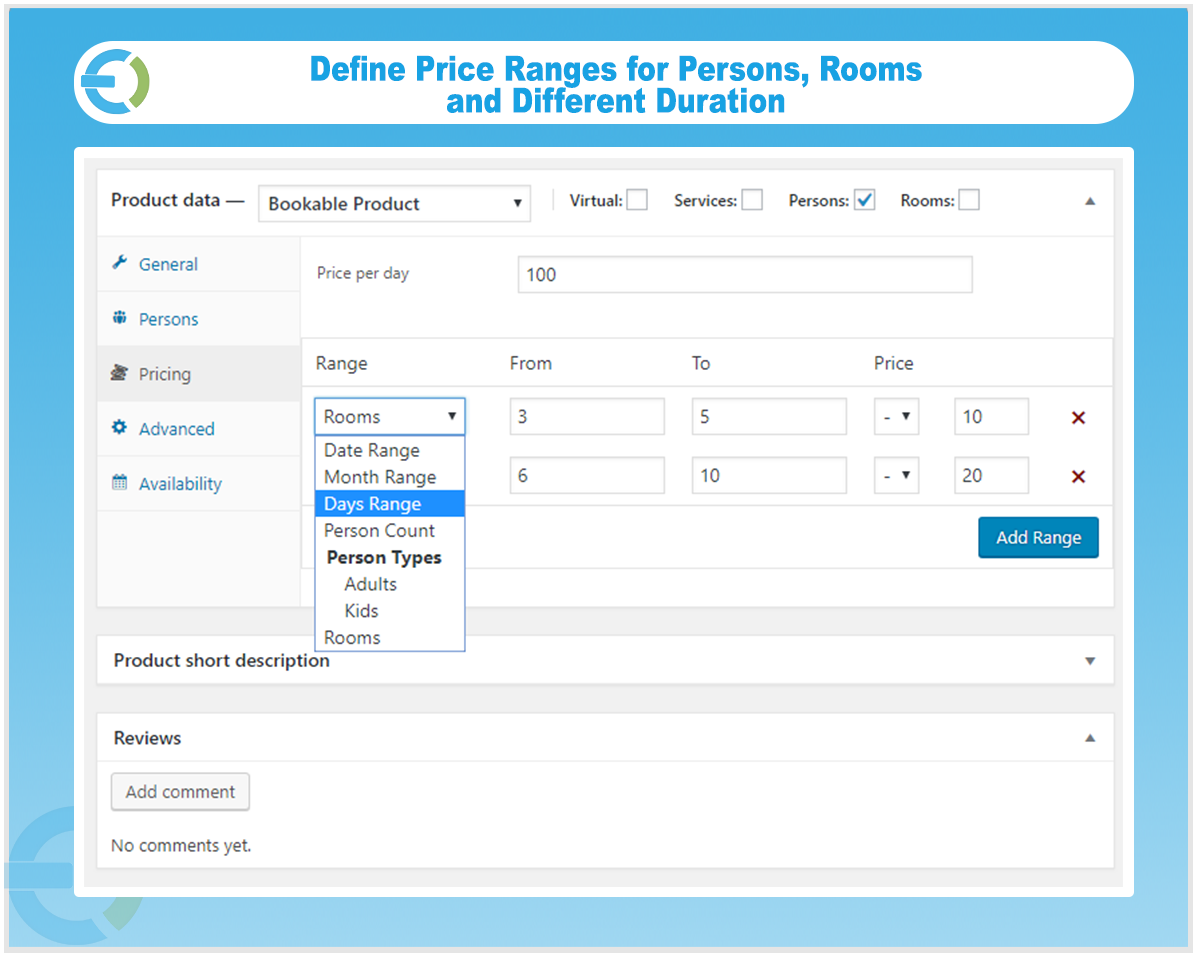
- Determine Price Range for Persons, Person Types, and Rooms
- Send Booking Notifications to Customers Via Email
- Allow Customers to Book More than one Room
- Booking Calendar to View all the Bookings
- Create the Bookings on the Behalf of Customers
- Compatible with WPML
Check out our WooCommerce appointment plugin, to enable your customers to create appointments with date and time.
Create Bookable Products and Allow Customers to Reserve
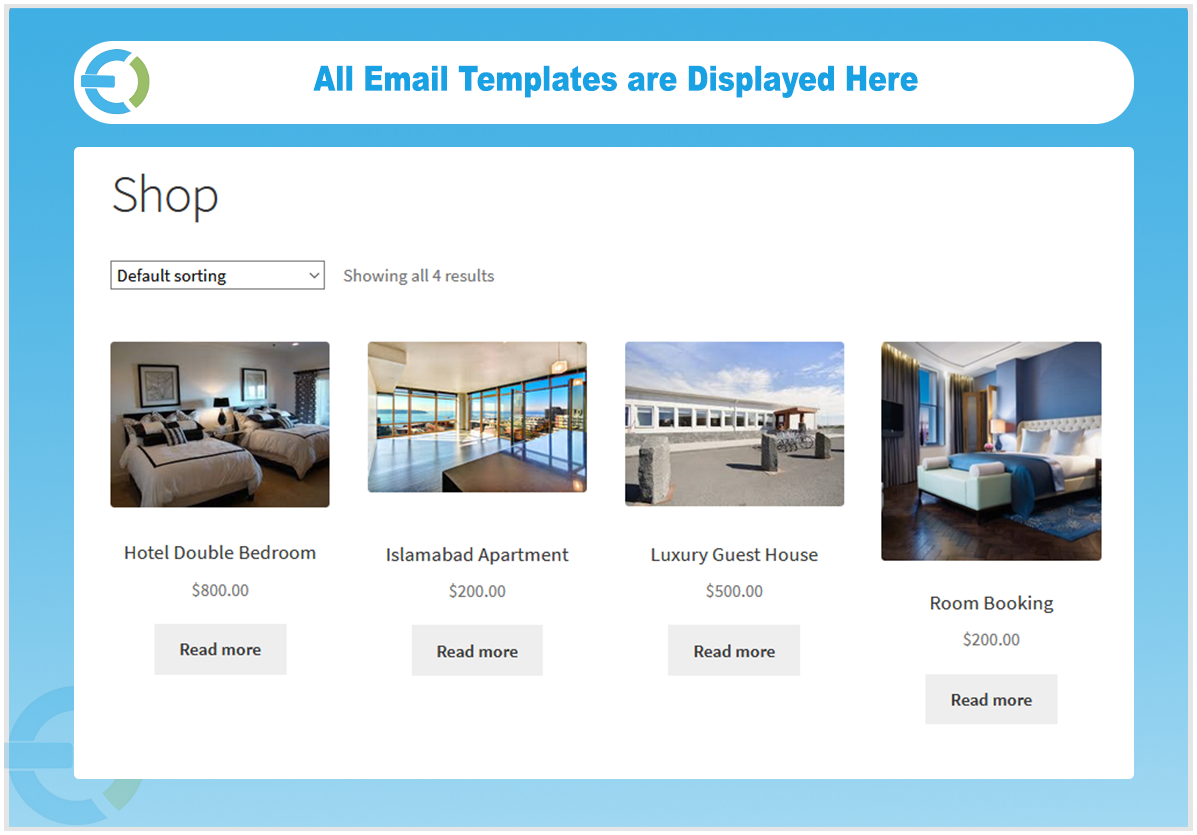
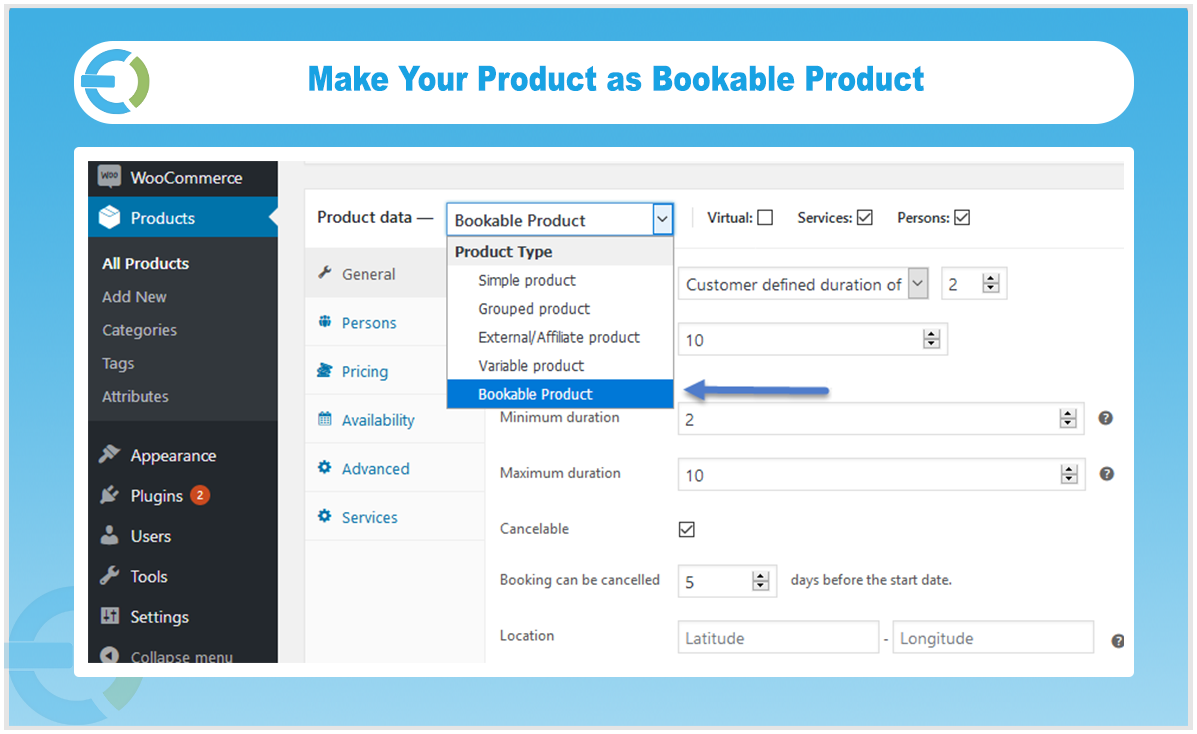
WooCommerce booking & appointment plugin allows you to add bookable products to your store with ease. Customers can reserve hotel rooms, apartments, guest houses, event slots, and any other bookable product or service your business offers.
Allow-Customers-to-Book-your-Products-in-AdvanceCreate Bookable Services to Generate More Sales
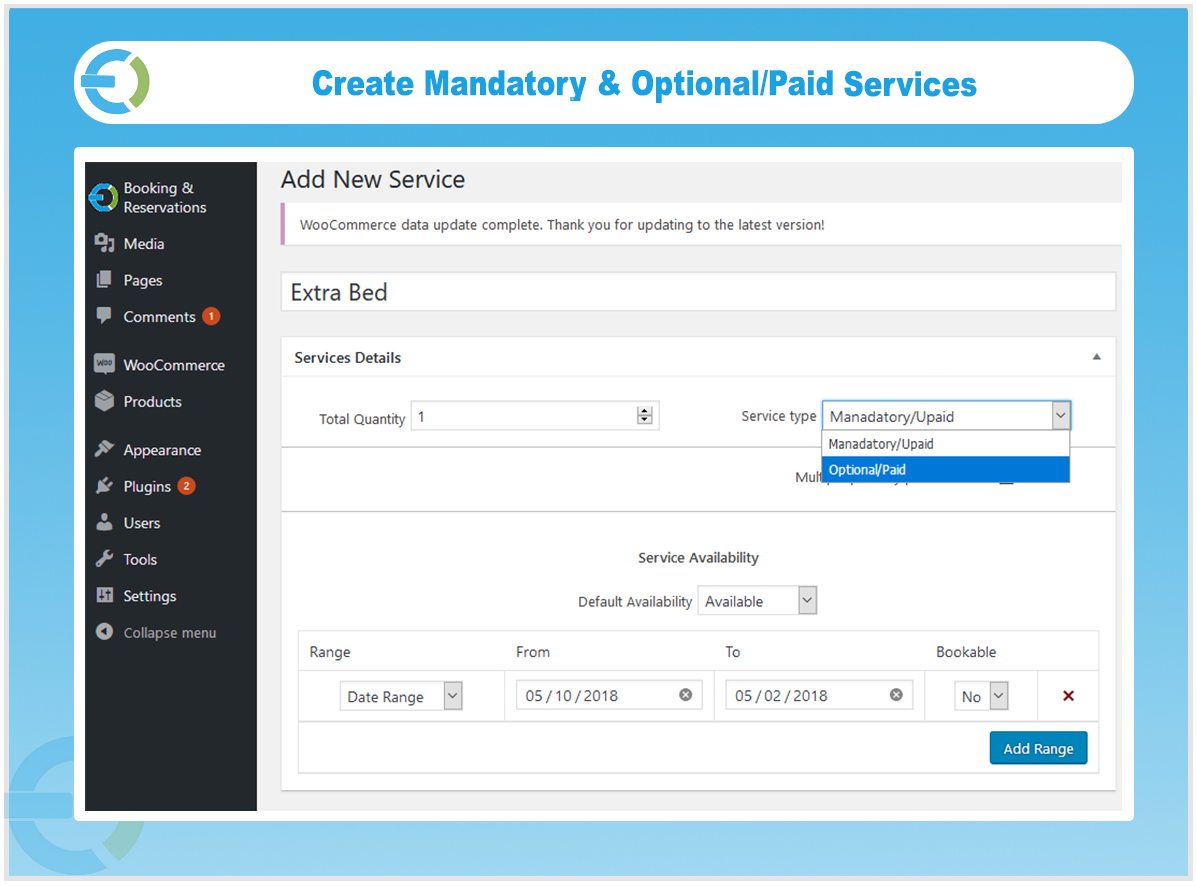
Along with bookable products, you can create mandatory and optional services to offer customers more choices and increase your revenue. For example, a hotel can let customers add breakfast, hi-tea, or buffet packages when reserving a room.
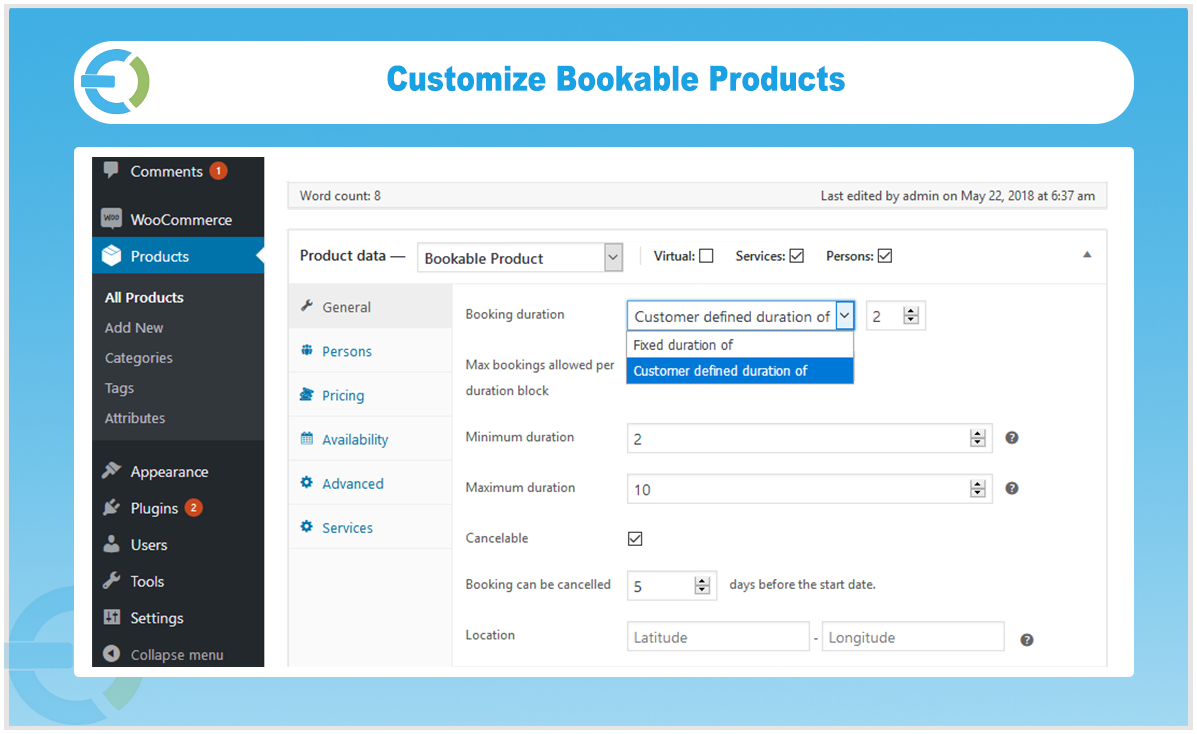
Set Fixed or Customer Defined Booking Duration
You can configure bookings in two ways. The fixed duration option lets customers reserve a product within a specific time frame you define. The customer-defined option gives them a booking calendar to select their own start and end dates.
Allow/Disallow Customers to Cancel the Booking
Booking for WooCommerce gives you full control over whether customers can cancel their bookings. You can also set a cancellation window to define how far in advance a cancellation is allowed, giving you the flexibility to manage your reservation.
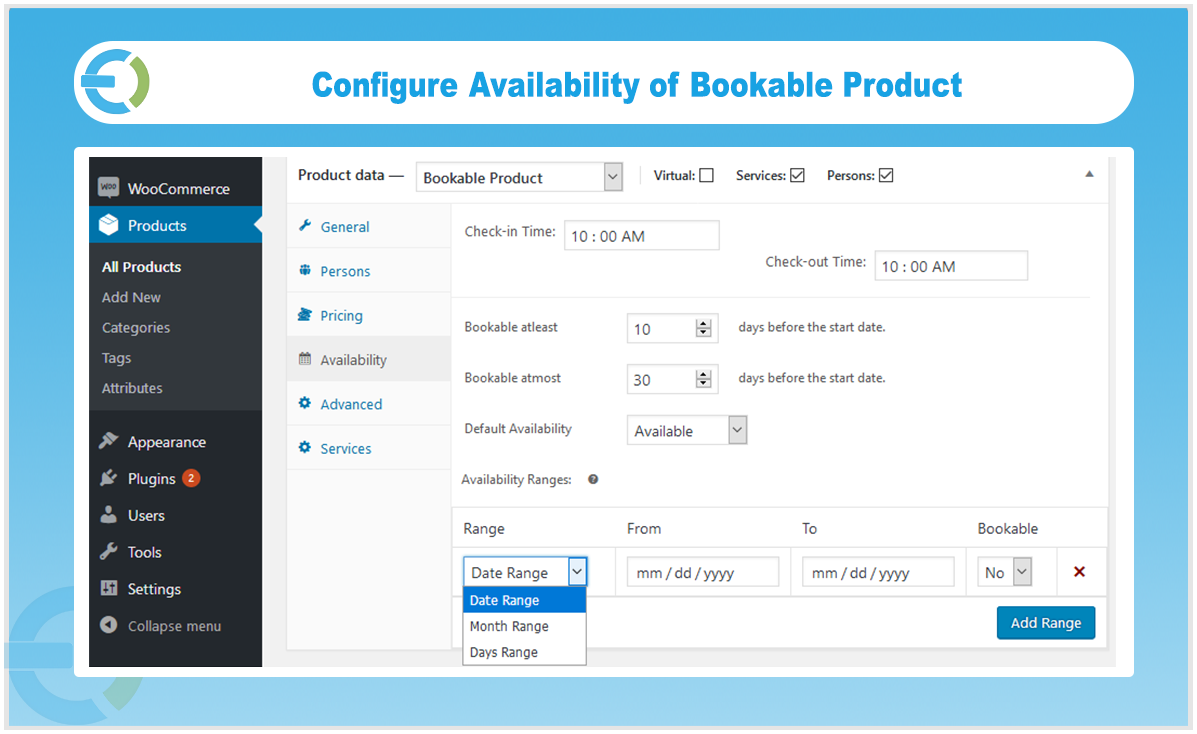
Define Global Availability for All the Products
Set availability rules that apply across all your bookable products at once. You can define availability in ranges of months, days, or custom dates and reuse these global availability settings when adding new products, saving you time and keeping everything consistent.
Determine Price Ranges for Different Duration, Rooms & Persons
WooCommerce bookings and appointments let you create flexible pricing based on duration, room type, or number of persons. You can charge higher rates during peak periods and lower rates during off-peak times. For example, set weekend prices higher than weekdays, or adjust seasonal rates for services like pools or outdoor venues.
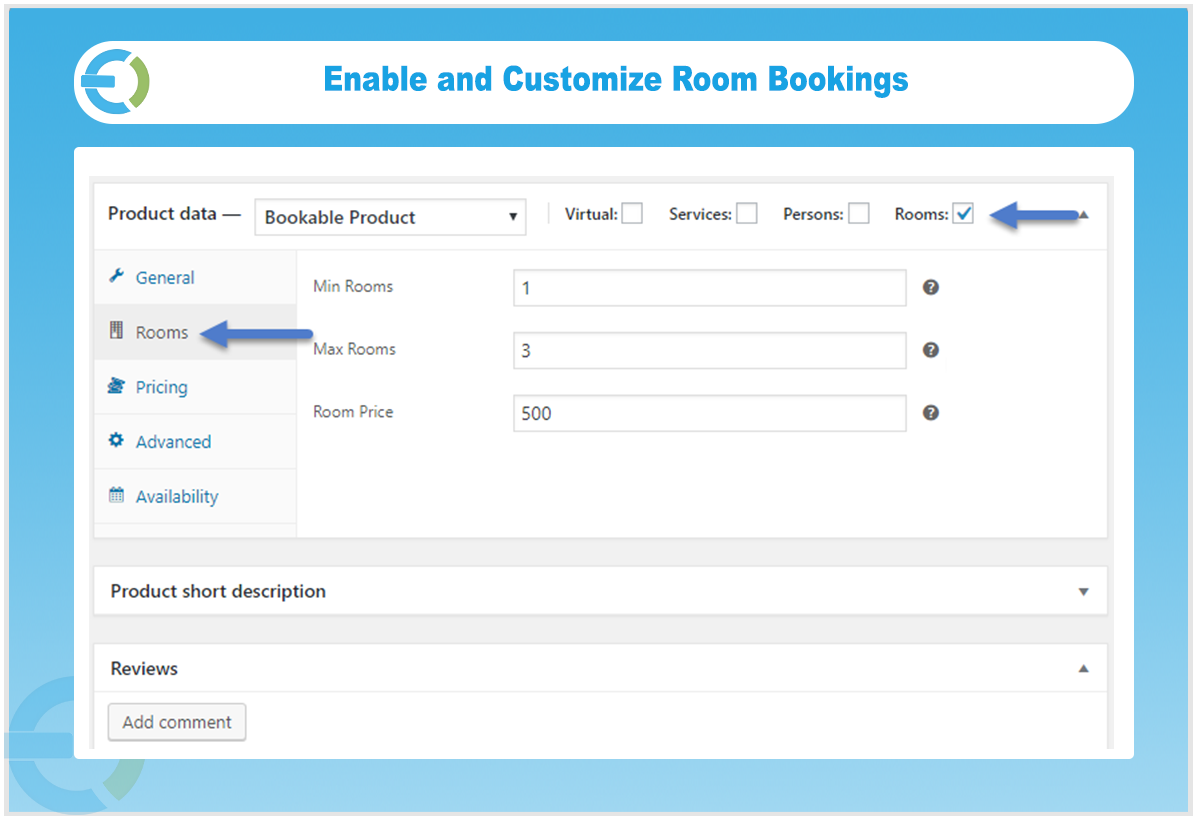
Allow Customers to Book Single or Multiple Rooms
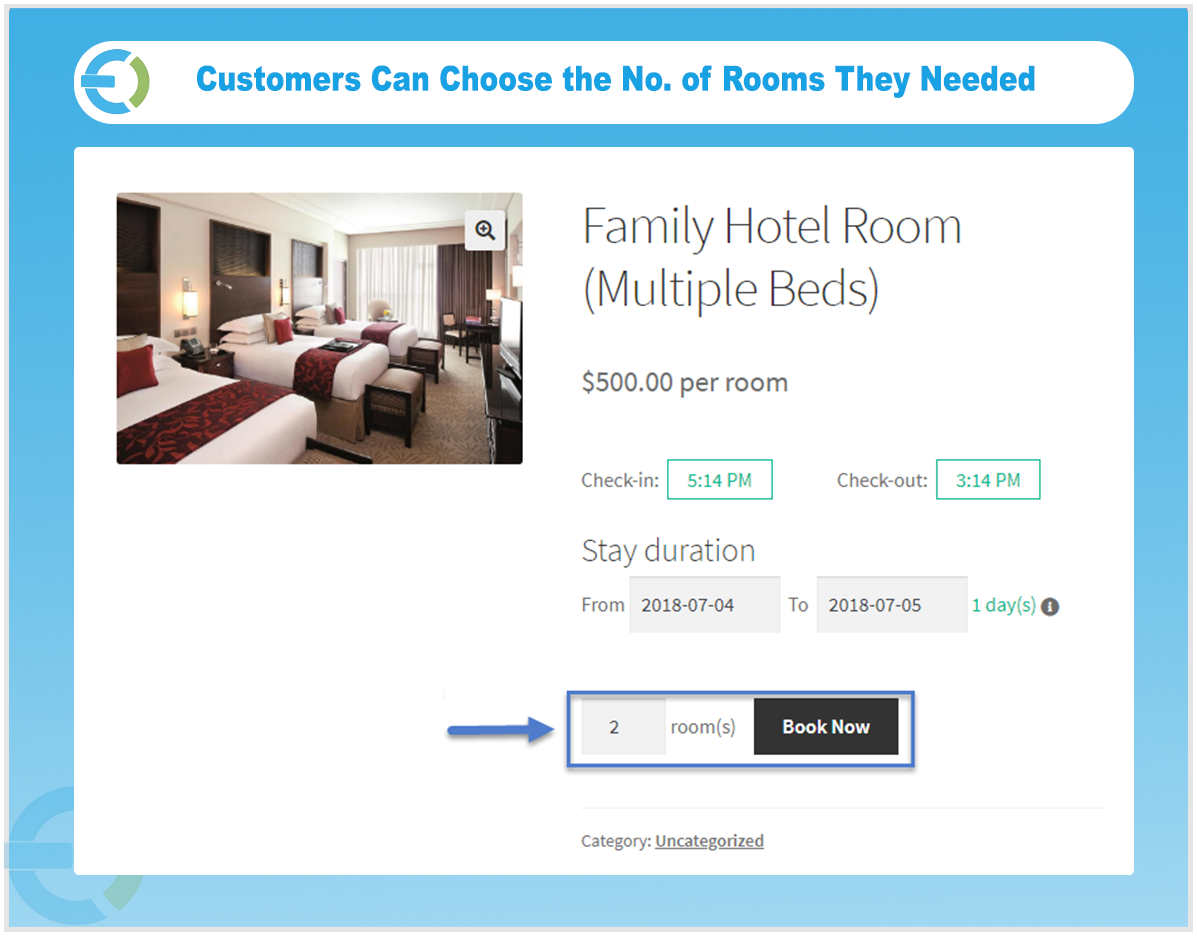
Customers can reserve one or multiple rooms in a single booking. You can set the minimum and maximum number of rooms a customer is allowed to book and define a price per room so the total is calculated accurately based on the selection.
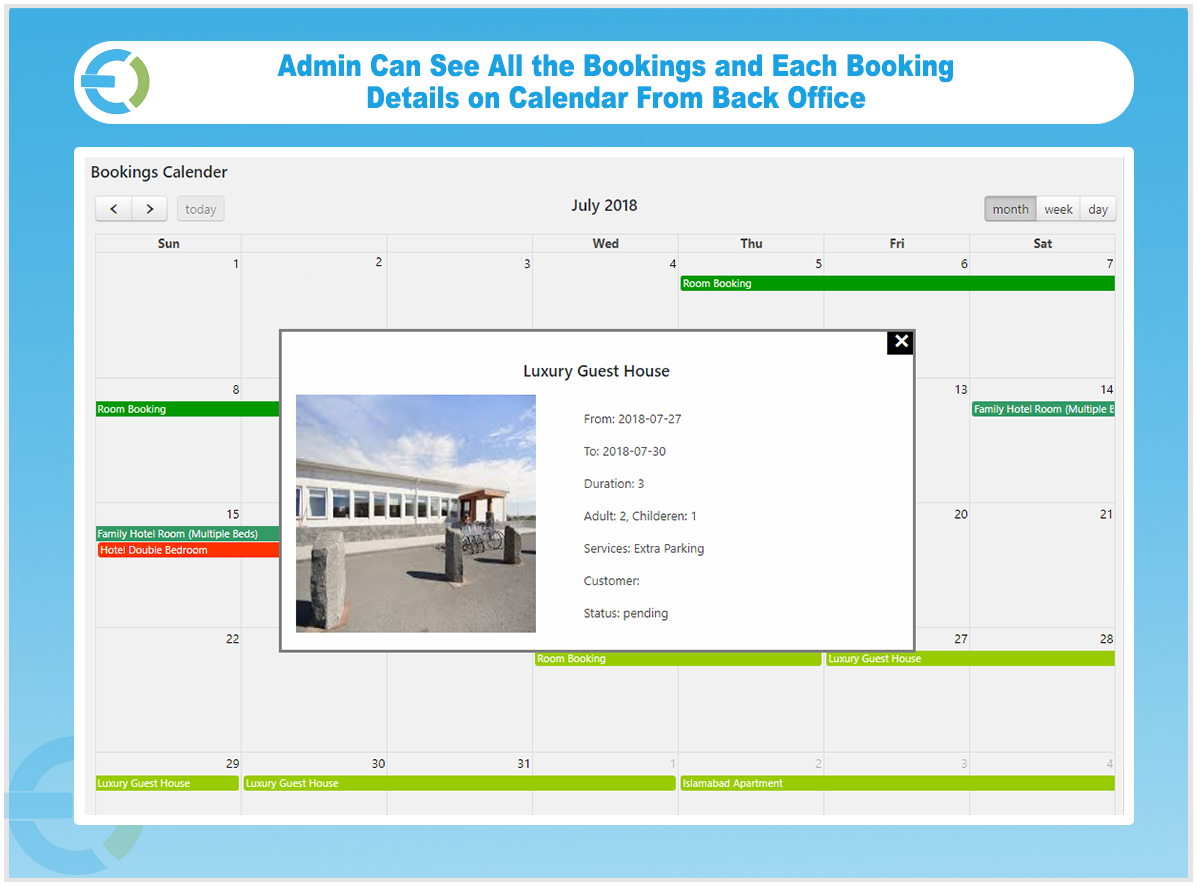
Admin can View All Reservations on Bookings Calendar
The admin booking calendar gives you a clear date-wise view of all reservations in one place. You can quickly see which slots are taken and which are available. It helps you effectively manage the bookings and reservations.
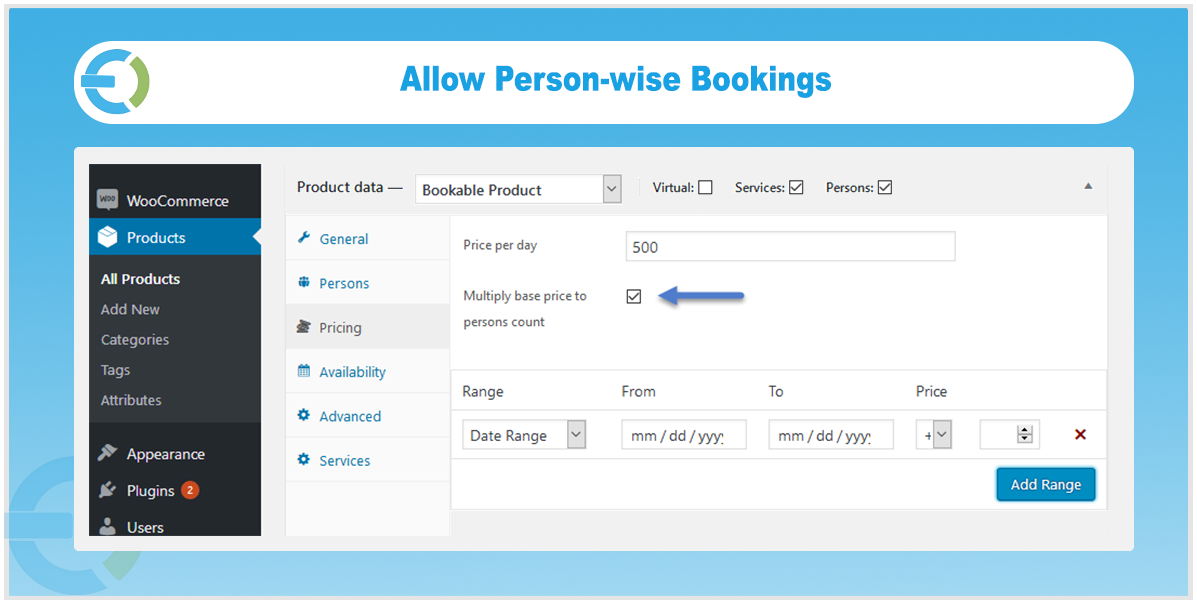
Allow Person-Wise Reservation of Bookable Products
WooCommerce reservation plugin empowers you to create a bookable product. Let your customers book a product according to their accompanying persons. For example, allow the customer to reserve a room for two adults and two kids.
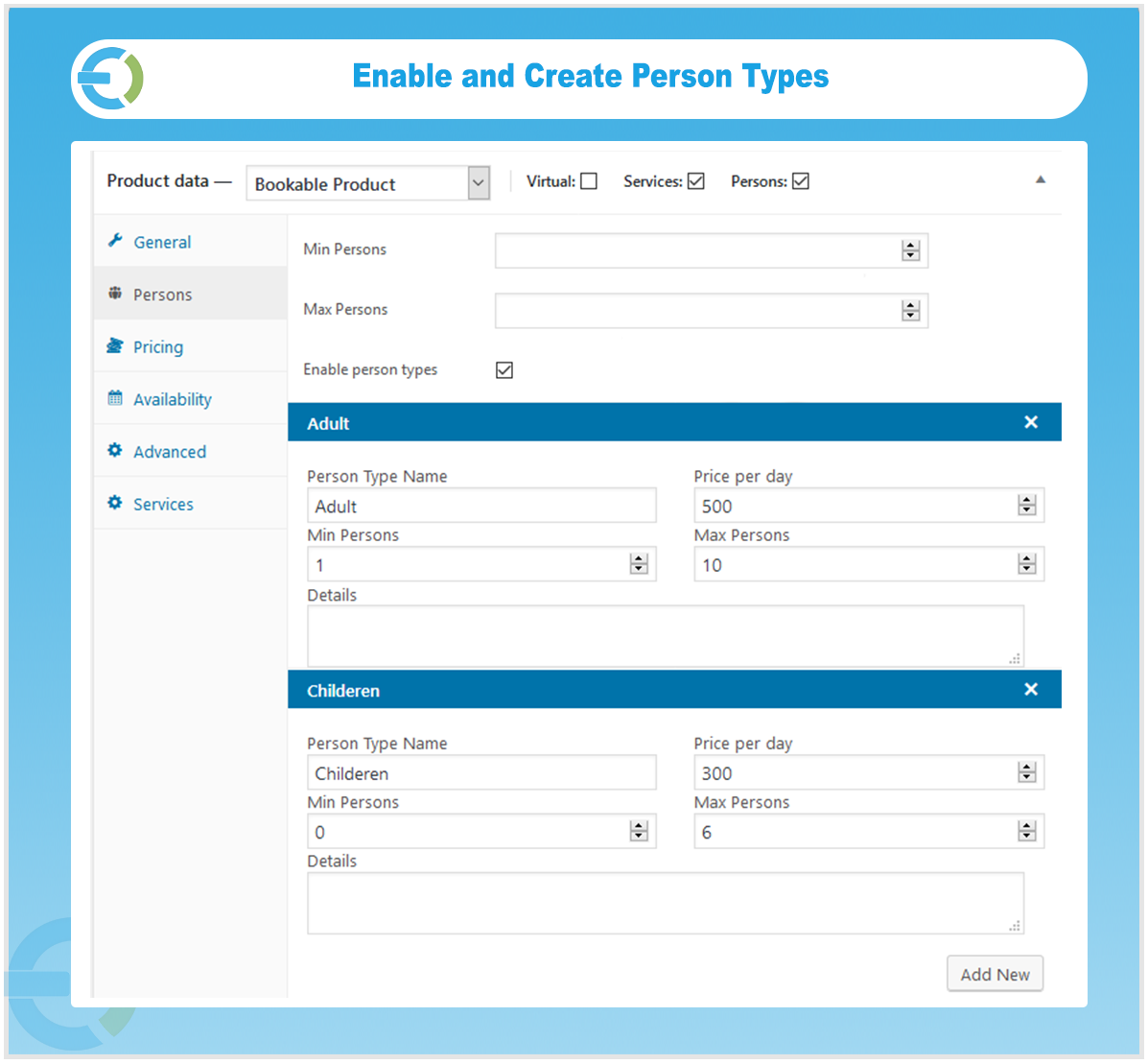
Set Minimum and Maximum Persons
You can set a minimum and maximum number of persons per reservation to ensure bookings stay within the capacity of your products or services.
Define Person Types
Create different person types along with the name, price, and description to charge your customers properly. Person types can be kids, adults, couples, etc.
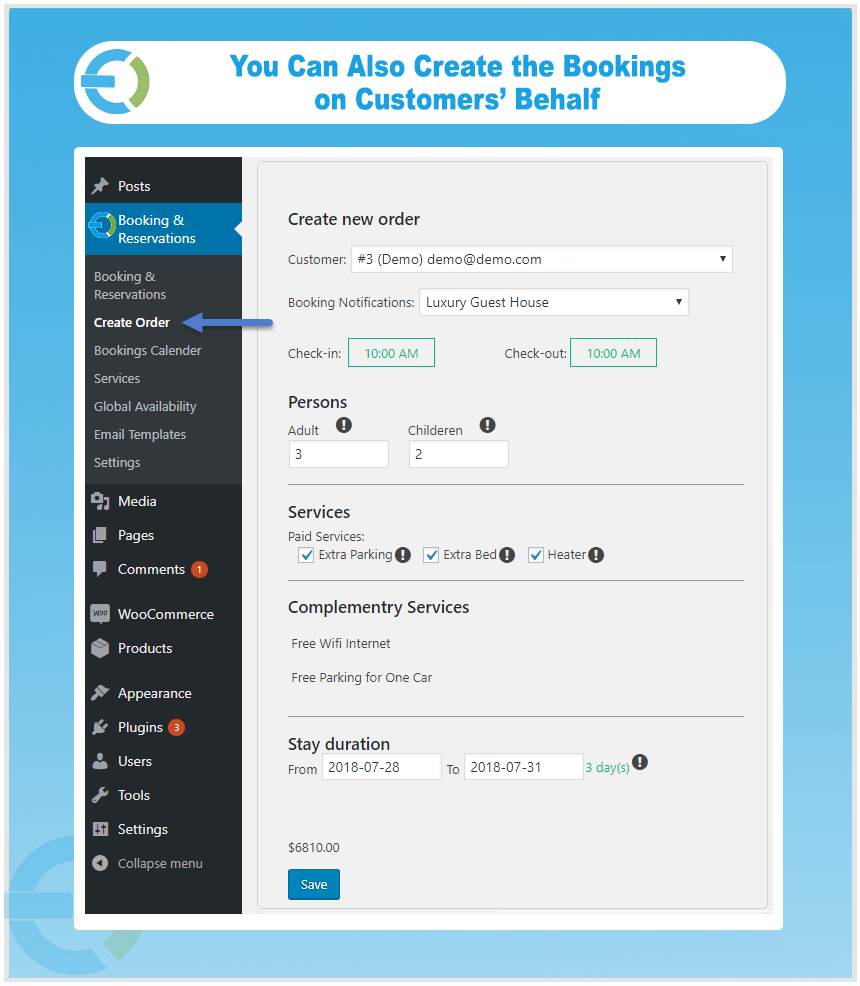
Create Bookings on the Behalf of Customers
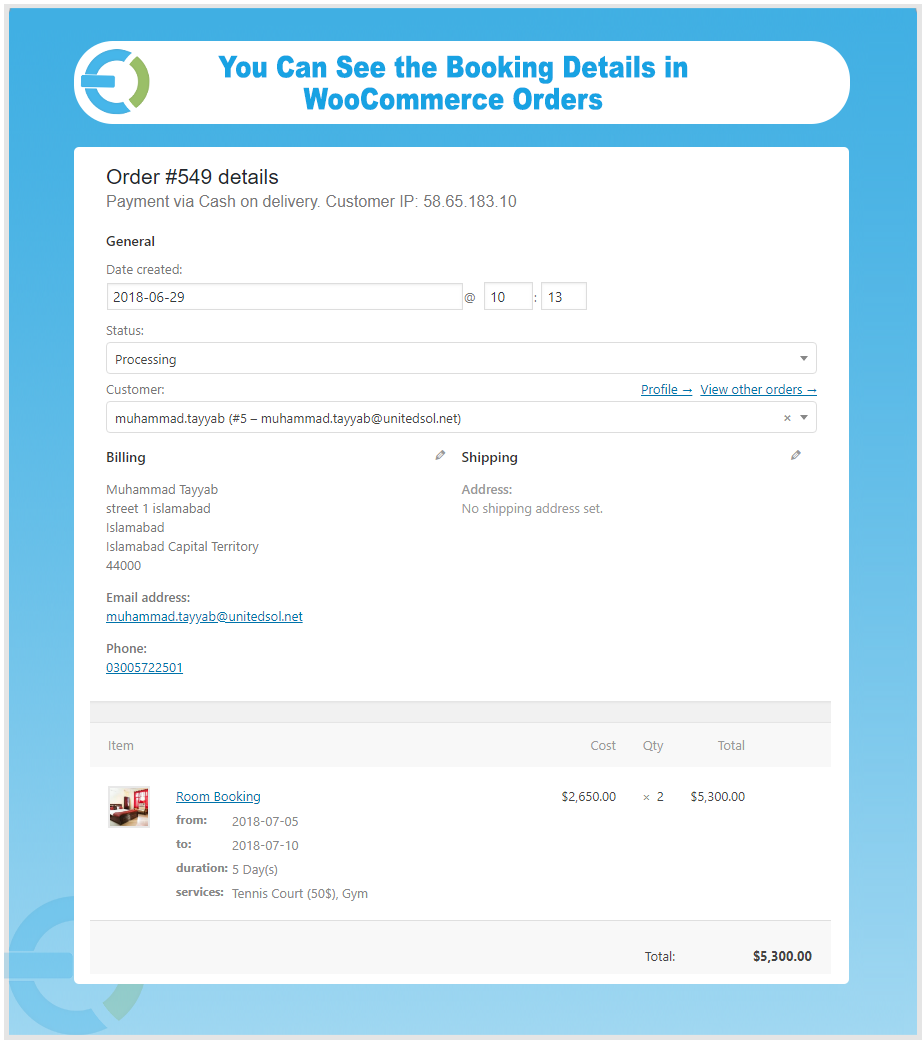
If a customer reaches out via phone or email to make a reservation, you can create the booking for them directly from the admin panel, so every reservation is recorded and managed in one place.
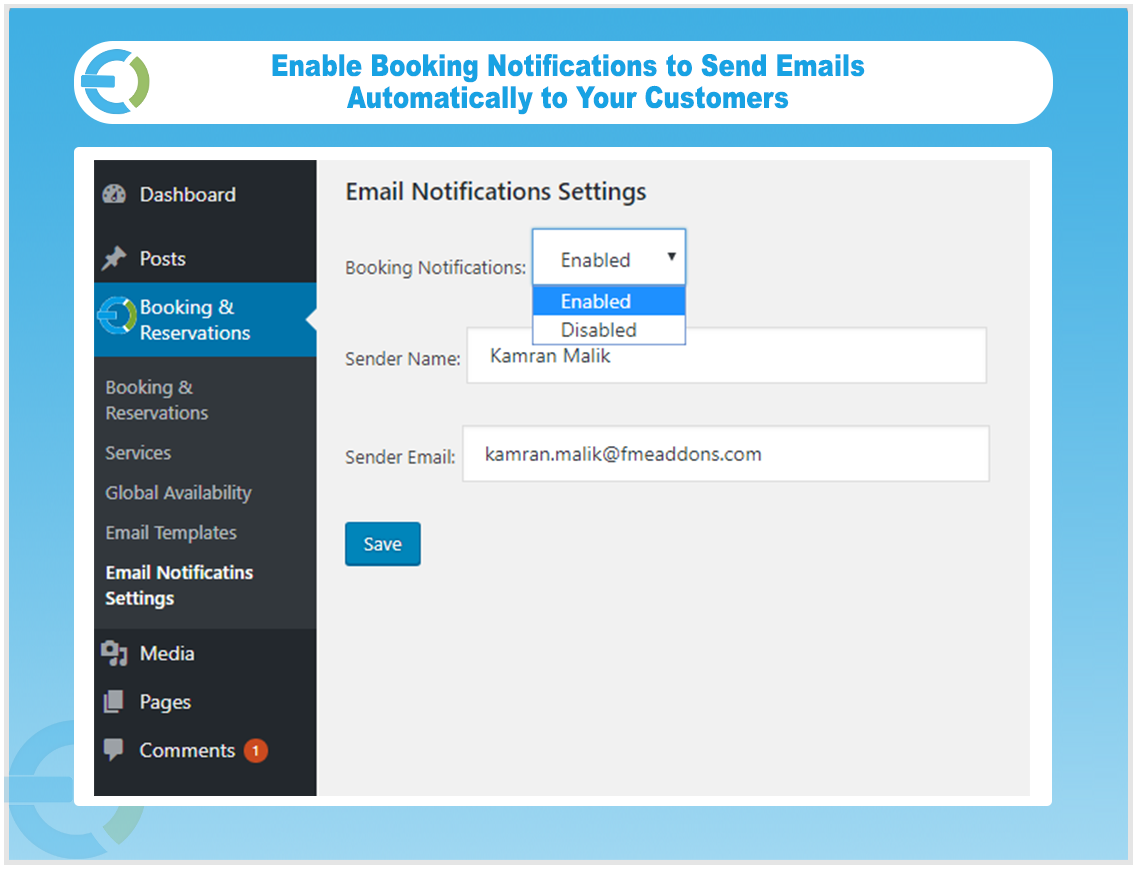
Enable Email Notifications and Customize Settings
WooCommerce booking plugin lets you send automated booking notifications to keep customers informed at every stage of their reservation. You can also customize the sender name and email address.
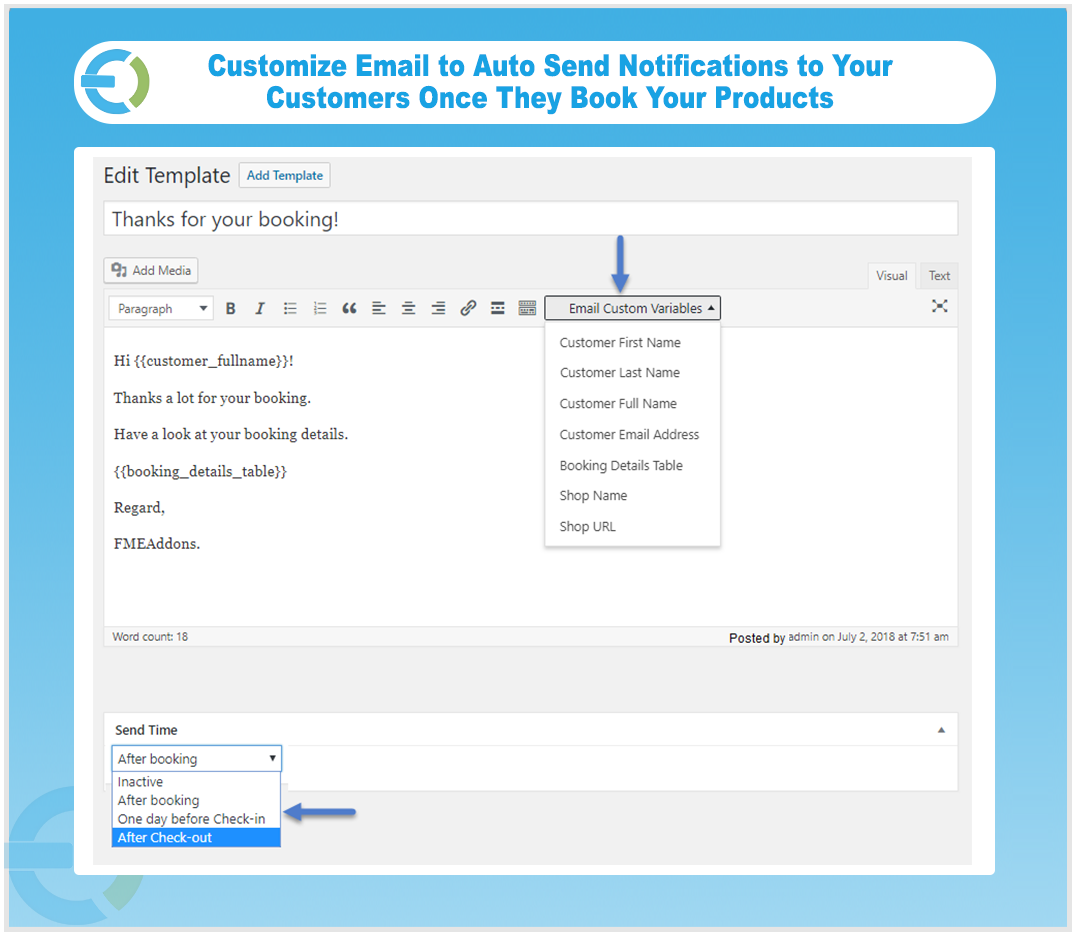
Add Custom Email Templates
You can create multiple email templates and schedule them based on specific booking events. Using the built-in WYSIWYG editor, you can compose multiple email templates. Each template can be set to send immediately after a booking is made, one day before check-in, or following check-out.
Add Google Map Location to Your Bookable Products
Add the latitude and longitude of your bookable product to show its exact location on Google Maps right on the product page. This makes it easy for customers to find the place and plan their visit without any confusion.
Compatible with WPML
WooCommerce booking plugin is fully compatible with WPML, allowing you to run a multilingual store and serve customers in their preferred language
Change Log
FAQs
1. Can customers cancel the bookings?
Ans. Yes, WooCommerce bookings allows customers can cancel their booking at any time depend upon the rule you create.
2. Does the WooCommerce booking plugin handle capacity limits for bookings?
Ans. Yes, you can set minimum and maximum number of capacity for rooms and persons.
3. How do I integrate the booking plugin with my calendar?
Ans. WooCommerce booking & appointment plugin has the calendar at the backend for the admin to view and manage the bookings easily.
4. How does the WooCommerce booking system work for customers?
Ans. Customers can easily browse available time slots or dates, choose the desired option, and complete the booking process directly on your WooCommerce store.
5. Does the WooCommerce booking & appointment plugin support multilingual websites?
Ans. Yes, the plugin is compatible with multilingual plugin i.e WPML.
6. How can I set different price ranges for my bookable product with WooCommerce booking plugin to offer discounts during off-peak times or seasons?
Ans. Yes, you can create different price ranges for specific month, days, and date.
Version 1.6.0:
Fixed default Booking Duration issue for Bookable Products to prevent frontend warnings/errors during product creation.
Fixed WooCommerce Block Cart product context issue affecting booking products.
Fixed Room-based pricing fallback to use Pricing tab price when Room price is empty.
Fixed incorrect booking price calculation for 1-day bookings.
Fixed mini cart not updating booking prices instantly without page reload.
Version 1.5.9:
Fixed minor issues
Version 1.5.8:
Fixed pricing issue
Version 1.5.7:
Fixed priorities issues on product and global level
Version 1.5.6:
Minor Issue Resolved
Version 1.5.5:
Made compatible with wordpress multisite
Version 1.5.4: Updated
Made compatible with WooCommerce HPOS
Version 1.5.3: Updated
Bug fixes and improvements
Added time zone option to show visitor's local time on frontend
Resolved booking calendar page crashing issue
Version 1.5.2
Fix CSS issues
Resolve admin configuration Settings
Version 1.5.1 Updated:
- Bug fixes
- Show available and not available dates on product page
Version 1.5.0 Updated:
Bug fixes.
Version 1.4.0 Updated:
Backend Bug fixes.
Version 1.3.0 Updated:
Some JS error fixes.
Version 1.2.0:
A minor bug fix.
Version 1.1.0:
New Features:
1) WPML Compatible.
Version 1.0.0:

1) Initial release of plugin.