1337 comments found.

Will this plugin allow me to use HTML tags in the woocommerce product attributes? Currently I can only add text but would like to add links, line breaks and images in the product attribute fields.
Hi,
Thank you for your interest in the Improved Variable Product Attributes plugin for WooCommerce.
Yes, you can use HTML for your attribute variations, as well as Color, Images or Text.
Kind regards,
mihajlovicnenad.com
WooCommerce made a huge update a few days ago and this plugin will not work with it. I just bought your plugin and I can not use it. It’s looks like a plugin that would help my buyers a ton but it needs to be fixed so that I can use it.
Hi,
Sometimes the Improved Variable Product Attribute plugin for WooCommerce plugin won’t work “out of the box”, depending on the theme you are using. It may require overriding your templates init actions in order to appear on your website and this is done using the override fields on the plugin settings page. If you’re unsure how to do this, please send me your log in details using the contact form at the bottom of my Profile page codecanyon.net/user/dzeriho and I’ll help you out with this.
Kind regards,
mihajlovicnenad.com
Hi,
On product archive page, where it shows all products in the category, when choose different attributes, for example “color”, it always show the feature photo(default photo) until the selected color/photo shows.
I checked your demo. The default polo photo is Blue. So when choose orange, it changes photo to orange. Than when choose red, it will shows blue than red.
Anyway we can eliminate that “gap”/transition so that photo can go to the next selected photo smoothly.
Thanks. Great plugin.
Hi,
Sorry for the delay in replying.
I am aware of this, but for now that is how it works. One of the future updates will definitely address this issue. Thank you for your understanding.
Kind regards,
mihajlovicnenad.com
I am using the plugin on a rtl site with the Avada theme along with your excellent product filter. I have setup 2 test products with thumbnails of makeup colors. The thumbnails display but when I select one of the thumbnails, the featured product image disappears. The color thumbnails are displayed as gallery images. I have only one variable attribute per product, color which has to be displayed as thumbnail not color code but instead of add to cart a read more button text is displayed. I would like the product featured image to remain fixed and have the color thumbnail used as the option selection. Please advise. Thanks Benny
Hi,
You might have made some changes to the Avada theme itself that are now conflicting with the Improved Variable Product Attributes plugin. Please send me your WP log in details using the form at the bottom of my Profile page codecanyon.net/user/dzeriho and I’ll check out your issue.
Kind regards,
mihajlovicnenad.com
Dear, in my original language the variations of the product work, but in other languages only the first option gives a result, the rest of the options give the response that the product combination is not available. E.g: at http://www.sikadiamond.be/shop/blades/joints/ you can select diameter 125 and 230 they both work, in other languages than english this does not work.
Hi,
This might be due to an incompatibility with the translation plugin you are using. Please send me your WP log in details using the contact form at the bottom of my Profile page codecanyon.net/user/dzeriho and I’ll take a look.
Kind regards,
mihajlovicnenad.com
Hi,
I just installed this but my variable (colours – thumbnails) is displaying stacked on top of each other making a selection of only 1 possible out of 12 colours – can you please view the page here and advise fix?
http://alluringdeals.com/product/long-lasting-matte-lipstick/Hi,
Please send me your WP log in details using the form at the bottom of my Profile page codecanyon.net/user/dzeriho and I’ll ta a look.
Kind regards,
mihajlovicnenad.com
Hi I have provided the details as requested, can you advise if you have looked at the issue?
Hi,
I received you email and will get back to you as soon as possible.
Please have in mind that customer tickets are replied to up to a week from posting, depending on the current projects that are being developed, as stated here. Thank you for your understanding.
Kind regards,
mihajlovicnenad.com
Dear,
I have a site in 3 languages. The plugin (improved-variable-product-attributes) only works in English.
This page however (dutch) does not work: http://www.sikadiamond.be/nl/shop/schijven/beton/
Please advise!
Hi,
Have you translated all of your attributes and taxonomies into the other languages as well?
Kind regards,
mihajlovicnenad.com
I have…
The only thing I changed in woocommerce is: /plugins/woocommerce-multilingual/inc/terms.class.php line 175 I added: if(isset($slug) &&) otherwise I get a bunch of errors: otice: Undefined variable: slug in ./wp-content/plugins/woocommerce-multilingual/inc/terms.class.php on line 175
Hi,
Then you probably didn’t set the Attribute Customization for each language. Go to WooCommerce > Settings > Improved Variable Product Attributes, change the language to Dutch and add the Attribute Customization again. You must do this for each language on your website.
Kind regards,
mihajlovicnenad.com
Hi,
I just did and it makes no difference: https://www.dropbox.com/s/j5edrerfzoj7xp4/Screenshot%202015-07-31%2016.01.38.png?dl=0
https://www.dropbox.com/s/u5syq56ven45bq4/Screenshot%202015-07-31%2016.01.49.png?dl=0Kind regards
I responded too soon, do I have to save my products again? It seems that when I save a product now, the attributes are as wanted (except for a minor issue with the images)
Hi,
No you don’t have to re-save your products. Just make sure to clear out your cache if you are using such a plugin.
Kind regards,
mihajlovicnenad.com
Thanks a bunch,
Another issue is that only the first options show availability in a translation.
at http://www.sikadiamond.be/shop/blades/joints/ you can select diameter 125 and 230 they both work, in dutch this does not work.
Please help.
Hi there,
I sent you an email yesterday. I have a problem with adding new attribute customizations. Every time I try to save changes with new atributes I get the error message saying to refresh the page and try again. Any suggestions?
Thanks a lot
Mario
Hi Mario,
I have received your message and will get back to you as soon as possible. Please be a bit patient, thanks.
Kind regards,
mihajlovicnenad.com
Is it posible to duplicate a whole set of Attributes here? Thanks!
Hi,
No, I’m afraid there is no way of duplicating your attribute customization within the plugin. You will have to add and set up a new customization for each attribute.
Kind regards,
mihajlovicnenad.com
Color is nice – but what about patterns? Can this be used, a custom image? Plus can the size of the selection be changed, meaning the box size is small for displaying a pattern.
Hi,
Thanks a lot for your interest in the Improved Variable Product Attributes plugin for WooCommerce.
Yes, you can set custom images for your attributes, e.g. patterns and the can be changed with some custom CSS. So next to thumbnails, you can also set Plain Text, Color and HTML for your attributes.
Kind regards,
mihajlovicnenad.com
Hey there. Love this plugin!
I’m having trouble when using the Woo product page shortcode : [product_page id=”2543”] on a custom page.
The custom variation thumbnails are displayed, however it is not able to make a selection to display the “add to cart” button.
The hover tooltips do not display either.
Is there a specific setting for this to work?
Many thanks,
SA
Hi,
Sorry for the delay in replying.
This is because you are missing || is_page() on two lines in the improved-variable-product-attributes.php plugin file.
Look for if ( self::$settings['wc_settings_ivpa_single_ajax'] == 'yes' && is_singular('product') and add || is_page() to this line, as well as on a line below that also starts with “if self”. You should install the newest version of the plugin if you don’t already have it before performing this.
Kind regards,
mihajlovicnenad.com
Hello Dzeriho,
i wrote you some times ago about my problem with specific variation with different prices.
Still no update, and no solution. And it is frustrating to not be able to use the plugin unless you have 20 variations instead of 2.
Please answer!
Best regards and thank you!
Dear dzeriho,
I purchased your improved variable product attributes woocommerce plugin and I feel very fine with it.
Unfortunately I’m not very familiar with css and stuff.
Now, I’d like to give bi- and tri-colour combinations a css3 gradient style by using your attribute customization with html mode.
One example you’ll find on http://bommelme.com/bommelizer on second accordion “SCHRITT 2” Here the style for .BeanieNo3 .Petrol-Grau is { background: linear-gradient(to bottom, #bfbfbf 0%,#bfbfbf 65%,#1c8b65 65%,#1c8b65 100%); } – .active not regarded here.
How to realize something similar with your plugin? Would be nice to get a full code with .active and .hover, because I do not know anything about css.
Thanks a lot in advance and best wishes, Florian
Hi Florian,
I think the easiest way would be to create images and just use those instead of HTML. No need for CSS in that case. Please correct me if I misunderstood what you want to achieve.
Kind regards,
mihajlovicnenad.com
Thanks a lot for your fast response.
My idea is: avoid images whenever its possible. Also tiny images must be loaded. – CSS is faster. But the biggest cons arguement is that I would have a lot of work by creating those images cause of having many colour combinations nect to unicoloured items (bi- and tri-colour and more).
Having one code wherein just to change the colour codes should be the easiest way in my opinion. It would also a trick to create thumbs of patterns in a flat 2D way.
Hope you are able to help me. I guess that would help other users as well.
Thanks a lot, Florian
Hi Florian,
I understand it would be easiest for you to get the code, but I really don’t offer such support (as stated here). It would take up a lot of time if I was to provide custom CSS or any other kind of customization for each user here. It would be best to hire someone from Envato Studio to do this custom work for you. Thank you for your understanding.
Kind regards,
mihajlovicnenad.com
Hey dzeriho,
I’m really suprised you’re not interested to give your product a little push. I do really think you would increase your product by a very useful function for everyone, not just for me, honestly.
So, this is why I have high hopes taht you will reconsider your response. There is no need for a full function with one-/bi/tri-color option with color picker or kind of – just the question of work around for a tiny code which will make css-controlled attributes possible. The final design is up to me or any other interested user.
By the way, there are other authors here which offer similar products. This would be another feature people will prefer buying your product instead of anyone else. This should be the biggest pro arguement to be willing to help in that case – marketing reasons.
Best regards back to you, Florian
Hi,
I understand what you are saying, but I just don’t provide that kind of support, as is stated here: codecanyon.net/item/improved-variable-product-attributes-woocommerce/9981757/support
If I was to do custom work for every user, that would just take up too much time I spend on making my products better and as bug free as possible. I work hard for, and try to rely on, the quality of my product to do all the necessary marketing. 
However, as I said, you can hire a developer to help you out with this or you can contact me using the form at the bottom of my Profile page codecanyon.net/user/dzeriho and we can arrange some freelance work.
Kind regards,
mihajlovicnenad.com
Hi Dzeriho, i’m still waiting for an answer. It is very important and urgent, help me please.
Hi Dzeriho, Before i had a problem with product filter (your plugin too) and i needed an a plugin that will chenge the product picture depends on the choosed color (see ebay filter) you told me that this plugin ( Discussion on Improved Variable Product Attributes) will di the job, it’s still doesent working on that. The link to the product category: http://temp.multitan.co.il/?product_cat=%D7%9E%D7%99%D7%98%D7%95%D7%AA-%D7%96%D7%95%D7%92%D7%99%D7%95%D7%AA thank you a lot for your support
dzeriho dzeriho AUTHOR 4 days ago Flag Hi,
Please make sure that the ‘Use Variable Images’ option is checked on the Product Filter Advanced Options page and that all your color variations are set up properly in the Advanced Variable Product Attributes plugin.
Kind regards, mihajlovicnenad.com
aefisrael aefisrael PURCHASED about 15 hours ago Flag Hi, nope. it still doesnt works, “Additional server setup might be needed” – What does it means? May be that’s the problem? what should i do?
aefisrael aefisrael PURCHASED about 14 hours ago Flag By the way, it’s now on this link: http://temp.aef.co.il/?product_cat=%D7%9E%D7%99%D7%98%D7%95%D7%AA-%D7%96%D7%95%D7%92%D7%99%D7%95%D7%AA
Hi,
I have sent you an email. Please reply and we’ll proceed with fixing your issue.
Kind regards,
mihajlovicnenad.com
Great plugin. I like ajax add to cart feature. Just only one problem: I use woocommerce cart widget in header but it doesn’t update when I use ajax add to cart option. Is there any easy way to fix this?
Hi,
Please send me your log in credentials using the form at the bottom of my Profile page codecanyon.net/user/dzeriho and I’ll help you out with this.
Kind regards,
mihajlovicnenad.com
Hi
I just buy the plugin but it doesn’t work on products pages. Appears de icon and when i click doesn’t happend.
What can be?
This is the site i’m doing:
http://www.bulldog-pizza.ch/develop/index.php/pizzas/It works fine at page single product.
Thanks and regards,
Hi,
Please contact me using the form at the bottom of my Profile page codecanyon.net/user/dzeriho and I’ll look into this for you.
Kind regards,
mihajlovicnenad.com
thank you a lot for your support
Hi,
Please make sure that the ‘Use Variable Images’ option is checked on the Product Filter Advanced Options page and that all your color variations are set up properly in the Advanced Variable Product Attributes plugin.
Kind regards,
mihajlovicnenad.com
Hi, nope. it still doesnt works, “Additional server setup might be needed” – What does it means? May be that’s the problem? what should i do?
By the way, it’s now on this link: http://temp.aef.co.il/?product_cat=%D7%9E%D7%99%D7%98%D7%95%D7%AA-%D7%96%D7%95%D7%92%D7%99%D7%95%D7%AA
HI there, I wrote to you the other day, and you checked out the plugin for the colours, and it was working, it appeared I was not clicking on Add the attribute, anyway that got sorted, However now it appears it could be conflicting with contact form 7 plugin, as now the form on the contact page is no long showing, but it is there, as well as the contact form on all the product pages is no longer allowing the form to be sent, are you able to look into this for me, prior to the install of your colour plugin the Contact Form 7 plugin was working fine. Regards Angelique.
As if I deactivate the plugin will I lose all the colours that I have put into the attributes, as I have entered almost 200 now, and I need to see if it is your plugin that is affecting Contact Form 7, please advise, thanks.
Hi,
Yes you can deactivate the plugin without losing the colors you have already set. Please check this out and get back to me if you determine that the forms plugin is not functioning well due to the Improved Variable Product Attributes plugin.
Kind regards,
mihajlovicnenad.com
I have already bought this plugin, very interesting.
I have a problem: each variable attribute option is very wide and in different lines. See: https://dl.dropboxusercontent.com/u/9506723/Screenshot_1.jpg
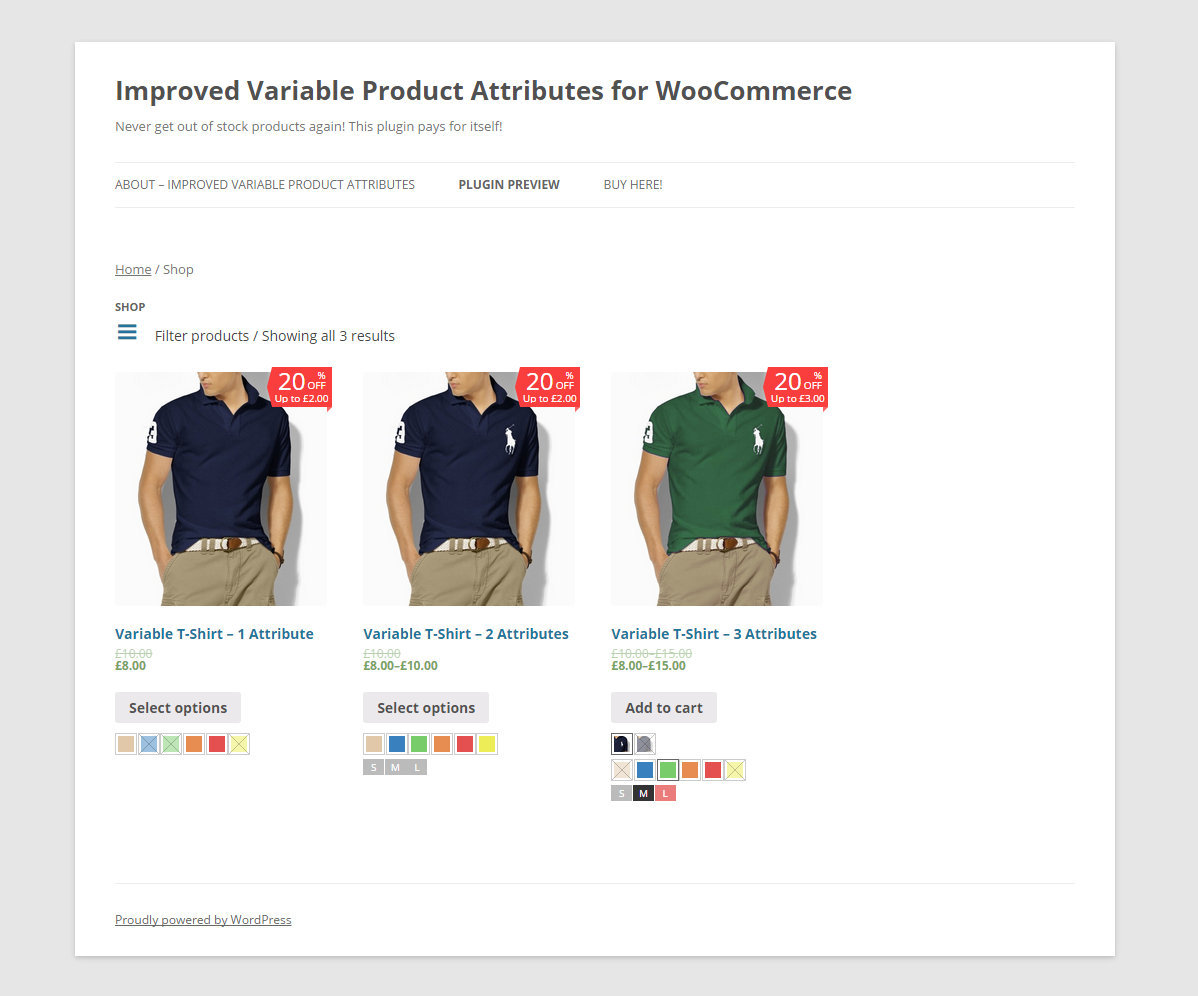
How I can reduce the width to make it all on one line as your example ? See: https://0.s3.envato.com/files/130589361/02_Archive_Page.jpg
Thanks in advance for your help.
Hi,
I presume the first screenshot is from the single product page. This is due to the template you are using and it would require some custom CSS in order to get it looking as you’d like. If you can send me a link (share it here or send it to me directly through the contact form at the bottom of my Profile page codecanyon.net/user/dzeriho) I could help you out with the custom code.
Kind regards,
mihajlovicnenad.com
Hi, Yes, is from the single product page. I will send you a link directly through the contact form at the bottom of your Profile page.
Hi, I just sent you the link through the contact form at the bottom of your Profile page, thanks in advance for your answer.
Great plugin, works as advertised and looks great.
Only slight comment i have, is that i kind of wish the selection of colors was more obvious. Selection of a text is very clear, with the clear contrast between a very light and rather dark gray, but colors only get a 1px wide border, which makes it somewhat difficult to see what color has been picked.
Also, one more question, you mention in your page “Get product attributes directly in your shortcodes”, what does this mean? Does this mean that i could potentially use it on a landing page (like the justLanded for example) ? Traditionally landing pages could only be used with simple products, since you always had to go to the product page to pick the variables, but is there any functionality that would allow me to add the variables to a landing page?
Hi,
Regarding the first question, I’m aware of that and will change the design a bit in the next update that will be out by the end of next week, so please just hang tight and this will get resolved.
As for the second question, when you insert a WooCommerce shortcode displaying your products they will also display the Improved Variable Product Attributes, assuming you set them to be shown on shop pages in the settings.
Kind regards,
mihajlovicnenad.com
Ok great, looking forward to the update
And ok, i understand what you mean then with regards to the shortcodes, guess i’ll have to brush up on my PHP if i want to display it on a landing page