1363 comments found.

hi realmag
how to make shop page and search results page (both have ajaxed filter) to target_body after filtering/paginatiting?
thank you
Hello Deks
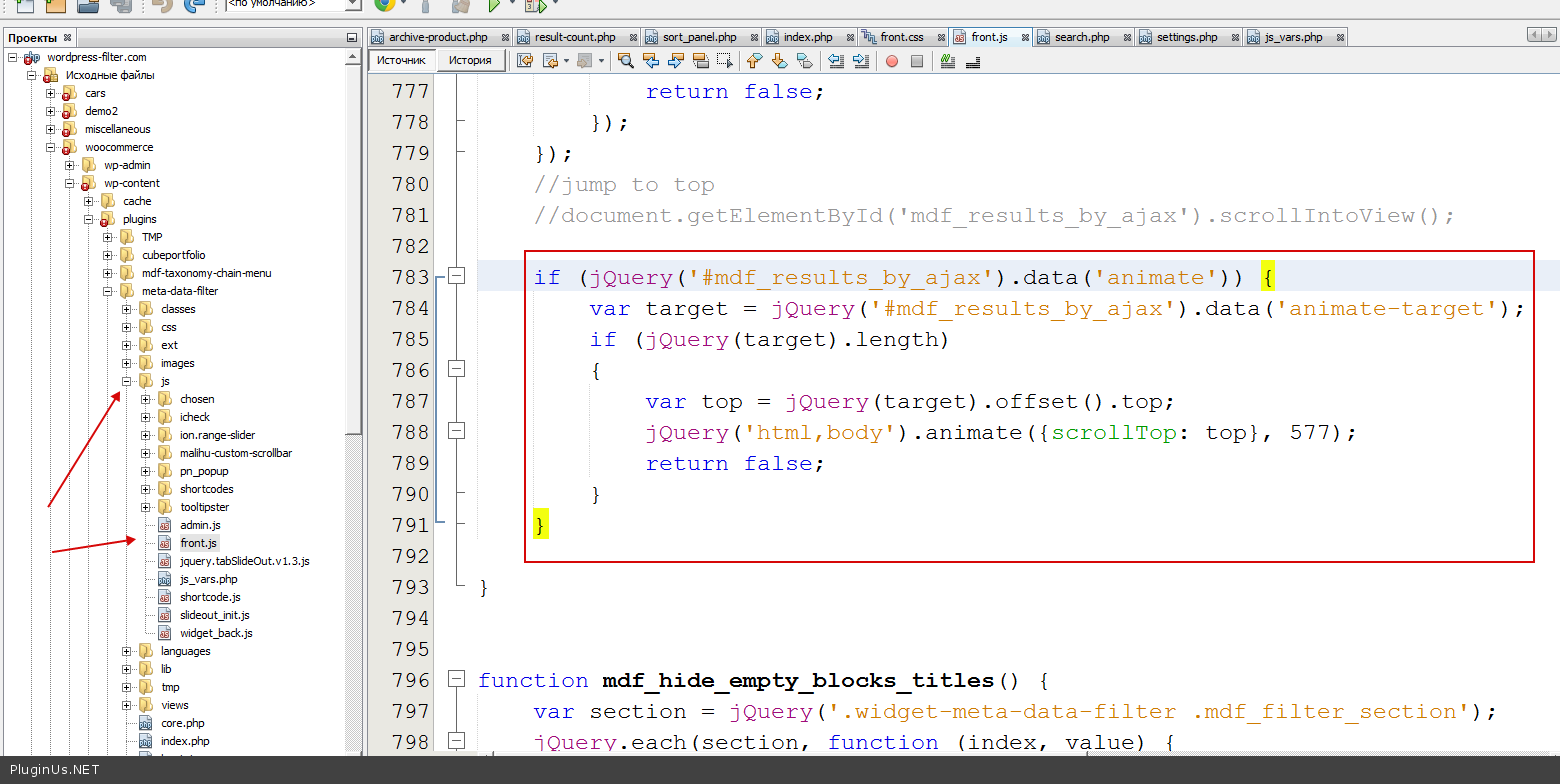
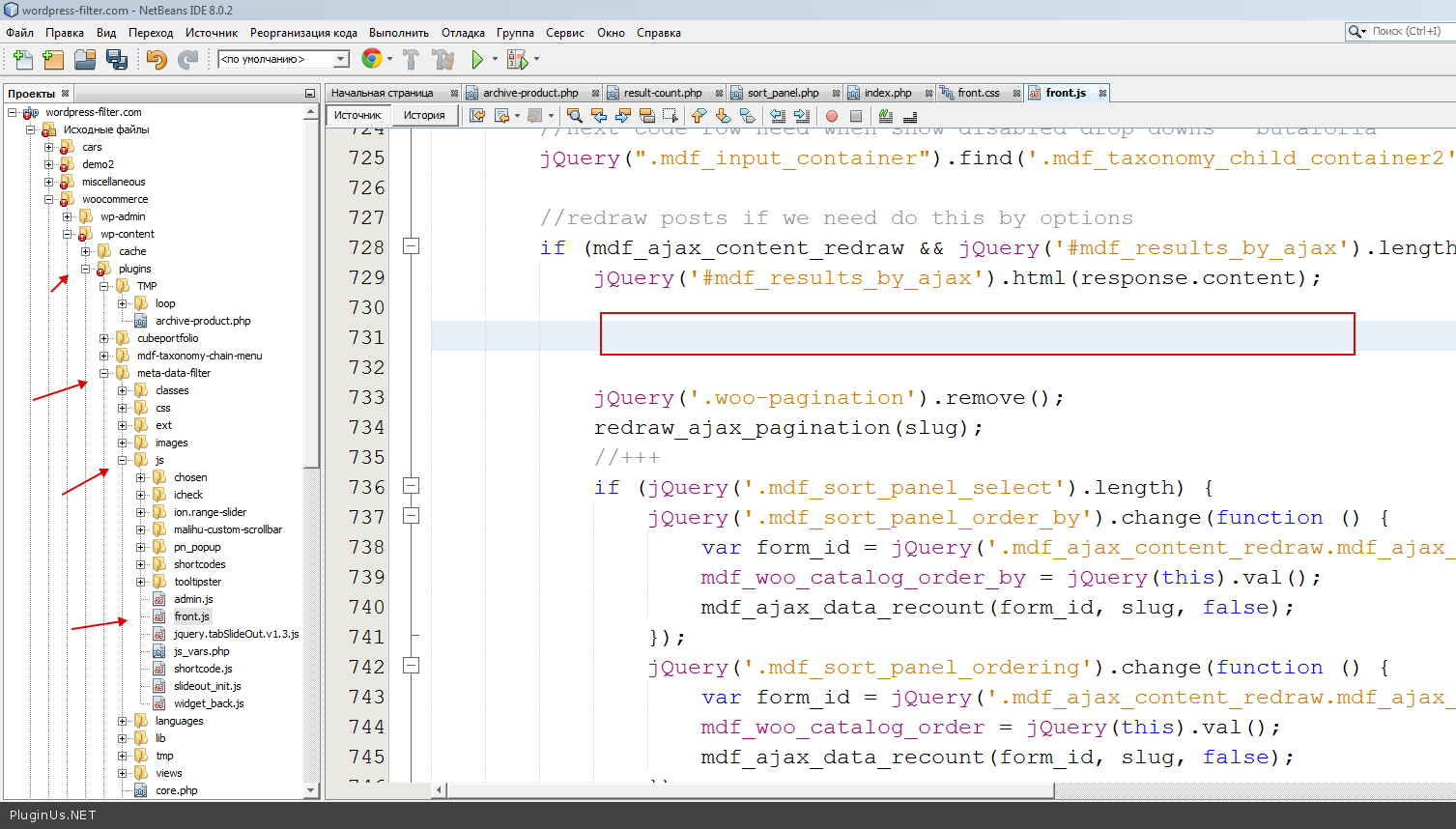
This feature works on;y with shortcodes, but you can do it as custom in front.js- go here http://c2n.me/3gWyVqb.png
- coment if (jQuery(’#mdf_results_by_ajax’).data(‘animate’)) {
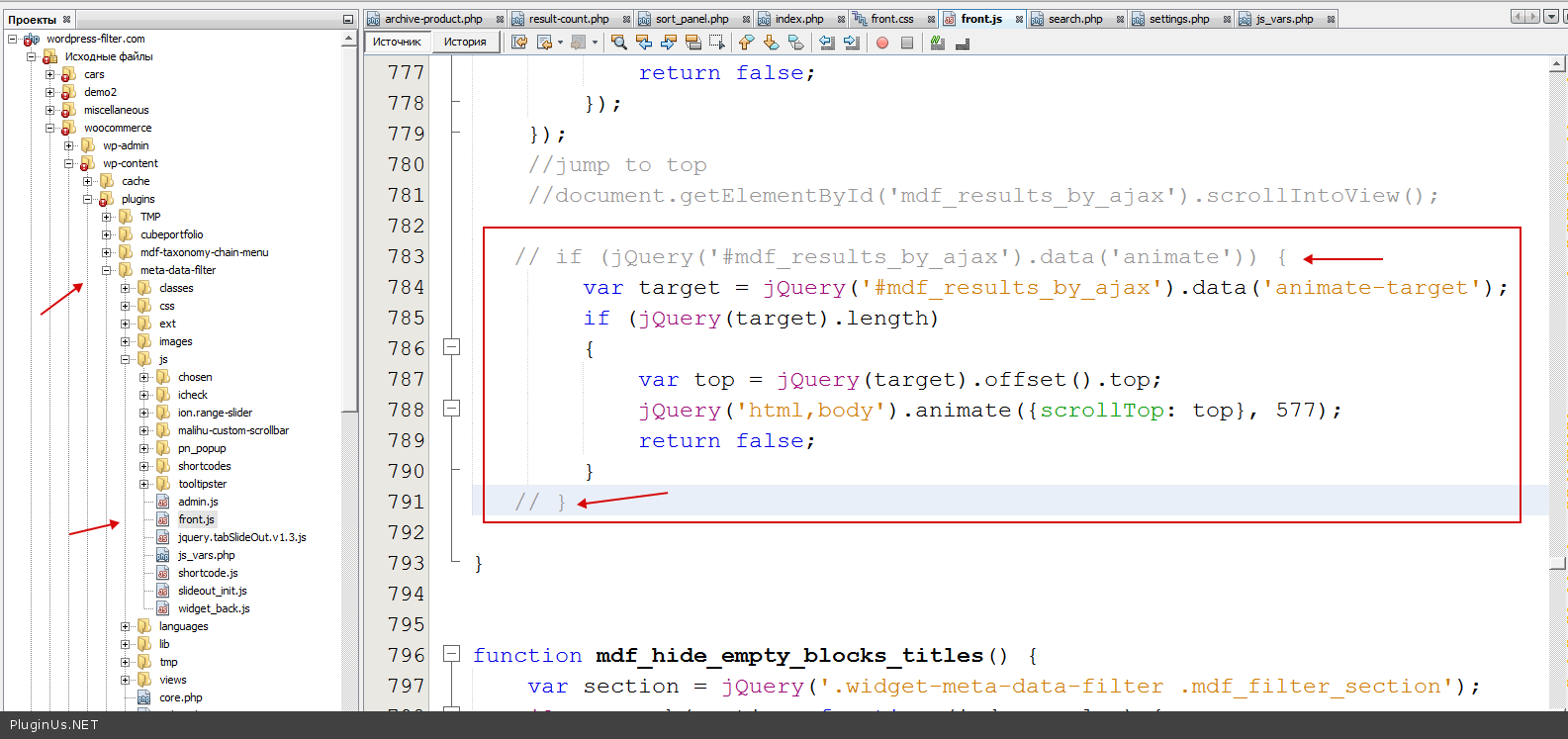
- http://c2n.me/3gWziFn.png
- set var target=’body’;
try it …
nope…
it does not do the job…
i did:
 if (jQuery('#mdf_results_by_ajax').data('animate')) {
        var target = 'body';
    }

}
am i missing somthing? 
Hello Deks make it in the next way:
var target ='body';
        if (jQuery(target).length)
        {
            var top = jQuery(target).offset().top;
            jQuery('html,body').animate({scrollTop: top}, 577);
            return false;
        }
It must work, I test and its ok…
just make it in the function redraw_ajax_pagination
WooooHoooo 
    //document.getElementById('mdf_results_by_ajax').scrollIntoView();
    var target ='body';
        if (jQuery(target).length)
        {
            var top = jQuery(target).offset().top;
            jQuery('html,body').animate({scrollTop: top}, 577);
            return false;
        }
}
hope i did it correctly as you meant and without fault coding…
AMAZING SUPPORT! FIX EVERY TIME!
Great! I am happy that it works for you =)
Hello. I installed the free version you have in the WordPress plugins site, and I am planning to purchase this paid version. However, I have not been able to understand how it works. I am trying to create a car parts filter, in order to find Woocommerce products filtering by car Make, Model, Year, and Fuel Type. Do you have any guide on how to use this plugin? Thank you.
Hello. Yes, here it is: http://wordpress-filter.com/create-simple-car-dealer-site-scratch-powerful-ajax-search/
Hello. How to edit a page of search results. And in more detail.
Hello. Here is all details http://wordpress-filter.com/howto/create-custom-output-template/
If you are mean search.php or archive.php, layouts – it is out of support because it is code of your theme
Hi, I am using the plugin to filter custom post types ‘practices’. My index page displays latest ‘practices’. I haven’t created any custom mdf templates, the plugin works with my theme’s archive template of this post type to display the results. Filter is placed in the sidebar with a widget. The auto submit form works fine, but I want to use AJAX auto submit instead. In AJAX auto submit, filter panel reloads but the articles don’t reload to display relevant results. Is there an easy way to reload AJAX results (plugin function or custom js) or do I need to create a custom mdf template to use AJAX? I tried to follow tutorials but I got a little confused … link is http://www.fitya.net Thank you!
Hello,
How do we claim the “free gift” after buying this plugin? http://gifts.wordpress-filter.com/simple-taxonomy-chain-menu/This gift plugin will be perfect for a project I am working on right now. Does the free gift work with 4.2?
Thanks -Reece
Thank you, I don’t know how I missed that.
Hello, I have made 2 meta key values with slider range in one filter section. i can see them in on listing, i add values but after the update of the listing i lost the values. Any help. Thank you.
Hello. Send me please PM with your wp-admin assess and link where you did filter …
Thanks for your response…. I am in test environment and i want to try more the plugin… I have another question for you. As i can see in your demo for example car dealer… after the searching i don’t see the fields when i click to preview one of the cars. I see only the title and expert. no the other fields for example fuel type, year, body type etc.. I don’t know if this is from the template or from the type of fields.. Thanks for your help.
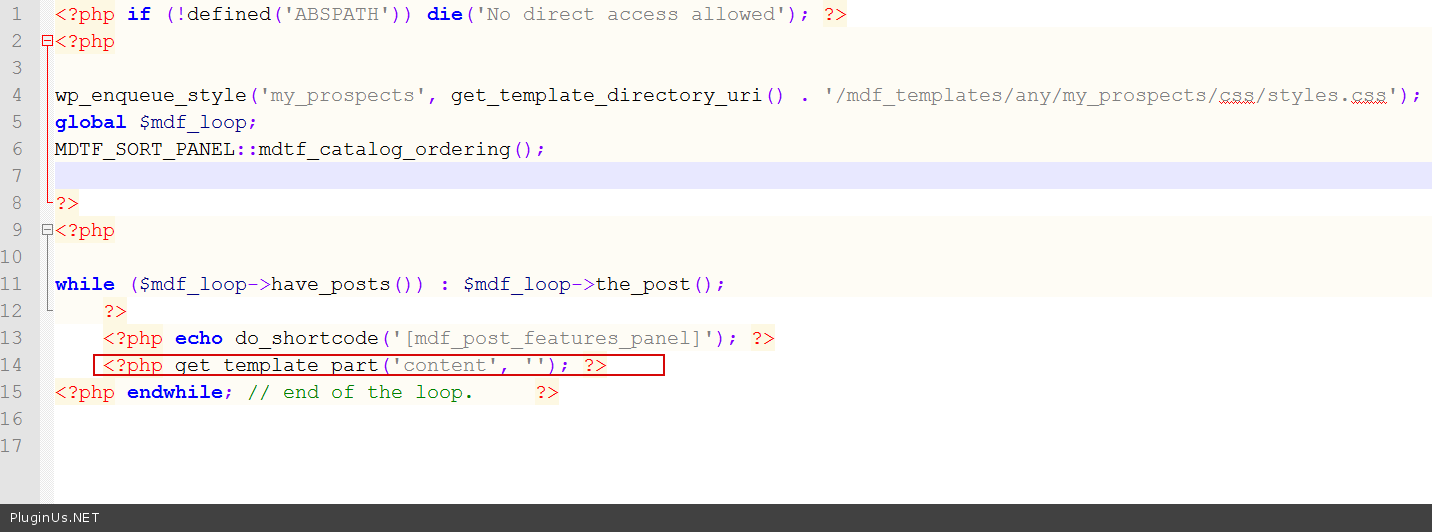
<?php echo do_shortcode('[mdf_post_features_panel]'); ?>
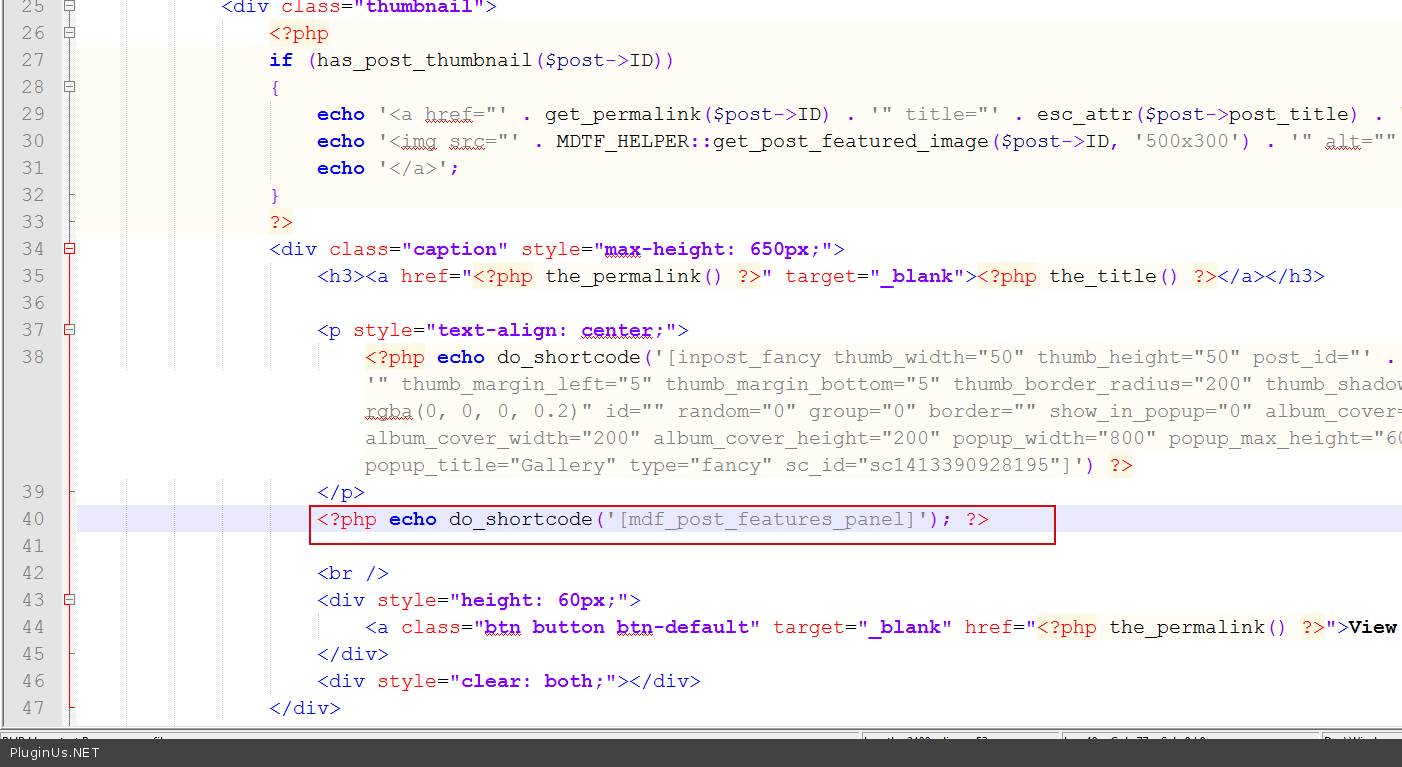
http://c2n.me/3gUxrK6.png – but this shortcode work only with meta data….
http://cars.wordpress-filter.com/car/car-30/ – you can drop this shortcode in your single.php if you want show cars parameters on the single page too …
hello realmag,
there is a problem with quickview plugin, in ajax mode.
it works ok on first load reguler woo pages (shop+brands) but once filter by ajax or ajax pagination, the quickview appear but does not open.
is there away around it? i think need to call quckview plugin on ajax call too…
thanks!
Hello. You are right, after ajax html loading you are need recall quckview init scripts again, because previous DOM removed. You can do it here: http://c2n.me/3gKjbP0.png – it is function ‘mdf_ajax_data_recount’
hi realmag
how can i hide post count but still dynamicly count the items that corespond with filter?
once i uncheck the “Show count of posts/custom” count disappear but it now shows non relevant artributes/brands/categories after filtering.
basicly, it works fine when “Show count of posts/custom” is checked – i only want the numbers not to show up.
thanks for a GREAT PLUGIN!
Hello. Hmm, good question ) You are right, without dynamic recount it is impossible to hide any empty elements in the filter, because there is no another way to know that it is empty.
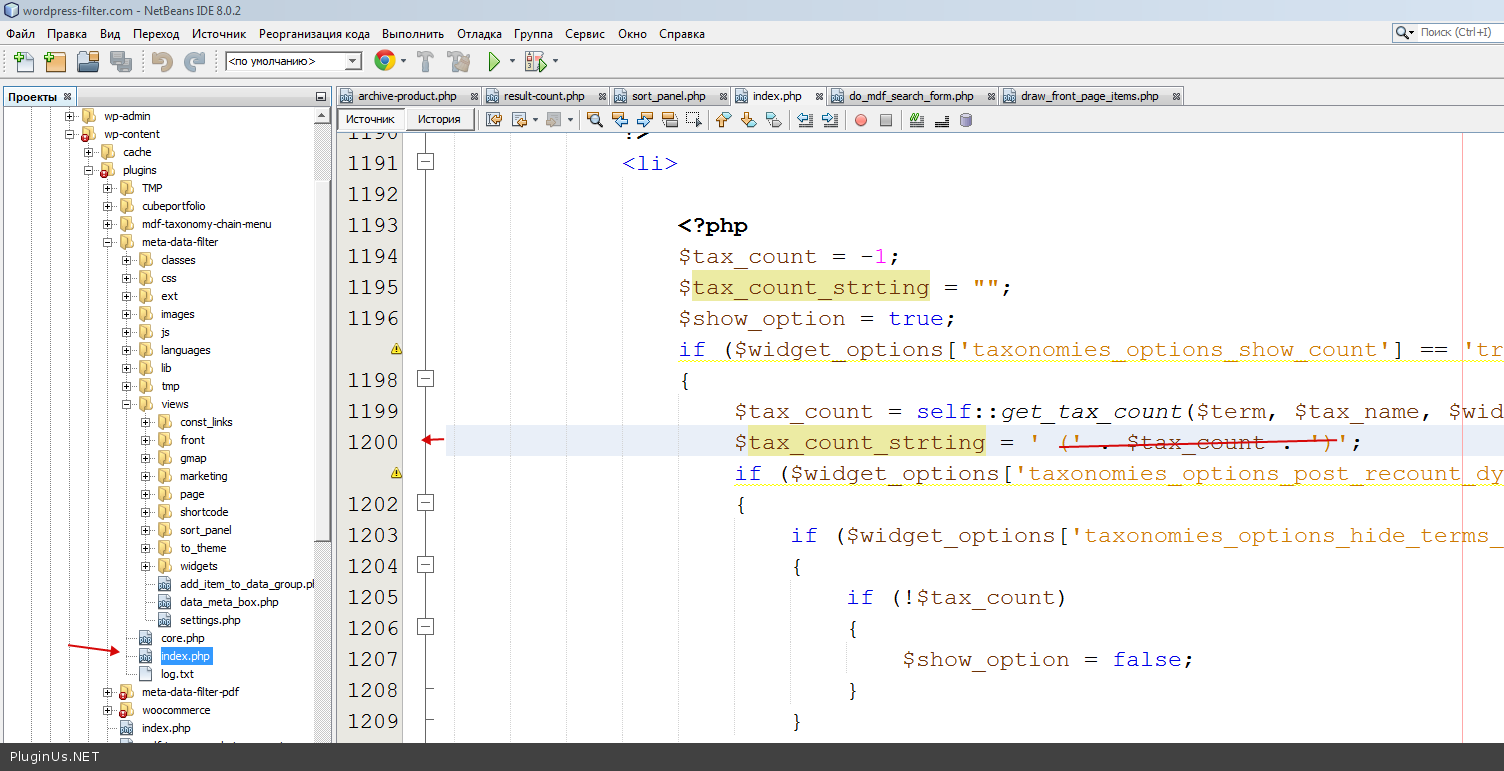
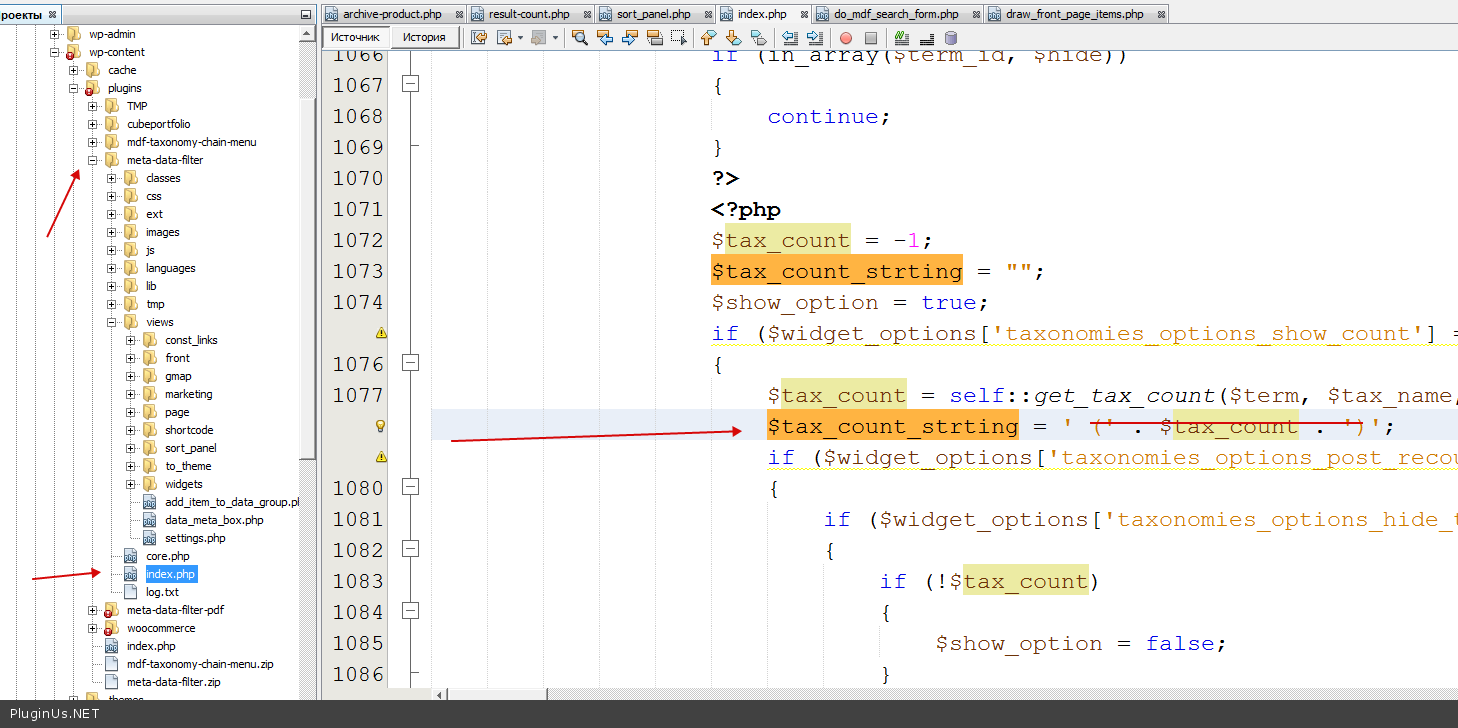
To hide digits: you can only remove it from code- http://c2n.me/3gGfboz.png in function draw_term_childs_checkbox
- http://c2n.me/3gGfANf.png in function draw_term_childs_select
that is all for taxonomies…
as always – WORKS!
thank you for AMAZING SUPPORT.
Thank you =)
I have just bought your wordpress meta data and taxonomies filter plugin. I have created search filter http://s15.postimg.org/4jljo0jjf/screenshot_57.png. But when i filtering then i can not find any products. Now it shows http://s15.postimg.org/d34xlrrvv/screenshot_58.png. How can I fix it.
and please check my custom template’s source code: http://pastebin.com/V0cidMYw
I have just bought your wordpress meta data and taxonomies filter plugin. I have created search filter http://s15.postimg.org/4jljo0jjf/screenshot_57.png. But when i filtering then i can not find any products. Now it shows http://s15.postimg.org/d34xlrrvv/screenshot_58.png. How can I fix it.
and please check my custom template’s source code: http://pastebin.com/V0cidMYw
Hello. I cant see that you bought it
sorry, I bought this plugin using my official id. (22digitals)
Hi Realmag777:
Will it be possible to implement a nicer preloader for the next release? Something that will overlay with some opacity the whole page
Maybe something like this:
https://ihatetomatoes.net/demos/css3-preloader-transition/ http://anseki.github.io/jquery-plainoverlay/Thanks!!
Hello Martin I think yes, I have such plans… will be predefined loaders in the plugin settings
Awesome thanks!!!
do you have any dates for the release of the new preloaders?
Hello. June 2015 One thing with that preloaders you gave me http://anseki.github.io/jquery-plainoverlay/ – very cool – but in some browsers svg files doesn works. Maybe you have another link for good preloaders library?
You can look at this one. It can be the preloader and behind a very light overlay so that it covers all the screen: http://tobiasahlin.com/spinkit/
Here are others: http://connoratherton.com/loaders http://codepen.io/weaintplastic/pen/qEMZbxGreat, thank you, I will try implement them …
Hello. I am just preparing update, and implemented this overlay http://www.demo.woocommerce-filter.com/ – write me PM please and I will send you updated version of the MDTF plugin …
Implemented: http://anseki.github.io/jquery-plainoverlay/
this is awesome!!!!!! thanks.. let me know once this is ready..
Write me PM please and I will send you updated version of the MDTF plugin … it is ready in beta …
Hello,
after theme update, our search results page doesn’t work. I am writing an Email, too
please have a look.
regards
Hi, Thanks for producing such a great plugin.
However there is one small thing that i have come across which doesn’t seem to be working and I was hoping you will be able to help me find a solution. I’m using Advanced custom fields to create the page fields and and i’ve been able to integrate this with your plugin without any issue apart from select box. It has worked OK with select options that are only one word ie One, Two, Three. However it doesn’t work on select options that are longer than one word ie End Washroom, Fixed Bed, Rear Lounge etc.
I this something that you have come across before and do you have any ideas on how I can get it to work?
Thanks
Hello. Looks like I answered you in PM already… I will write the same here for another customers: It is possible to reflect such data if it has no spaces. In such case as above it is better keep data in meta filed in format like End-Washroom and when out on front replace sign ’-’ to space …
Hello, installing your plugin will be possible to keep the original layout of the theme.? Thanks
Hello. Yes, you can try demo sites http://wordpress-filter.com/demo-sites/
Nice plugin – just what I was looking for to a retailer site – but I have one question regarding the google maps part
Is it possible to choose by street/town and not by longitude/latitude
Hello. Just now it is not possible, but I think it can be realized in future…. Just dropped your idea into my work list … Thanks …
Okay – looking forward to that feature – in the meantime is it possible to use the Advanced Custom Field plugin using google map with your plugin ?
Hello ACF with map not possible. But you can always will be able get address from metafield using usual get_option function
Is there any progress in the google maps regarding adresses instead of longitude/latitude… Or maybe you can help me with the get_option solution.
Hello. Not done yet, I worked with another my plugin – WOOF. I hope I will release this month
Okay -do you have a timeframe on it – and what kind of plugin is WOOF
June/July. WOOF – http://codecanyon.net/item/woof-woocommerce-products-filter/11498469
WOOF is only for woocommerce products filtering
Hi! This plugin works with classipress theme?
Hello. It is not important on what theme to work, main thing it is make options right. Try free version please: https://wordpress.org/plugins/wp-meta-data-filter-and-taxonomy-filter/
Thanks!
I solved the problem with filter, I had another active filter for woocommerce, and i’ve disabled. But i can’t solve the problem with the change of page. I have a menu overlay image that makes header, but this disappears… The filter disappears too! Thanks!
Hello. You can send me wp-admin access in PM to look your options. What about header I did understood, maybe js conflict …
ok, give me a private mail please. Thanks
I cant get this to work. I want to filtersection. I want one filer with shortcode thats a plain text inputfield for products. The second shortcode filter I want is with three dropdowns – product category, product title and from a metakey – _weight.
Is this possible, i tried all morning and yesterday but cant get it to work as I want. Thankful for any help.
Hello. You can do it by shortcodes. Send me please PM and I will send you this demo: http://woocommerce.wordpress-filter.com/
poslednij vopros. u menja est’ vot takie rubriki: -ovoshhi —ogurcy —pomidory —kapusta -frukty —jabloki —banany —apel’siny
ja hochu vyvesti vse jeto delo vot tak: ovoshhi (prosto tekstom, ne nuzhno iskat’ vse chto s ovoshhah) ogurcy (chekboksom) pomidory (chekboksom) kapusta (chekboksom) frukty (prosto tekstom, ne nuzhno iskat’ vse chto s ovoshhah) jabloki (chekboksom) banany (chekboksom) apel’siny (chekboksom)
t.e. fil’tr dolzhen iskljuchat’ roditel’skie rubriki. jeto mozhno sdelat’? v kakom uroke jeto posmotret’?
Zdravstvuite Vam nado sozdat 2 filter-category dlia ovoscahe i fruktov, zatem pometit posti sootvetstvenno
2 widgeta dlia fructov i ovochei ili shortcodov. Stranici poiska sdelat otdelnimi starnicami, + ajaxom…
tak, bolee-menee ponjal. a posty tochno razmechat’? esli jeto vse rubriki…
proklocav besplatnuju versiju, prosto ne sovsem razobralsja, kak mne razdelit’ podrubriki na 2 chasti.
Zdravstvuite MOzno escho tak – sozdat 2 widget i v kazdom postavit uslovie: http://c2n.me/3gnVWIn.png + primenit widget Taxonomies only – i togda nenado razmechat nichego + Esli sdelat shortcodemo to voobshe prosto – 2 shortcoda s http://c2n.me/3gnVWIn.png + http://wordpress-filter.com/howto/filter-products-current-products-category-page-using-self/
Hi, I’m interested by your plugin but I’d like to know if it’s possible to have more than 4 columns and if we can change the space between each thumbnail?
Thanks
Hello. If you are mean this – http://demo2.wordpress-filter.com/category/hotels-posts/ – it is just layout of wp theme
http://demo2.wordpress-filter.com/tester/ – look this please, it is done by shortcode with free template with mdtf plugin…Hi, I think you don’t understand my question. I want to know if it’s possible to have more than 4 columns for the post thumbnails. I always see 4 or less on your demos…?
Hello.
It is just demos, if you are mean this - http://woocommerce.wordpress-filter.com/ - count of columns depends of the theme layout or shortcode option.[mdf_results_by_ajax shortcode=”mdf_products per_page=8 columns=3 meta_data_filter_cat=56” animate=1 animate_target=.entry]
Ok yes I know that it’s possible to have less than 4 colums, my question was if it’s possible to have more than 4
Hello. It depends of your theme and not from the plugin. Plugins just uses your wp theme and woocommerce layout possibility