1363 comments found.

great plugin! I’ll buy the plugin and I have a couple of questions. How to create string : http://demo2.wordpress-filter.com/?slg=post&mdf_cat=5&page_mdf=32633525e8d9352bcef1e3ccdc48ee39 with input : New Construction (10).
i want have 32633525e8d9352bcef1e3ccdc48ee39
Can i help you?
Hello. Sorry, I not understood you, you will get such short links even with free version of the plugin. If you are means constant links: http://wordpress-filter.com/document/constant-link-extension/
Thank for your helper. I need something customize more. Because i have many input searching (but constant links just support for some result). Sorry for the inconvenient this.
Hello. Sorry, until September 2015 no customizing possible ..
Hi, in plugin filter section I have created a text-input search filter. I would like it to reflect (and so search in) the standard wordpress editor filed. What can I do? Thank you very much
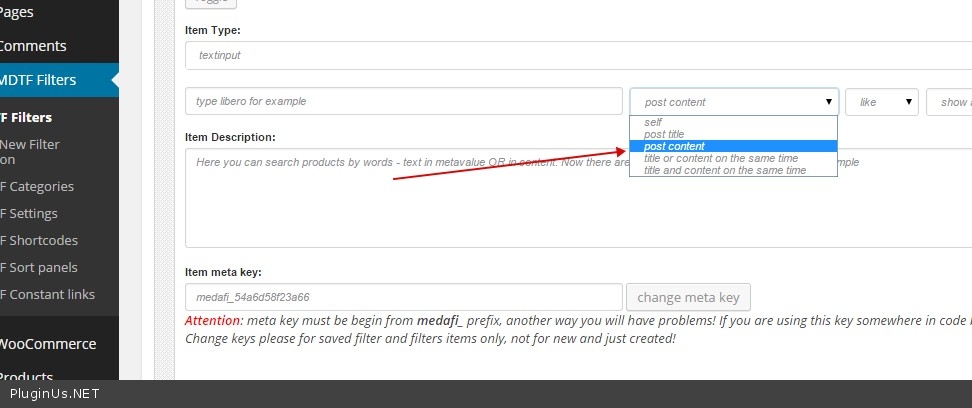
Hello. Today was released 2.1.8 – there you can make search by content – http://miscellaneous.wordpress-filter.com/search-by-content/ – you are need just select in the textinput of built-in meta constructor: post content – http://c2n.me/3gaWo1U.jpg
Hi,
after activating the Plugin i am getting the following errors on my page:
on top:
Warning: session_start(): open(/tmp/sess_57498bcc571da2a36e0b57882303935e, O_RDWR) failed: Permission denied (13) in …/wp-content/plugins/meta-data-filter/core.php on line 25
Warning: session_start(): Cannot send session cache limiter – headers already sent (output started at …/wp-content/plugins/meta-data-filter/core.php:25) in …/wp-content/plugins/meta-data-filter/core.php on line 25
and on bottom:
Warning: Unknown: open(/tmp/sess_57498bcc571da2a36e0b57882303935e, O_RDWR) failed: Permission denied (13) in Unknown on line 0
Warning: Unknown: Failed to write session data (files). Please verify that the current setting of session.save_path is correct (/tmp) in Unknown on line 0
if (session_id() == '')
        {
            try
            {
                @session_start();
            } catch (Exception $e)
            {
                //***
            }
        }
or try to remove session_start(); code line
The core.php looks already same like in the picture you added.
So I removed the session_start(); code line and the error don’t show up anymore but now the filter is not working at all. If I choose one specific metadata in the meta data filter the result page loads new and the filter options jump back to “any” showing all products not just the ones with the choosen specific metadata.
Link please
As I am using the plugin together with ReHub Theme sizam provided me the Version 1.1.7.7 of the plugin, where i can switch the search data from sessions to transients in advance options. Thats fine. No error anymore an the filter is working.
Hope that feature will be in the official version soon, to keep the plugin updated in future.
Thanks.
Hello. Yes, I have 1.1.8, the more functionality is there….
Hi i purchased your plugin and it works great. Is there a guide or tutorial to make conditional filters such as cars.wordpress-filter.com/search-1/ ?
I have conditions to make for product variations..for example i have category A and it will shows the product variation and then the product titles… if i pick category A the product variation atribute will query available product variations under category A.. and then if i click one of the product variations it will show the product title which have the product variation..
example :: tire-category -> tire-size -> tire-title-product
is it possible?
Hello Watch this video please: http://wordpress-filter.com/create-simple-car-dealer-site-scratch-powerful-ajax-search/
OR
you can send me PM with your message above and I will share you zip copy of this demo http://cars.wordpress-filter.com/ which I done by duplicator wp plugin
Thanks for your help because now it works like a charm. But problem resurface again after i install the WPML…no search found after query eventhough the form works great.
Is there anything that i can do to make it works?
Hello You can send me PM with your wp-admin access and links where is the filter works…
Hi, Realmag…
Congrats for creating such an awesome plugin!!!
Could you help me out with the sort panel. It only works with an ajax page. Any idea what I’m doing wrong?
normal page http://form.guu.com.br/ajax page http://form.guu.com.br/main-page-ajax/
Hello. In the 1.1.7 ver – sort panel works only when searching is going. You can write me PM and I will send you 1.1.8 where sort panel works always….
http://woocommerce.wordpress-filter.com/ http://woocommerce.wordpress-filter.com/self-search-form-changer-1/Thanks for your quickly reply! PM sent.
Hi. I use your plugin and it is awesome. Is it possible to add a search field like this? http://demo.designsandcode.com/sfpro-woo-mystile/product-search/ Would be great if you can add on your plugin Looking forward to your response
- http://miscellaneous.wordpress-filter.com/search-by-title/
- http://miscellaneous.wordpress-filter.com/search-by-content/
- http://miscellaneous.wordpress-filter.com/search-by-title-or-content/
- http://miscellaneous.wordpress-filter.com/search-by-title-and-content/
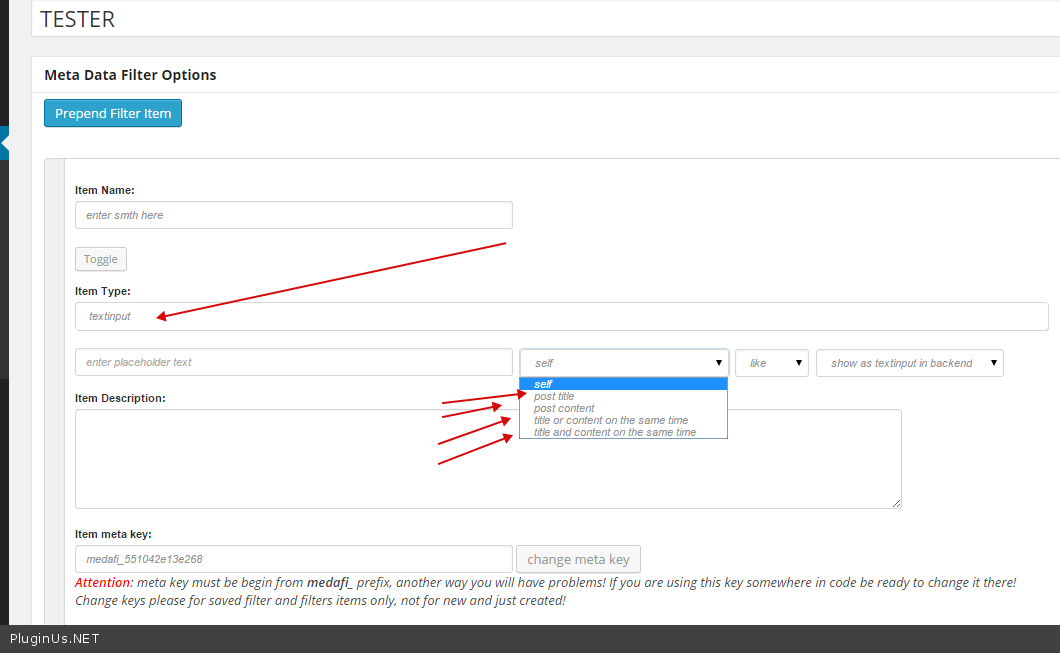
1.1.8 is ready already, and under test, so you can send me PM and I will send you it. In built-in constructor just create textinput, and select there mode: http://c2n.me/3fP5S1T.png
Great! I mean it is a combination between search field and filter. Is it possible?
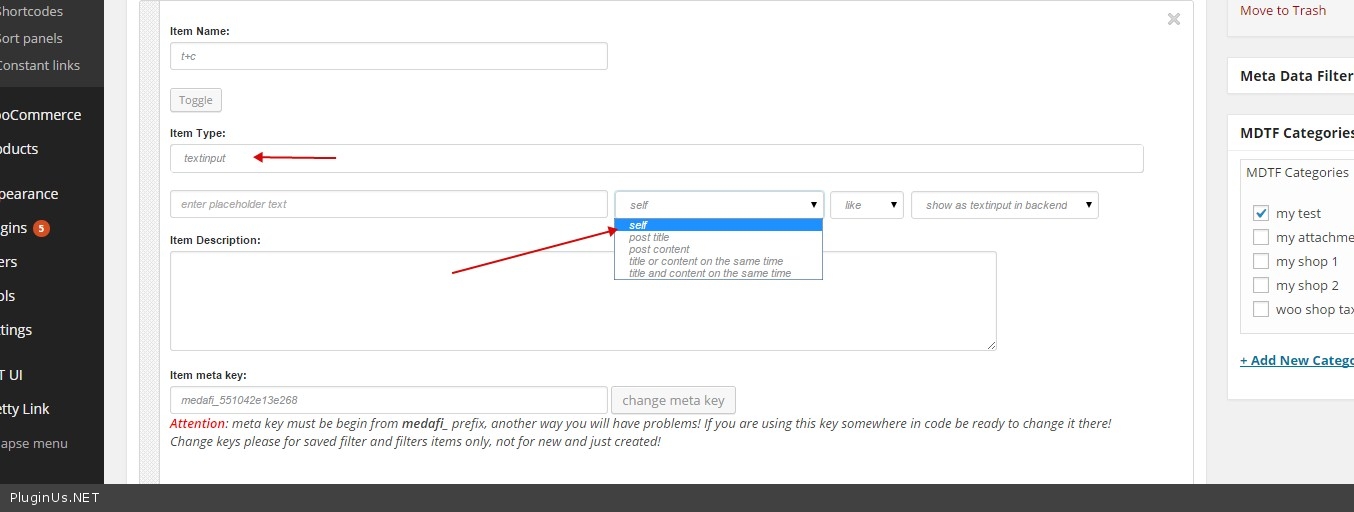
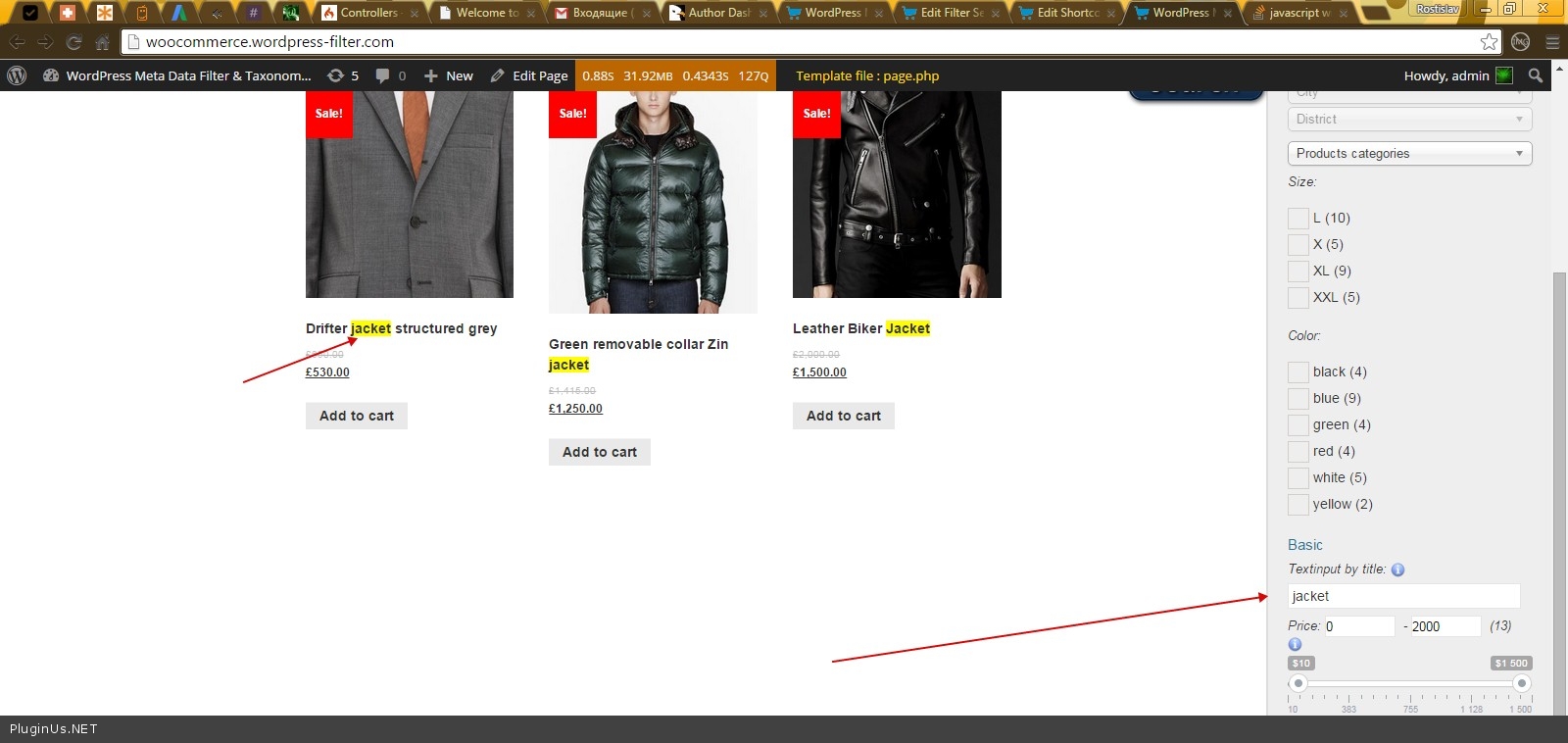
Hello, Yes – http://c2n.me/3fQ3Jqb.jpg – just select ‘self’ and you can set any info in each post in this meta filed, and make searching by this … Example: http://c2n.me/3fQ4fU7.jpg – http://woocommerce.wordpress-filter.com/ – here is title search – BUT can be any txt info!
Hi. I can’t get any result output on the search filter, what am I doing wrong?
Hello. One moment, I am sending request to the space about this problem….............I got an answer – you are doing smth wrong with the options ;)) Send me please wp-admin access in PM ….
a PM with login are send to you.
I got it, will write you today later …
Pre-sale Question Would this work with BUddy Press custom fields?
Cheers Soren
Hello. Please try free version of the plugin: https://wordpress.org/plugins/wp-meta-data-filter-and-taxonomy-filter/
ili v kakom video uroke eto mozhno posmotret? u menya ne woo commers, prosto proizvolnye polya, dlya post_type=page
privetstvuju, vopros pered pokupkoj. peresmotrel video, kotoroe na russkom jazyke.
u menja k postam, est’ dopolnitel’nye polja, taksonomij net voobshhe nikakih. dop polej mnogo, 8-10 shtuk. v kazhdom dop pole mozhet byt’ svojo znachenie. plagin smozhet organizovat’ poisk imenno po dopolnitel’nym poljam? pytajus’ sdelat’ jeto s besplatnoj versiej, ne poluchaetsja.
Privet. Nado ispolzovat reflection http://c2n.me/3fDdoBF.png, no lutchshe snachalo skinte skrin polei pliz suda – ne so vsemi znacheniami eto vozhmozno…
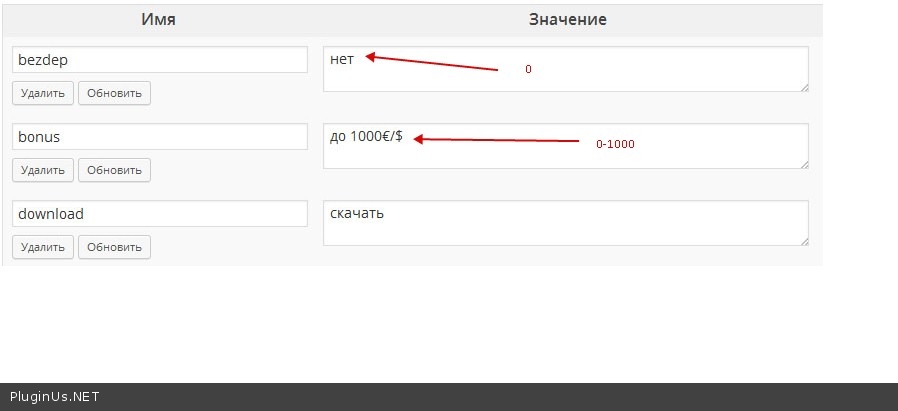
vot skrinshot http://i.piccy.info/i9/cb7fcd631527f24cdc74e5399ae36cb9/1428391918/44311/791245/polya.jpg
dopolnitelnyie polya v mojom sluchae:
- bezdep imeet znacheniya tolko da/net
- bonus imeet raznyie znacheniya, ih primerno okolo 50-60 variantov, dlya kazhdoy stranitse kak pravilo svoy
- download imeet takzhe znacheniya skachat/net
Te znachenia kotorie est negodiatsya http://c2n.me/3fHvwyy.jpg
- bezdep – mozhno chekcoxom no tam dolzhno bit 0 ili 1
- bonus – tsifri tolko
- download – 0/1
- sozat novie polia konstructorom plagina i povtorit dannie dlia kazhdogo posta
ochen’ ploho. no u menya uzhe pod 300 stranic opublikovannyh. ehto mozhno kak-to avtomaticheski sdelat’?
nu ili dobavit’ takuyu podderzhku v sleduyushchih versiyah plagina? kstati, kupil shablon ReHub, ehtot plagin tam idet v komplekte. podderzhka osushchestvlyaetsya normal’no? esli chto vam pisat’?
Net, eto dannie strokovie, a dlia poiska nada Integer Rehub – podderzhka u nih po vsem voprosam…
Hello,
Bought the plugin and it works fine and your support is good, very happy with this!
Small question: How can the the layout, for example now the gray gradient background changed to for example transparent, or white?
Marcel
Hello Marcel It is better create shortcode skin: http://wordpress-filter.com/howto/create-custom-skin-search-shortcode/
and there modify any code
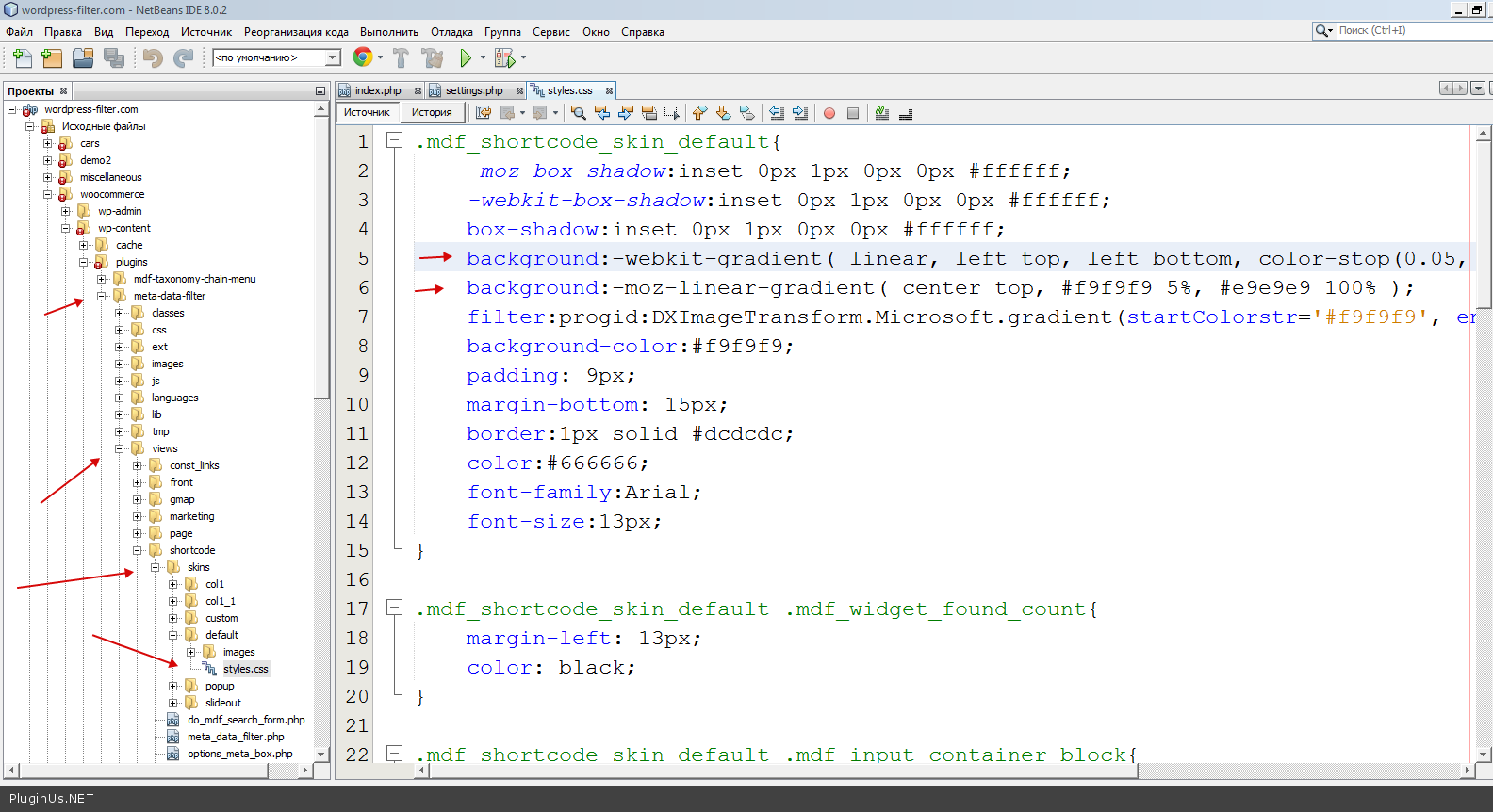
Any way, css code you are need is here: http://c2n.me/3fDcOgR.png
Hello. Just a couple of things before I purchase. On some of the demos, the url does not change and on others, the url changes with the search parameters. How does this get controlled? I would prefer to have the url remain the same for SEO purposes.
Also on the free version of this plugin, in the Taxonomies section (Taxonomies for the selected slug:) of the widget, I can only select one taxonomy – is this only a limitation of the free version?
Thanks!
- http://cars.wordpress-filter.com/search-3/ – AJAX
- http://cars.wordpress-filter.com/search-2/ – redirect
all that controls by options in the widget/shotcode
1 taxonomy – yes, this restriction artificial just for free version of the plugin …
Hi how I can change relative path to template for output search results? My theme not allow create a folder in theme directory. Can I give absolute path for template? Thanks!
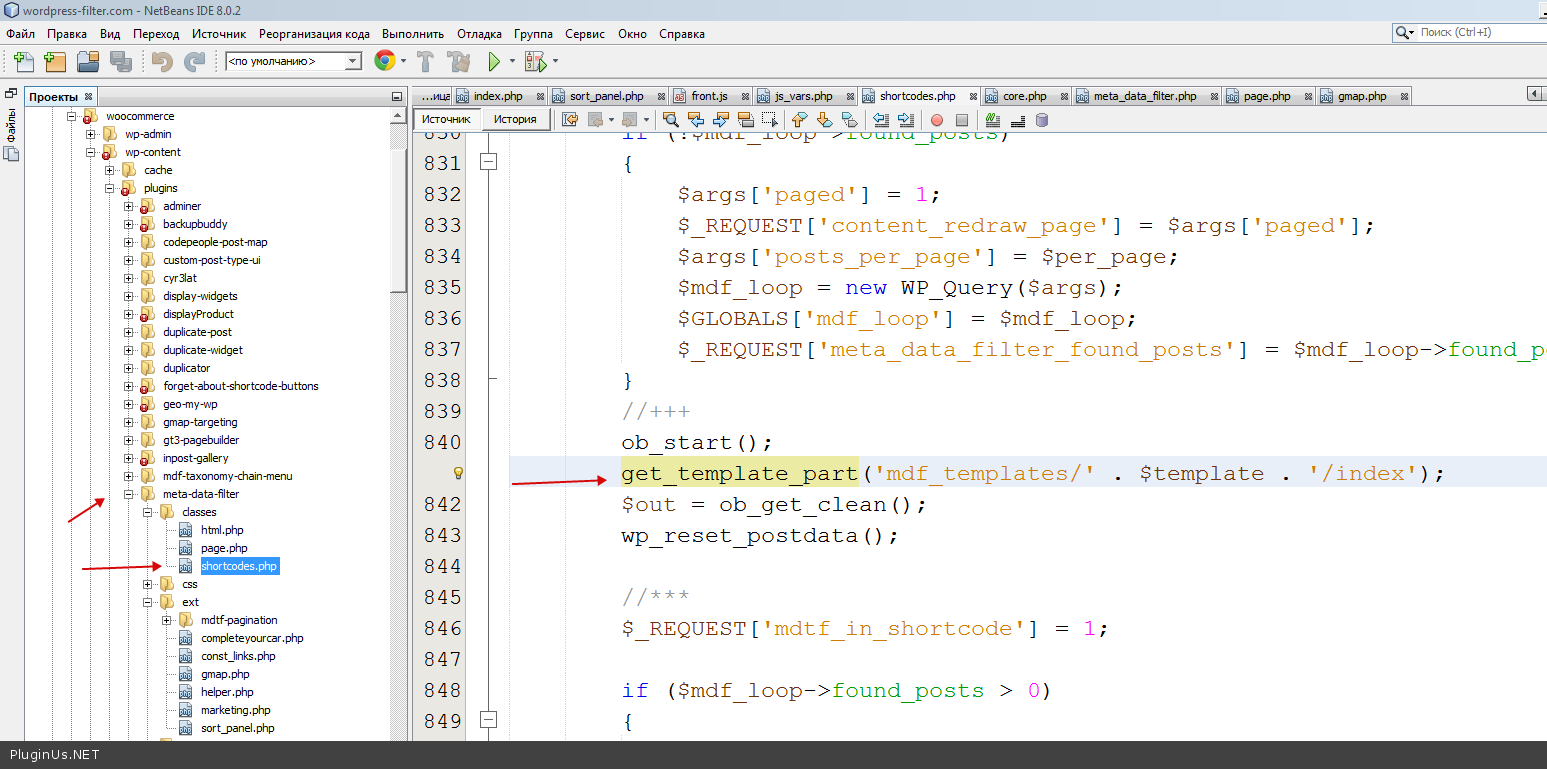
Hello. I think you can do it here http://c2n.me/3fmQCru.png (classes/shortcodes.php#841) I am using wp functionality get_template_part. You can drop folder with templates in wp-content folder and then use WP_CONTENT_DIR – Absolute path to thewp-content dir.
http://wpengineer.com/2382/wordpress-constants-overview/Hello. Let your client send me email using codecanyon PM form with site link and message with issue description. I am doing any support for customers who has ‘Purchased’ label …
And also there is a alignment issue for the submit button – it is css, I am not support any css requests …
Sounds Good… No Problem… They will get back to you. And also just give me reply on WordPress plugin page… If you need purchased code then tell me how can I contact you.. I have purchased code and codecanyon.net email. They forwarded all details to my email address..
Good, let customer contact me using this message form: http://codecanyon.net/user/realmag777 – right sidebar on the bottom. Still no message…
Hello
i have my theme sorting options and also also added <?php echo do_shortcode(‘[mdf_sort_panel]’); ?>
how i can check if the results are from plugin so i can hide the theme sort options ?
if(class_exists('MetaDataFilter') AND MetaDataFilter::is_page_mdf_data()){
//do smth when search is going
}else{
//do here smth while no search
}
great, works great
thanks!
one more question
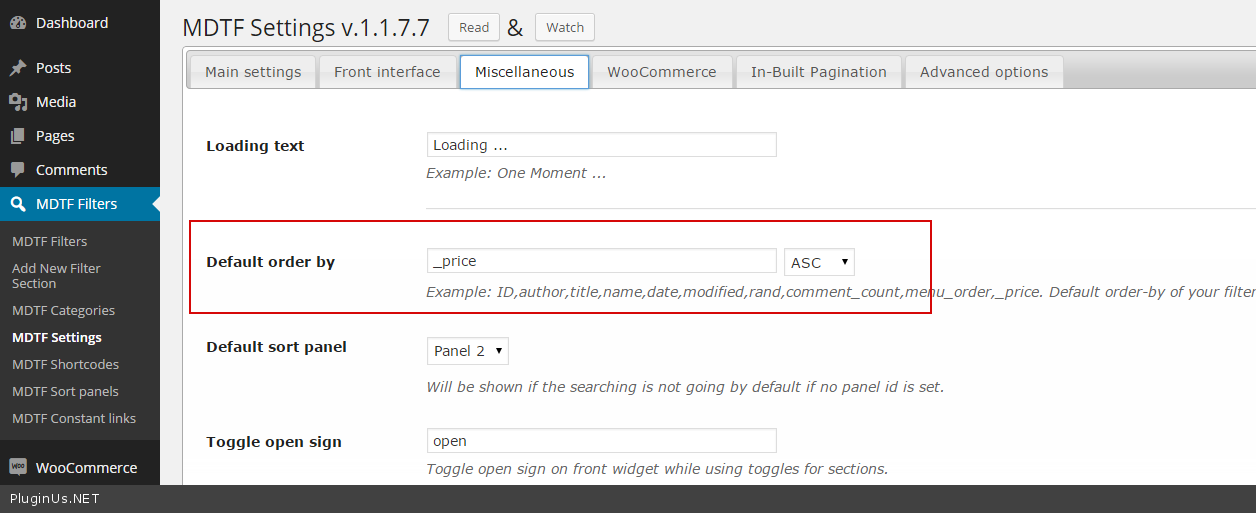
at MDTF Settings i have Default order by title, and i have at theme a shortcode only for price order
when i click first time to order by price, order price DESC, how i can change it to order first by ASC
thanks again!
Hello. You can do the same as on screen: http://c2n.me/3fl6iJm.png
Hello
yes I know that, but I want to do something else
I want default order to be title , and have added to theme sort button only for price
and I want when click to order by price , at first time click to order , order price ASC
now if I click order by price, first order Desc and at second click ASC
Hello George I understood, but it is functionality. If current order is ASC, after click will be DESC. In your case current order is ASC – always by default while user not change it. After change it – user get DESC…
ok understand, thanks
Hi,
i’m using your great plugin on http://www.curved-uhd-tv-test.de and i would like to add the sorting functionality. the problem i have is, that it gets only activated after i triggered a filter. what i would like to have is the sorting buttons beeing active/visible already before i checked some filter. e.g. i see the list and its sorted via title by default, but i want to sort it via price or so and can directly do that via the sorting button. would be great if you could implement that in a new plugin update version. as i understand from here http://codecanyon.net/item/wordpress-meta-data-taxonomies-filter/7002700/comments?filter=all&site=codecanyon.net&term=sort+before+filtering&utf8=%E2%9C%93#comment_9299157 it will be part of an update. can you estimate approx. when that will be?
Thanks so much, Stas
Hello Stas. It is done for 1.1.8 beta – http://woocommerce.wordpress-filter.com/ – if you will buy the plugin and send me PM http://codecanyon.net/user/realmag777 – I can send you this updated version …
hi realmag777, i have the plugin via the theme ReHub. does this work? if yes, would be grt if you send it to info@curved-uhd-tv-test.de thx.
Hi can I use Additional taxonomies conditions for hide some category?
[resolved] 
Hello. Is resolved? =)
Yes  I typed taxonomyname=categoryid1,categoryid2…; and will show only that categories in filter.
Hi, This is a presale question.
I’m interested in buying your plugin for a future website, but I wonder if it will do the trick.
I have a blog page in which are displayed all the news. Those news are from different subcategories. Could I use your plugin, at the very beginning of the page, to have something like that : World | Design | Branding | Logo
And when you click on the category word, that filters and display only the good category ?
I will use avada theme on this website, and they don’t have this feature implemented …
Hello. Yes, World | Design | Branding | Logo – it can be links to that news categories pages. Each that page will have widget with another search parameters you want to have and do searching only for that category
OR
you on main page can set category and in text input write search word – and you will find this word in that selected category only http://miscellaneous.wordpress-filter.com/search-by-content/ – here only text searching – but it is not problem add in constructor taxonomy too…But from home page no AJAX possible – redirection only – and the on the result page you can use another AJAX widget/shortcode
If such system is hard for you to understand and realize you can order custom work …
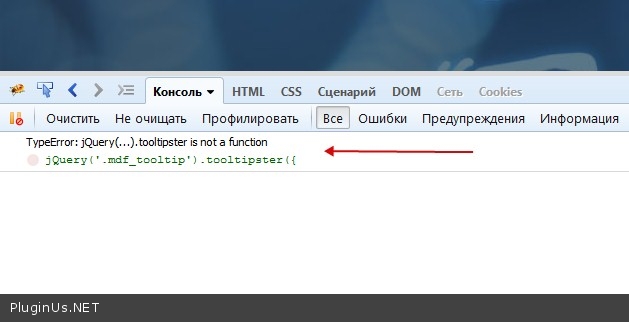
there is a jquery conflict
TypeError: jQuery(...).tooltipster is not a function jQuery(’.mdf_tooltip’).tooltipster({
link?
sorry but what does it mean, i don t see the them error in my inspector
Hi, one pre-sale question: In a former comment-answer you say, that your plugin is partly compatible with wpml. Would you please describe, what’s not working and how to solve these problems with as little effort as possible? Thanks
Hello. All is working, but it is a big head pane to make all works for wpml – different platforms – different troubles. You can try free version of the plugin https://wordpress.org/plugins/wp-meta-data-filter-and-taxonomy-filter/ – sometimes it is easy to configure – sometimes not – if the plugin hard for you to understand how to realize it – better do not use it …