8473 comments found.
Just noticed this warning on my site health: The installed version of Justified Image Grid (4.7.2) has a known security vulnerability.
Can you tell me what interface or plugin says that and what kind of security vulnerability would that be? I am not aware of any. There was one last summer but they refused to update the status that I have fixed.

hi! we are using this shortcode: [justified_image_grid preset=20 lightbox=magnific mobile_lightbox=no last_row=center ng_tags_album=home1,home2,home3 ng_lightbox_gallery=yes row_height=500]
however the “feaured image” of each tag album is changing every page load. how can I correct that? i want a fixed image for every tag album (or “lightbox gallery”), like in your demo https://justifiedgrid.com/lightboxes/magnific-popup/
Hi again. We were waiting 4 days for your reply without success. Meanwhile, as time was pushing, we found an other solution not requiring your plugin. I would like to ask how we can proceed to get our money refunded as we could not make the plugin work as it is in your demo, we did not get a support answer from you, and we will not use the plugin in the future. Thank you.
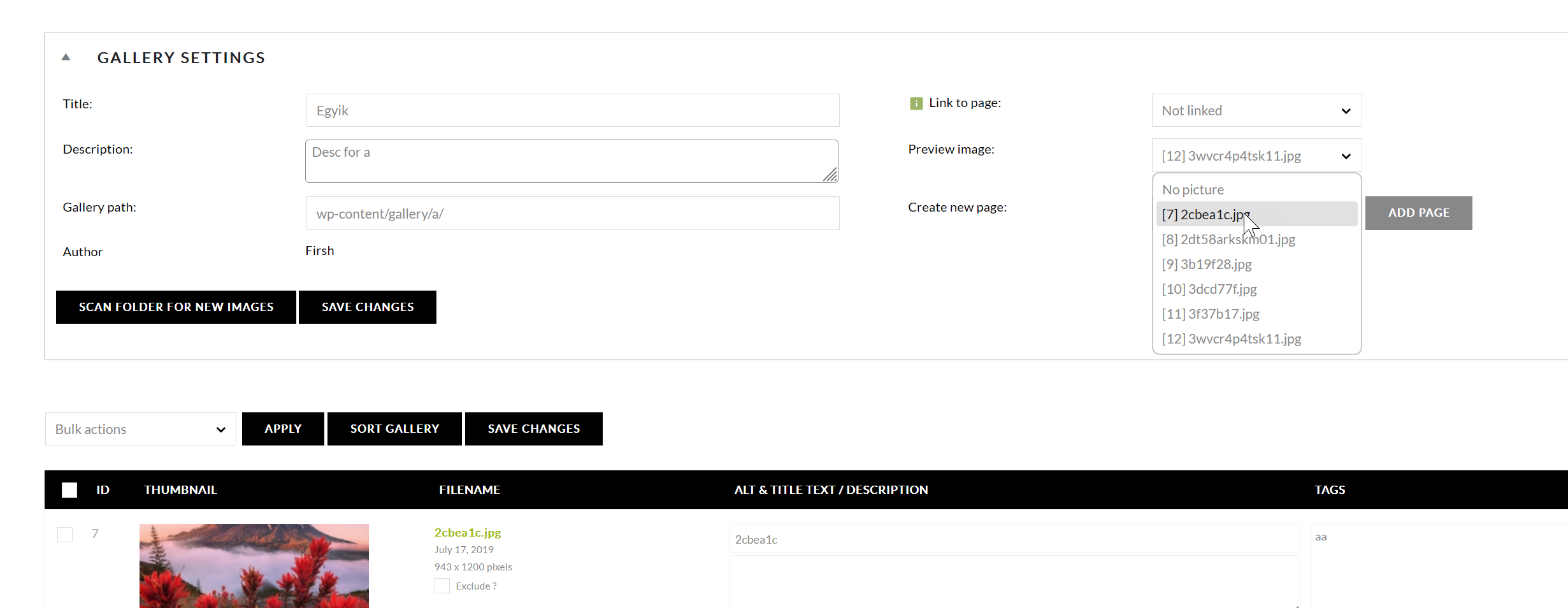
Hello, that is a NextGen feature. JIG simply makes use of it if you set it. If not, then it randomizes a picture. It is called preview image on a when you are editing a gallery: https://i.justifiedgrid.com/t0861l.png Featured images are a WordPress posts feature. To get the refund, initiate through here on CodeCanyon.
I’ve changed the settings
Next-gen image formats = AVIF (AV1 Image File Format) or WebP.
Still, the AVIF is not showing. Anything else needs to be adjusted to enable AVIF images?
What is your PHP version, and does JIG say anything about compatibility in the helpbubble of that setting? It is made to detect requirements. Like it should say this: “Your server meets the requirements for AVIF!”
Would someone care to posit a thought on why the shortcode (pasted below) no longer works on albj.net ? I’ve made no changes to the code in a LONG time and one day just noticed it no longer renders a feed. I use a different set of criteria in a shortcode over on photos.albj.net which still works fine, so I’m not sure what’s making the difference.
[justified_image_grid row_height=100 caption=slide mobile_caption=same caption_match_width=no caption_title_size=10px caption_desc_size=10px caption_align=center gradient_caption_bg=no orderby=rand filter_orderby=random max_rows=3 disable_cropping=no flickr_search_tags=-license,-plate,-custom,-vanity,-tag,-MDG flickr_search_tags_m=all flickr_search_user=55455788@N00 flickr_description=no]
Do you still have your Flickr API key? And are you using any caching plugins, the configuration of which could have been recently changed?
Hi there,
just a quick note to share our experience – we’re not requesting support as our support period has expired.
We’re running WordPress 6.8.1 and PHP 8.3.21. The plugin has worked flawlessly in version 4.7 – many thanks for that!
However, after updating to version 4.7.2, our site immediately crashes with a critical WordPress error. We were able to restore it by rolling back to 4.7.
Just wanted to share this in case others are seeing similar issues – maybe it helps with troubleshooting or a future patch. Thanks again for the great plugin!
Best regards Conny & Sirko
Hi, could you please share the error from the logs?
Hi Firsh,
thanks for getting back to us and asking for the error log. Our technical partner was able to reproduce the issue and locate the specific error. Here’s what they found:
Fatal error: Uncaught TypeError: Unsupported operand types: string * int in /wp-content/plugins/justified-image-grid/justified-image-grid-core.php on line 14230
The relevant line in the source code appears to be:
filter:alpha(opacity=”.($overlay_opacity * 100).”);
The plugin crashes immediately (in our case on shop pages) when using version 4.7.2 with PHP 8.3.21 and WordPress 6.8.1.
After rolling back to version 4.7, everything works flawlessly again.
Hope this helps with reproducing and fixing the issue. Thanks again for your continued work on this great plugin!
Best regards, Conny & Sirko
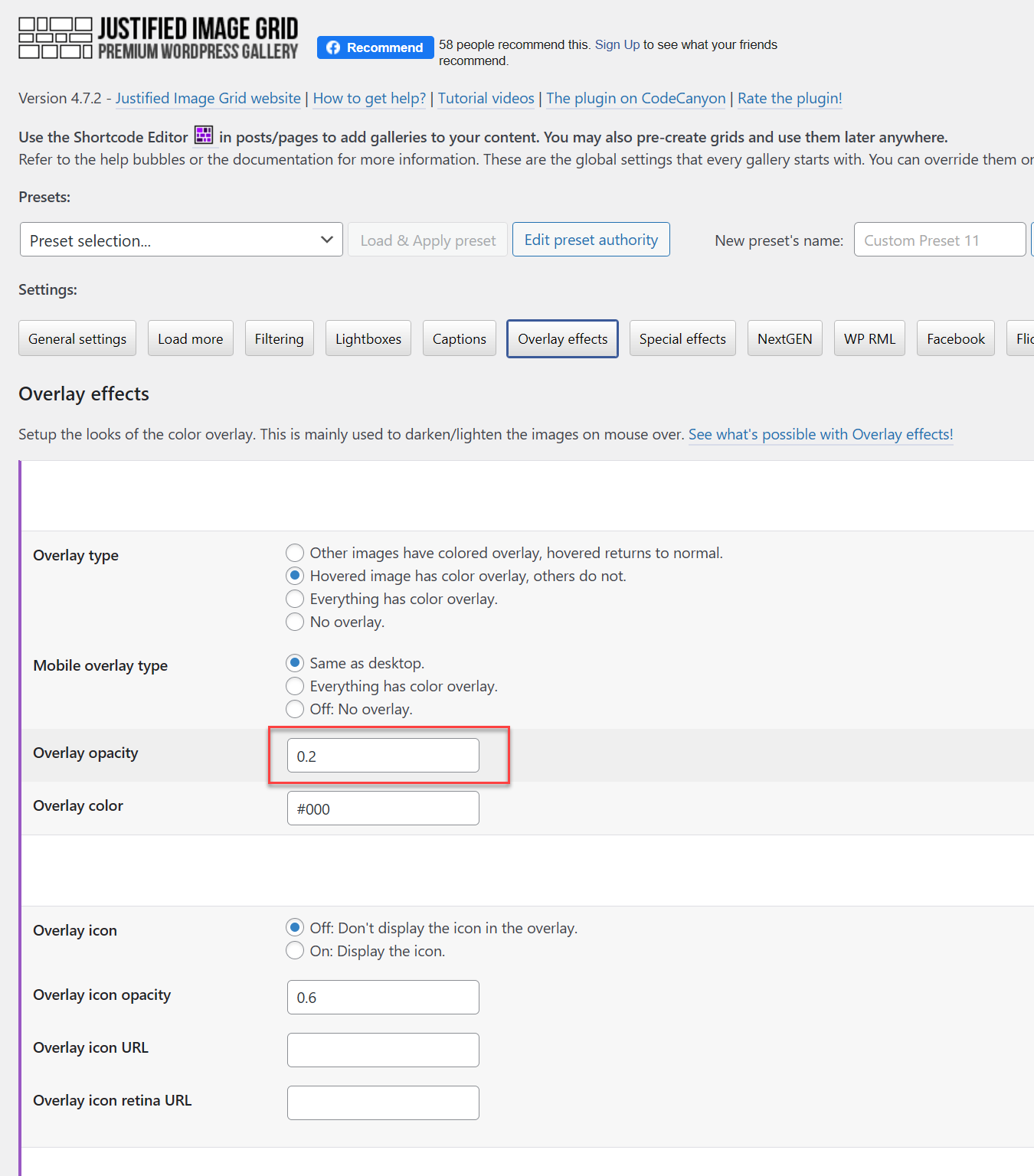
Have you customized the setting called overlay opacity? https://i.justifiedgrid.com/t0869v.png The error could happen if you had something other than a number in that. You can write the number -1 in it, then save JIG plugin settings and that will reset that specific setting to its factory value.
Hi Firsh, thanks a lot for the follow-up and your suggestion regarding the overlay opacity setting.
We checked the field, and indeed, the value was set to 0.2. We changed it to 1, as entering -1 didn’t work — after saving, it kept reverting back to 0.2 automatically.
After that, we updated to the latest version of the plugin again, but unfortunately the critical error still occurred.
However, today we noticed something new: all pages and galleries seem to work fine until WooCommerce is loaded for the first time. That’s when the WordPress critical error appears again.
We’ve now reverted back to version 4.7, and everything is running smoothly once more.
Hope this extra info helps with tracking down the issue. Thanks again for your time and your continued work on the plugin!
Best regards, Conny & Sirko
Please reset both of my licenses. juansphoto Thank you!
Done!
Hi Firsh,
Sucuri Monitor has flagged our site with the following infection warning:
Status: Infected Warning: File possibly compromised Path: ./wp-content/plugins/justified-image-grid/timthumb.php Malware Signature: php.malware.redirect.145 Recommended Action: Manual review required
Can you please confirm whether you are already aware of this issue and let me know what steps are being taken.
Thanks.
Seems like a false positive or Sucuri doesn’t like TimThumb. We’ve explored this with another customer and Sucuri plugin said infected even though it was the exact same unmodified file as mine. Unless they can point to a specific named malware, looks like a heuristic match.
Slow site loading ( WordPress Multisite Setup – Sub Domain )
For checking I disable plugin and site is loading normal.
Upon investigate issues with hosting ( kinsta ) .
They found the open_basedir warning is mentioning tries to make a request to an image file outside of the allowed locations (such as under the ~/public folder).
Hosting support repy
I would recommend reaching out to the developers of the justified-image-grid plugin to see if there is a way to configure it so that it makes requests to the image files using the full path as they are under the ~/public folder rather than trying to use relative paths that are outside of ~/public. This should help prevent the open_basedir warning and resolve the 400 errors occurring that are consuming requests and extending page load time.
How to fix this?
You can disable thumbnail creation and leverage what WordPress itself creates, even just to test. JIG settings, last tab, scroll to the bottom and explore the settings there. Those should use the normal path and not through a script.
I followed the instructions, but I am still experiencing the same issues. How can I fix this?
I am waiting your reply? Do I need to submit support request?
Sent you a reply in email
Can Justified Gallery either convert a WP Gallery block to a justified gallery or insert a Justified Gallery as a block? I only need one of the 2 scenarios.
Can Justified Image Grid Premium work with off loaders and load the medium sized image as it’s thumbnails?
Yes it can take over existing gallery block and/or you can choose centrally-created Grid using a JIG block.
You can disable internal thumbnail generation and choose a WP-native image size as the thumbnai. Where that comes from is a different story, I’m willing to work with you and modify the plugin to be ready for your specific use case in mind.
Ok don’t know if this is happening to others but - I’ve been running Query Monitor because my Wordpress Admin has been REALLY slow. Today it’s giving me a “Doing It Wrong” error with JIG as the Component and the message that’s appearing is:
“Function _load_textdomain_just_in_time was called incorrectly. Translation loading for the jig_td domain was triggered too early. This is usually an indicator for some code in the plugin or theme running too early. Translations should be loaded at the init action or later. (This message was added in version 6.7.0.)”
The Caller states:
“_load_textdomain_just_in_time() wp-includes/l10n.php:1371 get_translations_for_domain() wp-includes/l10n.php:1409 translate() wp-includes/l10n.php:195 __() wp-includes/l10n.php:307 JustifiedImageGrid->__construct() wp-content/plugins/justified-image-grid/justified-image-grid-core.php:411”
Anything I can do to fix this?
I’ll investigate and release an update, I have that error left and right from many other plugins as well.
Have you found out what’s causing this?
Yes, I created an update about it (v4.7.1)!
Alright! No more error! Well, at least none from JIG. Thanks! Keep up the Good Work!
Thanks!
Hey Frish ….. Is there a way to enable using the Webp format for images?
Yeah, in the settings, TimThumb & CDN tab: Next-gen image formats.
Choose either:
WebP where available.
or
AVIF (AV1 Image File Format) or WebP.
Alright it only seems to work if I disable TimThumb. How important is Tim Thumb? After a quick look it seems like my site is displaying ok.
It would only work it you do use TimThumb as that’s the one generating the thumbnails. If you turn it off, it’ll look the same but waste bandwidth by loading full size images in place of the thumbnails.
Ok, the webp images ARE NOT displaying with Timthumb enable. Only with TimThumb disabled. Is there something else that needs to be enabled or added? And I’ll add that I’m using some Media Library Assistant Short Code but MLA is set to use JIG Display. If I use JIG with ANY source (wordpress gallery, RML Library) webp doesn’t show up. If I turn off JIG by adding mla_alt_shortcode=no to the MLA shortcode, Webp will display.
Please send me a link to the gallery this happens on. It can be in a working state at the moment, without timthumb.
Ok I sent you the link via the support form.
I just purchased the JIG plugin and want to add it below every WooCommerce product page. I typically use a PHP script to insert a shortcode, but I can’t find a way to place the JIG gallery beneath the product page.
My goal is to display the JIG gallery below each product to showcase images. What’s the best way to achieve this? Is their a setting I don’t see? Thanks
I use this snippet to add a shortcode to WooCommerce product pages, but since it applies universally, I’m limited to using just one JIG shortcode across all products. This prevents me from creating unique galleries for each product page. I also tried adding the gallery manually on each page, but it doesn’t show any options to customize it either. As a result, I’m left with no way to add a unique gallery to each product page individually.
This is the snippet i use:
add_action(‘woocommerce_after_single_product_summary’, ‘add_shortcode_between_sections’, 19);
function add_shortcode_between_sections() { if (is_product()) { echo do_shortcode(“shortcode goes here”); } }
Is their a way to make a gallery for each product page individually without complex coding/scripts?
By the way the product pages is not underneath posts/pages, its under products using WooCommerce.
I tried using Elementor, but it’s not possible since the product page is isolated from the rest of the site, making it difficult to add additional features to these pages.
UPDATE: Elementor only allows adding WooCommerce via Elementor Pro.
UPDATE: I found that this plugin won’t be able to do what I need to do at the exact product page area. I requested refund, thank you.
Approved the refund. You could create JIGs in a central place and reference them by a gallery ID in the shortcode. They could be placed in the Woo item description or on a custom field for the product that the theme/Elementor uses for different placement. The Woo integration is normally for the other way around, to show a gallery of products with JIG.
Yes, a long time ago.
Hi!
I seem to have some sort of problem, clash if you will, with JIG and Woocommerce lightboxes. I am not sure but may be Woo also has a photoswipe now? I have always used photoswipe for JIG as I like the united look – even before woo used some other lightbox, they were quite similar. So I use photoswipe.
Tinkering with jQuery settings (in JIG settings) does make some changes but the problems do not really leave.
What are the symptoms? Well, I don’t get titles and captions for images. They do emerge when I switch the lightbox, say for prettyphoto. Funny story – on the other site in my multisite all the images have captions – including Woo lightbox images, which I usually do not get. So something has settled on that site some other way… I don’t get the arrows inside lightbox. My woo gallery has light background (this is probably set by theme and I can not change that). But when I activate photoswipe from JIG – my woo lightbox turns aslo dark.
I am sure there are some things that I am either missing or not clever enough to look for – so I suspect this is not all there is.
The console is full of red. I unfortunately do not read in read too well 
And even if it settled almost nicely (with features) like it did on the other site, I wouldn’t feel too good as I know there are dragons…
Could you help me please to make sence of this and may be even solve it?
Send me a link to where this happens please so I can decipher the redness of the console. JIG’s PhotoSwipe also has a light mode. It’s a customized version, but you need to decide which one to keep. If you have no use for Woo’s version because everything is shown through JIG, there is no reason not to use what JIG already has. Usually lightboxes from elsewhere can be disabled or blocked so there is only one remaining. Sometimes their JS is prevented from being loaded but their designs (CSS) still compete which is suboptimal. I’ll be able to tell you more once I see it live.
Thank you for your help.
Well, for example the magically appeared Woo captions may be observed here: https:// www . nahakamber . ee/tellimine/nahkkaaned-markmikule/
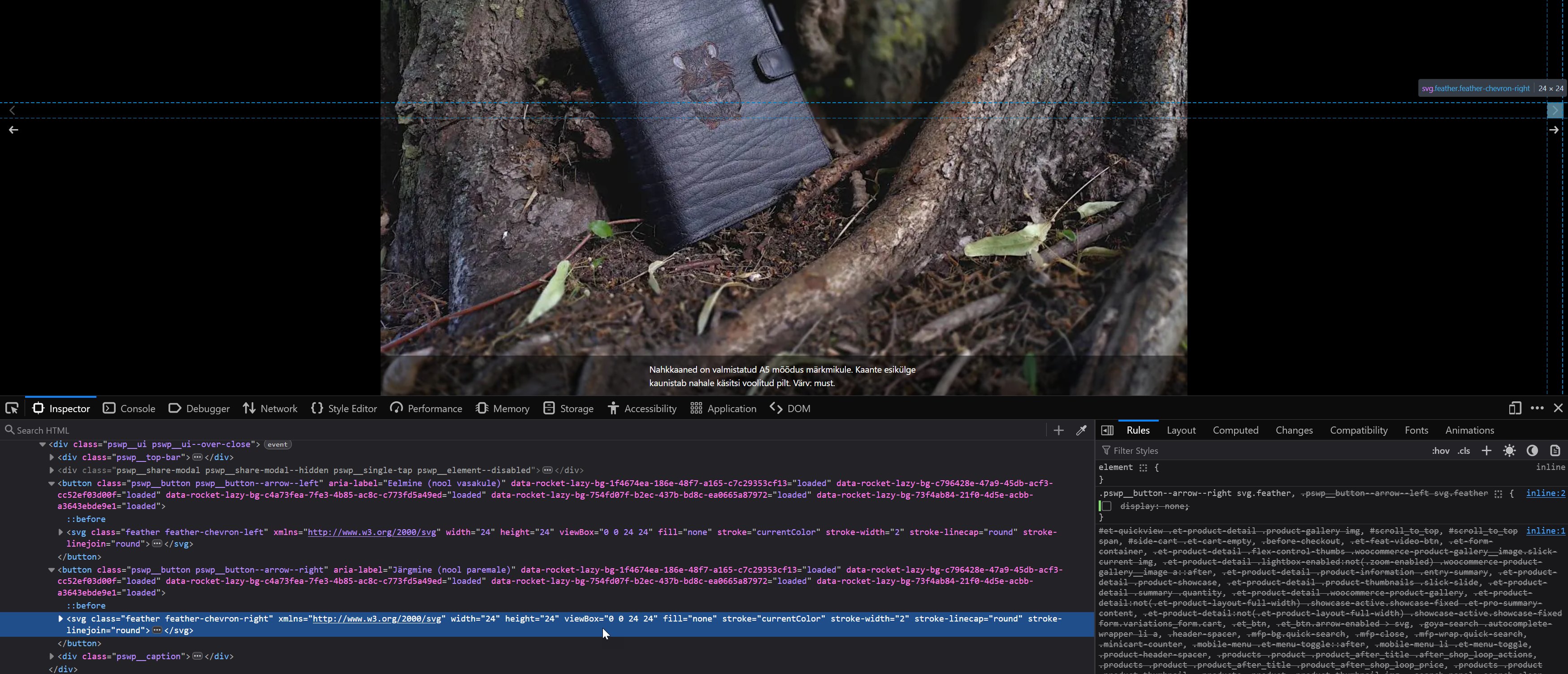
There are also double arrows visible but this is because of my added css to get arrows and for some reason there are two now. I decided two is better than none at that moment and haven’t had a chance to try to fix it.
I must say that I am pretty happy because of those captions there. Might be even better to have them with a title as I usually did on JIG galleries. May be they could stay? But honestly, this is beyond my skills or understanding.
And then there are two galleries down on this page: https :// www . nahakamber . ee/en/leather-goods/leather-belts-straps/
No arrows. I haven’t added any css too to get them back but that wasn’t really the actual solution anyway.
I copied the settings of the JIG from the first site to this one – just to see if I get Woo captions this time too but no luck. For some reason I don’t.
I also reverted to the default option regarding the jQuery options and there’s not much red left in console after that.
Sorry, forgot to mention that on the other site I also don’t get any captions or titles in the galleries too.
So it’s a bit hard to tell as wp rocket is mashing styles together but there is a photoswipe script (in this eample, CSS) both from JIG and Woo: https://i.justifiedgrid.com/srkka0.png But they are not clashing, and therefore not the source of the double arrows. Arrows hide automatically, of there is no images to swipe to (ungrouped single images).
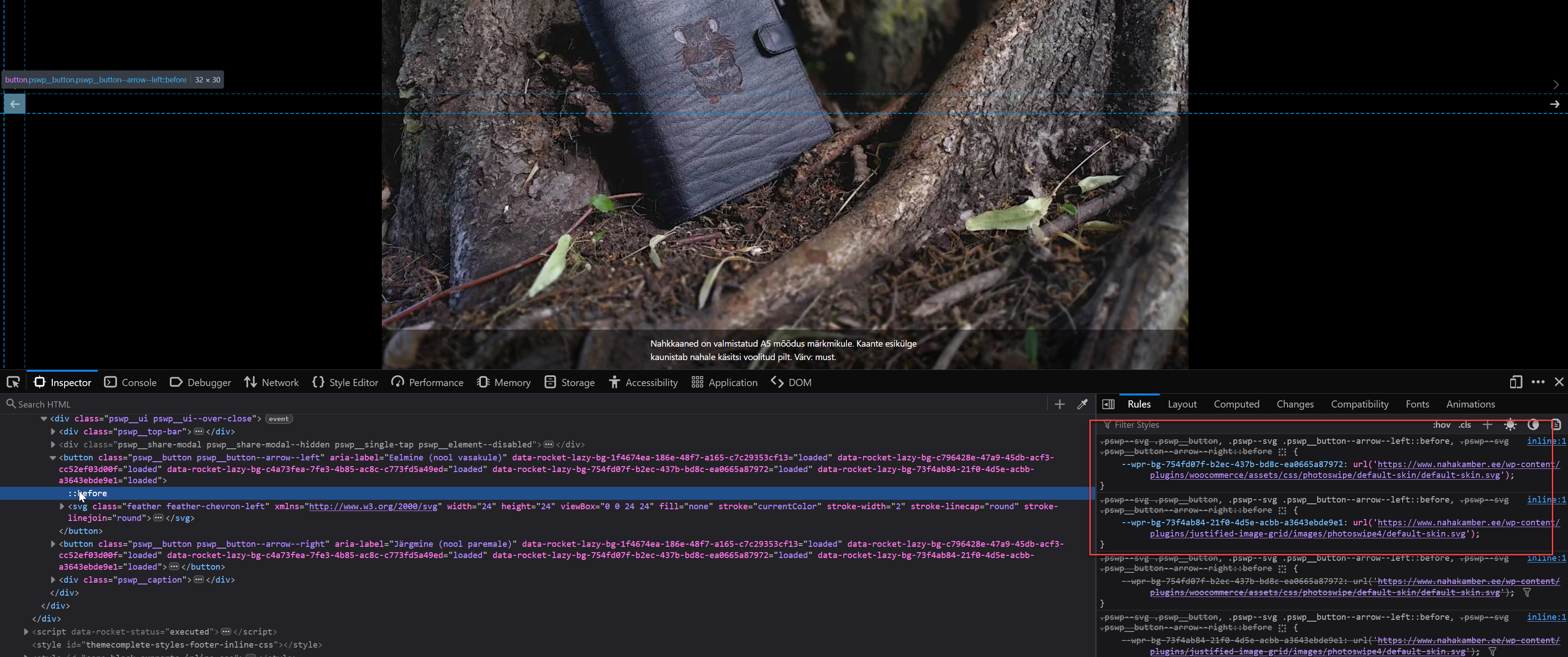
There is an SVG element inside the button ( https://i.justifiedgrid.com/srkkfh.png ), that’s not native behavior at least on JIG’s site the icon is merely placed with the before pseudoelement. In you case it’s redundant and this piece of custom CSS can hide it:
.pswp__button--arrow--right svg.feather, .pswp__button--arrow--left svg.feather {
  display: none;
}
I don’t see any JIG gallery on the page, or lightboxes triggered by click on JIG thumbnails. Both sites have captions in the lightbox. No red in the console either.
Hello Firsh! Hope Your Enjoying Your Holidays. I’m having some trouble with using the Recent Posts as a source. It seems that no matter what I do only a max of 50 images will load in the grid. I’ve changed the number of initial images, images on Load More even set it to infinite scroll – no matter what I chose, only 50 images will load. Don’t know if it makes a difference but I’m only loading posts from a particular taxonomy. Is there a setting to increase the number of images?
Yes! That did it! You are the Man!!
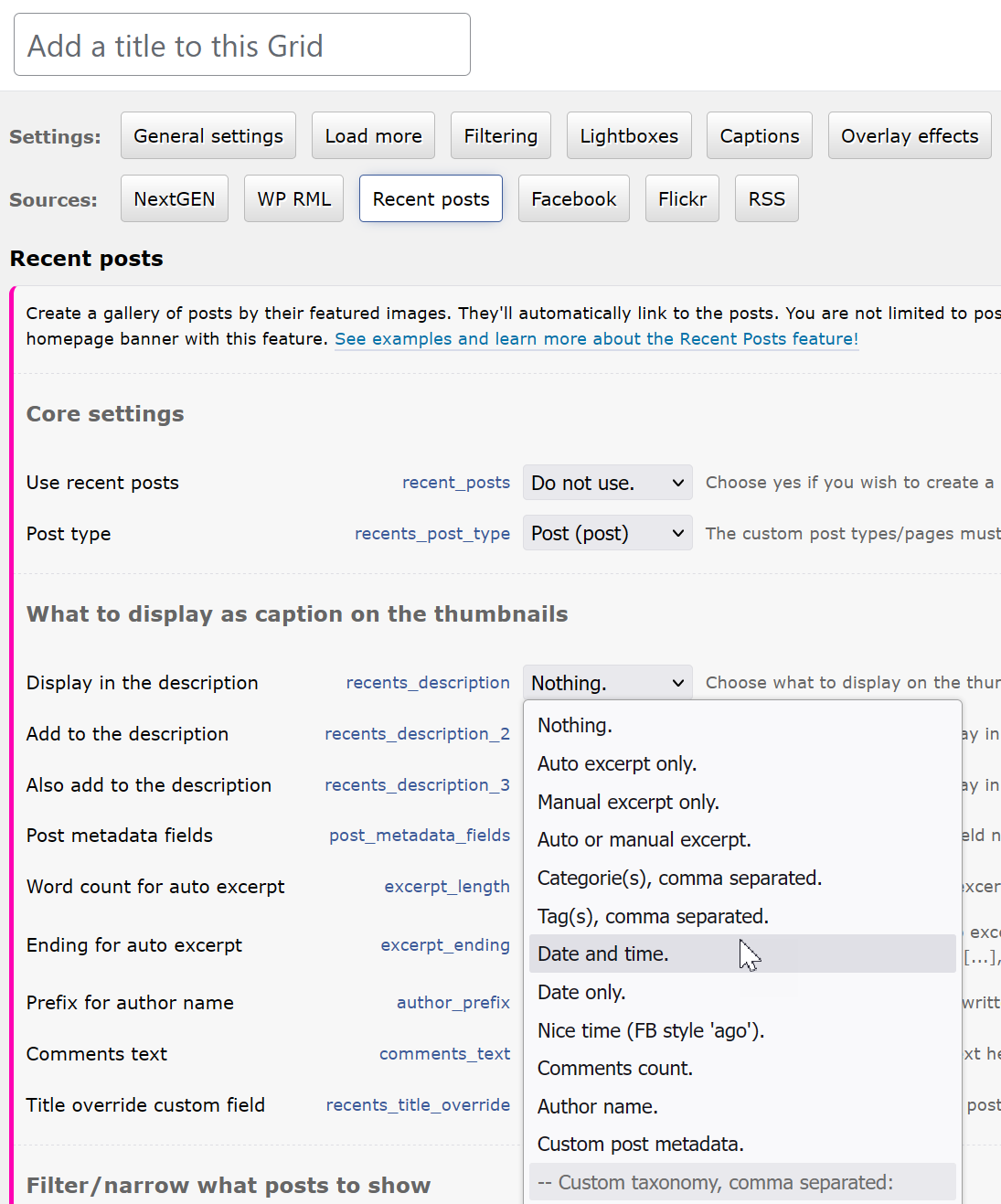
Hi there! I’m creating a “Recent posts” gallery – is there any way to include the published date in below the caption? Thanks for a great plugin!
Hi, yes, under the description settings here: https://i.justifiedgrid.com/so4blw.png there is a bunch of options.
Excellent! Thank you very much!! One last question, I want to have a single column with 4 rows = 4 images, but sometimes I get two images in one row (because they are portrait format and not landscape). Can I force one image per row? Thank you again!!
Several factors influence the automatic layout and currently there is no way to force 1 per row. BUT you can follow this to maximize the chances: https://justifiedgrid.com/support/faq/one-image-per-row-one-column-possible/ and then most of the time it’ll be 1 per row.
Thank you!
Hi. A pre-sale question: does it make a gallery from a local folder ? (and updates automatically if images are added there)
By local folder do you mean just a folder on the server accessed via FTP but otherwise unrelated to WP? A custom PHP script that reads the photos there, their dimensions, and outputs an RSS feed, could help feed JIG. This details the idea: https://justifiedgrid.com/support/faq/is-there-a-way-to-show-external-photos-or-from-an-ftp-folder/
If the local folder is just on your computer, you’d need a cloud service sync like dropbox, and another custom script or a new source feature in JIG to communicate with that but I’m open to suggestions and plan to eventually extend what is offered.
But neither is an out of the box feature.
On my site this plugin is cropping of from the top edge – hence cutting peoples people’s heads- it’s happening on mobile even if I turn cropping to OFF. Problem is that then on other devices image are heavily cropped. If I set to Yes, lock aspect ratio and use 50px minimum row height it then still crops the tops off???
https://christchurchphotographer.co.nzIs there a fix as currently it is not displaying my work as it is and I’ll be loosing customers on mobile devices. No one wants photos with their heads cut off 
Update>>> I moved images around and it seems to just be the order they are in and luck that they render correctly? managed to resolve it kind of. Is there a better fix?
Thanks, -Paul
Hi, if anything, misconfiguration would cause cropping from the sides, not vertically. If the available row height range is small, you’d see very thin thumbnails. Same with enormous thumbnail spacing. I’d recommend setting the latter to be equivalent to the minimum whitespace you have around content on mobile.
Similarly, the order should not matter much unless you are trying to deliberately group portraits together with landscapes on their own row. In either case the grid should figure out an optimum size for them, and yes panoramas would get cropped from the sides.
Unless you use the “aspect ratio” setting, there should only ever be 1-3px technical cropping from the bottom, rarely.
I don’t see anything wrong with your gallery at the moment.
Thank you for getting that security vulnerability handled quickly. You’re a great developer and I appreciate it!!
No problem
Great plugin, but since 29th Aug 2024, there’s been a minor vulnerability which many security plugins are hassling me to patch it, but no update. <= 4.6.1 is vulnerable to Server Side Request Forgery (SSRF)
Will there be a patch soon please? And yes, I’m aware it’s minor, but as I said I get alerts every few hours from my firewalls etc.
The update is out in the auto update system, the file in question has been completetly re-written using WP’s safe functions, can no longer be called directly either. It’s for downloading images.
Thanks, it’s annoying for all even though it’s not really a security issue as you know, but security software calls it as such. Downloading update now. Thanks again.
I doubt anyone would try to use it as an attack vector but better safe than sorry. I tried the alternative method of using the “download” attribute on links but that only works for onsite images so I couldn’t get rid of a server-side solution to reliably make the “download this image” feature viable. But that file received some scrutiny in the past too, this iteration should be superior.