4867 comments found.
Hello! Are background videos in IOS devices already fixed? I have a problem, my theme’s developers do not update and I don’t know If I am up to date

Hi, As mentioned by patrikhim84, there is an issue in version 3.20.1 with the Advanced Tabs element specifically. Right at the bottom of the advanced tabs box, I am getting a few media queries (@media screen and (max-width: 1023px) displaying in the front end. Reverting to 3.20.0 this issue disappears. Thank you.
I found where the issue comes from: wp_kses_post( $op ); replaces echo $op; in ultimate_tab.php but as it sanitizes the entire HTML output, including inline styles and media queries that the page builder adds dynamically, so I am getting media queries from the page builder displaying in the front-end. Can you help?
Hello there,
Thanks for reaching out to us.
Our team has addressed this in a patch version. You can download it here to fix your issue: https://bsf.d.pr/f/yz0gkG
Let me know how it goes.
Best,
Pratik
Hello there,
Hope you’re doing great. FYI, we have released an official update for this. You can check it out in our changelog here: https://ultimate.brainstormforce.com/changelog/
Let me know if you have any questions in the meantime.
Best, Pratik
Thank you!
in the latest version 3.20.1 there is a bug that broke my instagram feed (i use smashbaloon plugin) no bug in 3.20.0
I have placed the feed in an advanced tab
Hello Patrik,
Thanks for reaching out to us.
Could you please open an official support ticket with more details about your setup, here: https://support.brainstormforce.com/
This will allow our team to investigate further and provide your firm insights. Rest assured, our team is always here to help you.
Best,
Hello Patrik,
Thank you for your patience.
Our team has addressed this in a patch version. You can download it here to fix your issue: https://bsf.d.pr/f/yz0gkG
Let me know how it goes.
Best,
Pratik
Thanks a lot Pratik, problem fixed!
Hello Patrik,
I’m glad your problem’s fixed! FYI, we have released an official update for this. You can check it out in our changelog here: https://ultimate.brainstormforce.com/changelog/
Hope that helps.
Best,
Pratik
Hi I got this plugin through The7 theme. I’d like to report a bug. The Interactive Banner 2 Element when you hover over the element to see the Descriptive Text is not working on a tablet in vertical/portrait position. When you hold the tablet sideways it works fine, and it works fine on mobile devices and on desktop. Can you please confirm and let me know if there is a fix? I’m happy to renew my support license as well if needed in order to remedy this, thank you.
Counter for year is start form 2025 to down 2000 .
its here and how i do that ?
Hello!
Where we can read the changelog of the version 3.20.0?
Hello there,
You can find all the change logs related to Ultimate Addons for WPBakery here: https://ultimate.brainstormforce.com/changelog/
Hi! Is the problem with the different weights solved? I’m having the same issue with Koral theme, just changed the font and the different weights are no longer available in Koral panel. Also the developer is not updating the plugin, i’m on 3.19.22. Does the last version support local fonts?
Although I chose DM Sans 500 and 700 I got this url: https://fonts.googleapis.com/css?family=DM+Sans%7CMontserrat%3A700&ver=6.7.2&display=swap
Hello,
The issue has been resolved in version 3.19.23. We recommend updating to the latest version.
If you continue to experience the issue, please contact us through our official support page https://ultimate.brainstormforce.com/support/
Regards
Hello. This plugin have an issue at an element, “Icon box”?
https://themeforest.net/item/impreza-retina-responsive-wordpress-theme/6434280/comments?page=1&filter=all#comment_31300571Submitted a ticket, I have a perpetual license for a year, but now it shows need to activate. Same problem as others have had, endless loop, will not show activated and keeps showing website where it should be activated, but site shows need to activate, etc. Please fix, all details submitted via support for this bug fix that others have also experienced in the last two months. Thank you.
Hello there, We understand your situation with the activation loop. We’re sorry you’re experiencing this issue with your license.
To try and resolve this quickly, could you please attempt the following steps?
First, deregister your license from within Envato. Then, please register the license again. After registering, manually activate the license within the plugin. Finally, please clear your website cache. Sometimes, old data can interfere with the activation process.
If you’re still facing the same problem after trying these steps, please let us know, and we will be in touch soon with a more direct fix tailored to your specific situation.
Thank you for your patience and understanding.
Presales: Do I need the paid version of WPBakery, or does it work without it (Free)/(Bundled in a theme)?
Hello,
To use Ultimate Addons for WPBakery, you need to have an active version of the WPBakery plugin. WPBakery is a paid plugin, but it may be included in a theme bundle, in which case Ultimate Addons for WPBakery would be compatible with it.
I hope this answers your question.
Wishing you a great day!
Hello,
When you create a new Page with the open browser console, add a new Row element, and open its settings, there’s an error message in the console log:
Warning: Undefined array key “default_colorpicker_color” in …/wp-content/plugins/js_composer/include/params/colorpicker/colorpicker.php on line 24
Please advise how to resolve it.
Hello,
Thank you for reaching out and providing the details about the warning message. After reviewing the screenshot you shared, the warning appears to originate from the WP Bakery plugin and not from the Ultimate Addons for WP Bakery.
To help us confirm this, could you please try deactivating the Ultimate Addons for WP Bakery temporarily and check if the warning persists? This will allow us to determine if our plugin is contributing to this issue or if it is solely related to WP Bakery. It would also be helpful if we could get a screen recording of the warning if it’s occurring due to our plugin so that it’ll help us replicate similar steps.
We are happy to provide you with priority support. We request that you please open a support ticket with us ( https://ultimate.brainstormforce.com/support/open-a-ticket/ ), and our team will be able to help resolve this if it’s coming from our plugin.
Looking forward to your feedback so we can assist you further.
Best regards,
Hello,
The issue only replicates with the active Ultimate Addons for WPBakery.
WPBakery version: 8.1 Ultimate Addons for WPBakery version: 3.19.25
Steps to replicate the issue:
- install and activate the “Query Monitor” plugin to track errors
- create a new Page in WordPress
- switch to editing via WPBakery
- open the browser console log
- add a new Row element and open its settings.
There will be an error message in the console log: {key: ‘12bf17eab27a5d663b7d2a7b1a456e60’, type: ‘warning’, message: ‘Undefined array key “default_colorpicker_color”’, file: ‘wp-content/plugins/js_composer/include/params/colorpicker/colorpicker.php’, line: 24, …}
Hello,
This issue has been addressed in the latest WPBakery Page Builder 8.2 update. I’d recommend updating to the latest version, which should resolve the error and remove the warning from your console.
If you need any assistance with the update or have any other questions, feel free to reach out.
Regards
Hi, latest update (3.19.25) causes a php noticed with wp_add_inline_style https://prnt.sc/HFT8dCvQ-HW6
Hi there,
Thank you for bringing this issue to our attention. The PHP notice you’re seeing related to `wp_add_inline_style` is harmless and will not affect the functionality of the plugin or your website. We have identified the issue and have already resolved it. A release to address this notice is scheduled for our upcoming update.
If you have any further questions or concerns, please feel free to reach out!
Best regards,
Hi, in the Freebies.zip file that I downloaded from your dropbox there is not the Astra wordpress theme but King, also the demo data xml file does not download images and other content. This xml file points to urls that no longer exist on your website. Among other things, the King theme does not support php 8.2 and to try to import the demo data I had to downgrade to php 8. However, during the import I receive many errors. It seems an obsolete version of your freebies. I also tried with Astra Free but the situation does not change. Obviously the wordpress installation was reset before each new attempt. What to do?
Good evening, what is the expected timeframe for the release of a corrected version of your freebies? Kind regards
Terrible support. They drown in a glass of water. Two weeks wasted for a very simple operation. I am disappointed and feel cheated.
Hi, you’ve already proven what you can do for me. Fifteen messages from December 25, 2024 to January 21, 2025 to say that “After further investigation and internal discussions, we have decided to discontinue support for the freebies you mentioned. Unfortunately, we will not be releasing any further updates or fixes for this at this time.” What a service! All you had to do was export the promised content from https://ultimate.brainstormforce.com/ and it was all over. Let’s end this story here.
What happened to the row separator? I do not see any options to use it on my ultimate addons
nevermind, i found it, thanks
Hi Team,
We are facing an issue with the Frontend Editor of WPBakery Page Builder (v7.9) and Ultimate Addons for WPBakery Page Builder (v3.19.22) , making Front End Editor Unusable. Our environment is as follows:
PHP Version: 8.1 WordPress Version: 6.6.2 The error we encounter is: Uncaught TypeError: this._addClass is not a function Here is a screenshot of the issue( https://imgur.com/a/2nV0naA ).
Issue Details: WordPress loads jQuery UI v1.13.3 via script-loader.php (default behavior). However, Ultimate Addons for WPBakery subsequently loads jQuery UI v1.11.4, which overwrites the newer version. This leads to a version conflict.
The _addClass method, which is required by jQuery UI Sortable 1.13.3 (e.g. of usage- this._addClass(“ui-sortable”)), was introduced in jQuery UI v1.12.0. As a result, when the older v1.11.4 is loaded, the method is missing, causing the conflict.
Could you please suggest a solution to resolve this version conflict so the Frontend Editor functions correctly?
Thank you for your time and assistance.
Hello there,
Could you kindly open a ticket at our support center so we can investigate the issue and assist you more effectively?
Best regards, Avinash
Before buying I need to know if I I will be able to make that a video can automatically pop up and start playing when the tab is clicked, rather than being embedded within the tab area. Before buying I want to know, is this possible???
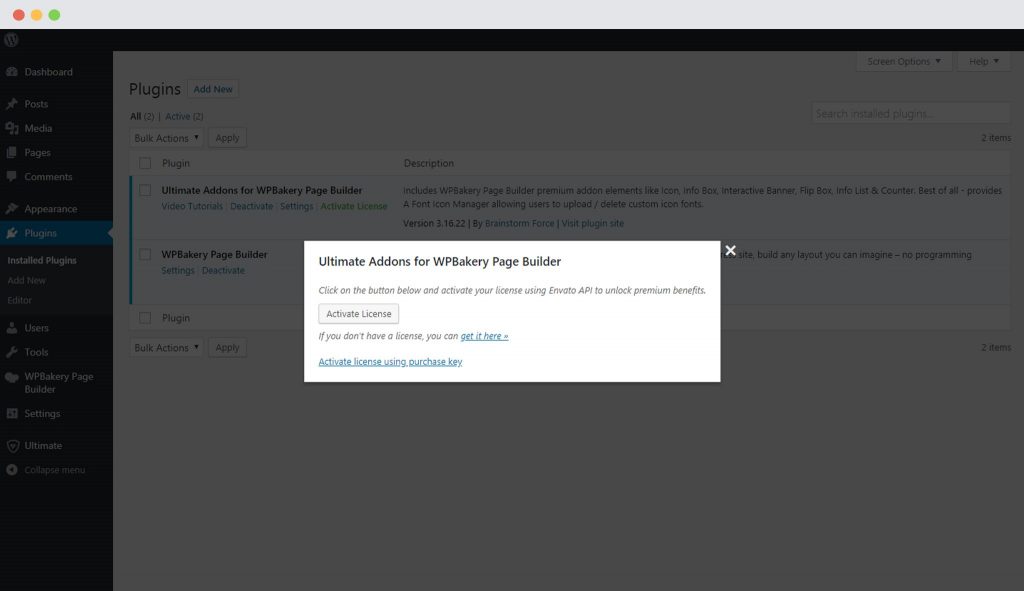
I have used this plugin for years, and am now getting notices that it is not activated. I have tried activating through my envato account but when I sign in, I get a message saying it has already been registered… for the website I am trying to activate on. I have my purchase code (downloaded through my account downloads page) but am not able to see the option to manually input this purchase code as shown on this support page: https://brainstormforce.com/docs/ultimate-addon-license-activation-post-version-3-16-22/ Particularly this image: https://brainstormforce.com/wp-content/uploads/2021/05/Activate-license-with-purchase-key-1024x591-1.jpg
I believe that the interface for the activate popup has been changed to no longer show that manual-input option.
Thanks in advance!
Hello there,
Could you kindly open a ticket at our support center so we can investigate the issue and assist you more effectively?
Best regards, Avinash
I downloaded the plugin from my envato account, I tried to update by uploading the new version via the plugin manager. For other plugins it asks whether I want to replace the old version, but with this plugin it installs a second instance of the plugin. So I have two Ultimate addons for visual composer installed…
When I try to update via the dedicated button it says: Please activate your license to update the plugin. When I sign in to Envato, it says: Already Registered! The purchase key associated with this account is already used on site xxxxx. And the licence is still not activated on my site xxxxx
Hello,
Thanks for writing in!
Could you please open a ticket at our support center so we can investigate further and provide you with better assistance?
Regards,
Abhijeet
Hi. What’s new in the November 2024 update?
Hello,
Thanks for writing in!
You can see the improvements and fixes in the changelog here
Regards,
Abhijeet
The best add on. Thanks team! Escape Room Long Island
Hello,
Thanks for writing in!
Thank you for your kind words! We’re delighted to know you’re enjoying Ultimate Addons for WPBakery Page Builder!
If you have any questions or need assistance with any of our features, feel free to reach out. We’re here to help!
Regards,
Abhijeet