8961 comments found.

Hello, I added this search bar: https://prnt.sc/rNsOFo-8mvwd and want to make the search by tag as key word, but the search result didn’t give anything. I see on the filter setting that the search by product tag is possible by using checkbox, dropdown,.... but in my case i want to make search by the search bar and tags will be used as key word. Please how can fix that?.
Regards.
Hi TidMed
The search bar filter is doing a search by the title, description, and product SKU. But with future updates, we want to extend its abilities in order to search by other parameters.
Best Regards,
- Victor
It looks like a combination of your dropdown and checkbox filters which allows the user to both search for features but also select more than one.
Would you be able to add a filter like this to the plugin? If not, then do you offer customization services? Or is it possible at all to customize the filters in this way?
Hi kayseventeen
Thank you for your interest in the Filter Everything plugin.
Yes, absolutely, you can create this type of filter.
It is a folding filter with checkboxes. You can check it on the demo page at the bottom of the filters on the sidebar – https://demo.filtereverything.pro/product-category/clothing/women/
Here is the screen of it – https://prnt.sc/qIj6opS0XsRF
Best Regards,
- Victor
Hi Victor, much thanks for your response! There is one more feature I’m unable to configure. I’d like to be able to set a limit for the number of selections a user can make. If the user tries to make more than N selections, then the widget is disabled. Is this currently possible?
Hi kayseventeen
Unfortunately, there are no such options. That can be made only with a custom code. And it would be harder than it might look.
Best Regards,
- Victor
Ok, thanks for your feedback. I also noticed that the chips disappear in mobile view. Is this supposed to happen? Is there anything I can do to make them show up?
Hi kayseventeen
It depends on how you set up the plugin. Can you send the link to the page with the issue so we can check it?
Best Regards,
- Victor
Hi there,
We run into different issue with the plugin.
Created a new set of filters for woocormce products and works as expected for the admin user, but we needs to use woocomerce memberships extension https://woo.com/products/woocommerce-memberships/, and the second we login as a member(not admin) we are experiencing issues with filters, it doesn’t filter any products, switching back to admin – works as expected, Can you please advise?
Hi webhelp2
Our plugin does not have any user role restrictions. So in this case it would be best to make a request to the WooCommerce Memberships support team. So they can help you out with this, perhaps they apply some type of restrictions on their side and do not allow you to run certain things. Because the plugin works without logging in at all.
Best Regards,
- Victor
Hi, the filter can combine with categories – subcategory and attribute thanks
Hi yacineamotech
Thank you for your interest in the Filter Everything plugin.
Can you please specify your question? Or it is the statement? Or what do you mean by ” can combine with categories – subcategory and attribute”
You can create a filter by categories, and attributes. If you want to separate categories on subcategories you need to place two filter sets on the page and use include/exclude functionality.
Best Regards,
- Victor
Please show an example, of what you want to achieve with this combined with categories – subcategory and attribute.
The more information you provide in your question the faster we provide an answer.
Best Regards,
- Victor
Hi, category part ( categories ) – subcategory auto part ( categories ) – brand vehicle (attribute ) – model (attribute ) – years (attribute ) Thanks
You can create a filter like here – https://demo.filtereverything.pro/step-by-step-filtering/
Which is:
category (prod taxonomy) – brand (brand taxonomy) – color (attribute) – size (attribute)
But for this “subcategory auto part ( categories )” in order to separate it as another filter, you can create another attribute, so you can create a separate filter from that attribute.
In another case, if you place two filter sets to separate them, your redirection filter might not work correctly together with the second filter set when you hit apply.
Best Regards,
- Victor
I am looking for something like this, but for prestashop. Will you know something like this? 
Hi pablof
Thank you for your interest in the Filter Everything plugin.
Can you specify your question? Because we are absolutely confused about what are you talking about.
Best Regards,
- Victor
Do you plan to, or know of any plugin that works like yours (because it’s great!) but on Prestashop?
Ah, now it is understandable. Not at the moment, but perhaps in the future we might extend platforms, so it will be available not only for WordPress.
Best Regards,
- Victor
Hi, I have a problem with the plugin. I want to filter products by tag on product archive page. The problem is that the code printed in the products archive page is empty.
<div class="wpc-custom-selected-terms">
<ul class="wpc-filter-chips-list wpc-filter-chips--1 wpc-filter-chips- wpc-empty-chips-container" data-set="" data-setcount="-1">
</ul></div>
Can you tell me why? Thank you.
Hi timmytag
Thank you for choosing Filter Everything PRO.
Can you please send the credentials to the wp-admin dashboard following this document so we can check it?
Also, please send the link to the page with the issue, so we can check it right away.
Best Regards,
- Victor
Hi, I have already sent the credentials. I wait for your reply.
Hi timmytag
We have checked the site and you have problems with your site settings or some plugin conflicts. In general, the console shows a 502 error when AJAX tries to make a request to the server and get the list of available queries on your page – https://prnt.sc/eCUvcvPlxI5s
You need to fix this issue, and then everything should work normally.
Best Regards,
- Victor
Hi, Error 502 occurs when the “Query Monitor” plugin is activated. I installed that plugin because you recommended it in your document. If the plugin is not active the error does not occur. Even without the error the tag filter doesn’t work. Can you verify please?
Hi timmytag
Pretty weird behavior, usually this plugin does not cause any issues. In any case, we placed the filter widget on your shop page via the widget area. From customization settings. And everything is working. You just didn’t place any widget pr shotcode in order to display a filter set on your pages.
Best Regards,
- Victor
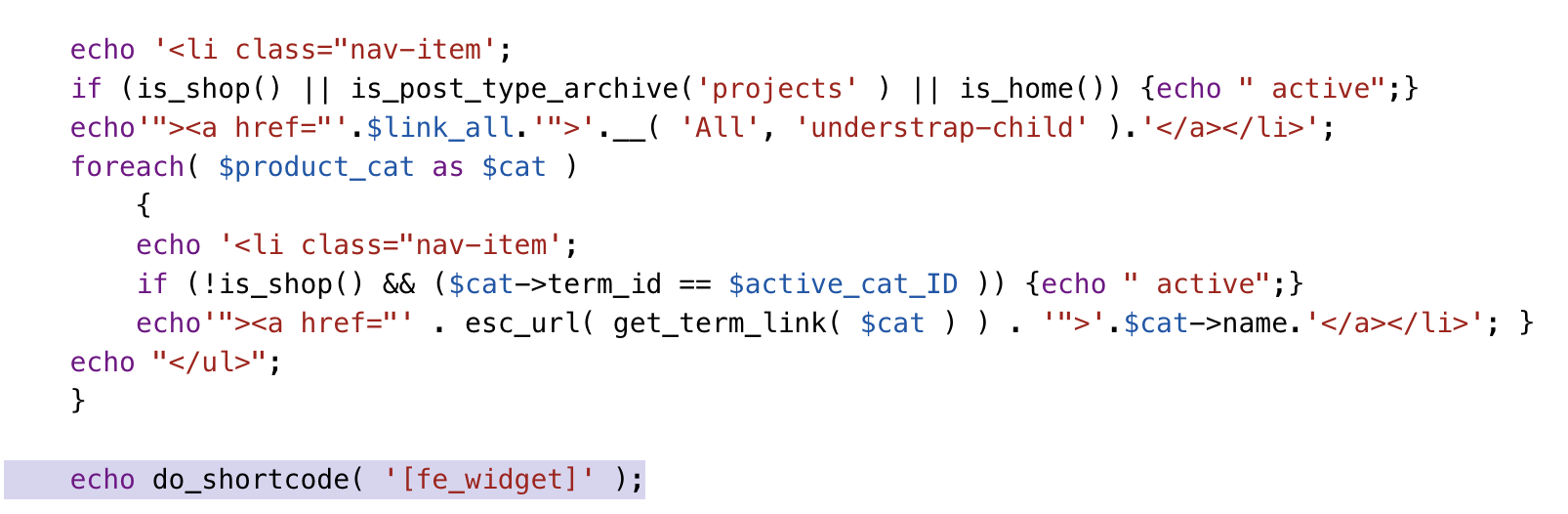
Hi, thanks for the support. I have another problem. I inserted the shortcode echo do_shortcode( '[fe_widget]' );
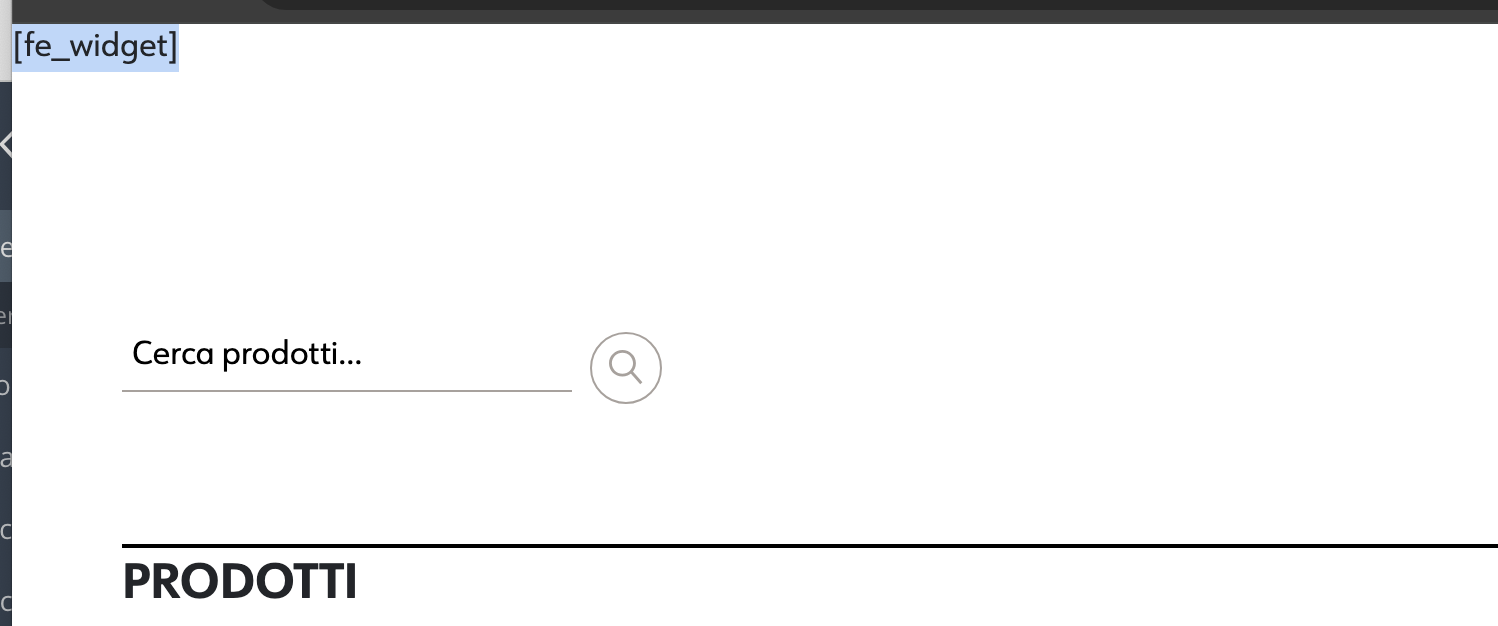
into the custom php page. But it doesn’t work. The following string is printed in the front end [fe_widget]. Can you tell me why? Thank you.
Hi timmytag
The code:
echo do_shortcode('[fe_widget]');
should work fine and display the filter widget, maybe you turned off the filter everything plugin? Can you send the link to the page with the issue so we can check it?
Best Regards,
- Victor
Hi, the plugin is active. You can see the issue in these images. Active plugin: https://www.timmytag.it/img/plugin.png Php code: https://www.timmytag.it/img/shortcode.png Front end: https://www.timmytag.it/img/front-end.png
Can you help me please?
Hi timmytag
Maybe this template does not have a footer() or scripts are not loading on it. The pictures won’t give us any information, we need to have a link to the page so we can check it, and if it won’t help then we need credentials to the wp-admin dashboard following this document so we can check it.
Best Regards,
- Victor
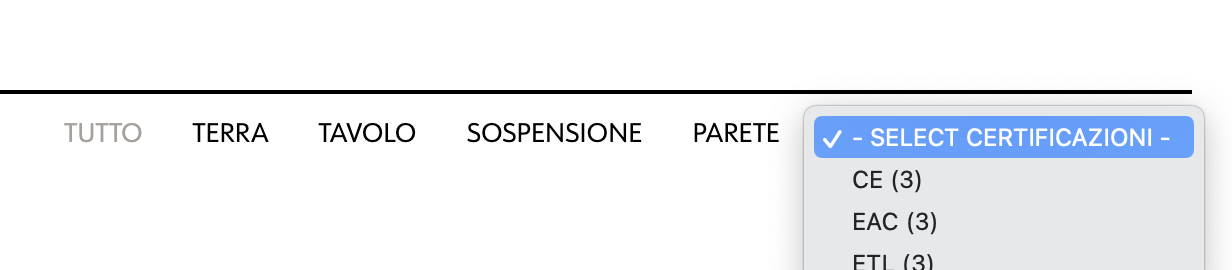
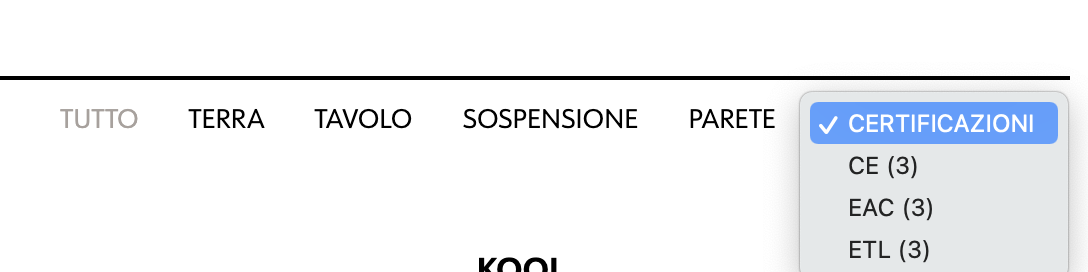
Hi thanks for the support. I solved the problem with the shortcode. A last question. Can you tell me how to remove the default ”-” and “select” characters from the drop-down menu? I would like to display only the filter title (in this case “Certificazioni”). See attached images please.
I currently have this result: https://www.timmytag.it/img/current-result.png I would like to get this: https://www.timmytag.it/img/desired-result.pngI’m waiting for a response. Tnahks
Hi timmytag
You can check instructions for that on this demo FAQ page – https://test.filtereverything.pro/fe_faq_test_mode/5403/
Best Regards,
- Victor
Dear Team, I would like to implement Length, Width and Height based filter for my woocommerce website. i have created the page called filter by size and added the short code. I also created the filter set using the info mentioned here: https://demo.filtereverything.pro/example/by-length-width-height/. Filter options are showing, but when i enter some numbers and search, it’s not bringing any matched product in my “Filter By Size” Page. Am i doing anything wrong here. It’s very urgent.
Hi donowglobal
Thank you for choosing Filter Everything PRO.
Perhaps the issue here is that you didn’t choose the correct query from the filter set settings, in the “And what to filter” dropdown.
Try to clean the cache as well.
If it won’t help, you can send the credentials to the wp-admin dashboard following this document so we can check it.
Best Regards,
- Victor
ok, may i know what option do i need to select in”And what to filter” dropdown for my use case.
You have to test them all manually, in order to understand which one is responsible for displaying your products.
Best Regards,
- Victor
is there a limit on how many filters can be loaded?
Hi harryubuntuuber
Thank you for choosing Filter Everything PRO.
No, there are no limits, the only limit is your server hardware.
Best Regards,
- Victor
Hi there, first of all, thanks for develop this plugin. I have a question, I need to filter by Image custom taxonomies, the default options are for Posts, Pages and Products, how can I add the images to it recognize my custom taxonomies?. Thanks in advance.
Hi javorodba
Thank you for choosing Filter Everything PRO.
You cannot filter taxonomies, you can filter posts that are applied to your taxonomies. Perhaps we didn’t understand what you want to achieve. Can you please provide additional information on it?
Best Regards,
- Victor
Hi, thanks for the reply. Yeah, I understand. What I mean is, I already created the filters pointing to my media custom taxonomies but it throws this error “This filter is inactive because it is not related to the selected post type.”, Its a way to fix it to filter the attachments. (what Im working on is on a media gallery website)
If you have a “media custom taxonomies” you should have a CPT “media”, (same as “posts” have taxonomy “category”) which you should choose in the “Post Type to filter” inside the filter set, and then choose from the “Where to filter” either a page or taxonomy page where you want to display filter widget, and your media posts should be displayed via WP_Query.
Just a bit confusing with the realization of your taxonomy if you do not have CPT.
You can send the credentials to the wp-admin dashboard following this document with all of the instructions how you created it, so we can check it.
Best Regards,
- Victor
Thanks Victor, yeah , but my Post Type in this case is ‘attachment’. Im managing the media default by Wordpress. So I have the taxonomies assignated to the Media.
Hi javorodba
The plugin has this function below in its code that is responsible for hiding certain post types from filtering:
add_filter( 'wpc_filter_post_types', 'flrt_exclude_post_types' );
if( ! function_exists('flrt_exclude_post_types') ) {
    function flrt_exclude_post_types($post_types)
    {

        $post_types = array(
            FLRT_FILTERS_POST_TYPE,
            FLRT_FILTERS_SET_POST_TYPE,
            'attachment',
            'elementor_library',
            'e-landing-page',
            'jet-smart-filters',
            'ct_template'
        );

        return $post_types;
    }
}
As you see it has a list of all hidden post types from filtering. You need to write your own function where the ‘attachment’ is removed from the list and put it on the ‘wpc_filter_post_types’ hook.
Best Regards,
- Victor
Hi, correct me if Im wrong:
add_filter(‘wpc_filter_post_types’, ‘customize_hidden_post_types’);
if (!function_exists(‘customize_hidden_post_types’)) { function customize_hidden_post_types($post_types) { $index = array_search(‘attachment’, $post_types); if ($index !== false) { unset($post_types[$index]); } return $post_types; } }
But it still throws me the same error in the filters: “This filter is inactive because it is not related to the selected post type.”.
Thanks in advance for the support.
Hi javorodba
With the last updates of the WP, perhaps you would need to create it as a mu-plugin for that.
And all you need to do is to remove ‘attachment’ from the code, so it won’t hide it anymore.
Best Regards,
- Victor
Hi Victor, Now it shows the items, but it appears with 0 in the counter, so it dont show anything.
Hi javorodba
Did you choose the correct query in the filter set setting in the “And what to filter” dropdown? Try to choose another one and hit update.
Best Regards,
- Victor
HI! I saw a comment about filtering posts that do not have a category. For instance, hide food menu items with a specific allergenic. Can’t find if this has been implemented or not. Thank you! Great plugin!
Hi Nettek
There is no filtering that will remove posts with certain data in custom fields or in attributes… But with future updates, it should be added.
Right now you can create a filter to show products that have certain attributes on the custom field data.
So you can make a filter with products that do not contain any allergenic and show them.
Best Regards,
- Victor
Hello, Please where can i find the filter ID, i need to specify it on the shortcode here: https://prnt.sc/B3CAdWDyp_Ac Regards.
Hi TidMed
You do not need to specify the filter ID in the shortcode. It won’t display the needed filter in that place.
The ID was created for the manual display order. But now you can use the priority in the filter set settings in order to choose which filter set will be displayed first, the one with higher priority will be the first one.
While diting the filter set, you can see the ID in the URL.
Best Regards,
- Victor
It’s ok i manage it by putting a priority. Thanks
How can I get a refund of the plugin?
Unfortunately we use Permalink Manager to replicate the Magento URL structures we are migrating from. One of th eproblems is this:
Now the filter’s URL looks like his: https://test.artbox.ro/hartie-pictura-si-desen.html?pwb-brand-filter=artboxWith your plugin installed it would look like this
https://test.artbox.ro/hartie-pictura-si-desen.html/pwb-brand-filter=artboxHi soaneanicolae
Thank you for choosing Filter Everything PRO.
To turn off user friendly permalink manager in our plugin you can use this code:
define( 'FLRT_PERMALINKS_ENABLED', false );
In general, you can make a refund request from the account with the appropriate form and wait for a response (a week or two). Please note that the support team does not work with refunds.
Best Regards,
- Victor
It is asking for liecense to make changes but I’m redesigning my website and in testing environment, it does not allow me to do changes. help me so I can use it on my live website while I make some changes on testing environment.
Hi achi1
Can you please provide a bit more structured information on the issue? Do you need us to deactivate the license key across all of the sites? So you can activate it on the needed ones. Or what is the case? Right now it is looking a bit confusing.
To make changes you need to activate the plugin if it is locked. You have the abilityt to activate the license on two sites.
Best Regards,
- Victor
Hi I just bought a new licence key for my project but when i put it in it says : Invalid license key. Please enter correct license key.
The plugin seems to be locked, what do i need to do?
Hi qoqmedia
Please check the instructions on how to get the license key here – https://filtereverything.pro/resources/license-key-issues/#how_to_get_the_license_key
It looks like you are using the purchase code.
Best Regards,
- Victor
Hello,
I was wondering if I can change the background color of the opened popup filter widget.
Please let me know,
Best regards,
Simon
Hi simager1
Yes, of course, you can change it. To find the needed classes you can use browser tools and inspect the needed elements on the page. Then go to the filters -> settings -> experimental -> custom CSS and write the needed styles to those classes like background color etc.
Best Regards,
- Victor
Hello! Loving the plugin so far. I have 2 questions.
1. I have my filters displayed as dropdowns. Can it be set to only expand 1 dropdown at a time? For example, on my site, if I have expanded States and then expand Scene, States should collapse. I’d like to only allow 1 dropdown to be expanded at a time.
2. Search field. Only searches by post type. I would like it to also search by my 2 ACF fields (States, Scene) and also by my Woocommerce product tags.
Here is the URL to my website for reference: https://cgiaerialstock.wpengine.com/
Thanks!
Hi ksansone1
Thank you for choosing Filter Everything PRO.
1) Currently we do not have the dropdowns with checkboxes. Those are the custom styling. Following the CodeCanyon support policy we do not provide support on customized things. Only on the original that was provided with the plugin.
But in order to make it work you should write custom JS code, that should remove the open class from all of the dropdowns in which way you created this checkboxes dropdown.
2) The search is searching only by the title, description, and product SKU. But we are planning to expand those searching abilities in the future.
Best Regards,
- Victor
Hello Victor! Thanks for the quick response.
For #1 – I didn’t actually customize those dropdowns. I set View in Widget as checkboxes and clicked the box for Folding and it gave me a dropdown with checkboxes. The only customizing I did was use some CSS to display as a grid with 3 columns. Will you still not be able to provide support on that?
For #2 – Ok understood – thank you!
But the thing is that by default, it is working like a folding menu. There is no option in the plugin settings that you can enable to close all of the other menus and open just one. This still should be written by the custom JS code. It should be pretty easy, as it adds “wpc-closed” and “wpc-opened” classes.
So the code should check the folding elements, make them all “close”, and only on the clicked element apply the “open” class.
If this is something that is not included in the default plugin functionality we cannot help with it, we can only provide information that might help you.
Best Regards,
- Victor
Ok I see. Thank you for the guidance. I appreciate it!
Hi Victor,
I have an acf custom field that is a relationship with another post type. I have it set up to filter by the acf custom field (meta-field: services_relationship), but it is currently showing the ID of the services relationship and I need the filter to show the post_title instead of the ID. How do I configure that?
Never mind! I found a suitable solution using this filter:
ACF field is post object – https://gist.github.com/wpserve/a9a58cb8a37be1472ded53296147cc56Thank you!
Hi jesscloudcreations
Thank you for choosing Filter Everything PRO.
We are glad to hear that the issue was resolved. Thank you for sharing with others how it can be resolved. Great Job!
Best Regards,
- Victor
Good morning,
Following our previous discussions, I put my new pages and templates online and I admit to having had some problems.
Indeed, Ajax no longer seems to work (I deactivated it) and for the “Promotions” and “New items” pages, I had to manually add the responsive menu as a shortcode because it did not appear on Mobile.
Would it be possible to check, reactivate and explain to me why suddenly Ajax no longer worked once the Elementor templates were put online? You still have the same access to my website: https://www.leshautsplateaux.ch/
Many thanks in advance
Hi vanni2600
Let’s start from the basic stuff. First of all, you have a cache plugin, which you installed on your site. Thus you need to learn how to work with cache plugins, how to configure them, and what type of issues they may bring to you. Especially when we are talking about filtering.
Clearing the cache and updating the filter set did the trick and everything started filtering. Previously it wasn’t filtering at all.
Secondly, from the previous conversation:We have set with Elementor template editor ID on the products container with pagination ”product_container_ajax_fe” and added this ID to the filter set settings “HTML id or class …” input. Everything is working.
Seems like you deleted it there are no IDs with “product_container_ajax_fe” anymore in your template, so you need to add your own class or ID on the container that have inside products and pagination, so both will be updated, but do not need to update the full page, just container that has products and pagination and nothing more, filter widget should not be included there.
This is the abstract concept – https://prnt.sc/eYwWr6FgFYKf to show the type of container class you should use in order to update your products and pagination.
Use Elementor to apply your class and use it in the filter set settings in the “HTML class or ID …” input field. The class should be written like this .myclass id like this #myid. So if you set a class on your container ajax_update_test then you need to place it in the “HTML class or ID …” input field .ajax_update_test
So the issue is if you update templates, or create new ones you should add some class on the container that has products and paginations and specify it in the filter set settings. Clear the cache or configure it in the correct way so it won’t cause any issues.
Best Regards,
- Victor
Hi xamos13
Thank you for choosing Filter Everything PRO.
To create a filter on Sale Status, you need to choose (Custom Field Exists) and use meta key _sale_price
If you get the wrong count of products with On sale status (more than expected) you can run this query in your DB, BUT MAKE SURE YOU CREATED DATABASE BACKUP BEFORE IT, and instead of q370_ use your database prefix
DELETE FROM `q370_postmeta` WHERE `meta_key` = '_sale_price' AND `meta_value` = ''
Best Regards,
- Victor
That worked thanks VIctor. How can I load it on top of products for mobile?
Hi xamos13
Can you please provide more information on “How can I load it on top of products for mobile?” load what?
Best Regards,
- Victor
I want to have the filters widget showing on top of the products on mobile. It is better for UX. Currently it loads underneath the products along with the rest of the woocomerce sidebar. I have selected “Try to move the sidebar to the top on mobile devices” from your settings but it doesn’t seem to work. Any other suggestions?
Well, the suggestion here is easy, change the place where the widget area is appearing on your pages in mobile mode. Your theme template makes it appear at the bottom of your page so you need to change that.
If you are using any premium theme we would recommend making a request to the theme support and asking them how you can change it. If it is a custom then simply change the place where it will appear on the mobile. Unfortunately, this is not connected with the plugin and its functionality.
Best Regards,
- Victor
Okay thanks Victor. Regarding the db query do I need to run it again in the future? Or the issue is now resolved for new products as well?
This issue appears more likely because of the product importing, and this importing adds/creates fields that should not be there by default when you create a product with Woo.
Best Regards,
- Victor
My developer has advised to run the DELETE query after each Product Set update is complete. I would want to do that ideally. His comment was also the below: “This is the first time I have ever heard of this issue. Adding an empty sale price field has never been an issue in the past. My guess is that the “Filter Everything” plugin needs to take into consideration that some postmeta values might be empty and that it must handle those situations in their code.” Would you be able to look into that?
Hi xamos13
Yes, in future updates, this problem should be resolved.
Best Regards,
- Victor
Thanks Victor, when do you expect the new update to be rolled out?
Hi xamos13
Unfortunately, we do not have an exact date when it will be released. But we can notify you here in this comment thread right when it will be released.
Best Regards,
- Victor
Hi I’m trying to make this work when using Bricks Builder, and it looks like it is “kind of working” as it does try to filter when I use it, but it looks like the count and the number of items on the page does not match and some of the categories I have “included” are not shown
Also when I try to edit the template after in Bricks Builder it say: Invalid content type. If I then deactivate the plugin I can open the template again and see the shortcode…
Hi TheFOX
Can you please send the credentials to the wp-admin dashboard following this document so we can check it?
Also, please send all of the links to the page with the issue and instructions on how we can recreate this issue. So we can check it ASAP.
Best Regards,
- Victor
Hi Viktor – I have added a staging site and sent you the credientials
Note the filter has been added on this page: /mystage/models/Across/
it is NOT yet on the default shoppage, should I add it there for you ?
We have checked the site, is there are reason why when we try to edit this page – /mystage/models/across/ with Bricks it gives us this error – https://prnt.sc/ZN-zTajowWG0
Best Regards,
- Victor
Yes I noticed that, but the problem is that it works when I disable the “Filter Everything” plugin so I guess it insert something that is not working in the Bricks Builder.. the shortcode is just added using the Bricks Builder shortcode block… does this mean I need to ask Bricks Builder Dev ?
Hi TheFOX
We changed the URL prefixes for another one with the addition of fe_ and you can edit the page with the Bricks Builder.
The issue here is more likely in your realization of those product cards. We set it with the simple products element on a page, and everything is working. You can check it from the filter set settings on which page we placed it.
Is that a custom product card realization? Or where and how we can see that element?
Best Regards,
- Victor
Hi Victor I’m still having problems with the plugin. It show me the “main Query” + 33 other queries and I have tested each one and I cant get it to sort the result. The filter looks ok when I select the “main Query” and it show the number of items in the categories, but the result in the list does not match… it show a lot more products.
I have created a new staging site and tested a lot.
Yes it is the same error we get that you show on the screendump. But it is strange as it is only one one of the templates. We have 4 different templates – 1 for each “main product group”... I have sent you credentials to the lastes staging site… Hope you can look at it…
Hi TheFOX
The issue with the error is that you used the URL prefix for the filter that is already used on the site, so from the Filters -> Settings -> URL Prefixes you can change them all for the unique ones as we did and it will work without errors.
It is just the realization of the page like on those page builders that they use WP_Query for everything. And you see, for each product query, and for each menu, etc.
The issue lies in the “product cards” and how it was created. Because with product elements everything is working well, even though it is also showing 30+ queries on the page.
Best Regards,
- Victor
Hi Victor
Thanks for your reply … I will try to change the product card and see if it helps… Is there really no easy way to see which Query belong to the page you are on when using a pagebuilder ?
No, unfortunately, there is no easy way for that. From the filter set settings, you can see all of the queries on the page.
Best Regards,
- Victor

This item was featured on CodeCanyon

Elite Author
Contact the Envato Market Help Team