8473 comments found.

There seems to a problem with either how this plugin connects to Flickr or the Flickr API itself.
All pages of my site that uses the plugin will not load at all. I get the SSL error only on the Flickr settings page when I click my username. I also have to be on php7.4 for the error to show, it will not show on 8.0 or greater.
There are other users having the same problem….
https://www.flickr.com/groups/api/discuss/72157721920476990/ , https://www.flickr.com/help/forum/en-us/72157722636253334/ , The JIG website is also having the same problem. https://justifiedgrid.com/sources/flickr/albums-photosets/Flickr made an API change which caused the issues. They have rolled back the change.
https://www.flickr.com/groups/api/discuss/72157721920476990/72157721920479756/Would be nice to hear from them if this was a hiccup or they plan to make the change live eventually. Thanks for letting me know.
help please i have this error: SSL certificate problem, verify that the CA cert is OK
General settings -> Advanced section -> SSL verify peer: No
No working 
This is a different error, please concat me from my profile, I’ll need to log in and sort it out
Hi,
Siteground hosting is detecting malware in the core file of this plugin when trying to update to the latest version. I cannot complete activation due to this issue.
“justified-image-grid-core.php”
Are you guys aware of this?
What kind of malware code exactly, what does it say? You could download the installable file from here and manually reinstall (upgrade), your settings will not be lost.
Doesn’t say but I was able to upload it on the sitegrounds file manager just fine. Seems to be a false positive on their end when uploading via FTP or Wordpress
I’m also getting this error with Flickr
error: SSL certificate problem, verify that the CA cert is OK
seems to be an issue on Flickr’s end
Flickr has corrected the issue
Did they (SG) point out which file they had problem with? Just the plugin as a whole?
may be a support question, let me know! am wondering if there is a way to change the load more buttons, once loaded, to close, to close the gallery back to initial specified gallery rows prior to load more? I have 5 galleries on one page and would be great if an already viewed gallery could close. Clear as mud  ?
?
It’s clear but I’ve never seen that pattern before. I think it would be better if the possibly long-winding galleries were in tabs or better, on separate pages.
Technically there would be a way, but it’s not currently a feature.
Can you show me how you use it at the moment?
Firsh, Hope you are doing well. I, once again have a very specific situation I hope you can help with, but before I go any further, does JIG have the capability to create a search form for images? And then to have the user Search and Display images by keywords in Titles or excerpts or alt_text or even by taxonomies? I haven’t noticed or am I just missing it?
Not yet but that functionality is something I definitely want to add eventually but it will require a differently written frontend for the plugin.
OK, then I’m just going to ask and hope you have some input. I can create a search form using Media Library Assistant with the MLA shortcode. Works fine. The problem is I also use Real Media Library and the RML shortcut feature where you can create multiple instances of the same image in more than 1 gallery. The results of the search are bringing up those mutiple instances and the same image is being displayed more than once in those results. Is there anything in JIG that would limit the results to just 1 image?
Sure, this snippet will deduplicate shown images:
add_filter('jig_images', 'deduplicate_jig_images', 10, 2);

function deduplicate_jig_images($images, $atts)
{
    $unique_images = array(); // Associative array to store unique images based on URL

    // Loop through images to deduplicate based on URL
    foreach ($images as $image) {
        $url = $image['url'];

        // Check if URL already exists, if not, add to unique_images array
        if (!isset($unique_images[$url])) {
            $unique_images[$url] = $image;
        }
    }

    // Re-index the array to remove keys and get a sequential array
    $images = array_values($unique_images);

    return $images;
}
I tested it by creating one RML folder with an image, and making a copy of the image right next to it (RML shortcut feature). With the snippet active, only 1 image shows in a grid.
I use this plugin for snippets: https://wordpress.org/plugins/code-snippets/
If your JIG-based search results page gallery has any distinguishing attribute in the shortcode, the code could be restricted (so it does not try to deduplicate other grids).
WoW! Ok Thanks! I’ll give that a try. Can I just add that to my functions.php or do i need that plugin?
Never mind – Just tried it out and it works great! Thanks Again!
No problem! If you want a sneak peek of what I aim to do with JIG search in the future, check out the site of my dad: https://balvanyoshuba.hu/kereso/?szerelem/kepek/ (try deleting last letters of the search word and see the results update in real time + there are some filters) That’s a sitewide search from thousands of images, indexed by Algolia.
I sure will. I honestly look forward to your updates.Take Care!
Looks really cool! Of course I’m having to translate to English, but still looks like I’m getting relevant results – (sorry art is not my expertise). Is this something that is going to be added to JIG in the near future? And looking at the pricing of the search engine it doesn’t look very inexpensive.
There is a good free tier but yeah this is a paid service generally. There are other ways, other providers, this was just a proof of concept / tech demo. No ETA, not near future, but it’s the direction I’m aiming for with all the new stuff I’ve been learning. Search-as-you-type could simply look at just images in the grid, query the database, or use an index that the plugin could create. For Algolia, I also needed to direct the indexing, they “just” provide the raw power and the algorithms to use on the indexed data.
Some static sites use search in a way that the entire site’s index (just texual data fragments) gets downloaded behind the scenes when you want to search (could be as large as an image), and the result is a similar instant search, so there are free ways too.
I’ve always wanted to add a “Search as you Type” feature to my site. As it stands with the default Wordpress Search, if they misspell what they are searching for, 0 results are returned so they go away thinking the content isn’t there. And since you brought up “new stuff” I’m just going to ask about the updating of the Lightboxes. If I’m not mistaken, PrettyPhoto and Photoswipe have been updated. Are they updated in JIG as well? One of the Lightboxes has the ability to display an image’s description next to it instead of below it and I would really like to be able to do that.
I don’t think prettyPhoto is being maintained anymore. PhotoSwipe is, but its new version removes a lot of stuff that JIG users need, but perhaps I’ll add it an option and not a replacement of the current PS version. It’s way more minimal, but I haven’t see text-on-the-side.
What I envisioned is to have “slide the rows apart” lightbox that is not a layer covering the entire site, just an element that happens to be large enough to fill your screen. At some point Google Image Search used to be a bit like that. So that would be a custom lightbox alternative where I control the layout (instead of a 3rd party lightbox) and that could use text and other annotations like EXIF on the side.
Well I am looking forward to any updates you put in JIG.
Oh, and just throwing this out there, if you need any “testing” of anything I’m more than happy to help out.
Thank you
Hi, I’m new to working with the filtering option and I have a question – is it possible to have a gallery of lots of images, but have the default/initial view be one of the available filters, not “all photos”? IE the gallery is all fruits, and the filters would be “all, apples, bananas, pears, peaches” etc, but I want the page to initially load with only bananas showing. Is that a possibility that I’m just missing?
This is not (yet) a setting.
If you were to drop the “All” button it would default to the first one.
Otherwise, with some custom JS it’s possible to trigger a click on the filter you need on page load, as if the page selected that automatically for the visitor. JIG settings, General tab, Custom JS, you could add something like:
jQuery(document).ready(function() {
    jQuery('[data-filter-slug="bananas"]').click();
});
Good to know, thank you!
JIG is only displaying the first images uploaded to my WP gallery. Images added later are not appearing, even when dragged to the beginning of the gallery. Is there a hidden max image count? When I disable JIG, all images display in the default WP gallery just fine.
I have tried: - Turning off Load More - Turning off filtering - Purging caches - Seeing if mobile & desktop are different (they are not) - Setting “Limit image count” to 0 and to empty - Testing the missing images in a separate (smaller) gallery to ensure the images themselves are not the problem - Making sure JIG is up to date (I’m on 4.5) - Turning off error-checking (no empty spaces) - Making sure there are no special characters in the filenames
Without seeing it live I can’t tell, but maybe the “max rows” setting?
Check your global settings and as well as the grid’s own settings.
Thank you for your reply. ‘Max Rows’ is empty when I look at the General Settings Tab for JIG. I don’t have a specific grid created – I just use the regular WordPress Gallery feature. Does that make a difference? This is the link, if that helps at all: https://www.liferemembered.me/extended-portfolio/
I see a limit of 50 but it’s likely for the load more feature. You got 144 images, is there supposed to be more?
In W3 total cache, your pages are cached, and if you use JIG in a way that it’s suppsoed to “auto catch” new stuff (for example via a shortcode using category/tag) but you are not actually changing or updating the shortcode on such page, then you’ll see stale page from the cache (usually when logged out). So it will not detect that the page cache should be purged just because of new images in the media library.
If you use the “auto take over” feature then your page content does change, so it’s less likely to be due to stale cache.
I have a JIG gallery on my homepage with a single photo for ‘Event 01’. That image has its JIG Link set so that when I click on it, I am taken to a WordPress post that contains another JIG gallery that shows all of the photos for ‘Event 01’, including the image I just clicked on to get here.
My problem is that when I click on the image again on the post page (the same one I clicked on from the homepage), instead of opening Lightbox, it links me back to the post page again because the browser sees and follows the JIG Link.
How do I set a link on the homepage for an image to go to a post page with other photos in that gallery, but while there, if I click on the same image again, it will open the Lightbox and not link back to itself?
There is a disregard custom links option. Where you edit your grid of your normal gallery, find General tab’s Custom link setting and set it to Off.
You can also do the whole thing without manual links. There is a WP Posts mode where you make the homepage gallery automatically using featured images and they handle links to their respective pages.
Your second tip (post mode) was great, thanks!
PHP 7.x deprecated warning message
Optional parameter $rml_lightbox_groups declared before required parameter $rml_entered is implicitly treated as a required parameter in /var/docs/public/wp-content/plugins/justified-image-grid/justified-image-grid-core.php on line 16145Please fix
public function get_posts_from_rml(
    $original_rml_id,
    $current_rml_id,
    $args,
    $rml_count,
    $rml_description,
    $rml_lightbox_groups = 'no',
    $atts=null,
    $rml_flatten='',
    $rml_entered=''
)For now, you can remove the = ‘no’ Thanks for the heads up I’ve removed it for the next update.
Great thank you
Clean install with just one grid throws a warning message in php.8.2+
Warning: Attempt to read property “ID” on null in /var/docs/public/wp-content/plugins/justified-image-grid/justified-image-grid-core.php on line 8215
Please fix by checking if post->ID exists
if (isset($post->ID) && $id !== '' && $id != $post->ID) {Fixed for the next release, that condition didn’t really need to look at $post->ID
Thank you…. i already forgot about it…. lol.
Hello, I have been using NGG and JIG as a perfect combination of plugins since a year. Thank you so much for your providing nice program. The only small issue for me was weak Search function and Tag Cloud search. Basically there is no good search function of images, as I store all images not in Media Library. I found very nice wonderful search plugin “NextGen smart image search”, but unfortunately I can’t use JIG for the output thumbnails list of that tool. I know there is a hack to enable search with JIG as written in the page https://justifiedgrid.com/support/faq/show-search-results-justified-image-grid/ , but it appears too complicated to me. I’m a beginner of PHP and can’t do that modification of many sources. So I tried to use simple method, probably not quite right nor professional, but supposed to work for my small private website.
It’s basic PHP calling JIG shortcode, and I put a variant $val as the search string of the shortcode.
<?php $val = " "; ?>
<form method="post">
Please type search strings here.<input type="text" name="dat" /><input type="submit" value="Search"/>
</form>

<?php
$val = filter_input(INPUT_POST, "dat");
$val = htmlspecialchars($val);

echo ('Current Search strings: '.$val);
echo "<br />";

if (strlen($val) < 3) {
    echo "Search string too short";
}elseif (strlen($val) > 30){
    echo "Search string too long";
}else{
echo do_shortcode('[justified_image_grid preset=4 link_title_field=caption photoswipe_social=yes download_link=yes title_field=off lightbox=photoswipe orderby=rand filterby=on filter_style=tags filter_all_text="Reset to All" filter_orderby=title_asc filter_all_button=yes filter_multiple=and l2_filterby=off l2_filter_style=tags l2_filter_orderby=title_asc l2_filter_multiple=and limit=1500 width_mode=responsive_fallback load_more=click initially_load=100 ng_search_query='.$val.' ng_search_options=tag,description ng_count=yes ng_lightbox_gallery=yes ng_description=no ng_display_tags=no]');
}
?>
I put above PHP file named “gallery_search_en.php” in the child theme’s folder. Then following shorcode is located in a page.
[include_php file=’gallery_search_en’]
To enable PHP running from a Page of Wordpress via shortcode, following modification must be added to function.php. This is the only easy way to run PHP on WordPress page I found after some Internet search. The path to $file.php must be modified for each environment.
function include_my_php($params = array()) {
    extract(shortcode_atts(array(
        'file' => 'default'
    ), $params));
    ob_start();
    include(get_theme_root() . '/' . get_template() . "/../cocoon-child-master/$file.php");
    return ob_get_clean();
}
add_shortcode('include_php', 'include_my_php');
Basically this worked as an independent search page. You can put another search strings repeatedly. Search results are shown with JIG’s tag cloud method, so I can make further narrowing down the image list on the fly. Then, when I wanted to call this search function from a Widget, I added below html text widget, too.
Please enter search string of at least 3 characters.
<form action="https://1wishyouwerehere.com/en/image_search_and_tag_cloud" method="post"><input name="dat" type="text" />
<input type="submit" value="Search" /></form>
The URL as the ‘action’ is the page where I put shortcode [include_php file=’gallery_search_en’]. Then the string typed in the Widget’s input window is handed over to the page. After that, new search can be done either on the page’s input window or on the Widget.
That’s that. Here you can see how it works. Hopefully I can hear any comments of my mistake, insufficient protection or suggestion for improvements. Also, I have no CSS knowledge, so the appearance of the input area is just basic and terrible, although it’s OK for me. Hopefully some of you can make it better looking. https://1wishyouwerehere.com/en/
The remaining question of mine is, how to enable the JIG’s tag cloud tag list more vivid. I’d like to have the line spacing much smaller as even the words each other show some overlapping. And all the tag words color should be randomized. You can see a nice example of “Ultimate Tag Could” Widget on my Japanese page. https://1wishyouwerehere.com/ I can’t stop loving the way of the tag words appear. Unfortunately this plugin isn’t compatible with Bogo’s multilingual website, so I disable it for English page.
That’s a crafty solution!
You can use this plugin to include php snippets on your site (you’d put a shortcode on an empty page where you want more functionality): https://wordpress.org/plugins/code-snippets/
Why is it good in a tag cloud for words to visually overlap? It messes with their clickability (hit/tap area) especially if they are small to begin with.
Wish I could release this kind of search functionality (I built it for my dad’s site using JIG and Algolia) https://balvanyoshuba.hu/kereso/?szerelem/kepek/
As to how to make the tag cloud filtering more colorful, I extracted the 40 color codes from your ultimate tag cloud, wrote a CSS a for JIG that gives the illusion of random, here it is:
.jig-filterTag:nth-child(1) {
color: #244078 !important;
}
.jig-filterTag:nth-child(2) {
color: #9bc36c !important;
}
.jig-filterTag:nth-child(3) {
color: #7ddbdf !important;
}
.jig-filterTag:nth-child(4) {
color: #3159ef !important;
}
.jig-filterTag:nth-child(5) {
color: #f239a0 !important;
}
.jig-filterTag:nth-child(6) {
color: #ed7443 !important;
}
.jig-filterTag:nth-child(7) {
color: #e490be !important;
}
.jig-filterTag:nth-child( {
color: #2dd659 !important;
}
.jig-filterTag:nth-child(9) {
color: #8ec80e !important;
}
.jig-filterTag:nth-child(10) {
color: #7ce2aa !important;
}
.jig-filterTag:nth-child(11) {
color: #9f2c98 !important;
}
.jig-filterTag:nth-child(12) {
color: #580d2f !important;
}
.jig-filterTag:nth-child(13) {
color: #0d2977 !important;
}
.jig-filterTag:nth-child(14) {
color: #0a3e83 !important;
}
.jig-filterTag:nth-child(15) {
color: #43ed17 !important;
}
.jig-filterTag:nth-child(16) {
color: #b5989c !important;
}
.jig-filterTag:nth-child(17) {
color: #0496de !important;
}
.jig-filterTag:nth-child(18) {
color: #e22c79 !important;
}
.jig-filterTag:nth-child(19) {
color: #88fd5e !important;
}
.jig-filterTag:nth-child(20) {
color: #5de567 !important;
}
.jig-filterTag:nth-child(21) {
color: #4c10e5 !important;
}
.jig-filterTag:nth-child(22) {
color: #79d51d !important;
}
.jig-filterTag:nth-child(23) {
color: #d75ae0 !important;
}
.jig-filterTag:nth-child(24) {
color: #79f0d0 !important;
}
.jig-filterTag:nth-child(25) {
color: #06716f !important;
}
.jig-filterTag:nth-child(26) {
color: #860861 !important;
}
.jig-filterTag:nth-child(27) {
color: #85b52a !important;
}
.jig-filterTag:nth-child(28) {
color: #fac2d7 !important;
}
.jig-filterTag:nth-child(29) {
color: #713165 !important;
}
.jig-filterTag:nth-child(30) {
color: #98e042 !important;
}
.jig-filterTag:nth-child(31) {
color: #59853f !important;
}
.jig-filterTag:nth-child(32) {
color: #6bef2d !important;
}
.jig-filterTag:nth-child(33) {
color: #9589d4 !important;
}
.jig-filterTag:nth-child(34) {
color: #416663 !important;
}
.jig-filterTag:nth-child(35) {
color: #99202b !important;
}
.jig-filterTag:nth-child(36) {
color: #4b3e2b !important;
}
.jig-filterTag:nth-child(37) {
color: #a55338 !important;
}
.jig-filterTag:nth-child(38) {
color: #b87539 !important;
}
.jig-filterTag:nth-child(39) {
color: #658722 !important;
}
.jig-filterTag:nth-child(40) {
color: #e6cf29 !important;
}
/* Reset to All styles */
.jig-filterTag[data-filter-slug="all-items-nofilter"] {
color: #000000 !important; /* Reset color */
}
{
color: #2dd659 !important;
}
.jig-filterTag:nth-child(9) {
color: #8ec80e !important;
}
.jig-filterTag:nth-child(10) {
color: #7ce2aa !important;
}
.jig-filterTag:nth-child(11) {
color: #9f2c98 !important;
}
.jig-filterTag:nth-child(12) {
color: #580d2f !important;
}
.jig-filterTag:nth-child(13) {
color: #0d2977 !important;
}
.jig-filterTag:nth-child(14) {
color: #0a3e83 !important;
}
.jig-filterTag:nth-child(15) {
color: #43ed17 !important;
}
.jig-filterTag:nth-child(16) {
color: #b5989c !important;
}
.jig-filterTag:nth-child(17) {
color: #0496de !important;
}
.jig-filterTag:nth-child(18) {
color: #e22c79 !important;
}
.jig-filterTag:nth-child(19) {
color: #88fd5e !important;
}
.jig-filterTag:nth-child(20) {
color: #5de567 !important;
}
.jig-filterTag:nth-child(21) {
color: #4c10e5 !important;
}
.jig-filterTag:nth-child(22) {
color: #79d51d !important;
}
.jig-filterTag:nth-child(23) {
color: #d75ae0 !important;
}
.jig-filterTag:nth-child(24) {
color: #79f0d0 !important;
}
.jig-filterTag:nth-child(25) {
color: #06716f !important;
}
.jig-filterTag:nth-child(26) {
color: #860861 !important;
}
.jig-filterTag:nth-child(27) {
color: #85b52a !important;
}
.jig-filterTag:nth-child(28) {
color: #fac2d7 !important;
}
.jig-filterTag:nth-child(29) {
color: #713165 !important;
}
.jig-filterTag:nth-child(30) {
color: #98e042 !important;
}
.jig-filterTag:nth-child(31) {
color: #59853f !important;
}
.jig-filterTag:nth-child(32) {
color: #6bef2d !important;
}
.jig-filterTag:nth-child(33) {
color: #9589d4 !important;
}
.jig-filterTag:nth-child(34) {
color: #416663 !important;
}
.jig-filterTag:nth-child(35) {
color: #99202b !important;
}
.jig-filterTag:nth-child(36) {
color: #4b3e2b !important;
}
.jig-filterTag:nth-child(37) {
color: #a55338 !important;
}
.jig-filterTag:nth-child(38) {
color: #b87539 !important;
}
.jig-filterTag:nth-child(39) {
color: #658722 !important;
}
.jig-filterTag:nth-child(40) {
color: #e6cf29 !important;
}
/* Reset to All styles */
.jig-filterTag[data-filter-slug="all-items-nofilter"] {
color: #000000 !important; /* Reset color */
}
Hello Firsh, thank you for your reply. So you saw nothing critically wrong on my method? That’s good.
Also thank you for introducing nice plugin that enables multiple coding, and providing me the CSS example to change the colors of first 40 tags. I extended that to 80, and it still worked. Thank you, now my tag cloud is no more in B/W world. Believe me, It’s very useful to recognize each tag words by quick view, especially for tags including spaces.
The reason of tighter line spacing of tag-cloud is for better looking and also to save the vertical space. Different colored tags can be easy to read even with small overlap (see example https://1wishyouwerehere.com/ ). Can you please teach me a CSS how I can adjust the line-height of JIG tag cloud section?
At last, the “Live searching” feature on your dad’s web page is really amazing. It’s very fast and I feel real-time-filtering. We all are eager to have that!! Please include it in the next release of JIG!
BTW I see that Live searching uses AND method for the texts connected with a space or a comma. I tried to find a method enables AND search for JIG ng_search_query, but I could only realize OR search. Is it possible to make AND available for JIG?
Hello Firsh, I’m still looking for a way to modify the line-height of the tag-could. Hopefully you can help me. I found the way to designate the paragraph of the tag-cloud, then I could increase the line-height. However this extra CSS doesn’t work in the direction to reduce the height. When I specify line-height more than 1, it works, but any line-height smaller than 1 is just ignored. So there seems to be restriction of the line-height range within other method than normal CSS, I guess. Can you please tell me how I can adjust the line-height as I wish? Thank you.
https://www.1wishyouwerehere.com/ngg_tag/fleet-air-arm-museum/
/* Adjust line height for tag cloud */
.jig-filterButtons, .jig-filterTags {
line-height: 0.5 !important; /* You can adjust this value as needed */
}
You need to set it on both the wrapper (.jig-filterTags) and the individual tags (.jig-filterTag) so:
.jig-filterButtons, .jig-filterTags, .jig-filterTag {
  line-height: 0.5 !important;
}
The live search you saw is a very twisted custom solution and requires a paid 3rd party cloud search provider which I can’t rely on for the plugin. How it works has nothing to do with the public release of the plugin but I’ll try to do something similar to search contents of the grid at least.
It helps NG search if the individual words are OR and not AND, because people searching the site are not familiar with your content and are happy to get even some results. You as the owner know what to search and can come up with a query where, yes, AND would provide exactly what you want, but random visitors don’t. For now the underlying SQL query is written this way to help results, any meaningful result.
Thank you very much Firsh for your fast reply. the givenCSS worked!!. I understood that you didn’t see the merit, but I’m happy for the outlook of the tightened line spacing. With colorful tags, it’s not an issue to recognize each word even slightly overlapped.
I agree the priority of OR search for the visitors (if there is). Yes, I hoped AND search cause I knew what words narrow the selection. After all, with your smart tag-cloud, the search result can be narrowed by selecting multiple tags with AND function of them.
That’s pity that wonderful ultimate live search can’t be available quickly for us users, but I’m looking for future update to see “something similar”. I wish your health and progress of the development!!
I’ll let you know once some kind of Search functionaly gets added.
I now find that the code I used to handover the text variant to JIG shortcode was not nice. Actually that method doesn’t pass the space character ” ” to ng_search_query. I mean, this code: “echo do_shortcode(‘[justified_image_grid ...... ng_search_query=’.$val.’ .......”. Instead of that, much simply, I could use “get_jig(array(‘ng_search_query’ => $val));”. This method doesn’t drop the space. As all the tag cloud parameters worked fine with this single line code’s default, thus the output image is identical to the long code, I switched to this one on my web site.
The older version needs to have dobule quotes if the value has a space so it would be “’.$val.’” but yeah the other template tag is a bit better in this regard.
BTW The site I've shown you previously uses a static export of a WP site and a custom indexer crawls that (the HTML files). But soon I'll have experience with indexing a live WP site and that can pave the way for having Algolia work with JIG one day.Thank you Firsh for your prompt support on Sunday (?!). I have read at somewhere that double quotation is required to expand the variants, so I tried ”.$val.” and failed, but not ”’.$val.’”. Now the original code with this modification works with search term containing space. Oh BTW We’re all waiting for your adding wonderful search feature in JIG “some day”
Hello Firsh, hope your Holidays were good. Is there a way to combine 2 different sources for a grid? In my case I want to combine a Real Media Library folder with a Custom Taxonomy.
It’s not yet possible to combine multiple different sources into one, but it’s planned and is definitely something I’m interested in. You can start out with an RML grid, then further narrow it down by custom taxonomy though. With developer hooks I’d explore this https://justifiedgrid.com/support/faq/media-library-query-args/ as RML is just media library under the hood, it could work.
From what I’ve seen, people use Custom Taxonomy to filter the grid with buttons above, but can still use RML at the point of grid creation and organization.
Apologies for two comments. I’m also experiencing a weird bug across all of my sites using this plugin. The images often don’t load automatically. Random images display the loading coloured background then if you wait you see multiple images of the same image minus spacing. It seems to be an issue on Safari only.
Screen one:
https://paulpetch.co.nz/wp-content/uploads/2023/12/Screenshot-2023-12-31-at-6.19.09 PM.pngScreen two:
https://paulpetch.co.nz/wp-content/uploads/2023/12/Screenshot-2023-12-31-at-6.16.07 PM.pngUpdate. I’ve been able to reproduce that the gallery loads all images on infinite scroll until the last batch. These load blank then glitch. If I goto settings and set to load all. Every image fails to load.
Is that safari desktop or tablet? Could it be running out of memory? Both versions of the site seem to use the same stack and you are using Jetpack’s image CDN. Individual thumbnails are huge, like lightbox-sized. You don’t need to disable thumbnail creation, especially if you have Jetpack replacing TimThumb.
Safari desktop. Only started doing this about a week ago. Tim thumb is off based on your advice due to a previous issue related to a cacheing issue. It loads super fast with no complaints- it’s the issue now that is the problem. Ive gone ahead and turned Tim thumb back on for now – and clear cache. Issue on Safari desktop continues. Thanks.
If you have Jetpack’s thumbnail creation enabled on the site, you can keep TimThumb on, as that setting controls any kind of thumbnail creation. Try decreasing row height + deviation settings as their current combined value is 1000 which can be a bit much for thumbnails. I’m assuming that Safari Desktop has retina screen which mean even larger thumbnails get loaded for it.
Thanks. Currently set to 500. What do you recommend? Will this fix the images failing to load?
https://www.christchurchheadshotphotographer.co.nz/wp-content/uploads/2024/01/Screenshot-2024-01-09-at-9.22.26 AM.pngThat setup indicates thumbs could range from zero to 1000. The tallest row is about 800 on the site. I’d set row height to 800, deviation to 0, and use “disable cropping” setting which will let them decrease to 50.
What could also work is keep row height at 500, make deviation 300.
Whatever you can do to decrease the size of scaled-down thumbnails in the grid would help with memory. Unless it’s the network which I doubt since Jetpack’s CDN is serving you these.
Thanks! Opted to keep tallest at 500 as at 800 it seemed to be low quality. Also set mobile deviation to zero. Hopefully this fixes up the non loading gallery issue. I’ll let you know how it goes.
Merry Christmas. I’ve had some downtime so i’ve been checking on on site load times etc.
If you clear browsing history and visit:
https://www.christchurchheadshotphotographer.co.nzThe JIG loads last on the page slowing the load time dramatically. The delay is quite visual.
If you visit:
https://christchurchphotographer.co.nzJIG loads instantly. Any idea what this is happening? Thank you!
-Paul
While I couldn’t spot any difference, there is an   after the grid on the non-www site.
Both sites have   and identical JIG code. Plugins site wide are also identical. I can reproduce a pause of a few seconds on the site in question loading JIG vs the other one. For the record this site also on occasions exhibits the java code loading error in red text briefly before loading (as per a previous support comment). Why is this happening on one site but not the other? Thanks
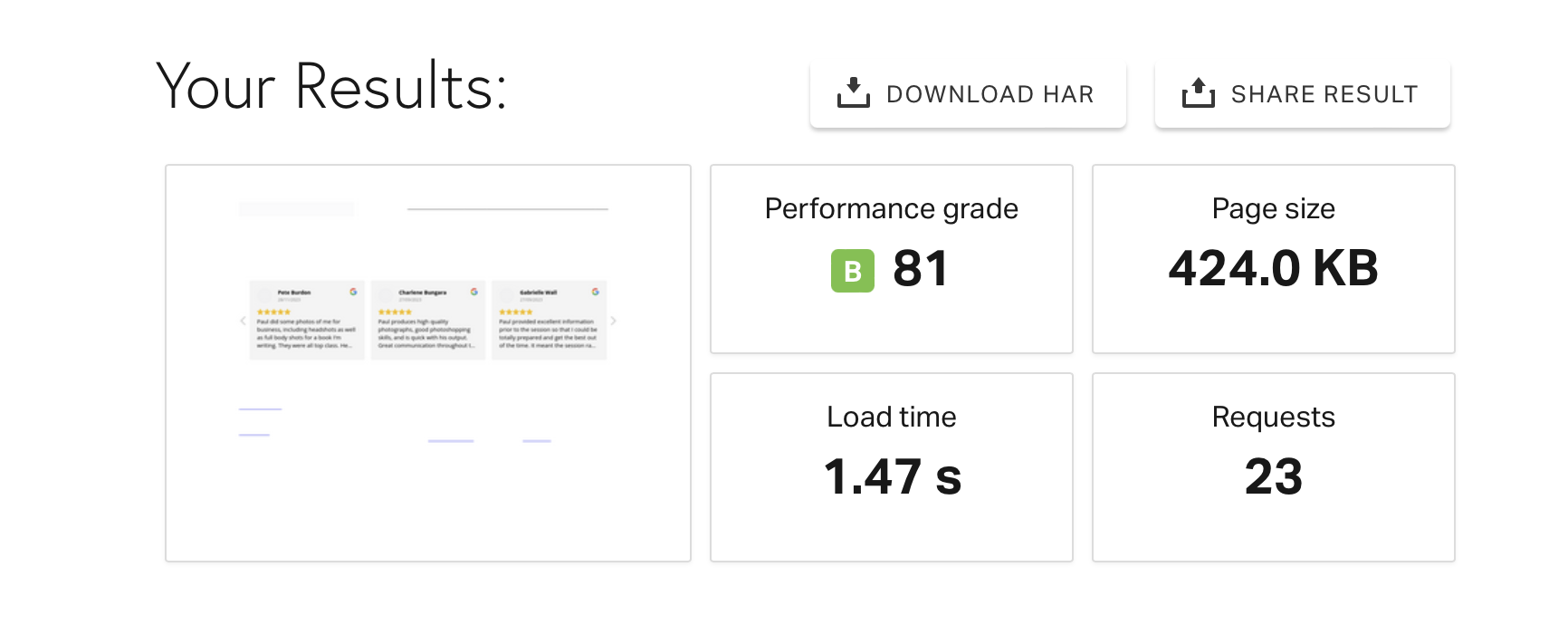
Just an update. If you use Pingdom tools you see the issue.
Site in question loads JIG last with an ugly blank screen
https://www.christchurchheadshotphotographer.co.nz/wp-content/uploads/2024/01/Screenshot-2024-01-08-at-2.27.46-PM.pngSite using identical everything loads JIG instantly. Thanks!
The preview picture these tools generate is not indicative of what users see, these are simply a snapshot at a point int time. Both sites behave the same for me, nice and fast from the EU, load under 2 seconds.
OK good to hear. Thanks,
Sorry to keep asking for help with this but this issue is consistent. Just now I cleared all cache on site and also browser and it took EIGHT seconds for the JIG gallery to load and the page was completely BLANK during this time. This is not acceptable. Can you please try and help me work out why this page only has an issue? I’ve just published a test page and after inserting JIG the issue persists. Thanks.
Given that the images are being served from a different location for me (Vienna if I inspect the network requests) my experience is different from yours (making me unable to debug it). JIG creates the layout, after that it’s up to the servers. Perhaps Jetpack doesn’t have an edge server near your location and your hosting (if local) would be faster for you. Have you tried without Jetpack, how did the built-in thumbnail creation fare, what problem did it have?
Pretty sure it’s related to the plugin specifically and I’ve finally managed to capture the JS error that I get with the plugin ONLY on this site. You can see the JS error here:
https://www.christchurchheadshotphotographer.co.nz/wp-content/uploads/2024/01/IMG_4589.jpgI see that Litespeed cache plugin optimizes JS but it also defers JIG’s scripts. I’ll change the way the plugin loads but for now, there are inline scripts that depend on a specific loading order of scripts and that they are not “deferred”. Can you make an exception for the plugin’s scripts in the litespeed cache plugin?
Sorry I have no idea what to change. This is the only site with issues and others using the same cache plugin have no problems. Ive turned off conditioner script loading as suggested by the error message.
If you temporarily disable litespeed cache does the red notice go away? I haven’t seen it by the way but the nature of defer is that “the script can arrive any time” meaning it’s not consistent when the files load, leading to a sometimes works sometimes doesn’t scenario.
Disabling cache makes no difference. Why is it only on this site I have issues with this plugin? Identical theme and plugins to my other sites using this plugin – and they don’t exhibit this problem. Not sure what the explanation is sorry? Are you saying the plugin by design sometimes just does not work? Ive turned off conditioner script loading as suggested by the error message- is this going to be a problem?
Can I ask my host for error logs? Is there a way to find out what is going on vs guessing?
What I meant is that the configuration of the caching plugin (not JIG) throws off the script loading in a random fashion. You could have the same theme and same plugins, but configured differently so they behave differently.
In your case conditional script loading can remain on, as it’s mainly for AJAX themes.
Just want to say thanks for all of your support this year. I’ve had a few issues and you fixed them and responded quickly here. All the best for 2024.
I appreciate the kind words!
Having an issues where I get a error message ””The image could not be loaded” once again on mobile but desktop seems fine. Have had this in the past and usually turn off plugins form combining javascripts but I went and turned off all plugins and themes with no luck. website is https://www.willpursell.com/
Sorry for the delay. All 12 images load for me on both desktop and an Android device. Is there a particular browser/OS combo where you get this problem?
Those kind of plugins can stay enabled, but usually jQuery needs to be excluded from optimizations to not interfere with inline scripts on the page.
Since the WordPress 6.4.1 update, the Justified Image Grid plugin stopped working. It messes up the website throwing an Ajax error. Is this a known something?
Where do you see an AJAX error and what does it say? If it’s on the frontend can you please send a link?
The Facebook authorization is expiring in a few days. When I click on “Add current Facebook user (and all administered pages), in the Facebook window that opens there is an error: Sorry, something went wrong. We’re working on getting this fixed as soon as we can.
The message log in JIG shows: Access token acquisition wasn’t successful. Please authorize yourself on Facebook then click ‘Manually load Facebook data’. If you already closed the Facebook dialog, click ‘Add current Facebook user’ again.
I tried disabling the cache before adding the Facebook user, it didn’t help.
Thanks, Tom
Contact me through my profile using the account used to purchase JIG with (or let me know what site it’s used on so I can check), and I can send you the latest beta that aims to fix this.
pictures are not even showing up in google. look at the page source and it one big mess lines
JIG creates a HTML-only version of the gallery for users without JS and for search engines. The source is only for machines, it’s not supposed to be pretty. Look: https://www.google.com/search?q=Red+border+collie+and+horse+site%3Ajustifiedgrid.com&client=firefox-b-d&sca_esv=575503381&sxsrf=AM9HkKkL2o-N8QW78VzCXqFOXJN04tUQaQ%3A1697928722946&ei=ElY0ZfWUOcnk7_UPmaOC-As&ved=0ahUKEwj15YmznYiCAxVJ8rsIHZmRAL8Q4dUDCA8&uact=5&oq=Red+border+collie+and+horse+site%3Ajustifiedgrid.com&gs_lp=Egxnd3Mtd2l6LXNlcnAiMlJlZCBib3JkZXIgY29sbGllIGFuZCBob3JzZSBzaXRlOmp1c3RpZmllZGdyaWQuY29tSJQ0UL8EWMAycAV4AJABAJgBrwGgAd0QqgEEMjMuNLgBA8gBAPgBAcICCxAAGIoFGIYDGLADwgIFECEYoAHCAggQIRgWGB4YHcICBxAhGKABGArCAgQQIRgV4gMEGAEgQYgGAZAGBA&sclient=gws-wiz-serp