9135 comments found.

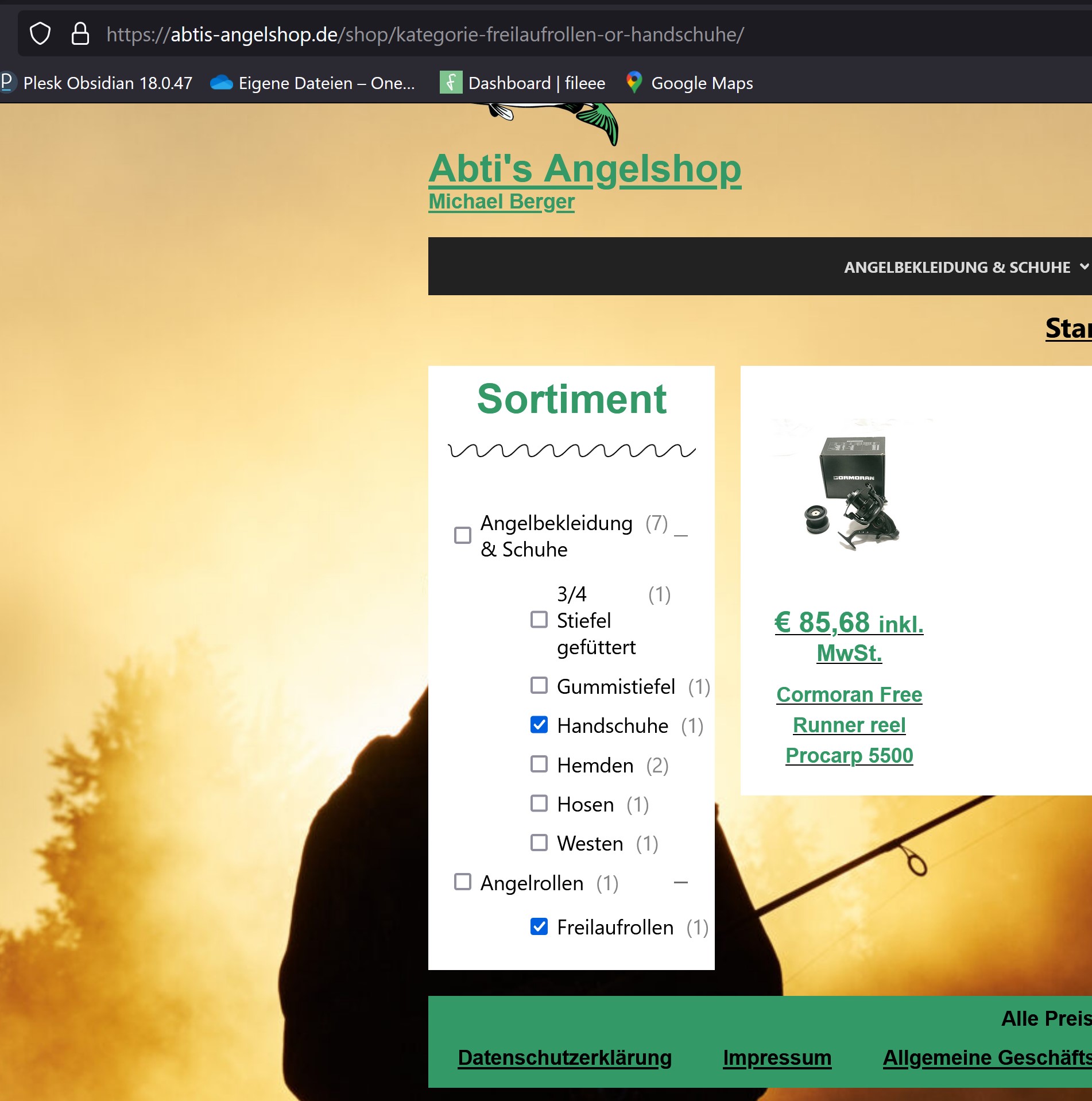
Hi with hierarchical filter with checkboxes: When I select two items that are in different branches, only content of one of those branches is shown.
Like here: https://dev.filtereverything.pro/posts/pcategory-beauty-or-post-format-video/
when I select “beauty” and “video” only “beauty” is shown – but both boxes are checked.
this is confusing to the site visitor. is there a way to avoid the confusion?
Hi dufflio
If the term “Beauty” is closed for you it means you manually closed the parent item “Business” before and your browser “remembered” this closed status.
But if you open this link – https://dev.filtereverything.pro/posts/pcategory-beauty-or-post-format-video/ in the incognito tab (which is the same when a visitor opens it first time by direct link) you will see that parent item “Business” is automatically opened because it cohtains already selected sub-item.
In other words visitor will see term “Beauty” in any case – when they open parent item “Business” or when they open the link received for example through email.
You can see that there are two categories selected. But only one is showing in the results. You also see that in both categories there is one product each. So both products should show. When I select them individually, they each do show – just not when I select both at the same time. What can I do to show both at the same time?
Hello dufflio
In general it could mean that your product is attached to both categories – “beauty” and “video” simultaneously. Also the reason could be that in your template some product were hidden although they were selected in WP_Query. You can check this if you will install Query Monitor and find filtered WP_Query (it contains code comment /* Current SQL Query is filtered by Filter Everything plugin */ )
I have to say that such “bug with counts” were checked I think more than 50 times and Filter Everything counts it correctly. In 99% of cases the reason is in other places, not in Filter Everything PRO.
I recommend you to check data on your site very carefully to find possible reason, why it shows you one products instead of expected two.
Thank you. Regards.
Pre-sales question: Does it support the new Elementor Loop Grid – yes or no. I need a solid answer.
Hello deyankanev
Thank you for your interest in Filter Everything PRO.
Sure, it works with Elementor Loop Grid. Here is temporary live example with such Grid and custom Loop item – https://dev.filtereverything.pro/posts/pauthor-shop_manager/Greetings, at https://topnotchcustoms.flywheelsites.com/home-copy/, once a filter is chosen from any dropdown, there is no output of the products that are filtered. Can you tell me what I’m doing wrong? Thanks!
Hello adminelectricoakcom
As it filters as expected by direct link – https://topnotchcustoms.flywheelsites.com/home-copy/bolt_pattern-16x7/width-7/ it means that you configured AJAX wrong. Please set for the “CSS id or class of the Posts Container” option value #woopack-q3rkn89×7iv5 for your Filter set and it will start to work correctly.
Hey, we have a 404 issue when two or more categories are selected with the “AND” logic system. “OR” logic seems to work fine.
Hey, I fixed it by deleting and readding the filter. FYI.
Great. I’m glad that you issue is solved. Please, do not leave Filter Sets in Trash. It may cause some problems and I will fix this in future updates.
Thank you. Regards.
Hello! We tried to use your software and unfortunately encountered a number of compatibility issues that we were unable to resolve. Therefore we ask for a refund of the money we paid.
Hello entexialex.
Please, create a refund request via the form in your account and it will be processed as soon as possible.
We don’t have the button in our account
I’m not sure, but maybe try to find the button or ask CodeCanyon support to help you. Because I can only accept or decline refund request if it will be created. Unfortunately I have no any other opportinities related with refunds here on CodeCanyon.
Hey, I am using the Filter Everything PRO – on my website I also have the plugin Custom Product Addons. These two plugins refuse to work together, When I activate the Custom Product Addons, the filter stops working. What is strange about this – is that the filter is displayed on a category page as opposed to the Custom Product Addons that appears on a single product page.. Do you have an idea how to solve the problem? Thanks in advance, Have a wonderful day, Shira.
Hello Shira.
Thank you for using Filter Everything PRO.
In general if both plugins are compatible with WordPress and meet WP coding standards, they shouldn’t conflict between each other. But please, send me credentials to your /wp-admin in accordance with this document and details of the problem (link to the page, description, screenshot if it is not obvious) I will check if my plugin does not contain any bugs related with the problem.
Thank you.
When i enable the plugin it also breaks the styling from the FAQ questions on this page: https://a-webdiensten.nl/veelgestelde-vragen/
How to prevent this? Normally all in black
hi, is there any support here?
Hi amandomm
Sorry for the late response.
It’s conflict with your jQuery accordion plugin. I already fixed it for the next plugin update, but if you want to get the fix faster, please, send me credentials to your /wp-admin in accordance with this document I will do it on your plugin instance.
Thank you.
Hi, i have sended my site details to your account! Thanks for checking
Hi amandomm
Thank you for your credentials. I just updated the plugin to the latest version and now all looks fine.
Is there a way i can put the products categorys from this page: https://a-webdiensten.nl/avada-themas/
to the left part of the page? Now it filters by Blog post categorys, i want to show product categorys on the left, is that possible? ( For example Uncategorized ) comes to the left
hi, is there any support here?
Hi amandomm
I’m not sure I understood your question clear. It would be better to expain it for example with screenshot, where you can show what exactly filter element and where should be moved. Please, provide me with such screenshot.
Thank you.
This is a example, i want to filter the categorys in the filter, now i can only filter blog message, i want to filter specific pages/products
https://a-webdiensten.nl/avada-themas/Is this more clear?
Regards
Hi amandomm
Thank you for your explanations.
I have to say that support here does not provide plugin installing/configuring and when you use items purchased on CodeCanyon it expects that you have enough experience in WordPress to do it by yourself.
From other side it seems you wanted to display Product categories in the filter. I’ve created such filter, but you have only 2 Product categories and no one products attached to them. Please, create more categories and attach products to them and they (categories) will appear in the filter.
I am using Filter Everything
I would like the labels to change the filter when clicked on?
How can i do this?
https://mindcloak.com/ksingh/market-areas/Hello mindspike
Thank you for using Filter Everthing PRO.
It seems you have JavaScript conflict with some of your 3rd party plugin or theme or custom JavaScript code. You can check it with another theme. Or to find this pluign you optionally may to deactivate 50% of your plugins and to check if there are any changes. If filtering become to work as expected – it means that conflicted plugin is among these 50% of deactivated plugins. If nothing changed – it means this plugin may be in rest 50% that were not deactivated. Step by step you can find conflicted plugin and decide what to do with that. In any case I recommend you to create a DB backup before any changes on your site. You can do it for example with Updraft plus backup plugin.
Thank you. Regards.
Hi,
Is there a way when viewing filtered images to show them in their original ratio e.g. 4:3 as at the moment when an image is viewed on a mobile device the image is clipped left and right so you only see a portion.
Regards
Kirk
Hi Kirk
It does not depend from Filter Everything PRO plugin, but from your theme files and CSS rules. I recommend you to try to change it there. Filter Everything PRO only changes WP_Query that selects/loads posts with images, but does not affect on images and their design.
Thank you. Regards.
Hi! I have re-orderd my filter option on the back end, but the changes are not showing on the front end. Can you help me with this?
Update, I found the documentation here: https://filtereverything.pro/resources/hooks/#terms-before-display-hook When I placed that whole code into my child-theme functions.php it did not make any changes to the front end. I wonder if the example isn’t for re-ordering based on the changes in the backend? -and I’m not sure how to change that code to achieve the results I’m looking for.
Already sent credentials for this site: http://erikay18.sg-host.com/wp-admin
Hi erikakyoung
This code is only demo example and to be applied on your site it should be changed with your filter’s so-called “e_name” value. Otherwise it will not make any effect on your filter.
Unfrotunately such custom coding is not included in the item support scope here on CodeCanyon. This code example is attempt to help you and it expects that you are familiar with PHP coding or you have ask a developer to help you.
So is there no possible way for me to have the changes on the backend take effect on the front end?
If I could send you a screen shot of the code with the correct e_name in there, you would see that it isn’t taking effect on the front end of my site.
Site page:http://erikay18.sg-host.com/mob-bm/
Code
/* Let’s sort Color filter terms by the menu_order */ add_filter(‘wpc_terms_before_display’, ‘wpc_sort_terms_as_needed’, 10, 2); function wpc_sort_terms_as_needed($terms, $filter){ // designermob – is desired taxonomy if ($filter[‘e_name’] === ‘designermob’) { $newTerms = []; foreach ($terms as $k => $term) { $termOrder = get_term_meta($term->term_id, ‘order’, true); $term->menu_order = ($termOrder !== false) ? $termOrder : 0; $newTerms[$k] = $term; } }
// To sort in descending order
    // usort( $newTerms, \FilterEverything\Filter\EntityManager::compareDesc('menu_order') );
    // To sort in ascending order
    usort($newTerms, \FilterEverything\Filter\EntityManager::compareAsc('menu_order'));
}
return $newTerms;return $terms;Can you help me with this?
Hi erikakyoung
I can only check if there is no bugs in my plugin related with term sorting feature. But I can not provide you any help with code customization because it is not included in the item support on CodeCanyon.
Please, send me credentials to your /wp-admin in accordance with this document I will check it.
Thank you.
Hey! Me again, sorry to bother you. Is there a documentation about CSS? I want to style it a little bit.
Hello mgcl1.
In general I didn’t created any CSS documentation, but you can change any styles related with filters look, but please do not change CSS rules that contain visibility and position rules like “display”, “visibility”, “position” etc. Usually it is enough to open Chrome console and check what CSS rules are responsible for particular element to understand what and how you have to change.
You can place your extra styles in Filters -> Settings -> Experimental -> Custom CSS.
Simple question, how do I bypass this, we are using the short-code [fe_chips] in the theme and have the layout perfectly expect this option? Thanks
REF: https://filtereverything.pro/resources/chips-widget/
Show on mobile – by default, the chips are hidden on mobile devices because they are already in the filter widget for mobile. However, if you want to display chips on mobile, leave this check box on.
Hello ingenuitor
Just add attributemobile="yes" For example:
[fe_chips mobile="yes"]Here is more info about the shortcode -https://filtereverything.pro/resources/shortcodes/#chips
Ok that is very helpful, can you make your doc page contain a search bar/ feature so we can look up data with ease. Thank you again…
Hello ingenuitor
Thank you for your suggestion, it’s really good idea. I just added it to the documentation – https://filtereverything.pro/resources/quickstart/
Great, I do not see it yet, maybe you have to clear your project cache? Thanks
Indeed. I’m sorry. Already cleared.
Perfect, thank you and so so useful for so many, maybe even save you a few min in answering
1 million questions. 
Filters are working on the main shop page, but not on different pages where products are loaded with the woocommerce shortcode [product]. For example price ranges are at 0, the categories are also at (0).
Hello plenge1
Thank you for using Filter Everything PRO.
In 99% of cases the reason is wrong value in the “And what to filter?” field. Please, try to experiment with different values in that field.
Thank you for your response, unfortunately no difference.
If I load products with the built-in WooCommerce Shortcode [product] or [product_category] your filter plugin does not seem to detect a query, so I can’t even select ‘Product query’ in “And what to filter?”. I also tried different variants in the filter set.
I recently tested the following (functions.php):
add_action(‘get_header’, function() { if (is_page(2148)) { // Get products from the desired category $args = array( ‘category’ => array(‘desired’), ‘status’ => ‘publish’, ‘limit’ => -1, ); $products = wc_get_products($args); } });
Then the filter plugin seems to detect this query albeit it being a different one than the query that the [product_category] shortcode executes.
I don’t want to write a function for every page I’m going to display products.
Hello plenge1
There are two possible reasons:
- WooCommerce shortcodes by default have enabled cache parameter. In my plugin there is hook that disables cache before attemt to catch its WP_Query but maybe on your site it does not work or you have another functions related with the hook.
- If you inserted Woo shortcodes with Gutenberg page builder there may be some compatibility issues.
In any case, please, send me credentials to your /wp-admin in accordance with this document I will check it myself.
Thank you. Regards.
I sent you the credentials. Please answer to yilmaz@ our domain, thank you!
Hello plenge1
Thank you for your credentials. Please, send me in PM also link to the login screen. It seems you use another, not default /wp-login.php URL
Thank you. Regards.
Hi, my filter does not find products. In the settings – “What to filter” reports that there are no products to filter on the page. http://test.hokejman.cz/brusle/ But all products have parameters. Don’t know where the error could be? Thanks
HI tobias119
The reason is that products on the page are loaded with WP Block module that loads them via AJAX and REST API and they can not be filtered with Filter Everything PRO.
I tested my plugin with WordPress Blocks and they are supported partly. For example native block “Posts List” and “Products (beta)” from WooCommerce are supported. Please, see example – https://prnt.sc/N19cOv6vSpx6
But blocks from WooCommerce section like “All products”, “Products by attribute”, “Newest products” – please see here – https://prnt.sc/K2qtKUnC403N are not supported by Filter Everything because they do not use WP_Query, but AJAX and REST API to load items.
In general WP_Query based blocks are supported, REST API block are not. You can detect if the block uses REST API by characteristic placeholders at loading moment. Please, see example – https://prnt.sc/4dRNZaZtazll
Hi, I have a custom post and listing grid built with Crocoblock. It also uses crockoblock custom fields.
With your plugin, is it possible to add a dropdown filter (select) tofilter the crockoblock posts baed on the custom meta fields?
Hi pixelcreated
Yes, sure. It is possible to filter listing grid created with Crocoblock by its custom fields with Filter Everything PRO plugin.
Hello
I am using Filter Everything Pro on a site and the pages with filters displayed is very slow.
Main: https://iang97.sg-host.com/ Filter page: https://iang97.sg-host.com/category/air-compressors/
If I deactivate the standard ad pro plugins the page loads quickly and with the plugin activated the page takes 3-5 seconds to load.
There are circa 5k products across the whole site.
Can you offer any help?
My purchase ID is 5abc5ce5-e006-45fe-9919-a991f19c3da4
Hello ianscottgrant.
Thank you for using FIlter Everything PRO.
You have performance issue and I have to say you that filtering speed depends from next parameters:
- server CPU
- server RAM
- number of posts to filter
- number of filters and terms
- number and quality of plugins you use
- cache adjustments on a server
- plugin’s code optimizations, internal cache (this was already done for the Filter Everything)
Thus you can increase speed of the filtering process if you optimize one of several parameters from the list above. For example here is site with Filter Everythig PRO and more than 6K products and it works very fast.
Hi Stepas, I have purchased your filter for everything PRO. However, I am running into problems. I have watched your videos and still do run into issues. I am trying to add the filter to my elementor page. I have filter icon on my elementor page, and I added a popup. I went on the popup template and added the shortcode and it says ‘No one Filter Set is related with this page. You can configure it in the Filter Set -> “Where to filter?” field.’ I have tried changing around the filter set and it just works for specific post type, however I want the filter to work everywhere as I have custom made each pages which display’s my product items. Can you please help as soon as possible? Thanks
Just to let you know, I have tried ‘check in WooCommerce settings if your Shop page is configured as “Shop page” in WooCommerce -> Settings -> Products -> Shop page.
Also you can try values “Common WordPress pages” -> “All archive pages for this Post Type” or “Pages” -> “Shop page”.’
Actually, I would like to refund, I just realised it won’t work with my website. I have emailed your support team. Thanks
Hello b1l4l
I’m sorry that your expectations from the plugin were not satisfied. But if you need, I can check the issue on your site. For this purpose, please send me send me credentials to your /wp-admin in accordance with this document I will check it myself.
But from another side I see your refund request and if you do not need my help, please let me know here in comments and your request will be processed.
Thank you. Regars.
Hello, I would like a refund please as I have found a plugin which is compatible for my site. thanks
Hello,
I just have a question on sitemap, if Im not wrong there was once sitemap created by your plugin on our site with /filter_seo_rule-sitemap.xml and it shows all the links that are being generated with the filters.
Today i checked again on the exact link (/filter_seo_rule-sitemap.xml), but i don’t see it exist anymore. I am guessing this has been removed in one of your updates or is there a way to turn this on in the settings ?
Hello tbs_marketing
Unfortunately XML sitemap with filtering result URLs is not ready yet for my plugin and if you had such sitemap it was not related with Filter Everything PRO. Maybe it was created with some another tool or something like that.
Apologies if this has been answered before. Where can I find the filter set id? I can only use shortcodes on my site to add the filters.
No worries, found it.
Hello CyberBaron
Thank you for using Filter Everything PRO.
I’m glad that your issue is already solved. Thank you for notiication about that.

This item was featured on CodeCanyon

Elite Author
Contact the Envato Market Help Team