9134 comments found.

Hi, license activation doesn’t work for me, when submiting the license key, I get ‘unknow error’. I’m not able to save new filters settings, can you help us ?
Hi yagoneto
It seems your server has no connection with licensing server. As option you can send me your license key and credentials to your /wp-admin in accordance with this document and I will activate it myself.
Thank you. Regards.
Hi, thank you for your support. I sent you the informations.
Hi yagoneto
Thank you for the credentials you provided. I checked them and they works. But I also need your License key generated on the License page of the plugin Settings. Please, send me the License key via PM.
Thank you.
After the latest update, the filters stopped working here. Anyone else having a similar issue?
Hello kaikerj
Thank you for using Filter Everything PRO.
Please, send me link to the page with the problem and I will check it. Optionally you can send it via PM, but please let me know here that you did it.
Thank you. Regards.
Hi, Can you tell me if your plugin works on elementor pro loop grid ?
Hi jdyadan
Thank you for your interest in Filter Everything PRO.
Yes, sure. The plugin was tested and works with the Elementor Loop Grid.
could you send me an example ?
Sure.
Here is live example on my dev stage – https://dev.filtereverything.pro/posts/pcategory-health
Here are screenshots of the Elementor template that uses Custom Loop element – https://prnt.sc/9hA0wBsES3Jy and https://prnt.sc/cLqZHSCT_JFc
Thank you. Last question, I’m using pods to create my custom posts. Can you tell me if it’s also working with pods ?
Yes, it was tested and works with Pods plugin also. There was one issue a customer reported and it was fixed. Here is example in code – https://prnt.sc/D2eOxL6uS2C6
How would you suggest I implement image support on product category filters? I’d like to use an image instead of the text/button. Thanks in advance!
Hello bogaat
Thank you for using Filter Everything PRO.
I recommend you to read this short article about how to use images in filter terms – https://filtereverything.pro/resources/brands-and-color-swatches/
Thank you. Regards.
I had looked through the docs and was trying to use the wpc_image_term_meta_key hook, but haven’t had any luck getting it working for category filters.
Hello bogaat.
You don’t need to use any hooks for the Product Category fiter. Just add images support for them in /wp-admin -> Filters -> Experimental -> Color swatches for Filters -> Taxonomies for Color swatches.
Also please make sure, that you use the latest plugin version.
Thank you. Regards.
I was using the Ajax option and thought all was well until I tried sorting. I am using swatches in the grid for each product. After sorting or using any of the filters, the swatches are no longer selectable. They also use ajax. Any ideas on how to correct this type of issue? Edit: I meant to start a new topic, but it seems I can’t delete this comment.
Hello bogaat
I’m feeling that your problem is classic problem of JS-events that attached to elements that were dynamically loaded. Here is common description of the problem and common advices of how to solve it – https://filtereverything.pro/resources/ajax-related-problems/
Sorry, I should have mentioned I am using a third party swatches plugin to display swatches for each product in the products/archive grid. They work great until I resort the page or use any filters, then they stop working. That may be something I need to try and address on their end, but wasn’t sure if you had run into any ajax related issues with your plugin and those from a third party interacting within the same grid.
Yes, I understood your problem. You can easily check this – to disable AJAX in Filter Everything and if swatches continue to work afer filtering or sorting it means that you have this classic problem described by the link above.
In this case you have to ask Swatches plugin support how to re-init JS functions, that provides swatches behavior and to write code code snippet mentioned in the page https://filtereverything.pro/resources/ajax-related-problems/
Is there a way to nest several Custom Field Numerics inside of a dropdown, like when a checkbox filter is collapsible?
And is there a way to not show the checked value as a list inside of the filter dropdown when using folding (the filter is collapsed and the different selected values show up as list items under the filter, inside the dropdown button). I only want the selected values to show as chips and not show inside of the filter dropdown when collapsed.
Example of Custom Field Numerics inside of a dropdown: https://imgur.com/a/PpYYhxTAlso, is there a way to set nested categories to be open by default when you press the dropdown?
Hello andufva
Thank you for using Filter Everything PRO.
Out of the box the Folding feature in the plugin works individually for every filter. And if you want to put several filters (Range sliders or any other) inside single collapsible block you have to create your own HTML and JS handler for them. It is possible for example with the ‘wpc_view_include_filename’ that allows you to detect what exactly file should be included as view for a filter.
To hide already selected filter terms for the filter with enabled Folding option you can add next CSS in the Filters -> Settings -> Experimental -> Custom CSS:
.wpc-wrap-icons .wpc-filter-selected-values{
display: none;
}
If you use Hierarchy for a filter, you can make sub-elements opened by default with next code example placed in the functoins.php of your active theme:
add_filter( 'wpc_hierarchy_opened', 'my_hierarchy_filters_opened_by_default' );
function my_hierarchy_filters_opened_by_default( $filters_opened_by_default ) {
    $new_opened_by_default = [
        3250, // Filter ID with enabled hierarchy
    ];
    return array_merge( $filters_opened_by_default, $new_opened_by_default );
}
If I have too many filters, instead of showing the filters expanded, can I minimize the filter on desktop ? I understand you have pop up on mobile so that is fine. I am asking about desktop if its possible to minimize the filters. And click on + sign or something to expand the filter & its values. Pls reply asap. I want to buy plugin.
Hello patsmarketing
Thank you for your interest in Filter Everything PRO.
You have various options of how to make filters more compact if you use a lot of them. You can use the “Folding” option for a filter or you can force them to appear on desktop in Pop-up like on mobile devices.
I can provide you with details in case if you will purchase PRO and ask about support.
Thank you. Regards.
Hi, I am using the pro version.
Is there a way to nest several Custom Field Numerics inside of a dropdown and is there a way to not show the checked value as a list inside of the filter dropdown when using folding (the filter is collapsed and the different selected values show up as list items under the filter, inside the dropdown button). I only want the selected values to show as chips and not show inside of the filter dropdown when collapsed.
Hi tommyle1
Thank you for using Filter Everything PRO.
Please, write your support request from the account, where you purchased the plugin.
Thank you. Regards.
Ok
Hello. We cannot get the filter to execute. Please advise. Staging is here: https://mushrooms.virtualombudsman.com/apparel-draft/
Hello warchop1237
It’s a popular issue. Possible reasons are:
- Wrong WP_Query selected in the “And what to filter?” field of the Filter Set. Please try to experiment with different WP_Queries in the dropdown.
- Cache issue (WP_Query is cached). You have to check and maybe disable your cache plugins or modules in your hosting provider dashboard.
Please see loom video.
We have been working hard to figure this out. We can’t. I need to provide credentials to you so you can figure out what is going on. It’s been almost 2 weeks of spending time trying to configure and we are exploring alternate plugins now. Please assist.
If unable to assist… please provide refund… I can’t loose more time waiting on responses and hoping this works. I can provide credentials, and would ask you to get it working since I have been trying support for a couple weeks. If you can’t get your plugin to work, kindly refund my purchase. thank you.
Hi,
How to change the default item for the drop-down from
- Select XXXXXXX -
To
- Please Select XXXXXXX -
Thank you!
Hello html6
Thank you for using Filter Everything PRO.
You have several ways to change the string - Select %s - to your own:
1) To translate it with the Loco translate plugin or other software if you use not-English language on your site.
2) To use theTemplates overriding feature https://filtereverything.pro/resources/templates-overriding/ to override the dropdown.php template and replace the string.
3) To use hook ‘wpc_dropdown_default_option‘ if you are familiar with PHP development.
Please, choose the method which is more preferable for you.
Thank you. Regards.
Hello! I have a site that we purchased this plugin on and have it implemented on the site, works great by the way! Question though, I can’t seem to get the search field to work properly. When you search a product it goes to the general search results page and does not search within the WooCommerce product shop page. Is there a setting I’m missing somewhere?
- UPDATE * Nevermind, found it. Sorry.
Hello artefactdesign
I’m glad to inform you that built-in Search Field compatible with filters, AJAX and that allows you to search Woo products by SKU was added to the latest plugin version 1.7.8. You can update it automatically if you have activated your License key or download zip here on CodeCanyon.
Thank you. Regards.
Hello. I’m using custom posts and i want to show them in a search page, filtering it by custom fields. In the search page i have also a search bar for doing searchs by name. I would like to filter the result of this search using your plugin. The results are shown using the “post” widget of elementor: i set “current query” with custom id as result to show. I’ve created a filter set for “common wordpress pages”->”Search result page for selected post type”. I have 2 options for “what to filter”: “search custom post query. Main query” and “search custom post query”.
My problem is that I’m not able to do a search from the search bar and apply the filter: If I use first the search bar then the filter will not make any modification to the result content. If I don’t use the search bar at all, leading to show all possible post of that category, and then I use some filter, then the filter set work ok.
I have supposed that there are some kind of conflict between two query (main one of the search bar and the one of the post result) but I’m not able to coordinate the result.
What can I do to solve the problem?
Hi, I see you didn’t answer my question. Is there something wrong with it? Thanks
I have send you in PM the url to the page
Hi ermacece
Thank you for using Filter Everything PRO.
Please, send me credentials to your /wp-admin in accordance with this document I will check it myself. It seems there is some issues related with the Elementor Search Form widget and other users have the same problem.
Thank you.
Hello, I’ve sended the credentials
Hello ermacece.
I checked your site again and realized several things, why filtering on the Search results page did not work as expected.
1. You use the Relevanssi plugin which modifies search algorithm and Filter Everything is not compatible with it.
2. You also use Ajax Search Lite plugin that also does the same thing as Relevanssi – modifies Search query and conflicts with Filter Everything PRO filtering by search results.
3. On your Search results page you use custom WP_Query with ID “search-vc-query” in the Elementor template which in fact is not a search query related to the search results page. It is a custom WP_Query, which can be filtered by Filter Everything PRO, but on a singular page, not on a Search results page.
4. The search form placed on the page allows you only to search by all post types on the site. But you expected that it should search only through “venture_cap” post type. In this case you have to add in the form “post_type=venture_cap” hidden parameter or use another search form, where you can add it. For example regular WordPress search form,that can be modified in the child theme via overriding searchform.php file. If you type in the current search field any keyword you will be redirected on the page without “post_type=venture_cap” parameter in URL.
I’ve sent you the link to example where filtering works on correctly configured search page. In other words to make it work correctly, you have to configure it correctly.
If you need to restore all things as they were before my changes, you can do it via Updraft plugin backups and use copy from 13 of March.
Thank you. Regards.
Hi Author,
FIlter set does not display on different languages . My site has 2 languages as Germany and English. The page with the shortcode of filter set on ENGLISH works without problem. But when I translated my page with WPML for German : The filterset does not show and displayed only ‘There are no terms yet’, even though I created more Filterset with other ID and select page to display on German.
Generell, I do not how to config it, whatever it is an error of WPML or Filter Everything Plugin Pro .
thanks
Shortcode on DE : [fe_widget id=”15507” show_selected=”no” show_count=”no” horizontal=”yes” columns=”1”] shortcode on EN: [fe_widget id=”13404” show_selected=”no” show_count=”no” horizontal=”yes” columns=”1”]
hi @STEPAsyuk
Hi briba1
First of all I recommend you to look on this short article about how to use Filter Everything PRO with WPML – https://filtereverything.pro/resources/with-wpml-polylang/
You have to direct every Filter Set on its own page in appropriate language.
Also I recommend you to use Filters widget shortcode without ID attritube. Because ID determines only priority of a Filter Set in case if there are several ones on particular page. If you directed single Filter Set to a page, it will be shown without ID parameter in shortcode.
Here is live example how filters work with WPML – https://wpml.filtereverything.pro/filters-in-english/
HI that is not working. Your Document is unfortunately unclear.
we are having of course 2 pages for English and German. first question : must I create 2 different shortcode for each page ? I tried it but no success. I have a filter set on english, other filter set is on German. Filter set EN is set for page DISTRIBUTION Filter set DE is belonging to page Vertragspartner.
second question: I tried with ID or without ID but it is no lucky.
did I miss something ? thanks
Ah that works now with iD. I have to translate the custom posts on German Language. It works now thank u
Great, I’m glad that it works for you 
If it is possible I would be thankful for a positive review about the plugin here on CodeCanyon – https://codecanyon.net/item/filter-everything-wordpress-woocommerce-filter/reviews/31634508
Thank you in advance!
In the filter list we want the ability to type in something to search for? Like stock number. I see no option in the plugin for that a most have for us
I am trying my best to use your plugin but I am having all kinds of issues 1. My client wants a filter on the home page that submits to the custom post type page. This can be done by creating two filters where one only shows on home and one on custom post archive. But takes forever. Would be faster if you could just duplicate a filter. 2. There is no way to turn off labels when you use the show search field option. If you use css to hide it… hides the field search above. You should put a flag or something to show label in box and show or hide label or something. If you put no label it says search but you don’t know what you are searching for? only having title above for things like cars and trucks make the widget way way to long 3. We are testing in a dev. There should be a way to import export filters as well?
Hello one80group
Thank you for using Filter Everything PRO.
As a search field compatible with filters you can use regular WordPress Search widget and results finded by this field can be filtered with Filter Everything PRO (example). But also I planned to add own search field with improved functionality to my plugin. It is already in my development schedule and will be implemented in some time.
Also the feature that allows to duplicate Filter Sets is planned and will be implemented. But there are more prioritized features that should be devleoped first of all. You know that all these require some time for development and testings.
I’m not sure I understood you clear about labels for search field. Can you please provide me with link to the screenshot with example? It would be the best way to explain.
The Import/Export feature is also this that planned. In general I have to say that all features you mentioned for the moment on in the second place in my development queue. Because there are also features, that related with filtering functionality and should be implemented at first.
I understand your comments about the plugin and I appreciate such advices. Sooner or later they will all be implemented in a plugin but in this case it will also become more expensive and as I told above they require some time. Unfrotunately it’s impossible to implement all them in one two-weeks.
OK we have a widget on our home page, that sends data to our results page that has a filter widget as well. We are having a time getting this system to work How do we add a reset button only. We have apply on our home page widget that submits but we cant have results page set to apply otherwise it does not work. . I wish like filter pro you had an option for just a search field. The wordpress one deosnt work because we are using a custom post type.
I am just having a nightmare??
I am not wanting to send a rocket to the moon. I just want a search box only for a custom field, not all the junk it shows below in the different options like list mode, check box etc, we have like over a 1000 products and a way to reset all the filters with a button when apply is turned off.
Hello one80group
If you want to search only by custom post type with WordPress search field, you have to add field with the “post_type” parameter in the WordPress search form.
For example here is search results for WooCommerce products only https://demo.filtereverything.pro/?s=apple&post_type=product Because the results page contains parameter post_type=product. You can add the same in your search results page URL &post_type=your_custom_post_type_name via editing your searchform.php template or in another way that is available in WordPress also.
In general as I told you before, the search field with improved features related with filtering will be added in the future updates. I will notify you here in this comments thread about that.
Thank you. Regards.
There needs to be a way to add a reset button when submit/apply is turned off. So far in our user testing not one person outside of us developers know to unselect or move a filter to select to reset it!
one80group
Thank you for your suggestion. I thought about separate Reset button that can be inserted with shortcode anywhere. It looks like it is good idea, but I can’t promise that it will be implemented very fast. All the things (support, bugs, development, testing) require a time.
Hello one80group
I’m glad to inform you that built-in Search Field compatible with filters, AJAX and that allows you to search Woo products by SKU was added to the latest plugin version 1.7.8. You can update it automatically if you have activated your License key or download zip here on CodeCanyon.
Thank you. Regards.
Thats great. W ehave a new issue even in the latest version where the order by terms etc does not work. The widgets are always in the same order. None of them will lisyt choices in Alphabetical
Hello one80group
We have already answered you about this issue in this comments thread – https://codecanyon.net/comments/29521914 Let’s keep our conversation in that thread to avoid duplicates.
Thank you. Regards.
Hi, please help with following issue
I put Category Description on product category pages (Woocommerce) through following shortcode:
function custom_archive_description_shortcode() { $description = get_the_archive_description(); return ‘ ’ . $description . ‘ ’; } add_shortcode(‘custom_archive_description’, ‘custom_archive_description_shortcode’);
I used recommended hook “get_the_archive_description” but unfortunately “SEO Description” does not rewrite Category Description so then I have two descriptions (the original through shortcode + SEO Description from Plugin). I tried your adviced snippets which I found in comments but they did not solve my problem.
With H1 is my process working. I have shortcode with hook “get_the_archive_title” and your plugin nicely rewrites it with H1 Title from Plugin.
Can you help me please?
Hi richard_repetebox
Thank you for using Filter Everything PRO.
To edit SEO description you also can use hook ‘wpc_seo_text’. Please try to use it instead of ‘get_the_archive_description’. Here is exampl how SEO description is passed through the hook
$seoText = apply_filters( 'wpc_seo_text', $seoText );
thank you for reply, I tried to followed your advice and change my shortcode to: function custom_archive_description_shortcode() { $seoText = apply_filters( ‘wpc_seo_text’, $seoText ); return ‘ ’ . $seoText . ‘ ’; } add_shortcode(‘custom_archive_description’, ‘custom_archive_description_shortcode’);
but it is not working. I need:
- on page /category/ to show original category description (WORKING)
- on page /category/filter-abc/ to show SEO DESCRIPTION by plugin (wpc_seo_text) instead of original category description (NOT working, still showing the original one)
do you have other advice please?
Hello richard_repetebox
I would like to help you more with this, but unfortunately support here does not provide code debugging or customization. All that I can give you in terms of support is advice to use the hook ‘wpc_seo_text’.
If it does not work as expected I can only recommend you to check carefully all things related with the SEO Description, SEO Rule, hooks used on the page etc. This should help you to find the reason, why it works as it works.
Hi, I bought filter pro and everything works wonderfully! I just have one problem. In the filter I created for prices, it shows me the price range excluding VAT. How can I correct and have the range with prices including VAT as in the shop page etc?
Hi alessandro225
Thank you for using Filter Everything PRO.
To include taxes in the range filter, you have to use two hooks ‘wpc_set_num_shift’ and ‘wpc_unset_num_shift’ provided in the plugin.
Here is code example of how to use them if your taxes are 10% from the original price – https://gist.github.com/wpserve/430c34449708a7dcd5b630839a05cdbc
If your taxes are different and for example are fixed price you have to change this code in accordance with your situation.
This code example expect that you are familiar a little bit with PHP or you have ask a developer to help you with tis implementation. Unfortunately such custom coding are not provided under CodeCanyon item support license.
Thank you. Regards.
Hello! Thank you for your work and for the plugin so far. Is there any way to get a developer license type? I see a need for 10+ websites
Hello zumedia
Thank you for using Filter Everything PRO.
Yes, it is possible. Please, write me PM and I will provide you with details of how to get developer/agency license.
For ADA accessibility, I need to change div class=”widget-title wpc-filter-title” to something like h3 class=”widget-title wpc-filter-title”
Can you tell me where to find that? I found it in the free version but not the pro version and in my newest build, I only have pro installed.
I found it. Sorry!
Hi onnawebdesign
Thank you for using Filter Everything PRO.
I’m glad that your problem is already solved and thank you for your notification about that
Hi, I’m getting “Invalid license key. Please enter correct license key.” for my license. Please advise.
Hi xavierunderwood
Please, note that License key and CodeCanyon purchase code are different things. To set License key, please go to Filters -> Settings -> License, click on the “Get your License Key” https://prnt.sc/-ehm9df3H_XT and you will be redirected to the new page. Log in there with your Envato credentials and you will see your License key for the Filter Everything PRO plugin.
Hello together,
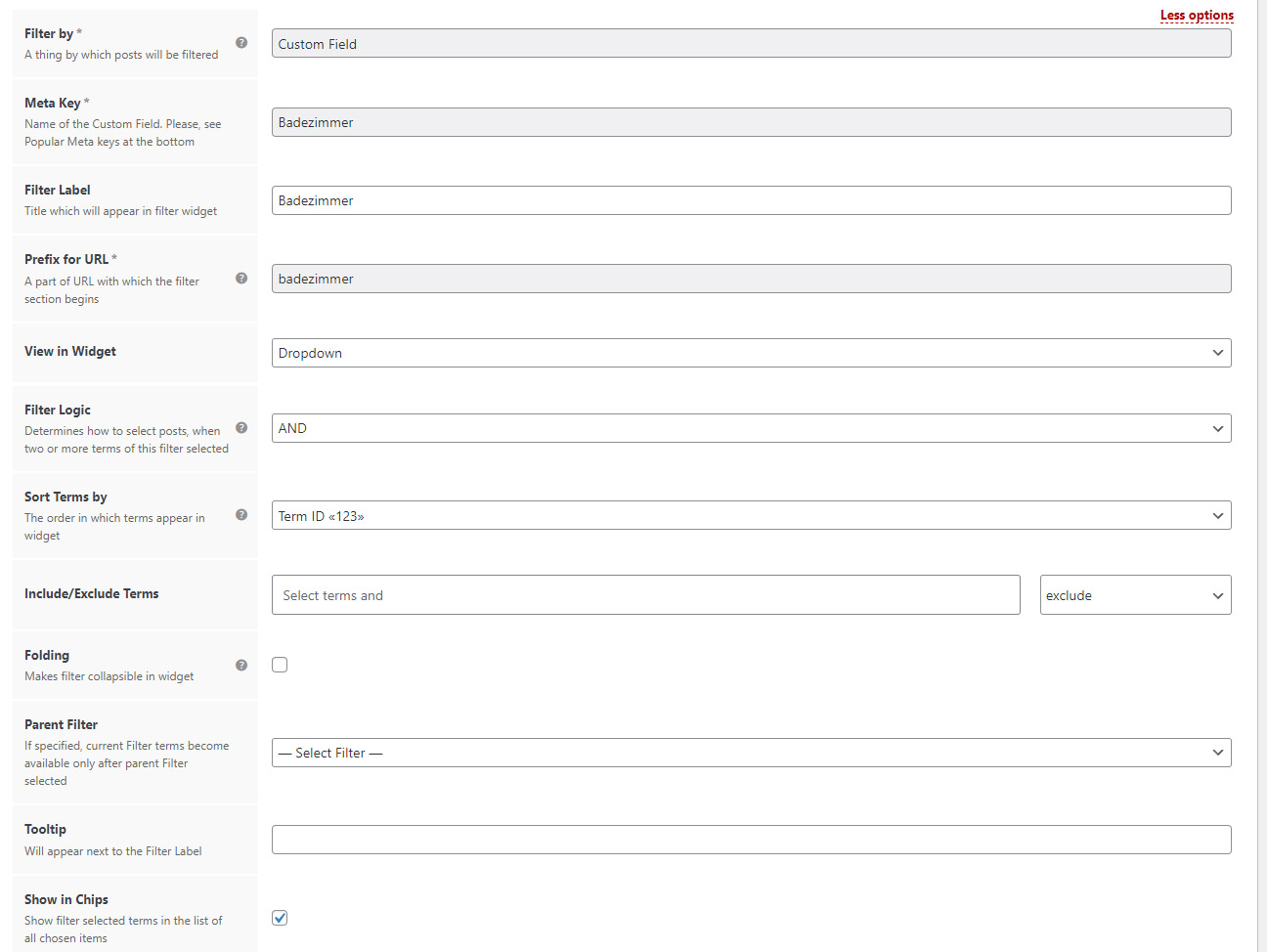
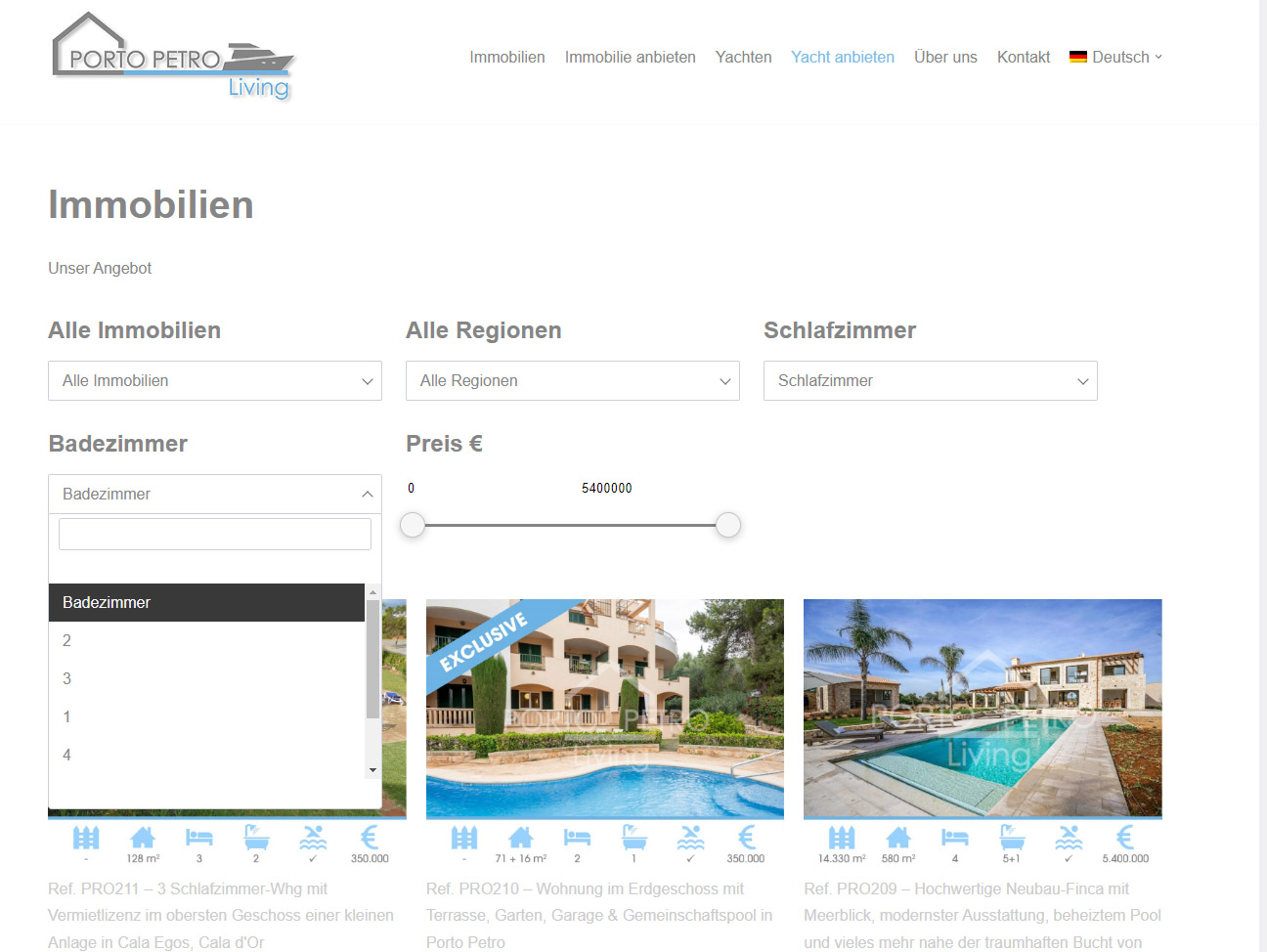
Somehow it doesn’t order the numbers from small to large for me.
Backend Filter: https://webdesign-mallorca.eu/order-number.jpg (“Count ID 123” also does not work)
Frontend Filter: https://webdesign-mallorca.eu/website-filter.jpg
Have I overlooked some setting? Thank you & Regards
Hello SilentWorker
Sorting terms by Term ID is not so obvious because term_ID can be visible only for the site admin and only they can compare it with frontend and ensure it works or not. It seems you have to change the value to the “Term name abc” if you want to sort them in numeric order 1, 2, 3 … X
Please, try to select “Term name abc” for the filter.
Hi Stepasyuk,
Perfect, thank you!
I have two last questions.
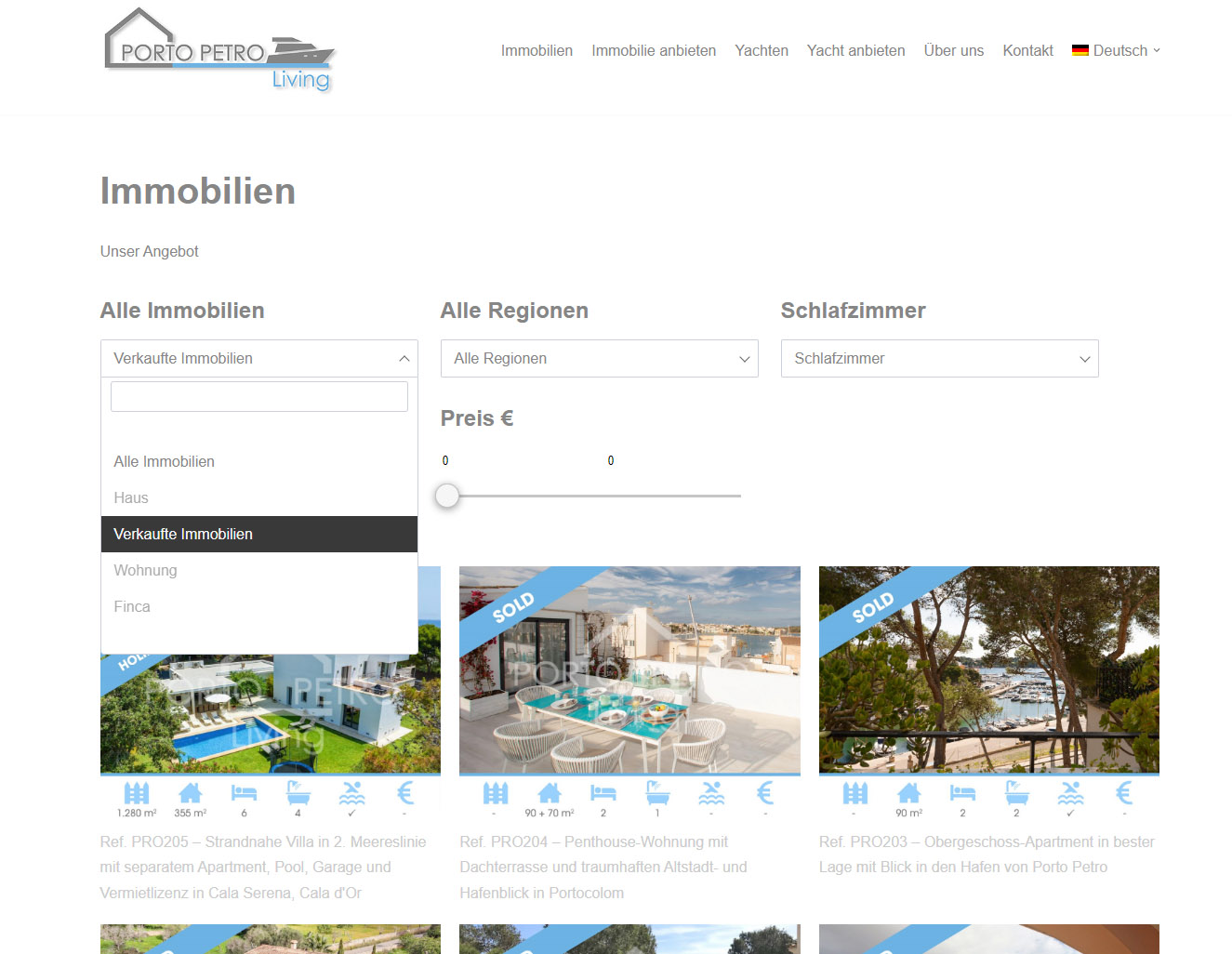
1. can I manually position a field? I want “Verkaufte Immobilien” to be at the bottom (Frontend). https://webdesign-mallorca.eu/Screen_Sold_Prop.jpg2. is there a possibility to chose a minimum number of bedrooms, e.g. 3 bedrooms or more(Frontend)? Like this (Backend): >=3 ?
Thank you very much for the nice support
Hi SilentWorker
I’m glad that your previous problem was solved
1. It is possible only for Product Categories and Product Attributes because they have ability to set manual order. If the “Immobilien” filter is not Product Category or Attribute you can use hook ‘wpc_terms_before_display’ https://filtereverything.pro/resources/hooks/#terms-before-display-hook to set desired terms order in PHP code. Of course it expects that you are familiar with PHP.
2. You can always modify your WP_Query that shows posts on the page via hook ‘pre_get_posts’ and to add there subquery that selects only posts with Bedrooms >= 3. Also you can use hook ‘wpc_filtered_query_end’ that allows you to modify WP_Query after Filter Everything parameters were applied.
—
If it is possible I would be thankful for a positive review about the plugin here on CodeCanyon – https://codecanyon.net/item/filter-everything-wordpress-woocommerce-filter/reviews/31634508
Thank you in advance!
I have a pageand I have added a products list on it with the filter on the side! but it does not filter.
Hello
would really like to have this sorted
Thank you. I have purchased this plugin
Hello madhawaudawatta
No worries, support answer delay here is up to 2 business days but depending from the problem may also be longer.
As I see now you were able to configure to work it by yourself and filtering works as expected http://box2531.temp.domains/~flaminx1/bodysuites/colour-green/
If you have any questions, please let me know.
Thank you. Regards.

This item was featured on CodeCanyon

Elite Author
Contact the Envato Market Help Team