

84 comments found.

Is this plugin allso speedup Woocmmerce?
It speeds up the entire WordPress website, including WooCommerce, and if it can’t speed up WooCommerce, it gives you hints and metrics so you can track what slows it down.
Check out version 4.9.4, bringing together SpeedFactor, Volt and a Persistent Object Caching feature. Read more details here:
https://getbutterfly.com/wordpress-plugins/lighthouse/Hello. I have a question. In Wordpress Admin panel I can see a notification which states that a new version of your plugin is avalable (4.1.0). However when I download the plugin from codecanynon all I get is version 4.0.4. Could you please let me know which version is currently up to date? Thanks!
That is true. I maintain an updated copy on the official website – https://getbutterfly.com/ – where the latest version is always available. The CodeCanyon version is updated less frequently.
Go ahead and get the latest version (4.1.0).
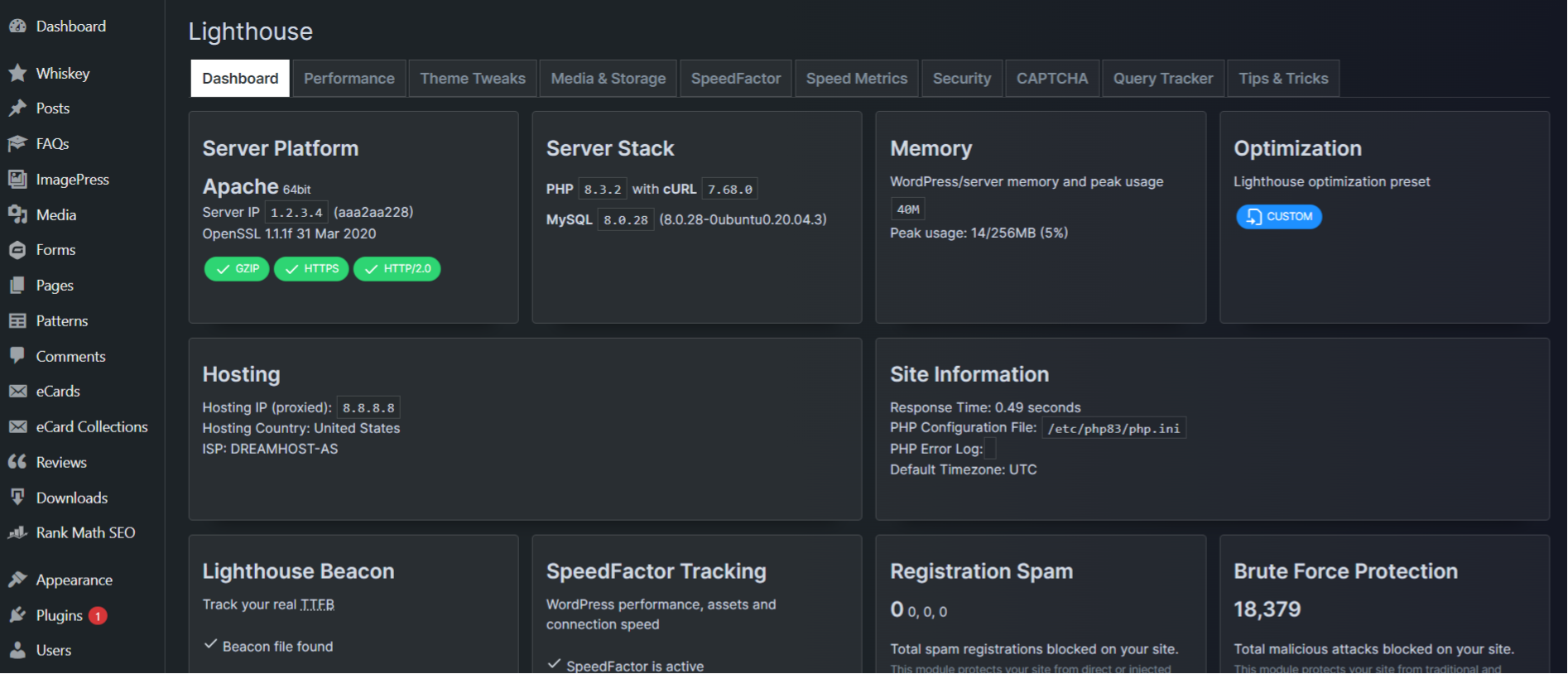
Then go to Lighthouse -> Theme Tweaks, enable “Enable dark theme for Lighthouse settings and panels” and experience an awesome UI 
Check out version 4.9.4, bringing together SpeedFactor, Volt and a Persistent Object Caching feature. Read more details here:
https://getbutterfly.com/wordpress-plugins/lighthouse/Will the version sold here on CodeCanyon still receive updates? I see that the latest version is 4.02, but the version on CodeCanyon is still 3.9.9.
Yes. I update this one slower, but the updater functionality is the same.
If you purchased 3.9.9, you should get an automatic update notification for the latest one (currently 4.0.2).
Check out version 4.9.4, bringing together SpeedFactor, Volt and a Persistent Object Caching feature. Read more details here:
https://getbutterfly.com/wordpress-plugins/lighthouse/Hi, do you have any whitelabel\extended license for this plugin? Thank you
Yes, just select the Extended License, next to the price, when you purchase it. Click the “Regular License” and select “Extended License”.
Check out version 4.9.4, bringing together SpeedFactor, Volt and a Persistent Object Caching feature. Read more details here:
https://getbutterfly.com/wordpress-plugins/lighthouse/Does it work well with cache plugins like Rocket, Litespeed, Flyingpress..?
Yes, it does. In case the same options are present in multiple plugins, only enable them in one of them.
Check out version 4.9.4, bringing together SpeedFactor, Volt and a Persistent Object Caching feature. Read more details here:
https://getbutterfly.com/wordpress-plugins/lighthouse/what is the best unique option on your plugin?
It tracks pagespeed on a daily (or hourly) basis, and it shows speed with or without WordPress, so you can make informed decisions on what to fix on your website.
Check out version 4.9.4, bringing together SpeedFactor, Volt and a Persistent Object Caching feature. Read more details here:
https://getbutterfly.com/wordpress-plugins/lighthouse/Why it’s better then WP-Rocket or other similar plugin?
I did not say it’s better. It’s an alternative. The main feature is tracking the speed of your website on a daily basis. WP Rocket does not have this feature.
Also, this plugin is meant to be used combined with other plugins for minification, caching and/or Cloudflare.
Check out version 4.9.4, bringing together SpeedFactor, Volt and a Persistent Object Caching feature. Read more details here:
https://getbutterfly.com/wordpress-plugins/lighthouse/Hi
I received message for the plugin update but did not arrived that to my account, i can still download the the old version (3,92 instead of 3,93) Thank you for your answer. Best Regards Csaba
I know, it seems to be an issue with other customers, too. I will release an updated version by Wednesday, which will fix the upgrade notice.
Check out version 4.9.4, bringing together SpeedFactor, Volt and a Persistent Object Caching feature. Read more details here:
https://getbutterfly.com/wordpress-plugins/lighthouse/I keep getting message to upgrade to 3.9.3, but I already have 3.9.3 installed?
Thanks for letting me know, I’ll investigate.
Out of curiosity, are you using the Core Web Vitals tracking? I intend to switch to the Performance API in the future.
Core Vitals?
Good  you are not using them.
So, the plugin can track your pagespeed automatically, on a daily basis, so you can track the effect of your changes.
This behaviour will change, though, and a new speed tracking will be put in place.
Now I’m getting the message to upgrade from 3.9.4 to 3.9.4?
Do you have the Git Updater plugin installed? If yes, uninstall it. If not, it’s strange. I am using the plugin on 200+ websites, and I am not seeing this update notification.
Git Updater plugin? Not sure?
Can you check?
Can you also check if the directory structure for the plugin is /wp-content/plugins/lighthouse/?
I think this is being caused by a plugin called WappPress. Check it out?
Can you check if you have the Git Updater plugin installed?
Also, can you also check if the directory structure for the plugin is /wp-content/plugins/lighthouse/?
Git Updater plugin? No, I don’t. Also I deactivated WappPress, but the problem returned.
Can you also check if the directory structure for the plugin is /wp-content/plugins/lighthouse/?
Directory structure is fine.
I really don’t know. I got no reports from anyone else, and I also have my 200+ client sites. I will keep investigating and if I find anything, I’ll fix it.
Thanks for your honesty!
You are welcome
Check out version 4.9.4, bringing together SpeedFactor, Volt and a Persistent Object Caching feature. Read more details here:
https://getbutterfly.com/wordpress-plugins/lighthouse/Hi there, Just wanted to check a couple of things. I took on board your suggestion not to double up on features, so I’ve turned off lazy load images, minified css, and minified javascript in my theme settings, and have set Lighthouse to Advanced. What about LiteSpeed—anything I should disable in it that you know of? Thanks, Chris PS. Still get a crap score in the Live Google Lighthouse Test (but the pages feel fairly snappy).
Did you check all options one by one and see which one actually helps? Some might conflict with your theme and some might improve the speed drastically.
Check out version 4.9.4, bringing together SpeedFactor, Volt and a Persistent Object Caching feature. Read more details here:
https://getbutterfly.com/wordpress-plugins/lighthouse/Hi itsnt work with my website , php version is 8.1 and give my “There has been a critical error on this website. Please check your site admin email inbox for instructions.
Learn more about troubleshooting WordPress.”
Okay. What email did you get?
If you did not, can you enable debug mode and see what the error is?
https://wordpress.org/support/article/debugging-in-wordpress/still give me :”There has been a critical error on this website. Please check your site admin email inbox for instructions.
Learn more about troubleshooting WordPress.”
Can you check the error logs?
Error Details
An error of type E_ERROR was caused in line 2118 of the file /home2/wowelega/public_html/wp-content/themes/machic/includes/class-tgm-plugin-activation.php. Error message: Cannot redeclare tgmpa() (previously declared in /home2/wowelega/public_html/wp-content/plugins/lighthouse/classes/class-tgm-plugin-activation.php:2126)
I see. You already have the TGMPA library. I will fix it this afternoon and release a fixed version.
I have released a fixed version – 3.8.3 – and there should now be any issues now. You should also make sure you are using the latest version of the Machic theme.
hi where is the new version? 3.8.3
Updated versions of your purchased plugins are in your Downloads section.
Check out version 4.9.4, bringing together SpeedFactor, Volt and a Persistent Object Caching feature. Read more details here:
https://getbutterfly.com/wordpress-plugins/lighthouse/Hi! Since I purchased it I’ve been testing it and still can’t figure out if this plugin is helping my site or not.
You can enable SpeedFactor and start tracking your metrics, and then enable your desired Lighthouse options and see if something changes.
Check out version 4.9.4, bringing together SpeedFactor, Volt and a Persistent Object Caching feature. Read more details here:
https://getbutterfly.com/wordpress-plugins/lighthouse/Hi! A few questions before buying: 1. Is the plugin GDPR compliant? 2.Does it work with WP-Optimize cache plugin?
Hi, the plugin doesn’t store any data, so GDPR is irrelevant here.
Honestly, I haven’t tested it with WP Optimize, but if you don’t duplicate the functionality (for example have minification enabled in both of them), then it should work.
Also, the SpeedFactor functionality (speed tracking) will work 100%.
Thanks!
You are welcome! Let me know how it works for you.
Hi! I disabled WP Optimize and installed Lighthouse. I haven’t seen any improvements to the site.
Did you try the Safe or Advanced Presets? Note that everything is disabled by default.
Both.
Enabling some of the Lighthouse’s options, will cut your JS/CSS resources in half, if not more. If you test it with GTMetrix, for example, before and after enabling those options, you’ll see the difference.
Also, adding whatever external scripts you are using (Bunny Fonts, Google Fonts, Google Tag Manager, Google Analytics and so on) to the Speed Settings tab → Custom Resource Hints (DNS Prefetch) field, you will see a faster connection speed and a better TTFB.
Check out version 4.9.4, bringing together SpeedFactor, Volt and a Persistent Object Caching feature. Read more details here:
https://getbutterfly.com/wordpress-plugins/lighthouse/Greetings can I ask you for a refund installed the plugin the message to install Git updater appeared once FATAL ERROR is activated, all plugin folders deleted
Greetings! This is not possible, and it doesn’t sound like a Lighthouse error. How did all your plugins get deleted?
pas votre plugin mais git updater qui me semble avoir compris que vous l’utilisiez pour mettre à jour votre plugin. erreur fatale juste activée et tous les dossiers de tous les plugins supprimés
Check out version 4.9.4, bringing together SpeedFactor, Volt and a Persistent Object Caching feature. Read more details here:
https://getbutterfly.com/wordpress-plugins/lighthouse/Hello. I have a presale question. There seems no lazy load image feature, or is there? Kind regards
No, lazy loading is native in all modern browsers.
Also, WordPress automatically adds a loading="lazy" parameter to all images.
Also, adding a lazy-loading JavaScript library would defeat the purpose of the plugin, as optimization is all about decreasing the number of JS/CSS resources.
Got it! Thank you so much for your prompt reply. I think i will give it a try and purchase your plugin, Have a good day!
Have a good day yourself!
Check out version 4.9.4, bringing together SpeedFactor, Volt and a Persistent Object Caching feature. Read more details here:
https://getbutterfly.com/wordpress-plugins/lighthouse/Installed Lighthouse and the next day found that the CPU on the hosting has increased. Disabled the plugin: the next day the CPU load is down.
Is there any way you can pinpoint the issue? As in, enable options one by one until you find the issue? Also, I don’t know your hosting specifications.
Check out version 4.9.4, bringing together SpeedFactor, Volt and a Persistent Object Caching feature. Read more details here:
https://getbutterfly.com/wordpress-plugins/lighthouse/Hello, thank you for the great initiative to develop a lighthouse plugin for WP.
I have purchased the plugin but somehow I can’t find a page where I can send my support ticket.
I have a question if can visualize the Speed Metrics per page? no worries if not I am an expert WP developer and I have the technical capability to extend the plugin to reach my needs.
Hi, you are welcome!
You can not visualize speed metrics per page, it’s per domain only, as that is where issues occur. If your domain and homepage are fast enough, everything will be fast.
not really, I target the 100s on every page, but no worries I can handle modifying your plugin.
I am an expert WP Developer certified by many community members of WP, on technical perspective I can read & customize different code style.
If you would like I can share the improvements after having something presentable
Sure, why not, I’d like to see your implementation.
Check out version 4.9.4, bringing together SpeedFactor, Volt and a Persistent Object Caching feature. Read more details here:
https://getbutterfly.com/wordpress-plugins/lighthouse/Pre Purchase Info: This plugin is compatible with w3 total cache? Thanks
Yes, it is. Just make sure you don’t enable minification on both plugins. Pick one of them.
Check out version 4.9.4, bringing together SpeedFactor, Volt and a Persistent Object Caching feature. Read more details here:
https://getbutterfly.com/wordpress-plugins/lighthouse/Hi. Will it help on buddyboss platform? Using litespeed enterprise already. What can safely enable to be sure everything still works ?
It will help with the general WordPress settings, and BuddyPress is built on WordPress, so yeah.
You can enable minification, header and RSS cleanup, mediaelement.js dequeuing, XML-RPC, theme features that you don’t need, such as srcset, post formats.
Try and see what works best for you.
When I install and activate your plugin it’s telling me that my theme requires git updater plugin. What is that?
Git Updater is a free plugin that helps with automatic plugin updates.
Because you can’t update Lighthouse automatically from CodeCanyon and because it’s always a hassle to download the plugin from here and reupload it on your website constantly, Git Updater does this seamlessly.
https://git-updater.com/Ok… But it’s telling me that my theme requires this plugin and I cannot shut this error down. Nothing about your plugin. And even if you’re right, I don’t want extra plugins on my site. Every other plugin has auto updates if license code is inserted, but apparently you do not – that says there might be some quality issues. I am repeating – this error tell me that my theme requires this plugin, nothing about your plugin. And I will definitely not install extra plugins even if I cannot shut this error down. This is not normal
This is a helper plugin. Lots of commercial plugins use it. You don’t need the license code and all updates are automatic and lifetime. It’s not an error and, yes, Lighthouse requires it in order to stay up to date.
It is perfectly normal and there is nothing to worry. I posted the link above in case you want to read more.
Read what I wrote again. Let me think what I should do
Install Git Updater and get free updates or don’t install it and do it manually from CodeCanyon.
Lots of commercial plugins…. Lots of commercial stuff doesn’t work and never will work on this planet, but sentences are being spread and money is being taken. Lots of people would steal everything if they could and leave you alone bleeding. I do not use a single plugin that requires 3rd party plugin to function. Especially with wrong errors. I am tired of all of bullshit on the planet
I think you might have other problems, bigger than my Lighthouse plugin
 yes I do. I also don’t feel like testing every single feature of my site whether it’s working or not after enabling features of your plugin. But no other way to do it, ehh
This is supposed to be a developer plugin, and you should know what you are doing.
That being said, there are 2 presets in the plugin, basic and advanced. Try the basic one first and see how it goes.
Check out version 4.9.4, bringing together SpeedFactor, Volt and a Persistent Object Caching feature. Read more details here:
https://getbutterfly.com/wordpress-plugins/lighthouse/Will this plugin work well with Page Builders like Elementor? And is there a way I can get a trial version?
This plugin will work with Elementor, but it won’t help much, as Elementor is really bad when it comes to optimization.
There is no trial version feature on CodeCanyon.
Check out version 4.9.4, bringing together SpeedFactor, Volt and a Persistent Object Caching feature. Read more details here:
https://getbutterfly.com/wordpress-plugins/lighthouse/


