130 comments found.

Hello, I have a presale question. Is it possible to create charts based on users form submissions? Thank you.
Hello omahoung,
the charts can be created only with the interface available in the WordPress back-end. This feature requires a customization of the plugin.
Hope this helps.
presale questions this plugina allows data from external Api?
Hello biaisekhmet,
this feature is not available at the moment. However, we received the same request multiple times and we are planning to include this possibility in future plugin updates.
Let me know if you have any questions.
Hello  What am I doing wrong?
The charts just won’t load in Safari Browser, but only if I am not logged in into Wordpress Backend
What am I doing wrong?
The charts just won’t load in Safari Browser, but only if I am not logged in into Wordpress Backend
Hello lithixz,
please contact us via the “Support” tab above and include a link to a page of your website that includes a chart. In addition please include in the email your browser and O.S. version. So we can reproduce the issue and provide you a precise answer.
Thank you.
Plugin is very confusing, does not display preview, and just generally does not work!
Hello modnarus,
I recommend you to start by loading ready-to-use models. Please see:
If you need help with the creation of a particular chart please contact us via the “Support” tab above with all the details. So we can provide you a precise answer.
Let me know if you have any questions.
Pre-sale question. Does your plugin export merged cells and functions that are in the cell. Or would copying and pasting copy everything. Also do multiple sheets import? Thanks
Hello mpurkaya,
Does your plugin export merged cells and functions that are in the cell. Or would copying and pasting copy everything.
the Export menu export all the plugin data in a XML file which can be imported only in the plugin with the Import menu.
Also do multiple sheets import?
You can copy the data of a spreadsheet in your O.S. clipboard and paste the data in the spreadsheet embedded in UberChart.
Hope this helps. Let me know if you have any questions.
Does your plugin export merged cells and functions that are in the cell. Or would copying and pasting copy everything. the Export menu export all the plugin data in a XML file which can be imported only in the plugin with the Import menu.
I should have said importing the data when creating a chart or table.
Hello mpurkaya,
thank you for your feedback.
Let me know if you have any other questions.
If my csv file has merged cells and or functions will the table be created properly?
If I want to create a chart from the file can I tell it to only use certain columns and group columns together when creating that chart?
Hello mpurkaya,
If my csv file has merged cells and or functions will the table be created properly?
The data should be copied in the spreadsheet embedded in UberChart without merged cells and functions.
If I want to create a chart from the file can I tell it to only use certain columns and group columns together when creating that chart?
Charts can’t be created directly from files, the chart data should be copied into the spreadsheet editor included in Charts menu of UberChart. You have to prepare the data in your spreadsheet editor with the required grouping if needed.
Hope this helps. Let me know if you have other questions.
Hi, we have bought the plugin today, but there seems one problem – the values like 0,5 and 0,8 are not shown on bar (the data goes from 90 to 0,5). Is this possible to solve?
Hello zmagoivan,
if you use the comma as a decimal separator please set ”,” in the Misc -> Decimal Separator option.
Hope this helps. Let me know if you have any questions.
Hi, actually we have put ”,” in the Misc -> Decimal Separator option but with no result.
Hello zmagoivan,
please contact us at support@daext.com with the item purchase code and an export (the xml file generate in the UberChart -> Export menu) of the the chart. So we can inspect the table and provide you more details.
Thank you.
Now I changed for all data ”,” to ”.” and it works fine. For Doughnut Chart inner white circle cant be changed right?
Hello zmagoivan,
the doughnut is a circle with an empty space inside. This empty space has the same color of the background defined with the Common -> Transparent and Common -> Background Color options.
Let me know if you have any questions.
Pre-sale: is it possible to create line charts with two y axes that have different scaling?
and can the created charts be copied and pasted using shortcode?
thank you best reagrds
Hello ptrkx,
is it possible to create line charts with two y axes that have different scaling?
yes, two Y axis are available with the line chart. This is an example of a line chart with two Y axis.
and can the created charts be copied and pasted using shortcode?
The charts can be included in posts, pages and custom post types with a shortcode or with the “UberChart” Gutenberg block. You can also duplicate the charts or create reusable chart models if needed.
Hope this helps. Let me know if you have any questions.
good stuff. just want to check that if i install this plugin on my wordpress site then any user can use this feature or this is limited to admin user only.
Hello rave007,
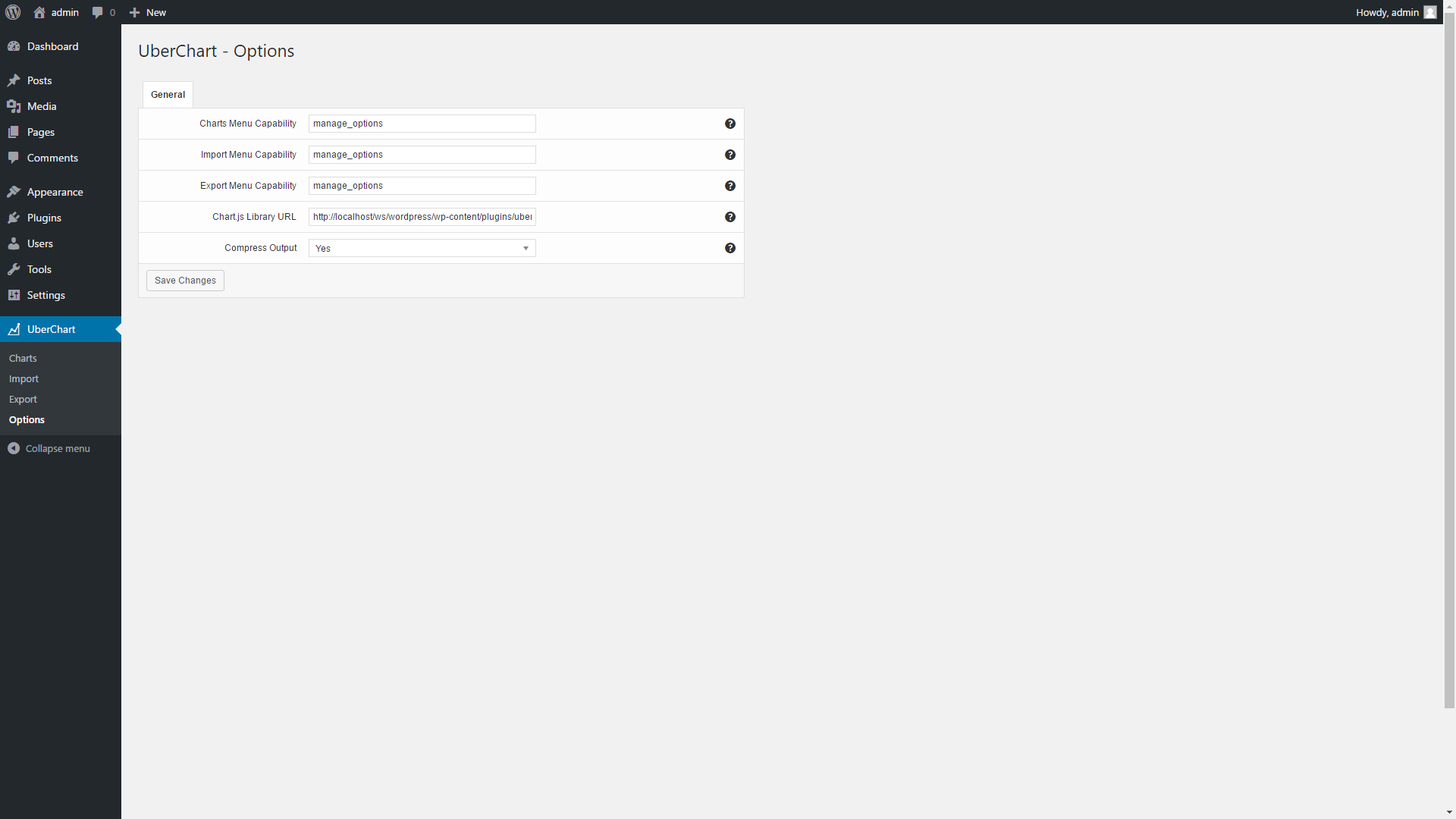
yes, you can define the capability required to access the Charts menu (the menu used to create charts) with the Options -> Charts Menu Capability option. Here you can find the capabilities owned by the default WordPress roles.
Hope this helps. Let me know if you have any questions.
Hi, any plans to add support for visitors to download the chart as an image or the ability to brand the charts with a website logo?
Or even offer the ability for visitors to embed the chart on to their site?
Hello aceriker,
these features are not available at the moment. I saved your suggestions so that these features will be considered in future plugin updates.
Let me know if you have any questions.
Great, I purchased the plugin to support the continuing development of it and hope these features can be included in a future update
Hello, is it possible to create a Combo Chart? So a chart with bars and lines? Thanks for the Feedback.
Hello bohrmann,
no, only one chart type is available per chart. Charts with an additional Y axis are possible, but with the same chart type.
Let me know if you have any questions.
UberChart 1.22 has been released
UberChart has been updated to version 1.22 and the following changes have been applied:
- The “Thousands Separator” and “Decimal Separator” options have been added in the “Misc” section
To update the plugin please proceed as follows:
- In the Plugins menu click “Deactivate”
- Update all the plugin files via FTP
- In the Plugins menu click “Activate”
If you have any technical questions please contact us via the “Support” tab above.
In January 2020, you replied to a comment by mstell540. You mentioned that we would be able to add commas in long numbers (12238493 could read as 12,238,493). Has this function been added yet? If yes, where can I find it?
Hello codiesmth,
an update with new features, included an option to enable the thousands separator, will be released before the end of October.
Let me know if you have other questions.
Hello codiesmth,
we just released version 1.22 which includes customizable thousands separators and decimal separators.
You can find the update procedure below. Let me know if you have any question.
UberChart 1.21 has been released
UberChart has been updated to version 1.21 and the following changes have been applied:
- The Chosen JavaScript library has been replaced with the Select2 JavaScript library. The Chosen JavaScript library was used to handle the select elements in the back-end and with WordPress 5.5+ Chosen generates JavaScript errors and breaks the script used to import a model. (because Chosen includes deprecated jQuery methods and jQuery migrate is no longer present in WordPress 5.5+)
- Minor bug fix
To update the plugin please proceed as follows:
- In the Plugins menu click “Deactivate”
- Update all the plugin files via FTP
- In the Plugins menu click “Activate”
If you have any technical questions please contact us via the “Support” tab above.
Hi, Just a pre-sale question. Does you plugin allow different user roles to edit the charts ? Thanks for your reply.
can you automatically graph data from other plugins results?
Hello rojaskm,
the chart data should be manually added via the back-end. To import the data of another plugin a customization that connect the two plugins data is required. If the chart data are provided by the other plugin are in a spreadsheet format (E.g. CSV) you can paste the data in the UberChart spreadsheet editor available in the UberChart -> Charts menu.
Let me know if you have any questions.
Presale Question:
Hi there, I would like to rebuild a chart like the sales chart at this page: https://www.montanatechcomponents.com/en/companyMean. a stacked chart a so to say combined tooltip. ist that possible ?
THX and best!
Hello wienerpresswerk,
you can create a vertical bar chart with stacked datasets but:
- A line chart can’t be added in a bar chart like in the linked example.
- The tooltips are not combined. You will see the tooltips related to the single datasets of the bar like in this example.
Hope this helps. Let me know if you have any questions.
Hello Spruce_Creative, I just replied to your email.
Hi, is it possible to use this with elementor ?
Hello elprodeo555,
yes, with Elementor you have to use the shortcode associated with the chart provided in the UberChart -> Charts menu.
Hope this helps. Let me know if you have any questions.
Hello, I would like to know if it is possible to change the transparency of the horizontal bars of the charts, as well the specific color of one or two lines in each chart. Thanks
Hello mingogomes,
I would like to know if it is possible to change the transparency of the horizontal bars of the charts
yes, you can set the transparency with the alpha value of the color expressed in rgba format. E.g. The “0.2” in “rgba(255,99,132,0.2)”. In the case of an horizontal bar chart use the Background Color and Border Color dataset properties.
as well the specific color of one or two lines in each chart
yes, you have to create a comma separated list of colors instead of a single color. E.g.: “rgba(255,0,0,0.2), rgba(0,255,0,0.2), rgba(0,0,255,0.2)”
Hope this helps. Let me know if you have any questions.
Hi there,
I would like to ask if this Charts and Graphs wordpress plugin supports creating Box Plot graphs. Like this example from google chart(https://developers.google.com/chart/interactive/docs/gallery/intervals#box-plot_1).
Thank you!
Hello Spruce_Creative, I just replied to your email. Let me know if you have any other questions.

This item was featured on CodeCanyon

Elite Author
Contact the Envato Market Help Team