2001 comments found.

Quick question team,
For GEO location setting, is there a way we can set an exclusion rules such as:
If <country> is not Malaysia = show USD, else MYR.
If yes, how can I do so?
Hello
Check this option – https://prnt.sc/tx2r8b AND https://prnt.sc/tx2s36
Presale Question: I’m using the free version and it works great! I only need two currencies. However, I want shipping to only be displayed in USD, no matter what currency is selected. Is that possible with the paid? I’ll purchase if so. I’m using this plugin for shipping rates: WooCommerce USPS Shipping
Hello
No! on one page all prices should be displayed in one currency
Not possible to exclude a plugin? Okay. Then I don’t need to buy.
Hello, install the trial version. I can’t find where to enter the paypal details. They indicate where I enter my data so that the money reaches my paypal account
Hello
This is a currency conversion plugin, it is not a payment system.
Configure paypal on the payment systems settings page
Hi, i have installed the plugin two days ago and did everything for geo ip currency system but the plugin isn’t showing exact amount when i convert the currency from USD to another currency like if my product price is $89.99 then when i convert it to INR it’s showing me ₨503,279.26 which is totally wrong correct amount should be Rs6668.01 . can you guys provide a solution to this problem ?
if you guys aren’t able to fix this problem then i would ask for refund from the account i bought no worries
Hello
It looks like a conflict with a third party plugin
Read this – https://currency-switcher.com/currency-recounts-wrong-double-zero-and-others/
To get support please write here – https://pluginus.net/support/forum/woocs-woocommerce-currency-switcher-multi-currency-and-multi-pay-for-woocommerce/
Paste your license key here – https://c2n.me/43SC6rb.png -> https://c2n.me/42HBIt7.png
Hi. We are using WCMP [https://wc-marketplace.com/] and I am wondering is this compatible with this plugin? We would like the Seller to be able to set the currency price for their product, rather than depend on an exchange rate. It would also be great if they could set their shipping prices in each currency. Looking forward to your reply. Thanks
Hello
I answered you on the forum – https://pluginus.net/support/topic/woocs-labs-integration-with-wcmp-https-wc-marketplace-com/
Hello Support team, Plugin is working fine just one issue I facing is interest rate after currency converting. https://prnt.sc/tpr4oe see this screenshot. interest rate % calculate on base currency. I think it should be calculate from same currency which is selected. for example, my welcome currency is not USD and I want to add 3% of USD then unable to calculate as per interest.
Hello
It works differently. Price* (Rate + interest) it does not count as a percentage
Hello, how am I interested in pluing? Please, I am from Argentina Buenos Aires, you can convert from Argentine pesos to dollars and euros, and vice versa, I await your response, thank you very much, greetings!
Hello
Yes. please try a free version – https://wordpress.org/plugins/woocommerce-currency-switcher/
Can we prevent currency switch based on GeoIP?
Hello
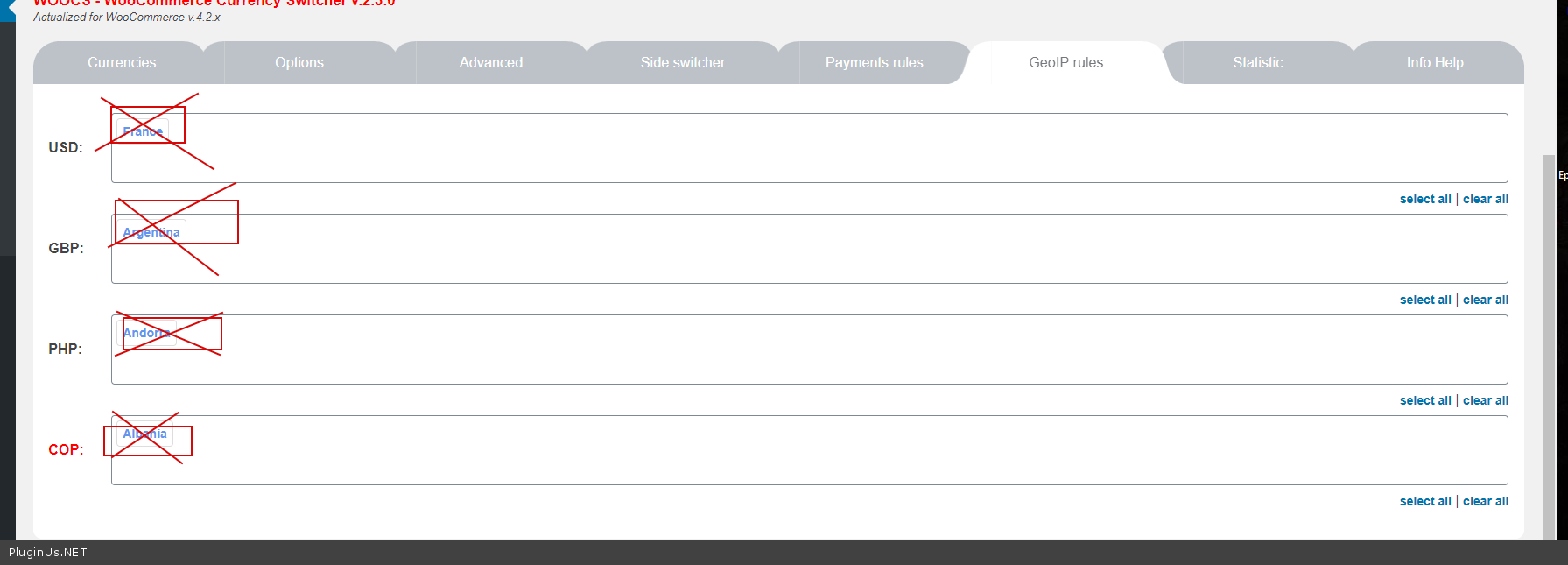
Yes. Just delete all options on GeoIP tab – https://c2n.me/48q6PZR.png
I still want to use GeoIP. E.g. If a customer is from Country A, they will be shown Currency A and will not be able to switch the currency to Currency B. They will also only be able to checkout in Currency A.
Hello
Try to add chis code:
add_filter(‘wp_head’,function(){ if (class_exists(‘WOOCS’)) { global $WOOCS; $user_country = $WOOCS->storage->get_val(‘woocs_user_country’); $_currency = $WOOCS->get_currency_by_country($user_country); $WOOCS->set_currency($_currency); } });
Thanks, I’ll try it out.
I installed the plugin, but when I changed my system’s IP to another country and visited my website, the currency is still the same?
http://www.brillantejewelry.comThanks
Hello
Please read this – https://currency-switcher.com/using-geolocation-causes-problems-doesnt-seem-to-work-for-me/ If no luck – write me here – https://pluginus.net/support/forum/woocs-woocommerce-currency-switcher-multi-currency-and-multi-pay-for-woocommerce/
Paste your license key here – https://c2n.me/43SC6rb.png -> https://c2n.me/42HBIt7.png and wp-admin access – https://c2n.me/42BAoj4.png
does it compatible with FacetWP?
Hello
Unfortunately we do not have such information.
You can test it with free version – https://wordpress.org/plugins/woocommerce-currency-switcher/
Hola
We need that when an order is placed from certain countries or in a certain currency before paying the order, the price of the transport has to be introduced by the administrator and that later, once the administrator has changed the order, the customer can pay it.
We need to make an interruption in the process.The prices of transport from Spain to Chile or Argentina, for example, vary a lot and it is necessary to calculate them by hand for large weights.
Can your plugin leave an unfinished order waiting for the administrator to complete it?Thank you
Translated with www.DeepL.com/Translator (free version)
Hello
Unfortunately this plugin cannot manage orders
sad to say you can set the price for each item for different countries..but in the base price.. but you cant set it in different currency. example i want to charge $10 in USA (base price) but in Japan Yen i want to charge 1,607 YEN ($15) i cant. it would be nice that in the product section, it allows me to choose the price in the added currency i have, not only base.
Hello
Watch a video please – https://currency-switcher.com/video-tutorials#video_YHDQZG8GS6w
How can we switch currency without page refresh. I see shopify stores can do this… Why can’t we?
Hello
Unfortunately, the plugin does not have such a feature
Hello
My local currency is Egyptian pound “EGP” Not working with PayPal
So I need to switch to USD while checking out
Note: The payment will be subscription
Hello
Read this please – https://currency-switcher.com/force-currency-on-checkout-page/
Well, In the Post “Change ‘USD’ to any currency you need …”
From where will take currency rate, and is the currency exchange rate is automatically updated,
And lastly I need to confirm if this will work with paypal and wordpress subscription or not
Hello
The plugin takes the exchange rate from online aggregators and can automatically update it
Please try to watch a video – https://currency-switcher.com/video-tutorials#video_1
Test it with the free version – https://wordpress.org/plugins/woocommerce-currency-switcher/
and read this please – https://currency-switcher.com/woocs-labs/
Hello, I’ve been testing the lite version before buying. We are using w3 total cache, and it seems like choosing (I’m using page cache) option just adds a query to all products and makes them excluded from the cache. This causes severe performance issues for us. Ajax preloader on homepage looks very slow for us too. Is there way to use this with preloaded w3 page caches?
Hello
Ajax requests do not affect page loading.
( Plugin redraws cached prices in ajax mode )
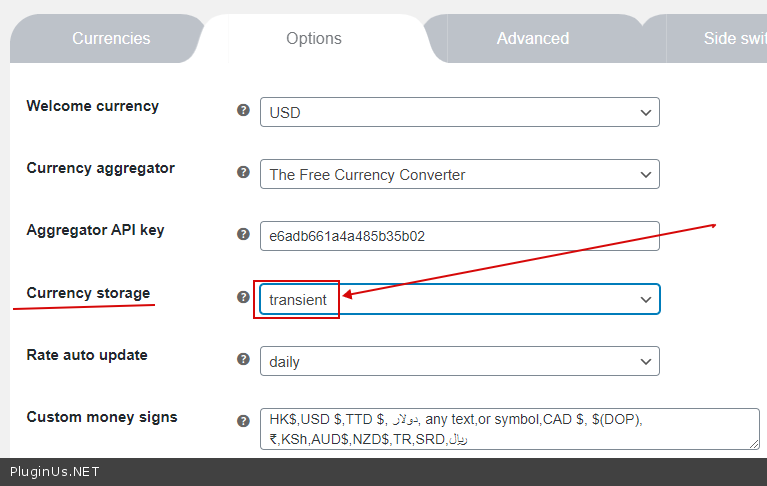
Hello, In the lite version product causes site heath problems. Sorry for double post. I also posted to the wp support page. I don’t wan’t to miss the sale so can you please check it out? transient storage won’t work with my setup (lots of object caching, redis etc.) session storage breaks wordpress session managemenet and errors loopback requests, rest api etc. Please advise so we can pull the trigger on this plugin:)
Hello
So use transients – https://c2n.me/48bId6L.png
It´s just a presale question: works the currency-switcher and the WOOF – WooCommerce Products Filter togeter? i use the quick-filter (with json-file) plugin and like to this plugin too.
Hello
Yes. Please do test with free version – https://wordpress.org/plugins/woocommerce-currency-switcher/
Hi there, Just wondering if there’s a way to integrate with WC Vendors? We understand it’s not a out-of-the-box feature, but wondering if you’ve had any other similar request where you were able to solve this problem.
Many thanks A,ex
Hello
Read this please – https://currency-switcher.com/woocs-labs/
Hi, I want to add 5% vat on paypal payment gateway, can I do this using your plugin ?
Hello The plugin does not have such a feature
Hello
Looks like you need additinal field for such type amount, try please for example this plugin: https://wordpress.org/plugins/woo-checkout-field-editor-pro/
It’s 2020 and i still can’t offer my customers a currency option. I use wpengine, when I access from a UK Web Browser and UK VPN, I’m served USD currency due to cache.
Please tell me how to fix this.
Hello
Read this please – https://currency-switcher.com/using-geolocation-causes-problems-doesnt-seem-to-work-for-me/
Still does not work. I registered maxmind, everything seems good… Still i go to my website, its showing me GBP but I’m in USA… default set is USD, I clear all cache, still doesn’t work..
Hello, first I want to say I love your demo website with “ATTENTION!!” warning, really funny.
I would like to hide the text/symbol within using shortcode. I only wish to display the flag only.
Please help. I can’t code, can’t figure it out.
Thank you!
Hello
To show only flags – https://c2n.me/4820viI.png
Unfortunately, in another case, you need customization of the code

This item was featured on CodeCanyon

Power Elite Author
Contact the Envato Market Help Team