10154 comments found.

Hi, does this plugin work with the Bid or Buy store integrator (the one that lists all your products onto Bid or Buy)?
The plugin works on a WooCommerce site. The bidorbuy is a list directory site so no, there isn’t possibility for any plugin to be compatible with bidorbuy. You should ask them what plugins they support on their site, that would be more reasonable in my opinion as this would need to be specifically supported and coded on the bidorbuy site directly.
There is a plugin that integrates Woocommerce with Bid or Buy to list your products there in a feed: https://wordpress.org/plugins/bidorbuystoreintegrator/#description
I am asking if the extra product options plugin works with this, ie. would the extra options also be carried over into the feed?
I don’t believe so. You should ask that plugin author if they have some sort of integration.
Hi! We currentIy have a webshop with 21K+ products and we’re using WP All Import/Export to sync our products. Will we be able to batch update products using an Excel file? I’ve managed to export the TM meta fields but upon importing them again it wipes them out, even the ones that had been previously set up. I’d like to buy your plugin but I need to know if this can work. Thanks a lot for your response. KR, Alain
FYI: WP All Export does show custom fields like “tm_meta” and “tm_meta_cpf”
I don’t understand what the Excel file has to do with the plugin.
In any case, from what I know WP All Import doesn’t by default import product meta data where the options are saved. I have exported and re-imported products with extra options by using WP All Import Pro (not the free version). I needed the pro version as this only supports importing/exporting meta fields (WP All Import calls them Custom Fields).
I’m not sure if that is the answer you were looking for but I cannot go into specifics in this section. In the support forums there are several topics about this.
The Excel file has nothing to do with the plugin directly, it’s just the filetype we use to import using WP All import. Let’s dismiss the file extension.
I also own the Pro version of WP All Import/Export and like I said I was able to export the meta fields. They showed up as Custom Fields (tm_meta” etc) But when I imported them again, the product add ons were gone. I just want to be sure if this is something that can work or not.
So my question is simple. Will I be able to export/import add Extra Product options and is this something we just need to tweak a little? ‘Cause then I’d be more than happy to buy the plugin and file a support ticket.
Plus: Then I’d need for it to actually import the actual specified product too, unlike your built-in CSV export/import option which only works for the plugin settings but not pre-defined products
I’m not sure how else to respond I’m afraid. We cannot tweak plugins like that. The process needs to be supported by the import plugin you use.
If you use global options then obviously you don’t need to use wp all import for that. If you are using options created directly in the product then as long as the option data is in the file you exported you can imported using the wp all import pro.
You said “I have exported and re-imported products with extra options by using WP All Import Pro”. I’m trying to do the same thing, using the same plugins you’re using. But somehow it doesn’t work when I’ve imported them again. But from what you tell me I understand you managed to get it to work.
I have actual products set up as product options. See: https://www.rebo.nl/product/sms-r1-meerkleuren-labelprinter-snijplotter/
When I export a CSV using your plugin built-in tool and then import them again to another product, the EPO settings are there but the specified extra products aren’t shown. Does your WP All Export/Import method work the same or will that method also add the actual products instead of the options only?
I think it’s a language issue but I can’t think of another way to put this.
Here is a video showing that. It is from an olden wp all import version but the process is similar https://www.youtube.com/watch?v=xaL2ARCYPsY
Yes I saw that and I did it the same way but I couldn’t get it to work that way. But from what I understand it should be possible. Is there a refund period for your plugin? I like your product and would love to try to get it to work.
You can see the Envato Market refund rules at https://codecanyon.net/page/customer_refund_policy and our refund policy at https://support.themecomplete.com/refund-policy/
Basically, you can get a refund if the item isn’t as described, not if you use it for testing purposes. The refund period is 14 days.
Ok well you described it to work with WP All Import so that shouldn’t be an issue. Thanks! I’ll be happy to try to get it up & running.
We have a text box which is calculated using price per row. When we increase the quantity to add to cart this multiplies the price per row by the quantity of products, which is correct.
If we use the ‘Set to Fee’ option, this works as we want it to, but we need the extra options text box content against each individual product, not against the whole order, as we customise individual items.
Could you tell us a way to stop the quantity affecting a particular field, almost like an Exclude from Quantity increase option, similar to the ‘Set to Fee’ option.
I’ve looked in the files for * qty and found a few instances but don’t want to edit all over the place, rendering us unable to update in the future.
That isn’t possible I’m afraid. Fees are attached to the Order, not the product.
Sorry, I think we are getting crossed wires.
When we use the Set To Fee option, the quantity is ignored, could you tell us how we can enable ignore quantity for an individual element.
So we have a text field with a charge of £10, if the customer wants 5 items, it will still only charge £10 for this field, not 5 * £10?
When you use the Set To Fee setting then the option becomes a WooCommerce Fee, which at that point is out of our control. Fees are designed by WooCommerce to be attached to the order, not at any product, and there isn’t any way to make them not be quantity independent. This means that is you set an option to be a fee it will always not be multiplied by the product quantity.
This is the only way you can have an option to not be multiplied by quantity, there isn’t any other way I’m afraid.
1. Does it allow calculations on width and height entered for a woocommerce product ? 2. Does it allow calculations on width and height of product variations of a woocommerce product? 3. Do conditional logic allow string functions like if SKU contains “abc” then do xyz 4. Is Porto and flatsome theme compatible with this ? 5. Where to check admin panel settings of the plugin ? 6. Is it covered by no questions asked return policy ?
1. If you mean the native product dimensions that include the width and height, the currently no, it doesn’t.
2. Same answer as before
3. No, it doesn’t. The logic is based on the option values created by the plugin only at the moment.
4. Yes, for flatsome. For porto you need to disable the skeleton screen feature as it makes any solution like the virtually impossible to function.
Please help with answer to point 5 and 6 as well. Many thanks for your prompt response
I’m sorry I’m must have missed those.
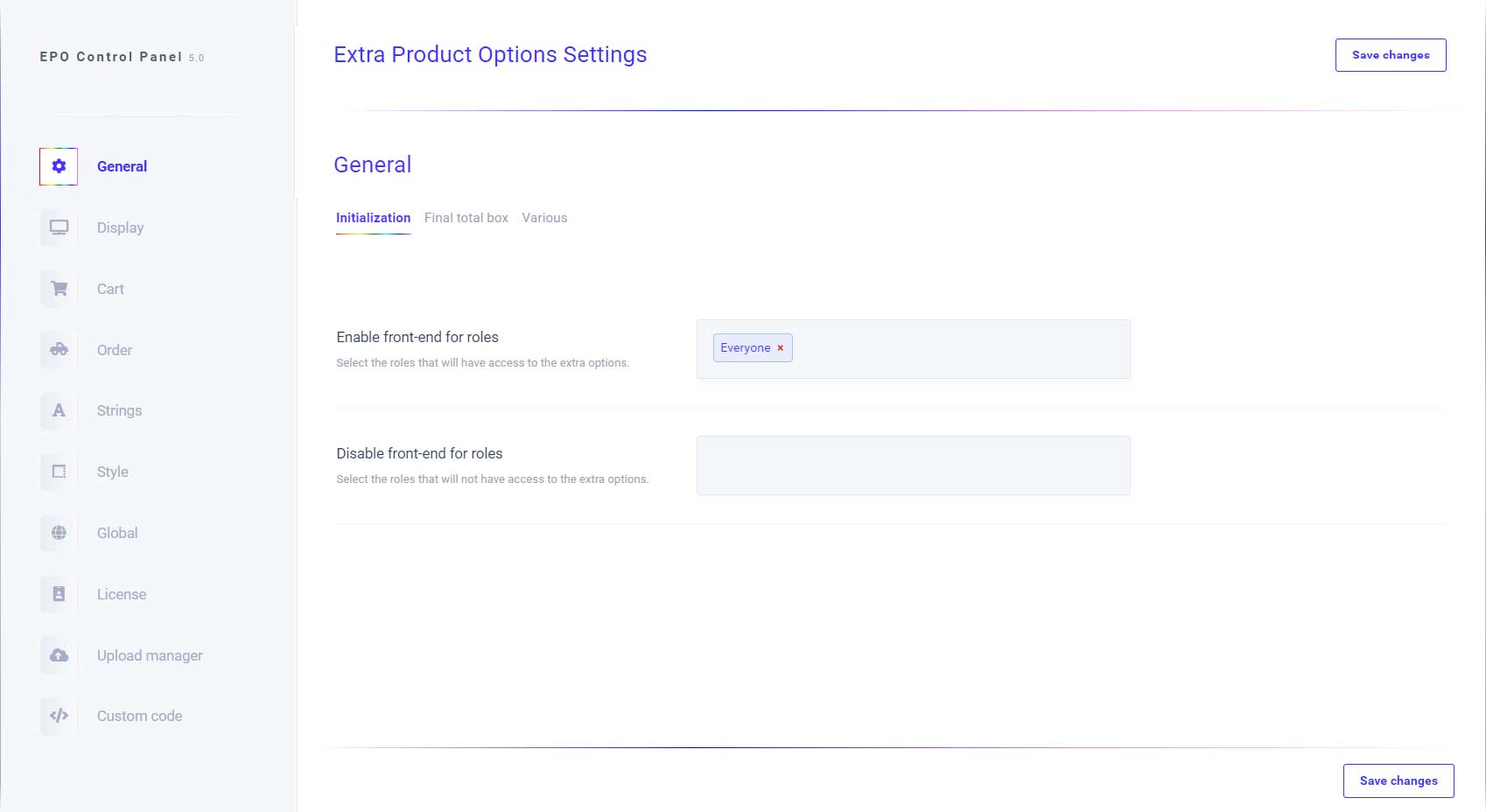
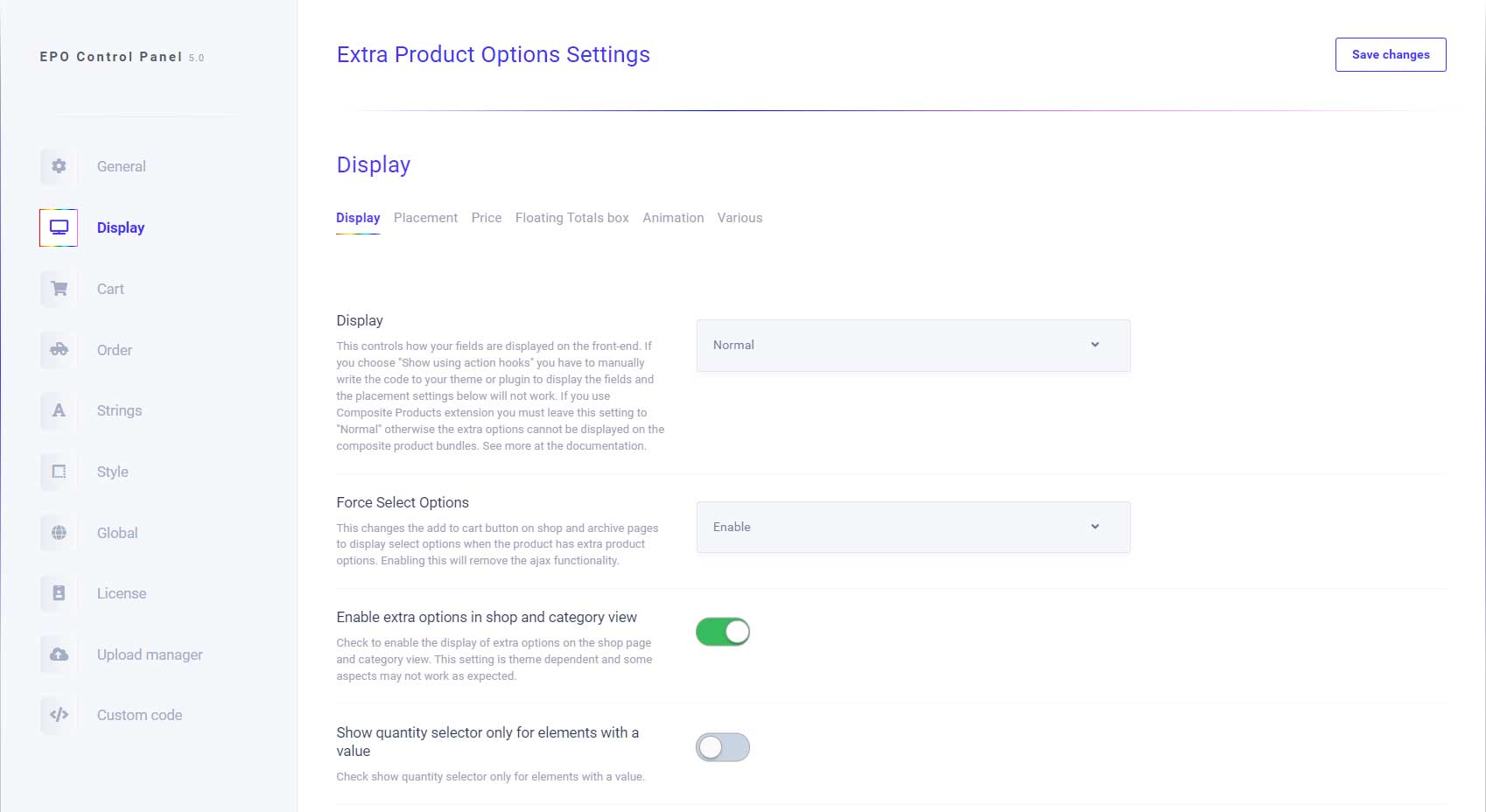
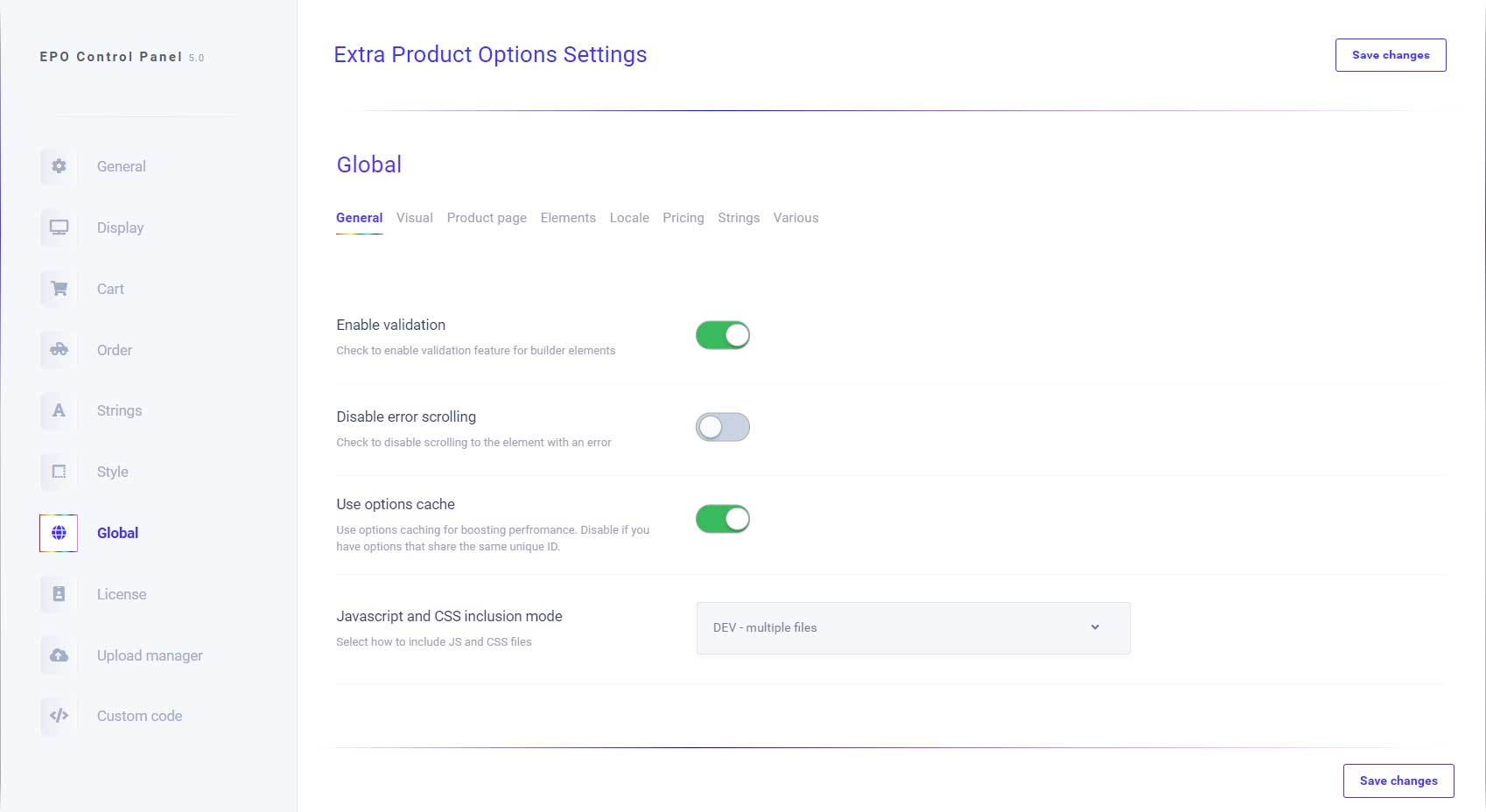
5. There isn’t any admin demo if that is that you mean. Here are some screenshots: https://s3.envato.com/files/283514726/01_preview1.jpg https://s3.envato.com/files/283514726/02_preview2.jpg https://s3.envato.com/files/283514726/03_preview3.jpg6. You can see the Envato Market refund rules at https://codecanyon.net/page/customer_refund_policy and our refund policy at https://support.themecomplete.com/refund-policy/
Basically, you can get a refund if the item isn’t as described, not if you use it for testing purposes.
Hi! The plugin looks great and it seems it would solve one of our most pressing needs, but before jumping in I would like to know if you think it would work with the style from the theme we are using or if the support would help me style it so it matches the current.
url: couleurdepierre.fr
Thanks!
I cannot speak about styling issues I’m afraid. The plugin doesn’t deal with styling at all, in fact it relies on what the current theme has or customization.
We have an option to add engraving to a product. If a person orders 5 of a product, and wants to add 5 different engraved messages, how can we make a text field appear that amount of times? Or even a plus icon to add more boxes for engraving?
Also when product options are added the boxes set as a Fee, do not print out on invoices or in emails. How can we add these?
There isn’t any possibility for something like that I’m afraid. The elements cannot change depending on the quantity.
Hello,
Will it work in this way:
Product is Pizza, Price is $20
There will be checkbox options for it like
- Cheese $2
- Double Cheese $3
So it customer select Cheese then the total will become $22
Will it work this way?
Yes, you can do that. See a basic example at https://epo.themecomplete.com/product/pizza/
That is superb, exactly what i needed.
Can you offer some discount or have any upcoming discounts?
There aren’t any discounts at the moment I’m afraid.
Sure, no problem.
For adding another product as a checkbox or Radio: Will it be added to cart like a normal product? Because we have some a plugin which processes the cart items and generates a key for it.
The addons you create are not product, nor they can be linked to products. They are just addons to the product.
There is however a product element which you can use that can be used to add another product to the cart along with the main product, but the main addons like checkboxes, radio buttons, etc are not products.
Ok, can you send a demo of the product element?
I don’t have any demo at the moment. It is more like creating a composite product than selecting addons.
Hi, For the description text on Radio Button options, is it possible to display this text on a new line under the radio button title? Instead of a Question mark popup icon?
Go to the plugin settings->Display tab->Display and enable “Show description for radio buttons and checkboxes inline”.
Fantastic … I thought there might be an options for it. I’ve never come across a plugin with so many options to allow customisation … Nice one!
Its possible count pdf sheets, like this: https://copisteriaonline.org/producto/copisteria-copia/????
I’m sorry but I don’t understand what exactly do you mean by that. Can you elaborate please?
When I upload a PDF, it counts the number of pages, as a variable, to put the price according to
No, you cannot use the plugin for that I’m afraid.
hey i am looking to make a form with contidional logic for drop down selection option something like this https://bit.ly/3gSDWDq is this possible wih your plugin ? i see on the demo you can have contional logic for radio button but not for drop down .
All elements can take logic.
Hi, your product looks promising and I think it can solve my problem. Is it possible to make a conditional logic where it shows one options flow when the first option is ticked and another options flow when the first option is unticked?
The flow should be like this when unticked: https://snipboard.io/IGnhzC.jpg and it should look like either of these when ticked: https://snipboard.io/gkLWpS.jpg or https://snipboard.io/tXoI2q.jpg
This is the only doubt stopping me from purchasing. I hope you have this feature.
Here is a demo product for your example https://epo.themecomplete.com/product/prescription-lens-3/
You can also do something like the following: https://epo.themecomplete.com/product/prescription-lens/ or https://epo.themecomplete.com/product/prescription-lens-2/
Thank you. This is exactly what I was looking for. You got a customer.
Hi. I had built a website locally and installed your product and now have disabled the plugin. Now that I am ready to go live I am unable to update the plugin. When I try to register I get the following message”Envato rate limit exceeded! Please try again later.” I have tried over the last 4 days with no success. Please advise. Thanks.
Problem fixed. Please ignore message.
Ok, no worries 
Hello Dear We want to show option here https://www.screencast.com/t/ZQ2teP2Il1 what is short code? we are use flatsome and custom product page block
The plugin doesn’t use shortcodes. It uses action hooks. If you go to the plugin settings->Display tab->Placement you can see the configured placement at the “Extra Options placement” setting.
hi many thanks for your quick reply. i have change placement https://www.screencast.com/t/5oPuQkWdda but options not show product page after product summery https://www.screencast.com/t/CLmb1lXF6K
The setting you set means that the options where your theme executes the woocommerce_after_single_product_summary action hook where ever that may be.
If the theme doesn’t execute that hook, then no options will be displayed.
Thanks for quick reply. I need to paste code manually? woocommerce_after_single_product_summary
What question i have to ask theme author please tell me i will ask theme author
I’m sorry but it is obvious to me that you don’t understand what I’m saying. I didn’t tell you to past any code anywhere.
You can enable a default WooCommerce theme like twenty twenty that doesn’t have modification on WooCommerce templates and check the various placement to see where they are supposed to be. Then enable back your theme and if you don’t see the option in that particular placement then you can ask the theme author to tell you why that hook isn’t being executed by the theme and how to make it execute.
The plugin’s default placement’s are in the format of name/hook :Before add to cart button / woocommerce_before_add_to_cart_button After add to cart button / woocommerce_after_add_to_cart_button Before cart form / woocommerce_before_add_to_cart_form After cart form / woocommerce_after_add_to_cart_form Before product / woocommerce_before_single_product After product / woocommerce_after_single_product Before product summary / woocommerce_before_single_product_summary After product summary / woocommerce_after_single_product_summary After product image / woocommerce_product_thumbnails
Hi many thanks for your reply. Its work with by default theme setting. but its not work with if we create custom product page through elementor or UX Builder
please help
You will need to open a support ticket for that please.
DONE ticket no #83089
The plugin is really good! Just a question. Is it possible to show the quantity without necessarily having to select the checkbox? (now the quantity appears only if the chechbox is selected)
If you mean the quantity selector of the option there is a setting for that. Go to the plugin settings->Display tab->Display and make sure that the setting “Show quantity selector only for elements with a value” is disabled.
Thank you. You solved my problem!
Hi, your plugins looks very promising! Can I add a text field which is filled in by the customer as an option? Thank you, Bogdan
Yes, you can do that.
HI – Pre sales question. Does this plugin integrate with The ‘Table Rate Shipping’ plugin? https://woocommerce.com/products/table-rate-shipping/
No, I don’t see what the two plugin have to do with each other. Integrate in what sense exactly?
Well – We have a catalogue of glass frames for wholesale, and need extra product options, such as ‘lens needed’, lens prescription, etc. The part were we need to integrate with Table rate shipping is, when one of the options is marked for ‘order for stock’, and not ‘for customer approval’. So… If the buyer chooses ‘order for stock’ in your product options, we will giving free shipping.
No, you cannot use the plugin for something like that I’m afraid.
For the conditional logic, it is or will it be possible in the future to hide/show sections/labels when a value of a different element is between two numbers? Instead of showing a section when it’s greater-than a certain value (let’’s say 10), and hiding the label within the section when it’s greater-than a higher value (lets say 20). And instead just have a section with the conditional logic of only being showed when the value of a different element is between 10-20.
In the current plugin state that isn’t possible I’m afraid and I cannot speculate as to when and if the logic system may change.
I am receiving an error when trying to update: ‘Update Failed: Error! Envato API error.’ I am using Version 4.6.9.4. Can you tell me why this is happening and what I can do to upgrade? Thank you very much.
EDIT I found a link here: https://support.themecomplete.com/forums/topic/updating-the-plugin-2/Is that what I need to do? I see a portion that says delete the plugin and install manually. Will my settings be retained or will I have to set everything up again? I certainly don’t want to break things as my site is live. Thanks!
You will need to follow the instruction on the link. You won’t loose any setting from updating the plugin.
Hi, I am wondering whether this plugin is able to do “price per word” in a custom text field. So if I set the price to £1.50 per word and the customer writes “One Two” in the custom text field it will automatically calculate the total price as £3. Many Thanks.
Yes, that is possible with the plugin.
Hello, I have an older version of the product options plugin 4.7.1 so it looks like I will need to do the manual update. You have stated in your how to post for manual updates that I have to DELETE the plugin and then upload the new version and then activate. If I delete the former version of the plugin will all my settings and options stay in the database? my site has some complex options and I would not want to remake all those products. Should I just deactivate or actually delete the plugin before uploading the new version.
For the manual update the process is :
1. Deactivate current plugin.
2. Delete current plugin
3. Install new plugin version.

This item was featured on CodeCanyon

Power Elite Author
Contact the Envato Market Help Team