2798 comments found.

Hello
on URL can change ? example we use attributes promotion need use url mysite.com/promotion/promtionoption1
old filter plugin can change promotion but need change to your plugin
Thank you
Hello
Unfortunately not
Hello i think can work if use shortcode old link not problem
Hello
Ok
Great plug-in! I have a question. In the filter like color is see for example blue (2), but when i select blue the counter disapears. How can i show the counter always? Can you provide me a solution in the settings or a custom function? Thx.
Hello
Unfortunately, the plugin does not have such a feature and there is a reason for this.
But if you want to change it, you need customization of the code.
Please write me here – https://pluginus.net/support/forum/woof-woocommerce-products-filter/
Paste your license key here – https://c2n.me/43SC6rb.png -> https://c2n.me/42HBIt7.png
I’ll tell you how to do it
Exactly I mean this: https://c2n.me/446Rpk6.png And I have customized according to this: https://c2n.me/446RvmU.png And it does not work. What I need to do ? Help me. Thanks.
I answered you on forum.
Hello,
Iam looking for a solution for my product filters. I’d like to have a Range slider for filters such as; Height, Width, Length, etc. I’ve been trying out the free version of your product and I can not find it in there. Is this possible in the premium version? And is there a tutorial on how to do this?
Kind regards, mrjobby
Hello
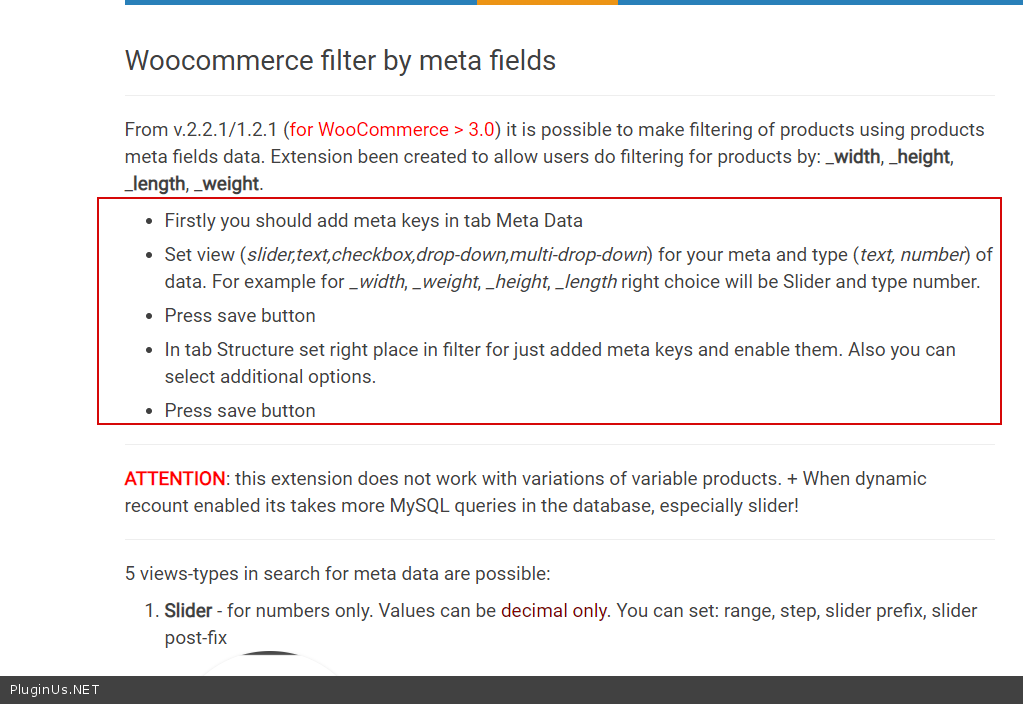
Is this possible in the premium version? – Yes! Read this please- https://products-filter.com/extencion/woocommerce-filter-by-meta-fields/
Thanks for the reply.
We bought the premium version  (not with this account).
I’ve installed the plug-in and activated the meta filter. When I open the meta data tab I dont know how to continue. How do I make the it filter on the data I filled in by my products?
https://products-filter.com/extencion/woocommerce-filter-by-meta-fields/ doesn’t tell that.Thanks
Hi – I updated to 2.2.3 and notice that on my shop page the left category navigation is fully rendering on smaller screen size instead of collapsing to small hamburger filter allowing to expand on click. In your demo site it’s rendering the entire navigation on lower part of the shop page – how can I fix this? Here is your site link showing on bottom – resize screen to mobile screen size or view page on mobile phone: https://demo.products-filter.com/
Hello
Please drop me exact link to the issue
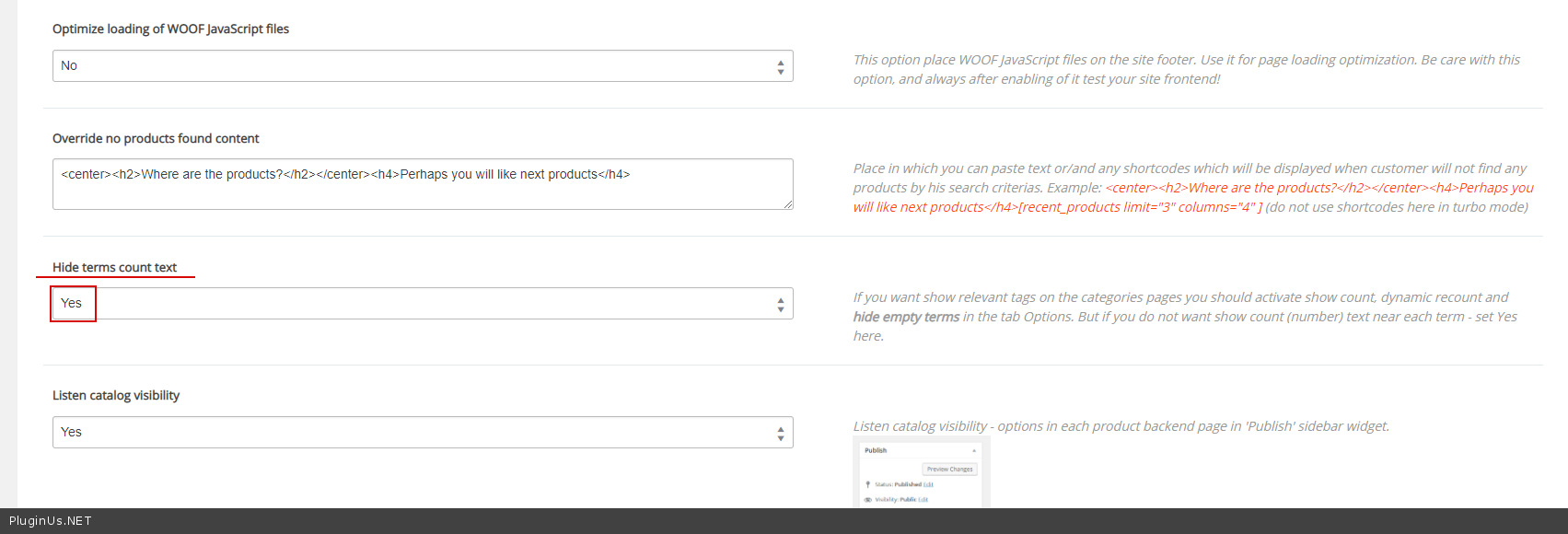
I need help: How to hide the number of products in the product list?
Hello
Please drop me exact link to the issue.
I sent a private message to you. Please check it out. Thanks.
Hello
To get support please write here – https://pluginus.net/support/forum/woof-woocommerce-products-filter/
For security reasons I could not write the article with my image there. I can only write articles. Please support me urgently now.
Hello
I answered you on email
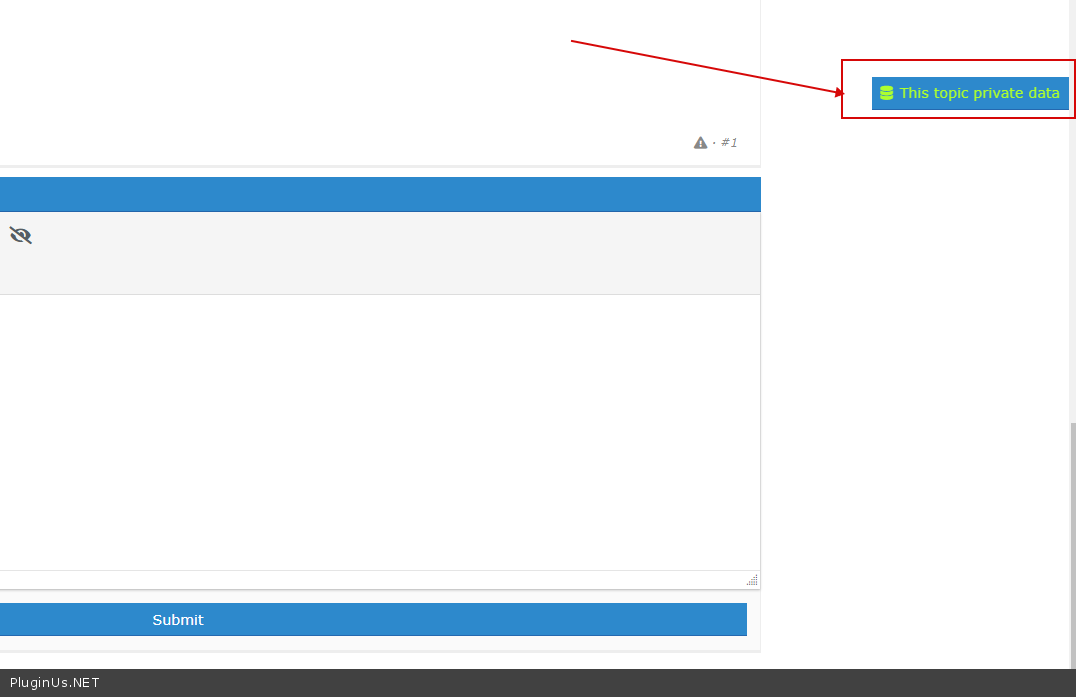
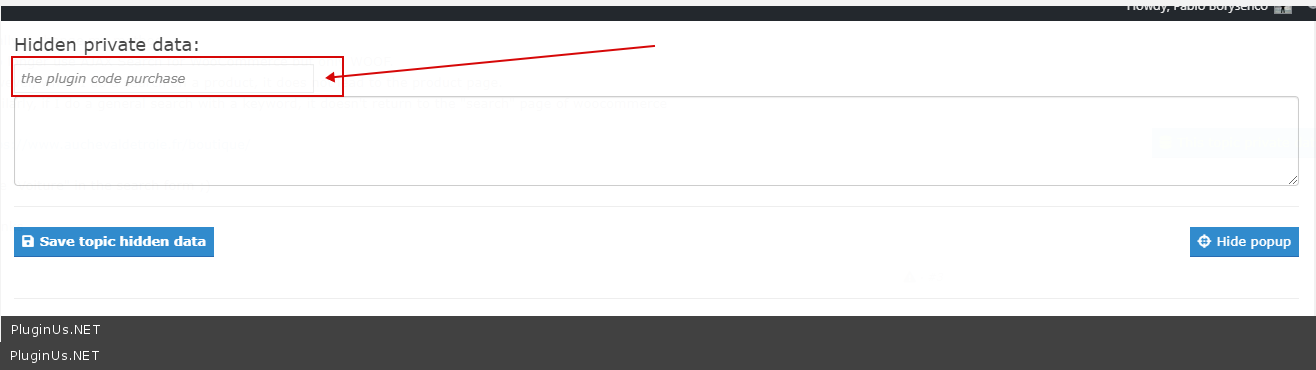
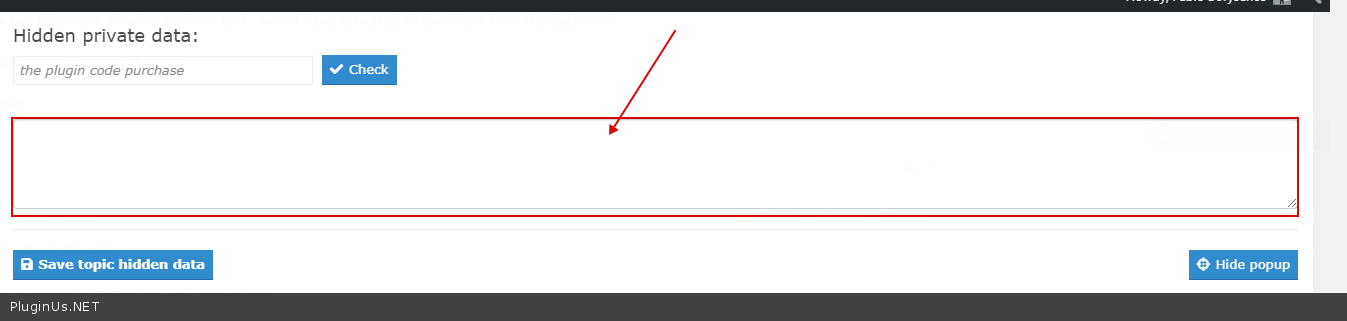
To add private data on support forum – https://c2n.me/43SC6rb.png -> https://c2n.me/42BAoj4.png
Exactly I mean this: https://c2n.me/446Rpk6.png And I have customized according to this: https://c2n.me/446RvmU.png And it does not work. What I need to do ? Help me. Thanks.
Hello
I answered you on forum.
Is there a way to override this template file (view) in my theme?
/wp-content/plugins/woocommerce-products-filter/ext/by_author/views/shortcodes/woof_author_filter.php
Hello
Unfortunately not
Hi, just pre-sale question. Does plugin support woocommerce shortcodes [sale_products] and [best_selling_products]?
Hello
Yes! Try free version please – https://wordpress.org/plugins/woocommerce-products-filter/
Hi just a pre sale question i downloaded the free version and plan to buy premium version but i could see no option for creating multiple filters different filters for different post and pages is that possible ???
Hello
1) In category pages use shortcode – [woof_products] with attribute : taxonomies=product_cat:X Where X id your product category. ( if you use custom page )
2) In widgets use shortcode [woof] with attribute : * taxonomies=product_cat:X + tax_only – write taxonomies or products slug using comma + by_only – write any by-filter-elements there using comma: by_text,by_price,by_sku,by_author,by_insales,by_instock. Of course firstly user should enable extensions for that by-filter-elements *- Do not forget set the same condition in [woof_products]
3) For show or hide widgets on different pages – http://www.woocommerce-filter.com/how-to-show-or-hide-widget-only-on-selected-site-pages/
You can read more about shortcodes – http://www.woocommerce-filter.com/documentation/#!/section_3_1
how to make a search of product location (country, city & district), how it works? where we can insert all related data; country, city and district?
Hello Read this please – https://products-filter.com/create-custom-taxonomies-plugin/
Hello
Have questions before ordering If have variable product S , M , L , And allow backorder on M , L S instock 4pcs
i can use filter ? not allow backorder ?
example need product size S instock only
Hello
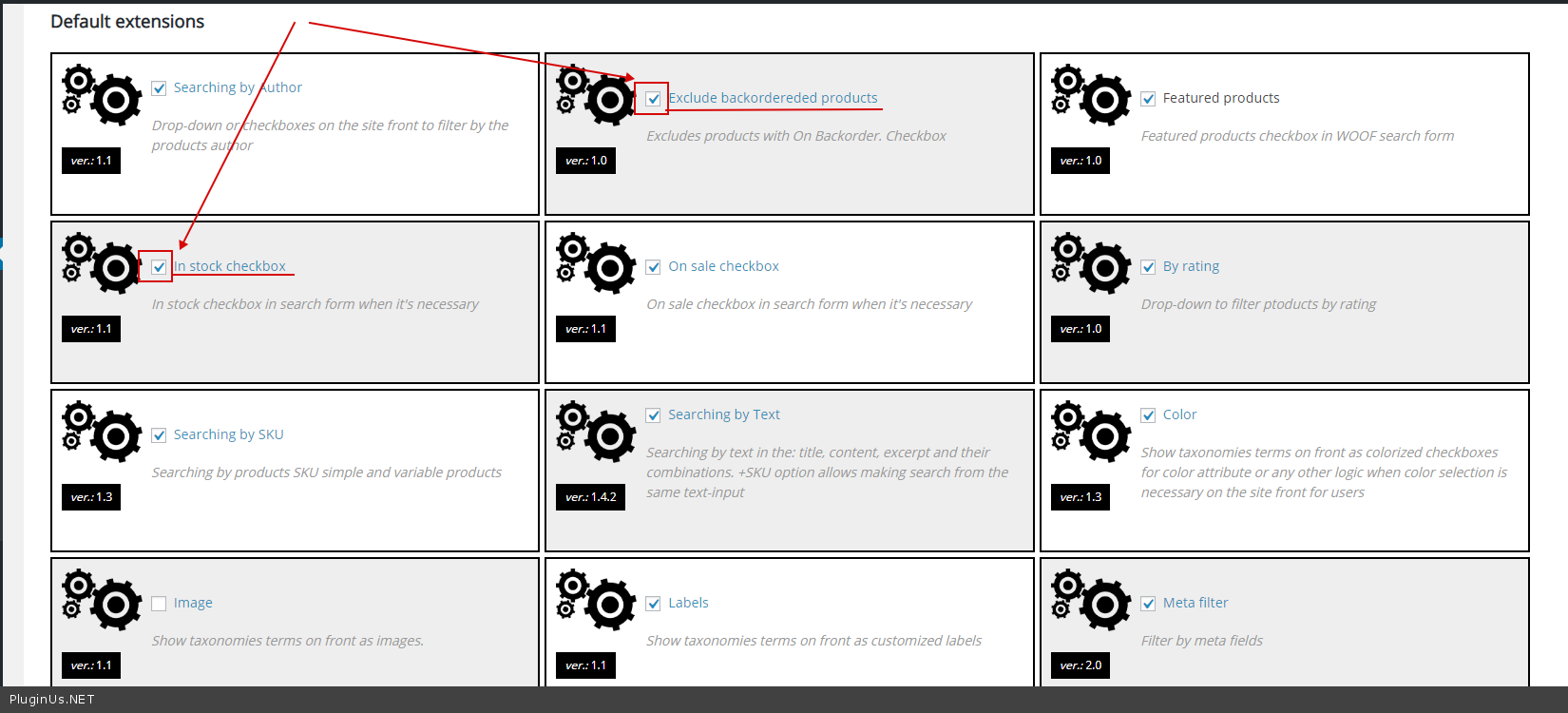
Use these extensions – https://c2n.me/444qwsy.png
Hello,
We have been using your plugin for a while and we noticed a bug with your text search.
Upon writing words in random order (not in the order that they are written in the Product Title) the search brings no results.
It does the same in your demo For example https://demo.products-filter.com/if you type “skater dress” it brings the correct product. Unfortunately if you type “dress skater” it brings no results.
This is not supposed to happen. Users dont always search the exact tittle or they might type something relevant.
Please tell us how we can proceed with this because its important to know if this is supported.
Thank you.
Hello
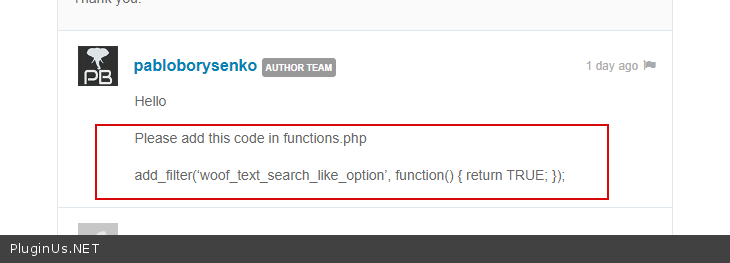
Please add this code in functions.php
add_filter(‘woof_text_search_like_option’, function() { return TRUE; });
Thank you.
Hello Please update plugin to latest version – https://products-filter.com/how-to-make-auto-update-for-wordpress-plugins-and-themes-bought-on-envato/
And do this – https://c2n.me/445GSEb.png
Ok that worked!!! Thank you for your help
Hello
Welcome;)
Hi, I have a preorder question:
we have a contact lens store www.linsenklick.ch and I want to know, if we can set filters for variations from the contact lens:
for example check this product:
https://linsenklick.ch/kontaktlinsen&pflegemittel/proclear-multifocal-toric-xr-6er/is it possible to make own filters for these variations?
Dioptrien (Sph / PWR) Radius (BC) Zylinder (Cyl) Achse (AX) Addition Dominanz
thx for your answer.
Hello
not sure that I understand you correctly.
If you mean the filter on the single product page – Unfortunately, the plugin does not have such a feature
Hello
You need customization of the code
Hello
That is possible with custom CSS code
Hi, Can the filter query strings in the URL be modified to pretty permalinks?
Hello During filtering, the plugin does not have such a feature
For constant link – https://products-filter.com/how-to-create-beauty-links-for-predefined-search-results/
Hi dear support
My client bought a plugin. Everything works fine, except mobile filter. For desktop version filters are on left side & work fine. For mobile version I want to make it “Filter button” and when user click on that button it dropdown & show all filters. I have search on your forum, You suggest to ->> set Set filter automatically to “Yes, but only for mobile device” I did, but it doesn’t work, still shows open filters without dropdown button
Please advice how to open a ticket & I can share my website with login & password. Thanks
Hello
To get support write here -https://pluginus.net/support/forum/woof-woocommerce-products-filter/
Paste your license key here – https://c2n.me/43SC6rb.png -> https://c2n.me/42HBIt7.png and wp-admin access – https://c2n.me/42BAoj4.png
Thanks for your fast reply, I found my issue. Forget to add “Auto filter close/open text” on design section. )) Now it works perfectly. Good luck!
Hello
Great! Welcome;)
Hello, pre-sale question. Do you finally add a dashboard comfortable possibility to setup different filters for a different products categories?
Hello
Only with shortcodes
1) In category pages use shortcode – [woof_products] with attribute : taxonomies=product_cat:X Where X id your product category. ( if you use custom page )
2) In widgets use shortcode [woof] with attribute : * taxonomies=product_cat:X + tax_only – write taxonomies or products slug using comma + by_only – write any by-filter-elements there using comma: by_text,by_price,by_sku,by_author,by_insales,by_instock. Of course firstly user should enable extensions for that by-filter-elements *- Do not forget set the same condition in [woof_products]
3) For show or hide widgets on different pages – http://www.woocommerce-filter.com/how-to-show-or-hide-widget-only-on-selected-site-pages/
You can read more about shortcodes – http://www.woocommerce-filter.com/documentation/#!/section_3_1
+ Shortcodes after more then 5 years of WPBackery and Elementor is a real backwardness.
+ Also I and many other admins don’t want to waste time and create a mess with creating a special custom pages for each product category.
+ Also I want to use not a widget, but a top-placed auto-set WOOF filter.
+ Also I have about 100 products attributes so adding 20-30 parameters manually at each shortcode are very inconvenient.
Please, don’t be lazy – finally add a comfortable dashboard dialogue to gather-construct different WOOF filters from many product attributes and possibility to set for each filter it’s associated product categories and type (side widget / top block) – so all filters will be conveniently ordered and automatically appears at needed products categories!
Hello
Please, don’t be lazy – ))) Very funny in this context
Thanks for your idea. But if you have not noticed, the plugin is constantly evolving. We are always working on new features! At the moment, our development vector does not coincide with your desires.
I will pass your idea to the developer
Their support is just awesome. Really great plugin for woocommerce product filter. Appreciate for their great support once again.
Hello
thank you and welcome;)
Nice plugin! testing the free version with a Divi theme and looks good! I have a question. I’ve created a new page with divi builder. On one section I have the “shop” module and on the sidebar divi module I’ve added my sidebar where the filters are available. When selecting attributes with checkboxes, for example, the shop module from divi filters the products. But if I use the “Search by Text” and search for a word and then click on the magnifying icon to show the results, the shop module doesn’t show anything. Do you know if the “search by text” is working fine with Divi? Or is that working only with the default shop page? (with the default shop page it works fine) Thanks!
Actually I’m doing this wrong. I should use the [woof_products] shortcode to display the products and not the divi shop module.
Hello
Yes! Great!
Hi, Before i buy, I use this plugin (https://codecanyon.net/item/woo-product-table-pro/20676867) with yours. Please see my URL: https://commercial.planetlighting.co.uk/test2/
The plugin said it is compatible with yours. When I select a category, the table below changes and work fine. But when I select my attribute such as IP20, IP65 etc, it will redirect the page to https://commercial.planetlighting.co.uk/shop/?swoof=1&pa_ip-rating=ip20 in which I don’t want it to do that. I just want it to filter the result on the table below.I tried enable ajax using shortcode [woof is_ajax=1] but does not work. I enable setting ‘Try to ajaxify the shop’ but still does not work. Please help how to make the filter work within the table.
Thanks
Hello
We did not do compatibility with this plugin!
The plugin said it is compatible with yours. – In this case, contact their support
We only made compatibility with this plugin – https://barn2.co.uk/wordpress-plugins/woocommerce-product-table/