2798 comments found.
Hi, is it possible to have two different search forms? Each form will be on different page. I want to show a basic form with 2-3 filters on home page and then a form with all the filters in results page. Is this possible to do with your plugin?
Hello
Yes! + tax_only – write taxonomies or products slug using comma + by_only – write any by-filter-elements there using comma: by_text,by_price,by_sku,by_author,by_insales,by_instock. Of course firstly user should enable extensions for that by-filter-elements
For show or hide widgets on different pages - http://www.woocommerce-filter.com/how-to-show-or-hide-widget-only-on-selected-site-pages/You can read more about shortcodes – http://www.woocommerce-filter.com/documentation/#!/section_3_1

Can filters appear dynamically depending on the attributes of the products in that category and hiding the filters of attributes that do not have those products?
For example in this category https://sviluppo005.trattoricambi.com/product-category/alberi-cardanici/ricambi-per-alb-cardanici/crociere/ all the products have 2 filters, so in the left side column I should see two filters, not all.
I saw that there is a WOOF by Category plugin, but I would like to avoid installing other modules if not necessary
I have the paid version and I set the plugin exactly as suggested here http://c2n.me/3OrJcYf.png but it doesn’t work. For each category, I see all the filters of all the products, is there any other setting to correct?
Hello
Please check options -https://c2n.me/43RFAAy.png
If no luck – write me on support – https://pluginus.net/support/forum/woof-woocommerce-products-filter/
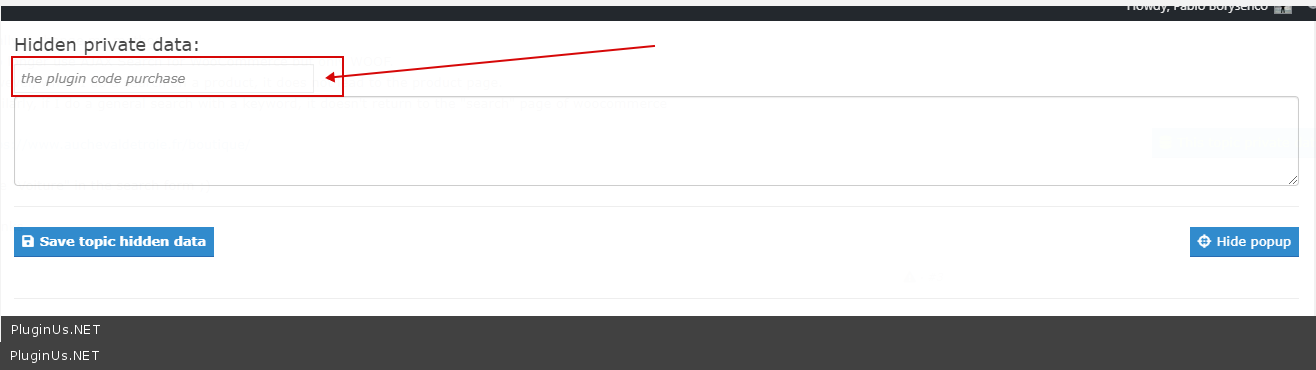
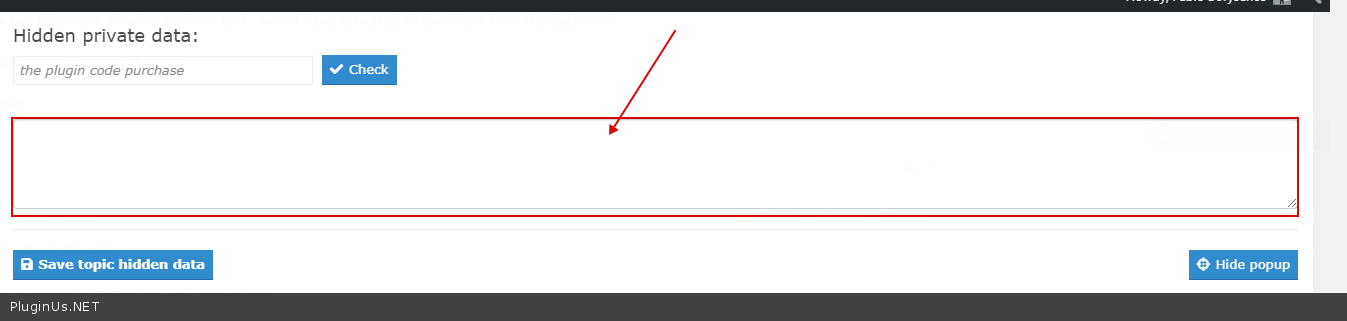
Paste your license key here – https://c2n.me/42HBIt7.png and wp-admin access – https://c2n.me/42BAoj4.png
Reply: I have the paid version and I set the plugin exactly as suggested here http://c2n.me/3OrJcYf.png but it doesn’t work.
anyway I answered you here: https://pluginus.net/support/topic/filter-doesn-t-work-fine/
Hello
I answered you
Dear realmag777 hope you remember me.
I have a suggestion for the “turbo_mode” or maybe as a basic structure for filtering without ajax request. I noticed the page load faster with cache plugin and without (ajax & turbo_mode). But first request take long time. Check out the suggestion here:
https://forcar-concepts.ch/wp-content/uploads/example_suggestion.txtDeveloped something similar but more complex as a own plugin. and works awesome and super fast.
Kind Regards
Hello
Thank you for cooperation and your idea!
I will pass this to the developers
Hello I’m testing the demo version right now I can search everything on the store page but I can’t search for category Z when X enters category
so I want to use it as a general search on the site, not within the categories
can you help please
Hello
On the categories page, you can only filter by child categories
yes, but I tested this at the url / product category / category / xxx / when I remove this url, I can search for cat2 products in cat1
can you please give me a solution for this or as a charge to customize
Please help me
Hello
Please drop me exact link to the issue
Describe in more detail what should I do to get this issue
Hello there plugin can
x1 category
can’t search for x2 category product warning
however, you can also search for x2 products in the x1 category page
so it should work like a normal search for the site all over
Example: product-category / accessories / looking for accessories only in accessory category
but he must search within other categories
url doesn’t find volvo’s products like this
product-category / accessories /? track = 1 & product_parts = volvo & really_curr_tax = 161-product_cat
but the url finds the products when the figure is corrected
https://xxx.com/?parca=1&product_parts=volvothat is, a general search for the site in any category
Hello
No, this should only look inside the current categories. And otherwise it will not work
i understand it but i want it to work that way how can we do it Help please
Hello
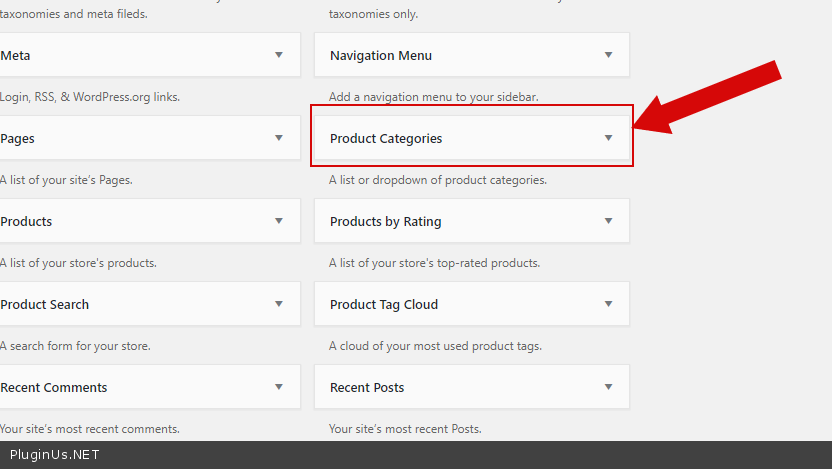
Use standard widget – https://c2n.me/43V2srN.png
I want to add a filter on each category page with a shortcode (like cat=9 )and filter by product tags which the user is choosing. Only the products in this category and deeper should be listed. Is that possible?
i mean .. showing only the product_tags which exist in this category.
Hello
This is only possible for the paid version.
Hello
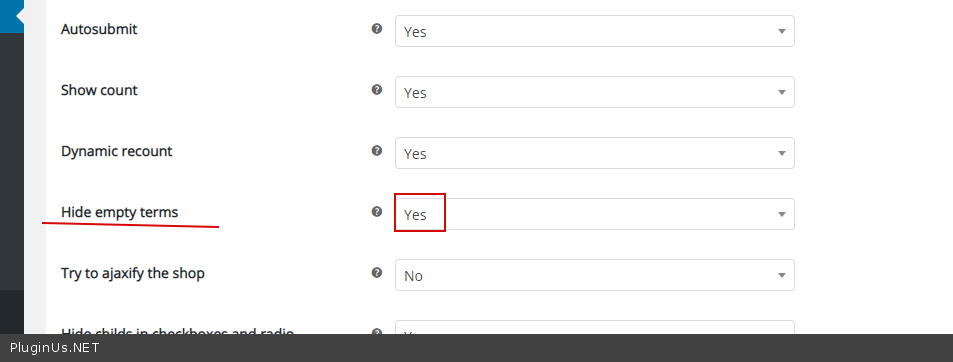
How can i hide terms in the search filters, with no products. If I search by category, it shows all terms under the attributes, even if the product is not under that category. But when filtering, it does not find the product.
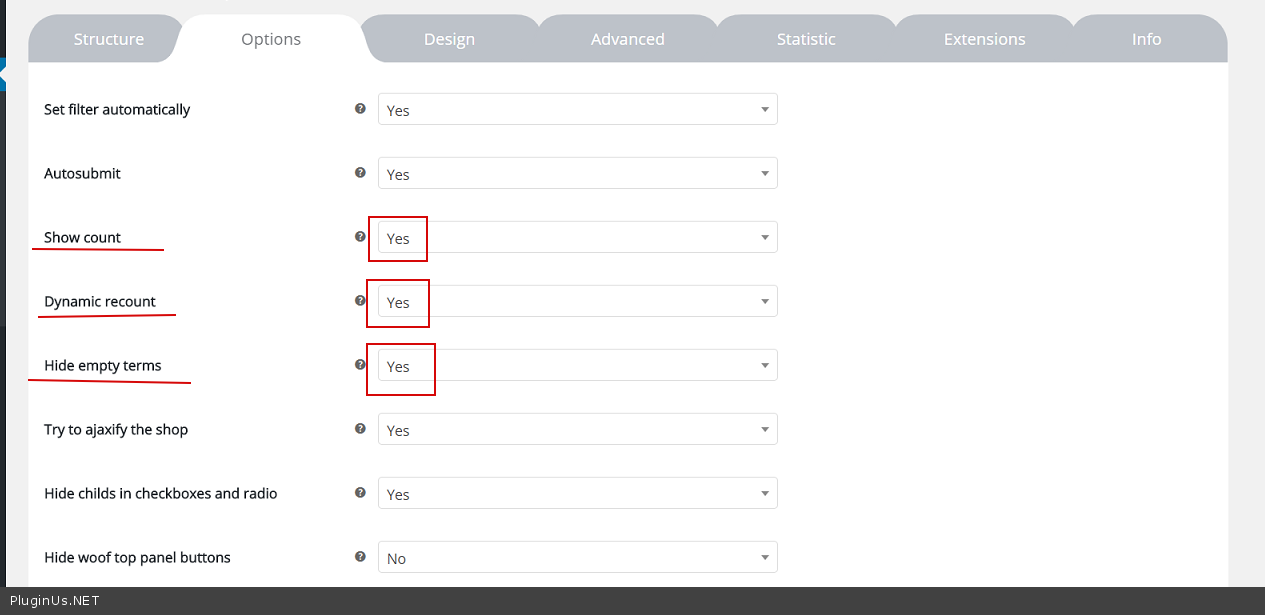
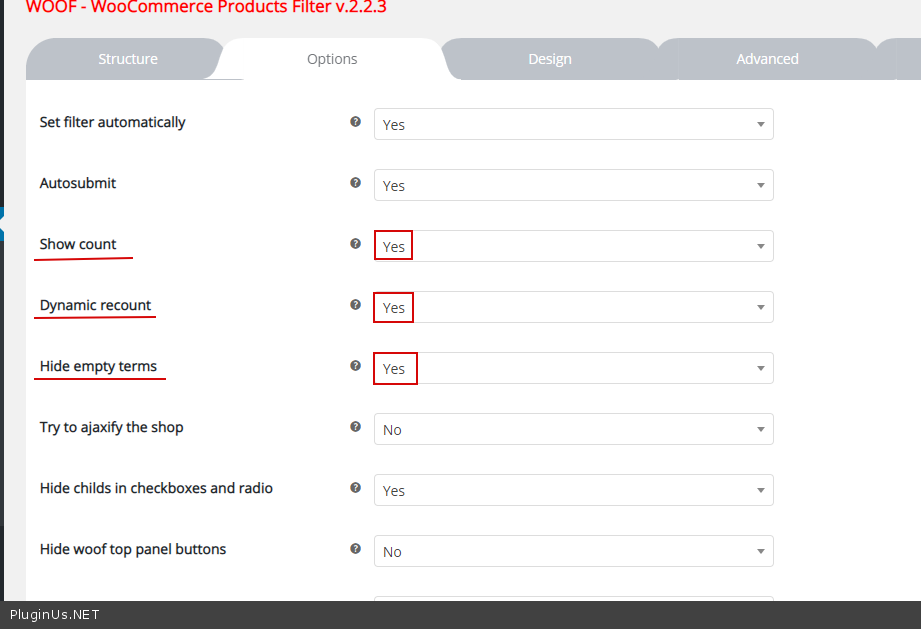
I have the paid version and the setting “dynamic recount” is set to true/yes.
Please help.
Hello
Please write me here – https://pluginus.net/support/forum/woof-woocommerce-products-filter/
Paste your license key here – https://c2n.me/42HBIt7.png and wp-admin access – https://c2n.me/42BAoj4.png I will check it
Turbo fetaure is great but infortunatelly it doesn’t work for shortcodes.
Hello
Please write on support – https://pluginus.net/support/forum/woof-woocommerce-products-filter/
Paste your license key here – https://c2n.me/42HBIt7.png and wp-admin access – https://c2n.me/42BAoj4.png
This should work with shortcodes([woof_products is_ajax=1]).
Hello
How can i hide terms in the search filters, with no products. If I search by category, it shows all terms under the attributes, even if the product is not under that category. But when filtering, it does not find the product.
Please help.
Hello
This is only available in the paid version( https://c2n.me/43Jepky.png ).
I have the paid version and that setting and the dynamic recount is set to true/yes.
Hello
Write me please from account where you bought the plugin
How do i update to the latest version please? Ive downloaded the new update but unsure how to install?
Hello
Read this please: https://pluginus.net/make-auto-update-wordpress-plugins-themes-bought-envato/
Thanks, All working now
Hi, is there a way to make a nice url ?
I know that I can change the “swoof” in the setting. But this is not enough for us.
I need to change this:
https://example.com/store/?swoof=1&product_cat=french-moviesto something like:
https://example.com/store/category/french-moviesHello
Unfortunately, the plugin does not have such a feature
Hello
If you want to place swoof links somehere on your site (as promotions) you can use this plugin: https://wordpress.org/plugins/pretty-link/
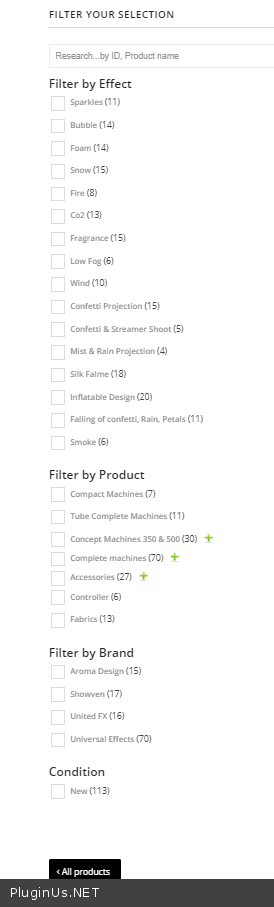
Hello, I have a problem with the plugin : I have automatic filterting enable. When I filter using category checkboxes (AND logic filtering), the result page does not diplay the attribute filters anymore. It works fine when I first filter with an attribute. Check here : https://premiumfactory.eu/categorie-produit/machine/ Do you know why ? Thank you
Hello
Please write me here – https://pluginus.net/support/forum/woof-woocommerce-products-filter/
Paste your license key here – https://c2n.me/42HBIt7.png and wp-admin access – https://c2n.me/42BAoj4.png
Describe in more detail what I must do to repeat this error.
On your page I do not see a filter by category – https://c2n.me/43GHiDz.png
Hey, How can we show the two different filters on the basis of attributes? I have two different categories. Categories A showing the woof plugin but i don’t see the option of showing another category within the plugin. I want the category B should have it’s filter with it’s own attributes. is that possible?
Hello Yes! In widgets use shortcode [woof] with attribute : + tax_only – write taxonomies or products slug using comma + by_only – write any by-filter-elements there using comma: by_text,by_price,by_sku,by_author,by_insales,by_instock. Of course firstly user should enable extensions for that by-filter-elements
For show or hide widgets on different pages – http://www.woocommerce-filter.com/how-to-show-or-hide-widget-only-on-selected-site-pages/
You can read more about shortcodes – http://www.woocommerce-filter.com/documentation/#!/section_3_1
Hello, I’ve got a problem with the plugin. When I switch the pages in the catalog, the bottom of the page is displayed and I have to scroll up. Is it possible to make the page start at the top, when switching to 2.3, etc. catalog pages
Hello
Read this please – https://products-filter.com/auto-scroll-to-element-after-ajax-is-done/
The plugin breaks when I upload to WooCommerce 3.7, when will you update?
Hello, soon
WooCommerce 3.7 works:If you bought the plugin you can get update today
It is working now with 3.7?
Yes
Hello!
I cannot translate the filter’s titles; I am using WPML I went to WOOF settings page -> tab Advanced -> ’WPML taxonomies labels translations’ and typed: dk:Product FilterProduktfilter de:Product FilterProduktfilter After I hit the save button, I go back to the setting page and all my code is gone. I tried it a few time but I cannot get the code to save.
Could you please advise
Hi, I just manged to save it eventually but the title is not been translated.
Hello
To translate widget title – https://wpml.org/forums/topic/translate-widget-titles-5/
Hi Pablo. I’d need to show just in stock products. On the documentation page I read that “by_only – write any by-filter-elements there using comma: by_text,by_price,by_sku,by_author,by_onsales,by_instock”. Of course firstly user should enable extensions for that by-filter-elements”. And so I wrote [woof by_only=’by_instock’] in my filter. The question is: where do I find these extensions? Many thanks.
Hello
Activate this extension here – https://c2n.me/43BMfTH.png + https://clip2net.com/s/43BMkgj
And check options please – https://clip2net.com/s/43BMnwP
Many thanks!
Hi Pablo. Sorry for getting in touch again here. It seemed to work but as I run the update stock, out of stock products are shown again. My goal is to show just instock products: is it possible? Thanks in advance.
Hello Please write me here – https://pluginus.net/support/forum/woof-woocommerce-products-filter/
Paste your license key here – https://c2n.me/42HBIt7.png and wp-admin access – https://c2n.me/42BAoj4.png
Describe in more detail what should I do to get this error
Hello!
What’s going on?!
I have sent you a personal/profile message yesterdays few hours later of same yesterday, I sent or created a ticket on your Support Forum: up till this moment, I have not gotten a reply. While some few customers, who just created a ticket today, have been responded to.
May I know what is going on here?! Is urgent I get my project sorted out. Or did they pay a higher money than me? Because, I don’t know why I am being ignored.
Hello
Your ticket created at 13:22 by local time https://pluginus.net/support/topic/i-need-the-shortcode-to-output-only-the-hierarchy-dropdown-filter-and-not-all-filters-on-the-home-page/ , now is 12:17 and support answering to all tickets sent last 24 business hours in random turn, so all is ok, wait your turn please
Support conditions described here https://codecanyon.net/user/realmag777 AND here https://pluginus.net/support-conditions/
I believe clocks and time zone are oddly in ordinance as it doesn’t not supersedes itself.
As you would have it and have cited it. Which you by these time, yesterday, I sent in my ticket. But someone sent a ticket today in the Forum, and in an instant, he or she was attended to.
Do those have a premium support ticket than me?
Most I intentionally wait for 24 hours before I can be attended to, while others wait for few minutes and get their tickets answered? What’s going on?!
What you can do it is write here about request urgently, and you did it, so I asked support to look your ticket in more prioritize turn
What’s going on?! – https://pluginus.net/support-conditions/
And what I am asking is, why am not being attended to. While others that submitted their tickets after me have been attended to?
And you are posting the link to your support condition as if I am halfwit. Didn’t I read your support conditions before doing the needful and fulfill all that is required. If I didn’t read your support condition, why didn’t complain yesterday and a couple of hours later?
You think am stupid?! Again what’s going on?! Is this how your support work?! Answering selected few and let other burn with their issues to your heart content?
Hi realmag777,
I have received the solution in my email. Very unfortunate, after many complaints.
Thanks anyway, I do really appreciate..
Kind regards
Welcome!
We can’t see any subelement of filter in safari. Any idea why and how resolve this problem?
Hi.
We solve this problem, but filter doesn’t work. We tried with autosend and with filter buttonbut doens’t work.
Hello
Please write here – https://pluginus.net/support/forum/woof-woocommerce-products-filter/
Please paste your license key here – https://c2n.me/42HBIt7.png and wp-admin access – https://c2n.me/42BAoj4.png
Technical suport of WOOF filter said me purchase key can not be validated, please login into codecanyon account and duplicate your message there on the plugin forum, just copy/paste… how is that it cant be validated. Please help?
Hello
Now all is ok!
Hi,
How to make the image options work as radio instead of multiple select? When I select another image, I want to clear the previous one instead of adding that one to the filter.
Hello
Unfortunately, the plugin does not have such a feature. You need to customize the code.
Hello
Thank you for idea, added to list, will be as option in img popup options. This will not be done in the nearest update but after next