1289 comments found.

I have a question first before buying this plugin.
Can this plugin handle our flow and requirements?
1. The person is immediately presented with the run of initial ‘free questions’ (multiple-choice). Nb. This is one click after entering the site
2. After clicking ‘send your answers’ button after answering the questions – a pop-up ‘lightbox’ appears asking the respondent to give a some personal details and accept the conditions. No report is given unless this is completed.
3. Database entry created for the respondent using details given. An email is sent to that email address welcoming them to Health Parks, giving a sample report, the results of their initial answers – and a link to continue with the full report.
4. Your Results – As well as what happens in (4), the respondent is then taken to their results online – immediately after inputting information in (3). This gives the table of results and a link button to continue with questionnaire.
I look forward to hearing from you shortly.
Hello,
However, some of these features are available in the plugin, I guess you need a custom development since you have very specific concept. Certainly, multiple choice and auto-response are available. You can check the full feature list in the documentation.
Best regards,
Pantherius
Hi, Pre-sales question can we create something like this thelobster-movie.com ?
However, the plugin is able to provide this kind of survey, it will has completely different design. You can assign scores to the answers, create categories, then display a content or redirect the browser based on the scores.
Regards,
Pantherius
Hiya,
I have a few pre-purchase questions about this plugin
Would it possible to integrate modal survey with my website user registration page?
Ideally I would like is for:- 1) Users to do the Modal Survey, 2) Modal Survey to redirect users to the user registration page 3) Then be able to grab their survey information and link it to their user account.
I know I am able to see participant information within the Modal Survey plugin – according to your documentation – but I want to know if I would be able to take this one step further and sync the new users information with their survey information
Hello,
1. Modal Survey can be configured to display a specified survey to logged in users only.
2. It is also possible to redirect the browser at the end of the survey to any URL.
3. Sorry, but integrating the survey results with the user profile is not a feature at the moment. It can be done with code customization only.
Best regards,
Pantherius
Hi,
I’ve been searching for quite a while for a plugin to set-up quizes. I recently bought on but it needs a lot of css/html knowledge to adjust it to my needs. Unfortunately support is very poor. Before I buy your plugin I was wondering If I could set up a similar kind of quiz as on this website with your plugin: http://liefdestalen.nl/test-je-liefdestaal/
thanks a lot!
Hello,
However, this kind of “old-school” radio buttons are not available in the plugin, you can create rating questions (with numbers, stars, etc.), request the participant name & email address at the end of the survey, then send an auto-reply message with custom text.
Certainly, I’m here to help you in case the documentation doesn’t enough: http://modalsurvey.pantherius.com/documentation
Best regards,
Pantherius
The title says this is a “plugin.” So this is not a theme? Can the plugin work with my sites, which uses other themes? Or after I buy this, and install it on an original wordpress site, and it will look like exactly like your demo site, which I think is very elegant?
Hello,
Yes, it is a plugin, not a theme, that means you can use it with your current theme. If you use it with the same theme, that has been used on my demo website, then it will look exactly like the demo site.
Certainly, the plugin also has a Visual Builder, that allows you to set the design of the survey.
Regards,
Pantherius
Hi, this is a pre-sale question:What I need is relativery simple, but I’m still not sure if I could achieve it with your plugin: I need a poll with multiple categories (car types) with, say 10 possible answers (car models) in each category. Each answer (car model) must have its own picture (not only text or radio button!). There are NO right or wrong answers! Users must just select their choice for each category (their preferred car model for each car type). For the final submission, users MUST also input their (valid) e-mail. Is this achievable with your plugin? Thanks in advance for your help.
Hello,
Yes, you can create categories and set scores to each answers, then get the total scores based on the categories. Certainly, images can be also added to the answers.
Regards,
Pantherius
I have some pre sale questions. Does the plugin have…1. Ability to import via spreadsheet. 2. Choices need to contain both text and images 3. Plugin creates its own tables in the db not WordPress meta file. 4. Unlimited number of polls able to be created. 5. Shortcodes to display on page. 6. Start and end dates of polls. 7. Ability for people to see polls that have ended to see what received the most votes.
Hello,
1. The plugin allows exporting the survey to JSON format, that can be imported back. This feature ensure to create a backup about each surveys. Importing from spreadsheet is not a feature at the moment.
2. Yes, the answers can be simple text, image or image with text.
3. Yes, the plugin using custom tables in the database.
4. Yes, you can create any number of surveys, polls.
5. Yes, both of the survey and the results can be displayed via shortcodes.
6. Yes, start and expiration times are also available.
7. The result shortcodes works completely independently from the survey, therefore displaying the results via shortcode doesn’t related with the expiration of the surveys. Displaying a summary about the surveys, that show which survey got the most votes is not a feature at the moment on the frontend area. (The admin already provides this data as an admin dashboard widget)
Best regards,
Pantherius
Hi! This plugin looks great. What kind of integration does it offer for bbpress? We’re looking for a solution that will let us add a poll to topics and have our members each answer once.
Hello,
Thank you!
The plugin allows you to create a survey and add automatically to all of your topics or embed it to an individual topic via shortcode. The votes and results are visible on the edit page of each topics via charts.
Regards,
Pantherius
Does it restrict how many times you can vote? Or could each member answer multiple times.
It is a global setting in the plugin with ‘Display once per User’, ‘Display once per Filled Out’ or Disable (allow multiple times) options.
Regards,
Pantherius
Awesome! Thanks.
You’re welcome!
Hello, I’ve just purchased the plugin, unfortunately it wont allow me to upload an image with a question, please advise
Hello,
Probably, you have a JavaScript error on your admin, that prevents the plugin works correctly. Please deactivate all other plugins temporary, then try out the image uploading again. If it works, you can activate back the other plugins one-by-one. This way, you can see which one causing the conflict.
If the issue still exist, please send me your website URL with login details via my profile page mail sender and I’m happy to check it.
Best regards,
Pantherius
thanks for your reply, I’ve tried (on two sites) and it still doesn’t work, I will message you , thanks
You’re welcome! Then probably the issue caused by the theme. I’ll check it as soon as I get the credentials.
Regards,
Pantherius
After some further investigations just realized your website using WordPress 4.4.4, that was a beta release. Updating it to the latest WordPress stable version should solve the issue.
Regards,
Pantherius
Hi! From some of the questions and answers above I think your plugin can do what I need, but just to be on the safe side I’d like to ask: I want to connect a “poll of the month” with a raffle, but only users who have voted can enter their e-mail-address to participate in the raffle. So I need to display the entry-form (just e-mail-address) when the poll results appear, not before. Can I do that in some way with your plugin? Thanks!
Hello,
Yes, the Participants Form, that ask for the user’s email address and name can be displayed at the end of the survey. Certainly, you can also ask for email address only. The result can be appear at the survey completion as well, it is optional.
Best regards,
Pantherius
I have purchased this plugin and I have a situation. I have 3 categories of answers (VATA, PITTA, KAPHA). Every question has 3 answers (one for each category). At the end I need a Pie chart (for example) to show the percentage for each category. Unfortunately I did not find out a way to do this. Any ideas? Thank you very much! Adrian
Hello Adrian,
Simply add percentage=”true” to the result shortcode to display the percentage values instead of the scores. You can read about the result shortcodes here.
Best regards,
Pantherius
Hello, thanks to your help, I managed to pullout the questions from the chart. The situation that I have now, is that at the end the chart is shown only for a second and then it disappears… Any ideas? Thanks for the great support!
You’re welcome!
You can control how longer it will be visible with the End Delay setting. If you set it to 0sec, then it will never disappear.
Regards,
Pantherius
Great man! Thank you so much! The best support I ever received! 
Great to hear that, you’re very welcome!
Regards,
Pantherius
Hi there! As I was saying in my survey I have 3 categories of answers (VATA, PITTA, KAPHA) I have more questions:
1. How can I show the score for one category. I tried [categoryscore_VATA] or [categoryscore_vata] but it seems is not right like this. The shortcode [score] works just fine. But I don’t know how to show the individual categories scores.
2. I want to include the chart with the results in the Auto Response [survey_answers id=”2143502758” data=”score” style=”piechart” uid=”true” percentage=”true”] but this doesn’t work. I think I’m doing something wrong.
3. Can I have embedded survey conditions?
[survey_conditions id=”12345” condition=”categoryscore_1” relation=”higher” value=”30”]
[survey_conditions id="12345" condition="categoryscore_2"     relation="lower" value="20"]
content displayed when the user get more than 30 score in the activity 1 and less than 20 score in the activity 2
[/survey_conditions]
[/survey_conditions]
4. Can we modify the generated PDF file? How can we show in it the result chart and other content we want?
Thank you very much for your time!
Hello,
1. If you would like to show the score only via shortcode, then you can use the following syntax:
[survey_answers id=”12345” style=”plain” data=”score” qid=”vata”]
2. Unfortunately, the chart can’t be included in the email since it is using interactive HTML technologies and the email handle images only. You may include a link, that redirect to the result page with the charts.
3. Sorry, embedding condition shortcodes is not a feature at the moment.
4. However, the PDF file can be customized with editing the wp-content/plugins/modal_survey/modules/export_pdf.php file, but the chart can’t be displayed in the PDF due technical reasons.
Best regards,
Pantherius
Hi pahterius!
1. I tried to pull put out the final score for each category but it always returns zero:
[survey_answers id=”2143502758” style=”plain” data=”score” qid=”VATA”]
Exemple of question:
Question: FATA SI FRUNTEA[-]
Answers:
Mica si neregulata, ingusta [VATA] Medie [PITTA] Mare, larga, lata, atragatoare [KAPHA]
At the end, the piechart looks great, but I also want to send in the Auto-response the separate scores/percentage for each category: VATA, PITTA, KAPHA.
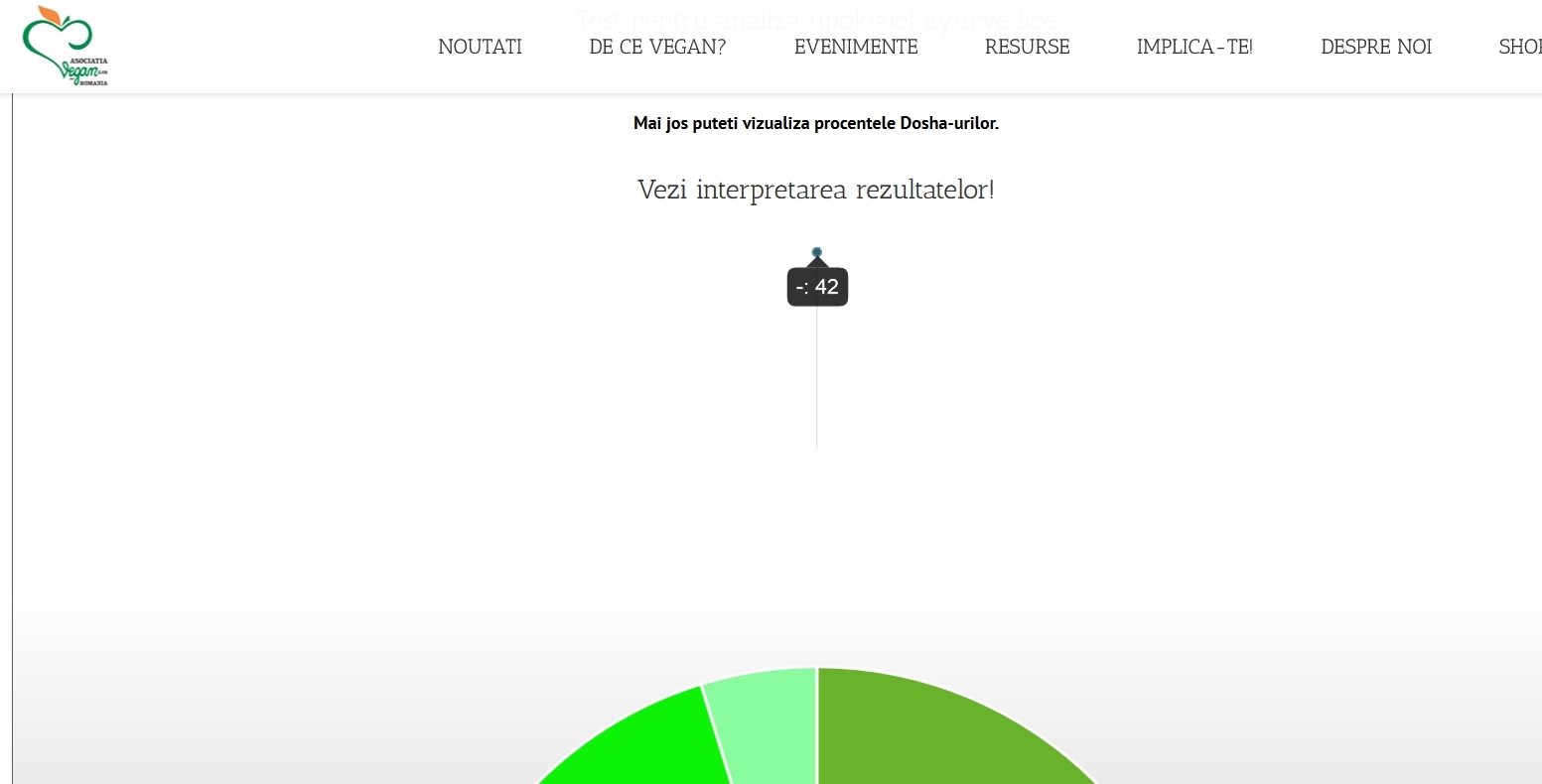
2. In the piechart something looks weird. I can see the screenshot I tooked:
http://www.asociatiaveganilor.ro/wp-content/uploads/2016/08/test-ayurveda.jpgI have 42 questions in the survey.
Thank you very much for your time!
Also one more question.
For some questions/answers, how can I give more points to a certain question/answer. For exemple:
Question: FATA SI FRUNTEA[-]
Answers:
Mica si neregulata, ingusta [VATA]
Medie [PITTA] Mare, larga, lata, atragatoare
[KAPHA]
Let’s suppose I want to give more points for this question or to a certain answer. Is this possible?
Thank you very much for your time!
I know I’m killing you with questions. I’ve noticed that the shortcodes doesn’t work in the Conditions if I select ‘display message at the end’.
Example of condition I’ve added:
If Final Score higher than 0 then display message at the end: [survey_answers id=”2143502758” sort=”asc”]
Just wanted to know if we can put shortcodes in this final message showed at the end.
Thank you again!
For the question regarding different point, the answer was easy. Sorry, i was tired. The plugin allows you to give a different score to each answer! Thanks!
Hello,
1. Please add uid=”true” to the shortcode:
[survey_answers id="2143502758" style="plain" data="score" qid="VATA" uid="true"]
Also make sure, both of the Save Participants Votes and the Remember Users options are turned ON in the General Settings.
2. What shortcode do you using for displaying the pie chart? Do you use it with data=”score”?
Yes, in the conditions it is not possible to add a shortcode as a message. Sorry, but shortcode is not supported there, you can display a text message only.
Great to hear that you found the solution for the different scores.
Best regards,
Pantherius
Hi there again!
I tried to pull out the percentage for a category (for example), but I’m doing something wrong. The following shortcodes doesn’t return anything…
[survey_answers id=”357280710” style=”plain” data=”score” qid=”VATA” uid=”true” percentage=”true”]
[survey_answers id=”357280710” style=”plain” data=”answer_percentage” qid=”VATA” uid=”true”]
Thank you very much for your time!
Hello,
Sorry, getting the percentage of a category in plain mode is not yet available.
The data=”answer_percentage” can be used with a question number only at the moment, percentage=”true” is for the charts to display the percentage, instead of the score.
It is already on my TODO list.
Regards,
Pantherius
Is this example posible with this plugin? A questionform. A question has 3 answers. When you choose question 1 you get 5 ponts. When you choose question 2 you get 10 ponts. When you choose question 3 you get 15 ponts. At the end of the form when you have total score of 25 you get to see a message. When you have 50 points you see a different text and so on.
Hello,
Yes, it is possible.
Best regards,
Pantherius
I have 4 questions in my survey but the next button is not working so i can’t go to the next question
Hello,
The next button is visible only if you enabled it on the survey edit screen or multiple answers accepted in the question. Otherwise, simply click on the answer, then it will goes to the next question.
If you even have difficulties, please send me your survey URL with login details via my profile page mail sender and I’m happy to check it!
Regards,
Pantherius
Pre-Sales question:
I’d like a page on my site where the user will be presented with multiple choice photographs, they pick one and you’re taken to another set of three photographs. The user would do this a few more times and the result would show what style of clothing they like best. Sort of like a personality quiz but with images.
How would the algorithm work for something like that? If the user is presented with 3 ‘styles’ each time and by the end the results show they they picked one style more than the other two more often then It would produce the result to the user? Is this possible? I imagine that’s similar to how the personality quiz works but with images?
If this is possible then I will buy it straight away without any hesitation!
Thank you very much for your time!
Hello,
You can assign scores to the answers and categorize them. In your example, you will have 3 categories. It is also possible to create conditions based on the category scores, that will redirect the browser to your predesigned pages.
Eg.: If category_style1 equal with highest then redirect to url.com/style1
Alternatively, you can display a message based on the category scores at the end of the survey. But redirecting them to a page would be much more professional since the message content is limited. The redirection pages can be simple WordPress pages, so it can be designed more better.
Regards,
Pantherius
Hi there,
I would like to know if the plugin can give results/reports on one page after the completion of 10 questions!
As an example: After answering a series of questions you get to see the results in one page all together…display different charts about where the user belongs according to his answer per question?
Also if there are outcome quizzes available? Meaning that they lead somewhere specific?
Thank you,
FS.
Hello,
It is possible to redirect the browser after the survey completion to any page or post, that can contain the results (different charts and text format)
You may check the demo page here: http://modalsurvey.pantherius.com
Best regards,
Pantherius
Hi, great plugin but very extensive (good thing), I’m still learning it. We’re trying to use the survey to qualify the customer for product A, B or C depending on what they answer.
I have two questions please:
1) I want to collect customer emails after the finish, how do I sign up the customer to a different mailchimp list based on different answers to questions?
So, if they qualified to product A, they would go to A list. B to B list and etc…
2) how do I sign up the customer to mailchimp in general?
Hello,
Thank you!
1. However, you can create different actions based on the answers (eg.: custom redirection, display a message), it is not possible to pass the email & name to different MailChimp lists based on the scores or answers at the moment.
2. First of all, enable the Participants Form, then enter your MailChimp API Key and List ID under the Campaign accordion on the survey edit screen.
Best regards,
Pantherius
Thanks for your reply.
We’ll actually add shortcode of an existing form, and put it on the results page.
However, how do we add shortcode on the survey results page? We can only do HTML..
Thanks
You’re welcome!
You can create a new page, then add the Modal Survey result shortcode to that page. Alternatively, it is also possible to display the results right after the completion with the End Content accordion on the survey edit screen.
Regards,
Pantherius
Hi, we’d like to do it inline, so it’s like a part of the survey, instead of redirecting to a new page. It’s a lot better for conversions.
Can you go through this form to check out: http://drjohnrusin.com/dev/fitness-assessment-survey/
The survey is at the end.
We’d like to replace that survey with a shortcode from one of the plugins we have. Currently it’s a mailchimp survey that uses double optin… so we can’t use it.
Hello,
Just checked it. I guess it is not required to redirect the browser to the MailChimp confirmation page since the email confirmation can be done via email. The subscription managed by the plugin in the background. (Campaign accordion on the survey edit screen)
If you remove the redirection, then enable the End Content with the result, you will get what you want.
In case you need further help with this, please send me your website login details and I’m happy to finish the setup. Please also send me your MailChimp API Key and List ID.
Best regards,
Pantherius
Thanks.
Just to confirm, this will prevent the double-optin and users will go straight to the list after signing up (without the need to confirm via email)?
You’re welcome!
Yes, definitely. If you even need the double-optin feature, then please open the modules/mailchimp/module_mailchimp.php and replace the ‘subscribed’ string with ‘pending’ on line 9.
Best regards,
Pantherius
Great, and on the other hand – is there any way to enable shortcode to be displayed there where we have our current signup form? If we want to use a convertplug customize form (which will be great as it will keep all the analytics at one spot)
Sure, you can add the survey shortcode to any page or post, but it won’t be integrated/customized by any other plugin.
Regards,
Pantherius
No no, sorry if missunderstanding.
If you go through the link i sent you above, you can see the contact form we added at the final step.
Unfortunately we can only add html there, but we want to add shortcode from another plugin (convertplug). Instead of the html.
Is that possible? Currently not possible to use shortcode there..
At the final step it redirect my browser to the MailChimp subscription, that can be replaced with the Modal Survey subscription (in the background with Participants Form + Campaign)
So sorry, but I don’t really understand, if you using WordPress, then why you can use HTML only. Did you already try the Modal Survey built-in Participants Form combined with the Campaign feature?
No problem, the final step is actually the “survey results page” – we just added the html form there.
Currently it shows the signup form.
We want to add shortcode there instead but it doesn’t work only allows html.
So, the final step (100%) with the signup isn’t redirected, we made it a part of the survey, all on that same page.
HTML is built for displaying static elements. Furthermore, the plugin is installed on your domain and it is a different domain where you would like to include the HTML code. No chance to use any function of the plugin there.
It would be better to sign up the user in the background as I mentioned, but it’s your decision.
Best regards,
Pantherius
Right, I think we are having a bit of missunderstanding.
1) We have a plugin called convertplug that displays simple signup forms. We can create a form there and get a shortcode for it to put it anywhere on the site.
2) In the survey http://drjohnrusin.com/dev/fitness-assessment-survey/ the last step says “Perfect! Your recommendation is on it’s way” and is currently displaying a mailchimp signup form. It’s using the survey results page form your plugin.
This is still inside the survey and on that same url. Not somewhere else.
3) We would like to remove that form in that step and put the convertplug shortcode there. How do we do that?
Understand. Sorry, but I thought 100% is the MailChimp signup form.
It is not possible to include the convertplug shortcode directly at the end content of the survey since the two plugin made by different authors. You may redirect the browser at the end of the survey to any of your own page, that contain the convertplug shortcode. Does it help to achieve your goals?
Regards,
Pantherius
Right, that’s what I thought…
we can redirect yes, but that would make it not seamless, it would decrease user experience.
Because it will add an extra step.. reduces conversions…
So you think there’s absolutely no way to add shortcode there?
No, there is no way. It was the reason the Participants Form feature has been added to the plugin.
Regards,
Pantherius
HI there, I am interested in your survey plugin. I have a question about the scoring feature. Is it possible to create a survey/questionnaire, collect responses, and then score it after people have submitted their responses?
Thanks.
Hello,
The scores can be assigned to the answers and the final score automatically calculated by the plugin. Setting the scores after the survey completion manually is not a feature.
Best regards,
Pantherius
How do I remove a duplicated question, also, how do I remove answers in a duplicated question?
There is a minus for answers but it doesn’t do anything and there is no delete question icon at all.
Hello,
There is a minus icon next to the questions as well. If the delete icon doesn’t work, that means you have a JavaScript error on the admin.
Please deactivate all other plugins temporary, then try out the delete function again.
If it works, you can activate back the plugins one-by-one to find out which one causing the problem.
In case the issue still exists, please send me your website URL with login details via my profile page mail sender and I’m happy to check it.
Best regards,
Pantherius
Hello, The star rating can it be multiple criteria rating on each products
Hello,
You can create unlimited questions, then set the number of stars for the rating individually for each questions.
Regards,
Pantherius
So i am using this plugin and i have so many officials/ products to review over 100 of them. do i have to create each question/survey? It is the same questions for each page but i just want different rating and result. You know like when u compare results of each products
If you include the same survey to different posts via shortcodes, then you can see the individual post result on the post edit screen through your admin.
It is also possible to filter the results with adding the postid parameter to the result shortcode.
Regards,
Pantherius
Are you able to capture data such as name, email, state, zipcode, along with their answers to the questions?
Hello,
It is possible to capture name and email at the end of the survey. Additional details, like state, zipcode and others is not a feature yet.
Best regards,
Pantherius