The WordPress Multisite User Sync/Unsync plugin allows you to sync or unsync users from one site to other sites within your WordPress Multisite Network.
Types of WordPress Multisite Network
- Multi-domains. For example: example.site1, example.site2
- Sub-domains. For example: site1.example.com, site2.example.com
- Sub-directories. For example: example.com/site1, example.com/site2
Features
- Automatically sync users across your WordPress Multisite Network whenever they are added, updated, or registered.
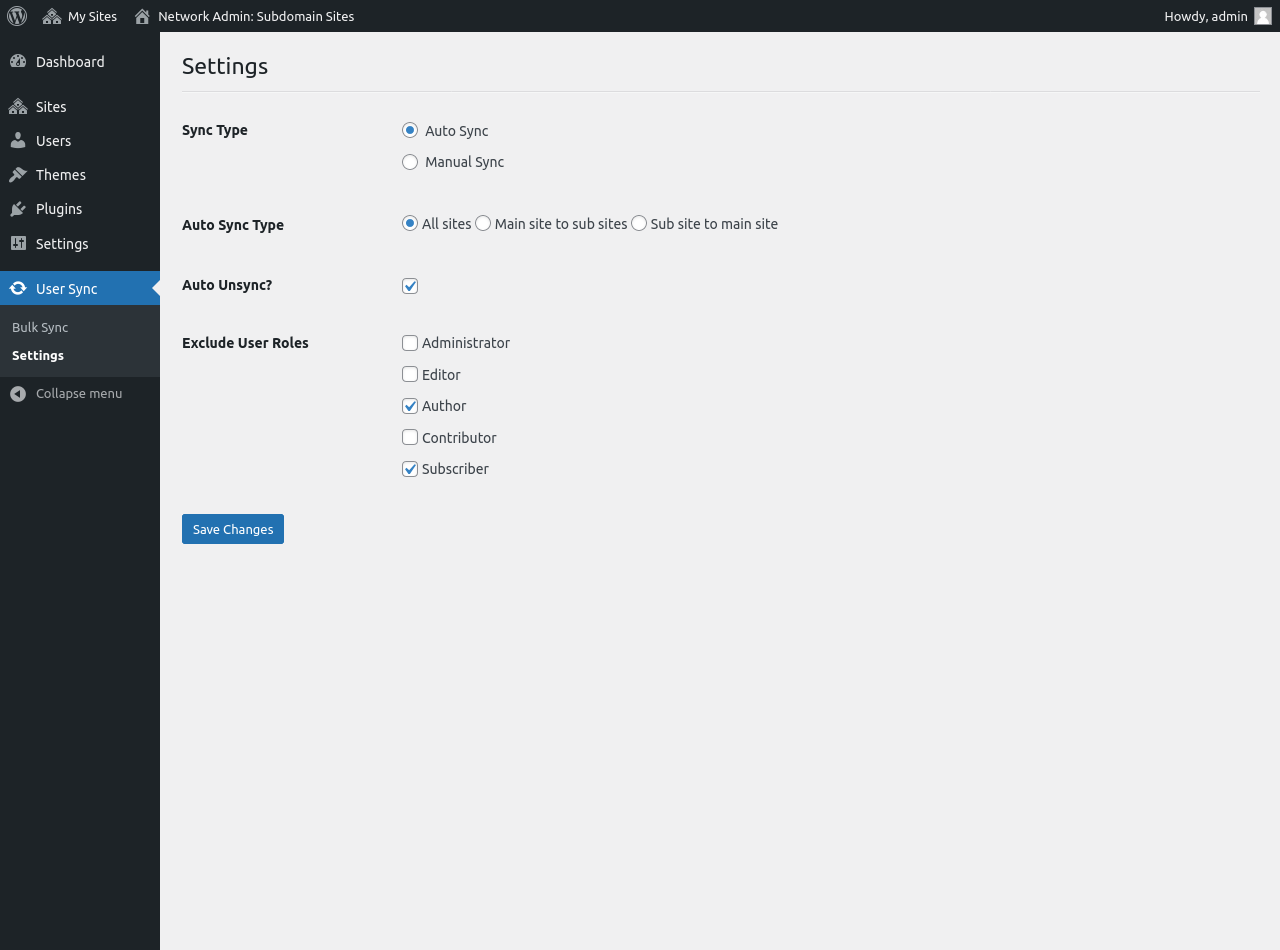
- User Sync Type options: ‘Auto Sync’ and ‘Manual Sync’.
- All sites option: It will automatically sync users across all sites.
- Main site to sub sites option: It will automatically sync users from the main site to the sub-sites.
- Sub site to main site option: It will automatically sync users from sub-sites to the main site.
- Auto Unsync option: Enable or Disable auto unsync when user delete.
- Exclude User Roles option.
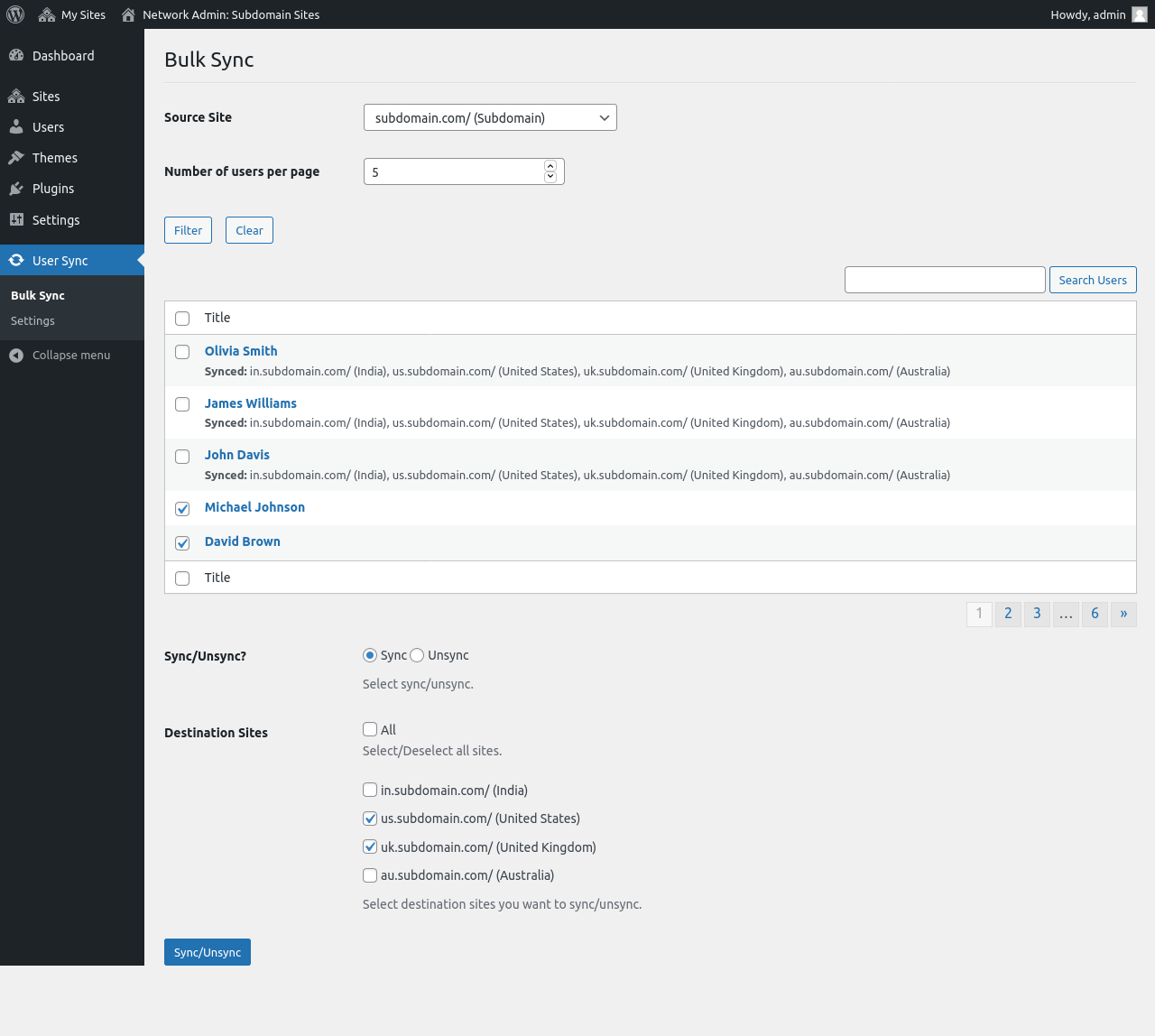
- Bulk sync or unsync users.
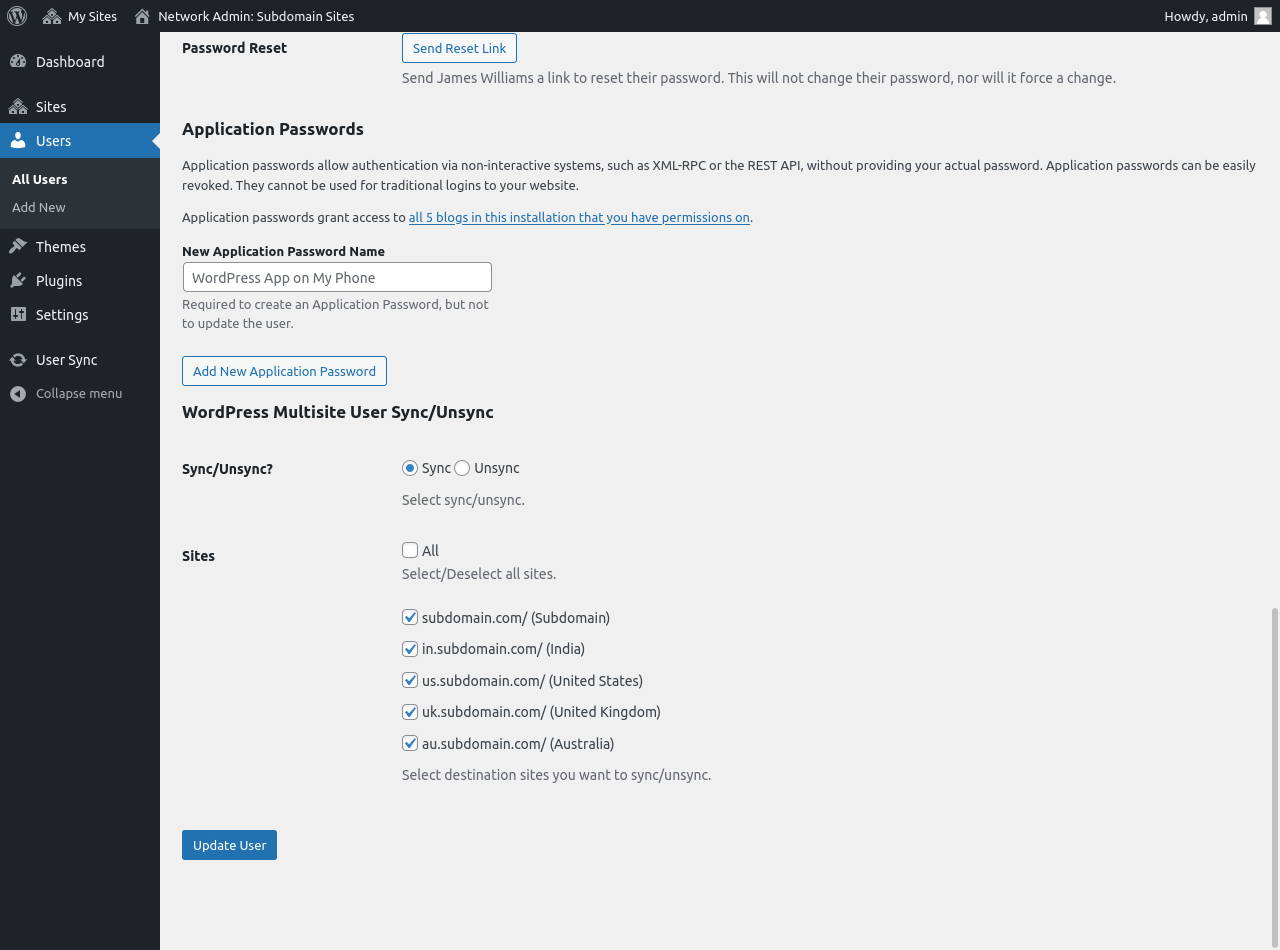
- Individual sync or unsync user.
- Users who register on the frontend will be automatically synced.
- Sync or unsync user to single site.
- Sync or unsync user to multiple site.
- Also, support WooCommerce customers.
Third party plugin support
- Advanced Custom Fields (ACF)
- Advanced Custom Fields (ACF) PRO
Note
This plugin is designed for WordPress Multisite Network sites and is not compatible with WordPress Single Separate sites.Ratings & Reviews
Changelog
2.3.0
- Security release.

2.2.0
- Maintenance release.

2.1.3
- Improved user sync.

2.1.0
- Security release.

2.0.0
- Exclude User Roles: You can exclude user roles as per your needs.
- Improved user sync.

1.5.0
- Maintenance release.

1.4.0
- Feature - Added "All sites" auto user sync type option.
- Improved "Settings" and "Bulk Sync" section.
- Improved user sync.

1.3.0
- Maintenance release.

1.2.0
- Added "Auto unsync" option.

1.1.0
- Security release.

1.0.0
- Initial release.