

.jpg?auto=format&q=94&cf_fit=crop&gravity=top&h=8000&w=590&s=cadf3bbd3aeb64e4115fdbfe2ba4a36e3be1a4e98b7bac681da9e7b2f269b91b)
Note: This is a module for Perfex CRM, not a standalone script. This module works best with Perfex version 3.2.1 and later. This module will not work if you are using Perfex CRM as a SaaS service. Based on your feedback, we have completely restructured the module to run seamlessly alongside any existing Perfex CRM modules without modifying core entities. There is no longer a need for a separate Perfex installation.
OVERVIEW
The Trade Job Management CRM Module is a comprehensive solution designed for tradespeople and property managers to streamline job management across various property types. Whether you’re handling plumbing, electrical work, carpentry, or property maintenance, this module simplifies the process of managing jobs, landlords, properties, and invoicing with ease.
WHO IS IT FOR
This Perfex CRM module is ideal for tradespeople and maintenance companies operating in the following industries:
- Building and Construction
- Carpentry
- Electrical Services
- Flooring Installation
- Gardening and Landscaping
- Handyman Services
- HVAC Services
- Locksmith Services
- Painting and Decorating
- Plumbing
- Roofing
- Tiling
- Window Fitting
- And any other business that involves working on property maintenance
LIVE DEMO
To see a live demo for this module, use the login details below:
Username: demo@email.com
Password: L16#QGjHcvs$6E
Login here.
WHAT’S NEW
Client Job Sign-Off with E-Signature: Clients can now confirm completed jobs with digital signatures. The system captures client information, feedback, and stores digital signatures for record-keeping. Staff receive automatic notifications when clients confirm jobs, improving workflow efficiency and client communication.
Daily Reporting System: Staff can create detailed daily reports for jobs with comments, photos, and date tracking. Reports can be set as visible or hidden from customers, providing flexibility in communication. Customers can view daily reports through the client portal, enhancing transparency and keeping them informed of progress.
Property-Level Confirmation Settings: Configure client confirmation requirements at the property level. Choose which properties require client confirmation before jobs can be marked as complete, giving you control over the approval process based on client or property type.
CORE FEATURES
Job Time Tracking: Staff can now track time spent on jobs with a start/stop timer or by logging time manually. This helps improve job costing and team productivity.
Not to Exceed (NTE) for Jobs: Set a budget limit for any job using the ‘Not to Exceed’ amount. The system automatically tracks the total cost of all logged timesheets against this budget. If the cost exceeds the NTE amount, the job status is instantly updated to ‘Exceed NTE’, providing clear visibility and helping you manage job costs effectively.
Add Property Photos: We’ve added support for uploading multiple photos to each property—making it easier for tradespeople and property repair companies to plan jobs more effectively, and maintain clearer records for every property.
TJM API: We’re excited to introduce a powerful new feature: TJM API for Job Creation. This feature enables you to seamlessly create maintenance jobs in Perfex CRM from external websites or landing pages—helping you streamline job intake and enhance workflows like never before.
Please note, this is an advanced feature that requires technical knowledge to integrate with external websites or landing pages. A dedicated API documentation will be included in the distribution package to guide your implementation. As this API functionality is intended for specific use cases and is not required by every property maintenance company, implementation support for the API is not included as part of general module support but can be provided separately if needed.
Landlords Page: View and manage landlords, add new ones, and access detailed profiles with all associated properties.
Properties Page: Organise properties efficiently with a detailed list, including property types such as Apartment, Converted Flat, Studio Flat, Cottage, Bungalow, Detached House, Terraced House, End of Terrace, Maisonette, Commercial, or Other. Add new properties directly under the appropriate landlord.
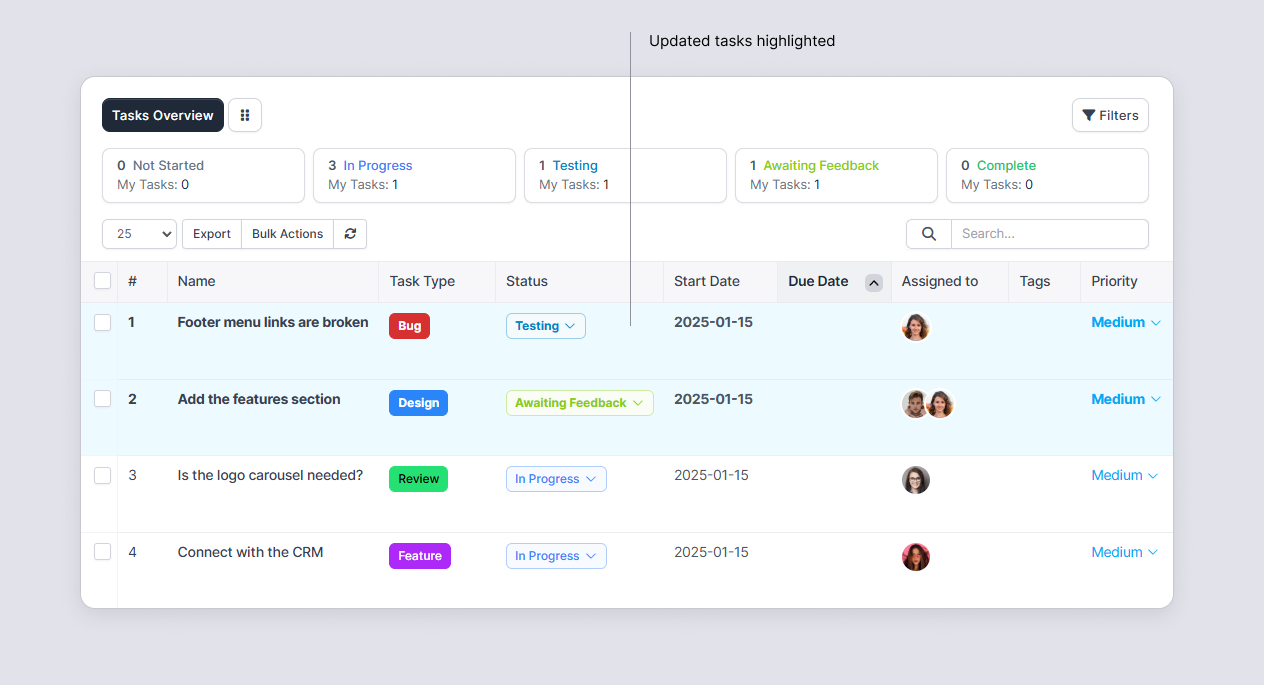
Jobs Page: Access a centralised list of jobs, filter by status, and add new jobs as required.
Automated Job Notifications: Keep landlords informed with email notifications sent at key stages of the job lifecycle, such as when a job is reported, scheduled, quoted, completed, or invoiced.
Simplified Invoicing: Generate and send invoices directly, linked to completed jobs, with easy options for email delivery.
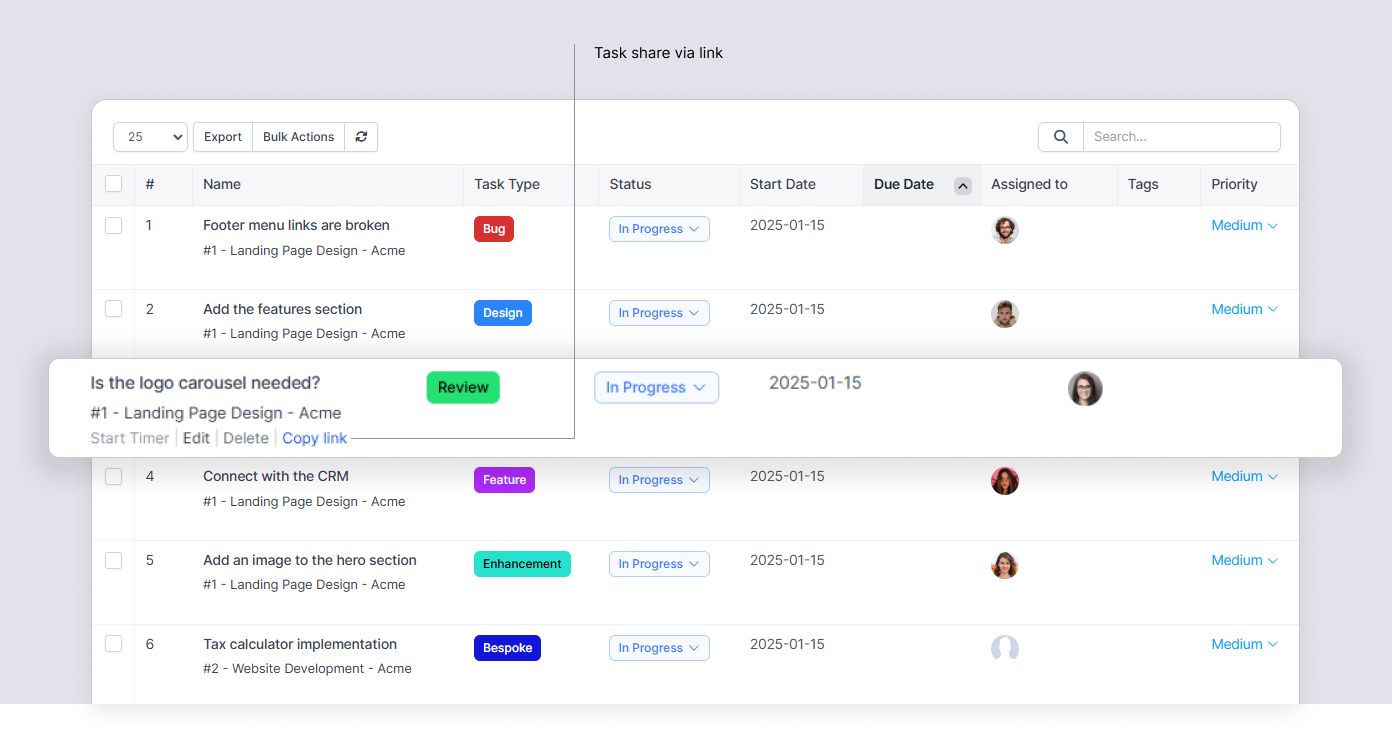
Job Sharing: Share jobs with team members using secure, unique links.
Dashboard Overview: Get a comprehensive overview of all job-related activity from a central dashboard, so you can track workloads, priorities, and performance at a glance.
Add a New Job: Quickly create new jobs with all the key details, including landlord, property, priorities, and scheduling information, ensuring nothing is missed at the start of the workflow.
Edit a Job: Update existing jobs as they progress, adjusting job details, assignees, and schedules to keep information accurate and aligned with on-site changes.
Create an Estimate: Generate clear, professional estimates directly from job details, helping you communicate costs up front and speed up quote approvals.
Job Status – Reported: See newly reported jobs as they enter the system, giving your team visibility on incoming work that needs to be reviewed and scheduled.
Job Status – Scheduled: Track jobs that have been booked in, including assigned staff and dates, so you can manage upcoming site visits with confidence.
Job Status – Completed: Review completed jobs with full history of activity, making it easy to confirm work done, prepare invoices, and maintain accurate records.
INQUIRIES AND SUPPORT
For any pre-sales inquiries, please use the discussion tab to ask any questions you may have.
If you have purchased this module and require support, please open a support query, and we will be glad to assist you.
For feature requests, please email us on the provided email address on our seller profile.
CHANGELOG
Version 1.5.0 | 04 December 2025
- Fixed: Resolved the database migration issue.
Version 1.4.9 | 03 December 2025
- Added: Job Confirmation System - Clients can confirm completed jobs with digital signatures, including personal information and feedback capture.
- Added: Daily Reporting System - Staff can create detailed daily reports with comments, photos, and customer visibility controls.
- Added: Property-Level Confirmation Settings - Configure client confirmation requirements at the property level.
- Added: Enhanced File Download System - Improved file handling for job attachments and daily log photos.
- Added: Staff Notifications - Automatic email notifications to staff when clients confirm jobs.
- Improved: Job workflow with enhanced client communication and approval processes.
Version 1.4.5 | 19 October 2025
- Added: Job Time Tracking - Staff can now start, stop, and log timers for jobs.
- Added: 'Not to Exceed' (NTE) amount for jobs to track costs against a budget. Job status automatically updates to 'Exceed NTE' when the budget is surpassed.
- Fixed: Resolved an issue with deleting jobs and improved comment editing functionality.
Version 1.4.0 (Major Update) | 28 September 2025
- Added: Module restructured to run seamlessly alongside other Perfex CRM modules. No longer alters core entities (customers, projects, tasks).
- Improved: Complete codebase rewrite for improved compatibility and long-term stability.
- Improved: General performance optimisations for faster workflows.
- Improved: UI improvements for a smoother user experience.
Version 1.3.8 | 13 April 2025
- Added: Property photos - can upload photos when creating a new property. Photos can be managed (downloading, removing, or adding more photos) from the property overview page.
- Added: Introduced TJM API to allow maintenance job creation through a form on another website or landing page.
Version 1.3.5 | 09 January 2025
- Fixed: License view and activation issue
Version 1.3.4 | 08 January 2025
- Added: Send an invoice for a specific job from the job details page.
- Fixed: Automated license activation issue
Version 1.1.9 | 13 December 2024
- Improved: Updated the installation directory hierarchy
Version 1.1 | 09 December 2024
Initial release




.png)