12 comments found.

great plugin, beautiful style, but I am concerned about the load time. It seems to be slowing down all the page load times a lot. Can you advise how to optimise? For instance, it looks like each image block is loading the full sized featured image and resizing in the borwser… is this necessary, can it load a resized version by default? Each post uses a 1200×800 image, so a block of 6 posts is a massive page load.
I can add a quality selector in the shortcode generator ( so small quality ( about 300×300 images ) medium quality ( about 500×500 thumbnails ) )
Would that be ok ?
Can I trust this source ? One of your sample was gone – demo, doc and others not work.
The Wall – Media Gallery – jQuery Powered
I want to buy, but I hesitate to buy because you could exterminate this also.
?
Hello
Yes, this item is supported.
We’ll reinitiate The Wall too
Thanks!
Is it possible to create a photo grid and make it scrollable horizontal?
Sure.
Just place it in a div like so ( use Text Editor not Visual Editor )
<div style="width:100%;">
<div style="width:2000px;">
[dzs_layouter shortcode... ]
</div>
</div>
Yes
Thanks!
Hello, How can restrict to display a specific category of my custom post type ? tried this custom_query_args=”taxonomy=portfolio_category&tag_ID=36&post_type=portfolio_page” but not working ! Thank you
Hello You don’t provide support ?
This is the corret way to do what you are attemting :
[zoomfolio settings_mode="masonry" skin="skin-default" settings_specialgrid="none" settings_posttype="dzsvideo" settings_lightboxlibrary="zoombox" design_item_width="280" design_thumbw="" fullscreen="off" sort_order="ASC" settings_disablecats="off" disable_itemmeta="off" settings_preloadall="off" design_categories_style="normal" design_pageContent_pos="top" settings_specialgrid_chooser_enabled="off" design_categories_pos="top" settings_biggalleryall="off" orderby="date" settings_ajax="off" settings_ajax_loadmoremethod="button" settings_hide_category_all="off" settings_uselinksforcategories="off" settings_uselinksforcategories_enablehistoryapi="off" bgcolor="transparent" settings_mode_masonry_layout="masonry" design_total_height_full="off" settings_mode_masonry_layout_straightacross_setitemsoncenter="off" design_preloader_bottom="off" settings_wpqargs="tax_query%5B0%5D%5Btaxonomy%5D=dzsvideo_category&tax_query%5B0%5D%5Bfield%5D=tag_id&tax_query%5B0%5D%5Bterms%5D%5B0%5D=11"]
of couse, replace dzsvideo_category with your custom taxonomy name
Hello
Is the shortcode provided above for DZS Layouter Plugin ?
Thank you
Sorry
I confused the plugins
This is the shortcode
[dzs_layouter preffered_class="default" hover="none" sw_display_posts="on" custom_query_args="tax_query%5B0%5D%5Btaxonomy%5D=dzsvideo_category&tax_query%5B0%5D%5Bfield%5D=tag_id&tax_query%5B0%5D%5Bterms%5D%5B0%5D=11&post_type=dzsvideo"][/dzs_layouter]
Send me a PM via my profile and I’ll send you latest update
Thanks!
Hello there,
How do I get the parallax feature to work? I do have both this and the parallaxer plugin if I need that.
Thanks
Hello
You just input The Layouter shortcode in the Parallaxer shortcode generator Custom Content
Does this work with posts as well, or just images? I want to be able to select a category and display those posts in a dynamic non-static way (new posts automatically are added when published). Is this possible?
Hello
It works with posts as well ( the featured image of posts )
Yes, you can select category and new posts are added automatically
can you please put in this layout by default in a future update?
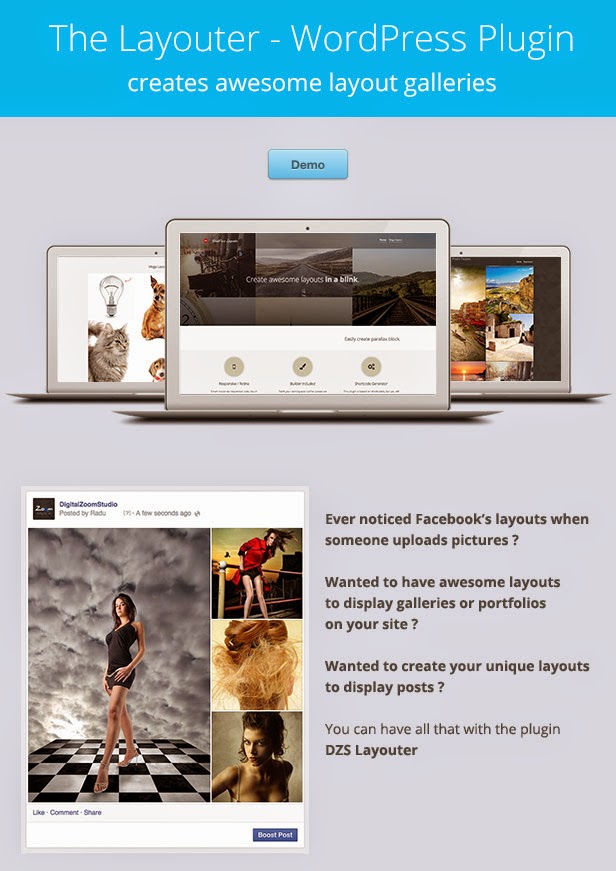
(by this I mean the FB layout as you can see in the screenshot)
https://lh3.googleusercontent.com/-QyEddifTgqI/VGiYppdsbQI/AAAAAAAAAe0/M616n6GCKzA/s871/desc_intro.jpgI attempted to recreate it but it did not work out as I wanted.
Sure
Send me a PM I’ll send you the layout
Thanks!
PM sent
Looks great but if I scroll down the page (and the mega page) , I get horizontal lines (only when I move). Tested on 2 pc’s. All the same. Is it a glitch?
Hello
What browser ? Chrome has some bugs but I think they are fixed in latest version..
Anyway, if there are some glitches, they are not from Layouter, they are from Parallaxer ( the effect used in preview for preview purposes ) and are there only in the preview
Hi, It wasn’t to have remarks on your product, it’s really cool. But indeed, like you said. It is on Chrome AND on PC (win7). I tested it now on mac os, also chrome and it runs perfectly. Maybe I will buy it  Cheers
Tested on my Chrome Win 8.1 and works fine. Weird
Thanks!
is it possible to re-position the image “crop” (modify what is displayed) of each and every cell/photo?
is it possible to disable the zoomlightbox? i want to use magnificent or fancybox instead.
I want to ability to re-position the thumbnails, often you do not have the “perfect fitting photo”
Hello
You can disable zoombox and replace it with something else with a simple PHP tweak
Also for the thumbnails, it’s made to always keep the aspect ratio and show the center of the photo .. but you can modify this in the css
.dzslayouter .divimage {
background-size: cover;
background-position: center center;
}
too bad, that won’t do… some images may need to show upper right, some lower left, etc.instead of having to rely on having perfect crops made to fit… reducing that process would make this script so much better.
if one was able to adjust this when choosing a photo, it would truly be amazing.
think of how facebook allows you to re-position a crop or the position of the image.
GLWS though.
Hello
Maybe in a future update I can add a option for the crop
- top left
- top center
- top right
- [..]
If this is requested enough
Thanks!
I think manually being able to set the crop/position would be better… ofc (OPTIONALLY)
I make websites for glamor, fashion and photography websites and a good thumbnail can make or break it in this business…
Your plugin is good though so I am still considering to buy it… I guess I just have to prepare the thumbnail in photoshop first.. unless your plugin is compatible with Theia Thumbnails or SwiftThumbs…
could we get a backend demo?
Hello
I’ll setup a admin demo later.
But until then you can check the admin here – https://www.youtube.com/watch?v=g9ZePZjaYHQ&list=UU4RaB_xzvZk4vXXJ8TxLSEw
I understand your concern. Does SwiftThumbs generate a new thumbnail in the media gallery after you crop ? If so, you can use that for the thumbnail and the real image for the lightbox image.
Okay, I am interested to buy the plugin but can you tell me how to disable the zoom light-box (so it doesn’t load the lightbox files at all) if I buy it? Also, there’s some weird flashing background when you zoom out of a photo in the demo with the zoom lightbox. (chrome windows)
is it possible to link each photo to a separate post? or can i only set one url for all images?
Hello
The ZoomBox will not be loaded if not used so don’t worry.
Yes, definitely, each picture can have it’s own link
Purchased. Will PM you on how to disable.
please consider adding drag and drop for re-ordering display order function in a future update.
Noted
Thanks!
Will this work on any page? Can you choose different background for each section? Im looking to use this to build a homepage that is simple and elegant.
Will this work on any page?
Yes. It’s based on shortcode so it will work in any page and even in theme pages.
Can you choose different background for each section?
Yes, going to the WP Text Editor inputing something like
<div style="position:relative;">
<div style="position:absolute; left:0;top:0;width:100%;height:100%; background-image: url(http://pathtobg.jpg); ">
[dzs_layouter] ...
</div>
</div>
will give a each layouter section with a different background
I think this can be perfect for a stylish homepage
What is WP Text editor? Is it in the plugin? Also, lets say I want the top section to have a blue background and then the next section to have a white background. Do I need the text editor to do this or is this functionality built into the plugin?
Final question, is this supposed to work similar to Visual Composer? Thanks for your support.
Im trying to build something like this homepage http://www.bluefountainmedia.com/ . Think its achievable?
Hey
The WP Text Editor is just the default editor ( not the visual editor )
This is not like visual composer, this can create layouts like this
It can work in synergy with Visual Composer to create a page like that though