« See all FAQs for Stellar Video Player
How do i play Google drive videos?
METHOD 1:
To play Google drive videos, set HTML5 (self-hosted) video player, and pass the Google drive video URL like described below:
Go to Disc – My drive:
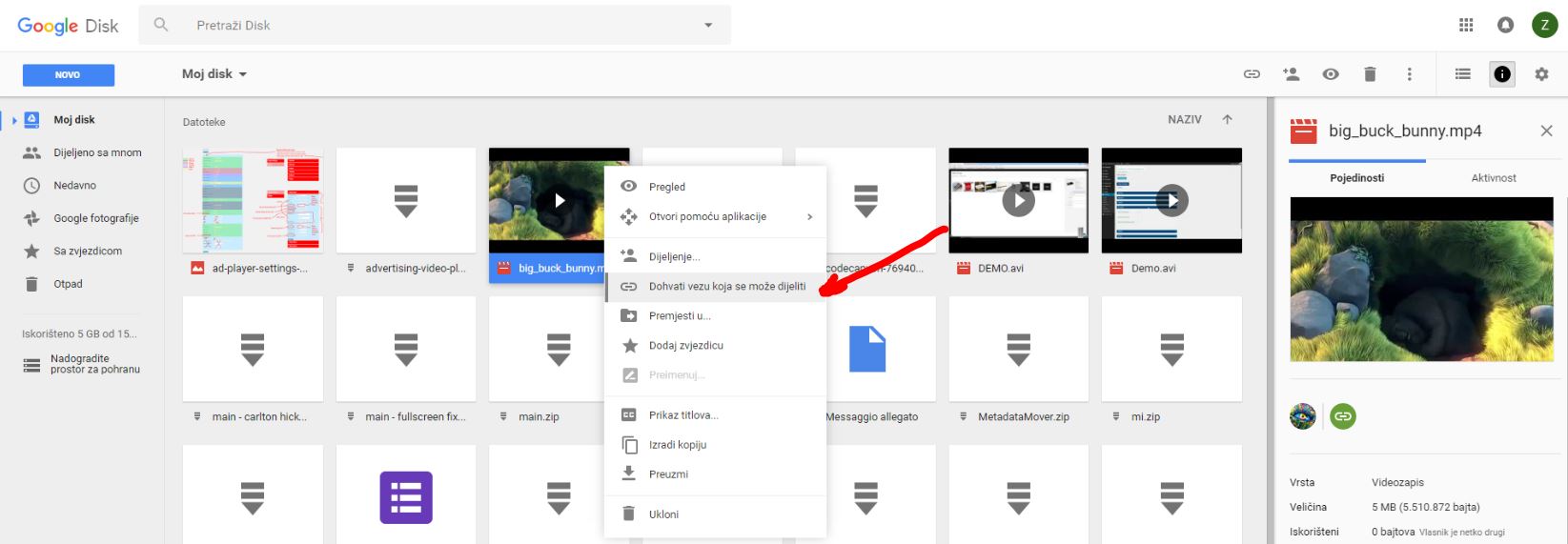
https://drive.google.com/drive/my-driveright click like on screenshot:
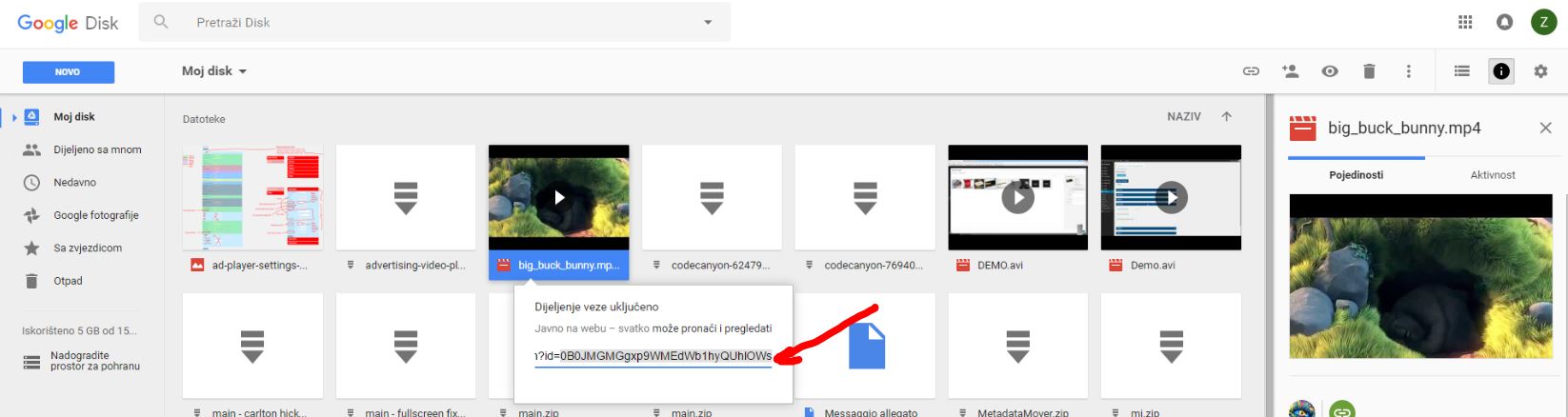
http://creativeinteractivemedia.com/player/CC/screenshots/GoogleDriveVideo_1.jpg http://creativeinteractivemedia.com/player/CC/screenshots/GoogleDriveVideo_2.jpguse that video ID to create google drive video URL:
https://drive.google.com/uc?export=download&id=videoIDThis is final URL how google drive video URL should look:
https://drive.google.com/uc?export=download&id=0B0JMGMGgxp9WMEdWb1hyQUhlOWs – that link goes into mp4 video URL
METHOD 2 (for larger google drive video files):
go to your drive https://drive.google.com/drive/my-drive
right click on the video and choose to share link,
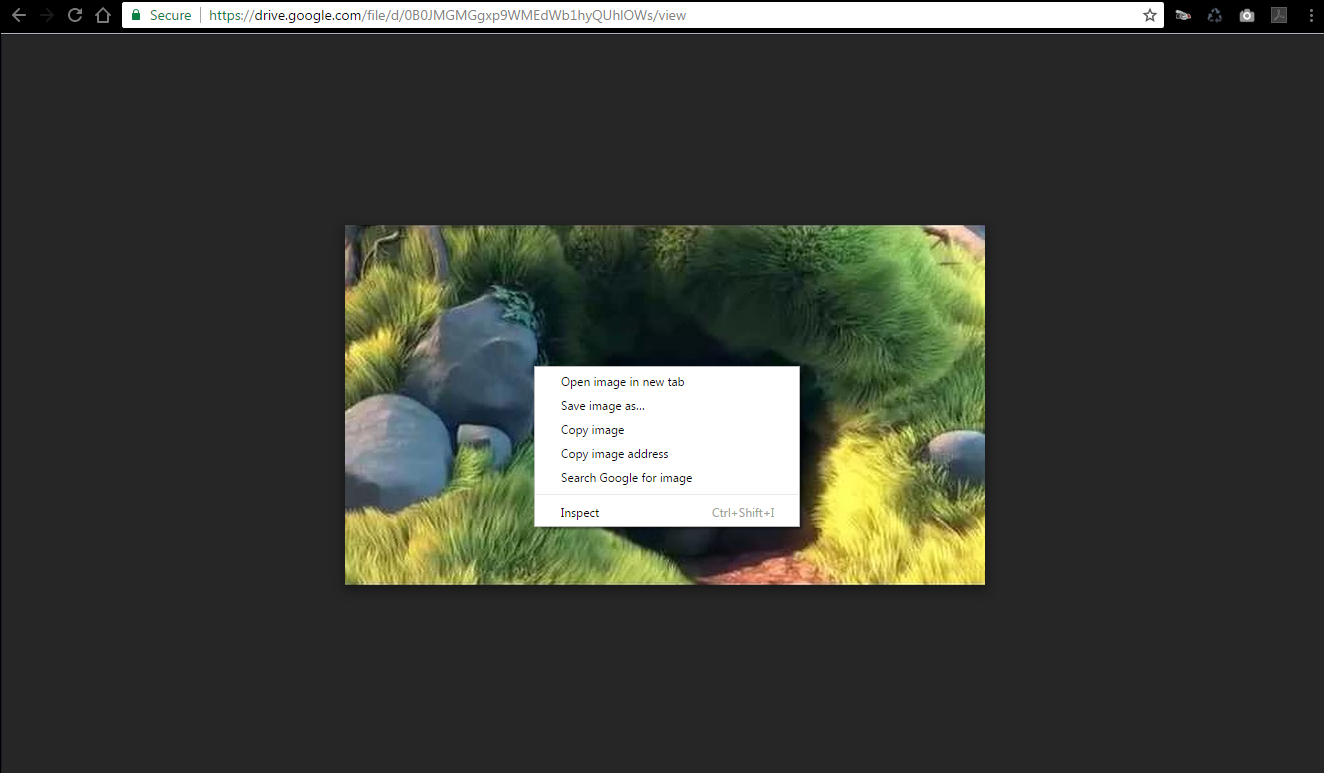
copy that URL of the video directly into browser https://drive.google.com/open?id=0B89EstBwA1ysaTlNZTZraExuUWs
than see screenshots 1 and 2:
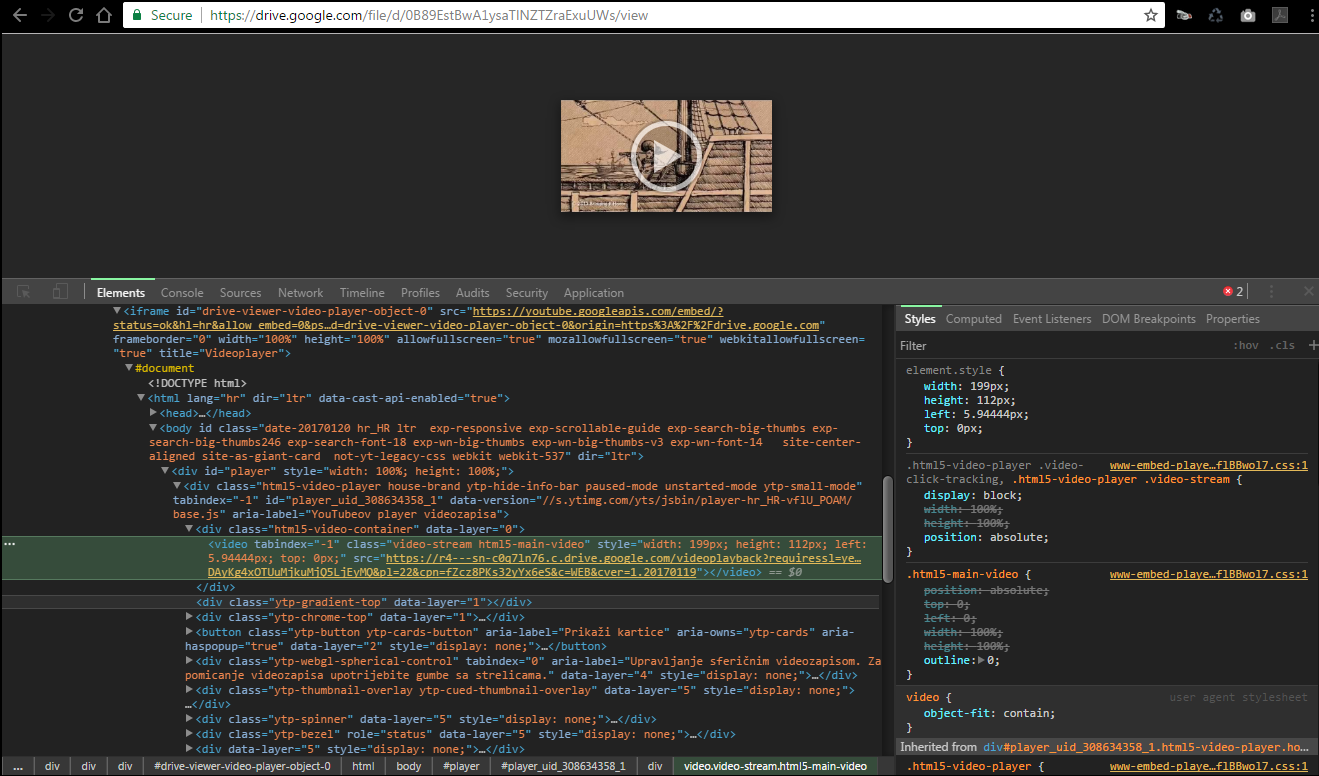
http://creativeinteractivemedia.com/player/CC/screenshots/google_drive_video_sample_large_files1.png http://creativeinteractivemedia.com/player/CC/screenshots/google_drive_video_sample_large_files2.pngand find video src:
right click on video -> inspect element -> find div with class ‘drive-viewer-video-player’ -> open up iframe -> document -> html -> body -> player -> html5-video-player -> and you’ll see <video> tags with the ‘src’ of the video, you need copy/paste that ‘src’ into the player options.
METHOD 3 FOR LARGE FILES (if one of previous methods doesn’t work – use method 3):
Go to Disc – My drive:
https://drive.google.com/drive/my-driveright click like on screenshot:
http://creativeinteractivemedia.com/player/CC/screenshots/GoogleDriveVideo_1.jpg http://creativeinteractivemedia.com/player/CC/screenshots/GoogleDriveVideo_2.jpguse that GOOGLE_DRIVE_VIDEO_ID on the following link:
https://api.getlinkdrive.com/getlink?url=https://drive.google.com/file/d/GOOGLE_DRIVE_VIDEO_ID/viewThe link will response a JSON:
https://api.getlinkdrive.com/getlink?url=https://drive.google.com/file/d/0B141wa4nTnMDcWpOSmJQV0NpNHM/viewThan you can COPY/PASTE src from the JSON:
- copy the URL behind “src”: part:
https://redirector.getlinkdrive.com/redirector?url=25a54c6d9b67331e692f6026f663db762ddaddf39df4e891b01d7e6a973309b7b7477a1108326cb55f9cf54d9a23d46dea910f205db5ed7a3444ff6f5daa08a849505779d7388a2ab8141e750347882ff5e1117704b022eed4fca865517b9cf75a1881bacfba7ebcdfd77c067969bf5219e5c695b59e38c53c947db7a6485c08a7fd8b86533bcac70380a6189ae9c787b63c2e051bfe01712e55221c5f805948a5cb122c873a9ca53199f2fbe1d6390f09e8ee435a06a9d246c495d86769f62f49f695c21ed5a057217073c9c3198f0cba85663fa5cad5088cf36a71837aa00212ddd577d5285b16025e961b3ce7aed70189a6a07549895fc606c061580dd1b976bb12d006db6e3c46d85448e66038b4611b3cf6999dbed0b415e832c6641cbd40f4e75573f059d8432d25ff537064fdedf0a0e43e0d39b4efca20cd2509ed9aa79874b1527c290493f0578378fcb2b27d8ca13abe72ef19eb3c8abed5149a15bfceb9a455a4df4dba79283313267089c376ca460ab0514470600106f2310a6c1ceff7c4c31b7704a3b7dd27f9b452b42ddea7ff5ca9cfee16f0f445a80c6ee4d3a5e159c4b40e51ecdddcae6b7c84a9efb46bc8075bb101c5b44d156bdcf3720a2e753e250ffc5f1e2adeeba977bd463b94cb32dc9252a4c40db1b55ad04d5c1d1976c9c822509d88506a6852da95b1000e57bb83d202627522eed2df559e149d4211bb
METHOD 4: (only if your Google drive video expires and previous methods 1/2/3 don’t work)
Go to https://get.google.com/albumarchive/ and select your video to play. ( If you don’t have videos there, you’ll need to create album and upload all videos in the album, on this link: https://photos.google.com/albums )
Press F12 to open console in Chrome.
Click on the arrow in top left corner of console (“Select an element in the page to inspect it”)
Click on the video.
Copy src from <video> tag and paste it in Stellar video player as “mp4 video”.
Video tag: <video tabindex=”-1” class=”video-stream html5-main-video” controlslist=”nodownload” style=”width: 640px; height: 360px; left: 0px; top: 0px;” src=”https://lh3.googleusercontent.com/jt3PK8Oyp50FF4Mr3kyjw89Po39XXJIb-VyPD325odhv4At0utNd7l8332sA7fhPUVGKoQqQEgpBsb_JSA=m18?cpn=LqPXK7Qxkg9TnjrI&c=WEB_EMBEDDED_PLAYER&cver=20181220”></video>
Your mp4 url is: https://lh3.googleusercontent.com/jt3PK8Oyp50FF4Mr3kyjw89Po39XXJIb-VyPD325odhv4At0utNd7l8332sA7fhPUVGKoQqQEgpBsb_JSA=m18?cpn=LqPXK7Qxkg9TnjrI&c=WEB_EMBEDDED_PLAYER&cver=20181220