

What are the Ad Network SDK supports?
We provide several choices of ad network libraries that you can customize yourself based on monetization needs for your application.
The library implementation can be managed easily in the Android Studio project dependencies in the build.gradle (Module: app) file
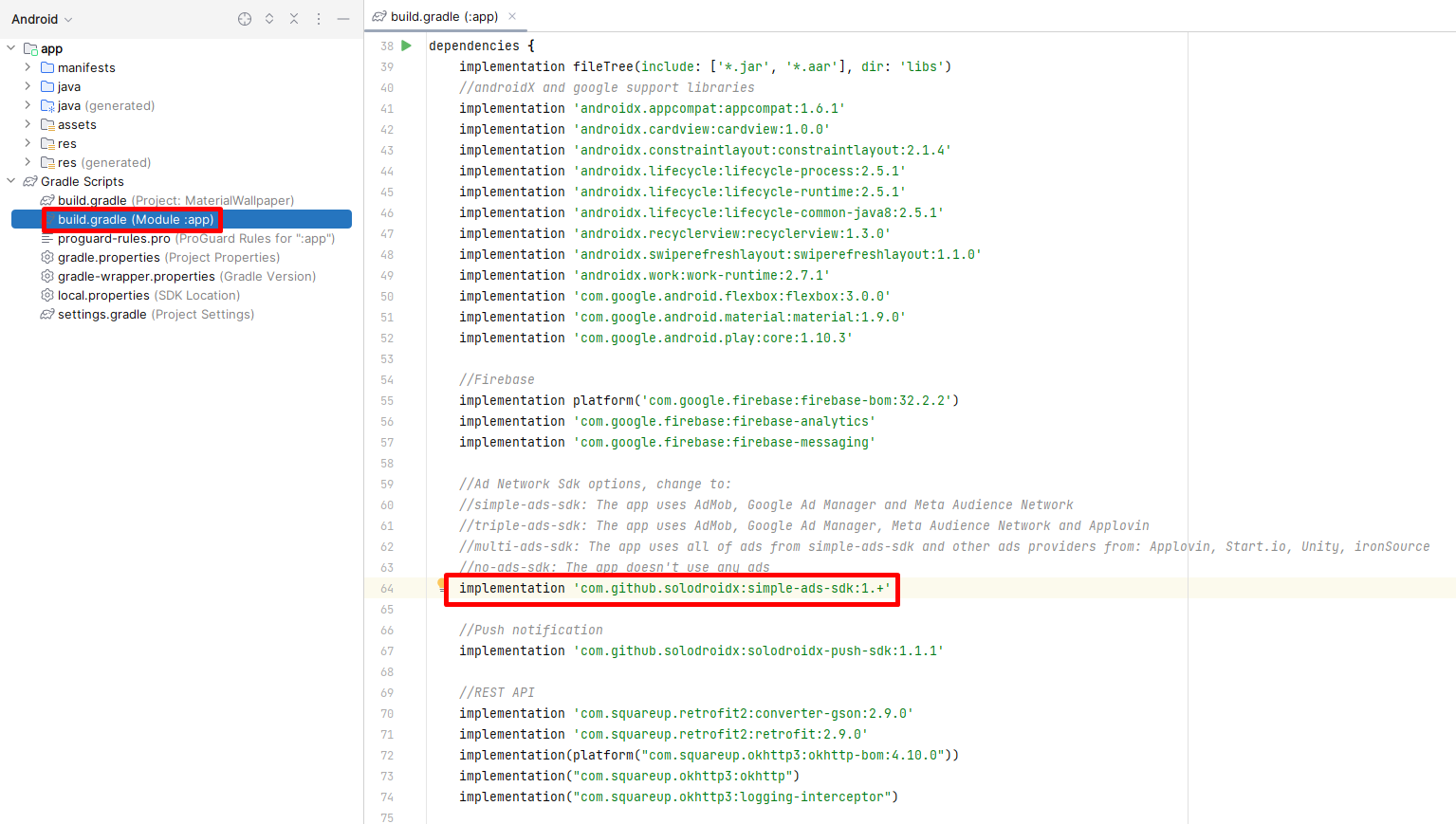
Simple ads sdk (default)
simple-ads-sdk: using 2 main ads vendors from Google and Facebook, overall it supports 3 ad networks: AdMob, Google Ad Manager and Meta Audience Network. This library is suitable if you only want to monetize your app with one or both of these ad providers from Google and Facebook. The apk/aab file size will be smaller compared to using multi-ads-sdk because fewer ad libraries are used.
implementation ‘com.github.solodroidx:simple-ads-sdk:1.+’
Triple ads sdk
triple-ads-sdk: using 3 main ads vendors from Google, Facebook and AppLovin, overall it supports 5 ad networks: AdMob, Google Ad Manager, Meta Audience Network, AppLovin Max and AppLovin Discovery. This library is suitable for those of you who want to use multiple ad networks from many vendors and to maximize the concept of switch ads and backup ads to switch between using other ad networks if one or several ad networks you use have problems. The apk/aab file size will be slightly larger around 2-4 Mb due to more ad libraries are used.
implementation ‘com.github.solodroidx:triple-ads-sdk:1.+’
Multi ads sdk
multi-ads-sdk: full integration with 9 ad networks. This library is suitable for those of you who want to use multiple ad networks from many vendors and to maximize the concept of switch ads and backup ads to switch between using other ad networks if one or several ad networks you use have problems. The apk/aab file size will be slightly larger around 3-5 Mb due to more ad libraries are used.
implementation ‘com.github.solodroidx:multi-ads-sdk:1.+’
Important: using triple-ads-sdk or multiple-ads-sdk there are some risks, your application or Google Play account may be removed or even suspended because there are potential ad networks sdk other than Google and Facebook such as AppLovin, Unity ads, Start.io, ironSource and Wortise may be against Google Play policy.
No ads sdk
implementation ‘com.github.solodroidx:no-ads-sdk:1.+’
no-ads-sdk: Use this library if you don’t want to monetize your app with any ad network at all.




