1.The package could not be installed. No valid plugins were found.
- Apparently, you selected the bundle file ‘Groovy-Menu_package.zip’ for upload instead of the plugin file ‘groovy-menu.zip 


- Apparently, you selected the bundle file ‘Groovy-Menu_package.zip’ for upload instead of the plugin file ‘groovy-menu.zip
After installing the plugin, Groovy Menu will check for a registered license corresponding to the domain name of the site where it is installed.
If no registration is found, the menu settings will be blocked. Information about the current registration status of the plugin can be found under the “Groovy Menu > Welcome” section in the admin area of your site.
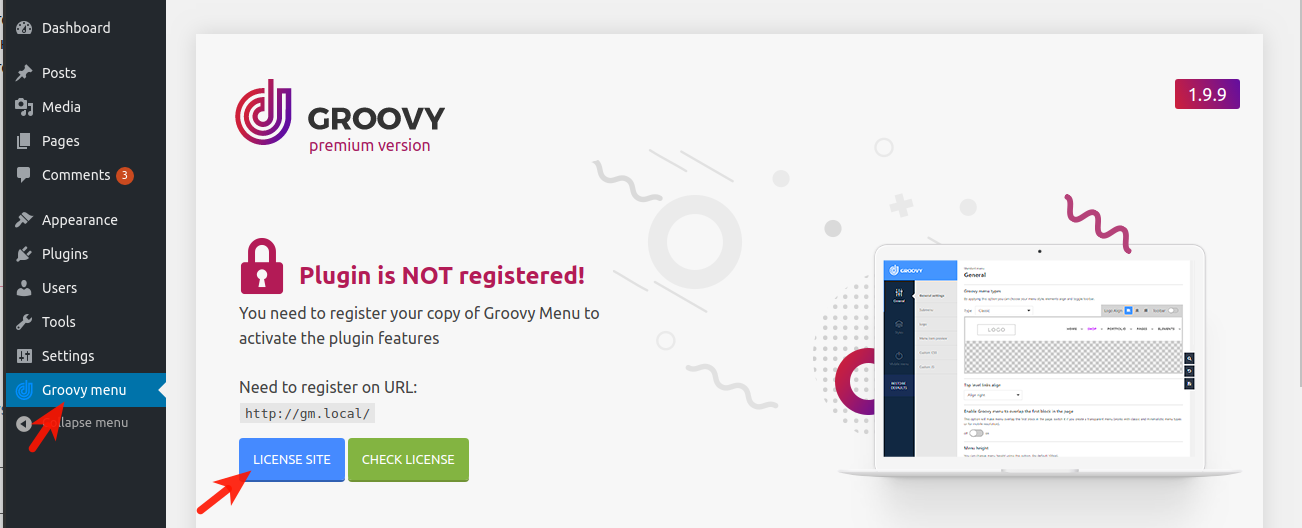
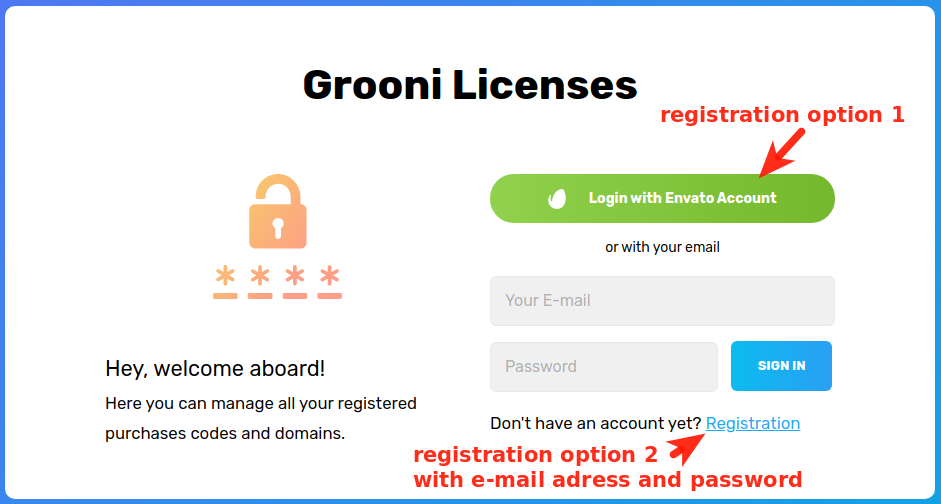
To register and bind your license to domain, you can register with email and manualy add purchase code which you can find here or use registered automaticaly “Login with Envato account”.
Whoch will redirect you to the Envato API site, where you can authorize and confirm access for the Grooni application.
Afterward, you need authorize Grooni (plugin author) that will allow the Grooni Envato App to perform verifying your purchase and granting you access to updates.
You can see all the applications to which you are granted access at https://build.envato.com/my-apps/
After you have entered, you can add URL of site and purchase code.
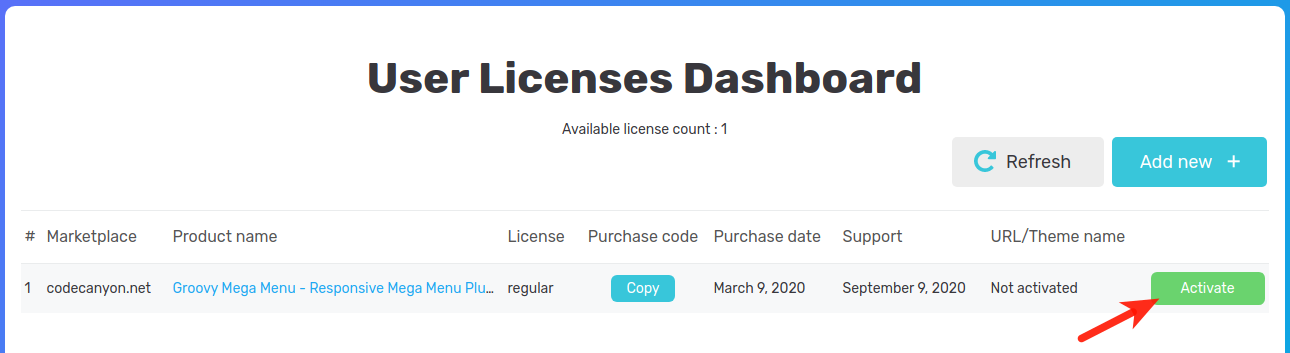
Click Activate and enter the URL of the website where you have installed the Groovy Menu. Please note that both HTTP and HTTPS protocols are accepted for license verification. The subdirectories are not important, only the domain and its subdomains are taken into account. e.g. SITE.com or SUBDomain.SITE.com. If you cannot see any available licenses, try refreshing the page and ensure that you have authorized with the exact Envato account from which you purchased the Groovy Menu plugin.
After you registered the plugin, you need to do the integration.
This can be done in one of 3 ways
You can find it here https://grooni.com/docs/groovy-menu/
This author will respond to buyers' questions and provides limited support through their own support system.
View the item support policy
We'd like to ask you a few questions to help improve CodeCanyon.


