391 comments found.

Hi ,I just purchased the product and trying to use your plugin with Quform2 but its giving me multiple problems :
Warning: Illegal string offset ‘fgpdf_page_att_options_completion’ in /homepages/12/d309438142/htdocs/wp-content/plugins/form-generating-pdf/includes/form-projects.php on line 173
Warning: Illegal string offset ‘fgpdf_page_att_options_completion’ in /homepages/12/d309438142/htdocs//wp-content/plugins/form-generating-pdf/includes/form-projects.php on line 177 Please complete the options page Form settings.
Could you help please, Thanks in advance
Hi,
thanks for reporting this issue, these are just warnings they will disappear once you create the first project. I’ll get rid of them on the next update.
Hi there,
I need to fill in an existing form. There are checkboxes and drop down menus in some places in the form.
Now I have seen that I can either write the value in the form, OR set a check mark.
But in my case I need both. Can this be set for individual fields somehow?
br
Hi,
For the moment, you can either choose one of the two not both, this needs some development time, but I’ll keep it in mind I’ll work on it on the future.
Hi,
I just got your plugin today and was able to set it up, but I have the following two issues.
1/ I have one form that I want to generate 2 pdf attachments. I set them up and they are running but when a client submits the form both of us; me as admin and him as clients receive only one attachment not both. When I check user entries, there is only that one pdf attachment we both received. The second one is no where to be found in entries.
2/ I have one field that I want it to appear in two places in the generated pdf. Is that possible because I cant find how I can do it if it is possible.
Thank you
Hi VCTIV,
Thanks for using the solution for your project.
These are not issues, these are features that weren’t released on the main version of Form Generating PDF, and planned to be released as addons for the plugin.
You can request some custom devops via the email support system.
Hi presales questions:
1. Is it possible to use superforms with your plugin? 2. Can the user upload several images via superforms to a single pdf created by your plugin? 3. Where are the pdf stored? 4. Is there a way to integrate with a QR code generator?
My scenario is this:
I need to build a form wich the user will use to upload a logo and several images. Then your plugin will encapsule all of them into a single pdf with custom layout (html or using your interfase) and then the PDF gets stored on server available through an URL.
Then I will use another plugin to call to that URL via QR Code. Do you think this is viable using your plugin? Thanks!
Yes to all your three questions, it can store the PDF submissions on the server and you get access to them using a download button on the admin area, feel free to request any custom development above all of this via email.
Please tell me if your plugin is suitable for the forms https://ru.wordpress.org/plugins/quasar-form/#reviews, will generate a pdf form with https://oplatanalogov.ru/калькулятор/ ??? If your plugin doesn’t work for me, will you return the money?))
The submit button of this plugin doesn’t activate our plugin, but with a slight adjustment it will.
Can you help me set up the button if anything?
Yes, please send me an email after purchasing I’ll respond in 2 business days.
Are we able to install and activate on a test site, and than deactivate to install on live site? Or is it a 1 activation only?
Yes, you can. You can keep the plugin on a test site to build it, then move it to the live site once you’re finished.
Hello, how can i test the plugin ? I wana buy it, but ii wana test it a little. Tnx
Hi,
We haven’t released a trial version, but if you’re looking for the features that offers this plugin, then you shouldn’t be worried about it not working, it’s active for 600+ users. Feel free to use it and if you have questions let us know.
Is the plugin compatible with this – https://www.gravityforms.com ???
Yes!
Hi I wanted to buy I am concerned there are user comments /complaint that the script stops on 10 projects. Did you mention it in any descriptions?
Is a project = one form/pdf
Hi,
This is no longer an issue.
Thanks for your interest!
Hi,
I have a directory website. Can i export in pdf listing entries?
Thanks
Yes, but that needs a custom development, please refer to support for this via email.
What is the max number of Input Fields that can be scraped from form? It looks like it stopped at 98, including hidden, and I’ve got about 125 that I need so my last two pages can’t be completed right now.
Also, is this compatible with the Gravity Forms Signature Addon?
Hi Bekillian,
That’s your php.ini issue. Your server allows just a small number of variables, so you need to change the max_input_vars on your php.ini configuration, ask your hosting support to change that from 1000 to like 4000 or 6000, then check if the problem persists.
Hi, Pre-sale question here
is it possible to save the PDF form or preview the PDF form before clicking send?
its like I enter all the information and I can click send or preview the PDF first in the new tab before .
thanks
Hi Cris,
This functionality is not implemented yet, you can always request your custom development. you may contact us via email for that.
Thanks for your interest!
Hi, I recently updated the plugin to the latest version from 3.5.9 and have lost all previous projects, is there a way to update and retain the previous projects as reverting to the old version is also throwing some errors and not emailing the pdf file.
I have also noticed that the number of projects is now restricted as someone pointed out even though this was never the case when i originally purchased the plugin.
Hi Amar, You need to set the option of landscape in the attachment options, when trying to use the landscape format. The 3.6.* is not compatible with previous versions (< 3.5.*). You need to delete the old options, by uninstalling the old version and installing the new version. the recent version is much better and easier, you may recreate your old projects in no time. Best of luck for the rest of your projects, Thanks! Maxell
Hi there. My question is how can i make it the text and the title that i add throughout the application or throughout the form and after the form is send I receive the pdf but I don’t see the titles and the texts. Is there any way to enable that or to make it happen to print on the pdf document? Thanks
How do you add the text and the title throughout the application ?
Pre-sale question. Could you please tell me if your plugin can generate a danamic PDF like this? I need a certified builder where user can download the certificate personalized with his neme and surname in PDF format. So can we add templates.
That way we can distribute our 3-day Event Certificates to participants. DEMO: https://ibb.co/bgSrCLy
Thank you very much. Best Regards.
Yes, you’re totally on the right place, it work with certificate like charm ! The verticate can be sent via email to the users after the form registration, you can get the users certifications on the admin area as well as in your emails.
Currently when I map the date with your PDF Filler plugin it displays date backwards as Year/Month/Day. Can you help me with formatting the date so it will show Day/Month/Year? I also reached through the support portal. Please advise. Thank you
I’ll try my best to add this option on the next versions once I’ll find the time to that I’ll notify you, when it’s integrated !
Thanks!
Awesome. Thx!
I’m tryng to use sgnature but the plugin dont put nothing on that field idk why
Hi,
Please refer to support via email for help with your valid code licence.
Thanks!
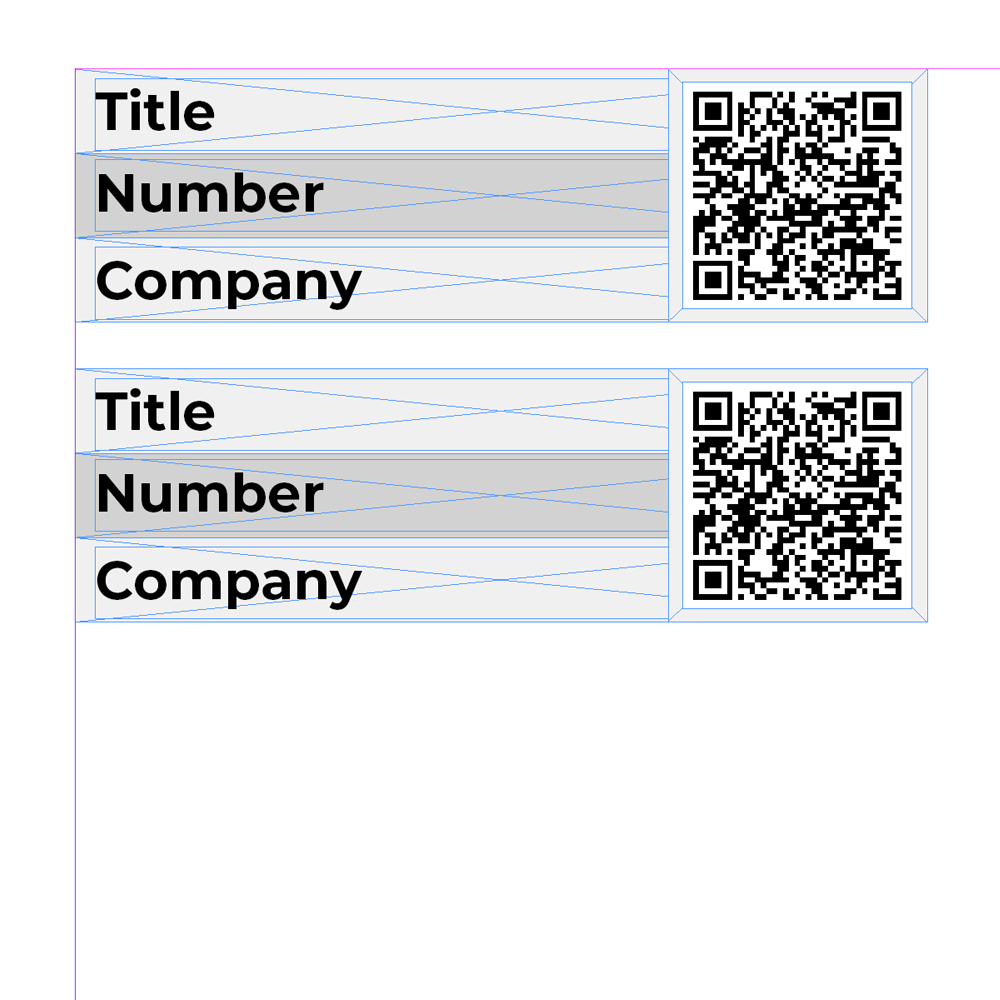
Pre-sale question: Does this plugin support generation of QR-codes by URL? I want to generate Title, ID number and Company name + QR Code like this example img – https://status.fpservicecenter.se/wp-content/uploads/2020/10/Custom-fields-qr-code.jpg
Thanks in advance.
No, but you can contact me for any customization. Thanks for your interest !
very easy to use
Thanks!
Enjoy the product!
The plugin sends (test) e-mails to sarahamiliac@gmail.com. Please remove this code (comment it out) or use it with a WP_DEBUG check. Screenshots of code lines: https://snipboard.io/KASY0g.jpg Thank you!
Copy that!