683 comments found.
What kind of printer can use PWA merchant app?
it will only support the chinese printer http://www.feieyun.com
I contacted Feiyun, and they are not for sale, one or two units overseas, minimum order 50 sets.
try to look in chinese ecommerce site like aliasexpress
They are not for sale on an e-commerce platform. Only sell to an online ordering company for large quantities. And the online ordering company does not sell overseas. Feieyun says they don’t want to sell overseas, focus only on China.
well this is the only printer that i know has api you can try to find printer that has api and let me know

HI Basti just want to check with you the tip on app isn’t that for the Delivery driver not the Merchant but shows on merchant sales ?? https://prnt.sc/HNakQUBiNCX3
i think this is a report right?
someone instructed me to put those details
you can simply remove it i can guide you
sent email basti
bro?
sent
Sent
sent
HI Sorry Basti last 1, we using sunmi v2 as recommended but where do i set the notification sound to ring continuously every 10 seconds for Merchant device until they acknowledge order, cause i see it just rings once and done, even thou we set it for 10 secounds. https://prnt.sc/1uD6j8LDe0-v
in the merchant app settings under notifications
and make sure to run the cron jobs found in your admin panel the cron for merchant getneworder
HI Basti Where can we add the “Food Category” to the top receipt to be printed, as restaurants have brought this to our attention as they have same product but under different Category is there a option to add it in Back Office or something we can add to code. https://prnt.sc/7CfUMjL-BNTl
Cheers
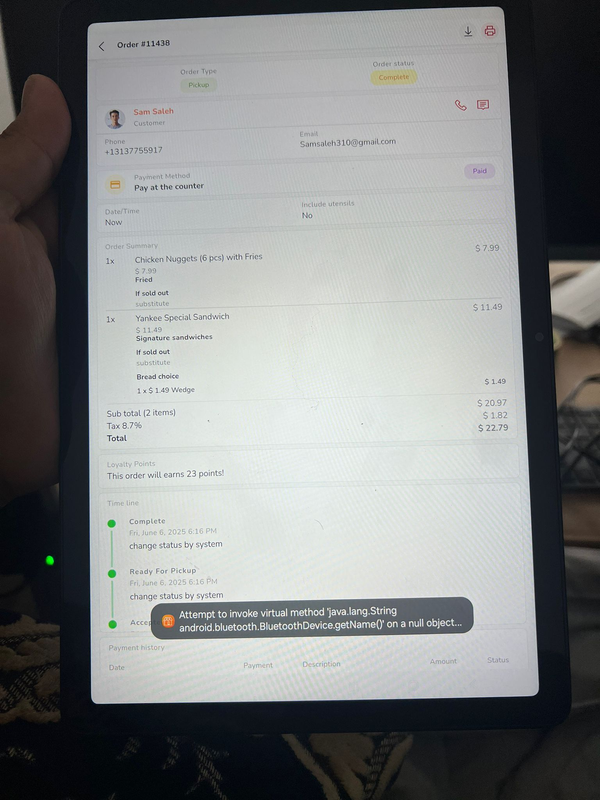
After upgrading Basti’s Merchant App Restaurant, I can’t print when connected to a Bluetooth printer. I get the error “red failed, socket might closed or timeout, red ret: -1.” However, the old version of the app works fine.
is the test print working?
if yes i experience this with other buyers the issue is with the printer does not support the library i use to print as canvas
and your printer does work only using raw esc/pos command and unfortunately i remove temporary in the last update cause its causing issue with others if your printing different language it does not work only the canvas works with different language
anyways i will bring it back next update to have 2 options again in printing using canvas and raw esc/pos
The test printer works. OK. Thank you.
noted thanks
Hi Basti, quick question. Do you know why your old splash screen appears after i replace all the splash screen images? I noticed there is a second white splash screen. I managed to remove that second splash screen from driver and customer, but it keeps appearing in merchant app.
you can replace this in public\icon.png
Hi Basti, I have a problem with the restaurant app, when i tap on Chat with restaurant the app freezes. Here is the a pic of the section
https://i.imgur.com/sdzONyD.jpegIs there something in settings where i can disable chat with restaurant?
first of all your in merchant app not in customer app the screenshot is for customer app
next time post the question to correct item
you need to set the firebase credentials first in boot/FirebaseChat.js
do disabled chat disabled this in admin panel -> communication -> settings -> enabled chat
You are right. Sorry about that, and thanks for the answer.
no worries 
Hi Basti,
Your app must support 16 KB memory page sizes by November 1, 2025. Your app uses native libraries that do not support 16 KB memory page sizes. To continue publishing updates to your app, you must recompile it to support 16 KB page sizes by November 1, 2025.
The table ordering app and the restaurant app are showing this warning. I have already submitted the latest version of the restaurant app to Google Play, and since the deadline is November 1, the following apps also need to be updated:
Karenderia Kitchen Display System
Karenderia Tableside Ordering
Best Regards,
try to request extension it will grant you till next year
until the update is not yet release
Thank you Basti
welcome
Hi, Basti, long time no see. Merchant is doing great. They should adopt a minimalist style throughout their app. However, after posting a product image from my phone through the Merchant app, the entire website crashed.
hi mate
thanks,
can you share a video so i can understand?
cheers
My friend, please ignore it. It was my own fault.
no worries mate
glad you figure it out
when try to print this error show.
hi mate
try to delete that printer in printer section and re add again
cheers
Basti, for future reference, we need changelog for apps too. We make changes to the apps and then have no idea what has to be updated in new releases. kindly take note, we need changelog for every release you make so we can edit the appropriate files after making changes. this is very important for developers
will do take note next update but i suggest use this https://winmerge.org to find what is file is modified and added this is effective tool been using this for along time already its accurate cause sometimes i forgot file that i updated and did not put on the list but by using this you will not missed any file
[error] Analyzing dependencies [!] CocoaPods could not find compatible versions for pod “GoogleMLKit/BarcodeScanning”: In Podfile: CapacitorMlkitBarcodeScanning (from `../../node_modules/@capacitor-mlkit/barcode-scanning`) was resolved to 7.3.0, which depends on GoogleMLKit/BarcodeScanning (= 7.0.0).
how can i fix this?
try to remove this in package.json this plugin cause at the moment am not using this in the app
”@capacitor-mlkit/barcode-scanning”: “^7.3.0”,
Basti 1. how do merchants set any tax settings in the app? 2. where is POS?
I dont see store hours either. merchants cannot use this app fully. this app is missing half of its necessities needed to properly setup their shop. whats up basti?
hi mate
i remove the POS at the moment and for other settings like store hours it will be back i change the layout and forgot some pages to add again
Hello Basti, I’ve been trying out several printers for weeks, and I admit that the one you recommended isn’t at all suitable for kitchen environments for merchants. I really want to use well-known printers on the market, such as the EPSON TM 30, or, I prefer: https://www.sunmi.com/en-US/80-kitchen-cloud-printer/ the Sunmi Kitchen Cloud Printer, which seems perfect for the job.
Can you tell me if support for this printer is planned for the near future?
Thanks
this requires api to call in sumni side and i cannot developed this without account in sumni and the printer
What has been changed in the September 5 update?
already in the description
mate please file update
I need the files that have been changed, bro.
PS: In the new version of the web backend, the change is not visible in the cart.
the changes is the modules and and the app only this file
src\pages\AccountMenu.vue
what do you mean by this ?
PS: In the new version of the web backend, the change is not visible in the cart.
If you try to view the website when you try to order, it doesn’t work because the rest of the cash on delivery payment is missing, but don’t worry about the checkout. https://prnt.sc/TEwoKouvPCpy
mate this is kmrs not merchant app post your question in correct item
and take note i don’t have this kind of issue please update your files this never been change in the last update
check if you change any files in kmrs or you change the payment code i just check i don’t have this kind of problems
Sorry for posting this here, but I’m away from the office and, given the problem with the latest web version of kmrs, if I try now with your demo and a version that hasn’t been updated yet, I’ll send you an email so I can show you where the problem is
no mate i don’t have any changes on this part
please check again
the field change should appear in there just like this screenshot
https://ibb.co/xKYCr2sgsend email
sent
Thank you very much for the latest update, my friend. But there is a problem. I published the application. When I first enter it, everything works, but when I close and reopen the application, the recent orders section within the application disappears. The application and wallet section disappears in the submenu. When adding the menu, it gives an error, then the reservation section gives an error and does not open.
Android--
kindly use the new update
cheers
Thank you Mate
welcome
Pm sent!
sent
Hi Basti Is ther option to turn off murchant earnings for sertain merchants, as some resturants dont want staff taking order to see this ?
in the role permission for the user in merchant panel
For Delivery Settings I see the option for Dynamic Rates, but I dont see where merchant can add dynamic rates? Delivery charge only shows “Price” field. no matter if choosing Fixed or Dynamic Rates for Charge Type
kindly use the latest update this is fixed