380 comments found.

Hello! Is it possible to make the “FIRM” name linkable? I’d like to display also a details “FIRM” page. Pls check my screen https://ibb.co/mrWsjfWM Thanks
Hello fabioweb90,
I confirm that in the back-end links can be created by selecting a cell and using the Link cell property.
If you have any questions, please let us know.
Hello! I installed the new version and am having a problem with the licence. When I visit the download section on CodeCanyon, I can only download the template; there is no “item purchase code”. How can I find my licence?
Hello chocholik ,
To find your Envato Market purchase code, please refer to this official guide: https://help.market.envato.com/hc/en-us/articles/202822600-Where-Is-My-Purchase-Code
Let me know if you need further assistance.
Yes, it works. Great.
Hello I updated from 2.23 to 2.24 but with the new version I see NO OLD TABLES and this page is empty. I roll back to 2.23 and I see all OLD tables! There is something wrong  Cheers
Hello JensL,
Please proceed to League Table -> Options and click the “Save settings” button available in the Advanced section. The new “Items per Page (Tables Menu)” option should be set to a valid value and saved.
If you have any questions, please let us know.
Additional Note: Thank you again for reporting the issue. A plugin update will be released today to automatically set this value, eliminating the need for the manual procedure described above.
The new version 2.25 works great now…. thanks
I updated the version 2.21 and get a “FATAL ERROR”!
Where I can download the older version 2.19 or 2.20?
Hello JensL, I replied to your email.
Thx I got your email and the version 2.19 works fine!
Version 2.20 is now available. Please follow the update procedure to ensure your data is preserved. For instructions, visit: https://daext.com/doc/wordpress-plugins-installation-guide/#update-single-site
If you have any questions, please let us know.
Hi there,
1. Can a table be created with results – For example, like this: https://share.cleanshot.com/QDgNMvSn ?
2. Can certain blocks or rows in a column be set with a particular background color individually at all?
Thanks!!
Hello nasa,
1. Yes. Using the cell properties (Alignment, Image Left, and Image Right) you can apply the custom horizontal alignment and add the team icons.
2. Yes. There is a Background Color cell property to apply this change.
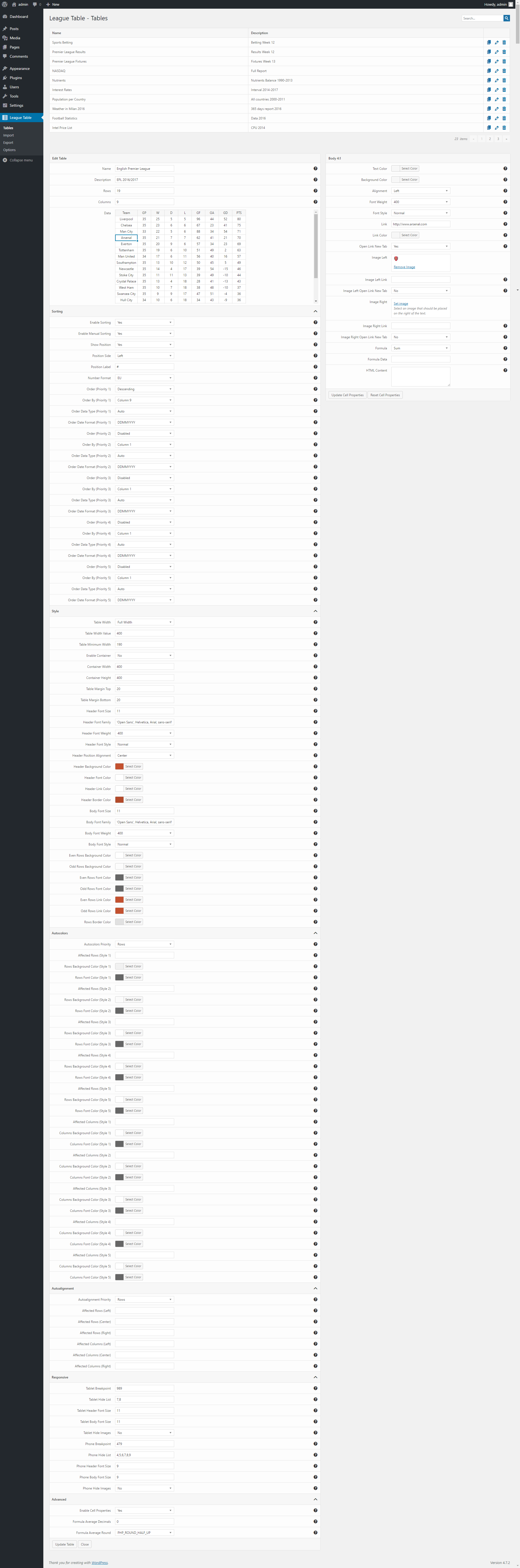
A screenshot with the cell properties: https://s3.envato.com/files/258159491/tables-menu.png
Let me know if you have any questions.
Hello I’d like to migrate all my tables with the same is on a new site I’m building but when I import them the ID are completely different. I wrote you but never received a reply, can you please tell me if this is possible or how can I do that? Thanks!
Hello andreamarucci,
I confirm that table IDs change when moved between sites using the Import and Export menus. This is because the table IDs match an auto increment field and primary key of the database table.
For an exact copy you can use mysqldump or other database tables cloning tools.
Let me know if you have any other questions.
Thanks so you confirm that I can make a dump of the tables and import in them in the new database? Which tables do I need to copy?
Hello andreamarucci,
Any method is valid as long as you create an exact copy of the tables without regenerating the IDs.
Plugin database tables:
- wp_dalt_cell
- wp_dalt_data
- wp_dalt_table
I bought the plugin and add a table. Now I use the shortcode [lt id=”10”] but in the post is no table there and I get this message “You can’t use multiple times the same shortcode.” but I use the shortcode only once in the post! What´s going on?
Hello JensL,
This happens when components active on the website are executing multiple times the same shortcode.
To solve please set Options -> General -> Verify Single Shortcode to “No” and clear the cache.
Let me know if you have any other questions.
Thanks that works but how can I use html tags in the cells? In the optens (kses Allowed HTML Tags) I allow this: ahref, br, em, strong, b, center but for example
or [br] doesn´t work! Your documentation is not so helpful, sorry
OK, found out the workflow but is so hard to add all in the cell properties…. is to much work
Hello JensL. Thank you for the update. For repetitive tasks I recommend using the context dialog available by clicking the right mouse button on the cells. Operations to copy and reuse cell properties are available. Hope this helps.
Thx for your help! I´ve an other question! How can I combine multiple cells into one cell?
Hello JensL,
You can merge cells with this procedure:
- Enable the Row Slots and Column Slots options in the Options -> Cell Properties tab
- In the League Table -> Tables menu use the Row Slots and Column Slots cell properties to merge the cells
Perfect! Thank you
Is this still in production? I ask as many of the links to sports demos are dead links?
Hello mikelidbetter,
Thank you for reporting this. We updated the demo links in the product page. The links were pointing to the previous demo site which is no longer active.
I also confirm that the plugin is supported and it will receive updates.
Let me know if you have any other questions.
Hi, I wanted to use this as with a large Table on content as on https://thebankdirect.com/ let me know do this Plugin offer Pagination over table and Search Box.
Hello topwebpartners1, I just replied to your email. Let me know if you have other questions.
Hi there,
I’ve just bought your plugin and I’m facing some difficulties at the moment. The plugin works a little bit buggy, I don’t know because it’s conflict with other plugins or not, but quite strange. I can’t really format the cells because it’s not working well. For example, when I try to add an image, the Set image link is not clickable and it’s the same when I try to change the background color. Any suggestion?
Thank you!
Hello Leons,
thank you for all the details.
If League Table is updated to its latest version, the issue is caused by a conflict with another resource loaded in the page by plugins or themes.
Please proceed as follows:
- Open the Chrome Devtools and select the “Console” tab
- Visit the League Table -> Tables menu
- Click the Set image button
- Send a screenshot of the console output to support@daext.com
Reference: https://developer.chrome.com/docs/devtools/overview/
Let me know if you have any questions.
i would like to create a game schedule overview of different leagues. therefore the first question is whether past games are automatically hidden and only the upcoming games are displayed? and the second question is whether it is also possible to link content in a cell to an external website?
Hello hanmat,
i would like to create a game schedule overview of different leagues. therefore the first question is whether past games are automatically hidden and only the upcoming games are displayed?
The data displayed in the front-end tables are added from the user in the back-end. There are no distinctions between past or future games.
If your question is for a football/soccer related site check out Soccer Engine and specifically the dedicated editor blocks used to display matches and standings tables. Here you can find tables dynamically generated based on sport data added on the back-end.
and the second question is whether it is also possible to link content in a cell to an external website?
Yes. Links to the cells can be added from the Link or Custom HTML cell properties.
Let me know if you have other questions.
thank you very much for the quick reply. then the plugin is not suitable for my purposes. it’s a pity because otherwise it works very well. it is an important feature for my plan that games in the past are automatically hidden so that only the upcoming games are displayed.
Hey I would like to buy your tool but I would like to sell leads on it, something like apollo.io I already have a database of leads ( more than 500k) and I want to sell these leads as credits for my users so can your script makes this job ? or can you customize it to be like that
Hello Imaddr,
could you please indicate which features are needed in the tables that you want to create with this plugin? So I can provide you a precise answer.
Thank you.
Presale question,
is it possible to have filters for tables columns, I have read the past comments on the availability of this option and it seems it was not there 2 years back any update on this?
Hello codersw,
I confirm that a filter feature is still not available in the plugin.
Let me know if you have other questions.
Hello I’d like to know if it’s possible to hide columns?
Hello RockoMusiQc,
with mobile devices you can hide columns by specifying their indexes in the Responsive section.
If you meant hiding columns in another context please specify the context so we can provide you more details.
Let me know if you have other questions.
I’m having the hardest time making a certain column a certain width. Is that not possible with the plugin? No matter what I do I can’t increase the width of just 1 column.
Hello bombstriker,
yes, you can specify the width of the columns by setting:
- Column Width -> Specified Value
- Column Width Value -> (An array of column widths in pixel. E.g. “40,80,40,40”)
Another option is to merge the cells. To activate this feature enable the Row Slots and Column Slots options in the Options -> Cell Properties tab.
Let me know if you have other questions.
Awesome, thank you, I didn’t know you could put multiple entries in separated by columns! Works great thanks!
Is that also possible for Formula 1? If not, is that still coming?
Hello dteam1,
this plugin is not specific for a particular sport. It’s a general purpose table plugin, so you can add Formula 1 data if needed. Note that the table data should be manually added from the back-end.
Let me know if you have other questions.
How is it possible to use different font sizes in a single cell? I’m trying to use the “HTML Content” box to use a span code but it doesn’t seem to change the font fize. I would like the top line to be slightly larger than the bottom. Is there a check box somewhere that I’m missing to allow this?
After messing around with this all day I figured it out. If anyone else has this same issue you go into the options menu and scroll down to “kses Allowed HTML Tags” where I put in “span[style]”. That then allowed me to change different sizes of fonts in a single cell without changing the whole thing. If there is a better way to do this DAEXT please let me know. Thanks!
Hello bombstriker,
I confirm that you have described the best method to change the font size of single cells.
Alternatives are:
1. Using the dedicated font size options. (only for headers or body cells)
2. Using selectors in the theme stylesheet that target both the table and the specific cell.
E.g.:
#dalt-table-47 tbody tr:nth-child(2) td:nth-child(5) {
   font-size: 18px;
}
Hi. Is it possible to select multiple cells and align them in one go? I used to have a plugin where I had to do it cell by cell so I just want to make sure this is an available option and how I can do it?
Thanks!
Hello Aletarius,
you can assing a custom text alignment to rows/columns with the options available in the Alignment section. Alternatively you can target the single cells with the Alignment cell property. There isn’t an option to target a custom group of cells if the group of cell is not a row or a column.
Let me know if you have other questions.