9142 comments found.

Hello, I hope you are well, I send you all my wishes for this new year 2023.
I just received a notification informing me of the new update version janv 2023 of the plugin and a question please:
How to proceed to the update? Should I uninstall the old version and then reinstall the plugin? Is there a risk to delete the data or are they saved in the database tables?Thank you in advance for your help Sincerely Bruno
Hello Bruno
Thank you, I’m fine, I wish you all the best in this new 2023 year.
First of all please, create a DB backup before update. You can do it for example with Updraft Plus Backup plugin.
If you entered you license key, you can update plugin automatically by clicking on the appropriate link on the plugins page in /wp-admin
If not, you can download zip with the latest version here on CodeCanyon and update it via /wp-admin -> Plugins -> Add New -> Upload plugin -> Replace current with uploaded.
Please, let me know if it was helpful for you.
Thank you very much for your help, it’s nice, the update worked well.
One last question if you don’t mind, how can I set up a price filter like this: https://ibb.co/zVjvj1X
Indeed, I would like users to be able to sort products according to their price, it would be nice, but I don’t know how to do it.
Thank you very much. Sincerely Bruno
Hello Bruno
Please, look on this demo page and find there short instruction how to do that https://demo.filtereverything.pro/example/by-price/
Perfect, thanks, good day for you
По какой-то причине автор проигнорировал мой запрос. Продублирую: Здравствуйте. Не могу сделать фильтр для товаров на распродаже. Использую _sale_price и Custom Field Exists 1. Вариативные товары имеющие цену распродажи не отображаются, даже если указать галочку “Use for Variations” 2. Этот механизм не учитывает даты распродажи, а только само наличие цены распродажи. 3. Я не могу изменить название пунктов выбора, они ставятся как On sale и Regular price, что для русскоязычного сайта не вариант.
Support is possible only in English.
Thanks to Google Translate for allowing me to translate my request in Russian to a Russian-speaking author into English. My request: Hello. I can’t make a filter for sale items. I use _sale_price and Custom Field Exists 1. Variable products with a sale price are not displayed, even if you check the “Use for Variations” checkbox 2. This mechanism does not take into account sale dates, but only the presence of a sale price itself.
Hello yurkovivan
Provide me please with link to your site. You can optionally send it via PM.
Thank you.
Is there a timeline for when you will add the Color Swatch option…I’m really hoping for this super soon!
Hello helloflorences
Thank you for using Filter Everything PRO.
This feature is already added to the plugin. Please, update it to the latest version 1.7.2 and you will find this option in Filters -> Settings -> Experimental -> Color swatches for Filters.
Hi, im using on product archive and SEO rules are not working, even when some filters are applied, it adds a noindex tag to my page… Im using Yoast SEO as SEO system. Thank you. We removed the noindex tags via actions, but SEO rules are still not working and we would like to. My site: biobay.es Thank you.
Hi SalvaLopezPro
Thank you for using Filter Everything PRO.
Please, try to create SEO Rule in accordance with this short manual – https://filtereverything.pro/resources/seo-rules/#create-seo-rule
And please, do not remove noindex tag programatically on filter result pages because it will generate too many extra pages that will be indexed and will spam Google index for your site.
I did everything you describe at your support page, but still not working. It only works for my shop page (and not properly), but no for categories.
I have 3 filter objects: Categories, Brands and tags.
I created a SEO rule for each, even in combination with each others: Ex: cat cat+brand cat+tag cat+brand+tag
But when i apply filters in front page, it dosent work…
Please, help me to solve this. We want to create multiple landing page combining all these objects.
Thank you.
Hello SalvaLopezPro
Please, make sure that you added Product Category as Indexed filter on the Filters – Settings -> Indexed Filters tab. In this case SEO Rules on Product Category pages will not work to avoid duplicates. And vice versa – if you want to use SEO Rules on Product Category pages you have to disable them as Indexed Filters in the tab. And your SEO Rules in this case should have “Page archive for – Any Product category”
Hi, I’m using the plugin on 3 different pages, each with different filter sets. The product filter count is ok on 1 page. The 2 other pages show the wrong counts. Each filter set is referring to the correct page.
I probably made a mistake somewhere (I’m not an expert) but have no clue. Any suggestions?
BTW; all the best for 2023 for you and Ukraine
Thanks, Wim
Hi Wim
Thank you for your wishes to Ukraine. We all are full of hope for the best.
Please, try to experiment with different WP_Queries in the “And what to filter?” field of your Filter Sets, where counts are wrong. Also it may be consequence of the code that display your posts. For exapmle my plugin shows correct number of filtered posts (it means number of posts selected from DB), but the code that displays these posts may hide some of them. In this case usually filter counters are larger than actually displayed posts.
Hello, I tried several WP_Queries but no succes. (I get different counts using other Query # but not the right number count). One page actually gives the correct count. Could you take a look at my site?
One other thing; when i add or delete an item to this category, I have to update the filter in order to get the correct count. Should that not be automatically?
I’m sure I’m overseeing something but I have no clue… thank for your help Wim
Hello wimb48
Sure, please, send me credentials to your /wp-admin in accordance with this document I will check it myself.
About updating particular category count – these counts are cached by the plugin and to reset the cache you have to open your site with ?reset_filters_cache=true parameter in URL. For example – https://example.com/?reset_filters_cache=true Try please to do this.
Thank you.
I send you the credentials for the site by PM. Thanks for helping out.
Hello wimb48
Sorry for the late response. Your case required some time to understand details.
I realized that you use not classic Products WP_Query but shortcode for products that take a part in auctions. And in general as I see in SQL query Filter Everything filters it correctly. And if the filter term “M-Rails (1)” has one product, filtered SQL query receives 1 product from DB. But your shortcode [uwa_live_auctions] still displays 4 products on the page and it means that it may cache previously queried results or use another non-standard WordPress way to display these products. Unfortunately such non-standard ways to display products can not be supported because it is physically impossible to know what unique way to display posts such shortcode developer used. In other words the plugin that provides this shortcode and Filter Everything PRO are not compatible between each other.
You have to consider if you can replace that auctions plugin with another that coded in accordance with WordPress standards or so.
Hello, thanks for your work looking into our site. I understand it could be an auction plugin issue. There’s no real alternative for the plugin, so we are stuck with that. At the same time the archief page shows the correct filter results. Does that make sense?
I think the main problem in that auction plugin that it displays different posts count from the count of posts were received from DB. Maybe it caches previously received posts, maybe it uses non-WP_Query ways to get them. In any case this can be changed only from the auction plugin side, but not in the Filter Everything.
Hi HANA21518
You have several ways to change the string - Select %s - to your own:
1) To translate it with the Loco translate plugin or other software if you use not-English language on your site.
2) To use template overriding feature https://filtereverything.pro/resources/templates-overriding/ to override the dropdown.php template and replace the string.
3) To use hook ‘wpc_dropdown_default_option‘
Please, do it in accordance with your situation.
Hi there, I just purchased you plugin. It works really great.
I have 2 issues however: 1/ Filters styling: how to use attribute images?
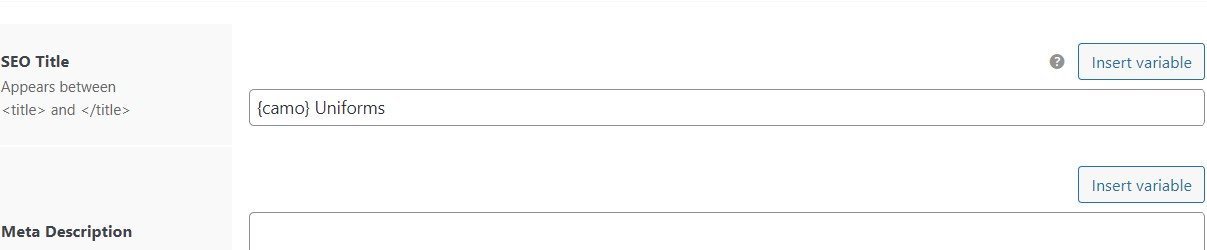
2/ For SEO H1/meta titles: How to use the title of the terms and not their slug? Explanations: for me, by default, the SEO and H1 titles get only the slug (That means no uppercase). Check that screenshot, “multicam” is the term name. The filter shows the term title while the H1 shows the term slug: http://image.noelshack.com/fichiers/2022/52/6/1672480568-screen-title-term-seo.jpg Settings: http://image.noelshack.com/fichiers/2022/52/6/1672480867-capture-d-ecran-2022-12-31-150102.jpg
I’m waiting for your reply! In the meanwhile I wish you a good new year!
I’m also having trouble to deal with the filter seo description. Your plugin doesn’t override the archive descriptions (as a result they have 2 descriptions). It’s due to a custom code I’m using to move the products archive descriptions down the pages. It’s here:
add_action(‘woocommerce_archive_description’, ‘custom_archive_description’, 2 ); function custom_archive_description(){ if( is_product_category OR is_product_tag OR is_product_attribute ) : remove_action(‘woocommerce_archive_description’, ‘woocommerce_taxonomy_archive_description’, 10 ); add_action( ‘woocommerce_after_main_content’, ‘woocommerce_taxonomy_archive_description’, 5 ); endif; }
What to do for making it compatible?
Hi kenteush29
Thank you for using Filter Everything PRO.
1. If you mean how to use images related with filter terms (for exapmle Color swatches or Brand logos) you have to update the plugin to the latest v 1.7.3
You can enable Color swatches in plugin settings or if you use plugins like Perfect brands or Yith Brands for WooCommerce, images will be shown automatically.
2. To use term names in SEO Rules without force lowecasing, please add appropriate filters in Filters -> Settings -> “Entities, whose terms should display in SEO data without force lowercasing”. There is special option fo that
add_action('wp_head', 'wpc_add_filters_seo_description');
function wpc_add_filters_seo_description(){
    if( class_exists( 'FilterEverything\Filter\Container' ) ){
        $seoFrontEnd = FilterEverything\Filter\Container::instance()->getSeoFrontendService();
        $your_new_hook = 'woocommerce_archive_description';

        remove_action('woocommerce_after_shop_loop', [ $seoFrontEnd, 'showSeoDescription' ], 5);
        add_action( $your_new_hook, [ $seoFrontEnd, 'showSeoDescription' ] );
    }
}
Please, replace hook in the code with your hook at the page bottom.
1/ I already use it, my question is about images not for brands, just basic images. To use color isn’t enough for me since I seel stuff with camouflage. 2/ Nice thank you very much! 3/ Still have issues with this. Your plugin doesn’t remove the archive page description by default? I first tried it with all code snippets disabled and it show both the plugin seo description + archive page description. It also still shows the sub categories in there.
Hi kenteush29
1. If you already have taxonomy terms with images you can display them via hooks that allow you to set term meta key where images already stored. Please, see more info here – https://filtereverything.pro/resources/brands-and-color-swatches/#related-hooks You also have to enable Color swatches for this your taxonomy.
3. The plugin removes/overrides default archive description, but there are a lot of ways and hooks to display it in different themes. That’s why the plugin tries to do it throgh most popular hooks and it is effective in 95% cases. Sometimes it requires to adjust in manually. You have to check what exactly hook is used for archive description in your case and disable this default description.
That’s too technical for me… I can’t do this
Ok, I understand you.
In tnis case you have to ask a developer to help you. For example you can find such person on Upwork or similar services.
I would be glad to help you more with this, but unfortunately such coding is not provided under the CodeCanyon item support policy.
Hi there, geting back to you after almost a year. I’d like to fix this hook issue to use your plugin with its full potential 
My theme use the next hook for displaying the archive descriptions: woocommerce_after_main_content
Your code worked for moving the plugin description but don’t override my default category description. So I have now the filter page description + the default category description. It also don’t work on storefront theme. How can I fix this?
Hi there,
I just realized that we had already purchased this particular plugin (refer back to September 21 2022).
This most recent purchase was made by accident. Can you please cancel this license Dec 31, 2022 and refund? Thanks.
Hi nordskrub
I’m sorry that you did such mistake. As I’ve told you in the refund request, you have to ask CodeCanyon support to help you with this issue. Please, write them about this.
Thank you.
Attributes under parent product categories are not filtering. The page still views as the parent category. However, sub categories are working. I’m using Woocommerce and Astra theme.
Hello dainrichie
Thank you for using the plugin.
I’m not sure I understood the problem. Please, provide me with more details. For example with link to the page with this problem, screensot or something like that. You can send it via PM if you need.
Thank you for the reply.
I have screen shots. Direct me where to send them please.
That said, here’s what happens -
1: parent category “aluminum display systems” 2: filter “tabletop exhibits” (tag) applied Result – no change, same parent categories shown as the result
3: sub category “Modulate magnetic…” selected from the parent category “aluminum display systems” 4: filter “10×20 exhibits” (tag) applied Result – filter works and the results are shown
I get the same results filtering attributes as well.
Not sure if I missed a step, or there is a bug.
I have temporarily removed the filter set from the widget section until I can fix it.
Appreciate your help.
Hello dainrichie.
It looks like you have different WP_Queries on your Parent category pages and on your Subcategory pages. But please, send me credentials to your /wp-admin in accordance with this document I will check it myself.
Thank you.
credentials sent
Hello dainrichie
Thank you for your credentials.
I’ve checked the page and I have to say that on your Top Level category page “Aluminum display systems” there are no products displayed so there is nothing to filter.
Filters can change list of products are displayed on a page. If your page does not display products, you will not see them after you apply filter.
And your sub-category list also is not changed because you can not filter Product categories with filters for Products.
Usually theme settings allow you to show products with Product categories on the same page. It seems you have to find it somewhere in your settings to displaye these products and after you will see filtered results on a Top Level category pages.
Appreciate the feedback.
Cool.
If it is possible I would be thankful for a positive review about the plugin here on CodeCanyon – https://codecanyon.net/item/filter-everything-wordpress-woocommerce-filter/reviews/31634508
Thank you in advance!
hi , i need to know if possible to filter post based on post name , i mean in view in widget does not have text field ,
Hi HANA21518
Thank you for using Filter Everything PRO plugin.
In general you mean text search field. You can use WordPress regular Search widget to find posts by their title. Filter Everything PRO does not contain such field as it already exists in WordPress or can be added with other plugins.
Thank you.
Hello HANA21518
I’m glad to inform you that built-in Search Field compatible with filters, AJAX and that allows you to search Woo products by SKU was added to the latest plugin version 1.7.8. You can update it automatically if you have activated your License key or download zip here on CodeCanyon.
Thank you. Regards.
Hey Stepasyuk!
I have two questions regarding the pop-up filter button on mobile.
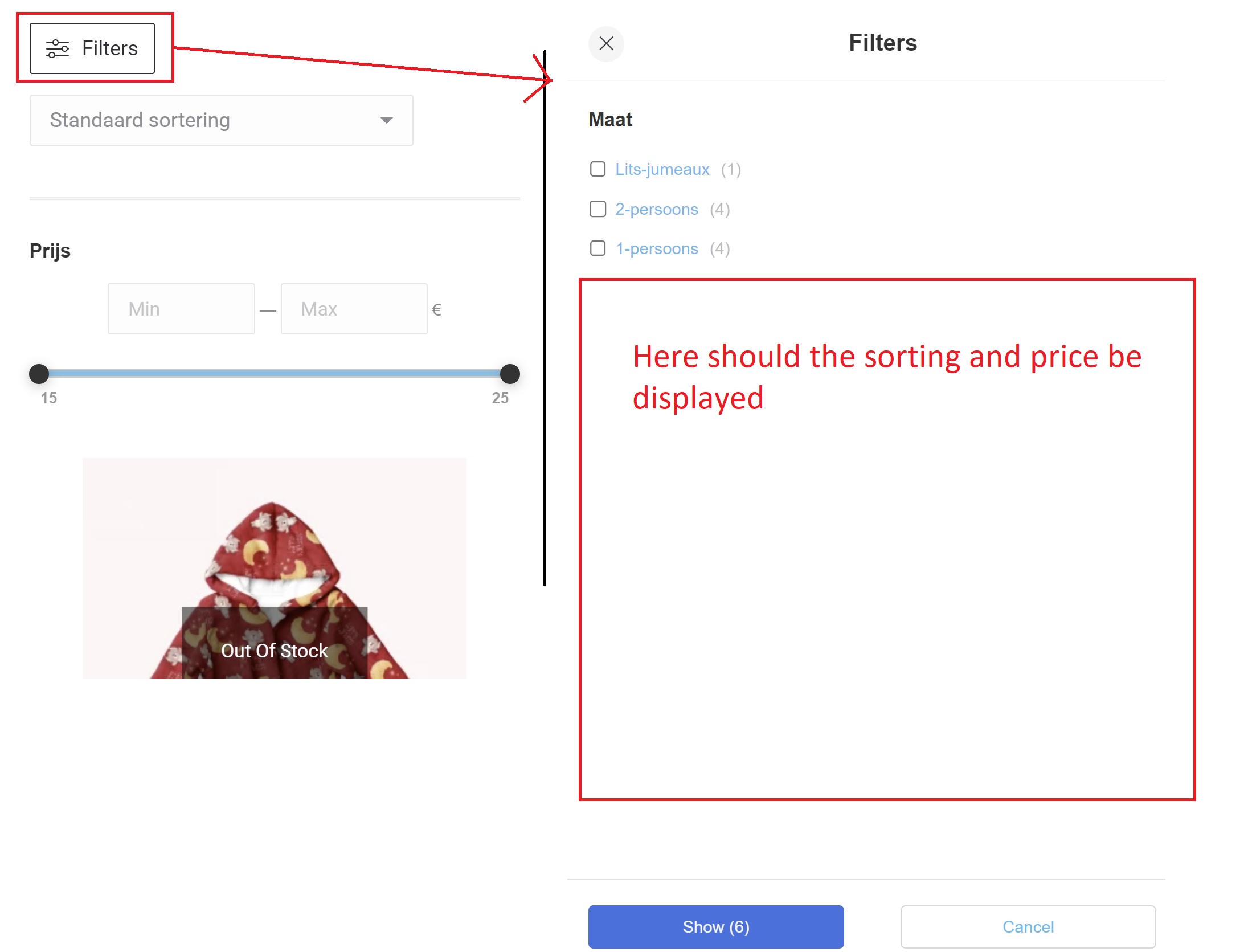
On the page I have the filter everything widget and sorting/ price. On mobile I have used [fe_open_button] to display the pop-up button but ‘Sorting’ and ‘price’ are not moved to the pop-up. https://i.ibb.co/tz8np3R/Filter-mobile-button.jpg
Second question is how to translate ‘Show’ and ‘Cancel’ buttons in the pop-up filter?
Thanks in advance!
Hi weblionking
Pop-up Filters widget contains only filters created with Filter Everything PRO plugin. It does not contain Sorting widget and it does not contain filters created with other plugins.
Optionally you can add desired content in the Pop-up with hooks:wpc_before_filters_widget wpc_before_display_filters_widget wpc_before_mobile_filters_widget wpc_after_mobile_filters_widget wpc_after_filters_widget
To translate these button texts, please create translations for phrases “Show %” and “Cancel” You can do it with Loco translate plugin or any other translation software that works with *.PO *.MO files or Gettext translations at all.
Hello, please discard that message, I have already discovered the error. thank you
Hello again, Is there any possibility to assign a class or an ID to each type of filter in order to make it more intuitive for the user with CSS? For some products it can be more than 15 types of filters, I would like to separate them, group them by background color or border color. Or simple put any separator between filters?
Hello citadela
Each filter has its own unique CSS class with filter’s post ID. Also filters have classes by their filtering criteria, by the view used in the filter etc. Please, check out filters HTML on your site – https://prnt.sc/tvJr_rdHx_j7
—
If it is possible I would be thankful for a positive review about the plugin here on CodeCanyon – https://codecanyon.net/item/filter-everything-wordpress-woocommerce-filter/reviews/31634508
Thank you in advance!
Hi Stepasyuk, Having issues with actual filtering. I use standard WPquery, no other query on page yet doest sort nor filter (the number of posts matching criteria does update however). The url is usemassa.com/tgh. Thanks in advance, Alex
Hi Alex
Plase, provide me with URL to the page with selected filters but without affecting them on your posts grid. Because I tried to open some pages on your site and I see the problem with SSL sertificate. It may be the reason, why filtering does not work as expected and this should be fixed first of all.
Thank you.
Can you please tell me when you are going to add the Color Swatch option…we really need this.
Hello mimpoz
Thank you for using Filter Everything PRO.
This feature is already added to the plugin. Please, update it to the latest version 1.7.2 and you will find this option in Filters -> Settings -> Experimental -> Color swatches for Filters.
Hi, I have two questions. Both are regarding a custom post type, not WooCommerce.
1) I added an ACF field (Wysiwyg Editor, if that matters) for Post type = SEO Rule because I’d like to use another text in addition to SEO Description. When I open any SEO Rule, the ACF field is available. But when I insert it into an archive template with Dynamic Tags (Elementor) and then visit the SEO Rule page, this text doesn’t appear. The same applies to Oxygen Builder, I tried to insert it with Dynamic Data (ACF and Custom Field/Meta Field) and Code Block (<?php echo the_field(‘bottom_text’); ?>), but the result is the same. Is this possible?
2) How do I insert the SEO Description in Elementor? In Oxygen, I used “PHP Function Return Value” and entered “get_the_archive_description”, but I don’t know how to do it in Elementor.
Never mind the second question, I’ve just found out it’s the Archive Description Dynamic Tag.
Hi SlavekT
I can only help you with values stored in SEO Rule fields if they are not appear on the SEO Rule’s page. But unfortunately any additional fields are something out from the item support scope here on CodeCanyon.
I can only say that SEO Rules are posts with appropriate post type. And these posts are selected by the plugin only on pages that matches to a SEO Rule. Maybe this is reason, why ACF field related with SEO Rule is not available on regular archive pages.
Hello weblionking
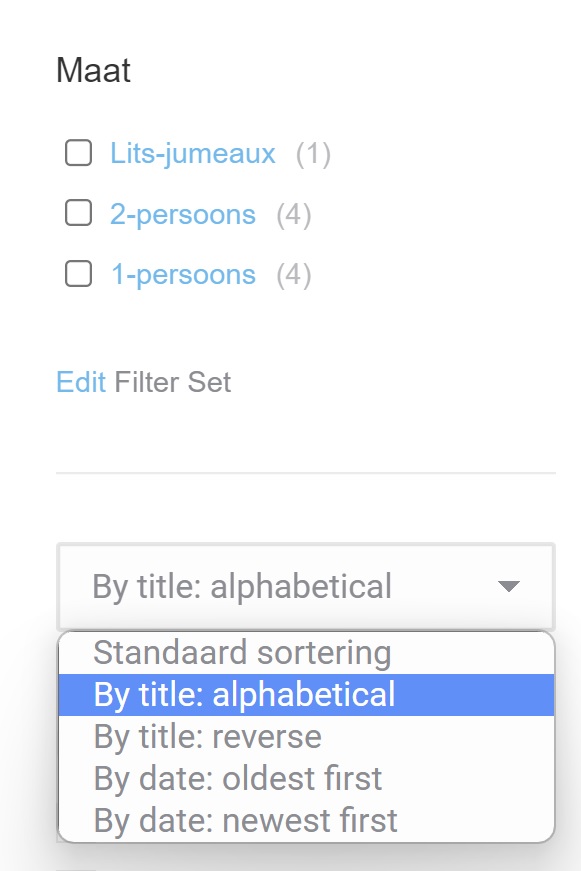
Just edit it in the Sorting widget like here, please see screenshot – https://prnt.sc/9ChJXEcLLb2q
Great, this worked!
Hi, Stepasyuk! We have a trouble with compatibility Polylang + Filter. When we choose the filter option inside category page https://pietra.com.ua/shop/stoleshnica/kamen-poludragocennye-kamni/ – in header Polylang show links not to filters pages, but to parent category. So when we change the language, our filter just unset url and filter to category. Please help me on this.
Привіт pietracomua
Дякую за користування плагіном, надалі продовжу англійською, щоб було зрозуміло решті користувачів.
In general it is not a bug, but rather behaviour different from your expectations. Technically I can try to write code that tries to find filter translations and to add them to the Polynang language switcher. But there are two issues:
1. Such code will be huge and will eat a lot of a server resources.
2. We can not be sure that all filter terms have their translations.
And the third remark – usually users select their comfortable language at first steps when they visit a site. So I think in 99% cases your visitors will start filtering after selection the language and in this case there is no need to make language switcher to display translations of filtering results.
I hope this info will be useful for you.
Hello,
Recently bought the pro version. The WP widget is not showing up in elementro pro at all.. Also I see no shortcode at my filter sets. So I can not use it, very frustrating.. Any ideas why this is happening?
Thanks
Hello Brandits1
Thank you for using Filter Everything PRO.
In the Elementor sidebar with widgets you can find Filters widget in the section with WordPress widgets. They are not available by the Elementor search field (I don’t know why, but it depends from Elementor), but if you scroll down to this section you can find it there and use on your page.
To use shortcodes, please look on this quick guide in the plugin documentation – https://filtereverything.pro/resources/shortcodes/
I am trying to sort by <abc> but I use numbers as titles and it’s not putting them in the proper order is there a way to define the order? Or a way to fix the sorting to be in <123> order
Hi kws2023
Thank you for using Filter Everything PRO.
If no one from the sorting options is not good for you you can use hook ’wpc_terms_before_display’ to sort them via code. Here is basic example how to use this for custom terms sorting – https://filtereverything.pro/resources/hooks/#terms-before-display-hook Please, check this out and try to implement on your side.

This item was featured on CodeCanyon

Elite Author
Contact the Envato Market Help Team