2004 comments found.

Hi Do i always need to come to codecanyon to update the plugin? Or how do i get the updates in my wp dashboard?
Hello, is the Currency Switcher compatible with Flatsome theme.
Hello
we do not have such information. (information about problems with this thema)
But you can try a free version – https://wordpress.org/plugins/woocommerce-currency-switcher/
In your tutorial video, the plugin setup looks and has different buttons and options, can you please give me the documentation/video tutorial for the new look WOOCS plugin?
hello
unfortunately we don’t have a new video. The main settings remain the same and just have a different design. But you can use the old design – https://share.stackovergo.com/image/i20221209134057.png
Hi, I need to set different prices for Variable products based on GeoIP. How can I achieve this?
Hello
Please watch this video – https://currency-switcher.com/video#video_PZugTH80-Eo
Hello, I do have a pre-sale question… Is it possible to hide/disable the loader/spinner animation with the blue dots? If yes, how?
Hello
Please add this CSS:
body .woocs-lds-ellipsis{ display: none !important; }
Great, thanks a lot!!!
Hello
Welcome;)
Hello,
We are running a multi-vendor website using 8 currencies in 33 country for e-commerce, recently we have faced several problems with the plugin:
1-the currency sign in cart is always $, even if the product is in another currency or we open with VPN for another country that doesn’t use Dollar… sometimes it change when we open the cart page and most of the time stayed with $ which will confuse customers, and also is not correct and make us lose money if the customer pay with $ too.
https://gyazo.com/b6e3cd5a4c43f8981b27b4b030922faa2- The auto currency change which we supposed to work with product custom GeoIP rules doesn’t work, and always stayed with the fixed price.
https://gyazo.com/fcb5bc8eebb835456d675d360c8dd422 https://gyazo.com/a76c7a61f50868d9b873a95be3ed3b44 https://gyazo.com/e2e9255aa736f51ae9c0a9d5bec32e3eas a solution, we have tried to remove the fixed price to let the GeoIP working, but even this solution doesn’t change anything and delete the price in general.
https://gyazo.com/92167db7db570b3e9292ab258f17a6a43- the sale price is always fulfilled in the groups of the GeoIP, even if we don’t put any sale price in the fixed price or in GeoIP. But when we remove it once we save or publish the product it return again with the same value of the group price which not correct and miss leading customers.
https://gyazo.com/da49d763a5cbc2864dc419f6f136e8ecthe 1st problem was always there since we bought the plugin but we said it wasn’t a big deal in comparing with the good job that you did with the plugin, but with 2nd and 3th weren’t there before when we tested the plugin in the beginning.
Kindly let me know if you need access to check or fix these problems.
Many thanks in advance
Hello
Please write me here – https://pluginus.net/support/forum/woocs-woocommerce-currency-switcher-multi-currency-and-multi-pay-for-woocommerce/
paste your license key here – https://share.stackovergo.com/image/i20210618130558.png -> https://share.stackovergo.com/image/i20210618130614.png and wp-admin+FTP access – https://share.stackovergo.com/image/i20210618130637.png
Ok! great! I answered you on the forum
Hi, I like the look of your plugin, Im going to use it wil cloudways hosting which uses nginx and varnish, will it work? also I will use wprocket. Thank you.
Hello
You can try a free version – https://wordpress.org/plugins/woocommerce-currency-switcher/
Check options – https://share.stackovergo.com/image/i20221107130234.png and https://share.stackovergo.com/image/i20221107130336.png
Hi realmag,
Trying to use your plugin in combination with B2B Kings on staging site. I have set mutiple user-roles and my products all use variations.
I need to set both USD and CAD static pricing for each user role, meaning I need to enter each price manually (not using geoIP conversion).
From what I can see, this is possible for simple products, but not possible for variable products?
Screenshot: https://imgur.com/a/9tfwmHHHello
Yes. this functionality works only for standard prices
Dear RealMag777,
Is your Currency plugin is compatible with WooCommerce Blocks, the Checkout and Cart blocks in particular?
WC blocks (checkout, cart) require custom logic to integrate with how they render payment methods per currency.
WooCommerce Blocks is going to the be new standard within WooCommerce and yet we are struggling to find a plugin that is already compatible with it.
Many thanks for clarifying this.
Hello
You can test it with the free version – https://wordpress.org/plugins/woocommerce-currency-switcher/
if no luck – In file – wp-content\plugins\woocommerce-currency-switcher\index.php – delete this line – https://share.stackovergo.com/image/i20221012101811.png and do the test
Hello Pairfum
Also for adaptation we have free cost program: https://currency-switcher.com/woocs-labs
Dear Pablo and RealMag,
Many thanks for your replies.
We will try out the free version and report back.
Many thanks for your help with this.
Best regards
Pairfum London
hello
Great! Welcome;)
If you set Korean Won as the default currency and convert it to another currency, an error occurs. Can you please fix this problem?
Hello
What error? Describe it in more detail
Please write me here – https://pluginus.net/support/forum/woocs-woocommerce-currency-switcher-multi-currency-and-multi-pay-for-woocommerce/
Paste your license key here – https://share.stackovergo.com/image/i20210618130558.png -> https://share.stackovergo.com/image/i20210618130614.png and wp-admin access – https://share.stackovergo.com/image/i20210618130637.png
Hi, great plug-in. When you add the short code so the switcher displays under product price, how do you get the geo location to work? Say I set up the switcher with four currencies, the page loads with the first currency in the list and uses that currency. It seems when the page loads, the first currency in the switcher takes control and changes the currency which overrides the geo.
Hello
Please watch this video – https://currency-switcher.com/video#video_1
geo location - this only works for the first visit, after that the plugin stores the user's last currencythe place and number of switchers on the page does not affect the current currency
Read this – https://currency-switcher.com/using-geolocation-causes-problems-doesnt-seem-to-work-for-me
Hi,
Before placcing the order for your plugin can you please check the below 2 points if your plugin has them.
1- Manually enter currency price from the backend for each product 2- Restrict the currency by country, for example if the customer placed with UK address the only currency he can pay with is GBP.
Hello
Unfortunately the plugin does not have these features.
All prices must be stored in one currency
Compatible ELEX Dynamic Pricing and Discounts for WooCommerce ?
Hello
Unfortunately, we do not have such data.
But you can test it with the free version – https://wordpress.org/plugins/woocommerce-currency-switcher/
If this third party plugin is incompatible – https://currency-switcher.com/woocs-labs
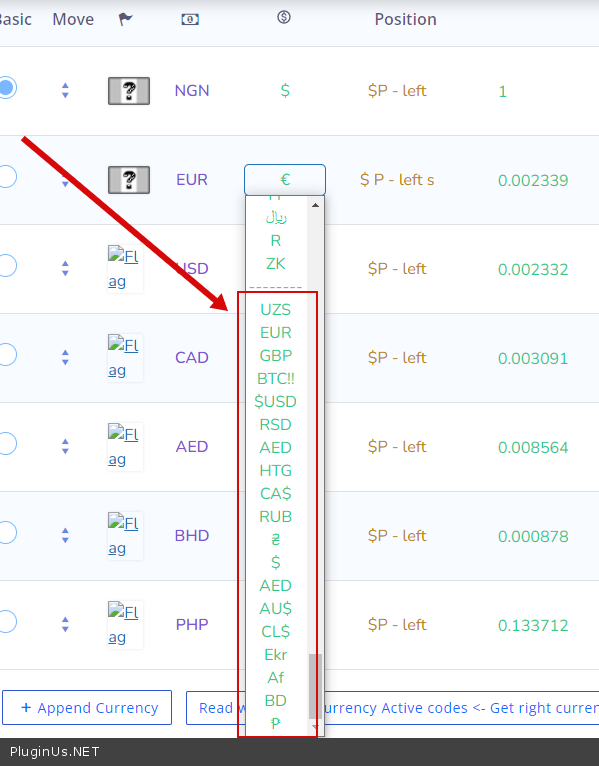
The symbol of Malagasy Ariary is MGA according to ISO4217 but i can only find Ar in the drop down list for symbol. How can i update this? thank you.
You can add any symbol here – https://share.stackovergo.com/image/i20220920120212.png
Result – https://c2n.me/4gFWSnh.png
Thank you. Done.
Welcome;)
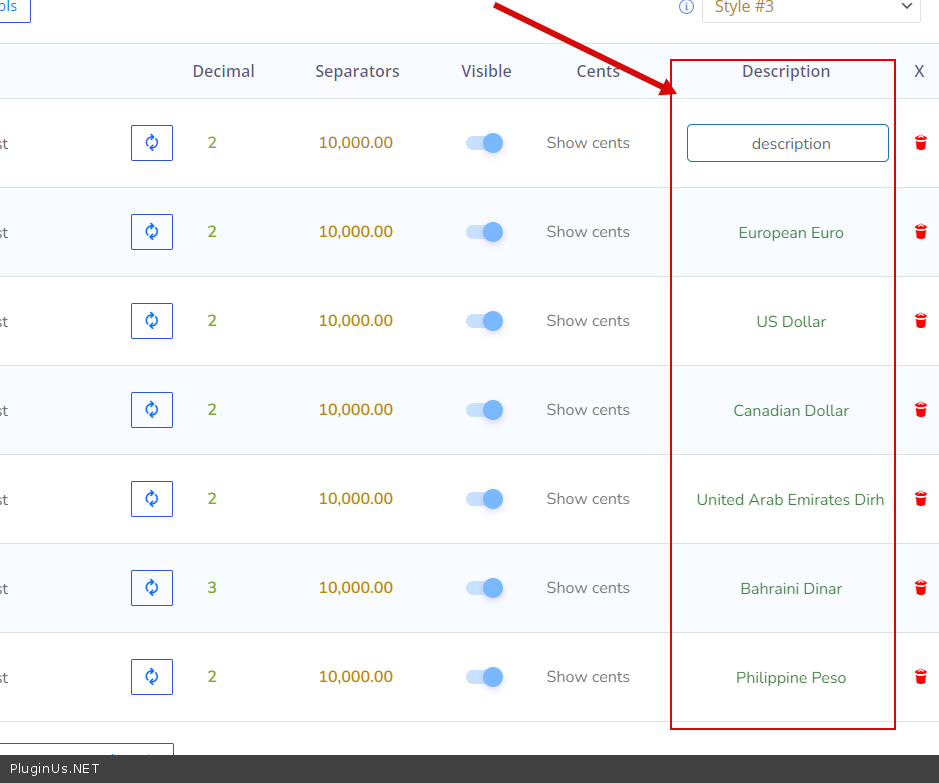
Hi. Great plugin. 2 questions: a) I want to add some custom text to each Currency Symbol e.g. USD – Global . How can i do it? b) For USD, i see description but not for less popular currencies. e.g. XOF. How to add? c) Can you base taxes on currency chosen e.g. If USD, no tax. If EUR, tax at 10%.
thank you.
Hello Please watch this video – https://currency-switcher.com/video#video_1 a) please describe it in more detail b)You can add any text – https://c2n.me/4gFWDrU.png с) Unfortunately this plugin cannot manage taxes, but you can increase the rate for specific currencies – https://share.stackovergo.com/image/i20220920120101.png
Thank you. for a) i found the horizontal bar at the bottom of the screen and now can see the Description field.  b) Sorted c) Noted. Thank you.
Hello
Great! Welcome;)
Why is there no option to set the rates to: “NO AUTO UPDATE” in paid plugin version, but only in a free one?
Hello
It has: https://clip2net.com/s/4gBAXxE
Hello
write me from the account (where you bought this plugin)
Update the plugin to latest version – https://currency-switcher.com/how-to-make-auto-update-for-wordpress-plugins-and-themes-bought-on-envato
I have updated the plugin and now I have that option, thank you
Welcome!
Hi, On my website I have this currency plugin and product filter plugin. They are really good plugins. At the end of this year, php 8 will be kind of a must. Your woocommerce filter plugin is compatible with php 8. When will this plugin be compatible with 8? Do you have a plan for this in the short run? Thanks
Hello
WOOCS is compatible with PHP 8 https://demo.currency-switcher.com/ – Current PHP version is: 8.0.22 (min. PHP 7.0)
Hi, i used this plugin in my website where after switching the currency, the main product prices change but the Add-ons prices don’t change. This plugin simply changes the currency symbol. For example, please check this link https://machinecricket.com/product/machine-beast-edition/ where on right side scrolling, you will see Add-on “Oiling & Knocking” OR “Anti-Scuff Sheet” where amount stays same in INR but symbol changes to $(for eg). Please help in resolving this issue.
Hello
This is an incompatibility with a third party plugin
Read this – https://currency-switcher.com/woocs-labs
Hi, i tried this https://currency-switcher.com/woocommerce-product-add-ons because i was using this plugin. But still it’s not working.. Need help..
Hello
Create request please for WOOCS LABS. The same instructions – https://currency-switcher.com/woocs-labs
In my website https://machinecricket.com i am using this currency converter plugin and i am finding 2 issues as follows:
First issue is that currency converter is not reflecting some changed amounts especially when i select Australian Dollars, UAE & Saudi Ryal
Secondly, My Add-ons were not reflecting changed amounts according to changed currencies in currency converters. So, i followed this article https://currency-switcher.com/woocommerce-product-add-ons#/woot-gallery-woof and after that, half of the issue is resolved. At the bottom, near to “Add to Cart” button, it’s reflecting the selected Add-on amount according to selected currency like in Dollars or Pounds or Sterlings but where user selects/clicks the Add-on, there it’s not changing the amount.
Please check this product https://machinecricket.com/product/machine-beast-edition/ as an example. Please resolve this issue on urgent basis because our website is live and people are booking orders. I have made a request there as well.. Thanks in advance..!!
Hello
I answered you here – https://pluginus.net/support/topic/currency-converter-not-changing-australian-dollars-uae-saudi-ryal/
I need that the product fixed prices rules to be added to all products in one click. As per documentation now we need to click on a button on each product and then click on Add all. Is there any way to do that?
Hello
Unfortunately the plugin does not have this feature. You should use a bulk edit plugin – https://wordpress.org/plugins/woo-bulk-editor/
Read this – https://bulk-editor.com/is-woobe-compatible-with-woocommerce-currency-switcher
Hello, your fix here on https://currency-switcher.com/yith-woocommerce-product-add-ons
Yith product add ons doesnt work. How can I get this done?
That link is over 4 years old and since then there has been many updates to the plugin.
hello
OK! you can create an adaptation request – https://currency-switcher.com/woocs-labs

This item was featured on CodeCanyon

Power Elite Author
Contact the Envato Market Help Team