2001 comments found.

I like this plugin very much..but I have a query that I want shipping charge for different country..like if i buy product from USA after $100 there is no shipping charge .. guide me
Hello
This is a price conversion plugin. Unfortunately, this does not add new delivery functionality.
To customize your shipping please use third party plugins
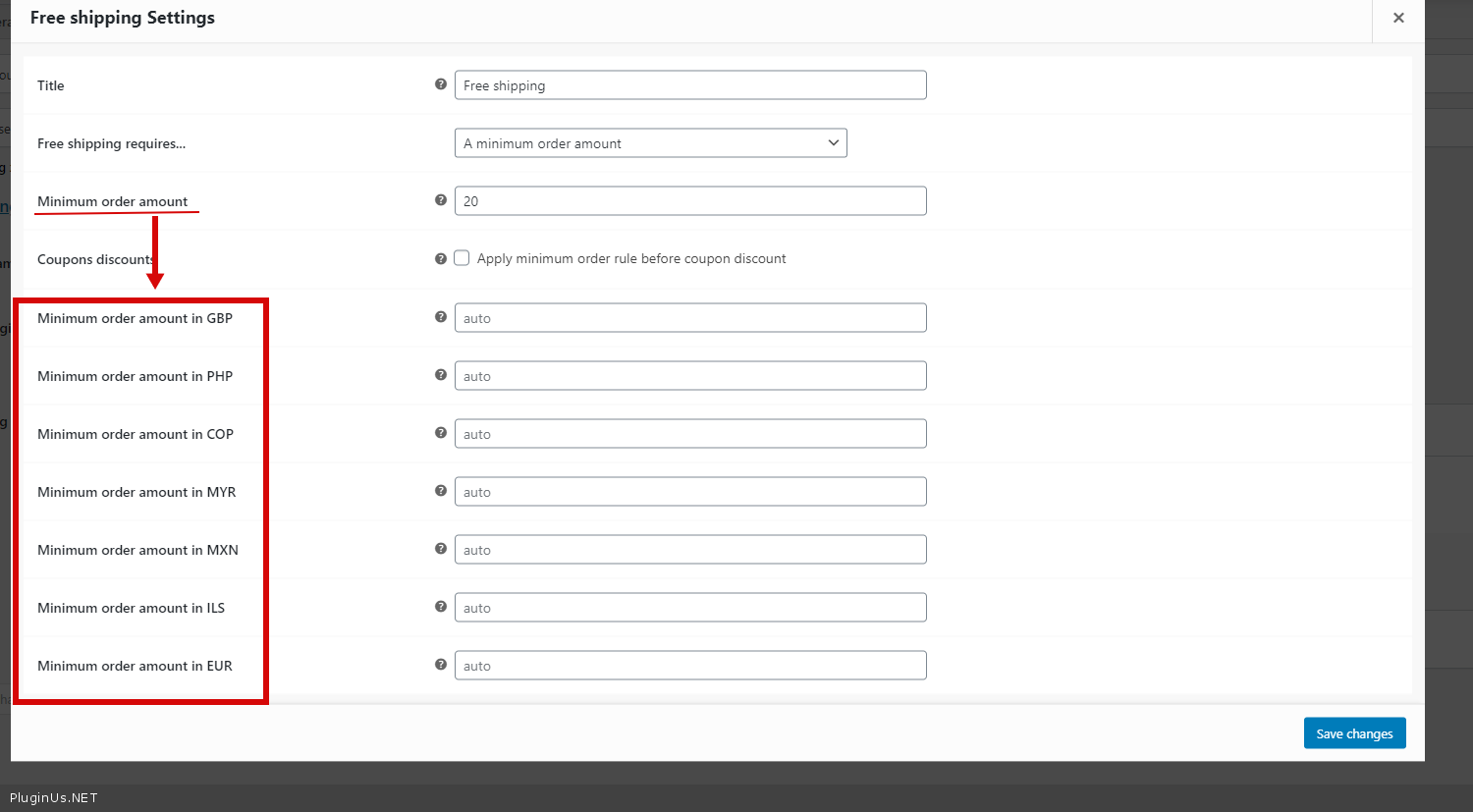
This functionality which is compatible with your plugin..check on this image https://ibb.co/M6v8Gn7 ..can you please provide me option
Hello
These are fixed prices for existing functionality – https://c2n.me/4bkcVdu.png
Hello, we are now using WooCommerce Points & Rewards and noticed your page with custom code that needs to be added to this plugin. Is this the most up to date version as the screenshots showing which line number to insert the code does not match up to what you show. https://currency-switcher.com/woocommerce-points-and-rewards-by-woocommerce/
Hello
Ok! Read this please – https://currency-switcher.com/woocs-labs/
You can create a new adaptation request
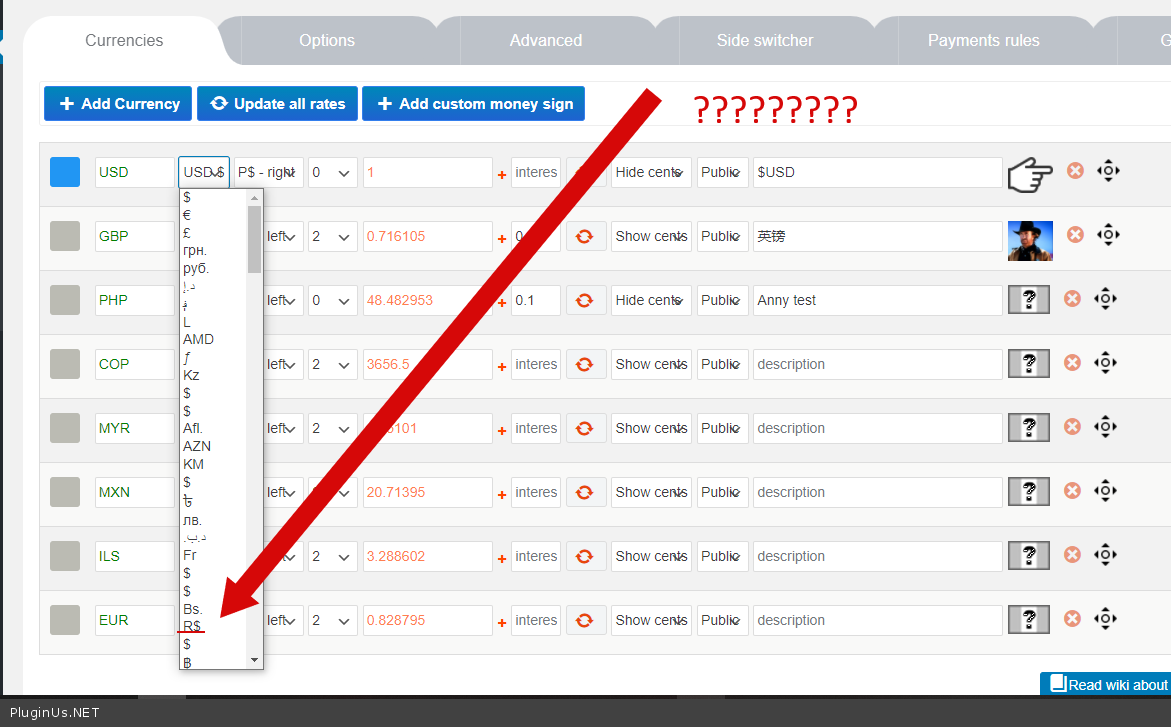
The Brazilian currency is wrong.
In your plugin is = $ (wrong)
Here we use R$ (right)
Please correct 
Hello
Please try to watch a video – https://currency-switcher.com/video-tutorials/#video_1
To set currency sign – https://c2n.me/4bbgxxw.png
Hello. Your solution at this link: https://currency-switcher.com/fancy-product-designer/ Doesn’t work for Fancy Product Designer. It would be great if you fix it !!
How can I contact you to discuss a customization order?
Hello
Please read this – https://currency-switcher.com/woocs-labs/
Thanks!
Hello
Welcome;)
i have a pre purchase question
does this plugin support currency changing without loading my website ?
Hello
unfortunately I did not understand your question. Describe it in more detail
Hello
If you mean MySQL requests – WOOCS do only one request and then recount prices on the fly without additional mysql requests, try free version please: https://currency-switcher.com/
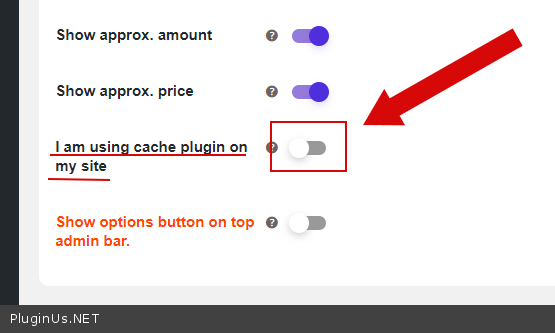
If you site uses cache plugin – in this case WOOCS do using AJAX more than one request but your site will not admit it
its possibile to make product available to buy only in one currency?
I saw in your faq a method to force currency on checkout… its possibile to force it only if a singular id product is on checkout?
Hello
I think yes. But you need code customization
Something like that:
foreach ( WC()>cart>get_cart() as $cart_item ) {
if($cart_item[‘data’]->get_id()==$prod_id){ //set currency
} }
Hello – Your plugin is causing A PHP session was created by a session_start() function call. This interferes with REST API and loopback requests. The session should be closed by session_write_close() before making any HTTP requests.
When your plugin is disabled this goes away. Thanks.
Hello
Please check this option – https://c2n.me/4b1kbLh.png
Hi, is this plugin can filter products based on currency selected?
Thank you 
Hello
Unfortunately not, this plugin does not have the ability to filter products
After having used this plugin for a while I’m very satisfied. However, I’m getting more and more customers who are confused about the period or comma as separator.
In Europe we use a comma as decimal separator. i.e.: € 15,99 and a period as thousands separator. i.e. € 2.995,99
In the US its the other ay around. i.e. $15.99 or $2,995.99
For me it’s a no brainer. But for MANY customers it IS confusing. This resuts in less sales and emails from people who are confused.
Is it possible to add an option for each currency to set the type of separator?
This would make the plugin even better and it would result in less customer confusion.
Hello
Thank you for info!
I passed this to the developers.
I think in the next version we will add this feature
Has it been added?
Hello
Unfortunately no.
This update only added a front-end feature.
But this task is in the queue for implementation.
Hello
Update is done: https://currency-switcher.com/update-v-2-3-6-v-1-3-6/ – price thousand and decimal separation is there
Hi, thank you so much. I just tried it, but unfortunately this is not going to work.
Now we can change the separator based on country. How’s that going to work with the EUR and USD currency?
EUR is used by many different countries. USD is also used by lots of different countries.
What’s needed is a choice of separator based on CURRENCY, not country.
That having said, I tried the update, but it breaks the site instantly too.
This is the error:
ArgumentCountError thrown Too few arguments to function {closure}(), 1 passed in /home/iwc/domains/domain.com/public_html/wp-includes/class-wp-hook.php on line 292 and exactly 2 expected.
Sorry, but I have to skip this version. It breaks the site and separator choice based on country makes no sense. People don’t choose a country. They choose a currency. And based on the currency they choose, the separator should change.
EUR—> 1.234,99 USD—> 1,234.99 GBP—> 1,234.99
Hello
Reinstall the plugin please, we uploaded fixed version, latest is v.2.3.6.1
choice of separator based on CURRENCY – yes, it is works on this way without hooks, you need only set it in currency options – https://clip2net.com/s/4cx4L2s use this options only and no hooks
Oh wow, that would be perfect. I like it when it’s works like the screenshot. Thank you!
I tested it and it works perfectly now! Super! Thank you so much. We’re very happy with this
Welcome
Now it’s official. WooCommerce Currency Switcher (WOOCS) is THE most professional and most feature rich WooCommerce Curency switcher. You’ve left the competition in your dust…
Thank you and Welcome ❤️️
Compatible with FedEx Shipping? I purchased your plugin and overall is working great. But whenever I select a different currency other than our default (USD) all of the FedEx shipping options go away. We only use FedEx International for our international shipping so there are zero options left when swtiched to a different currency. I can’t find anything in settings or configuration.
Hello
Please read this – https://currency-switcher.com/woocs-labs/
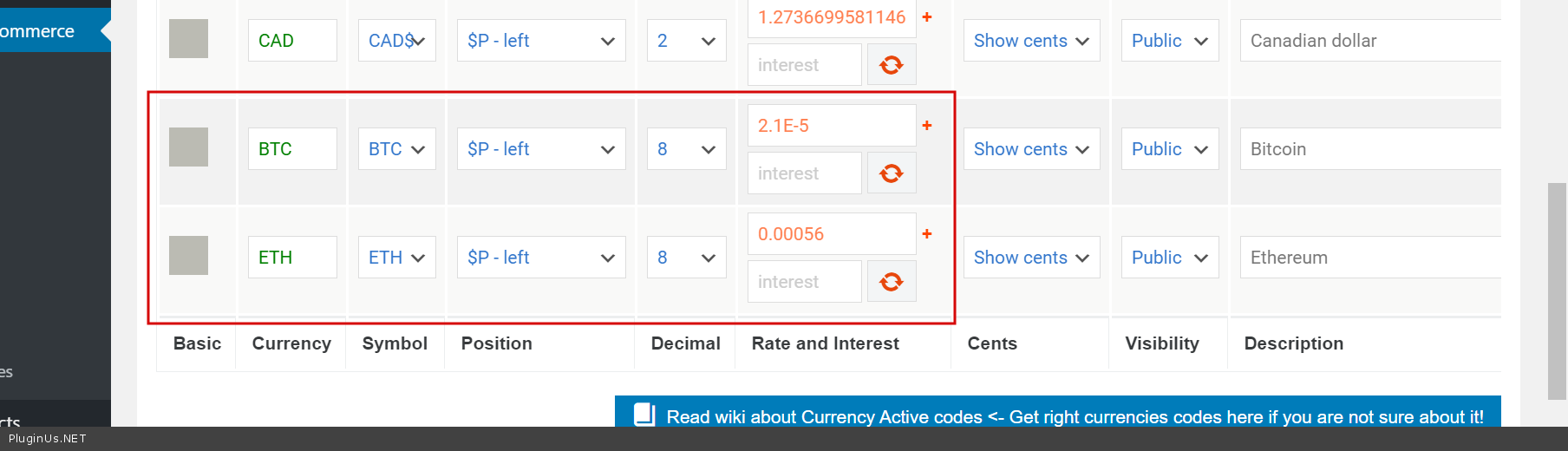
Dear friends, can you tell me if your plugin include Ethereum, USD Coin, Litecoin, Dai and Bitcoin Cash currencies? Thank you!
Hello
The plugin supports all standard currencies – http://en.wikipedia.org/wiki/ISO_4217#Active_codes
Try a free version – https://wordpress.org/plugins/woocommerce-currency-switcher/
Hello
It is possible: - https://demo.currency-switcher.com/page/2/?currency=btc - https://demo.currency-switcher.com/page/2/?currency=eth - https://demo.currency-switcher.com/shop/clothing/hoodies/patient-ninja/
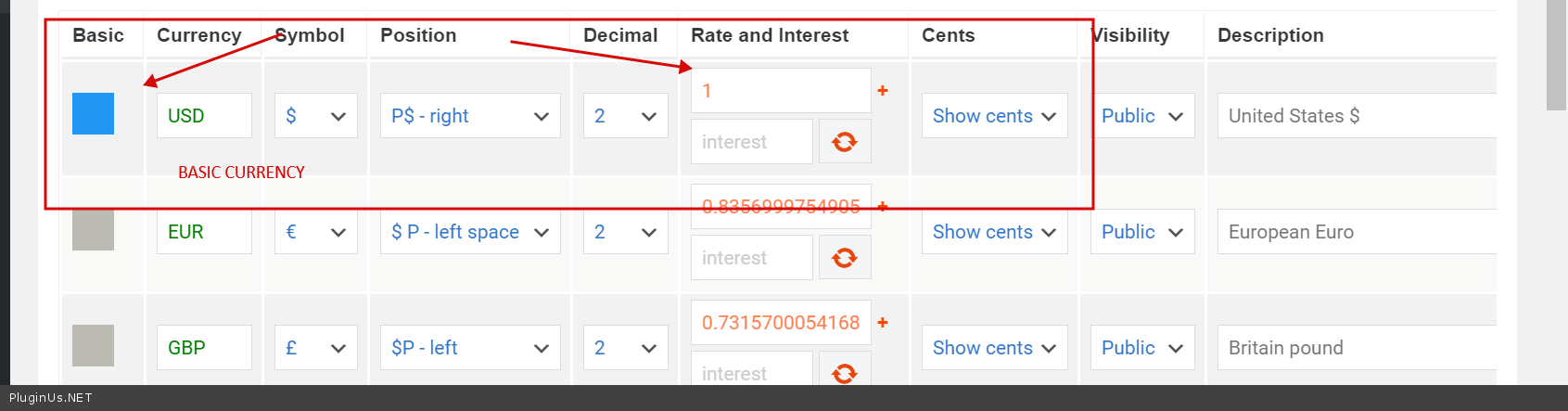
No matter what currency shop uses, WOOCS works even with currencies which not exists in reality, main thing is to set right rate https://c2n.me/4aT9q73.png relatively to the basic currency https://c2n.me/4aT9vsD.png
Troubles you can meet: - no all currency aggregators supports cryptocurrencies, so automatic rate change can be a trouble - on checkout should be installed plugin which which allows to pay in cryptocurrency
If you know good currency aggregator – we will add it into the plugin, but also it is possible to add custom: https://currency-switcher.com/how-to-add-its-own-custom-currency-aggregator/
Hello team, is there a shortcode just to display the country name?
Hello
No, but I just created article for this question: https://currency-switcher.com/special-shortcode-to-show-current-country-only/
That is great thanks! What would be the actual shortcode for this after installing the snippet code?
Hello
Shortcode: woocs_get_current_country – and sure you can name it as you want in the article code.
Welcome!
Hi Support. I have just spent the last day speaking with the developers at Wprocket and WOOCS currency plugin does not work with Wprocket page caching, even with the option of page caching turned on in WOOCS settings page.
When Wprocket page caching is used, the current currency is set to the value that was detected when the page was initially cached.
For example, if someone from the US visits a non-cached page that will be cached and the currency will be set to USD.
When that cached page is visited by someone in Europe, the current_currency will still be USD and will need to change to EUR. This change is done using AJAX and it’s what’s taking some time.
When page caching is disabled, the current_currency is set using PHP, and that is what’s being used when the page is rendered.
The only way around this would be to use a cookie system but that would require a plugin rewrite.
https://i.vgy.me/d0Zygr.jpgHello
Please write me here – https://pluginus.net/support/forum/woocs-woocommerce-currency-switcher-multi-currency-and-multi-pay-for-woocommerce/
Paste your license key here – https://c2n.me/43SC6rb.png -> https://c2n.me/42HBIt7.png and wp-admin access – https://c2n.me/42BAoj4.png
and read this please – https://currency-switcher.com/using-geolocation-causes-problems-doesnt-seem-to-work-for-me/ – keep in mind that this only works for the first visit
This plugin really slows down our site, in the product pages got a +2.5s to 3.5 Seconds slower because of the JS of this plugin.
Anyway to fix this? In GTmetrix test this is the slowest script of all,
https://cdn1.SITE.com/wp-content/plugins/woocommerce-currency-switcher/js/front.js?ver=2.3.4.1Hello
these are ajax requests they do not affect page load speed
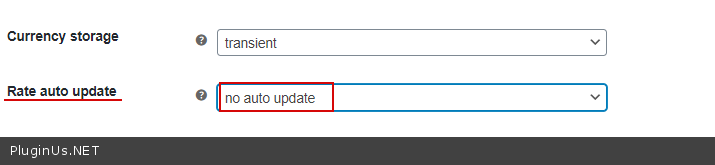
You can disable this option – https://c2n.me/4aOViOq.png
Hello
Try please this plugin: https://wordpress.org/plugins/autoptimize/ – combine js files
front.js http://dev.currency-switcher.com/wp-content/plugins/woocommerce-currency-switcher/js/front.js?ver=2.3.4.1 is too simple to make such freezing
Hi,
I am testing your plugin with the free version before buying it, and it seems there are two issues showing up from time to time:
1. The layout: the currency bar does not show up properly sometimes: http://prntscr.com/y4g893 while the correct one should look like: http://prntscr.com/y4gfmt
The correct one is at 1688dropship.com and the incorrrect one is at apexdealmakers.com
I already added the below custom CSS to the site that showing incorrectly but it does not work well:
/* top currency widget style */ .woocommerce-currency-switcher-form{ margin-top: 5px; margin-bottom: 0px; margin-left: 180px; width: 150px; }
2. I already set the “multiple allowed” as per https://currency-switcher.com/everytime-i-go-to-checkout-and-then-back-to-homepage-the-currency-switches-back-to-default-currency/ but the amount still does not change when I change the currency.
Site that the amount does not auto recalculate and change: apexdealmakers.com; and site that the amount will auto recalculate and change: 1688dropship.com
Could you take a look at them for me? Thank you in advance.
I can create an account for you to check, if this is needed.
Hello
Better write me here – https://pluginus.net/support/forum/woocs-woocommerce-currency-switcher-multi-currency-and-multi-pay-for-woocommerce/
1) check option – https://c2n.me/4aOe960.png 2) Add screenshots of all settings of the plugin
A pre-sale question; is it possible to only add country codes to non-default currencies? My default/charging currency is CAD, but I want to have USD/EUR/etc options; can I set it up so my default currency just shows $10.00 but any non-default currency shows $10.00 USD or $10.00 EUR?
Hello
Yes. Just set the rate as 1 and check option – https://c2n.me/4aM8lYy.png
Try a free version – https://wordpress.org/plugins/woocommerce-currency-switcher/
Hi – I do have the free version installed at the moment. I did try setting that option, but it didn’t seem to do what I wanted it to do. (I did clear my cache, but maybe it’s something else)
What I’d like to do is set it up so the default currency is CAD, and when the user is using the default currency/CAD, all prices will be formatted just as ”$8.00”, for example. No country code after, just the price.
But if the user selects USD from the dropdown, then it shows all prices formatted as ”$6.25 USD” or as ”$6.25 USD (Approx. $8.00)” if you’re on the product or cart page. Same with any other, non-default currency (EUR, etc) – adding the country code after if it’s not CAD, but leaving “CAD” off if its the default price.
Hello
oK! It seems I did not understand properly
In this case, you need customization of the code. please write me here – https://pluginus.net/support/forum/woocs-woocommerce-currency-switcher-multi-currency-and-multi-pay-for-woocommerce/ – I will try to find a solution for you
Hi A pre buy question dose this plugin work with wfcm ultimate?
Thanks
Hello Unfortunately we do not have such information
You can test it with the free version – https://wordpress.org/plugins/woocommerce-currency-switcher/
In any case – https://currency-switcher.com/woocs-labs/
Hi, a client of mine lives in the Turkish Lira region and wants to send product gifts to the Euro zone. In this case, it pays in Turkish Lira, not in euros. Is it not possible to convert the price to Euros when the buyer’s country is selected in the shipping area? We offer free shipping service, but the shipping cost may vary when the shipping zone is different. we have arranged euro, dollar and Turkish Lira prices according to the shipping fee.
Hello
Please read this – https://currency-switcher.com/possible-delivery-country-change-currency/
Do I need to purchase another license if I want to use on my other website?...Also I cant edit or delete any of the currencies and cant edit the flags..I made a post on it on the website but no responce
Hello
Do I need to purchase another license if I want to use on my other website? – Yes! One site – one license
I made a post on it on the website but no responce – Support is closed on weekends. You will be answered as soon as possible
Hello, We are using WOOCS – Woocommerce Currency Switcher plugin in our website and it is working good,
But we have problem in Woocommerce Analytics data, the problem is that orders which its currency different from base currency (KWD) viewed in base currency without convert the total order amount. ex: the total order amount is 50 SAR, it is viewed in Analytics as 50 KWD.
Also in Sales Analysis Plugin we have the same problem (plugin page: https://woocommerce.com/products/sales-analysis-for-woocommerce)
Could you please provide me with the solution of those problems
Thank you
Hello
Thank you! I answered you on the forum

This item was featured on CodeCanyon

Power Elite Author
Contact the Envato Market Help Team