22690 comments found.

➔ Resolved!
Hi, I bought the license but can’t activate.
WPbakery was included in a theme, now I wanted to upgrade. I’ve got the license. But then I click “Activate Visual Composer” in wordpress, it brings me to wpbakery site where i had to create an account. Once I logged in it doesn’t know of my license.
What am I supposed to do? Need to activate it!
Hello, As the license is purchased via codecanyon, in this case, you should import the license into your WPBakery account. To do so, you can login into: support.wpbakery.com/login If you are not sure about the login details, then use the reset password option and use the email id associated with your codecanyon account. Once logged in, navigate to licenses page and click on “import it” option at the bottom of the page. It will then prompt you to login into codecanyon to complete the import. You can then activate the plugin license as per: https://wpbakery.com/video-academy/activate-wpbakery-page-builder-wordpress-license/
Knowledge Base ·
Official Support ·
Facebook ·
Twitter
Don’t forget to join our newsletter. Be first to get news and inside secrets from WPBakery team.
Duplicate, pls ignore
What happened to the background tab in row settings? It has disappeared and all of my row backgrounds are gone. NOT COOL
Hello, The background tab is not a standard feature of WPBakery Page Builder. It looks like a custom feature added by the theme or a third party add-on.
Knowledge Base ·
Official Support ·
Facebook ·
Twitter
Don’t forget to join our newsletter. Be first to get news and inside secrets from WPBakery team.
Last update crashed my blog page. Please provide downgrade feature. How can I downgrade to the previous version?
Hello, Please open a ticket via: http://support.wpbakery.com/ so that the support team can investigate the issue on your setup and can share the previous version.
Knowledge Base ·
Official Support ·
Facebook ·
Twitter
Don’t forget to join our newsletter. Be first to get news and inside secrets from WPBakery team.
Hello! I hope you can help me here, because after days of searching for an answer I am still at point 0! So here is my problem… I bought the EOLA theme and with that theme I get ONE EXTENDED LICENSE of the WPBakery Page Builder. I installed all, but the WPBakery wants a license key, which I didn’t have. There is a License Certificate, but no “Item purchase code”! How do I get my license? Thanks forward for your answer!
Hello, The plugin which comes with the theme does not have a license of it’s own. To activate the plugin license, you can purchase it directly from us and activate it as per: https://wpbakery.com/video-academy/activate-wpbakery-page-builder-wordpress-license/
Knowledge Base ·
Official Support ·
Facebook ·
Twitter
Don’t forget to join our newsletter. Be first to get news and inside secrets from WPBakery team.
Hi. Ihave no left and right margins in mobile view. All elements I have site to site and cut left and right borders (I use borders for columns) How can I setup right and left margins for all elements in mobile view? Regards
I send support ticket. So no anwser here
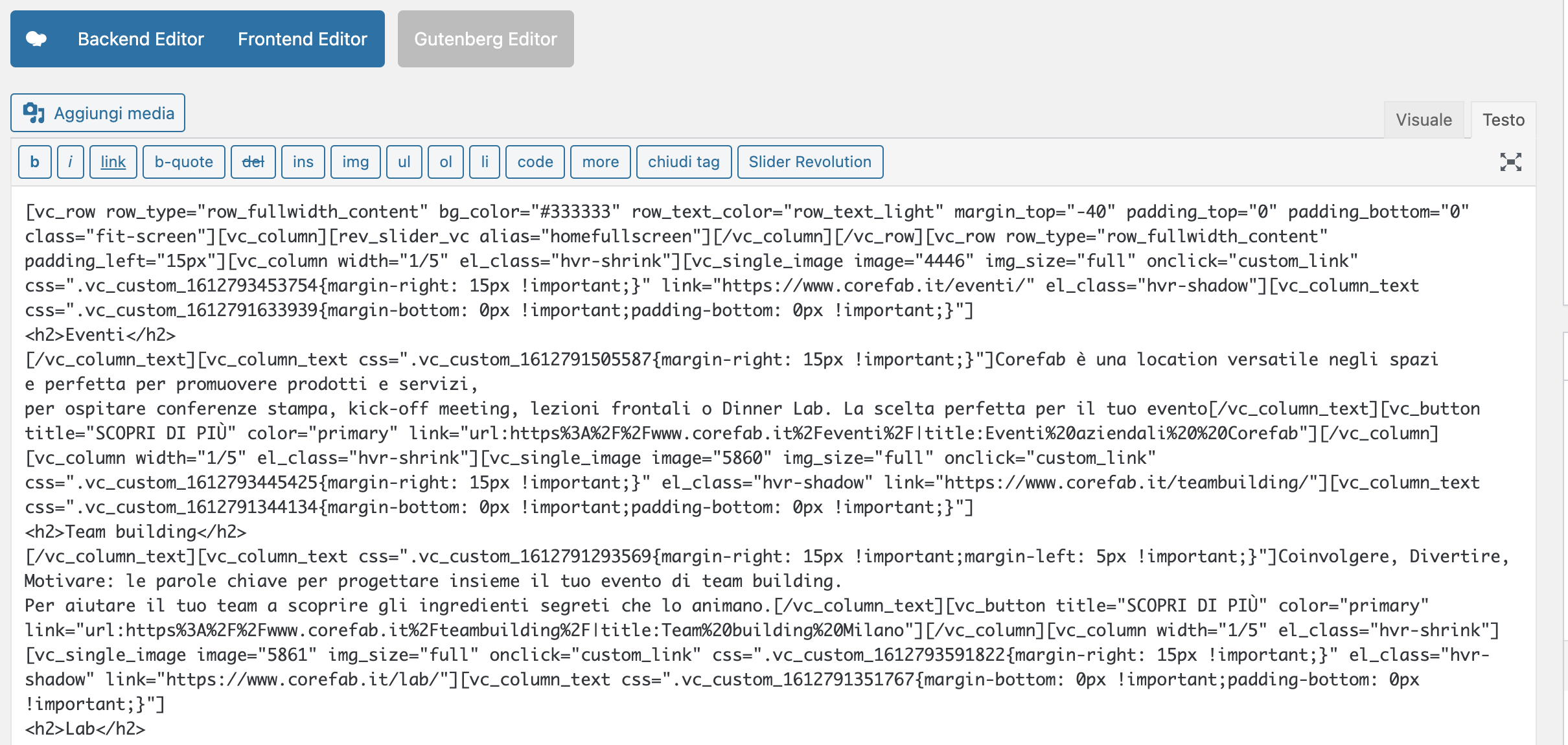
Buongiorno, I know that our support is expired but I think this is a problem that is important for you: after updating to worpdress 5.6.2 the beckend/frontend editor is not working anymore… https://www.corefab.it/wp-content/uploads/2021/02/Schermata-2021-02-23-alle-17.40.54.png here the attachemnt… Hope this is just temporarly..
Thank you
Hello, Please make sure that you are running the latest version of WPBakery Page Builder which is 6.6.0.
Knowledge Base ·
Official Support ·
Facebook ·
Twitter
Don’t forget to join our newsletter. Be first to get news and inside secrets from WPBakery team.
Hi there, is there a way to prevent XSS? For example if you have an input field with name=”myinputfield”, you can easily inject malicious code: mydomain.com/?myinputfield=1%22onmouseover=alert(1)%20// If you hover the field there is an alert with number 1.
Hello, Can you let me know the element that is being used at your end for input field functionality?
Knowledge Base ·
Official Support ·
Facebook ·
Twitter
Don’t forget to join our newsletter. Be first to get news and inside secrets from WPBakery team.
It is a text field: <input class=”super-shortcode-field” type=”number” ”=”” step=”any” name=”myinputfield” data-message=”Pls insert something” data-validation=”float” data-conditional-validation=”greater_than” data-conditional-validation-value=”0” data-email=”entry” data-absolute-default=”” data-default-value=””>
Hello, Can you please use support.wpbakery.com and share your temporary website credentials so our support team can investigate it further?
Knowledge Base ·
Official Support ·
Facebook ·
Twitter
Don’t forget to join our newsletter. Be first to get news and inside secrets from WPBakery team.
Hi, The frontend editor should have page title in the center of the top blue bar because we can’t tell which page we are editing if we have two pages open in two tabs in frontend editor mode. There is a lot of empty space in the center of the header blue bar where the title can be placed, it will help the users a lot. Is there any settings that I can change or do you have any plans to add this functionality, if not can you please tell me the files where I can load the_title() function. I want to copy the file to theme folder rather than editing the plugin. Thanks
Hello, The page title is something which is controlled by the theme and the page builder does not have a control over it. We currently do not have a hook/filter to modify the frontend editor display. However, I will add this onto our enhancement list, so that it can be checked in future.
Knowledge Base ·
Official Support ·
Facebook ·
Twitter
Don’t forget to join our newsletter. Be first to get news and inside secrets from WPBakery team.
@SeanKlar This is likely cause by a WordPress bug that happens now on pages. It should be fixed in the next release.
Hi.
First of all – Great Plugin. Simply the best on the market in my opinon! Fast, lightweight and still able to edit content “the normal way” not encrypting it like this elementor bullshit.
BUT
I am facing an annyoing problem. I am editing my page / posts – everything works fine. I save / publish / update my page, everything works fine. If I now for instane want to go the frontend or create a new page or simply, want to leave my saved page, I get a browser alert window saying “Changes that you made may not be saved. Do you want to continue?”
I disabled all Plugins. I changed back to Standard Theme. I activated all plugins except for Bakery Builder > no alert window.
As soon as I activate it, I get this alert window. 
Anyone else facing this problem? Any advice or help?
Thanks in advance Kind regards
Hello, This is a known bug with recent WordPress release: https://core.trac.wordpress.org/ticket/52440 and it is planned to be fixed in the upcoming update of WordPress.
Knowledge Base ·
Official Support ·
Facebook ·
Twitter
Don’t forget to join our newsletter. Be first to get news and inside secrets from WPBakery team.
I need help asap. I bought but, when I sign up for an account to activate the plugin I get no email to my gmail account I tired my outlook also. I have noticed that sign up is broken can you change my email login manually for me so I can get in please . I even tried clicking forget password but I receive no emails at all
Hello, Please drop a message via profile contact form and share the email id that you want to be associated with the account.
Knowledge Base ·
Official Support ·
Facebook ·
Twitter
Don’t forget to join our newsletter. Be first to get news and inside secrets from WPBakery team.
i contacted you like you said 10 mins later
I have logged into help center and it is telling me to renew support when I still have days remaining and I can’t send you a message through support because it’s telling me to renew support (meaning it has expired).
Hello, Please drop us a message via our profile contact form, so that the issue can be investigated further.
Knowledge Base ·
Official Support ·
Facebook ·
Twitter
Don’t forget to join our newsletter. Be first to get news and inside secrets from WPBakery team.
I had this plugin as part of a template I bought, after upgrading to WP 5.6 backend only shows code, I have 2 questions:
1- After purchasing a new license am I gonna be able to have the backend working again?
2- How long before it happens again, I mean, for how long is this license valid before having another issue like this, not being able to access the back end after upgrading wordpress?
Thanks in advance for your prompt answer!
Hello, It will require further debugging into the issue to locate the exact cause of it. If it is related to an old version, then purchasing the plugin and updating it can help. The purchased plugin is valid for lifetime with lifetime access to updates.
Knowledge Base ·
Official Support ·
Facebook ·
Twitter
Don’t forget to join our newsletter. Be first to get news and inside secrets from WPBakery team.
Thanks for the reply, will this debugging, if needed, would be taken care by support then?
Hello, If the issue is related to WPBakery Page Builder, then our support team will be able to debug it at your end.
Knowledge Base ·
Official Support ·
Facebook ·
Twitter
Don’t forget to join our newsletter. Be first to get news and inside secrets from WPBakery team.
Hello i am facing this issue, i got this error any help
Failed to load plugin url: https://thelittleyetale.gr/wp-content/plugins/porto-functionality/shortcodes/assets/tinymce/shortcodes_4.js
Hello The url shared by you points to the plugin: porto-functionality which is not our product.
Knowledge Base ·
Official Support ·
Facebook ·
Twitter
Don’t forget to join our newsletter. Be first to get news and inside secrets from WPBakery team.
Hello.. I do have a license for your product under my other account SubrigoLA.. and I am using the Consulting Theme which bundles your product. I developed website was working for couple or three years without problems and suddenly the VC Editor stopped saving any changes. So I am in btw both parties now and without a solution yet. I never used your support and I even had to activate that license I purchased from you not long ago to see if that helps and it is not..
Please take a look deeply into this screenshot: https://www.screencast.com/t/23EoYqS29 and tell me straight forward, is this something has to do with your product? or the theme?. It was working fine, and suddenly that issue started.
Let me know because I can just drop both the theme and that editor. and FYI! Every single solution out there was tried, plugins deactivation, themes, server.. just all.. it’s still the same.. Site is clean, no maleware, or any type of infection.
I appreciate your answer and thanks, Joe
Hello, The console error screenshot points to page builder file. However, this can be due to a conflict. If you can open a ticket via support portal and share your temporary login details in it, the support team will be glad to investigate it further.
Knowledge Base ·
Official Support ·
Facebook ·
Twitter
Don’t forget to join our newsletter. Be first to get news and inside secrets from WPBakery team.
Hi.. I extended my support by the same same email assigned to the license. Please check ticket #103326 I really appreciate your help in advance Rohan but look into this and let me know what happened exactly if you can. Kind regards.
Hello, Thanks for opening a ticket. We managed to fix the issue. It was something specific related to server and edit form.
Knowledge Base ·
Official Support ·
Facebook ·
Twitter
Don’t forget to join our newsletter. Be first to get news and inside secrets from WPBakery team.
If you could kindly forward this to the development team…This issue is a bit hard to explain but I will try.
When using vc_edit_form_fields_attributes_ to alter param values when editing a shortcode it works well, however, if you are checking a parameter that also has a dependency based on a newly added parameter it will return as “empty” when using the filter, even though it’s not empty.
I wrote an example code to best explain: https://gist.github.com/wpexplorer/a26567ee9f2b711c910facf25bf8c5c3 – with some added commenting at the top to explain how to recreate the issue. And a video here: https://a.cl.ly/GGu6prb0
Thank you so much!
- AJ
Hello, As per the request, I have forwarded it onto our development team.
Knowledge Base ·
Official Support ·
Facebook ·
Twitter
Don’t forget to join our newsletter. Be first to get news and inside secrets from WPBakery team.
Hello!
We are using the vc_base_build_shortcodes_custom_css filter on our themes. The trouble is that when we save with the Frontend editor the styles are not printed anymore on front. There are no issues when we use the Backend editor. Can you help us out?
Hello, Can you please use support.wpbakery.com and share your temporary website credentials so our support team can investigate your issue and help you out.
Knowledge Base ·
Official Support ·
Facebook ·
Twitter
Don’t forget to join our newsletter. Be first to get news and inside secrets from WPBakery team.
How can I make tabs collapsible like accordions? It’s terrible on mobile devices!
Hello, The tabs require atleast one of them to be visible and all the tabs cannot be closed. However, our standard tabs are converted into accordions on mobile screens.
Knowledge Base ·
Official Support ·
Facebook ·
Twitter
Don’t forget to join our newsletter. Be first to get news and inside secrets from WPBakery team.
Hello,
This is not true what you say. You can enter a non-numeric value in “active tab” to have all tabs closed on load.
Tabs are converted to accordions on mobile yes, but you can not collapse the active tab like you do with a “real” accordion, and that is what is needed for a mobile UX, because now the use must scroll through all content of the active tab. There must be a line of code that can be added easily added to have the tabs act like accordions in this matter?
Hello, The accordion support closing the tabs only on first load. Unfortunately such functionality is not available for tabs. It will require some custom js code to add a display:none to it on click event.
Knowledge Base ·
Official Support ·
Facebook ·
Twitter
Don’t forget to join our newsletter. Be first to get news and inside secrets from WPBakery team.
Hello,
OK, but can you do this for me for a fee?
Hello guys How are you?
As i reed, there is a known conflict between WPBackery and Litespeed Cache plugin. The problem is, from time to time galleries (and generally grid elements) randomly stop working. We need to manually clear the cache to get the gallery starting again. I contacted Litespeed support and they told me that i need to enable ESI ( please take a look here: https://docs.litespeedtech.com/lscache/lscwp/cache/#esi-tab ) and add _vcnonce and data-vc-public-nonce at the ESI nonces exclude list.
Unfortunately still not working. Do i need to exclude any other nonces? Do you have any solution?
Thanks a lot
Hello, Can you please use support.wpbakery.com and share your temporary website credentials so our support team can investigate your issue and help you out.
Knowledge Base ·
Official Support ·
Facebook ·
Twitter
Don’t forget to join our newsletter. Be first to get news and inside secrets from WPBakery team.

This item was featured on CodeCanyon

Power Elite Author
Contact the Envato Market Help Team