123 comments found.

Hello, We wanted to ask if the currency changer will be effective in “Pending Payment” payment screen as most do not translate the currencies in that page.
Also, if there is the ability to make the user pay in the selected currency.
Thank you.
Hello
This plugin does not work with payment systems
Don’t bother buying this Item waste of time. No support available at all. DON’T BOTHER
Hello
Is it your request: http://pluginus.net/support/topic/plugin-don-t-work/ ?
Hi there, Yes that’s are ticket.
Thanks, Adam
Hello Adam
Thank you for confirmation, in such case 1 star review is not equitable as support do its work within declared timeline https://codecanyon.net/item/wordpress-currency-switcher/17450674/support
What is the maximum number of countries or currencies l can use on a website using this plugin ?
Hello, unlimited, but technically depends of ‘PHP Max Input Vars’ https://jannah.helpscoutdocs.com/article/7-how-to-increase-the-php-max-input-vars
Hello,
I am interested in your currency switcher plugin for my dropshipping website. I am already using this plugin https://codecanyon.net/item/woocommerce-currency-switcher/8085217 but it is not compatible with some of the plugins in which I am currency using on my website especially Ali Dropship Woo plugin https://alidropship.com/plugin/. The currency switcher is working fine for all the countries except UAE mobile users. It is showing higher prices than the original one if someone goes to the website from UAE with the mobile devices, it is working fine for all the desktops.
So, is your plugin is compatible with all the plugins and themes? Will you provide support or make it compatible if it will not work correctly.
I am looking forward to your positive response.
Many Thanks
Hello
No! This plugin does not work with woocommerce at all
Hello
Try this please: https://currency-switcher.com/
Will you provide support or make it compatible if it will not work correctly. – unfortunately it is not possible
hi there will i be able to override the rollbacks file in views/auto_switcher
Hello
Unfortunately, all changes will need to be made in the plugin file
Please describe your question in more detail, maybe this can be fixed using CSS
so basically withing the plugin folder currency-switcher/views/auto_switcher/roll_blocks.php
/ <?php
$r_add_text = "";
if ($side == 'right') {
$r_add_text = $add_text;
$add_text = "";
}
?>
<?php echo $add_text ?>
<?php echo $base_text ?>
<?php echo $r_add_text ?>/i need the href the be on the the whole li and not only on the text
i cant seem to comment the piece of coding lol
Hello
You can use JS code
An example:
jQuery(’.wpcs_auto_switcher li’).on(‘click’, function(){
jQuery(this).find(‘a’).trigger(‘click’); });
thanks man that works much appreciated
Hello
Welcome;)
Hello, is it possible to convert an ACF field? Currently, I’m using an ACF number field to output a price in £ / British Sterling. Is it possible to use this plugin to use the number entered in the ACF field to convert to € / Euros? Thanks in advance.
Hello
Yes, if value in the meta is number: https://wp-currency.com/shortcode/wpcs_price/ , and value there should be in basic currency (GBP)
Hello,
Did the shortcodes changed? all places where it used to work now just show the shortcodes 
Please help what to do? why it’s not rendering the shortcodes?
Hello
No, we haven’t changed the shortcodes. There may be a problem with the current theme
Can you drop me exact link to the issue?
Well the theme is: Hello Theme *(from Elementor) It’s an empty theme, How else can I check? Link is not available as it’s in construction mode…
Also I don’t know if connected or not but the flags in backend always shows as broken, no matter what I try, can you please look into that too? why it’s happening?
Anyhow I need the currency info working asap, please help fix it, the shortcode in use is:
[wpcs_price meta_value=x ]
Hello
Ok! Please write me here – https://pluginus.net/support/forum/wpcs-wordpress-currency-switcher/ , and looks like support is expired please renew
Paste your license key here – https://c2n.me/43SC6rb.png -> https://c2n.me/42HBIt7.png and wp-admin access – https://c2n.me/42BAoj4.png I will check it
all places where it used to work now just show the shortcodes - There are only two possible reasons here:1 the field where you insert the shortcode does not have a function for processing shortcodes
2 You inserted a shortcode with invalid characters
but the flags in backend always shows as broken: It can only be if you added the flag incorrectly – https://wp-currency.com/cant-add-flags/
Hello
Works fine: https://dev.wp-currency.com/hello-theme/?currency=EUR
You were right about the flags I did as shown in the link and it worked, so simple mistake. Thank you!
Ok I think I solved the other problem, I have recently updated JetEngine and that have caused some conflicts, for example not fully rendering shortcodes, meta fields, etc… I used a basic text widget in the end to fully render the shortcode as that way I still had full styling control. unlike the dedicated widgets, had some problems fully rendering.
Other conflict: iQ Block Country – that plugin with WPCS will have few IP data base errors at times will not let activate the plugins if disabled and then try to activate again will show errors.
I ended up removing “iQ Block Country” plugin and found new one to exchange it.
All works ok now! yey 
Hello
Ok! Great
Hello
I want to buy your plugin but I need to know something.
I have a theme
Aventura – Travel & Tour Booking System WordPress Theme
Can I use your plugin with this theme.
I try free version of your plugin but it didnt work and auto rate is not working.
So can you help me?
Hello
It doesn’t matter what theme you use. The plugin converts the values that you added using the shortcode [wpcs_price] – https://wp-currency.com/shortcode/wpcs_price/
Please watch a video – https://www.youtube.com/watch?v=1CLRP_tDj0k
Hello..
I need to know, Does it work integrated with this theme?
I need to know because there are some currencies area on theme and can I switch these areas with your plugin?
Theme: https://themeforest.net/item/aventura-travel-tour-booking-system-wordpress-theme/20450670
Thank you
Hello
Unfortunately, I do not know. you should ask the author of this theme
But I doubt it
Thank you for your answers.
Welcome;)
I want to have a line of text (in h2) on my wordpress website page that reads: “The total industry is worth £25 million.”
Then if in USA it would read: “The total industry is worth $34 million.” (the number being live data)
And same for Germany, France, Canada, Australia showing their own currency according to where the user is viewing the website from.
So I don’t want a switcher – I want the number and currency to be automatically displayed and relevant for where the user is in the world.
Is that possible with this plugin?
Hello
Yes. Try to use a free version – https://wordpress.org/plugins/currency-switcher/
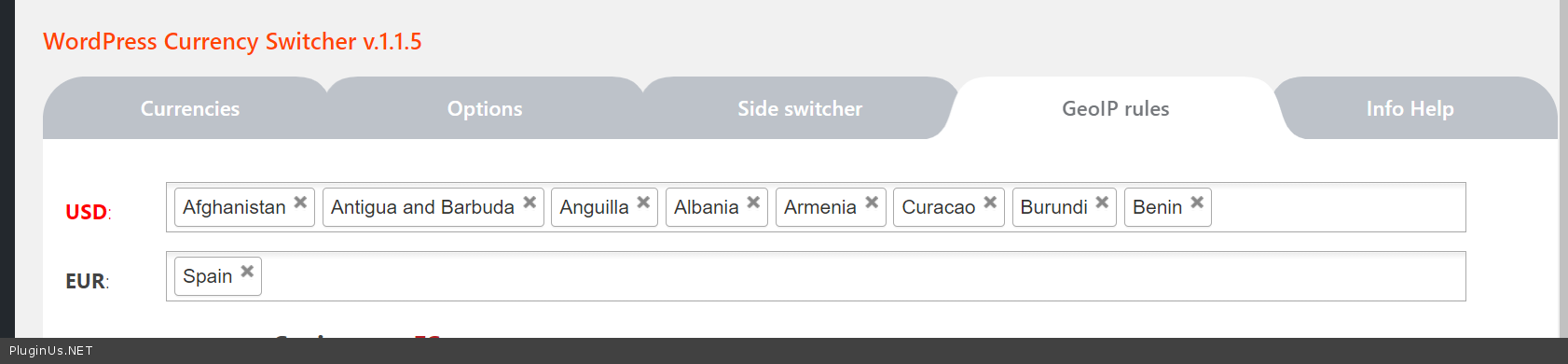
Use GeoIP rules
Hi Guys, When using the standard [wpcs_price value=20] shortcode, is there a way to apply rounding? I want the displayed value to be rounded to have no decimal values. We tried adding the precision=0 attribute, but it made no difference. Thanks
Hello
Please read this – https://wp-currency.com/hook/wpcs_price/
Cheers
Hello
Did you manage to solve this problem?
All good, thanks
Great! Welcome;)
Hi, great plugin. I was wondering. Can you create a fork of this plugin for Metric & Imperial systeM.. like converting Metres to Feet etc… I could use that too…
Hope you can help thanks!
Hello
A good idea.
But I think you can do it with this plugin. Use different measurement values instead of currencies and disable “Rate auto update”
Yes, but then it shows up between my currencies…. And will it change the currencies too? when I convert 1 meter to foot…
I want it, seperate from the currency conversion… Would that be possible somehow???
Hello
Unfortunately, the plugin does not have such a feature.
You can try this hook – https://wp-currency.com/hook/wpcs_currency_manipulation_before_show/\
It really depends on how you want to display these two switches.
Hi, I checked the instruction video and it doesn’t mention this, so I think it’s not possible, but I hope it is…
I’d like the welcome currency to depant on the IP adres of the visiter. Is this possible?
Thanks for your answer! Regards…
Hello
https://c2n.me/49Gz1Wn.png – geo ip rules has higher priority than Welcome currency, I think you can use …Also using https://wordpress.currency-switcher.com/function/wpcs-current_currency/ and hook wp_head in file functions.php you can set currencies directly by exact IP or its mask.
If your site using cache do not forget to enable in tab Options option “I am using cache plugin on my site” and reset all caches
Great! Thanks for your reply!
Welcome!
Hi, I’m need to change the red hover color behind the currency symbol in the roll blocks, but I can’t find the right CSS code. Can you please help? Thanks!
Hello
Please try this CSS
body .wpcs_auto_switcher ul li:hover a span { background: green; }
Great Thanks!
Hello
Welcome;)
This plugin is not working on my website. Free version was working very well. Please advise!
Hello
Please drop me exact link to the issue
Or better write me here – https://pluginus.net/support/forum/wpcs-wordpress-currency-switcher/
Paste your license key here – https://c2n.me/43SC6rb.png -> https://c2n.me/42HBIt7.png
Is it possible if you can explain here?
Hello
Please drop me exact link to the issue. Describe what I should do to get the errorHello realmag777,
Can you please make the “Currency Switcher widget” to use ajax?
Hello
Unfortunately the plugin does not have this feature.
I will pass your idea to the developers
Hello realmag777,
A few Pre-sale concerns…
I just tested your free plugin on my website and it seems to have a few problems with other AJAX functions on the page,
I’m using Elementor pro + JetEngine + JetSmartFilters
For example my archive page where JetEngine and JetSmartFilters are used for listing and for filtering content your plugin works fine at first, but as soon as any filtering option or pagination is clicked (it uses AJAX) the info icon to show currency disappears
Also if any filters have been selected beforehand and then the currency is selected via “fixed switcher” it will refresh the page losing all filters
Some problem if you use any other plugin that uses AJAX….
Would you guys/girls please provide some solution to this??
Hello
Please drop me exact link to the issue. I will check it
Hello,
Unfortunately the website is under construction and I’m unable to disclose/post the links to it.
Would you suggest any other options? maybe something I can test or change to see if it helps? this problem is my main and only concern with this plugin at the moment….
Hope you have some suggestions… *(as soon as this is figured I’m planning to buy this plugin)
Hello
Unfortunately I don’t have enough information.
Hello
You can create the site clone (by Duplicator plugin) on your own site sub-domain and share access to there with us https://pluginus.net/support/forum/wpcs-wordpress-currency-switcher/ (see secret area on the right)
Hello, I would like to buy your complement, but before I wanted to clarify some doubts. I want to use it for my store that will sell to almost everyone and I will use as a payment method paypal said paypal account is in euros since I have opened it in Spain, there is a problem if a buyer chooses the Brazilian real for example and pays his product to me in my paypal account would I drop euros without problem? or there could be an error please let me clarify. Tranks
Hello
this plugin does not work with payment systems. If you need a plugin for woocommerce – https://wordpress.org/plugins/woocommerce-currency-switcher/
Hello
You need experiment with payment gateways, try this one for example https://wordpress.org/plugins/woo-checkout-braspag/ – if troubles with compatibility I think author of the plugin can adapt it for WOOCS by examples codes https://currency-switcher.com/compatibility/
The price is for one year? or Lifetime?
Hello
or Lifetime? – Yes.
Time limit for extended support only
Thanks
welcome 
or
https://codecanyon.net/item/armember-complete-wordpress-membership-system/17785056Hello
If any of that plugins has hooks for prices it is possible to apply there: https://wordpress.currency-switcher.com/function/wpcs-wpcs_exchange_value/
Play with free version please: https://wordpress.org/plugins/currency-switcher/
I have implemented it here. https://www.fridayhost.com but only domain prices area below the domain search and header is using that. I am using pricing tables. Pricing tables don’t translate shortcodes. If i use shortcode in pricing table (widget), the shortcode itself prints. Do u know a way to get the shortcode from the content loop and translate it into its output?
Hello
please contact to the support of Pricing tables. Unfortunately, I can’t do anything on my part.