2001 comments found.

Hello,
We bought the plugin, but there is a problem when changing the currency.
This site https://noisebgone.com/ has language versions (Bulgarian and English) with Polylang.
In the Bulgarian version we want only Bulgarian levs.
In the English version we want to set a switch to three currencies. Euro, British pound and dollar, but when we put a shortcode [woocs], currencies do not switch. We want the consumer to be able to choose the currency in which he wants to buy the product.
How can we do this?
We set the following code in function.php:
global $WOOCS;

switch($lang){
 case 'bg_BG':
      $WOOCS->current_currency='BGN';
      $WOOCS->storage->set_val('woocs_current_currency', 'BGN');
   break;
 case 'en_US':
      $WOOCS->current_currency='EUR';
      $WOOCS->storage->set_val('woocs_current_currency', '€');
   break;
 }
Now the store switches and calculates the Bulgarian and English currencies correctly, but how can we add the other two currencies only for the English version and be functional?
Regards,
Hello
I answered you on the forum
Hi, pre-purchase question…
To be able to use the GeoIP feature and have the site automatically show the currency of a specific country (using GeoIP rules), do we need to input code into our site?
I activated the options recommended in the videos of your site, but it didn’t seem to work.
By the way: as a side note, I can’t see the videos anymore, when I click the button for any video, nothing appears, and I already tried in different browsers.
Hello
This should work for all versions.
Read this please – https://currency-switcher.com/using-geolocation-causes-problems-doesnt-seem-to-work-for-me/
hi! im using this plugin (WOOCS) in a site with an EDUMA template. the problem i have is that when i want to change the local currency to USD it doesnt change neither in the shopping bag or when the client has to press the button to finish the purchase. what can i do? Thank you!
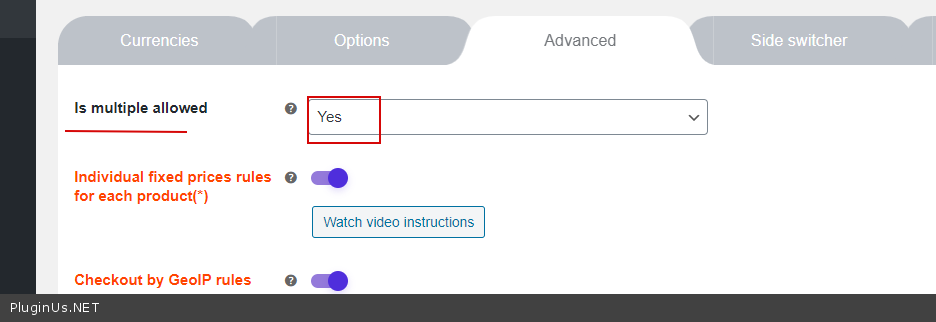
I have already set up the allowence of multiple currencys. The problem is that when we press to change the currency to USD, the simbol changes but the price is still the same. Maybe the template from EDUMA is not compatible with WOOCS plugin? thank you so much.
Hello
Please drop me exact link to the issue I will check it
hi! https://malanidigital.com/wp/cursos/curso-de-fotografia/ here is an example of one of our courses. if you press “buy” or “comprar” in spanish, and decide to change the currency, the price will remain in my local currency. lookiing foward for your review. thanks
Hello
https://c2n.me/47soECY.jpg – this is not a standard price. The template must use standard hooks to display prices.Hello, when I try to make changes to the plugin settings and press save, the changes don’t actually happen. All the toggles I turned on / off are not changed ? Also, when I update the plugin to the latest version I get a constant loading screen so I have had to use 2.3.0
Hello
Please read this – https://products-filter.com/lot-taxonomies-settings-page-save-options-doesn-works/
If no luck – please write me here – https://pluginus.net/support/forum/woof-woocommerce-products-filter/
Paste your license key here – https://c2n.me/43SC6rb.png -> https://c2n.me/42HBIt7.png and wp-admin access – https://c2n.me/42BAoj4.png
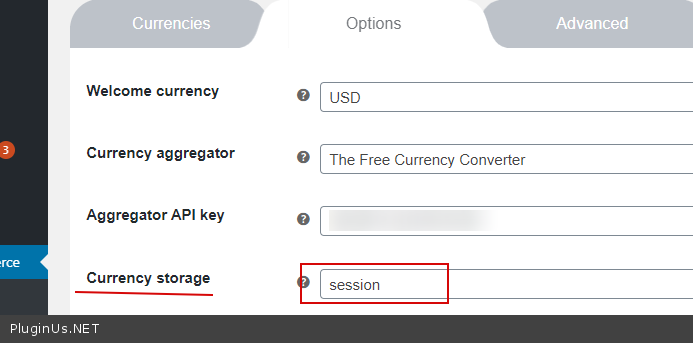
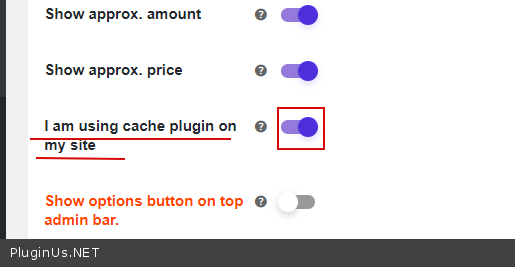
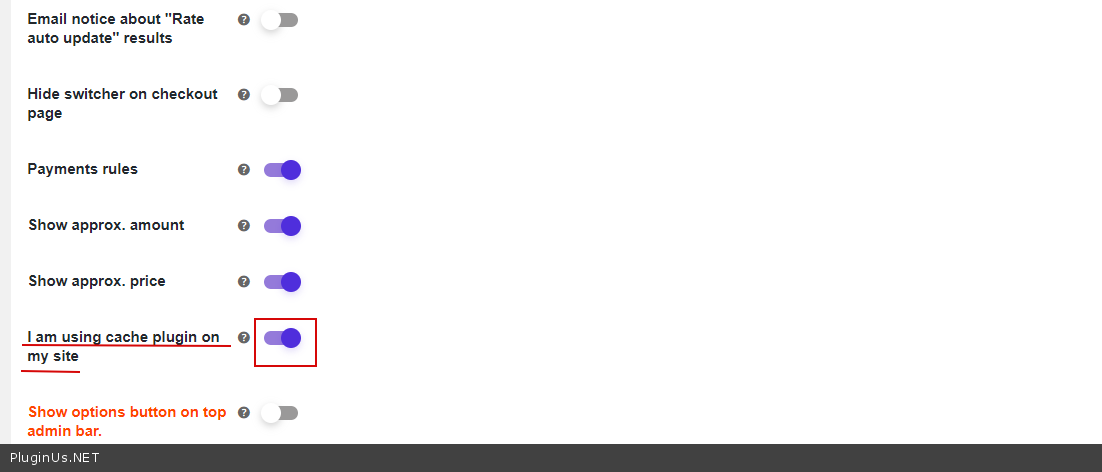
Hello , the plugin not working properly with super cache activated , is desactivated right now , can you please give me support to pass this issue : https://pluginus.net/support/topic/woocommerce-currency-switcher-wp-super-cache-currency-not-changing-home-page-single-product-page/
Hello
Please add to private data – wp-admin access
We love this plugin but for the past year we keep having this little annoying bug that no matter how hard our programmers try, it keeps comings back:
Our original currency is in CAD and when one selects another currency (USD for example) everything “seems” like it’s working fine: the shops currency changes and all the produts prices are updated on the shop’s main page. However, some products actually don’t change currency, and one can only spot them by clicking on each product and entering inside of the product. As soon as one clicks inside some products, Some of these products will still display back the original currency (CAD) even if the USD option had been selected in the shop. Sometimes one has to even refresh the page for it to reload to the new currency and some other times it is hopelessly stuck in the original currency. This is also the reason why it tooks us so long to discover this bug: Some products, not all, don’t change currency. So one has to literally, check about 4-10 products selected at random in order to spot this bug.
This also happens a lot wit the cart. When one goes all the way to the check out page, the currency switches back to is original currency (CAD) even if one has selected to have it in USD.
This bug has caused us to lose almost all of our USA orders.. 
We have tried playing with it in every way possible and even went and implemented this: https://c2n.me/47hzD9m.png and https://c2n.me/47hzFrL.png and https://c2n.me/47hzUOx.png but we still got no luck. We’ve also tried this plugin with 2 diferent cache plugins: W3cache and WProcket and we also got the same issue. We tried turning off the cache plugins and the problem still prevailed. Please note we have a team of programmers and they’re not able to find out what is wrong and they’ve been troubleshooting this plugin since October 2019. They often manage to get the plugin working again and next thing we know afte a few days or weeks its back to the same problem.
We’re very sad because we love this plugins layout and interface ( we find it beautiful how the flags are nicely displayed for the customers to choose!). But the cons is that the loading takes about 2-3 seconds and on top of that, this recurrent bug reallly comes to give it a finishing blow to our experience
Our programmers even tried getting the paid version and yet the problem prevails. Please help? We don’t want to have to get another plugin but we’re really running out of options.
Please take a look: www.crystaldreams.ca/shop
Feel free to write us at: info@crystaldreamsworld.com
Hello
Please write me here – https://pluginus.net/support/forum/woocs-woocommerce-currency-switcher-multi-currency-and-multi-pay-for-woocommerce/
Paste your license key here – https://c2n.me/43SC6rb.png -> https://c2n.me/42HBIt7.png and wp-admin access – https://c2n.me/42BAoj4.png
I will check it
Hi,
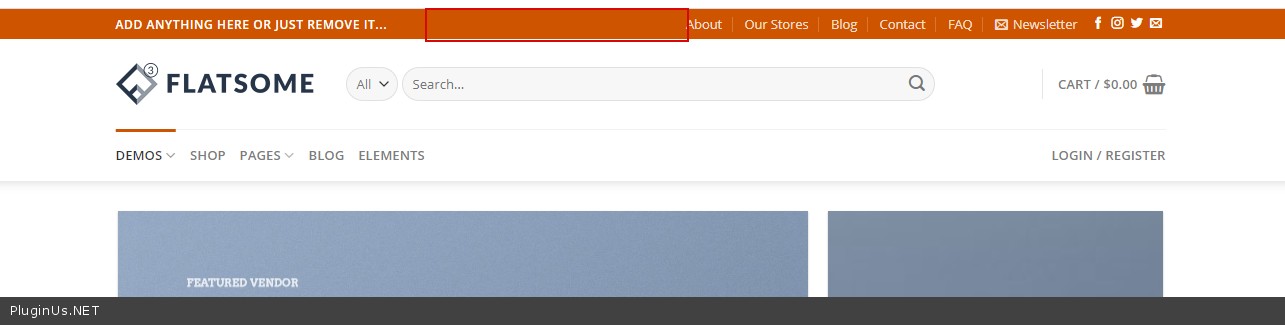
I installed your limited version for a test. I use the Flatsome theme: https://themeforest.net/item/flatsome-multipurpose-responsive-woocommerce-theme/5484319
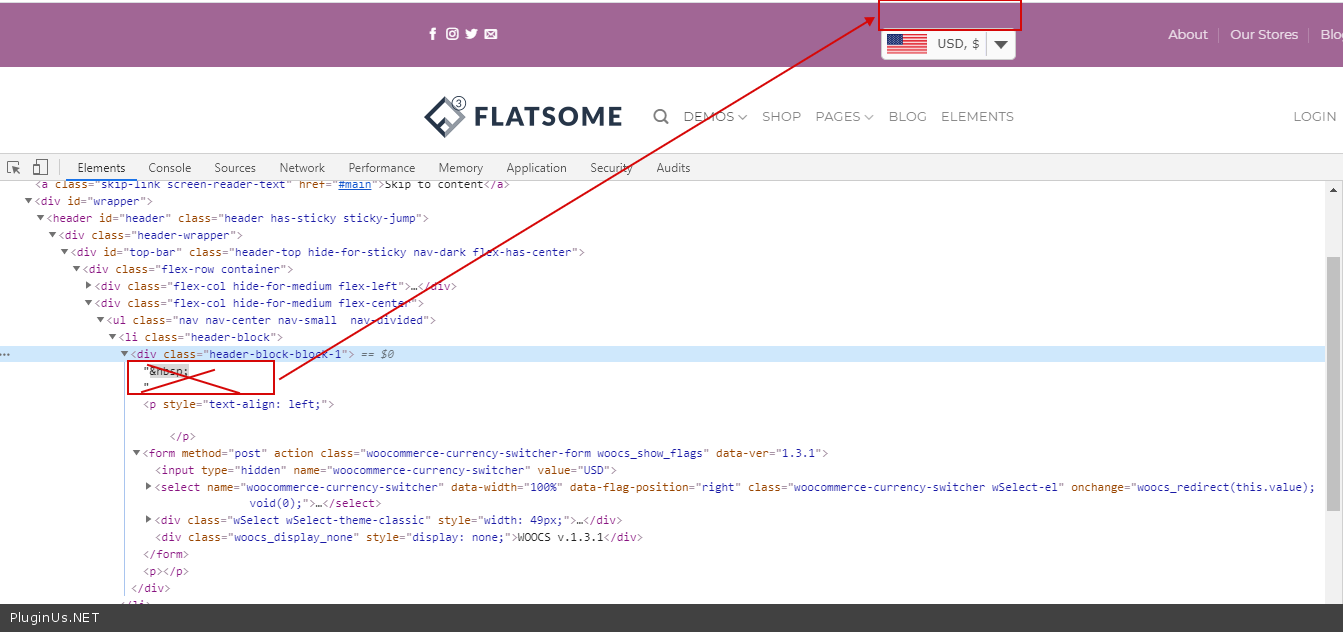
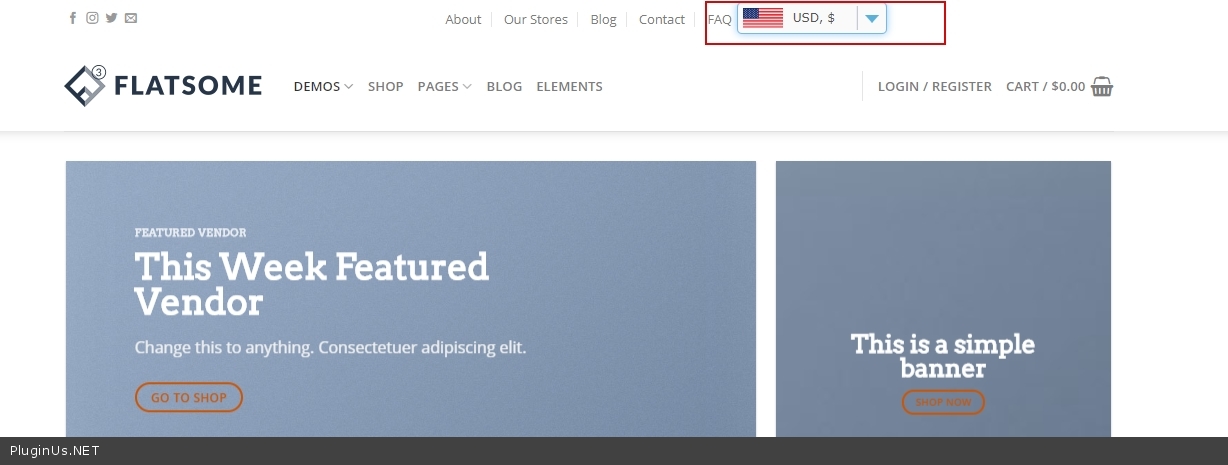
After I installed your plugin I found that it might use a fixed height so it makes the top bar too high for me. http://prntscr.com/s7zvzi
If I buy your plugin, is it possible for you to help me solve this layout issue? Thank you.
Hello
Please drop me exct link to the issue I will check it
Sure. Kindly take a lookt at https://1688dropship.com/
Hello
Try to add CSS: .woocommerce-currency-switcher-form{ margin-bottom: 0px; }
https://c2n.me/47iLgCk.png – it looks like you added a line break to the container please delete thisThank you.
There seems to be some issue when I put it to the right corner – it becomes big.
And after adding the CSS, it’s smaller, but it’s not vertically middle aligned, it’s top aligned.
Could you take a look at this again? Thank you.
Hello
unfortunately now I do not see it – https://c2n.me/47jF8rb.png
Hi, I am sorry. I was testing several plugins so I temporarily deactivated it. Right now I make it back. Could you take a look? Thanks.
Hello
Try to add this CSS: .woocommerce-currency-switcher-form{ margin-top: 5px; margin-bottom: 0px; margin-left: 5px; width: 150px; }
result – https://c2n.me/47lH5as.jpg
Thank you! I will buy this plugin 
Hmm…
I found a big issue. The currency changes when you browse the products, adding to carts etc. but when you go to the checkout page, it goes back to the default currency, and even if you try to choose another currency in the checkout page, it does not work, it will show the default currency anyway.
You may easily test this by placing test orders on my website. Could you help me out?
Hello, The price in pounds with discount (ex: regular price From £ 953.72 – From sale price £ 1,069.35) is displayed incorrectly but only in pounds, in $ and EUR is displayed correctly and only in products with variable prices. Waiting for your response. Thank you!
Hello I answered you on forum and email
I’m sorry but your answer did not clarify me in solving this problem.
I understand now. I fixed the error. Thank you.
Hello
Great! Welcome;)
Does this plugin work with Elementor ?
Hello
This should work correctly. Do you have any problems?
Yea with Elementor and the Jet Plugins the cart icon in the header would not update correctly with totals or cart item counts.
Hello
Please write me here – https://pluginus.net/support/forum/woocs-woocommerce-currency-switcher-multi-currency-and-multi-pay-for-woocommerce/
Paste your license key here – https://c2n.me/43SC6rb.png -> https://c2n.me/42HBIt7.png
Paste exact link to the issue and wp-admin access – https://c2n.me/42BAoj4.png
Is this possible to set currency based on customer country ? If visitor is from United States it display product price in USD and if customer is from United Kingdom it display product price in GBP
Hello
Yes please watch a video – https://currency-switcher.com/video-tutorials#video_1
Use GeoIp rules
Hi, will this work with YITH WooCommerce Account Funds? Also can yo u pls list the wallet or store credit plugins that this multi-currency plugin is compatible with (if any)?
Hello
Unfortunately we do not have such information. You can test it with the free version – https://wordpress.org/plugins/woocommerce-currency-switcher/
In any case – https://currency-switcher.com/woocs-labs/
Hi, I’m running the latest version of Flatsome and there seems to be a conflict with this plugin where the minicart doesn’t update the correct amount of items. Do you have any suggestions as to how to overcome this issue? Many thanks.
Hello
Please write me on support – https://pluginus.net/support/forum/woocs-woocommerce-currency-switcher-multi-currency-and-multi-pay-for-woocommerce/
Paste your license key here – https://c2n.me/43SC6rb.png -> https://c2n.me/42HBIt7.png and wp-admin access – https://c2n.me/42BAoj4.png
I will check it
Hi, is there a way to add a custom price to any product with any currency?
Regards,Dominik
Hello Please watch this video -https://currency-switcher.com/video-tutorials#video_YHDQZG8GS6w
Hi,
Just installed your free version in order to test. We need the pro version because we need at least 5 currencies but have come accross a couple of questions:
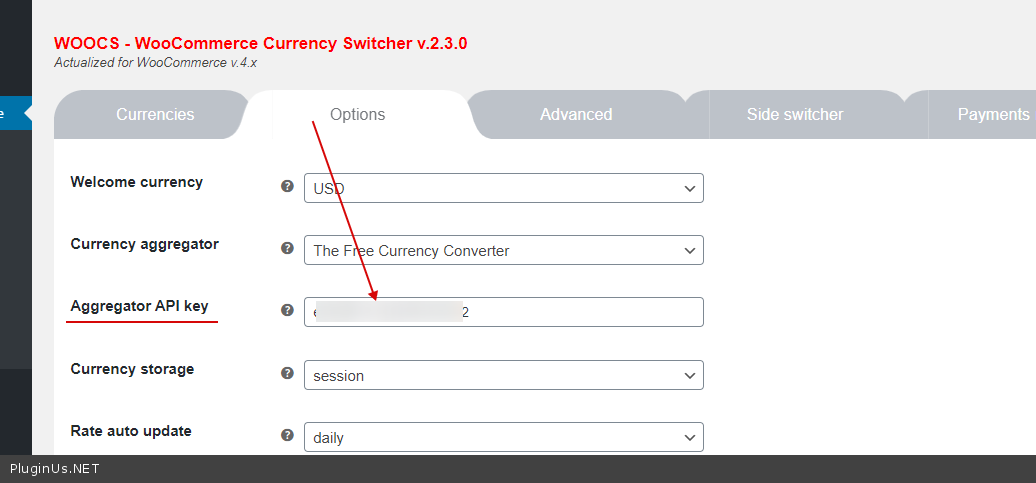
1) Where do we install the API code and why do we need to do this?
2) I have a No Access Token message at the bottom of our pages (footer).
Please see projectlighting.nz
Thanks,
Hello
1) it is necessary only for some aggregators – https://c2n.me/46ZEsl0.png
2) This is not related to my plugin.
Hi there, hope you are well. Can we integrate the search tool to revolution slider? Txs
Hello
Not sure I understand you. This plugin for currency conversion.
This plugin is not related to search tools.
Hi, I set a sale price for a product. The default currency is HKD$780, and the sale price i HKD$585, after i click the USD, EUR, GBP, the price shown in the product page is still the same, i.e. USD$780 & USD$585, EUR780, EUR & 585.
https://amazdreams.com.hk/product/art-porcelain-piece-psalm-23-horizontal-%e7%93%b7%e7%89%87%e8%a9%a9%e7%af%8723%e7%af%87%e6%a9%ab/?currency=HKDBut the price is correct in cart.
How can I solve the problem?
Hello
Please fix these JS errores – https://c2n.me/46UdPM2.png
And check option – https://c2n.me/46Ue1dE.png
Hi Thanks for reply. I checked the option but couldn’t see the errors u showed.
Hi I used the wordpress default sale price. I removed the discount yesterday so in your test it works.
Hello
Ok! Please write me on forum – https://pluginus.net/support/forum/woocs-woocommerce-currency-switcher-multi-currency-and-multi-pay-for-woocommerce/
Paste your license key here – https://c2n.me/43SC6rb.png -> https://c2n.me/42HBIt7.png and wp-admin access – https://c2n.me/42BAoj4.png I will check it
The error only occurs at the sale price (with a delete symbol on the regular price and a sale price next to it). In this case, both the sale price and the regular price amount can not be changed to other currency, but if only one price is shown, the price can be changed to other currency. I wonder if I can fix it myself in php, can you provide any hints?
Hello
I think this is a conflict with a third-party plugin.
Please disable all plugins except woo+woocs and do test
It does not work in the woocommerce sale price, so I think its not conflict with the third-party plugin. May I know in which file of your plugin deal with the converting and displaying of the sale price and regular price?
Hello
But on other sites it works well.
Please write me on forum – https://pluginus.net/support/forum/woocs-woocommerce-currency-switcher-multi-currency-and-multi-pay-for-woocommerce/
Paste your license key here – https://c2n.me/43SC6rb.png -> https://c2n.me/42HBIt7.png and wp-admin access – https://c2n.me/42BAoj4.png I will check it in file – \plugins\woocommerce-currency-switcher\classes\woocs_after_33.php – raw_woocommerce_price
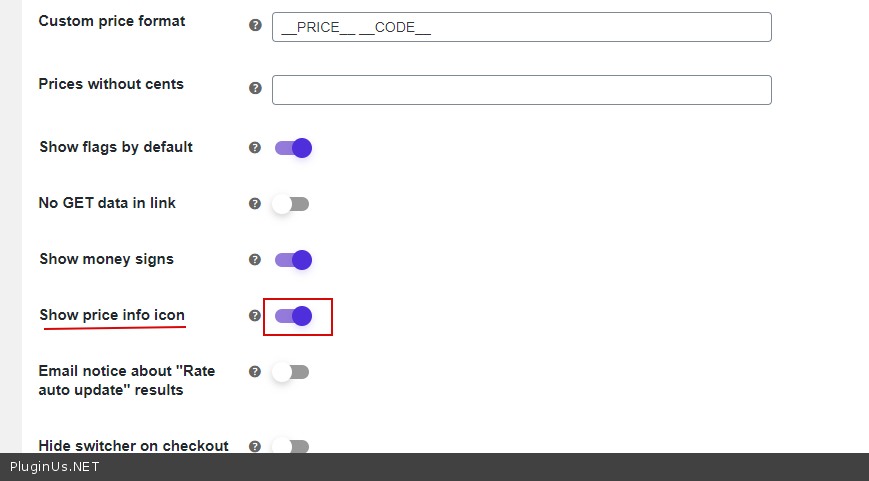
Hello, when we login to a “Wholesale Buyer” user role (created by another plugin), the info icon to show currency conversion in other currencies does not appear anywhere but it does when logged in as an Administrator or Customer. What do we need to edit to make it show ALL the time no matter the user role ?
Hello
Please clear all your cache
I would like to know if can I add all of international countries currencies with this premium plugin? Thanks
Hello
You can add any standard currencies – http://en.wikipedia.org/wiki/ISO_4217#Active_codes
I bought this plugin. I am adding currencies and facing issue as the link you followed has expired. I used Total cache plugin and I cleared cache often while I am adding currencies also clear browser cache. Kindly let me know how to solve this issue?
Hello
Please write me here – https://pluginus.net/support/forum/woocs-woocommerce-currency-switcher-multi-currency-and-multi-pay-for-woocommerce/
Paste your license key here – https://c2n.me/43SC6rb.png -> https://c2n.me/42HBIt7.png and wp-admin access – https://c2n.me/42BAoj4.png
Thanks. I sorted it out. But I wanna ask a question. I set the welcome currency to USD but whenever I browse the website, only show Singapore dollar for welcome currency. Kindly let me know how can I sort that issue?
Hello. kindly reply me asap if possible. Because it’s urgently required to fix. Also I found one strange thing. I opened the website on mobile phone and selected one of the currency (Eg: I selected SGD). After that I opened the website on laptop or desktop, that the currency is kept as SGD and don’t show as default currency USD. Kindly let me know why it’s happened like that and how can I solve it out? Thanks.
Hello
this is the correct plugin operation. The plugin remembers the user’s last currency by IP. welcome currency – this only works for the first visit
Hello
Try to change geo location rules and look them in different browsers, because the same browser will show you only first result. Even better send link to the friends, because if data storage selected as transient you will see the same result in all browsers in your computer (the same IP) – another computer necessary – share link with friends.
https://currency-switcher.com/using-geolocation-causes-problems-doesnt-seem-to-work-for-me/Thanks for your reply. My site default currency is USD. I set welcome currency to USD in the plugin setting as well but Whenever I browse the website for first visit, only show SGD currency as default. This is big issue for me. Can you help me to chek it?
Hello
Ok! Please write me here – https://pluginus.net/support/forum/woocs-woocommerce-currency-switcher-multi-currency-and-multi-pay-for-woocommerce/
Paste your license key here – https://c2n.me/43SC6rb.png -> https://c2n.me/42HBIt7.png and wp-admin access – https://c2n.me/42BAoj4.png
Hi, I just purchased the pro version, also have updated my WordPress version to version 5.4 then currencies are unable to update, showing No data for (Currency name) So I want to make sure, is it because WordPress version is still not compatible? or should I do something after purchasing the Pro version? like re install… Thank you in advance
Hello
Please check currency codes – http://en.wikipedia.org/wiki/ISO_4217#Active_codes
If no luck – try to use another aggregator
If no luck – Write on support – https://pluginus.net/support/forum/woocs-woocommerce-currency-switcher-multi-currency-and-multi-pay-for-woocommerce/
Paste your license key here – https://c2n.me/43SC6rb.png -> https://c2n.me/42HBIt7.png and wp-admin access – https://c2n.me/42BAoj4.png
Thank you for your reply.
I have tried The Free Currency Converter and Fixer both didn’t work while The Free Currency Converter was working before update WP and upgrade to pro version. now I am using yahoo and everything works fine. need your advice to know what is the most stable free aggregator?
Second question: in GeoIP rules. is it possible to add all Europe countries at once? or I need to add then one by one?
Hello
1) Better use The Free Currency Converter with API key
2) I need to add then one by one? – Yes
HI, Thank you for the free version, I have a pre-sale questions Can I display 2 currency on products? e.g AU$, KRW$ and is there bitcoin rate option & symbol in the currency list?
Thank you
Hello
You can show these currencies in info icon – https://c2n.me/46ENfr5.png
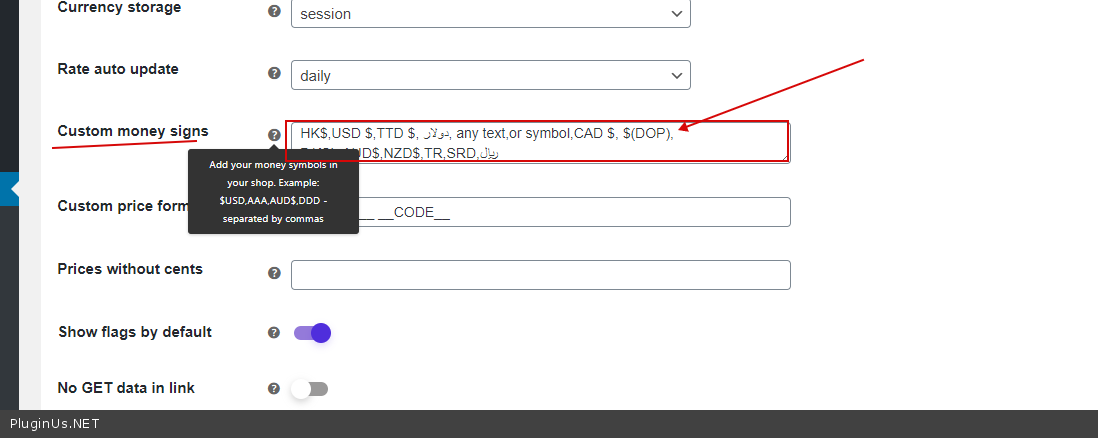
You can add any symbol – https://c2n.me/46ENlpy.png
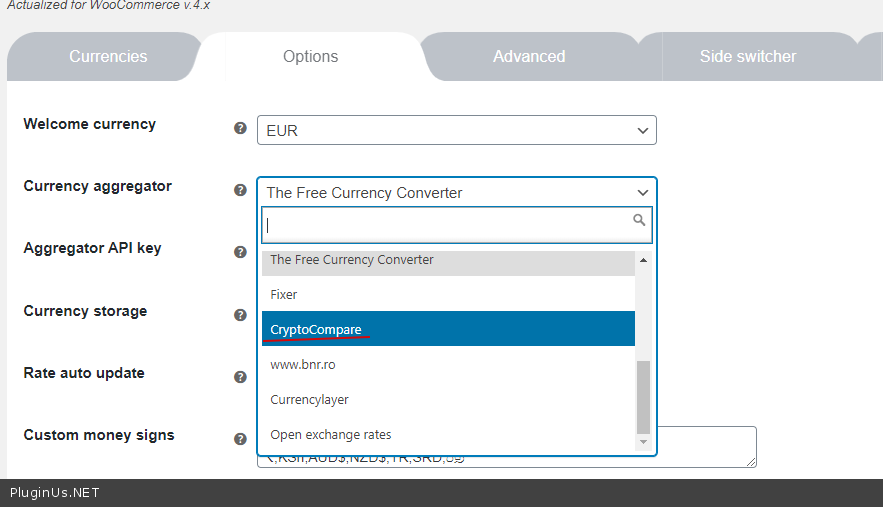
bitcoin rate – it depends on the aggregator – https://c2n.me/46ENrQn.png

This item was featured on CodeCanyon

Power Elite Author
Contact the Envato Market Help Team