70 comments found.
Hi, we were having issues with sometimes not accepting valid purchase codes and displaying the error “purchase code not valid” message. It has been fixed after disabling the “Settings > Integration > Contact API before showing verification form” option. You may want to check if there is a glitch with this option preventing the plugin verification system from working fine.
Have a nice day!
Hi, is this plugin no longer maintained? The false “purchase code is not valid” messages are still here and very annoying. The solution above doesn’t seem to be working anymore. Our customers are constantly contacting us with this error. The only workaround is to navigate to Setting > Envato and set the username to something else, save it, and then replace the username with the original and save it again. This seems to refresh the connection and fix the issue, but still needs to be done manually and is very overwhelming to deal with. We are willing to grab another license if this is fixed with an update.
Thanks.
Can you share more information about the WordPress and PHP versions you are using?
WordPress version: 6.7.1 PHP version: 8.1.23
Deprecated: Creation of dynamic property sbv_loader::$l is deprecated in /Applications/MAMP/htdocs/wp/wp-content/plugins/smart-bbpress-nverify/smart-bbpress-nverify.php on line 57
Please fix this issue.
Hello.
For custom forum when checking use old API which is not working , please fix it .
https://api.envato.com/v1/market/private/user/verify-purchase:0000-000-000-000-0000.json https://monosnap.com/file/46o6Ft195a0jEMuwILhFFKNt8sjNzhThanks.
ANy update ?
I am checking this, I hope to have something by Monday.
Version 4.2 is out. All mentions of legacy API is removed. Few changes are made to the validation when using custom author for individual items.
Thanks.
I still see that there are old requests and it looks like envato has blocked my site . https://monosnap.com/file/8TLRQWm76HffbOyTpHdhriaWmBl6n4
https://monosnap.com/file/axG209elvvXXWqOWbxuvsF85zjZjslDo you have any suggestions?
Thanks.
Hello. There are a lot of errors in the console, is this normal? https://monosnap.com/file/aQMstrRhehJAeMwZvp9mTXyW3eZxqy Thanks for you plugin .
Hi,
Yes, that is pretty normal, depending on the requests (some times requesting missing items). If you check out the errors, you have muliple requests for ThemeForest items by ID, and these are most likely removed, so you should check that out.
Milan
Hi, thanks for the latest update and keeping the plugin always up to date, we have just bought an extended support period just to support the development.
Keep up the good work!
Thank you!
Hi.,
Great day. We have installed and activated your plugin in our Website. From last few days we tried to verify our purchase code in your plugin but due to some technical glitch we can’t able to verify the product details.
We thought it was an API down but still we can’t able to verify the purchase code whatever we have entered. Can you please check this issue and let us know as soon as possible.
I can’t find any issues with the verification on my end. It happens that sometime API doesn’t return anything or returns corrupted data, but that usually resolves quickly. Try verification on the plugin admin side Quick Verify tab, and see what happens there. Also, check the server PHP error logs, maybe there are some other issues logged there that can point to a problem.
https://prnt.sc/1qxs760
https://prnt.sc/1qxscf6
Thanks
My plugin doesn’t add tickets like support system, and implementing status and other elements is really out of the scope of this plugin. There are plugins out there that can do that for bbPress, and I have no plans to adding things like that to my plugin. Current plugin sales are not nearly enough to justify developing huge set of features to handle tickets based system on top of bbPress topics.
Hi, some of our users are complaining about they can’t validate their codes, I get their purchase code and the code gets validated through envato api site;
https://build.envato.com/api/#market_0_getAuthorSaleand they have an active support period, too. But when I try to add that code to the users profile using Bulk Add Purchase Codes section and it says “Purchase code is invalid”, and usually the code can be validated next day. I tried to “Clear all cached data” from the plugin settings but it still says invalid.
Another thing is when I try to check if a purchase code is valid or not from the Quick Verify section, I am getting this result;
“Purchase Code is not associated with specified account.”
which doesn’t indicate if the purchase code is valid or not.
I would really appreciate your help on this.
Thanks.
Hi,
This is not related to the plugin. In the past few months, I have seen this behavior, and I verified that the information about the code is coming from Envato API. After a day or two, the code, when checked again returns as valid. I can’t do anything about this, because data is coming from Envato API. What I have seen is that first few days after the purchase (and not always and for every code), code is not being recognized by API (it is maybe cache layer Envato has or something).
Right now I don’t have any solution for this, because it doesn’t happen always, and the API is to blame. If you have any solution on how to handle it, let me know.
Milan
fair enough, thanks for the answer, what about the Quick Verify function, it doesn’t tell if the code is valid or not but it just says if it is associated with specified account even if you don’t specify a user.
Sorry for late reply. That function also depends on the API, so if API is returning something that is wrong, there is no way to know that.
Hi,
Do you plan to update the plugin?
Kind regards.
Hi,
Do you have any issues with the plugin? I have not seen any bugs reported in a while, but I do plan to update soon, when the new WordPress is released, to do some small maintenance.
Regards, Milan
Maybe some small maintenance. Thus the plugin will be keep up to date.
Kind regards.
Done, new version is now released.
Thank you! 
Hi Milan,
Is it safe to update to WP 5.5?
Regards, Dimitar
I use it on WP 5.5, no issues.
Thanks for your fast reply. I am buying a support extension now. Not that I need it, but mostly as an appreciation for your continuous efforts in supporting this plugin.
Thank you! Let me know if you notice any issues going forward with WP 5.5.
Hi,
I don’t understand some customers who just bought the product but still display the “no support”
http://prntscr.com/segtv7Thanks for reporting. I will investigate this later today. I have seen this on my website for one item only.
Hi,
How are you sure that they just bought the product? My plugin registered column shows when the user was registered, now when the license is purchased. But, to avoid confusion, I will soon release update that will show information received from Envato API for each license, including purchase date and support validation date.
Milan
Hi,
The customer sent me the purchase information and I collated it into the email and purchase history from Themeforest. (It seems that this issue only comes from users who extend support)
My plugin gets the support information from the Envato API, and the data is cached because Envato API doesn’t like when you send too many requests needlesly. Plugin is set to run auto revalidation checks, and it can happen that user extended support purchase takes time to get revalidated.
You can try to clear plugin cache (via plugin’s Tools panel), and you can run manual revalidation from the Customers panel.
Milan
One more thing, plugin already shows info for each license. If you click on the product ID link in the customers list, you will get the popup for all the relevant info for the license including support expiration. Again, if you need to manually confirm that user has indeed extended support, click Revalidate for each user to update the information.
Hi,
Thanks for your feedback.
I removed the cache according to your instructions and revalidate but it still display “no support”.
This is the user’s registration information.
http://prntscr.com/sge96rThe second part is raw information received from Envato API, clearly showing the license was purchased in 2017 and support expired in 2017. If the user claims he extended support, this doesn’t show that, and this comes straight from the Envato API. To confirm, log into Envato API – https://build.envato.com/ and then go the the /author/sale endpoint and use their puchase code: https://build.envato.com/api#market_0_Author_Sale and you should get same support expired date.
Milan
Hi Milan,
is it tested with the new bbPress 2.6.0 and WP 5.3?
Regards, Dimitar
Yes it is, so far, no issues have been found or reported.
Hi there, I’ve just installed your plugin again. But I cannot seem to save the settings. I generated a new personal token, (with no checkboxes selected). I get an error.
403: Forbidden Server Error
What can be wrong?
I checked the error log.
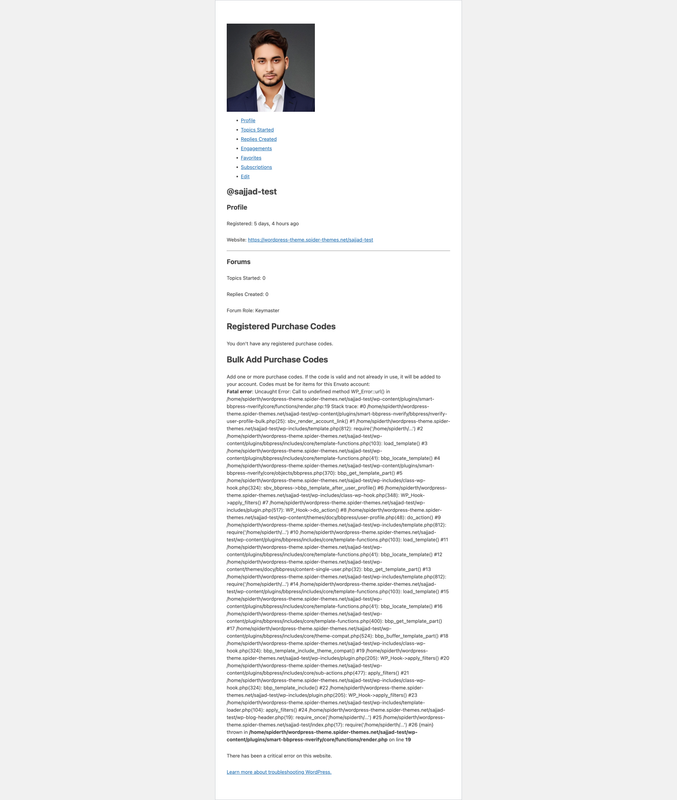
[2018-12-20 12:21:10] : request_error – new api : https://api.envato.com/v1/market/total-items.json [debug trace] : require_once, do_action, WP_Hook->do_action, WP_Hook->apply_filters, sbv_admin->settings, include, include, include, sbv_api_loader->is_online, sbv_api_loader->total_items, smart_envato_api_build->api, smart_envato_api_build->_data, smart_envato_api_build->run, smart_envato_api_build->_fetch, smart_envato_api_build->_load [error message] : 403: Forbidden
It means that token is invalid or the API has problems. But, since you have not selected anything for personal token, then my plugin can’t do anything with it. Personal token needs access to first 5 items on the personal token checkboxes list to work.
Hi, well I know what I’m doing . I just generated a new personal token, but it does not work https://imgur.com/a/t9uo06z
Any checkbox need to select when creating new personal token? I tried my API key too, also not working. Tried it on another domain and it does not work either.
As I said in previous response, when generating personal token first 5 checkboxes has to be enabled, so my plugin can access your account and verify purchase codes. If you just leave the first checkbox enabled, it can be used to browse the Envato and nothing more.
Ok sorry, I did not read the 5 checkboxes. Now it works perfectly thanks
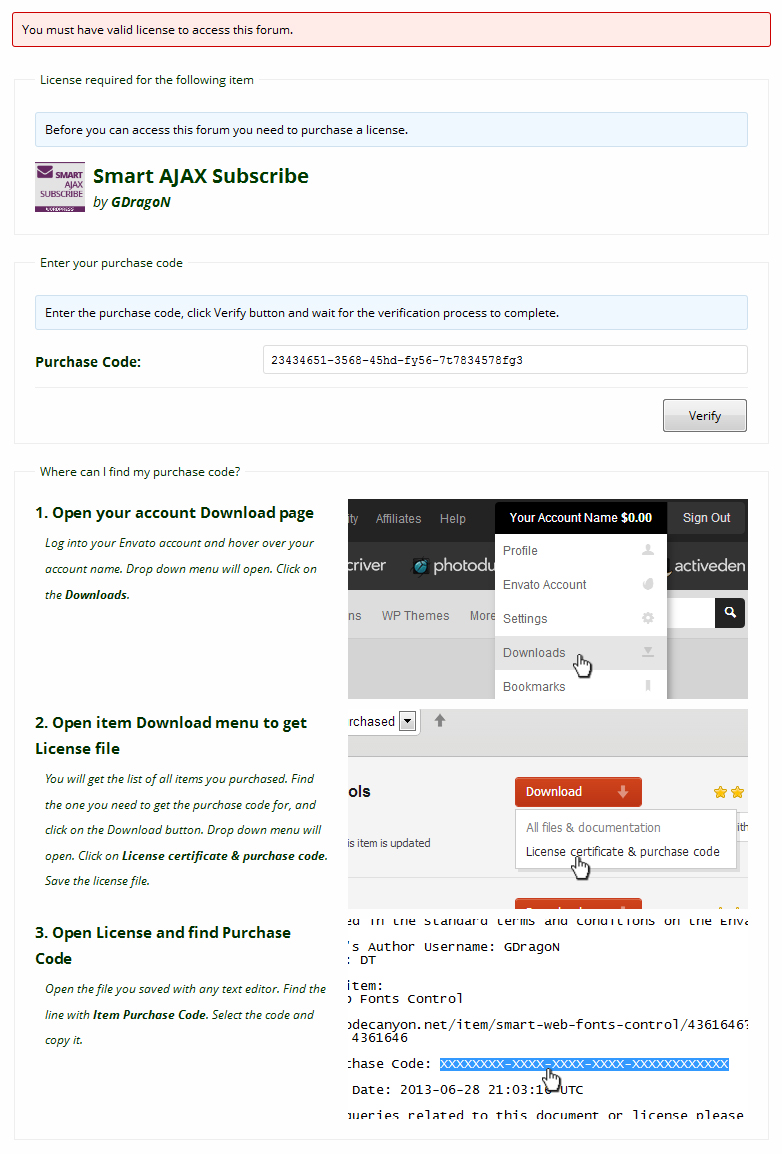
You must be logged in and have valid license to access this forum.
License required for the following item Instant Job Search Engine Aggregator ... Login and Registration Log in ·
How can I make it like your demo? Where people can enter their Purchase code
Only registered users can enter the purchase code. We can’t store and validate purchase code for visitors that are not logged in.
Awesome thanks works fine!
Another question.
I sell the same scripts on Envato and also in my webshop. I want people who order via my Woocommerce shop also access the same support forum as Envato users. In which group I should add my Woocommerce customers to also view the protected forums?
My plugin checks each user that tries to access protected forum for valid purchase code, there are no groups for this. But, there are filters that can be used to skip the check for the purchase code for individual users, so you can hook into that filter and check if the user by user ID is one of the Woocommerce customers you have.
Ok, that sounds difficult , But can’t I make a BBpress group that overrules the nverify protection for Woocommerce customers?
I have no idea what bbPress groups are, that is not part of bbPress.
Thanks for your great support!
Actually I mean the wordpress user groups, I think BBpress creates a user “rights” group called Keymaster. That is the administrator who can view all forums.
Good feature for your plugin. Is it possible to output a link on the Woocommerce product to the Support forum? We can only select a forum connection in backend, but it would be nice to have link on frontend too?
is there a quick code to ECHO the selected BBpress support forum link of the product on frontend?
Much appreciated. Vidal
Hi,
These are user roles. Again, there is a filter that can pass users with a certain role.
There is no function for what you need. But, I will add that to features request list.
Regards, Milan
Hi Milan,
is it OK to update to WP 5.0/1?
There should be no issues with my plugin.
Hello,
- Does it also have some options to restrict blogs (custom post types or documents) of a products to verified users only?
- Looks like there is no update from last 1 year or so, Is there any plans to update this script?
- Any recommended theme or it works with all themes with support for bbpress?
Hi,
1. No. I plan to add this, once I have some more free time.
2. It works fine with latest WordPress. I will release new update when it is needed.
3. So far, it works with any theme I (and other users) have tried.
Regards, Milan
Hi,
1. Any ETA for it?
Sorry, no. I am very busy at the moment, and this is not a much requested feature, so it is not high on the list of priorities.
Hi Milan,
is it safe to update to WP 4.9.6 with the latest GDPR compliance changes on user level?
Plugin is not storing personal information, it just uses existing user profiles to link purchase codes. So, there are no GDPR specific issues as far as I know.
Hello,
I have been using this for over a year and has been working great. The only thing I would request is to have a manual “Re-Check” button for customers (bbPress Members). Sometimes their purchase code expires and after renewing the support they would have to wait before having access again. I have had a few complaints that the status didn’t refresh even after 2-3 days and in those cases I would go in the admin backend and do a manual refresh myself.
So instead of customers could be presented with a button which would refresh their purchase codes, it would be great.
PS: I have made an auto-updaters for codecanyon based WP Plugins, which you can use if you like https://github.com/WPQuark/wpq-wp-update
Plugin already has this for a while now, but only for administrators. Open plugin admin page, open Customers tab, and for each customer you have button Revalidate under the user name. I will add the feature request for the users to trigger revalidate themselves.
Hello,
Thank you for the quick response. I do know about this and in cases where automatic validation doesn’t happen, I use this function only. But what I was asking is the ability for the customers to revalidate their purchase code from their profile page and also within the “support expired” message. I hope I made myself clear. Thank you for your time.
I just installed but I get this message.
API key from settings page on Codecanyon Envato API can’t be reached at this time, please wait few minutes before trying again.
With personal token: 403: Forbidden Server Error
I’ve tried ith the personal token and my normal api key from my setting panel
How to fix this?
Plugin no longer support legacy API, so personal API token has to be used. Make sure you update plugin to latest available version (which version you are using now?), and that your personal token is valid. The message you get points to the problem with the token.
Hi thanks for the reply, I’m using 3.5. I just registered a new personal token (for the 2e time) after clicking save it says.
Status API Key403: Forbidden Server Error
What “rights” should I check when creating the personal token?
Should I whitelist external services in the firewall?
Personal token should allow: View and search Envato sites, View your Envato Account username, View your email address, View your account profile details, Verify purchases of your items.
Ok I got that fixed.
Now when adding a forum and I try click select from dropdown.
Select Protection Method > Individual Items > Add New Item > CLICK CLICK CLICK
Nothing happens.
What can be wrong now?
Thanks
Have fresh install of BBpress and Wordpress and your plugin. no other plugins. Also the API fine in the settings
This might be caused by the recent WP updates. I will investigate, and release update as soon as possible.
Ok thanks, please do so I’m stuck now. You have an estimate how long this will take?
Thanks
I will release update today, but it may take up to 2 days for CodeCanyon review.
Hi, thanks again for this great plugin. It works smoothly on our support forums. However, we have a forum named Showcase and every registered user can post replies in this forum so we are frequently getting spam messages from users with no purchase code registered. It would be great if we could restrict this forum so that only user with at least one registered code can post replies in this forum.
Have nice day.
Hi,
That feature is available for awhile now. When you edit the forum, plugin’s metabox has two verification methods: individual items or any item from the account.
Regards, Milan
that’s great thanks!