322 comments found.

hello! i got this error when i set image to responsive, how to fix it? thank you!
Uncaught ReferenceError: Prism is not defined at updateCode (utils.min.js:1) at HTMLDocument.<anonymous> (bootstrap-image.php:164) at j (jquery-2.1.1.min.js:2) at Object.fireWith [as resolveWith] (jquery-2.1.1.min.js:2) at Function.ready (jquery-2.1.1.min.js:2) at HTMLDocument.I (jquery-2.1.1.min.js:2)
Hi Renhom,
Difficult to help without more infos. Do you have the latest 2.3.2 version ? (you can check version in plugin.js)
Can’t you send me url & ftp ?
Hey, you should renew your item support ! (I’ll help anyway, don’t worry)
Looks great, is php required or can saving of data be other serverside language like asp. thanks
Hi,
Yes, php is required.
hello do you have a video how to install for bootstartp_tinymce ??
Hi,
Thanks for purchase. There is no video, but you can see quick start guide or examples in your package : examples/example-full.html index.html#quick-start-guide
If you need more help please send me your ftp, or I can help with teamviewer on localhost.
Gilles
ok in teamviewer is very best solutions
where i can give you my id and Password for teamviwer
Use my contact form
Can you use this plugin http://www.responsivefilemanager.com/index.php for Image management, if so, I will buy immediately.
Hi,
Responsive FileManager is the best free plugin to manage images on tinyMce. I already use it, and adviced other customers to use it with my own plugin, but the 2 are independant, and that’s the way it has to be.
Upload your images with Responsive FileManager, then use the tinyMce Bootstrap plugin image tool to browse your upload folder and style them.
If you need anything else you’re welcome,
Gilles
I was asking same , is it possible to replace “your image tool” with responsive filemanager plugin ?
No you can’t, but you can use both
Having an issue lately with the plugin.
There is a CSS file trying to load: ”/wp-content/plugins/tinymce-bootstrap-plugin/assets/css/iconpicker/css/?wp-mce-4403-20160901”
Initiated from: wp-tinymce.php?c=1&ver=4403-20160901:12
This is receiving a 403 response for that file. It seems to be causing issues with the plugin, so far I’ve noticed that I cannot browse for images when trying to browse for images using the “Insert/Edit Image” button.
Hi Wwitkowicz,
Thanks for purchase.
Could you please send me your ftp, url & login ?
I need to have a closer look to see what’s wrong and solve this.
Thanks,
Gilles
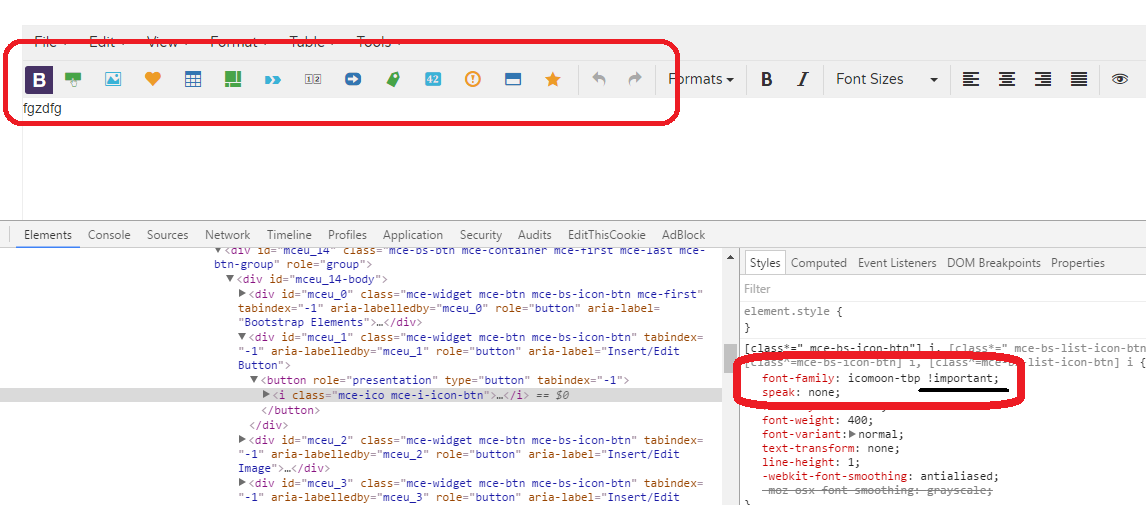
Hello, in my Wordpress TinyMce-Editor are no icons for the TinyMce Bootstrap Plugin and also in the Plugin-Settings. The font icomoon-tbp don’t load. In your demo http://tinymce-bootstrap-plugin.creation-site.org/ is the same mistake. What can I do?
Hello Vscharfe,
Thanks for purchase.
I just emptied CDN cache on demo, and now it works. I don’t know why icons disapeared, strange thing.
Please just try to empty your browser cache, and if you still have troubles please send me your ftp and WP admin login, I’ll solve this for you.
Gilles
Will you support bootstrap4 ?
Hello Alexut,
I’ll support Bootstrap 4 when 1st stable version is released.
Gilles
I was hoping you do it when the first beta arrives. Will you support me addapting the code to boostrap 4 if i buy this plugin ?
Hi,
I’ll answer to all of your questions & do my best to help, but will not work on this myself.
Hi,
Thanks for purchase.
It seems your template overwrites font-family. Please open your tinymce/plugins/bootstrap/css/editor.css and replace L.2 :font-family: 'icomoon-tbp' !important;I changed package the same way, it’ll be present in future releases.
If you need anything else you’re welcome,
Gilles
I tried this before but it did not I’ve added the editor.css to the head and the problem is fixed.
Great. You’re welcome
Hi, Having a little issue with the plugin, if I don’t have the plugin installed then when I hit enter the following is created by tinymce:
< p > & nbsp; < / p >
but when I have the plugin installed this is produced when hitting enter:
< p > < / p >
Without the space in there a few things are not displaying how they should. Is there a reason for this?
I was just using it some more and notice that Alt+ Enter produces the desired results above (paragraph tag with nonbreaking space code) but this is different than tinymce’s default behavior which should be Enter = paragraph tab with the nbsp; inside and the Alt+Enter=< br > created.
Is there a way to have the default tinymce behavior for Enter and Alt+Enter
Hi,
Thanks for purchase.
In firsts releases, users couldn’t add paragraphs after elements. For example, if you were inside a div.col you couldn’t add element after.
So I changed this : – enter to create an empty paragraph inside current element – alt+enter (option+enter on MAC) to create after – cmd + enter for line break (<br>)
To do this I had to change the default tinyMce behaviour with alt + enter and cmd + enter, but I didn’t change anything with single enter key. So I don’t know why there is no nonbreaking space code.
Code is in plugin/bootstrap/plugin.js :editor.on('keydown', function(e) {
// [...]
if((e.keyCode == 13 || e.keyCode == 10) && (e.altKey === true || e.ctrlKey === true)) {
}
}
I prefer not changing this ; had a lot of others issues to solve with tinyMce defaults. For example tinyMce removed empty spans, it caused problems with icons.
If you need anything else you're welcome,Gilles
Yeah I don’t mind the other changes but the fact that the enter key is not adding the non breaking space is an issue. When I have users who aren’t computer savvy using the program and they hit enter three times and see the cursor move down three times but then when they save or preview the changes and the text doesn’t look the same, that’s a BIG problem. You can see the behavior in your preview:
If you type a line of text in a new document, hit enter three times, type a line of text, hit Ctrl+Enter three times and type a line of text, then if you go to preview, you’ll see that it shows different on the screen.
I ended up using some PHP code to replace all empty paragraph tags with paragraph tabs with a non-breaking space so that is working, but just in case other people don’t want to do that, it’s probably something that should be looked into.
No one complained about this before, but you’re right, it’s better to have 3 empty p if you hit enter 3 times.
I made the changes (you can see live demo) and I’ll publish this on next future release.
Please can you contact me in private, I’ll send you the 2 updated files.
Thanks for your feedback,
Gilles
Bug – multiple Instances Modal/WindowManage height
if we use the tinymce on multiple Instances with your Plugin, the Modal/Window Heigth is bugged and so you can not see the confirm message. Maybe there is some issue with reset the var for the modal height. We identified the problem in your plugin.js file on:
Line 253 if(jQuery(window).height() > iframeHeight) { iframeHeight = (jQuery(window).height()*0.9) – 90; }
The perfect solution would be style=”height:90vh” i use atm a jquery workaround
Best Regards Thomas
My Css fix for MCE theme:
.mce-container-body.mce-abs-layout { max-height: 85vh !important; }
Hello,
Thanks for purchase.
Maybe I’m wrong but I think your problem is not a bug, but comes from your own environment (css, ...)
Please try this demo with 2 instances, and tell me if you see any height managment issue : http://tinymce-bootstrap-plugin.creation-site.org/test.php
If you need anything else you’re welcome,
Gilles
Hey,
i tested something around and now i found the “bug”. If you are not using DOCTYPE before HTML and use a height: XXX in tinymce setup with several instances its bugged!
<!DOCTYPE html> <=============!!!!!!!!
<head>
..... tinymce.init({ selector: “textarea.editor_1”, width: “100%”, height: 300, <=================!!!!!!!!!!!!!! plugins: [ ” bootstrap ” ], toolbar1: ” bootstrap ”,
bootstrapConfig: { “type”: “buttongroup”, “imagesPath”: ”/images/”, }
});
Best Regards Thomas
All HTML documents must start with a document type declaration: <!DOCTYPE html>
Well, no bug here.
If you need anything else you’re welcome,
Gilles
Hi, When I add the carousel snippet it does’t work correctly. The auto slide works but when pressing the previous / next buttons or navigation dots it do nothing. How can it be fixed?
Hi Mabudigital,
Thanks for purchase.
carousel snippet code comes from Bootstrap official site. If it doesnt work on your page, you may have a look at the browser console to see if any js error is thrown.
If you need more help feel free to send me your ftp using my contact form
Gilles
I have purchased the Tinymce bootstrap plugin for joomla, but it will not show in the editor. I have installed it, set it as my default editor, copy and pasted bootstrap3-elements to my template.css file, but it does not appear in the editor.
My Tinymce version is 4.4.3 and my Joomla version is 3.6.5.
I am using the Purity III template from Joomlart on the T3 Framework, both of which support bootstrap 3.
Any help would be greatly appreciated.
Hello,
Thanks for purchase.
I’ll have to see what happens with your Joomla : could you please send me your login & pass using my contact form ?
I’ll solve this on tomorrow morning (it’s late now in France).
Thanks,
Gilles
Did you find the time for the editable templates yet? Or could you at least provide a button to create a new row? Currently there is no way to start a new row
Hi Aggrosoft,
Edition of templates is a complex feature ; I’m sorry but it’s really impossible for now to work on this (and may not be implemented in the future). It would mean dealing with any complex template, and any complex custom content inside rows and cols.
You can easily add rows : just add new template and set your new columns inside, it’ll generate your rows & cols inside.
If you need anything else you’re welcome,
Gilles
Hello Migli, I bought tinyMce Bootstrap Plugin by mistake but i need tinyMce Bootstrap Plugin for Wordpress, it is possible change it or add some files to get readable by wordpress? I read all refound policy by Envato and they suggest me to write to you.
Item Purchase Code: cf97cb12-b570-45f1-8940-8fadff467149
Purchase Date: 2016-12-03 17:55:18 UTC
Hi Alex,
I just answered you by email
Gilles
Hi…
why Tinymce toolbar is not same as the demo on codecanyon? I’ve read your documentation and try setup on localhost, see my screenshot =>
1. Screenshot Demo Codecanyon https://drive.google.com/file/d/0B2A_kbfeM2ReaG1XTEdOY0kwVGc/view 2. Screenshot In my localhost https://drive.google.com/file/d/0B2A_kbfeM2ReaXBVZ1lFWjdtTms/viewcan you help me ?
Thank you.
Hi,
Bootstrap toolbar is the same on both. Others are just tinymce settings.
Here is the demo config :
$("#html").tinymce({
                script_url : base_url + /tinymce.min.js',
                document_base_url: base_url,
                relative_urls: false,
                theme: "modern",
                element_format: "html",
                plugins: [
                    "bootstrap code fullscreen preview table visualblocks contextmenu"
                ],
                entity_encoding : "raw",
                bootstrapConfig: {
                    'bootstrapCssPath': [your-bootstrap-path],
                    'imagesPath': '/img/',
                    'bootstrapIconFont': 'materialdesign',
                    'allowSnippetManagement': true,
                    'imagesPath': '/demo/img/',
                },
                toolbar: "bootstrap | undo redo | styleselect | bold italic | fontsizeselect | alignleft aligncenter alignright alignjustify | preview",
                schema: "html5",
                valid_children : "+a[div]"
});oh i think tinymce settings have already included. 
thank you for fast response
You’re welcome
After quick try out noticed a missing feature in TinyMCE Bootstrap Plugin for Joomla: linking to local pdf files.
1. there is no way to browse links to pdfs uploaded to eg /images/pdf/ 2. there is no method for uploading pdf:s while in editor
Or maybe I’m missing something? Otherwise the editor does seems to do its job nicely.
Hi Julkaisuosasto,
Thanks for purchase.
pdf links or uploads have nothing to do with Bootstrap, that’s why there’s no feature concerning this.
You can easily upload & link to your pdf files using tinyMce itself.
If you need anything else you’re welcome,
Gilles
Hi, Can you please confirm if there is ready made plugin available for AEM just like the one available for Joomla or wordpress.
Hi Naga1875,
I’m sorry there is no version available for AEM.
If you need anything else you’re welcome,
Gilles
1. Will you/your team will be able to provide the AEM plugin and what will be the timeline, license cost for the same. 2. Any sample example available to customize the -xtype 3. Guidelines to follow for customization 4. If we take license will the code /license files shared will be in minimized version or it will actual files.
Hi,
I’m sorry but I can’t work on AEM plugin
Hello, thanks for this great plugin. I want to use the accordion snippet, but I have to use multiple accordions on the same page. Collapsing doesn´t work because it needs different ids for all accordions. how can I automate random id-genereration on inserting the snippet? Or is there another possibility that I don´t see to achieve my goal? Thanks, Mirko
Hi Meatweb,
Thanks for purchase.
I see 2 possible solutions.
1st is easy (but indeed not so bad) : just duplicate the accordion snippet several times, and change each content with incremented ids.
2nd is more complex : add a callback on each content change, and use a regex to increment ids.
Here is a code to start, it works, but just replaces “accordion” with “accordion[n], where “n” is the incremented number.
You’d have to change regex to match each accordion id, target id, collapse id, ...
$("#html").tinymce({
    [...]
    setup:function(ed) {
        ed.on('change', function(e) {
            var content = ed.getContent();
            var index = 0;
            content = content.replace(/accordion/g, function() {
                return 'accordion' + (++index);
            });
            ed.setContent(content);
            // console.log('the content ', ed.getContent());
        });
    },
    [...]
I hope it helps, good luck with this !
Gilles
We found a bug in the Button Editing. The bug is in our implementation and also on the demo on codecanyon.net
Use Case: 1) click the “add button” button (is the left most button) and it will create a button
2) now, click the new bs button in TinyMCE, and click the same button you used to create it in the first place (step one) and it will allow you to edit it change the size, or message, whatever and click ok
3) now, if you try to edit the button it again the editor doesn’t work as expected
Hi Skillernv,
Thanks for purchase.
Well done ! This was a crazy bug as it sometimes happens with javascript, but anyway it had to be solved.
I just published the update on Codecanyon, you should receive an email in the incoming 24h when Envato publish it.
Please download this update and all should be ok.
If you need anything else you’re welcome,
Gilles
Hi, please your plugins write error Tiny v 4.4.3 and 4.3.13 Cannot read property ‘getRng’ of null and Cannot read property ‘innerHTML’ of null
regards Thank you
Hi,
This has been solved on the 25/10/2016 – plugin version 2.3.1
Please download latest, it should work.
Gilles