569 comments found.
Hi! I can’t add extra photos anymore to a item. I choose a photo but its not loading. what’s the matter? thanx for your help!
Hi! Please send me login/password to your website via mail form on my profile page and I will check.

I bought your plugin some time ago but never used it. Now i would like to work with your plugin but i can`t, because there is a problem with the details view. It doesn`t open. Do you have any idea or experience with this problem? Thx for your help and also the great work.
Hi! This may happen when another JS code on your website throws an error. You should check JS console (Web Inspector) in your browser or you can give me a link and I take a look myself.
Hello. I need more the 5 columns in portfolio grid. How can I do 8 columns? Thanx for your help! regards Tobee
I’m resending you my answer to another client 5 days ago. So
Actually, you can. In colio/grid.css file there are next styles/* grid */
.colio-grid1 .colio-list > li { width: 100%; }
.colio-grid2 .colio-list > li { width: 50%; }
.colio-grid3 .colio-list > li { width: 33.33%; }
.colio-grid4 .colio-list > li { width: 25%; }
.colio-grid5 .colio-list > li { width: 20%; }
which set width in % of LI items in grid. So, if you need more columns switch Columns in Settings to let’s say “5” and modify this style
.colio-grid5 .colio-list > li { width: 20%; }to something like this
.colio-grid5 .colio-list > li { width: 15%; }then scroll to the end of grid.css (to “Media Queries” and set % for screen sizes 960, 768
—
Hope it will help you!
Perfect. Thanx for your help! I added in the colio/grid.css : .colio-grid7 .colio-list > li { width: 14.29%; } > because I need 7 grids in one line. /// but in colio plugin settings I only can still choose 2 / 3 / 4 or 5 columns . Please let me know where I can take the 7 grid per row. Thank you!
Just use of one existing classes. Select in settings “5” columns and change % width in style for colio-grid5
works! Thank you!
Hi! I bought your plugin, but when I want to test it on my page, the plugin do not work 100%, it destroys a page section and after I click “View Project” a gray field pops up and the plugin just stop working and my site freezes.
In the Console Section of my Browser, this error message shows up: http://www.bilder-upload.eu/show.php?file=153f83-1479308138.png
I didn’t know why the plugin is not working.
I use Wordpress 4.6.1, could this be a problem for the plugin?
Hi! The problem is your theme script or some other plugin. Try to click on (…) maybe you will see a file where this error arose.
First, thanks for your fast reply.
After I clicked on the (...), I found a more detailed error message. http://www.bilder-upload.eu/show.php?file=372343-1479373853.png
And that’s the Code in the jquery File.
globalEval:function(b){b&&n.trim(b)&&(a.execScript||function(b){a.eval.call(a,b)})(b)}I don’t know how to fix it. I have no experience with JavaScript or jQuery. Could you help me out there?
And if you don’t know how to fix it either, could I get a refund, because the plugin is not working on my site?
In error there is select2 function. Please give me exact URL to your site and I will check.
I have created a new page for the plugin, where you can check it. http://wordpress.p379559.webspaceconfig.de/portfolio-plugin/
I checked your link and there is something wrong with your site. I recommend you to contact your theme developer to check this. For me it looks like some JS code is looping marking site unresponsive.
Hello! Thanks for your plugin. Two questions on mobile: - On scroll or window resize the thumbs automatically close. Is there a fix for this?
- Also, on ios mobile, two taps are required to open a project because of the hover state. Is there a way around this?
Thanks!
Hello? Checking in on this.
Hello!
1. this only happens when placement is “inside”. There is no other workaround, except that use “before” or “after” placement.
2. just checked on iPad, and as I see first tap is required to make “View Project” button visible, second to actually click it… What you can do is actually add JS that will check if this is Apple device like this
if(navigator.userAgent.match(/(ipad|iphone)/i)) {
 jQuery('body').addClass('ios');
}
then add this style (end of wp-content/plugins/colio/grid.css)
.ios .colio-thumb .colio-view {
 opacity: 1;
 visibility: visible;
}
As result on iOS all “VIew Project” buttons will be initially visible.
Thanks for the reply! I got the double tap to work with a few modifications to the code above. In case this comes up for anyone else. This is what worked for me:
 <script type="text/javascript">
   function checkIOS() {
       if(navigator.userAgent.match(/(ipad|iphone)/i)) {
            jQuery('body').addClass('ios');
        }
   }

</script>
and then this for the css
.ios .colio-thumb .colio-view {
 opacity: 0;
 visibility: visible;
}
Hello!
Is there a way to have more then 5 thumbnails in a row?
Thanks in advance, Lily
Hello! Yes, you can have up to 5 columns in grid (Colio -> Settings -> [portfolio] -> Columns)
And theres no way to make them smaller to add more columns?
to add more columns?
Actually, you can. In colio/grid.css file there are next styles
/* grid */

.colio-grid1 .colio-list > li { width: 100%; }
.colio-grid2 .colio-list > li { width: 50%; }
.colio-grid3 .colio-list > li { width: 33.33%; }
.colio-grid4 .colio-list > li { width: 25%; }
.colio-grid5 .colio-list > li { width: 20%; }
which set width in % of LI items in grid. So, if you need more columns switch Columns in Settings to let’s say “5” and modify this style
.colio-grid5 .colio-list > li { width: 20%; }
to something like this
.colio-grid5 .colio-list > li { width: 15%; }
then scroll to the end of grid.css (to “Media Queries” and set % for screen sizes 960, 768
Hello Colio is a very good plugin! I just have problems with adding multiple pictures (for example 4 images) as shown in the demo: http://plugins.gravitysign.com/colio-wp/#flower-in-focus Please let me know how I can make the pop up looking like this style. I need to show a few pictures > turn into a pop up gallery when clicked. Thank you! Tobee
Thanks! You should add images via “Extra Photos” metabox for Colio Item and then in portfolio Settings -> Extra Photos, check “Feed” display type.
hello
I cant get filters to work on my website They won´t show www.ipage.se
Thanks
Hi!
I see your site does not load my plugin. Checked under “Case” menu item
> jQuery.fn.colio < undefined
Hello, thanks for your really cool plugin, but i have a problem with typography in content post. What can I do to have the same typographies than those that are in my website ? My theme use Websafe and 650+ Google Fonts … should I integrate Google font into your plugin programmation ? Here’s a test page to see my problem : http://value-cocreation.com/test-2/
Hello!
I think the problem is here.
.colio { ... font-family:Arial, Tahoma; }
in wp-content/plugins/colio/colio.css
Please remove line with “font-family”
Hi.
Please see my page: http://digatreintaytres.com/trabajos/Why buttons and filters don’t work?
Thank you!
Hi! Looks like plugin is not initialized. I see that Colio JS/CSS are loaded. But I don’t see that site loads colio/init.js script. And I don’t see isotope plugin either.
Have you modified colio/colio.php file?
Not, I don’t modified anything. Can you send this colio.php file to my email? Or give me your email and I send my ftp credentials. Thank you!
Hi! Please contact me using mail form on my profile page and if it’s possible send me admin credentials to your WP site so I can check what;s wrong.
Hi Thnks for your help,
I have another question, in my groups i have more than 13 groups but in my web page i see only 13… Could you please advice?
Thnks & best,
Hi! I should take a look. Could you give me URL to your site!
This is the Link. http://www.grupojag.com.pa/portafolio/#
Make sure that those groups which are not visible in list are assigned at least to one item. If group is not assigned to items it won’t display in list. Let me know the result.
I have a problem when i click on a proyect or title of proyect not open the project does not open instantaneously and the direction I see this sign (#) before the actual project management http://www.grupojag.com.pa/portafolio/# which should open with this name http://www.grupojag.com.pa/portfolio/#new-west-fill-de-rough-and-layer-base
It can be?
Hi! There is following JS error on your site
[Error] TypeError: undefined is not an object (evaluating '$(target).offset().top')
    scrollTo (jquery.nav.js, line 206)
    handleClick (jquery.nav.js, line 164)
    d (jquery.js, line 2)
    dispatch (jquery.js, line 3)
    handle (jquery.js, line 3)
in file wp-content/themes/wp_nuvo/js/jquery.nav.js
Hi, thank you for this plugin! bought and created some items and they show up as expected. Nevertheless, the details box is not rendered at all. More buttons point to # with no id suffixed. I tried to disable all other plugins and also disabled/reanables Colio, and did the re-save trick on permalinks settings. Nothing helped. Any ideas? Your help will be appreciated very much! I use Wordpress 4.6.1 with Customizr 3.4.21
Hi! It can be a conflict with earlier Isotope version that your Wordpress theme can use. Please give me a link to your site and I will check. Thanks!
Thanks for the answer, here is the url: http://dev.huoberbrezel.de/de/produkte/brezel
You are using older fancybox plugin which is causing JS error
[Error] TypeError: undefined is not a function (evaluating 'a.fancybox.init()')
    (anonymous function) (jquery.fancybox-1.3.4.min.js, line 1)
File is under your WP theme directory – wp-content/themes/customizr/inc/assets/js/fancybox/jquery.fancybox-1.3.4.min.js
Please log in via FTP and replace jquery.fancybox-1.3.4.min.js with empty file. Old file you can save under jquery.fancybox-1.3.4.min.js_back name
Thank you, that did the trick! Width adding z-index to the details box in css even displays it inside! Great Plugin, thanks again for the repid support!
No problem!
Hi, I can’t understand if it’s possible to open a new page with a gallery of photos when I click “view project”?
Hi! No, item details open on the same page in expandable box inside or before/after the grid.
Pre-Buy Question: Does the grid have different designs option like add border or remove title?
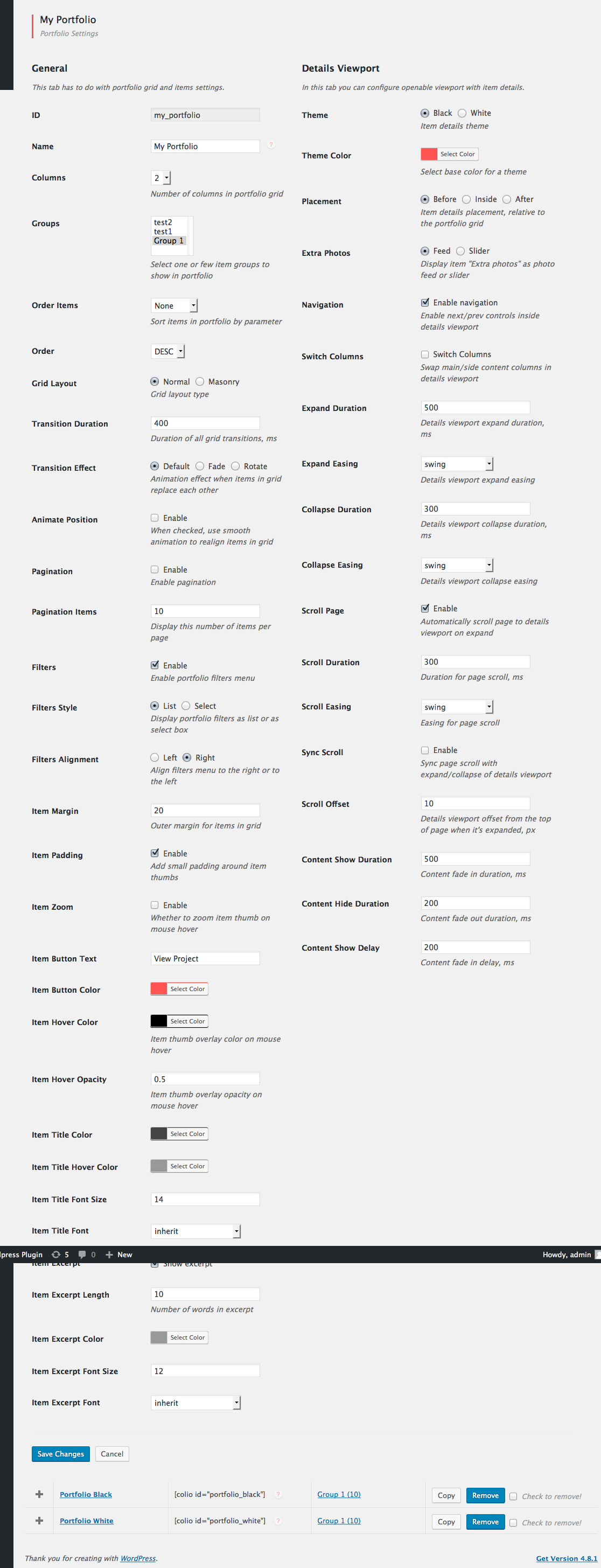
Hi! Yes, as you can see on this screenshot http://plugins.gravitysign.com/colio-wp/colio-settings.png (left column) you can set different options for grid items, like color, excerpt, overlay opacity etc.
YOAST SEO is probably the most popular SEO plugin and using this with it seems to cause an issue with the sitemap.
Post type for colio items show under colio_item-sitemap.xml (i have it disabled at the moment but you can see yourself if you run a test). These URL’s should be accessible and nicely displayed in my opinion or go to the correct URL and open the said portfolio item. It also shouldn’t have /colio in every URL.
All of those pages show: Oops! “portfolio_id” query argument is missing. So I had to disable it from the post type. As of now, google isn’t even crawling my portfolio items. This isn’t good at all!
Then, the colio group I had to disable in taxonomies as well because it was all showing as an archived page and also in /colio/group as well.
Do you plan on fixing this by any chance? This severely damages SEO.
Hello!
I understand your problem and I agree with you. Right now all “Colio Item” posts by design are not available on it’s own and are loaded by Colio plugin via AJAX, and every AJAX request must specify portfolio_id param.
The only way to solve your problem is to make possible to load colio items on it’s own if accessed directly.
I will try to solve this somehow in next release. Thanks!
Found a bug:
If you use ajax submission, the page doesn’t automatically scroll back to the top in order for them to see the message, so it makes the user think they’re viewing a blank page.
Hello! Not sure I understand what ajax submission you mean.. Could you give me URL to your site to check this problem?
When you submit a form, it processes via ajax if the option is enabled. It then gives success message. However, it doesn’t scroll up to the success message. The page stays where it was. So if you have a long form and then have to scroll down before they submit, it doesn’t scroll back up for them to see the message Make sense?
Yes, but how it is related to my Colio plugin?
Lmao I clearly need some sleep. I meant to post this in another plugin. My apologies lol.
)) ok
There seems to be a bug.
If you click a portfolio item, instead of the url becoming
site.com/wordpress/portfolio/#portfolio-item
it becomes
site.com/wordpress/#portfolio-item
So if they refresh, it defaults to homepage.
Hello and sorry for delay with reply! Just checked your question but I can’t reproduce your issue. For example I have a “White” demo with this URL – http://plugins.gravitysign.com/colio-wp/white/
And if I click an item URL changes to http://plugins.gravitysign.com/colio-wp/white/#spring-twig
so it does not revert to http://plugins.gravitysign.com/colio-wp/ (blog home page)
Got it. The problem was with the site having a base URL. Fixed
Ok. Great!
Hello! Just checked your site but I’m not sure I understand your explanation. What do you mean under visualization? Do you mean that when you hover mouse over the thumb, gray overlay that shows up is smaller than the thumb image itself?
Hi! following two examples:
2) http://www.ferentino.org/media/oggi/palazzi/#palazzo-martino-filetico
All happens when I click on the picture I need to visualize, the first link contains a really bigger photo and the visualization result is a small pict, the second link contains a normal dimensions photo and the result is a big picture. Till previous version it does not happen, is it possible to fix it?
Hi, after three day I have no answers there is a possibility to fix the problem?
Sorry for delay!
OK. I understand what you mean. The reason why in example 1) photo in Colio viewport is smaller than in example 2) is that it has inline dimensions 300×160 px.
Please open wp-content/plugins/colio/themes.css and add this style at the bottom
.colio-item .colio-main img { width: 100%!important; max-width: 100%; height: auto!important; }
Hi!
Here is the image that is blurred – http://www.ferentino.org/ferwp/wp-content/uploads/2015/01/13421837374_c2fae5be08_o-300x178.jpg
it’s size is 300×178 px and it’s burred as browser has scaled it up. Try to put a bigger image in Colio item so that browser can scale it down.
I recommend to use image that are mot very large, up to 1800px in width or so.
Thank you, but it’ s really strange what has changed it?
Thank you it seems OK now