780 comments found.

hi, since i’m only to use image to attach to customer, instead of displaying link to the order, can it automatically display the image?
Hi,
you can achieve something like that using the Email attachments option.
During the attachment configuration, click on the Show/Hide advanced options under the Email attachments section and then select to which woocommerce outgoing emails attach the attachment. You can set this option on by default by going in the Attach Me! -> General options menu.
Hi! Thanks for your great plugin! Everything it’s ok, I only have a little problem with the shortcode: [wcam_order_page_link]
When I use it and click on it when I receive the e-mail I have this link: http://src.wordpress-develop.dev/mi-cuenta/&view-order=287This links goes to an Error 404 page.
The difference between your link and mine is: NO GOOD -> http://src.wordpress-develop.dev/mi-cuenta/&view-order=287 GOOD -> http://src.wordpress-develop.dev/mi-cuenta/view-order/287/
I cant change it in your code, but, maybe is good for your plugin to link it this nicer permalink way? Thank you!
Hi,
thank you for reporting the issue. I’ve just released the 6.9 version that should fix this issue. It will be avaiable to download in half a day (CodeCanyon takes awhile to approve new versions).
However if you send me a private message (click on my name then use the low right box) I can send the update via email.
Let me know!
Hi Vanquish,
Please take a look at this image: https://www.dropbox.com/s/xuipuhu2q2odvao/attach_me_feedback2.png?dl=0
1) I think you add an extra empty paragraph to the loop in the email. I really don’t want that much space. And is there a way to add you own link text to the attachment in the email body text?
2) The editor is quite simple, but it ain’t giving you the option to write your own markup, nor working with href attributes. This relates to #1. It would be nice with some more options, so you can customize some more into this loop added to the emails.
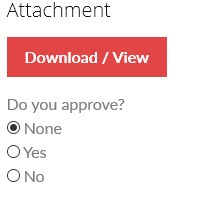
3) An option that I simply don’t understand that are missing, is an “Edit” button in the attachment box within an order. Maybe you can explain why? I only see “Download / View” and “Delete”. What if I wanted to change some settings or title?
Keep up the awesome work!  Cheers!
thank you for your suggestions. for what you ask:
- Yes, I’ll remove in the next release. Meanwhile if you want to do by your own, you can edit the classes\com\WCAM_Notifier.php removing lines 131 and 133
- I’ll try to improve the editor to allow to inser more cusom html tags
- Unfortunatelly to edit an attachment for now you have to delete and recreate. This is due a design choice I made in the first releases of the plugin. It sounds strange but requires me some work to implement this “simple” feature. I’ll let you know when it will be impleneted
Hi again,
Another feedback.
On the front end. The loop you are adding to the view order page. I guess it would make more sense to add it AFTER the “Order again” button.
Furthermore, the download links, they would look more beautiful if they were showed inline and then responsive on mobile devices
See screenshot here: https://www.dropbox.com/s/0ugl8pb650yv0yz/attach_me_feedback.png?dl=0
Thanks!
Hi,
Thank you for your feedback I’ll try to improve this aspect in the nexts releases. Thank you!
Hi,
I just started using your plugin and try to learn the different settings. Some might not give much sense to my case.. Anyway, I will give more feedback later on.
One problem tho.. The download link on my order page. First I thought it didn’t worked, but figured it was my AdBlocker which blocked the pop-up so it couldn’t download.
Is it possible for you to make the download function “pass” the adblocker or force the download? Or add to the settings that you can choose wether the download will download or just open in a new tab? I guess many customers are having an Adblocker installed. Dropbox.com is working fine for me and they are not whitelisted
Thanks! And great plugin so far!!
Hi,
thank you for your suggestion. I’ll include this new option (or try to find a solution to bypass AdBlocker) in the next release.
Thank you
Hi,
good new. I’ve added a new option to open link in same window, this should prevent the ad blocker to oper attachments link. To enable this option go to Options -> Link open method and enable the option.
I’ve also improved the css, now attachment disposition on order page should be responsive. Give a try! The new plugin version should be readi to download in half a day / one day, it’s the 6.5 (CodeCanyon takes awhile to approve new submission). However if you send me a private message (click on my name then use the low-right box) I can send the new version directly via email.
I hope you enjoy!
Hi buddy!
I guess it’s not up yet, still downloaded the version 6.4 (attach-me.php).. I will message you
Thanks!
It worked like a charm and wow it’s nice now!
I will continue to work with it and give you feedback if I encounter any problems.
Cheers!
Glad to hear that
If you have enjoyed my plugin and/or my support please consider to leave the 5 stars
I would really really appreciate! (to leave a rating, go to your profile then click on “Download” tab and from there you can leave ratings to all your purchases).
Hi, We sell made to measure clothing. I just bought this plugin because I want to be able to send videos with all of the manufacturing steps. Each product has around 5 steps(let’s assume it is a fixed number).
Everything works perfectly, but the problem arises when I have two products on the same order. It seems there is no way to link attachments to specific products. Basically, I want the first product title to be shown as a heading followed by its’ attachments and so on.
Could you please suggest a way of doing this ?
Hi,
In this case you could create two different order attachments for which their titles report the product name.
In alternative you could also the prouct attachment feature. Go to the product edit page, you will find a meta box called Attach Me! Product attachments.
Click on the Add new attachment button and then upload a file selecting for which order status it has to be visible.
In this way you can create attachment specific to products that will be visible in the order details page.
If more than one product shares the same attachemnt, you can also use the Attach Me! -> Bulk products attachments menu. It will allow you to create an attachment for multiple product/categories.
Hi there! Great plugin.
I’ve tried your demo site and just can’t figure out how to get the approval feature to work.
What I need:
1. Customer uploads artwork and places order
2. Follow-up email is sent with a proof of their artwork and ability to approve it
3. Once approved, order will be processed.
I figured out how to add an attachment and send the email, but I can’t seem to figure out how to include a link to approve/comment from the email. Help!
Otherwise, I’m ready to buy. Thanks!
Hi, unfortunatelly there is no option to let customer upload files.
The plugin allows only the shop admin to attach files to order and/or products.
furthermore the order attachment can be approved by the customer.
For this kind of purpose you could have a try to the WooCommerce Upload Files. It allows users to upload files to products and/or orders, allow you to be notified when an upload is performed but It hasn’t any approval system.
yours is a nice suggestion, I can try to implement in a future release but I cannot give you any eta.
hi, thanks for your quick reply. I think you misunderstood.
I don’t need them to upload with your plugin (I have that solved with another plugin). I only need them to approve a proof that WE will upload.
I simply want to upload the proof, then send them an email where they can approve and comment on it – like you have in this screenshot: https://0.s3.envato.com/files/158562784/Screen9.jpg
How do I set that up?
Thanks!
ah ok,
to set up the approval process on the order details page when you create an attachment, you have to click on the Show/Hide advanced options button.
It will listen the advanced options where you will see the Let customer approves? option nad the Let customer leave a text feedback option that will allow your customer to approve/reject an attachment and leve a text feedback!
Hello Vanquish,
I have a specific requirement which your plugin might fulfil. Let me explain the work-flow.
1) Customer places the order on WooCommerce 2) Gets a order confirmation email with standard WooCommerce attributes (Name of the product, Billing/Shipping address etc) 3) Than I receive the order and process it 4) Processing the order involves giving the customer a requisition number (generated from a third-party), that I can give once the payment is done by the customer in step 1 5) Now I need a way to open a customer order, attach/write a requisition number to a PDF along with other order details from Step 2 and send it as an email to the customer.
As far as I understand, your plugin can do this. Can you throw some light on it please?
the plugin allows this kind of operation.
You can attach any file to the customer order and optionally attach it to the processing, complete and/or customer invoice woocommerce outgoing emails.
On order attachment save you can also send a custom notification email with the attached file.
If you want you can have a try in using the demo site: http://www.codecanyon.eu/wcam/wp-admin/
user: demo
pass: demo
You can try placing order, attaching files to it and enabling the emails notification!
Ok I took a look at it and it matches most of my requirements except 2, if you can help me with that:
1) Is it possible to have a preset PDF which is prefilled with order information like:
Order# Address Customer Information Items ordered
And than I can just edit that and add a requisition number and send it as an attachment to the customer
It’s important for the requisition to have all the information I mentioned above as well as the req no. that I generate from the 3rd party. So looking to minimize some data entry if the PDF can take the default WooCommerce attributes
2) Any plans of having a front-end interface to basically view the order and attaching/emailing documents by opening a particular order
To add to it, if you can suggest any plugin that solves my issue with point 1. Than I would be really grateful and make the purchase. Great work!
Hi,
unfortunately the plugin has not such a feature like the 1) and honestly I don’t know any plugin that can achieve that.
For what concerns the 2) question, there is any plan to do that operation via frontend.
Ok thanks for the quick response. I might as well live with some manual work. Thanks again!
You’re welcome
Hi. I’ve bought the plugin and it fits my needs. I just need to add different files in different orders, that the client should download. I also created two forms that the client should fill in the order detail page but the attachment section appears duplicated, one after the first form and one after the second form. How can I specify where the attachment section must appear in the order detail page, so it just appears once, right after the second form?
Hi,
the plugin uses the woocommerce_order_details_after_order_table hook to inject the downloadable files in the order details page.
Make sure you are not duplicating that action call, this is maybe you are getting doplicated data.
hi, Where is this hook ? what file?
the action is called by woocommerce template templates/order/order-details.php and the plugin hooks itself adding an action in the woocommerce-attach-me\classes\frontend\WCAM_OrderDetailsAddon.php file.
which file have you modified to add the two form in the order details page? and which steps have you followed to do that?
I need to change the hook name because attachme plugin conflicts with the hook of another plugin.
1. Code order-details.php <?php do_action( ‘woocommerce_order_details_after_order_table’, $order ); ?>
2. Code WCAM_OrderDetailsAddon.php add_action( ‘woocommerce_order_details_after_order_table’, array( &$this, ‘front_end_order_page_addon’ ) );
How can I name the hook different ? please
thanks
it is normal that different plugin uses same hooks. This will mean that those plugin will render data one after the other.
However, you could add a custom action wherever you want inside the order-details.php template using the following snippet:
do_action( ‘woocommerce_order_details_custom_name_you_wish’, $order );and the in the plugin WCAM_OrderDetailsAddon.php replace the old ‘woocommerce_order_details_after_order_table’ with ‘woocommerce_order_details_custom_name_you_wish’.
Thank you very much! It works fine!
Glad to hear that
If you have enjoyed my plugin and/or support, please consider to leave the 5 stars, I would really really appreciate!! (to leave a rating go to your profile and then click on “Download” and from there you can leave ratings to all your purchases)
Helo, I have a some problem with plugin ‘woocommerce attach me’. In menu panel I have only have ‘Bulk import’ and ‘General options & texts’. Why I don’t see ‘Bulk products attachments’ ??
Hi krecikm,
Which plugin version are you running? it’s the latest 6.1 version?
Are you using the Advanced Custom Fields or Advanced Custom Fields PRO plugin? If so, please update them to the latest version.
Hello, Can I upload and attach a PDF file to a Woocommerce order from the admin order edit page? I am trying to find a solution for my administartor to be able to add a PDF Purchase Order to a client’s order manually within the admin panel. Thanks.
yes the plugin has been designed exactly to allow the shop admin to attach files directly from the admin order edit page.
Give a try to the live demo site: http://www.codecanyon.eu/wcam/wp-admin
user: demo
pass: demo
You can do some tests to see if it suits your need!
Awesome, I purchased it and works great! The only thing I need to modify is to remove the text after a file has been attached to an order in woocommerce. I only need the Title of the document, and the Download button (or my users will get very confused what this text means after they attach a file). Can you guide me to the file to remove this? Any help is appreciated!
For example:
Secure download:Enabled
Waiting for customer approval Can customer change approval value after submit: No Feedback: Feedback strategy: Always
Hide attachment for order status: : Pending Payment Hide attachment for order status: : On Hold Hide attachment for order status: : Cancelled Hide attachment for order status: : Refunded Hide attachment for order status: : Failed
Admin notification : Enabled Attach file to processing order email: Enabled Attach file to complete order email: Disabled Attach file to customer invoice email: Disabled Shortcode [wcam_download_link id=”1”]
Hi,
what do you exactly mean with the text after the file is attached? do you mean de random number added to the file name after it has been attached to the order?
If so, go to the General options & texts menu voice the under the File name prefix check the Disable the random number prefix added to the file name option and then save.
I have taken a screenshot to show you the text that I am referring to after a attachment has been added to an order.
Please see here: http://outdoororder.com/screenshot.png- I would like to just display the Title and Download Button. Thanks.
ok, to hide those fields edit the woocommerce-attach-me\classes\admin\WCAM_OrderAddon.php file and commenting/removing the code from line 226 to 306.
Thanks! Looks great. Great addition to my Woocommerce system
Glad to hear that!
If you have enjoyed my support please consider to leave the 5 stars, I would really appreciate!!( to leave a rating, go to your profile, then click on “downloads” and from there you can leave ratings to all your purchases)
Hello
Contratulations, great plugin.
I have a quisetion. You may attach files, but sending woocommerce emails with a programmed delay?
regards
Hi miluga,
Thank you for your words. If you have appreciate, please consider to leave the 5 stars…I would really really appreciate! : ) (To leave a rating, go to your profile then click ok “Download” tab and from there you can leave ratings to all your purchases).
For what concerns what you are asking, the plugin currently doesn’t have that feature. I don’t know If woocommerce exposes any API that could be useful in sending delay implementation. I’ll investigate further to see if this could be integrated in a future release. I’ll let you know repling here if I have some more news!
Hi,
I would like to buy the plugin, I think it fits all my needs, except two things I don´t understand: is it possible to configure an individual pdf as an email attachment for every product? And: Is it possible to “stamp” these pdfs like WaterWoo oder PDF-Stamper provide it? Thanks for your help!
Hi,
for what concerns the email attachments for all products, you could use the Automatic emails attachments configurator. This helps you to attach a file to the outgoing WooCommerce emails according to the email type (ex.: New order email, Order processing email, ...).
For what concerns the second question, I’ve not clearly understood what you ar easking . What do you exaclty mean with “stamp”?Would you like automatically to apply a watermark on them? Let me know!!
Hi, wow, you are fast, thank you! “stamp” like the tools I mentioned do it means they print the name of the customer in the pdf – like a watermark.
They can do it when you buy for example an ebook in Woocommerce. Probably this is only a hook an could be implemented in your plugin, too. Do you offer customizations?
Hi, wow, you are fast, thank you! “stamp” like the tools I mentioned do it means they print the name of the customer in the pdf – like a watermark.
They can do it when you buy for example an ebook in Woocommerce. Probably this is only a hook an could be implemented in your plugin, too. Do you offer custmizations?
sorry for my double post 
Unfortunatelly I don’t offer any customization service. This could be a nice feature, I can try to implement it in a future release but I cannot assure you anything and I cannot give you an ETA
Hi,
good news, I’ve just released the new 5.6 version in which I’ve introduced the new Bulk products attachments feature that allows the shop admin to bulk attack files to products.
Live demo site is update, you can give a try.
the update will be available to download in a half a day (CodeCanyon approval systems takes awhile to approve updates)
Hi,
I’ve just bought your plugin as it seems good work. I’m not sure if I can adapt it to my needs : I need to upload a picture of the work done for the customer in his order.
Using a qualifier in the customer’s review option (do you authorize the exposition of the work done ?), the uploaded picture is used on front end, in product’s page, in the reviews tab right beside the notation and review.
Thank you.
Best Regards
Hi,
I’ve not sure to have fully undestornd what you are asking
However yes witch WCAM plugin you can attach a file to the customer order (That rapresent the work done for him).
For that attachment you can enable the Let customer approves? option and going into the General options & texts you can change the test of the approval section from Do you approve? to do you authorize the exposition of the work done ?.
<
Then you are free to use the customer work as you desire
Thank you for your quick answer. Is there a way to display the link of the image for the customer to paste it when he share his review ?
For that, you have to disable the Secure download option. Then he has to click with the second mouse button on the “Download/View” button and copy the file link.
In this way the file can be shared and visible to all.
Complicated for a customer… :/ But I understand the share of the attachment is not an option included in the plugin… I’ll try to find a way to do this.
Yes, the plugin was not designed to have such a feature. But is a nice suggestion, I’ll try to add in a future release.
Would be great ! Thank you for your effort and your support.
Hi,
good news! I’ve released a new version that adds a new feature to copy the file url to the clipboard.
To enable it you have only to tick on the Display also the “Copy attached file url to clipboard” button next the “Download/View” button on Order details page option.
Button text can be customizable.
Once enabled, it will display a new button that will popup an alert by which the user can copy the file url to the clipboard.
Unfortunatelly for security reasons not all browser support the automatic copy to clipboard (like Safari), so I had to use this solution.
Live demo site is already update, you can give a try. The new plugin version will be ready to download in half a day (CodeCanyon takes awhile to approve new versions). If you send me a private message (click on my name and use the low-right box) I can send you the update via email,
I hope you enjoy! If so… please consider to leave the 5 stars! I would really appreciate ! (To leave a rating, go to your profile, then click on “Downloads” and from there you can leave ratings to all your purchases)
Hi,
thank you !! Impressive support.
Rating done.
I don’t want to bother, I’ll download it as soon as available.
Very Best Regards.
Thank you very much for the rating, I really appreciate
Don’t worry, no bother. Feel fre to send me a private message and I’ll be glad to send you the update version
You added a nice feature to Shipping Tracking plugin – choose which emails to include tracking info. Is this possible with Attack Me! too?
Hi paatus,
yes it’s already on my todo list for that plugin but unfortunatelly I’ve been quite busy in several support sessions, bugfixes and new features implementations for other plugin of mine that were planned since awhile.
I’ll let you know when I’ll have some news about this!
Awesome
Actually I’ve just realized that I have already implemented something like that on WCAM.
In the latest version you can choose in which outgoing email attach the attachments and, in case of link embedding, you can hide them in the outgoing emails according to the order status!
I can only see 3 emails to choose from: “Processed” / “Completed” / “Customer Invoice”.
In Shipping Tracking-plugin I can choose from all emails, even the ones created with “Custom order statuses”-plugin.
Because the Shiping tracking has a different approch. It embeds tracking info on every outgoing woocommerce email. It filters embedding by order status.
WCAM instead was designed to attach attachments according to the type of the outgoing email.
Ok, thanks for the clarification
Hi , congratulations for plug-in , it was very useful ! I looked among the various comments but have not found a solution: there is a way to display a button to reset options?
Thank you!
Hi ecologicaltoner,
thank you for the appreciation
For what concerns what you are asking, unfortunatelly there isn’t any button to reset options to defaults. Actually there are not even any “factory default settings” to which roll back
However thank you for the suggestion, I can think to something for the next releases. I’ll let you know!
Meanwhile if you have appreciate the plugin, please consider to leave the 5 stars! I would really really be grateful (to leave a rating: go to your profile, then click on “Download” and from there you can leave ratings to all your purchases)
Hey. I tried to use this plugin but i cannot add attachments, and my form looks different from you demo. My button is not blue, and it’s not working.
http://cycletocampus.com/wp-content/uploads/123.pngHi beHappyDigital,
as you can see from your badge your support licence has expired. Before requesting any help you should renew it.
Meanwhile the only thing that I can tell is to update the plugin to the latest version and that maybe any other 3rd party plugin is interfearing with mine. You should disable one by one finding the one that is breaking mine.
It’s nice to see an author who listens to all the different requests, and keeps adding features for free. However, I would love to see a stripped down version of this plugin, where all options can be disabled/enabled in Settings. Right now the plugin seems kinda bloated with all kinds of options for every possible scenario.
It would be great if users could hide elements they don’t need. I use only physical attachments, and all options marked in yellow squares are (for now) useless to me and just occupies space and slows down workflow: http://www.dekorservice.no/files/screenshot.png
Hi paatus,
thank you for your suggestion I’ll try to improve this aspect in a future release
Hi,
How it possible remove the automated generated prefix attached before file name? For us it is bad.
Regards Laszlo
for that you can edit the woocommerce-upload-files\classes\com\WCUF_File.php file. You should edit the generate_unique_file_name() function and change the return value from:
return rand(0,1000000)."_".$name.$ext;to:
return $name.$ext;That’s it
Thanks!
But if upgrade coming this change will be deleted…
Yes, this is a custom personalization. For now keep track of that modifcation, I’ll try to add an option to enable/disable random number prefix as an option in the next release.
I would be very happy
Many Thanks for help and Your support is Great!
thank you to you for purchasing I’ll reply here when I’ve some news!
Ok.
I’ve removed the update that was in pipeline to be approved by CodeCanyon and I’ve added this new option. I’ve submitted, but now It will be officially ready for download in a day or two (CodeCanyon approval system takes awhile). If you send me a private message I can send you directly via email (To send a private message click on my name, then use the low right box).
P.s. This modification works only for single file upload fields. For multiple files fields,the plugin by default after an upload zips them in a file called “multiple_files.zip”. Removing the prefix would mean that if a product has two multiple fields, one would overwrite the other.
I’m trying to use this plugin on a WordPress Multisite. When it was loaded on a single site, it worked fine. But now it won’t work at all, whether I active it across the network on just on a single site.
Please help.
Thanks.
Hi partekitsolutions,
First of all the plugin license allows you tu use the plugin in a single end product (in this case a single site and not in a network of sites). However the plugin hasn’t the support for the wordpress multisite feature.
So you have to buy a plugin copy for every single site and activate one by one in every site.
Hey, I did try just installing it on one site that’s a part of the multisite network (not across the whole multisite network), and it still wouldn’t work.
There must be something with the multi network configuration that interferes with te plugin.
As I said the plugin doesn’t have (and claims to have) the wordpress multisite feature support. The only thing is to try to conduct some tests and anlsysis to see if something can be done (as I said the plugin wasn’t designed for this), but for this I need backend access (in this case send me a private message with login data).
Will do.