603 comments found.

Hello, I submitted a ticket and need an urgent response pls. I am trying to re-activate the theme, but it is not letting me on the same domain. Ticket #7289
Hi,
It’s already replied!
Knowledge Base
Official Support
Facebook Group
Could you reset my domain? I’ll be activating the product on the site using a different domain.
I’ve put together a few questions; I’d really appreciate it if you could get back to me. #7157
Hi,
Thanks for contacting!
FYI: one of our support technicians has already responded to your ticket.
Knowledge Base
Official Support
Facebook Group
Hi! After years, I’ve finally recreated your project on my site. Some things are different than before, which is great, but if I may offer some advice, it would be absolutely fantastic if you could make it possible to create a user-defined login page, not just a different look.
For example:
Old >>> wp-login New >>> we’re going on
If you could implement something like that, it would be more than amazing!
Hi, Thanks for using WPShapere and your trust on us!
We welcome all suggestions from our customers and truly value your feedback. However, I couldn’t clearly understand your request. Could you please share more details? You can also discuss your feature request in our newly created Facebook group here https://www.facebook.com/groups/911181938412611
Knowledge Base
Official Support
My license is blocked. I only used it on my site, but after a WordPress restore your system thinks it’s already enabled elsewhere. Please reset my license.”
Hi,
Apologies for the inconvenience!
Please open a support ticket at https://envato.acmeedesign.support/ so that our support team will guide you regarding the license activation.
Knowledge Base
Official Support
How can we enable the elementor theme for the dashboard?
Hi,
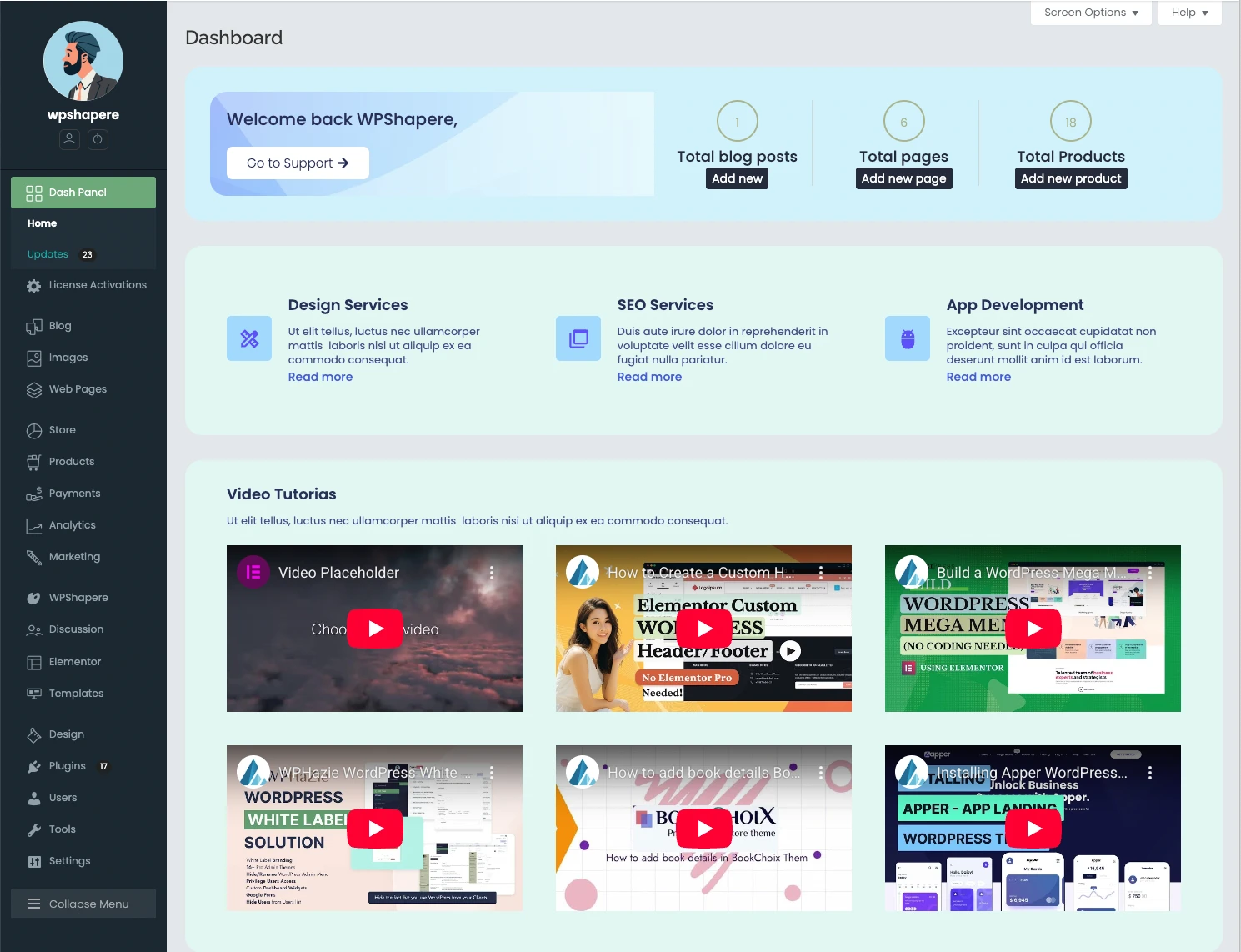
First create an Elementor template as a page or you can import our demo Elementor template which is included in the “All Files and Documentation” file.
Then go to WPShapere -> Dashboard options -> Select Elementor template ID from the available Elementor template list select box.
That’s it.
Knowledge Base
Official Support
Thank you for the very fast reply. Found it, works like a charm!
You’re most welcome! I am glad to hear you found it and that it’s working perfectly for you. If you need any further assistance, you can reach out to our support team by opening a support ticket at https://envato.acmeedesign.support/
Knowledge Base
Official Support
Hello,
I recently purchased your plug-in and noticed that it doesn’t seem to support user role–based menu items. I would like to create a custom role for my client login and control which menu items are visible to them, but I couldn’t find this functionality.
Could you please confirm whether this feature is available or if an additional plug-in is required to achieve this? If this is not possible, I would like to request a refund.
Thank you in advance for your help.
Hi,
It doesn’t need an addon plugin for that. Please open a support ticket at https://envato.acmeedesign.support/ so our support team will help you.
Knowledge Base
Official Support
Hi, Is there a screenshot of your elementor skin that we can see? IN your screenshots section perhaps?
Hi,
We’ll be adding this to the screenshots shortly. For now, you can view the preview here: https://hostacmee.space/previews/wpshapere/wpshapere-elementor-built-admin-dashboard.webp
You can also download the “All files & documentation” package from your envato account downloads page. It includes a pre-built demo Elementor dashboard that you can use for a quick start.
Knowledge Base
Official Support
File named templates.zip
Knowledge Base
Official Support
Hello,
I am planning to use WPShapere for a news portal (multi-editor site).
Before purchase, I want to confirm:
1️⃣ Is WPShapere enough to fully white-label the WordPress admin for Editor & Author roles? 2️⃣ Can I hide all WordPress branding (logo, footer text, dashboard widgets)? 3️⃣ Can admin menus be renamed role-wise (Posts → News, Categories → Sections)? 4️⃣ Does it work well with latest WordPress + Gutenberg editor? 5️⃣ Is any additional plugin or add-on required, or WPShapere alone is sufficient? 6️⃣ Will future WordPress updates affect WPShapere settings?
Is WPShapere alone enough for white-label WordPress admin (Editor/Author), or do I need any extra add-on/plugin?
Please confirm.
Thanks.
Hi,
Thank you so much for your interest in purchasing WPShapere — we truly appreciate it!
Yes. WPShapere allows you to white-label most WordPress admin elements for all user roles, including Editors and Authors.
“Can I hide all WordPress branding (logo, footer text, dashboard widgets)?”
Yes. You can remove or replace WordPress branding such as the logo, footer text, and dashboard widgets.
(Note: branding from third-party plugins cannot be white-labeled.)
“Can admin menus be renamed role-wise (Posts → News, Categories → Sections)?”
Role-based menu renaming is not available in WPShapere alone.
To create custom menus per user role, you will need our add-on plugin WPSPowerbox, which works seamlessly with WPShapere. Please check the video demo better understanding of the feature https://youtu.be/0ahPalYFM7E
“Does it work with the latest WordPress and Gutenberg editor?”
Yes, WPShapere is fully compatible with the latest WordPress versions and the Gutenberg editor.
“Is any additional plugin required?”
WPShapere alone is sufficient for most white-label needs.
However, for role-based custom menus, you will need the WPSPowerbox add-on.
“Will future WordPress updates affect WPShapere settings?”
No. We regularly update WPShapere to stay compatible with WordPress updates, and your existing settings will remain safe.
Hope I answered all your questions.
Knowledge Base
Official Support
demo site
Hi, the latest version is not compatible with the platform on LearnDash. After activation, all LearnDash links lead to a blank screen of death. And after deactivating it, LearnDash starts functioning well again. How can this be rectified, please? All experience at the backend of WP.
Regards
Hi,
Kindly renew your support extension and submit a ticket at https://envato.acmeedesign.support/.
Knowledge Base
Official Support
I have uninstalled form the site i was using and now trying to install the same on the new site. But its not allowing. What to do?
Hi,
For technical support, please open a support ticket at https://envato.acmeedesign.support/
Knowledge Base
Official Support
I want to use this on unlimited domains. Do you have a package for this? I have 6 domains and want to use this on each one.
Hi,
Yes, we offer a separate package under a different brand name which we sell independently since Envato doesn’t support this type of licensing model. For more details, please reach out to us via our profile contact form https://themeforest.net/user/acmee
Knowledge Base
Official Support
Where can I find your documentation on this part please?
Multi-site Network Support – Global option/Individual blog option.
Thanks
if(is_multisite()) define(‘NETWORK_ADMIN_CONTROL’, true);
delete or comment out?
How about false?
Please advise.
Hi,
You can find documentation about Multi-site setup here https://acmeedesign.support/help/multi-site-network-options/
About the code, all three will work. For simplicity, you can comment out the lines.
I hope this helps!
Knowledge Base
Official Support
Can not find documentation for WPSPowerbox. Please provide url to online documentation. thanks
as mentioned in the other comment:
You can find the WPSPowerbox documentation here https://acmeedesign.support/helpproduct/wpspowerbox-wpshapere-addon/ as well as in the download archive if you download “All files and documentation” from your account.
There is also a video tutorial about using WPSPowerbox here https://www.youtube.com/watch?v=0ahPalYFM7E
I hope this helps!
Knowledge Base
Official Support
Hide specific menu items to non-administrator users.
Hi,
Thanks for purchasing WPShapere!
You can easily hide menu items for any user role you wish. Simply expand the menu item options, and you’ll find a setting where you can select which user roles should not see that particular menu item. YOu can find a detailed video tutorial here https://youtu.be/P03B13DpmR8?si=I3GYwETfqE8ozvRD&t=41
For any further queries, please open a support ticket here https://envato.acmeedesign.support/
Knowledge Base
Official Support
The wps_adminbar_list occupies about 7MB in the wp_options table. As an autoload option, this takes unnecessary space. Could you help optimize it to improve system efficiency?
Hi,
If you’re talking about Memory:
It’s surprising that the admin bar list query is consuming this much memory, unless the hosting environment has limited resources.
Please note that this will only load in the backend, not on the frontend.
If you’re referring to the database size, for a standard website with around five plugins installed, the total size of the wp_options table typically doesn’t exceed 5 KB (we’ve confirmed this on our end). I recommend checking whether another plugin is occupying that space or verifying that you haven’t installed too many plugins that are overloading the admin bar list.
Knowledge Base
Official Support
Last version of WPShapere is not compatible with WPSPowerbox: please update
Apologies for the inconvenience!
We’ve released an update that fixes the issue. Please update the plugin to the latest version 3.0.2 and try again.
Knowledge Base
Official Support
Last update is Dec 2024, is this plugin still working in July 2025?
Hi,
Yes it is without issues!
Knowledge Base
Official Support
Hello,
Can it replace default wordpress media library style? Because we want a modern one.
Thanks
Hi,
It lets you change the colors in the media library, but significant customization isn’t possible without custom freelance development.
Knowledge Base
Official Support
Do you have any screenshots or demo for it?
Hello, how can I disable wpshapere for admin and enable it for others wp users?
p.s, Also I already installed wpspowerbox
If you’re using WPSPowerbox, you can allow your WPSPowerbox users to continue using it and simply disable the WPShapere admin theme for others by going to WPShapere → Admin Page Options → Disable Admin Theme.
Knowledge Base
Official Support
Ok, How can I insert CSS or javascript that is load only for specific user roles?
Hi,
You can include your custom css under WPShapere → Custom CSS either for Administrator users or others. But currently there is no feature to add javascript.
Knowledge Base
Official Support
I desn’t have “WPShapere → Custom CSS” menu, where is?
???
Please open a support ticket at https://envato.acmeedesign.support/ as we don’t support via comments area.
Knowledge Base
Official Support
Hi, I just want to inform you about a bug. When clicking on “Manage admin menu” it is not possible to edit the submenu items anymore. The arrow on the right side does not appear. Thanks for checking. Best regards!
Hi,
I’ve tested it with the latest version of WordPress and didn’t encounter any issues like the one you described. Please note that the arrows appear when you hover over the menu. If they’re not showing, it might be due to a conflict with another plugin. If you still face the error, kindly renew your support and open a support ticket at https://envato.acmeedesign.support/ so we can investigate further.
Knowledge Base
Official Support
Hi, and thank you for your answer. I have renewed the support and will write a ticket.
Hi,
Thanks for your kindness! You ticket will be reviewed shortly!
Knowledge Base
Official Support
Hi good day,
1. are you still giving updates to the plugin? 2. Can I customized the layout based on user role and also user name?
I would like to give different people admin roles but they can only see certain menus. I need them to have admin role to deal with some issues with delivery and pickup
Hi,
Yes, we will give support for the customers until the support period, you can renew them periodically.
You cannot have different layout per user roles but you can create custom menu sets for each user roles with our WPSPowerbox addon for WPShapere (you can see the demo here https://youtu.be/0ahPalYFM7E).
There is privilege feature in the WPShapere plugin itself, check this video as well to get an idea of what you can do with this https://youtu.be/-20oTKNIn2o?si=h8vAic32diEERVUw&t=163
Knowledge Base
Official Support