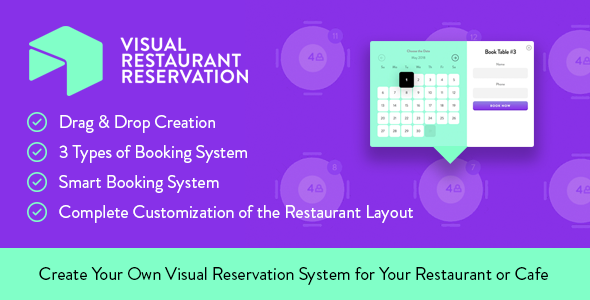
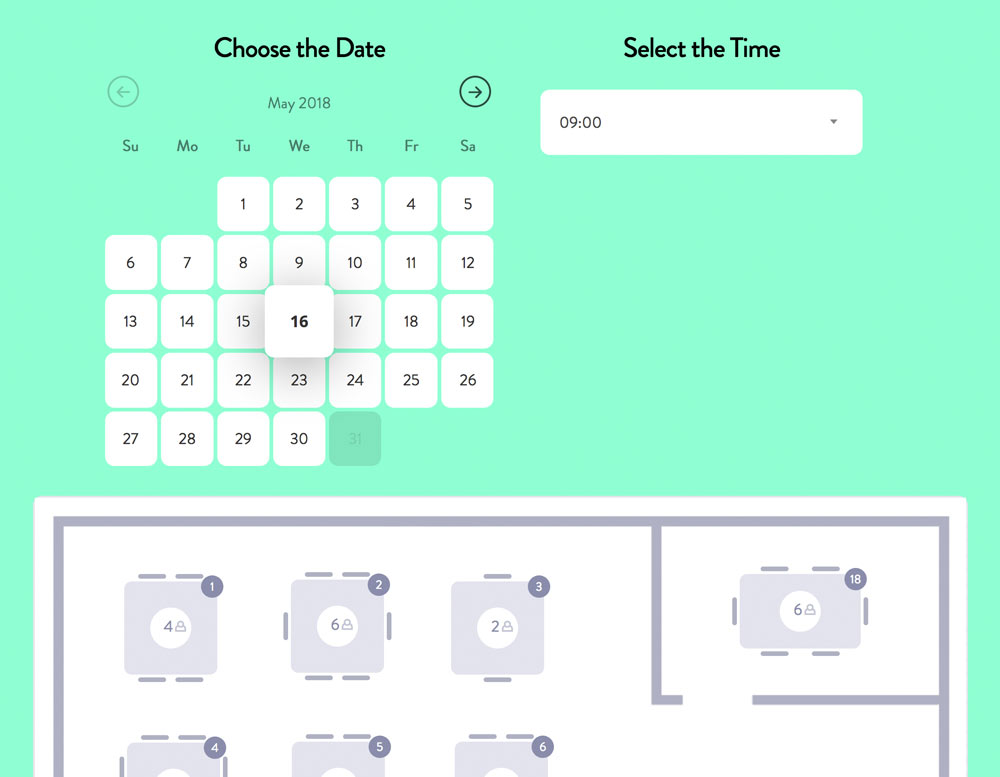
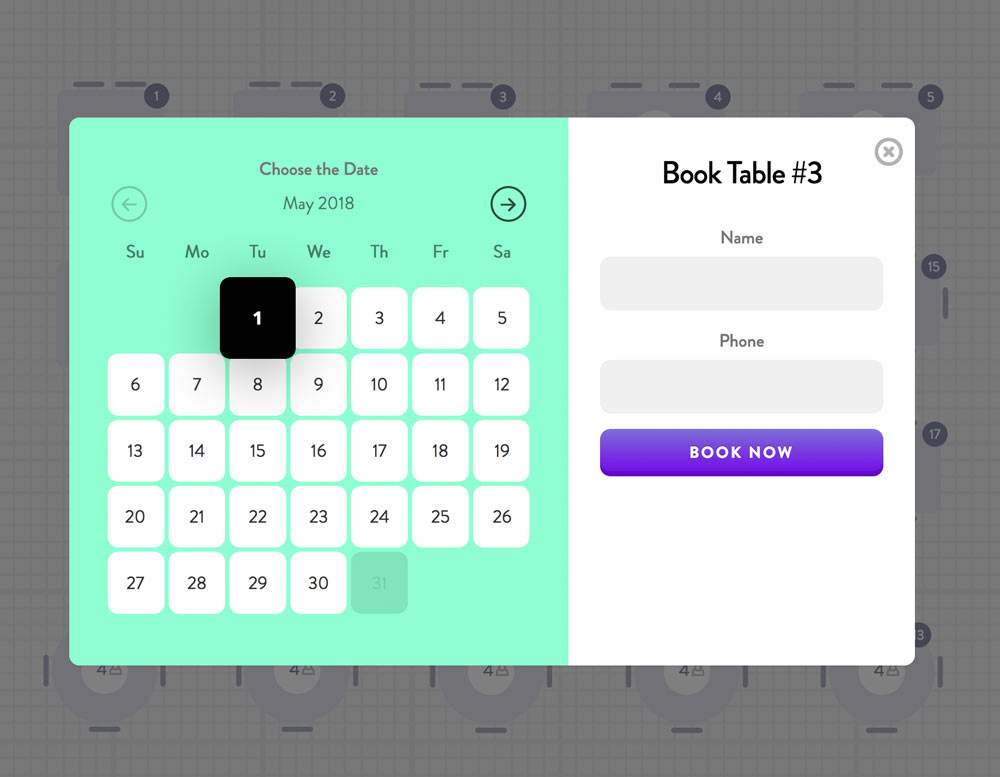
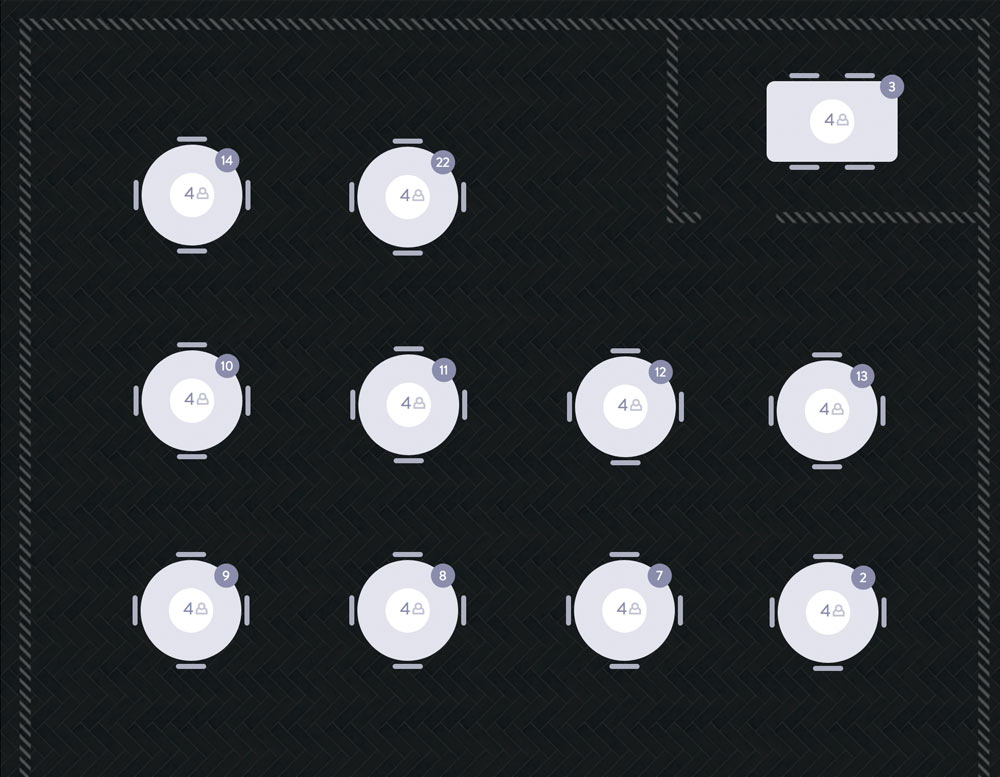
Create your own visual reservation system for your restaurant or cafe. With this plugin, you have an opportunity to create tables and seats by yourself on our grid, which is the main feature and is great. With the help of Drag & Drop method, you will be able to drag different kinds of tables on the grid of your restaurant and manage to count the maximum number of seats at each table as well as the number of tables. The visitors to your restaurant will decide what kind of table shape they prefer and then they will choose the table location in relation to the other tables on the grid. We are completely sure, that this way, the customers of your restaurant will be able to more quickly choose to come to your restaurant and form a positive impression about your website and your restaurant as a whole.
ChangeLog:
Version 2.2 – May 7, 2026
- Admin reservations Date column now formats legacy stored values (m/d/Y, Y-m-d, d.m.Y) using WordPress date_format.
- Reservation titles now use localized date format instead of raw stored date text.
- Admin reservations Time column now shows time range (start – end) when end time is available.
- New reservation titles now include time range (start – end) when end time is provided.
Version 2.0 – April 17, 2026
- Fixed multiple bugs and improved overall stability
- Fully rebuilt visual builder for better performance and flexibility
- Added scale, rotate, and 3D transform options for items
- Added opacity control for items
- Improved and fixed layout issues
- Fixed reservation logic to prevent double bookings of tables
- Added integration with Stripe and PayPal payment systems
- Started integration with popular CRM systems
- Added option to upload custom background image for items
- Added option to assign custom colors for items
Version 1.4.3 Aug 26, 2022
- WordPress 6.0.1 Compatibility
- Bugs fixed
Version 1.4.3 July 5, 2021
- WordPress 5.7.2 Compatibility
- Bugs fixed
Version 1.4 December 27, 2018
- WordPress 5.0.2 Compatibility
Version 1.3 – June 19, 2018
- From now all users reservation requests is have status “Request”. Manager or Admin should confirm reservation on “Table Reservations” page and set status to “Reserved” or “Canceled”. Reservations with status “Request” will be not showing on layout for anti-spam purposes.
- Added to layout new big size of the table which has up to 10 seats
- Reworked resize of layout on smaller screens for tablets and notebooks
- Responsive fixed
- CSS fixed
Version 1.2 – May 20, 2018
- Added opportunity to set up and send SMS notifications after Table Reservation
- Added option to add E-mail field in the form
- Changed length of phone number in the form. Now minimum amount of numbers is 7
- Added field in settings to setup form “success” message
- Fixed some frontend CSS
- Fixed bug with properly not displaying saves of “Work times” setting
Version 1.1 – May 12, 2018
- Added setting to add checkbox for confirm usage of personal data
- Added icons for WordPress menu and Visual Composer element selection
- Fixed bug with creating new table reservation by admin from WordPress backend. Now you can create new Reservation in “Table Reservations” with all the data.
Version 1.0 – May 2, 2018
- First version of the plugin
- Admin reservations Date column now formats legacy stored values (m/d/Y, Y-m-d, d.m.Y) using WordPress date_format.
- Reservation titles now use localized date format instead of raw stored date text.
- Admin reservations Time column now shows time range (start – end) when end time is available.
- New reservation titles now include time range (start – end) when end time is provided.
Version 2.0 – April 17, 2026
- Fixed multiple bugs and improved overall stability
- Fully rebuilt visual builder for better performance and flexibility
- Added scale, rotate, and 3D transform options for items
- Added opacity control for items
- Improved and fixed layout issues
- Fixed reservation logic to prevent double bookings of tables
- Added integration with Stripe and PayPal payment systems
- Started integration with popular CRM systems
- Added option to upload custom background image for items
- Added option to assign custom colors for items
Version 1.4.3 Aug 26, 2022
- WordPress 6.0.1 Compatibility
- Bugs fixed
Version 1.4.3 July 5, 2021
- WordPress 5.7.2 Compatibility
- Bugs fixed
Version 1.4 December 27, 2018
- WordPress 5.0.2 Compatibility
Version 1.3 – June 19, 2018
- From now all users reservation requests is have status “Request”. Manager or Admin should confirm reservation on “Table Reservations” page and set status to “Reserved” or “Canceled”. Reservations with status “Request” will be not showing on layout for anti-spam purposes.
- Added to layout new big size of the table which has up to 10 seats
- Reworked resize of layout on smaller screens for tablets and notebooks
- Responsive fixed
- CSS fixed
Version 1.2 – May 20, 2018
- Added opportunity to set up and send SMS notifications after Table Reservation
- Added option to add E-mail field in the form
- Changed length of phone number in the form. Now minimum amount of numbers is 7
- Added field in settings to setup form “success” message
- Fixed some frontend CSS
- Fixed bug with properly not displaying saves of “Work times” setting
Version 1.1 – May 12, 2018
- Added setting to add checkbox for confirm usage of personal data
- Added icons for WordPress menu and Visual Composer element selection
- Fixed bug with creating new table reservation by admin from WordPress backend. Now you can create new Reservation in “Table Reservations” with all the data.
Version 1.0 – May 2, 2018
- First version of the plugin
- Fixed multiple bugs and improved overall stability
- Fully rebuilt visual builder for better performance and flexibility
- Added scale, rotate, and 3D transform options for items
- Added opacity control for items
- Improved and fixed layout issues
- Fixed reservation logic to prevent double bookings of tables
- Added integration with Stripe and PayPal payment systems
- Started integration with popular CRM systems
- Added option to upload custom background image for items
- Added option to assign custom colors for items
Version 1.4.3 Aug 26, 2022
- WordPress 6.0.1 Compatibility
- Bugs fixed
Version 1.4.3 July 5, 2021
- WordPress 5.7.2 Compatibility
- Bugs fixed
Version 1.4 December 27, 2018
- WordPress 5.0.2 Compatibility
Version 1.3 – June 19, 2018
- From now all users reservation requests is have status “Request”. Manager or Admin should confirm reservation on “Table Reservations” page and set status to “Reserved” or “Canceled”. Reservations with status “Request” will be not showing on layout for anti-spam purposes.
- Added to layout new big size of the table which has up to 10 seats
- Reworked resize of layout on smaller screens for tablets and notebooks
- Responsive fixed
- CSS fixed
Version 1.2 – May 20, 2018
- Added opportunity to set up and send SMS notifications after Table Reservation
- Added option to add E-mail field in the form
- Changed length of phone number in the form. Now minimum amount of numbers is 7
- Added field in settings to setup form “success” message
- Fixed some frontend CSS
- Fixed bug with properly not displaying saves of “Work times” setting
Version 1.1 – May 12, 2018
- Added setting to add checkbox for confirm usage of personal data
- Added icons for WordPress menu and Visual Composer element selection
- Fixed bug with creating new table reservation by admin from WordPress backend. Now you can create new Reservation in “Table Reservations” with all the data.
Version 1.0 – May 2, 2018
- First version of the plugin