WhatsApp Number Filter Pro – Bulk Validate Export Instantly
Stop wasting time blasting messages to dead numbers. WhatsApp Number Filter Pro checks thousands of phone numbers in minutes — filter active contacts, extract usernames & avatars, and export clean lists ready for your next campaign.
No more bounced messages. No more wasted budget. Just real, validated WhatsApp numbers — delivered fast.
Why WhatsApp Number Filter Pro?
Most marketers lose 30–50% of campaign reach by targeting invalid or inactive numbers. This tool eliminates that waste in three steps: Import → Filter → Export.
- ⚡ Fast — Bulk-filter thousands of numbers in minutes, not hours
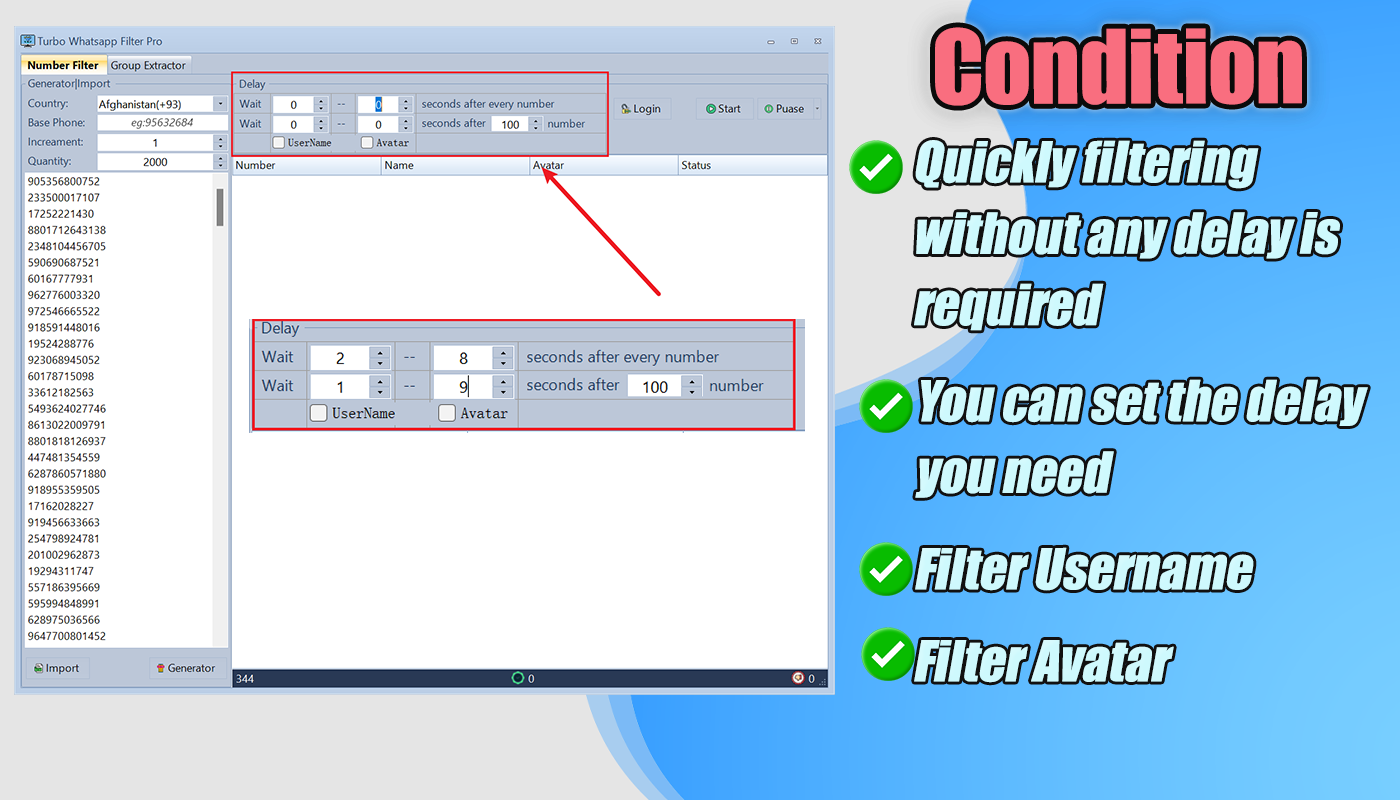
- Safe — Built-in delay controls to protect your account from bans
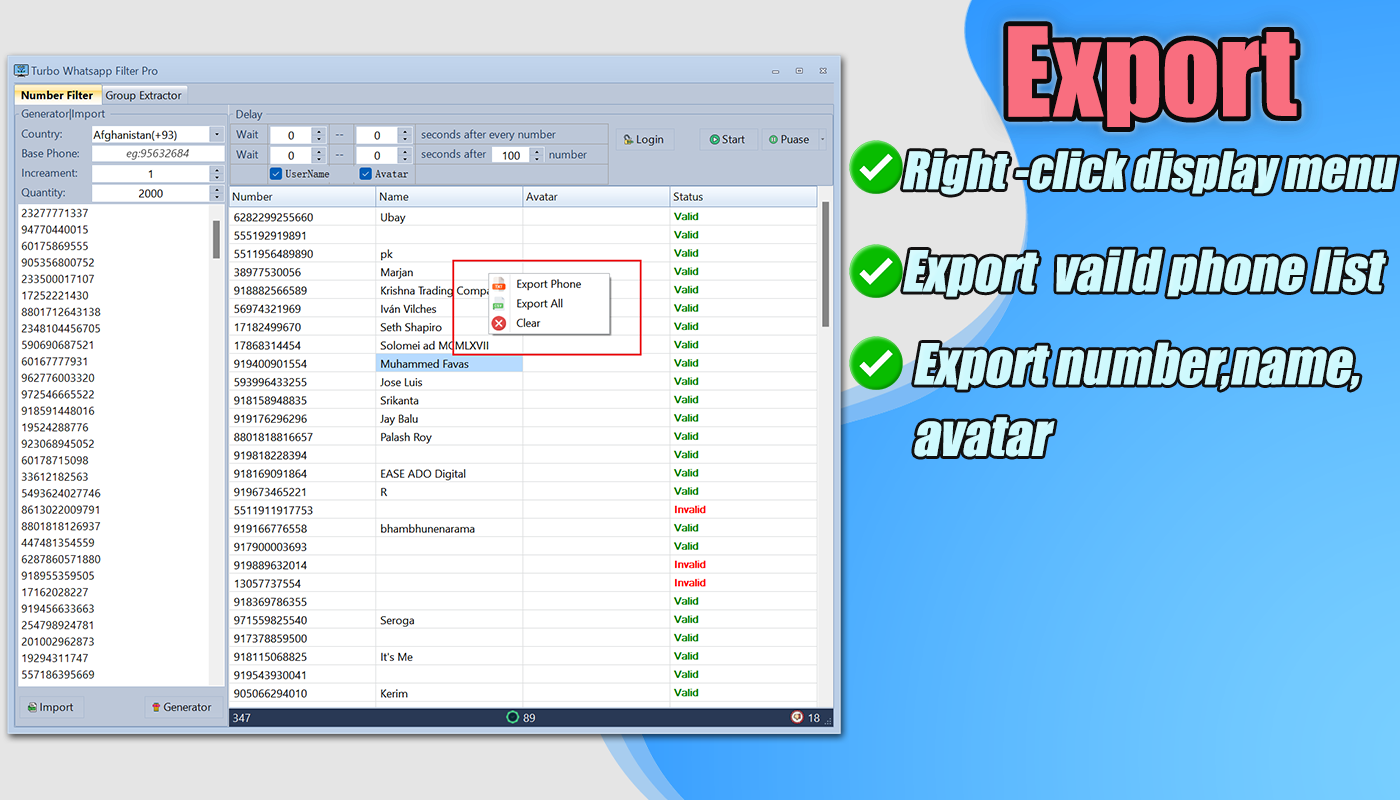
- Rich Data — Export phone numbers, usernames, and avatars in one click
WhatsApp Number Filter Pro – Bulk Validate Export Instantly Online Video
How It Works — 3 Steps
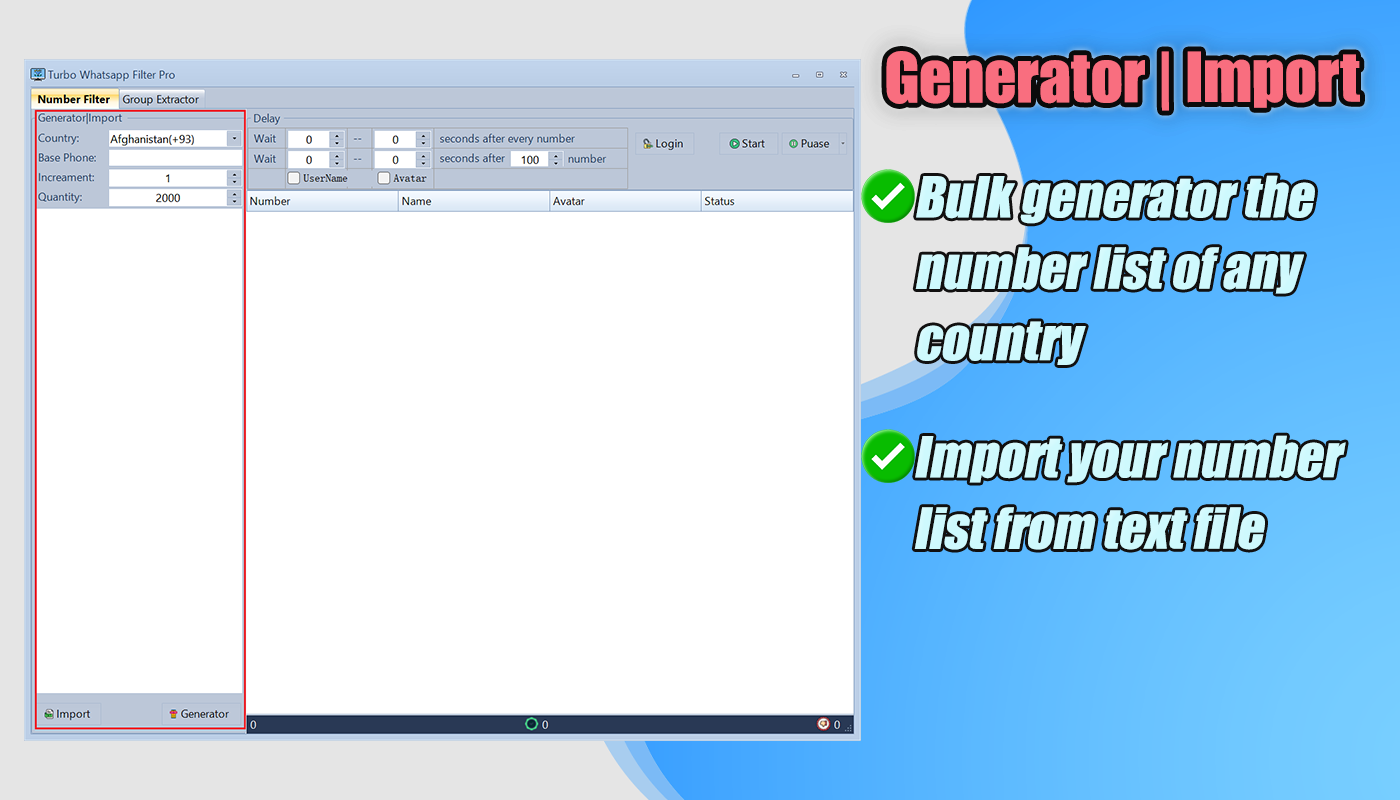
- Import — Load your list from TXT or CSV, or generate numbers by country code
- Filter — Click Start. Numbers are checked in real-time against WhatsApp servers
- Export — Download your clean, validated list as CSV — ready for any campaign tool
Full Feature List
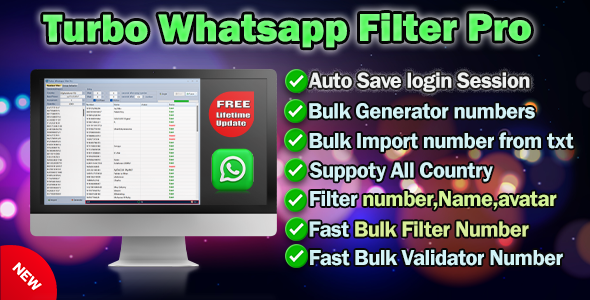
- ✅ Bulk Filter — Validate unlimited WhatsApp numbers at once, no list size limits
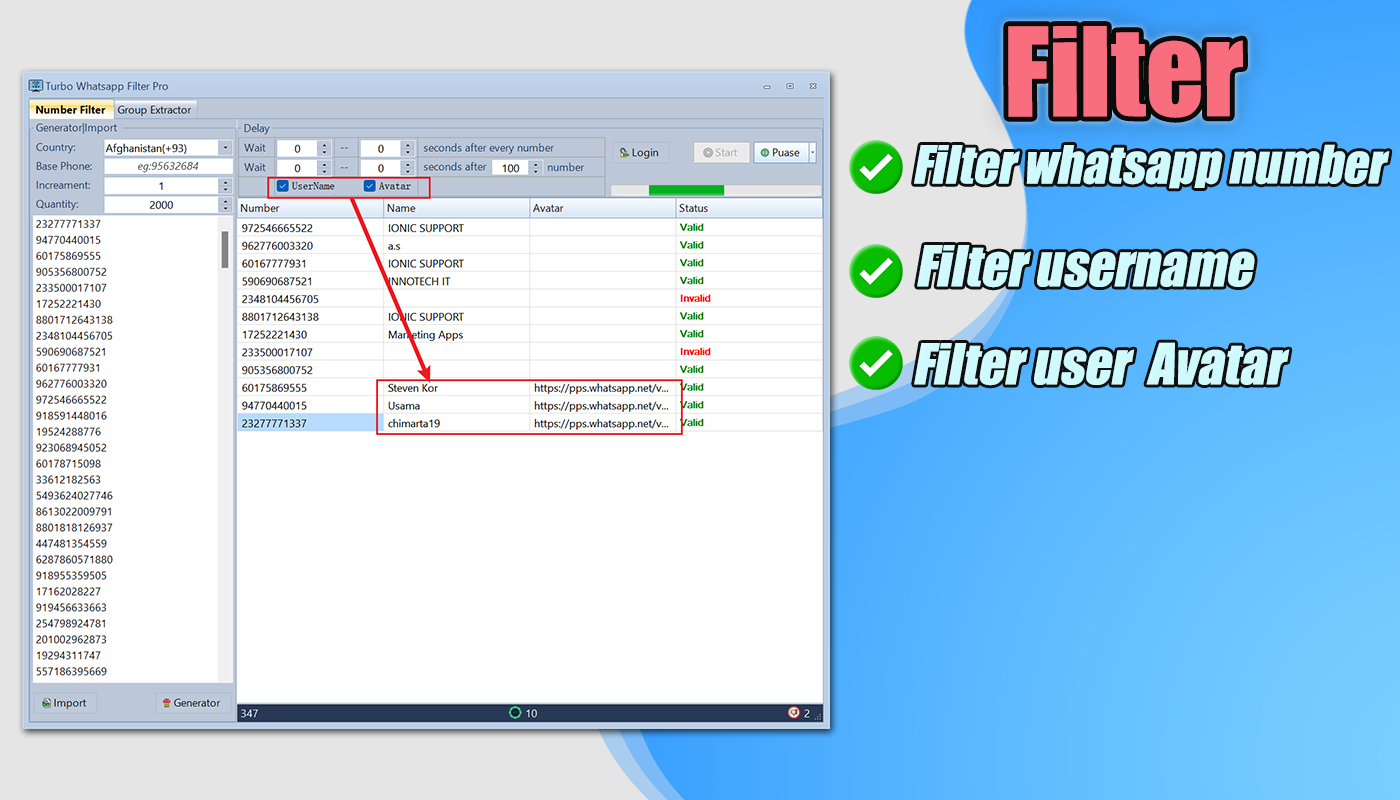
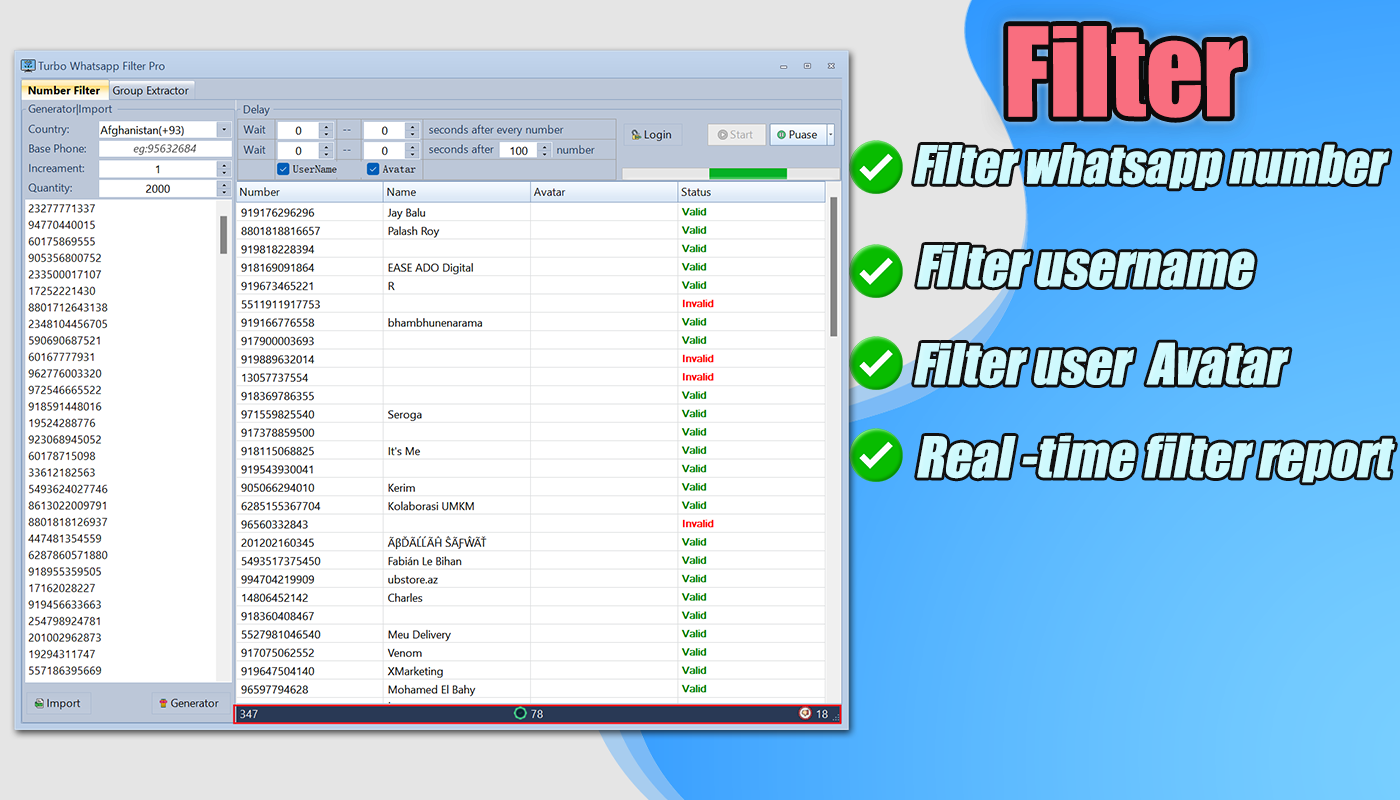
- ✅ Real-Time Results — See active / inactive status live as each number is checked
- ✅ Session Save — Login session saved automatically, no QR scan needed on restart
- ✅ Filter Delays — Set custom delays between checks to protect your account from bans
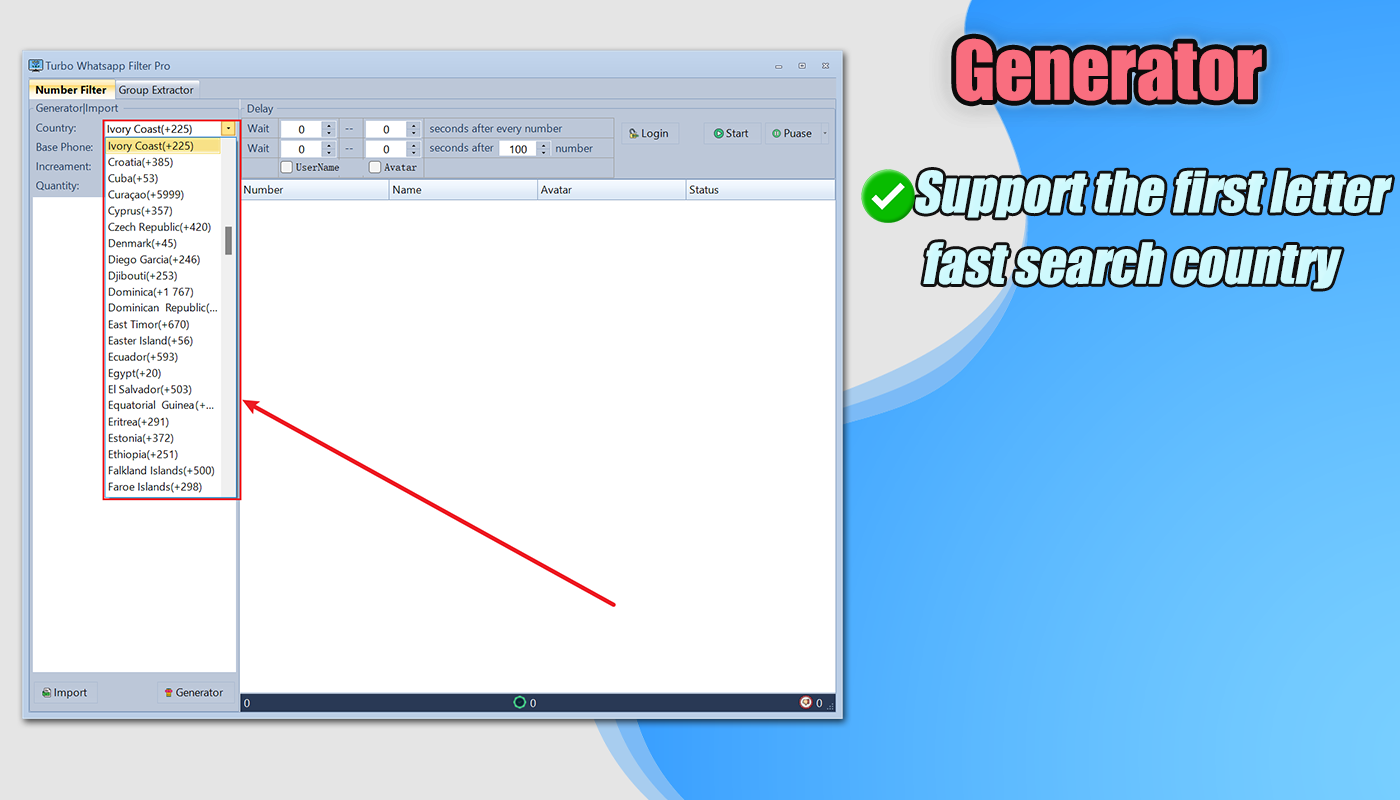
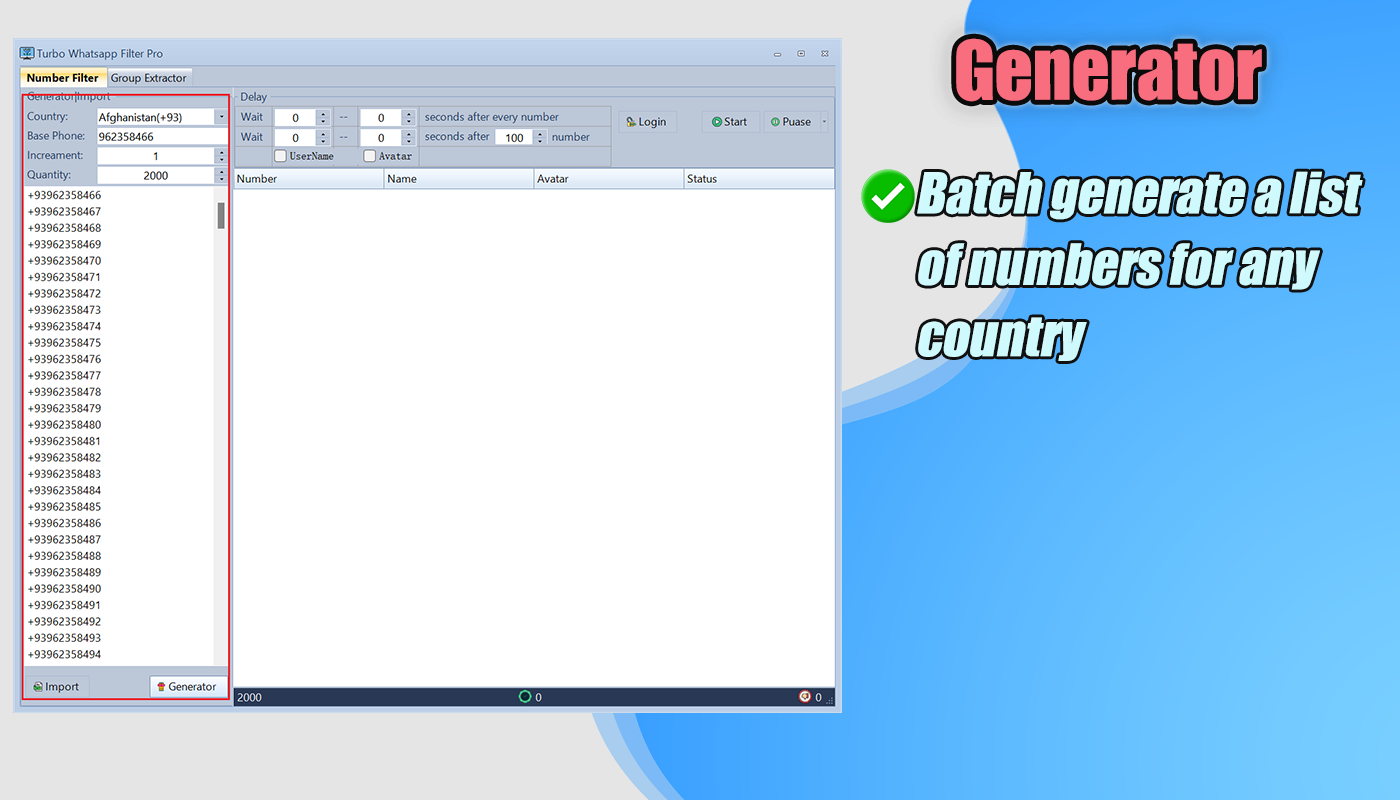
- ✅ Phone Number Generator — Generate bulk phone numbers for any country, great for cold outreach
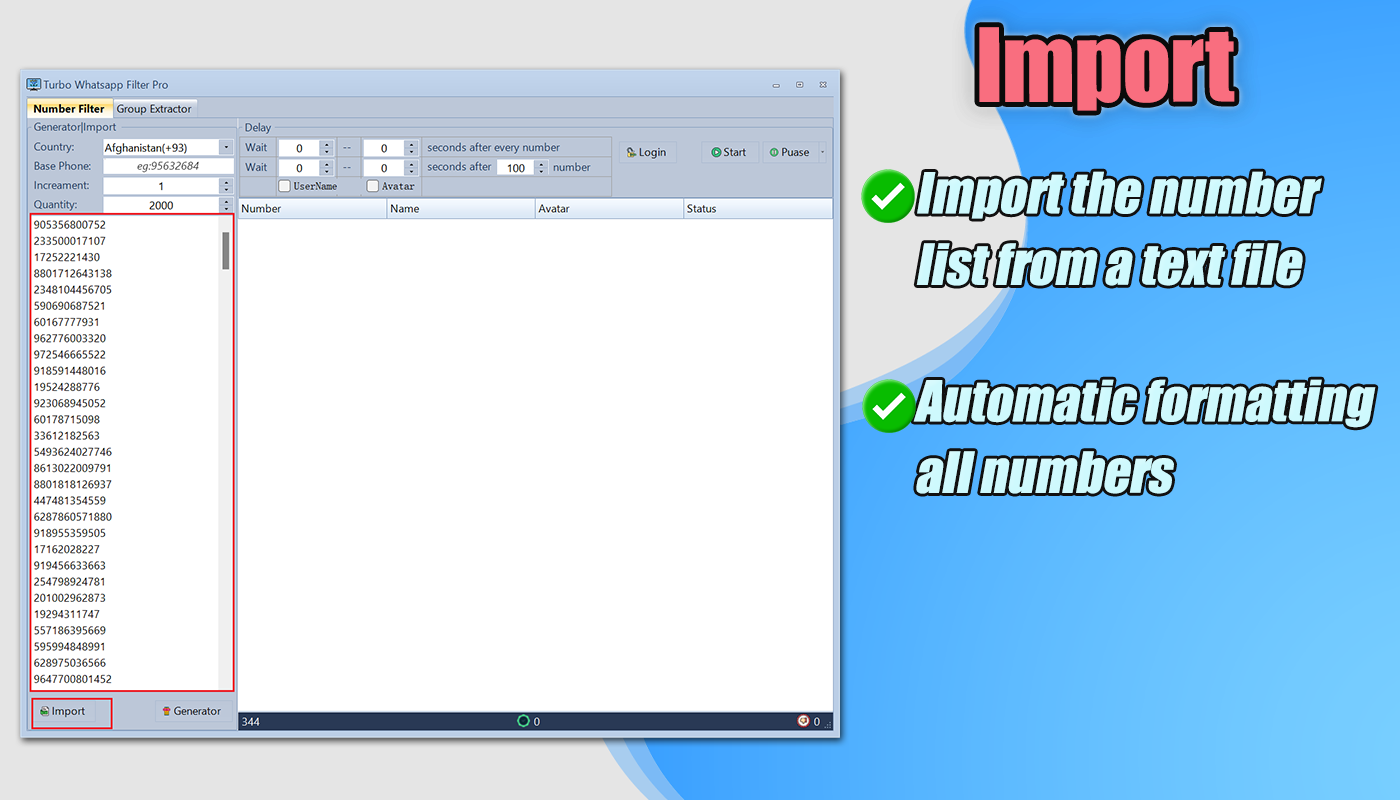
- ✅ Import TXT / CSV — Import your existing number lists directly from text or spreadsheet files
- ✅ Auto Number Formatting — Automatically normalizes numbers to international format, no manual cleanup required
- ✅ Username & Avatar Extract — Extracts WhatsApp display names and profile pictures per contact
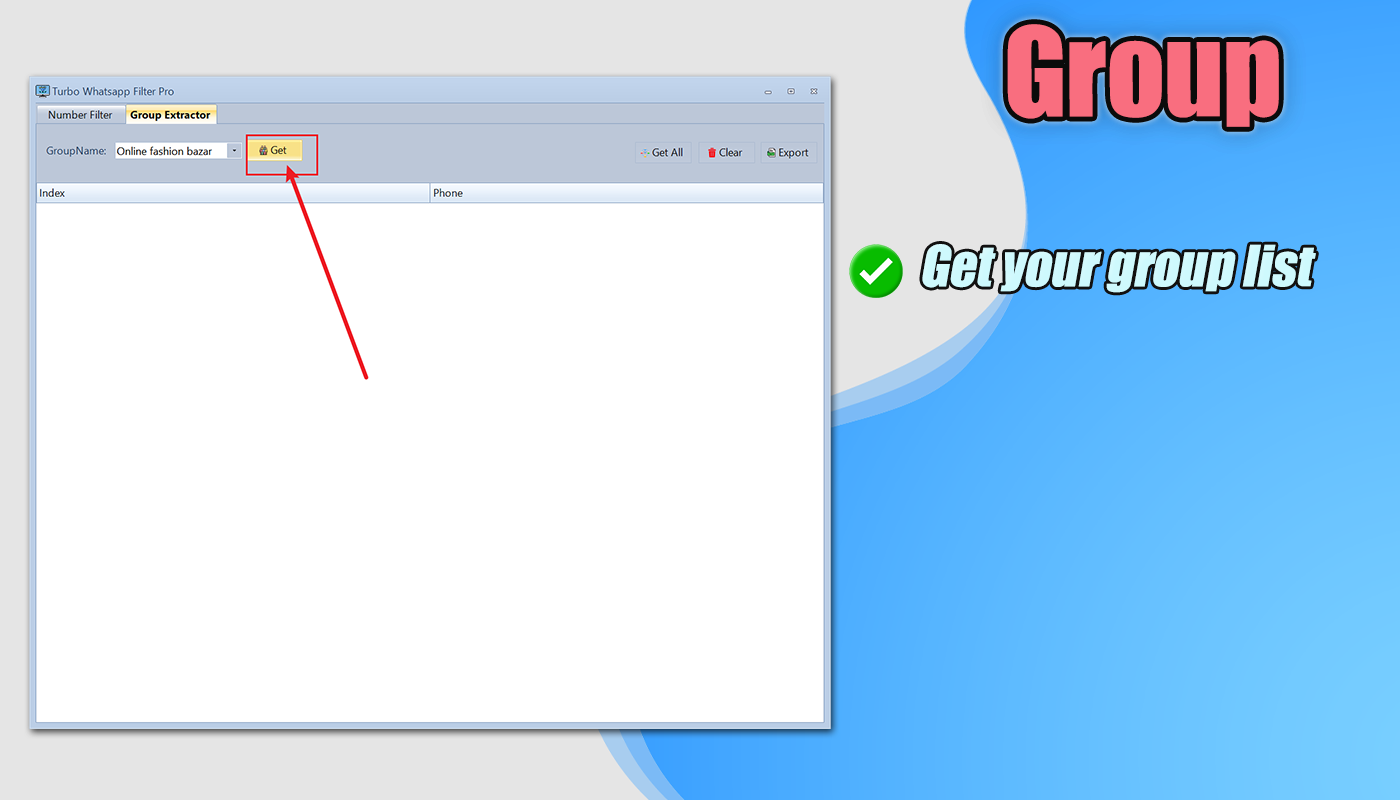
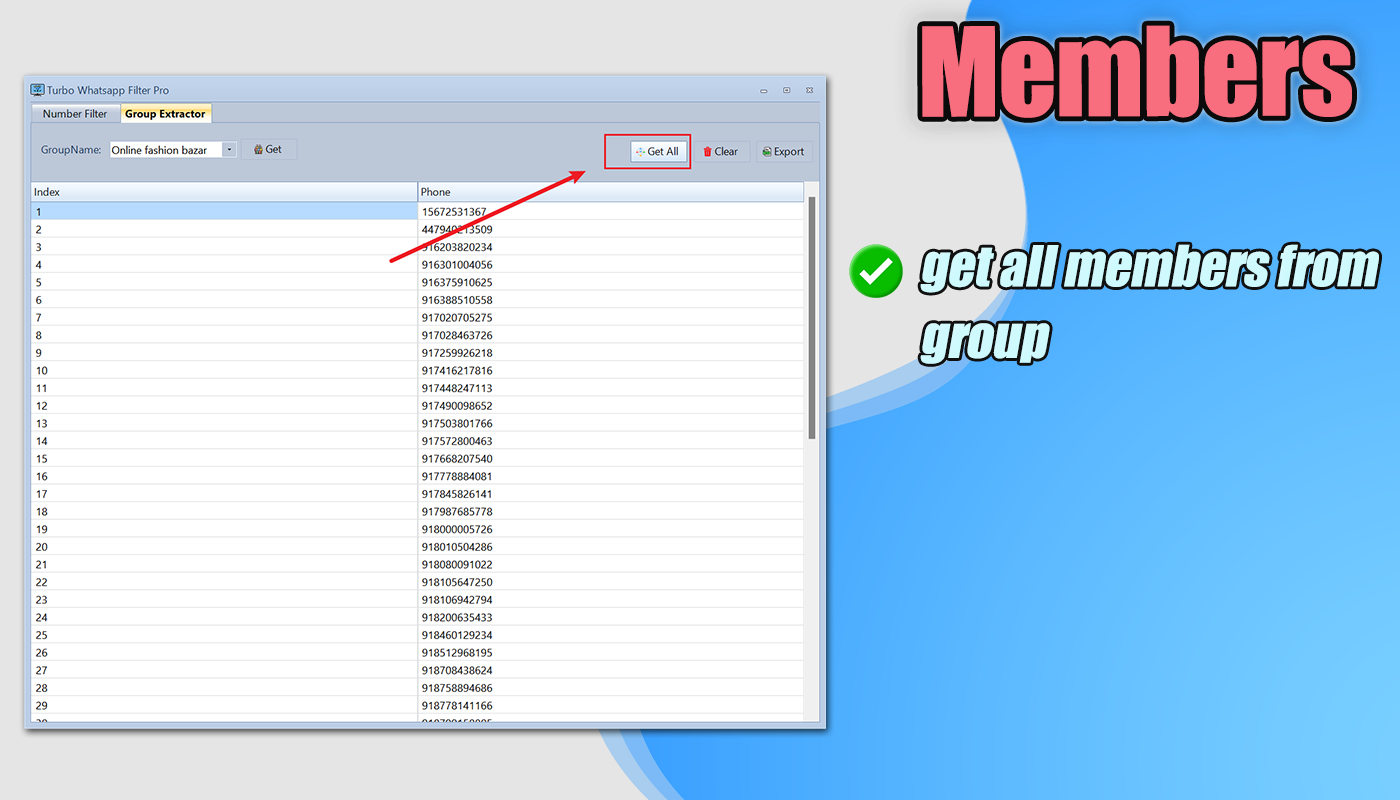
- ✅ Group Member Extractor — Pull full member lists from any WhatsApp group you have access to
- ✅ Export to CSV — Export validated results with phone number, username, and avatar in one file
- ✅ Pause & Resume — Pause any filter task and continue exactly where you left off
- ✅ Filter Report — Detailed statistics on active, inactive, and skipped numbers after each run
- ✅ Auto Update — Built-in updater keeps the tool compatible with the latest WhatsApp version
- ✅ 1-Minute Setup — Video guide included, up and running immediately after purchase
System Requirements
Windows 7 / 8 / 10 / 11 / Server (32-bit or 64-bit). No additional runtime or dependencies required.
Frequently Asked Questions
Q: Will my WhatsApp account get banned?
A: The tool includes built-in delay settings to reduce ban risk. We recommend 1–3 second delays and filtering no more than 5,000 numbers per session per account. Using the multi-account rotation feature further distributes load and reduces risk.
Q: Does it stay compatible with WhatsApp updates?
A: Yes. The built-in auto-updater keeps the tool compatible. We typically push updates within a few days of any WhatsApp API change.
Q: What import formats are supported?
A: TXT (one number per line) and CSV. Numbers do not need to be pre-formatted — the auto-formatter handles country codes and spacing for you.
Q: Can I filter numbers from multiple countries in one run?
A: Yes. Import a mixed list with full international country codes (+91, +44, +1, etc.) and the tool processes all of them in a single session.
Q: What data is included in the export?
A: Phone number, WhatsApp display name (username), and profile avatar image — all exported together in a single CSV file.
Q: Is source code included?
A: No — a compiled Windows installer is provided. If you need source code or a white-label/reseller version, please contact us before purchasing.
Support & Contact
Questions before buying? We respond within a few hours on any channel.
If you are interested in any of our products,If you have any questions,welcome to contact us.
Update Logs
- V7.2.3 (10 March 2026)--Update: Adapted to the latest WhatsApp changes --Improve: Enhanced group extraction stability --Optimize: Improved filter performance and overall compatibility- V7.2.2 (02 February 2026)
--Update: Improved filter feature for better accuracy
--Optimize: Enhanced overall performance
- V7.2.1 (17 January 2026)
--Update: Improved WhatsApp group extraction feature
--Update: Enhanced filter feature and stability
- V7.1.9 (16 November 2025)
--Update: Adapted to the latest WhatsApp version
--Improve: Enhanced group extraction performance
- V7.1.8 (04 October 2025)
--Update: Improved filter feature
--Update: Enhanced group extraction process
- V7.1.7 (04 September 2025)
--Update: Improved filter and extraction features
--Optimize: Enhanced software performance and stability
- V7.1.6 (08 May 2025)
--Update: Updated filter feature for the latest version
--Improve: Improved compatibility and stability
- V7.1.5 (15 April 2025)
--Update: Improved filter feature
--Update: Enhanced group extraction feature
- V7.1.3 (15 January 2025)
--Update: Improved filter feature
--Update: Improved group extraction feature
- V7.1.2 (27 November 2024)
--Fixed: Fixed group extraction issue
--Improve: Improved extraction stability
- V7.1.1 (08 November 2024)
--Fixed: Fixed avatar filter issue
--Improve: Improved filter accuracy
- V6.1.1 (02 September 2024)
--Add: Added avatar download feature
--Remove: Removed name filter feature
--Update: Improved filter feature and compatibility
- V5.0.3 (13 July 2024)
--Fixed: Fixed login issue
--Improve: Improved login stability
- V5.0.2 (18 June 2024)
--Fixed: Fixed extraction issue
--Update: Adapted to the latest WhatsApp version
- V5.0.1 (25 May 2024)
--Fixed: Fixed group extraction issue
--Fixed: Fixed filter issue
- V3.0.1 (29 April 2024)
--Add: Added username and avatar extraction
--Fixed: Fixed login issue
- V2.0.1 (23 April 2024)
--Add: Added username and avatar extraction- V1.0.1 (02 April 2024)
--Add: Initial release- V7.2.4 (10 April 2026)
--Update: Adapted to the latest WhatsApp changes
--Optimize: Improved group extraction speed and accuracy
--Improve: Enhanced software stability for long-running tasks
- V7.2.5 (10 May 2026)
--Update: Improved WhatsApp group extraction logic
--Optimize: Enhanced filter speed and processing performance
--Fix: Fixed minor known issues
- V7.2.6 (10 June 2026)
--Update: Improved compatibility with the latest WhatsApp updates
--Optimize: Enhanced extraction performance
--Improve: Improved overall software stability
- V7.2.7 (10 July 2026)
--Update: Refined filter module for better results
--Optimize: Improved extraction efficiency and speed
--Improve: Enhanced user experience and software stability
- V7.2.8 (10 August 2026)
--Update: Improved group extraction feature
--Optimize: Enhanced filtering efficiency
--Fix: Fixed minor compatibility issues
- V7.2.9 (10 September 2026)
--Update: Adapted extraction logic to the latest WhatsApp changes
--Optimize: Improved group data loading performance
--Improve: Enhanced overall compatibility and stability
- V7.3.0 (10 October 2026)
--Update: Improved filter and extraction modules
--Optimize: Enhanced performance for long-running sessions
--Fix: Fixed minor known issues and improved stability
- V7.3.1 (10 November 2026)
--Update: Improved compatibility with the latest WhatsApp version
--Optimize: Enhanced filtering and extraction performance
--Improve: Improved software reliability and stability
- V7.3.2 (10 December 2026)
--Update: Improved core extraction feature
--Optimize: Enhanced filter speed and result accuracy
--Fix: Fixed minor issues and improved compatibility