

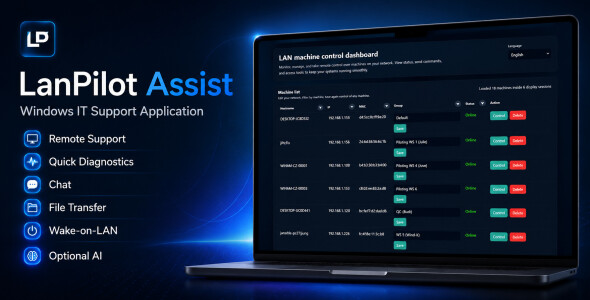
LanPilot Assist is a self-hosted Windows application for authorized internal IT support, LAN machine management, remote support workflow, quick diagnostics, chat, file transfer, Wake-on-LAN, and optional AI-assisted troubleshooting.
AI LAN Remote Support and Diagnostics is a self-hosted Windows LAN support application for internal IT teams, schools, labs, offices, and technical support departments.
It includes a FastAPI/WebSocket backend, browser-based dashboard, Windows child-machine agent, remote support workflow, two-way chat, file transfer, quick diagnostics, Wake-on-LAN support, and optional AI-assisted troubleshooting through an external LLM API.
Key Features
- Self-hosted LAN IT support dashboard
- Windows server and child-machine agent
- Remote screen support workflow for authorized machines
- Mouse, keyboard, hotkey, and clipboard actions
- Two-way chat between controller and child machine
- File transfer support
- Quick diagnostics for CPU, RAM, disk, processes, services, and event logs
- Optional AI-assisted troubleshooting
- Wake-on-LAN support
- Agent installer generation
- Source code and English documentation included
Technical Requirements
- Operating system: Windows 10, Windows 11, or Windows Server
- Recommended browser: Google Chrome or Microsoft Edge
- Network: trusted LAN, VLAN, or VPN environment
- Server port: configurable TCP port, default example 8765
- Python: Python 3.10 is required when running the source manually
- Python dependencies: FastAPI, Uvicorn, WebSockets, Requests, Pillow, MSS, PyAutoGUI, Psutil, and other packages listed in the included requirements files
- Inno Setup is required only if you want to rebuild the Windows agent installer
- Administrator permission is required when installing the agent on child machines
AI API Notice
AI-assisted troubleshooting is optional. External LLM/API services such as OpenRouter are not included in this package. The buyer must use their own API key if they want to enable AI features. External AI API usage may require a paid account and may incur additional costs depending on the provider.
Authorized Use Notice
This application is intended only for legitimate internal IT administration, technical support, diagnostics, and remote assistance. Install and use the agent only on computers and networks that you are authorized to manage. Do not use this product for unauthorized access, monitoring, surveillance, data theft, or any illegal activity.
What Is Included
- Server source code
- Windows agent source code
- Dashboard static files
- Installer files
- English README PDF
- License file
- Example configuration files
Support and Custom Development
For standard item support, please use the Envato item support section. Optional custom development, extended features, business deployment assistance, installation service, branding customization, and private modifications are not included in the basic package and may be discussed separately.





