47 comments found.

Pre-purchese: Hi… I want to know if this plugin is useful for: 1. Choose the entire “America” set in a single image 2. When you click on a country, an image that I upload will appear with the information I need to show, this image must be superimposed on the map without it disappearing 3. That each region can be configured with a different color
Wordpress 5.4 Visual WPBakery 6.2 NOT WORKING
Can you please update the code for current CMS version? #1. Axis labels are no longer displaying at all#2. As soon as index names starts with a number (digit), it cause the entire chart to disappear.
Hi,
I apologize for the delay.
We just tested our plugin in the environment that you suggested (WP 5.4 and WPBakery 6.2).
It works with no problems.
Also, Axis labels are still there and index names can start with a digit.
Probably something else on your website caused a conflict. Please contact us via the contact form and we will try to help you to find a solution.
- https://support.megamain.com/ Support request form.
- https://codecanyon.net/user/megamain Contact form in the sidebar.
Thank you.
Hi Guys, Have been using the plugin OK for a while now. Can you tell me if there was a way to add data sets in bulk? Some of our charts are quite involved and filling them in one by one is not a good use of our time. Thanks
Hi,
At this time plugin does not provide an opportunity for a bulk update. But we are open to suggestions and development of interesting ideas.
What you can suggest? How do you see the process of the bulk update of the charts?
Thank you.
I am working on a website in Elementor for which I need the map of Romania and 6 fields with percentages displayed at the bottom of the map. The counties will be represented by 6 colors, which will correspond to the percentages in the fields below (more percentages = a more strident color, less percentages = a lighter color). All of these must be connected to an API that will deliver the figures. Can i do this with this plugin?
Hi,
1) Yes, you can get a map of Romania with the help of this plugin.
2) Yes, you can have different colors for different areas. Also, you can have the “Legend” (percentages displayed at the bottom of the map).
3) No, this plugin doesn’t provide you to pull the data from an API feed. You will need code customization to make the plugin to pull the data from API.
Thank you.
Hi there, Where is the css code saved for this plug in? Many thanks,
I have purchased your plugin and i did a mistake on css and now i have a white page on wordpress admin panel. I have rename on file manager the plugin in order to fix the css code but i cannot find it. can you assist me?
Hi,
1) The CSS code that is related to this plugin may be located in one of two places (depends on what exactly you need).
- Directory with CSS files: plugins/mega_main_extensions/src/css/
- At the settings in the “Specific Options -> Custom CSS” field. Change “YOURWEBSITE.com” to your real domain name: YOURWEBSITE.com/wp-admin/admin.php?page=mega_main_extensions_options
2) You can contact us in one of the following ways and provide temporary admin access and we will help you to resolve the problem that is related to our plugin:
- http://support.megamain.com/ Support request form.
- https://codecanyon.net/user/megamain Contact form in the sidebar.
Thank you.
Hi, we have bought the plugin but we do not found options related to pie chart as shown on demo site. We are not interested by just the default WC pie chart settings. Please advise.
Hi,
Our plugin definitely contains Pie Charts. Process describe in our documentation, section “Pie Chart”. This is a link directly to the right section – http://manual.extensions.megamain.com/#mme_chart_pie_chart
If you will be not able to resolve your problem then please contact support in one of the following ways:
- http://support.megamain.com/ Support request form. - https://codecanyon.net/user/megamain Contact form in the sidebar.
Thank you.
Thanks a lot for your answer. Everything works fine. Great job.
Hi, after install the plugin, i couldnt scroll my web. can u help?
Hi,
Please go to “Dashboard -> Mega Main Extensions -> Specific Options -> Mega Smooth Scroll” and deactivate this option.
Thank you.
Hi! Do I need to have VC for this, or will all the plugins work with normal Wordpress plugin management?
Hi,
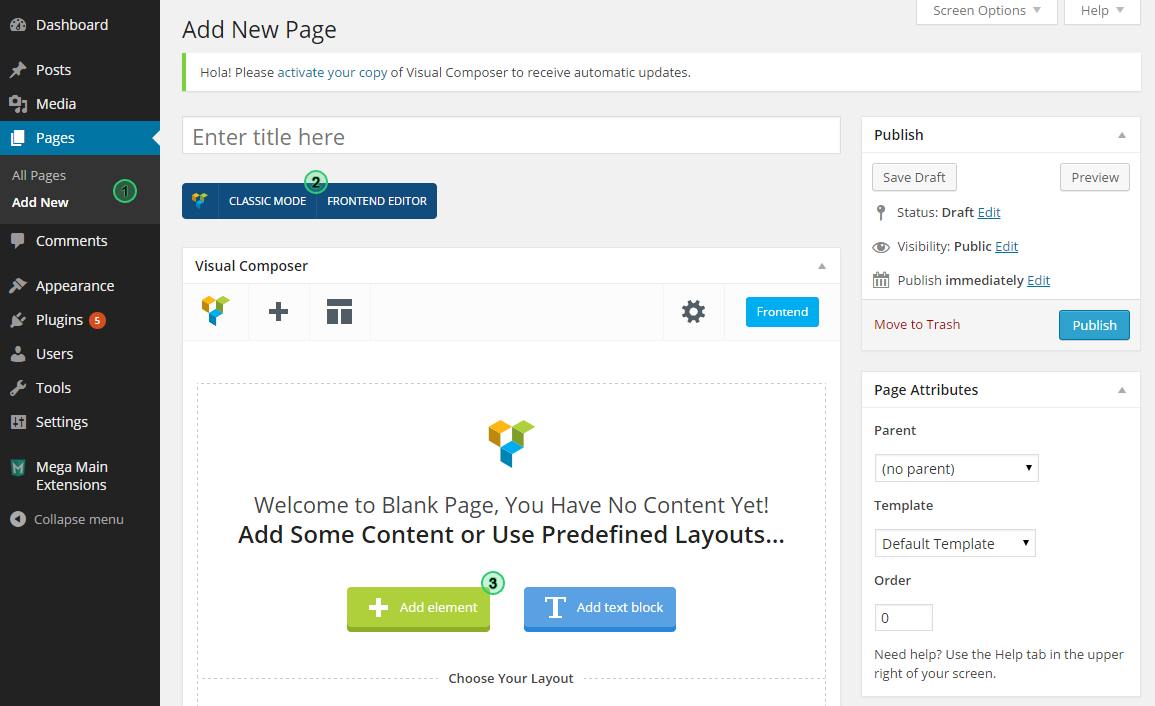
If you use this plugin together with Visual Composer then it more easier to add and edit elements because you will see elements in VC interface – http://manual.extensions.megamain.com/src/img/sh-3.png .
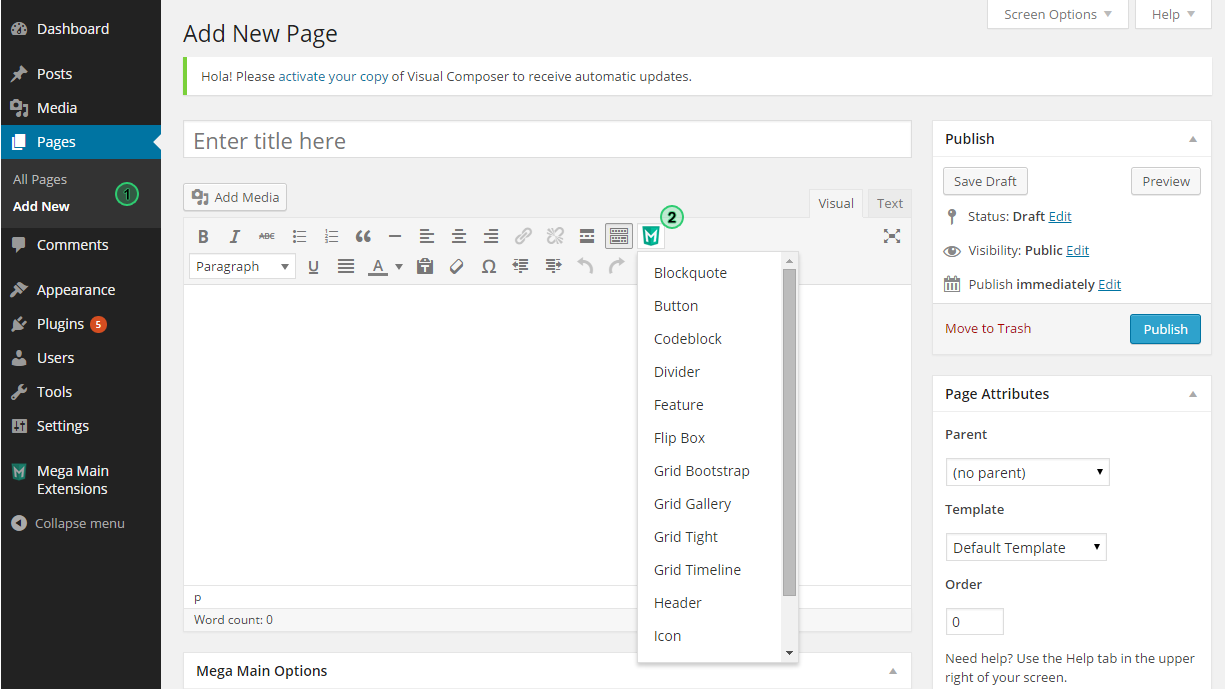
But you still able to use this plugin without VC because this plugin has “Lite shortcode generator” – http://manual.extensions.megamain.com/src/img/sh-4.png .
Thank you.
Hi, I installed and the Settings page shows up but the shortcode generator isnt appearing in my Post Editor
Hi,
I do not see “Purchased” badge on your comment, it means that you have no license. We are can help you if you prove that you bought this plugin.
Thank you.
Hi There, some pre-purchase questions. Can the plugin show the Value and Name at the same time without having to hover over the sections in pie charts? Here: http://extensions.megamain.com/interactive-maps-charts-graphs/pie-chart/
Also, I see a lot of broken PHP lines on the page, is there a more recent version without those errors? Would appreciate if you let me know
Thanks Cheers
Hi,
You can switch option in the Pie Chart to show any custom label for each slice. So for example you can manualy specify following labels to display inside the slices:
- First slice = 20 Apples (25%)
- Second slice = 60 pears (75%)
Thank you.
OK, purchased .. It’s fantastic.
smooth scroll is affected for some themes. kindly check with x theme’s compatibility with this plugin.
Hi,
Yes, you right. “Mega Smooth Scroll” option started to conflict with some of the themes. This is a reason why “Mega Smooth Scroll” option will be disabled by default in future versions of plugin.
Thank you.
Is it possible to get a map of Ukraine with the help of your product with detailed information by regions?
Hi,
Yes, the map of Ukraine is available in our plugin. You can highlight any regions and assign “Tooltips” for them and you can place any amount of text in the Tooltip.
Thank you.
I have purchased and installed the plugin, however, it is not showing on the page. Any ideas?
Hi,
Please contact us in one of following ways and give a link to your site (or it will be even better to get temporary admin access):
- http://support.megamain.com/ Support request form. - https://codecanyon.net/user/megamain Contact form in the sidebar.
Thank you.
Hi there. Thank you for making this plugin. I hope you continue to update it.
I am having an issue with turning the grid lines off. I have it set to ‘disable’ but the lines still show. This is a pretty big issue for me aka I can’t use it until it’s fixed.
In future updates please include gradients!
Hi,
We tested our plugin in all possible ways. All options works well. Can you please create the Chart that you need then switch to the “Plain text” mode and send to us the shortcodes that you see. Or contact us by email and give us temporary admin access.
Thank you.
where can i put my google api key? maps don’t work
Hi,
I apologize for delay in our answer.
1) You can change Google API key in JS file.
File: /mega_main_extensions/src/js/frontend.js
Line: 424
2) Or you can contact us by email and we will provide you new version of plugin where you can put your API key in the “Dashboard -> Mega Main Extensions -> Specific Options -> Google API key”.
Thank you.
Hi – is it possible with this plugin to use GoogleMaps and paint polygons over admin-defined areas? Or do you only have/include specific static maps shown in example?
Hi,
Yes, you have access to all maps that available in Google Maps, So basically you have all maps of the world. You can not paint custom polygons. You have opportunity to select any area and it will be filled out automatically.
Thank you.
Presale: is there a way to do a map of New England states (US)?
Hi,
Our plugin has integration with Google Maps. So, if Google have map that you need then you will be able to get it with help of our plugin.
Thank you.
Is there a way to supply dynamic data to a specific chart? through a wp php filter or custom javascript?
Hi,
Actually on plugin has no such feature by default, but if you have good knowledge of JavaScript – you can get needed result even without this plugin. Lol )
But of course this plugin will make your life easier. Also we will try to help you to get needed result.
Thank you.
Hey there, is it possible to stream Facebook and Twitter posts through the Timeline as well?
Hi,
Our plugin can display any “custom post type” in the timeline grid, but unfortunately it has no option to get posts automaticaly from Facebook or Twitter.
Thank you.
Hi, I have an updated WP and VC, this plugin is not working. Looks like it hasn’t been updated in a long time. Can we either find a fix for this or can I have a refund?
Hi,
I apologize for temporary problems.
1) We already sent new version of plugin on CodeCanyon. It will be available for download in next 48 hours.
2) You can contact us by mail and we will provide new version for you as soon as it possible.
Thank you.
Thank you. Sent email via your website.
guys I think you have some problem with the API of the maps, I m not able to use the map shortcode it keeps giving me error
Hi,
Already sent you new version of plugin. It will fix your problem.
Thank you.
where you sent it? no seeing it in my mail
Hi,
We responded to your support request by mail, right before last comment. Try to check your SPAM box. If you will not find our letter then write to us through contact form in the sidebar on this page – https://codecanyon.net/user/megamain
Thank you.
Guys the new plugin you sent me give me the following error: Fatal error: Call to undefined method mm_datastore::get_list_of_skins() in C:\xampp2\htdocs\Klover\wp-content\plugins\mega_main_extensions-mcg\extensions\shortcodes\mme_chart_area_chart.php on line 23
Making the whole vbackend of my site unreachable…I must delete the plugin or nothing works…please fix!
Hi,
Can you please contact us by mail again. It have no sense to write your comment here because we can not provide new version for you through comments… Just contact us through contact form as we described in previous comment – https://codecanyon.net/user/megamain .
Thank you.