GeoFill Pro – Smart Multi-API Address Autocomplete for WordPress
Make address entry effortless and highly accurate — with powerful support for the DACH region (Germany, Austria, Switzerland) and India.
GeoFill Pro combines Google Places as the primary engine with intelligent failover to Mapbox and regional APIs, delivering exceptional accuracy across Europe and India.
Key Highlights
- Multi-API system with automatic smart failover
- Outstanding DACH region optimization
- Native MapMyIndia support for highly accurate Indian addresses
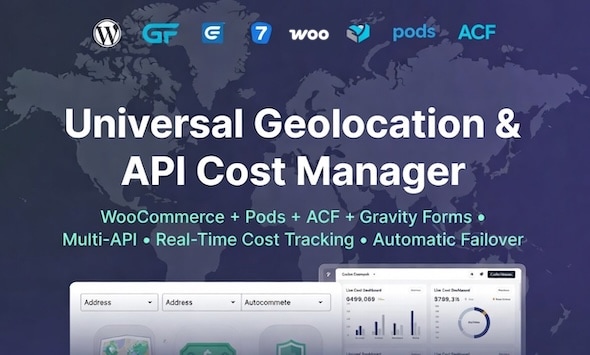
- Works with 13+ popular form builders and LMS platforms
- Built-in Cost Tracking Dashboard with Chart.js
- Extremely lightweight (22 KB)
Exceptional DACH Region Support
GeoFill Pro is specifically optimized for German-speaking countries:
- Germany (DE): Accurate 5-digit PLZ, Straße + Hausnummer, and Ort recognition
- Austria (AT): Full support for Stiege, Top, Tür, and 4-digit PLZ
- Switzerland (CH): Excellent handling of NPA, Kanton codes, and multilingual city names
Powerful India Support with MapMyIndia
GeoFill Pro includes native integration with MapMyIndia, one of India’s most reliable mapping services.
- Accurate handling of Indian address formats (locality, area, pin code, city, state)
- Support for both English and regional language components
- Better accuracy in Tier-2 and Tier-3 cities
- Smart switching between Google Places and MapMyIndia based on user location
Feature Comparison
| Feature | GeoFill Pro | Other Plugins |
|---|---|---|
| Multi-API with Failover | ✅ Yes | Limited |
| DACH Region Support | Excellent | Basic |
| MapMyIndia Integration | ✅ Native Support | Not Available |
| WooCommerce + 13 Builders/LMS | Full Support | Partial |
| Cost Tracking Dashboard | ✅ Yes | No |
| Plugin Size | 22 KB | 80–200 KB |
Supported Platforms
E-commerce: WooCommerce (Billing & Shipping)
Forms: Gravity Forms, Contact Form 7, WPForms, Formidable Forms, Elementor
LMS & Membership: LearnDash, LifterLMS, MemberPress, Easy Digital Downloads
Field Frameworks: ACF, Pods
Simple Setup
- Install and activate GeoFill Pro
- Go to GeoFill Pro → Settings and enter your API keys
- Add the CSS class
geofill-addressto any address field
Note: Google Places API Key and Mapbox Access Token are required for full functionality. MapMyIndia key is optional but recommended for best performance in India.
Live Demo Available — Test the accuracy on both European and Indian addresses directly in the preview.