

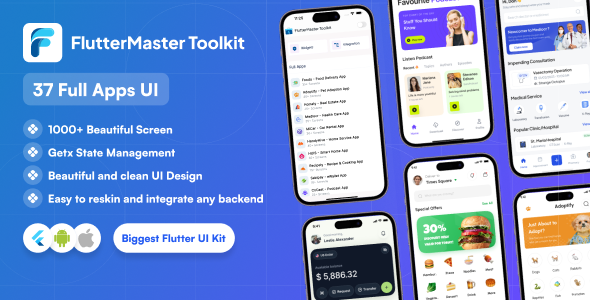
Flutter Master Toolkit – Ultimate Flutter UI Kit & App Template
Build modern Flutter apps faster using 1000+ UI screens, 37+ complete app templates, beautiful dashboards, animations, reusable widgets, and production-ready architecture powered by Flutter 3.x, GetX & Material Design 3.
Download Live Application : Google Play Store Link
Why Choose Flutter Master Toolkit?
- 1000+ Ready-to-use Flutter UI Components
- 37+ Complete Flutter App Templates
- Built with Flutter 3.x (Null Safe)
- GetX State Management
- Material Design 3
- Responsive Layouts for Mobile, Tablet, Web & Desktop
- Light & Dark Theme Support
- Modern Dashboards, Charts & Analytics
- Clean & Scalable Architecture
- Reusable Widgets & Modular Structure
- Production-ready Codebase
- Lifetime Free Updates
New Feature – Dynamic Form Builder
Build powerful forms dynamically using JSON configuration. Perfect for admin panels, SaaS platforms, enterprise systems, and business applications.
Dynamic Form Builder Features
- JSON-based Dynamic Forms
- Single-step & Multi-step Wizard Forms
- Conditional Field Visibility
- Built-in Validation Support
- Password Show / Hide Toggle
- File Upload Support
- Date Picker Integration
- Dark Mode Compatible
- Safe Back Handling
- Responsive Layout Support
Demo Forms Included
- Login Form
- Signup Form
- KYC Verification Form
- Job Application Form
- Medical Information Form
- Customer Feedback Survey
- Product Order Form
- Admin Settings Panel
AI-Powered Modules
- ChatGenie – AI Chat Assistant
- MailGenie – AI Email Generator
- PostGenie – AI Social Post Generator
- CVGenie – AI Resume Builder
Key Features
- 1000+ Flutter Screens & Widgets
- 37+ Complete Flutter Applications
- Beautiful Animations & Transitions
- Reusable Components
- Pixel-perfect Responsive UI
- Material Design 3
- Clean Folder Structure
- GetX Architecture
- Flutter 3.x Compatible
- Firebase & REST API Ready
Perfect For
- Flutter Developers
- Freelancers
- Agencies
- Startup MVPs
- SaaS Applications
- Admin Dashboards
- Rapid App Prototyping
Tech Stack
- Flutter 3.x (Null-safe)
- Material Design 3
- GetX State Management
- Firebase Integration
- REST API Integration
- Android, iOS, Web & Desktop Support
What You Get
- Complete Flutter Source Code
- 1000+ Reusable Widgets
- 37+ Full Flutter Apps
- Dynamic Form Builder
- Authentication Flows
- Charts & Dashboard Widgets
- Detailed Documentation
- Lifetime Updates
- Premium Support
Popular Use Cases
- eCommerce Apps
- Food Delivery Apps
- Finance & Banking Apps
- Booking & Appointment Systems
- Fitness & Healthcare Apps
- AI-powered Applications
- Social Media Platforms
- Admin Dashboards
- SaaS Platforms
Beautiful Flutter Animations
Full Applications
Applications Included
- Food Delivery App
- Pet Adoption App
- Real Estate App
- Healthcare App
- Car Rental App
- Smart Home App
- Recipe & Cooking App
- E-wallet App
- Podcast App
- Attendance App
- Freelancing App
- Banking App
- Fitness App
- Fashion Ecommerce App
- News App
- Social Media App
- Movie Streaming App
- AI Chatbot App
- Community Messenger App
- Travel Planner App
- Delivery Tracking App
- Salon App
Flutter Integrations
- Firebase CRUD
- REST API Integration
- Google Sign-In
- Fingerprint Authentication
- Local Notifications
- Image / Video / Audio Picker
- Calendar Integration
- QR Code Generator
- PDF Viewer
- Google Ads
- Signature Pad
Charts Included
- Pie Chart
- Bar Chart
- Line Chart
- Stacked Chart
- Analytics Dashboard
- Transaction Chart
Start building modern, scalable, and production-ready Flutter applications today with Flutter Master Toolkit.





